
LUMi Motion
- Digital500 JPY
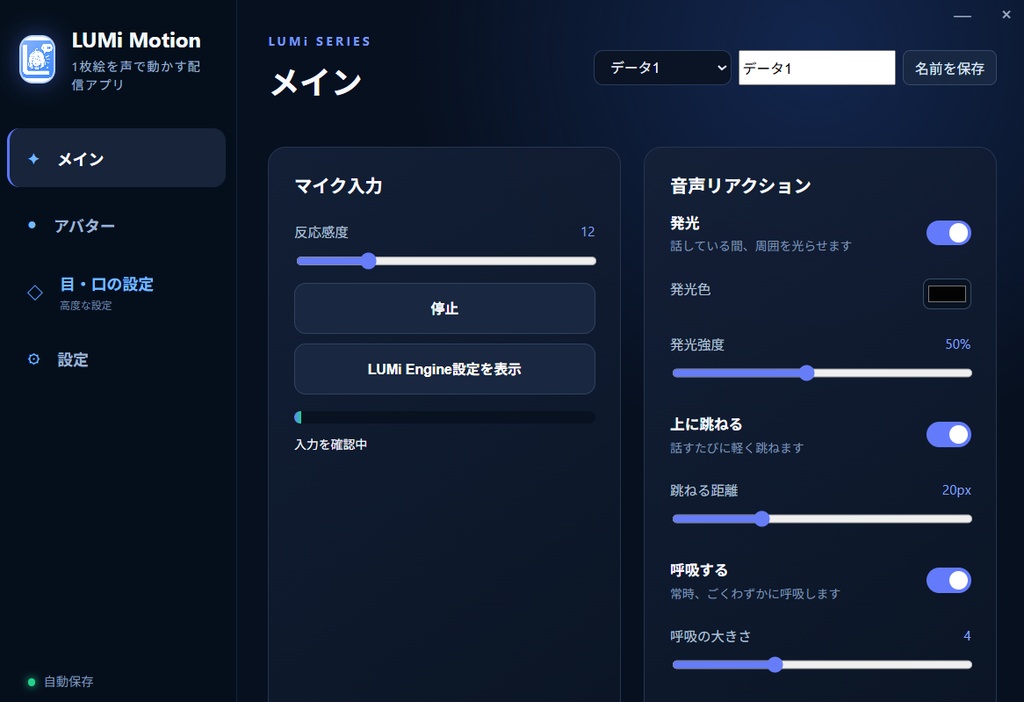
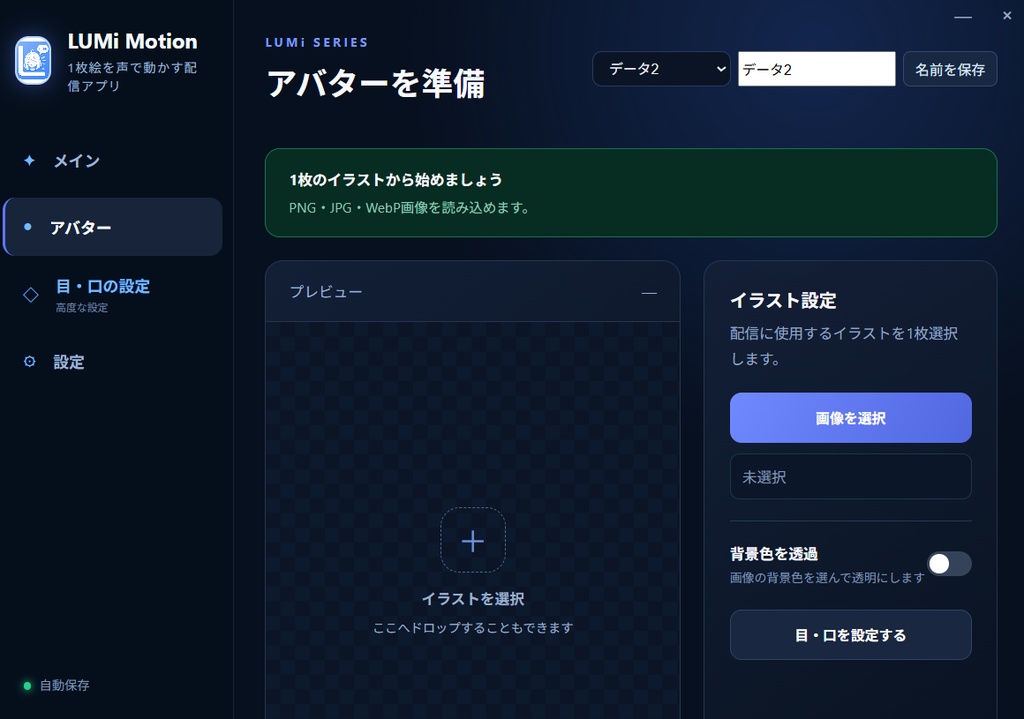
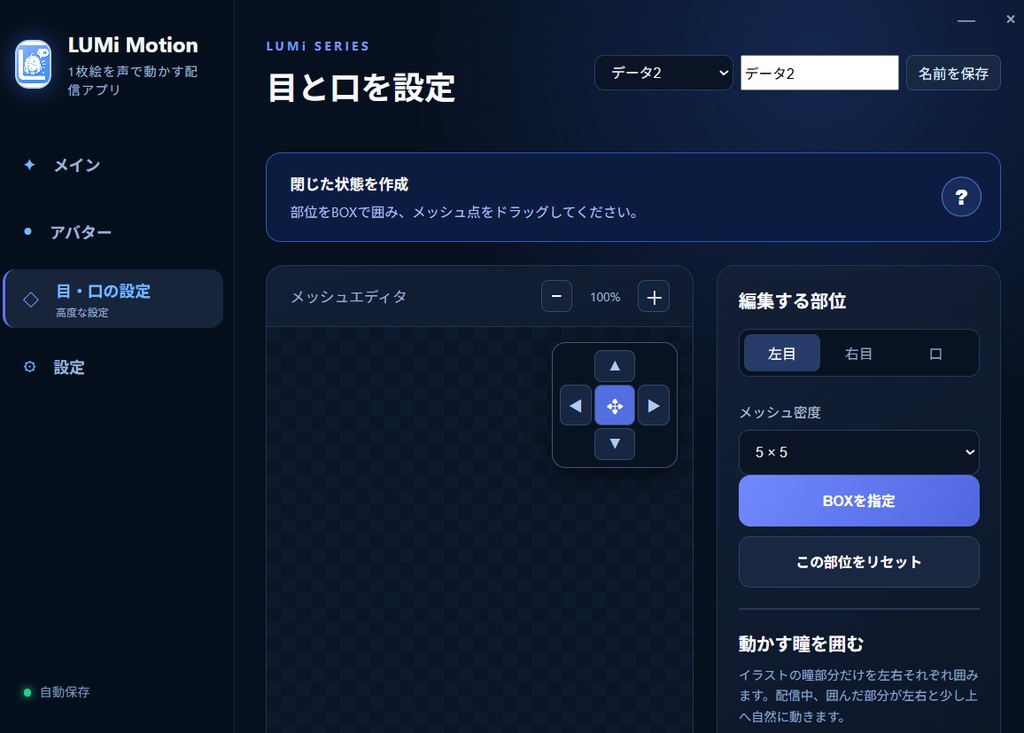


🎙️ LUMi Motion|1枚のイラストが動き出す!簡単2D配信ツール イラスト1枚とマイクだけであなたのキャラクターが動き出す! LUMi Motionはお気に入りの立ち絵を簡単に動かせるWindows向け2D配信アプリです。 カメラやフェイストラッキングは不要! 目の瞬きや口パク、呼吸、瞳の動きなどを設定するだけで、静止画のキャラクターに自然な動きを加えられます。 OBSにも対応しているのでVTuber活動やゲーム実況、雑談配信などにおすすめです! ✨ 主な機能 自然な瞬き・瞳の動き 自動瞬きでキャラクターに表情をプラス 瞳が左右や少し上に自然に動く 目の開閉はメッシュ編集で細かく調整可能 🎤 マイク連動の口パク 声に合わせてキャラクターの口が動く 閉じ口のイラストから開き口を作成可能 音声感度も自由に調整 ✨ キャラクターをもっと生き生きと! 声に反応してキャラクターが発光 話すたびにぴょこぴょこ跳ねる ゆったりとした呼吸モーション 自然な待機モーション 発光色や動きの強さも調整可能 🎨 立ち絵を簡単に設定 PNG / JPG / WebP対応 目や口を囲んでメッシュを調整するだけ 設定は自動保存 最大3キャラクターを登録・切り替え可能 📺 OBSでの配信に対応 透過背景の配信用プレビュー 配信中も各種設定をリアルタイム変更 30FPSの軽量描画 日本語・英語対応 🌟 こんな方におすすめ! 1枚の立ち絵でVTuber活動を始めたい方 Live2Dモデルを用意せずに配信したい方 ゲーム実況や雑談配信でキャラクターを動かしたい方 カメラを使わずに配信したい方 難しい設定をなるべく減らしたい方 💻 動作環境 対応OS: Windows 10 / 11(64-bit) 対応画像: PNG / JPG / WebP 必要機器: マイク 配信ソフト: OBS Studio対応 インターネット接続: ライセンス認証時に必要 バージョン: 1.1.8 ※マイク入力にはLUMiシリーズ共通の「LUMi Engine」を使用します。 🔑 ライセンスについて 初回起動時にBOOTHの注文番号で認証します。 1注文につき1台のPCで利用できます。 2回目以降は保存された情報を使って自動認証されます。 PCの買い替えなどで端末を変更する場合は、販売者へお問い合わせください。 ⚠️ ご購入前の注意事項 本製品はWindows専用です。Macには対応していません。 Live2Dモデルを動かすソフトではありません。 イラストの形状によっては、目や口の調整が必要です。 画像をAIで自動生成する機能はありません。 起動時のライセンス認証にはインターネット接続が必要です。 インストール時にWindowsのセキュリティ警告が表示される場合があります。 あなたの好きなイラストを、配信で動くキャラクターに。 LUMi Motionでもっと手軽にキャラクター配信を楽しもう! 英語↓ 🎙️ LUMi Motion | Bring Your Illustration to Life! Easy 2D Streaming Tool Bring your character to life with just one illustration and a microphone! LUMi Motion is an easy-to-use 2D streaming application for Windows that lets you animate your favorite character illustrations. No camera or face tracking required! Simply set up blinking, lip-syncing, breathing, and eye movements to bring natural motion to your static character illustration. LUMi Motion also supports OBS Studio, making it perfect for VTuber activities, gaming streams, and chatting streams! ✨ Main Features Natural Blinking & Eye Movement Automatic blinking brings your character to life Eyes naturally move left, right, and slightly upward Fine-tune eye movements using mesh editing 🎤 Microphone-Responsive Lip Sync Your character's mouth moves in response to your voice Create an open-mouth animation from a closed-mouth illustration Adjustable microphone sensitivity ✨ Make Your Character Even More Lively! Your character glows in response to your voice Cute bouncing movements while speaking Gentle breathing animations Subtle idle animations Customizable glow colors and movement intensity 🎨 Easy Character Setup Supports PNG / JPG / WebP Simply select the eyes and mouth areas and adjust the mesh Settings are saved automatically Save and switch between up to 3 characters 📺 OBS Streaming Support Transparent background streaming preview Adjust settings in real time while streaming Lightweight 30 FPS rendering Japanese and English language support 🌟 Recommended For Anyone who wants to start VTubing with just one character illustration Streamers who want to animate their characters without a Live2D model Gaming and chatting streamers who want to bring their characters to life Anyone who prefers streaming without a camera Beginners looking for an easy-to-use character animation tool 💻 System Requirements OS: Windows 10 / 11 (64-bit) Supported Image Formats: PNG / JPG / WebP Required Equipment: Microphone Streaming Software: OBS Studio compatible Internet Connection: Required for license authentication Version: 1.1.8 Microphone input is managed through LUMi Engine, the shared audio system used across the LUMi series. 🔑 License Information Enter your BOOTH order number to activate the application on first launch. Each purchase allows activation on one PC. Your license information is securely saved for automatic authentication on future launches. If you need to switch PCs due to replacement or hardware failure, please contact the seller to reset your device registration. ⚠️ Important Notes Before Purchasing This application is designed for Windows only. macOS is not supported. This software does not support Live2D models. Depending on your illustration, manual adjustments to the eyes and mouth may be necessary. This application does not include AI image generation features. An internet connection is required for license authentication at startup. Windows may display a security warning during installation because the installer is not digitally signed. Turn your favorite illustration into an animated character for your streams! Make character streaming easier and more fun with LUMi Motion!