

【MA対応】喫煙パイプ / Smoking Pipe
- Digital799 JPY
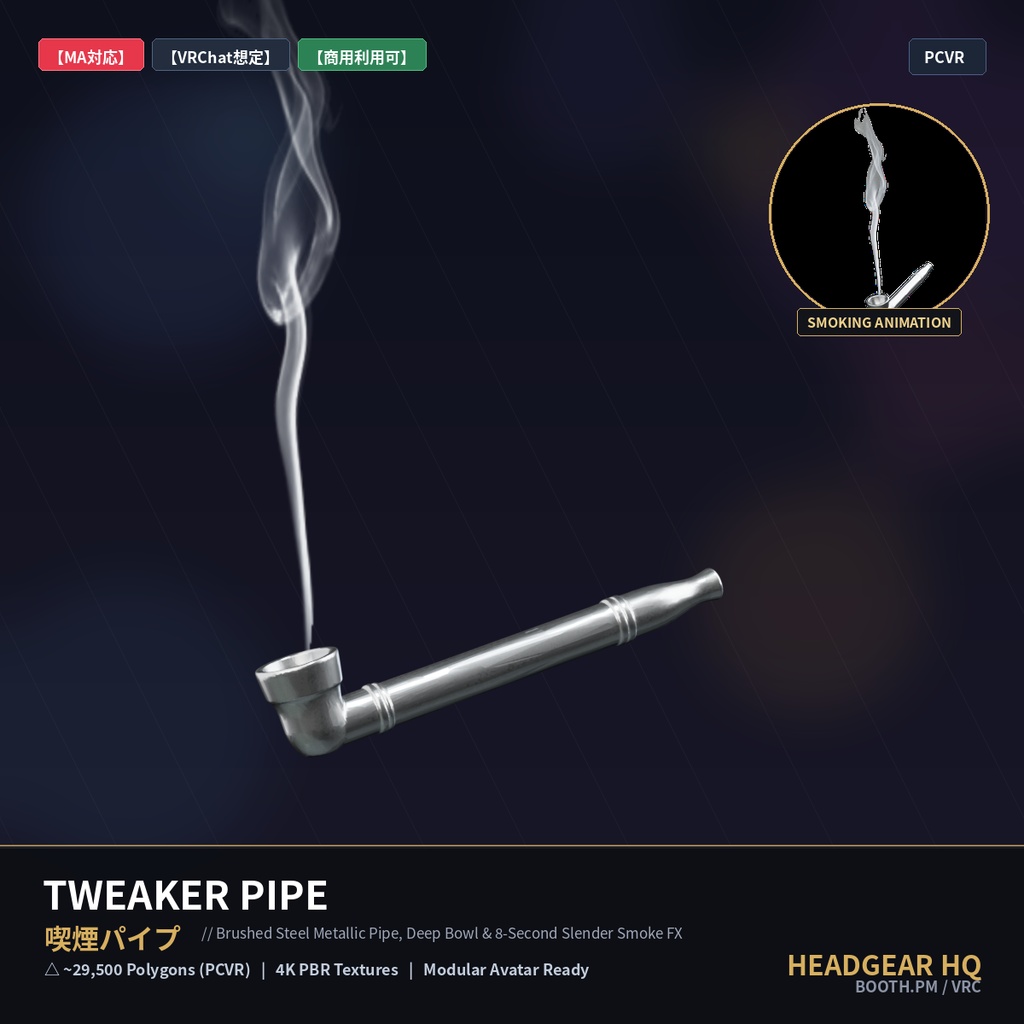
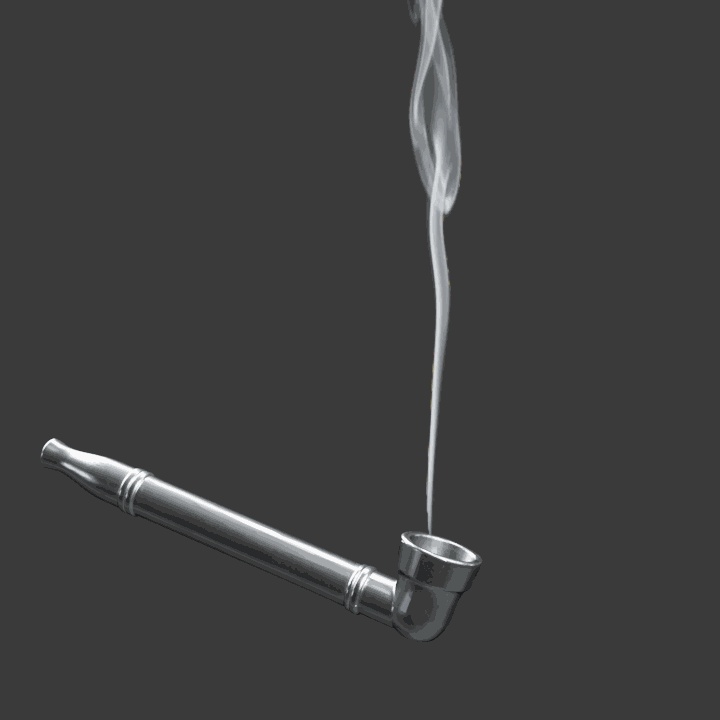


【MA対応】喫煙パイプ / Smoking Pipe 重厚なブラッシュドスチール(ヘアライン仕上げ金属)の質感と深いボウルが特徴的な、VRChat向けウェアラブル3D喫煙パイプ『Tweaker Pipe』です。リアルな金属光沢と精密なディテールを持ち、口元・頭部ボーンに完全フィットします。 さらに、ストアGIFで表示されている8秒周期の非反復アニメーション煙VFX(HeadgearHQ Ultimate Smoke FX)を完全同梱。Modular Avatar対応でボウル先端の「Smoke_Socket」にプレハブをドラッグ&ドロップするだけで、ワールド内で優雅に立ち上る紫煙を演出できます。(1ポリゴンQuad仕様 / VRChat Excellentランク維持) 【同梱データ】 ・Tweaker_Pipe_PC.fbx(リグ済みパイプ本体 / Smoke_Socketボーン内蔵) ・HeadgearHQ_Ultimate_Smoke_FX.unitypackage(8秒煙アニメーションシェーダー&マテリアル同梱) ・4K PBRテクスチャ(BaseColor / MetallicRoughness) Head ボーンにリグ済みで、Modular Avatar の MA Bone Proxy を使って簡単にアバターへ装着できます。 ※ PC 向け (PCVR) です。Quest / Android 単体動作には対応していません。 [Tweaker Pipe] A heavy brushed steel metallic smoking pipe featuring a deep bowl chamber, ergonomic stem, and realistic industrial PBR texturing. Designed as an authentic wearable accessory for VRChat avatars, pre-rigged to Head bone with full Modular Avatar support. Includes the complete 8.0-second non-repetitive slender smoke particle VFX system (HeadgearHQ Ultimate Smoke FX) for Unity. Simply parent the included prefab to the 'Smoke_Socket' bone to have an ultra-realistic rising smoke plume with guaranteed VRChat 'Excellent' performance rating. [Included Files] - Tweaker_Pipe_PC.fbx (Pre-rigged pipe model with Smoke_Socket bone) - HeadgearHQ_Ultimate_Smoke_FX.unitypackage (8-second smoke flipbook shader, animations & materials) - 4K PBR Textures (BaseColor / MetallicRoughness) * PC (PCVR) only. Quest / Android standalone is not supported. ■ 商品内容 / Package Contents ・Tweaker_Pipe_PC.fbx (△ ~29,500 Polygons / Rigged to Head Bone) ・Unity Package: Unity_Smoke_Package/HeadgearHQ_Ultimate_Smoke_FX.unitypackage (8.0s Smoke Flipbook Animation / Prefab / Shader) ・Textures (PNG): BaseColor 4K / Metallic-Roughness 4K ・利用規約 (README_TOS.txt) ■ 装着方法 / How to Wear (Modular Avatar) 1. 本 FBX とテクスチャを VRChat アバタープロジェクト (Unity 2022.3.x) にインポートし、マテリアルに BaseColor / Metallic-Roughness を割り当ててアバターに配置します。 2. 「Modular Avatar」の「MA Bone Proxy」を追加し、Target に Head ボーンを指定してください。 3. Transform (Position / Scale) でお使いのアバターに合わせて位置と大きさを調整してください。 ■ 煙アニメーション設定 / How to Add Smoke Animation 1. 同梱の「HeadgearHQ_Ultimate_Smoke_FX.unitypackage」をUnityにインポートします。 2. アバターに配置した「Tweaker_Pipe_PC.fbx」のArmature内の「Smoke_Socket」ボーンを探します。 3. Prefabsフォルダ内の「Hunter_Smoke_8s_Wisp.prefab」を「Smoke_Socket」ボーンの子オブジェクトとして配置します。 4. Transform (Position / Rotation) を (0,0,0) にリセットすれば設定完了です。(Quad 1ポリゴン仕様 / VRChat Excellentランク維持) ■ 利用規約 / Terms of Service (VN3 License) ・商用利用 (動画配信、VTuber活動、ゲーム制作等): 許可 (Commercial Use: ALLOWED) ・モデル改変・テクスチャ編集: 許可 (Modification: ALLOWED) ・パブリックアバターへの組み込み (クローン可能な状態): 禁止 (Public Upload: PROHIBITED) ・本モデルデータの再配布・再販売: 禁止 (Redistribution: NO) HeadgearHQ: https://headgearhq.booth.pm