
【Warudo専用3Dステージ】星空と歯車の幻想ステージ「AstroGear」
- Normal (Warudo Standard)Digital1,600 JPY
- URP (Warudo Pro)Digital2,000 JPY
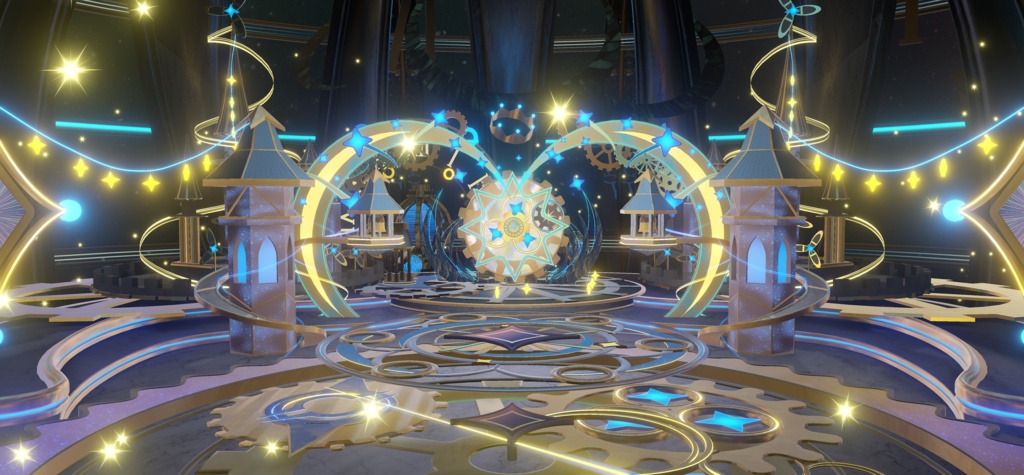
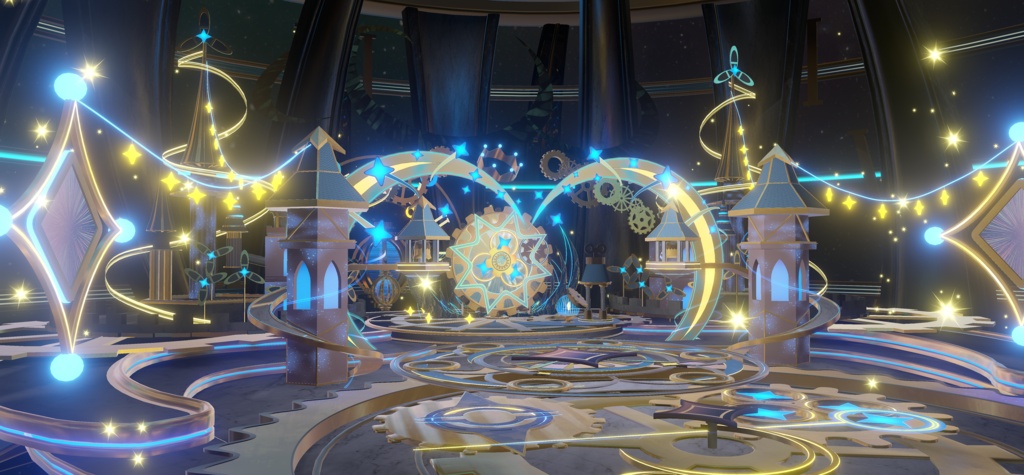
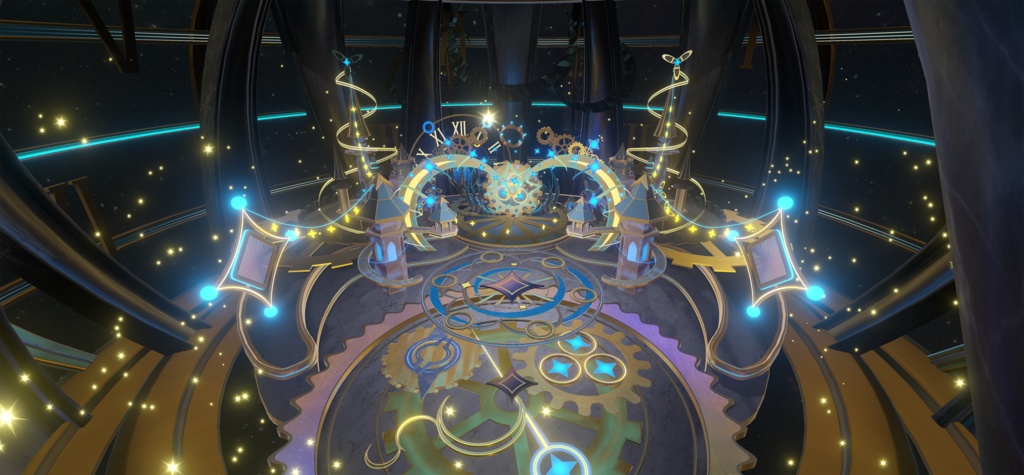
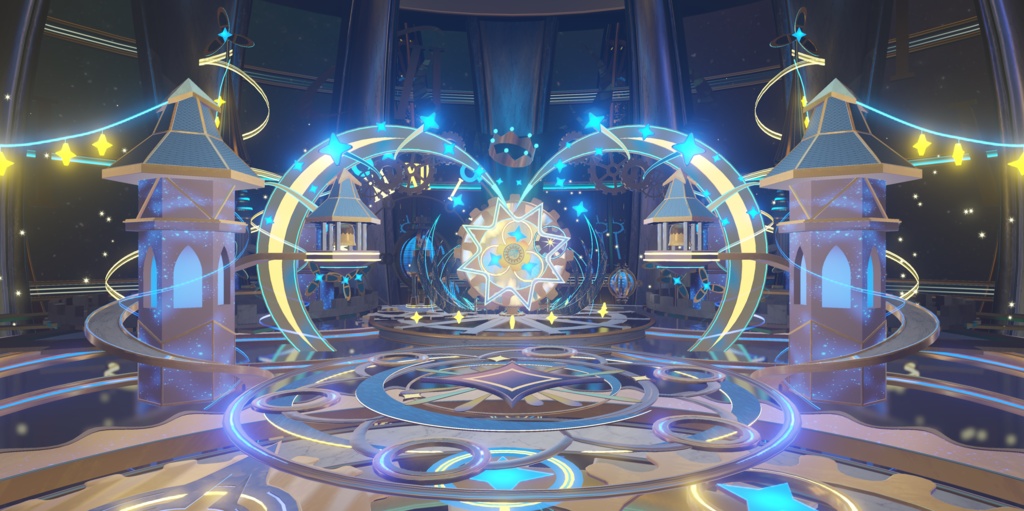
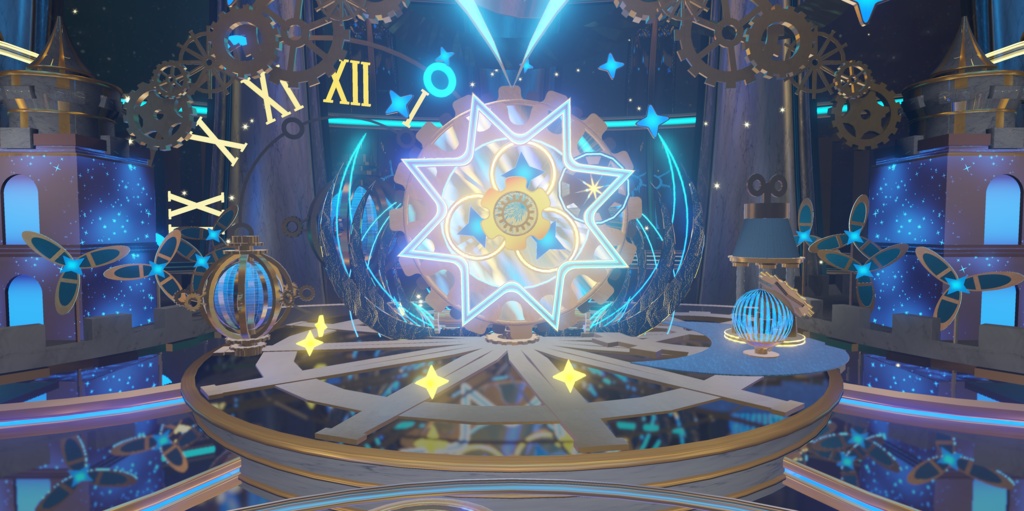
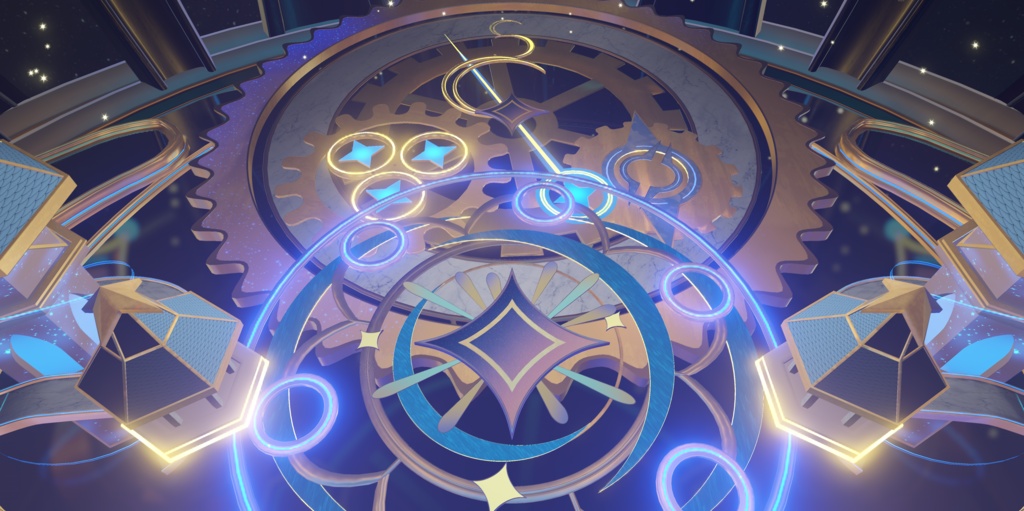


AstroGear 【重要:Warudoのバージョンについて】 現時点では、本ステージに含まれる回転エフェクトは、Warudoの安定版(Stableブランチ)でのみ正常に動作します。 Stableブランチ以外のバージョンでは、現在、回転エフェクトが正常に動作しません。 今後のWarudoのアップデートにより、対応状況が変わる可能性があります。 回転エフェクトをお楽しみいただくため、現時点ではWarudoの安定版(Stableブランチ)のご使用をおすすめします。 ご購入前に、ご自身のWarudoのバージョンをご確認ください。 【商品紹介】 星空と時計仕掛けをモチーフにした、Warudo向けの幻想的な3Dステージ「AstroGear」。 きらめく星々、三日月のアーチ、繊細な歯車の装飾、そして青と金色の光が織りなす、幻想的で華やかな空間をお楽しみいただけます。 バーチャルライブやVTuber配信、動画制作、撮影など、さまざまなシーンでご活用いただけたら嬉しいです。 【バリエーション】 ■ Normal版(Warudo Standard)— ¥1,600 Warudo通常版(Steam版)向けのステージデータです。 ダウンロードファイル:AstroGearNormal.zip 収録ステージファイル:AstroGearNormal.warudo ■ URP版(Warudo Pro)— ¥2,000 Warudo ProのURP環境向けのステージデータです。 ダウンロードファイル:AstroGearURP.zip 収録ステージファイル:AstroGearURP.warudo ※各バージョンは対応するWarudo環境でご使用ください。ご購入前に、ご自身の使用環境をご確認ください。 【導入方法】 ① Warudoをインストールする Warudo通常版をご利用の場合は、SteamからWarudoをダウンロードしてインストールしてください。 Warudo(Steam版): https://store.steampowered.com/app/2079120/Warudo/ Warudo Proをご利用の場合は、お持ちのWarudo Proをインストールしてください。 ② 商品ファイルをダウンロードする BOOTHからご購入いただいたZIPファイルをダウンロードし、解凍してください。 ・Normal版:AstroGearNormal.zip ・URP版:AstroGearURP.zip 解凍後、対応する「.warudo」ファイルをご用意ください。 ③ ステージファイルを配置する Warudoを起動し、メニューから「Open Data Folder」を選択してください。 開いたデータフォルダー内の「Environments」フォルダーに、解凍した「.warudo」ファイルをコピーしてください。 ④ ステージを読み込む Warudoのエディターで「Environment」アセットを選択し、「Source」からAstroGearを選択してください。 Environmentアセットがない場合は、新しく追加してください。 読み込みが完了すると、ステージが表示されます。 ※一覧に表示されない場合は、Warudoを再起動してから再度お試しください。 ※URP版はWarudo ProのURP環境でご使用ください。 ⑤ シーンを保存する 必要に応じてカメラやライティングなどを調整し、Warudoの「Save Scene」からシーンを保存してください。 【ご購入前に】 ・本商品はWarudo専用のダウンロード商品です。VRChatには対応していません。 ・ご購入前に、ご自身の使用環境に対応したバージョンをご確認ください。 ・Unityプロジェクト、FBX、Blenderファイルなどの編集用ソースデータは付属していません。 ・掲載画像にはNormal版とURP版の両方が含まれています。使用環境やグラフィック設定によって、実際の表示が異なる場合があります。 ・回転エフェクトの動作条件については、ページ冒頭の「Warudoのバージョンについて」を必ずご確認ください。 ・ご購入前に、商品ページに掲載されている利用規約をご確認ください。 【お問い合わせ・サポート】 商品についてご不明な点や、ご使用中にお困りのことがありましたら、どんな小さなことでもお気軽にBOOTHのメッセージからお問い合わせください! 皆さまの素敵な作品やライブの一部として、AstroGearを楽しんでいただけたら嬉しいです! 今後ともQianroaをよろしくお願いいたします! AstroGear — English 【Important: Warudo Version Compatibility】 Currently, the rotating effects included in this stage function correctly only on the Stable branch of Warudo. The rotating effects do not currently function correctly on other branches. Compatibility may change with future Warudo updates. To enjoy the stage's rotating effects as intended, we currently recommend using the Stable branch of Warudo. Please check your Warudo version before purchasing. 【Product Description】 AstroGear is a fantasy 3D stage designed for Warudo, inspired by the starry sky and intricate clockwork mechanisms. Featuring sparkling stars, crescent-shaped arches, delicate gears, and a beautiful combination of glowing blue and golden lights, AstroGear creates a magical and enchanting atmosphere. We hope AstroGear brings a special touch to your virtual concerts, VTuber livestreams, video productions, photography, and other creative projects. 【Available Editions】 ■ Normal Edition (Warudo Standard) — ¥1,600 Stage data designed for the standard Steam version of Warudo. Download file: AstroGearNormal.zip Included stage file: AstroGearNormal.warudo ■ URP Edition (Warudo Pro) — ¥2,000 Stage data designed for Warudo Pro using the URP rendering pipeline. Download file: AstroGearURP.zip Included stage file: AstroGearURP.warudo Note: Each edition is intended for its corresponding Warudo environment. Please check compatibility before purchasing. 【Installation & Setup】 ① Install Warudo If you are using the standard version of Warudo, please download and install it through Steam. Warudo (Steam): https://store.steampowered.com/app/2079120/Warudo/ If you are using Warudo Pro, please install your licensed version of Warudo Pro. ② Download the Product Files Download your purchased ZIP file from BOOTH and extract it. ・Normal Edition: AstroGearNormal.zip ・URP Edition: AstroGearURP.zip After extraction, locate the corresponding ".warudo" file. ③ Install the Stage File Launch Warudo and select "Open Data Folder" from the menu. Open the "Environments" folder inside the data folder and copy the extracted ".warudo" file into it. ④ Load the Stage In the Warudo editor, select the "Environment" asset and choose AstroGear from the "Source" dropdown menu. If your current scene does not have an Environment asset, please add one first. Once the environment has loaded successfully, the stage will appear. Note: If the stage does not appear in the list, please restart Warudo and try again. Note: The URP Edition must be used with Warudo Pro in a URP environment. ⑤ Save Your Scene Adjust the camera, lighting, and other settings as needed, then use "Save Scene" in Warudo to save your configuration. 【Before Purchasing】 ・This is a digital download product designed exclusively for Warudo. It is not compatible with VRChat. ・Please make sure to select the edition compatible with your Warudo environment before purchasing. ・Unity projects, FBX files, Blender files, and other editable source assets are not included. ・Preview images include both Normal and URP versions. Actual visuals may vary depending on your software environment and graphics settings. ・Please read the "Important: Warudo Version Compatibility" section above for information about the rotating effects. ・Please review the Terms of Use provided on this product page before purchasing. 【Contact & Support】 If you have any questions about the product or encounter any issues while using it, please feel free to contact us through BOOTH messages, no matter how small! We hope AstroGear can become a wonderful part of your creative projects and live performances! Thank you for supporting Qianroa!
Terms of Service
【利用規約】 以下の行為は禁止されています。 ・本商品および改変したデータの再販売・再配布・第三者への共有。 ・本商品に含まれる3Dモデル、テクスチャ、その他の素材を抽出し、販売・配布する行為。 ・本商品を他の商品やアセットパックに組み込んで再販売・再配布する行為。 クレジット表記は必須ではありませんが、「Qianroa」と記載していただけると嬉しいです! ご不明な点がございましたら、お気軽にBOOTHのメッセージからお問い合わせください。 【Terms of Use】 The following activities are prohibited: ・Reselling, redistributing, or sharing this product or its modified files with third parties. ・Extracting and selling or distributing any 3D models, textures, or other assets included in this product. ・Including this product in other products or asset packs for resale or redistribution. Credit is not required, but we'd really appreciate it if you mentioned "Qianroa"! If you have any questions, please feel free to contact us through BOOTH messages.