
SheetLens
- [FREE] SheetLens-1.0.0.zipDigital0 JPY
- [SUPPORT] SheetLens-1.0.0.zipDigital100 JPY
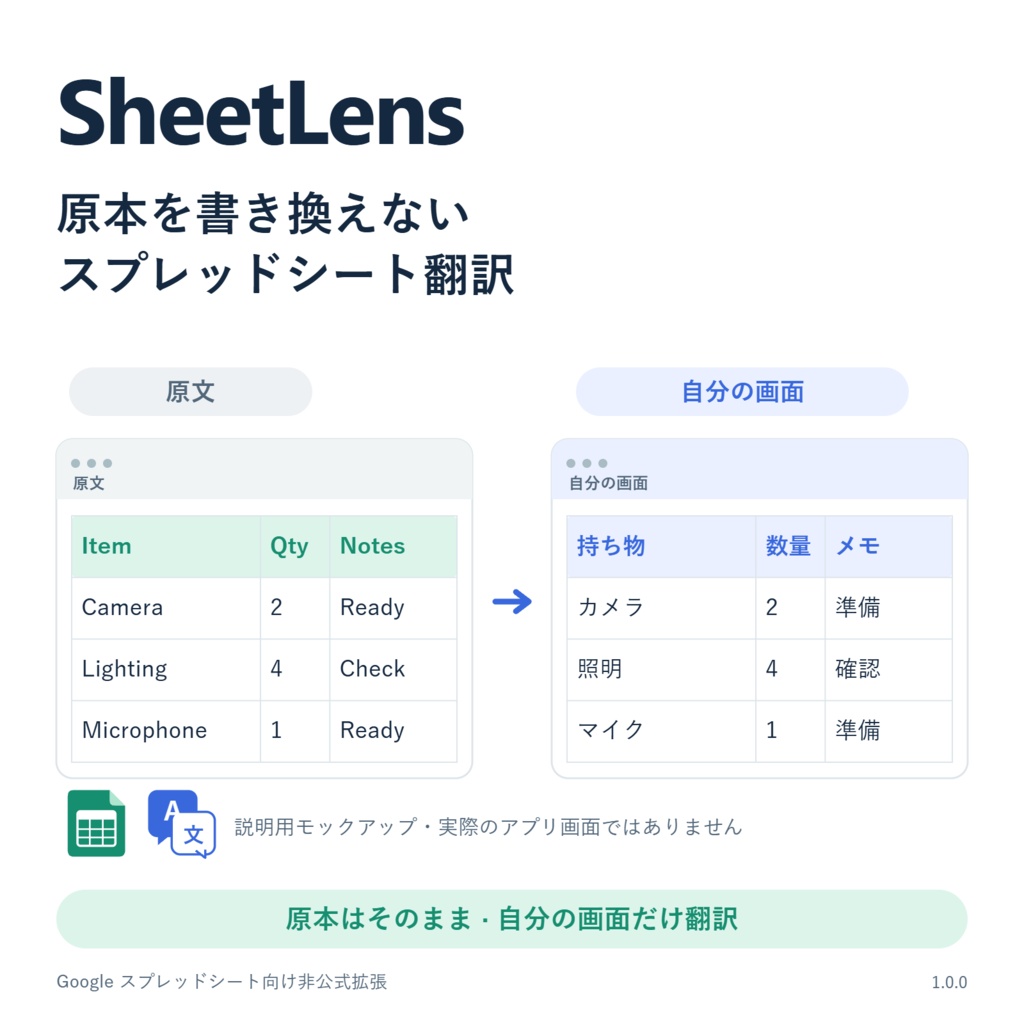


The free and paid versions of the file are the same, but if I need to test for new updates, proceed with the paid version first! 무료와 유료 버전의 파일은 동일하지만 새로운 업데이트의 테스트가 필요한 경우 유료 버전에서 우선 진행합니다! 無料版と有料版のファイルは同一ですが、新しいアップデートのテストが必要な場合は、有料版で優先的に実施します! SheetLens 1.0.0 | スプレッドシートを、読みやすく。 Chrome のページ翻訳を使っても、Google スプレッドシートのセル内の文字はそのまま。SheetLens は、画面に表示されたテキストを翻訳し、自分のブラウザだけに重ねて表示する Chrome 拡張機能です。 元のセル・数式・共有ドキュメントは編集せず、他の人の画面にも影響しません。比較パネルで原文と翻訳を見比べたり、Alt キーを押して原文を確認したりできます。 ■ 動作環境・言語 デスクトップ版 Chrome 138 以降と、Translator API・必要な言語モデルが利用可能な環境。 表示言語・翻訳先:韓国語、英語、日本語 原文言語:韓国語、日本語、英語、中国語、フランス語、ドイツ語、スペイン語、ロシア語 原文言語は手動で選択します。利用できる言語の組み合わせは Chrome によって異なります。 ■ インストール ZIP を展開します。 chrome://extensions でデベロッパー モードを有効にします。 3.「パッケージ化されていない拡張機能を読み込む」を押し、manifest.json のあるフォルダーを選びます。 シートを再読み込みし、原文・翻訳先の言語を選んで「翻訳を開始」を押します。 読み込んだフォルダーは移動・削除しないでください。ZIP 配布版のため、更新は手動です。 ■ データ・注意事項 Chrome のオンデバイス翻訳のみ使用し、拡張機能が原文を翻訳サーバーへ送信することはありません。オンライン翻訳への切り替えもありません。初回は言語モデルのダウンロードが必要な場合があり、Google スプレッドシート自体もオンラインサービスです。 設定のみ保存し、原文・翻訳文はページ内の一時メモリで扱います。ブック全体ではなく表示中のテキストが対象です。画像・グラフ・回転した文字などは読み取れない場合があり、翻訳の正確性は保証しません。 ■ 利用規約 個人・組織・商業的な業務で利用できます。法令上の例外や別途の許可がない限り、コードの改変・再配布・再販売・他の製品へのコードやリソースの組み込みは禁止します。詳しくは同梱のライセンス 1.1 をご確認ください。解釈に相違がある場合は、適用法が認める範囲で韓国語版を優先します。 SheetLens 1.0.0 | 스프레드시트를, 읽기 쉽게. Chrome의 페이지 번역으로도 그대로 남는 Google 스프레드시트의 셀 텍스트. SheetLens는 화면에 보이는 텍스트를 번역해 내 브라우저에만 겹쳐 보여주는 Chrome 확장 프로그램입니다. 원본 셀·수식·공유 문서는 수정하지 않으며, 다른 사람의 화면에도 영향을 주지 않습니다. 대조 패널에서 원문과 번역을 함께 읽거나, Alt 키를 눌러 원문을 확인할 수 있습니다. ■ 지원 환경·언어 데스크톱 Chrome 138 이상 및 Chrome Translator API·해당 언어 모델이 필요합니다. 메뉴와 번역 대상 언어: 한국어·영어·일본어 원문 언어: 한국어·일본어·영어·중국어·프랑스어·독일어·스페인어·러시아어 원문 언어는 직접 선택합니다. 언어 조합의 사용 가능 여부는 Chrome에 따라 달라집니다. ■ 설치 ZIP 압축을 풉니다. chrome://extensions에서 개발자 모드를 켭니다. ‘압축해제된 확장 프로그램을 로드합니다’를 눌러 manifest.json이 있는 폴더를 선택합니다. 시트를 새로고침하고 원문·번역 언어를 선택한 뒤 ‘번역 시작’을 누릅니다. 설치한 폴더는 이동·삭제하지 마세요. ZIP 배포판이며 업데이트는 수동입니다. ■ 데이터·주의사항 Chrome 온디바이스 번역만 사용하며, 확장 프로그램은 원문을 번역 서버로 보내지 않습니다. 온라인 대체 번역은 없습니다. 첫 사용 시 언어 모델 다운로드가 필요할 수 있으며, Google 스프레드시트 자체도 온라인 서비스입니다. 설정만 저장하고 원문·번역문은 페이지의 임시 메모리에서만 처리합니다. 문서 전체가 아닌 화면에 표시된 텍스트가 대상이며, 이미지·차트·회전 글자 등은 인식하지 못할 수 있습니다. 번역 정확성은 보장하지 않습니다. ■ 이용약관 개인·조직·상업적 업무에서 사용 가능합니다. 법률상 예외나 별도 허락이 없는 한 코드 수정·재배포·재판매·다른 제품에 코드나 리소스를 편입하는 행위는 금지됩니다. 자세한 조건은 동봉된 라이선스 1.1을 확인해 주세요. 해석 차이는 적용법이 허용하는 범위에서 한국어본을 기준으로 합니다. SheetLens 1.0.0 | Make spreadsheets easier to read. Chrome’s page translation leaves your Google Sheets cell text unchanged? SheetLens translates visible spreadsheet text and displays it as an overlay in your browser only. It does not edit cells, formulas, or the shared document, and does not affect other viewers. Compare the original and translation in a separate panel, or hold Alt to reveal the original. ■ Requirements and languages Desktop Chrome 138+ with the Translator API and required language models available. Interface and target languages: Korean, English, Japanese. Source languages: Korean, Japanese, English, Chinese, French, German, Spanish, Russian. Select the source language manually. Available language pairs depend on Chrome. ■ Installation Extract the ZIP. Open chrome://extensions and enable Developer mode. Click “Load unpacked” and select the folder containing manifest.json. Refresh your sheet, select the source and target languages, then click “Start translation”. Keep the extracted folder in place. This is a ZIP distribution with manual updates. ■ Data and limitations Uses Chrome on-device translation only. The extension does not send source text to a translation server, and there is no online fallback. Chrome may download language models on first use; Google Sheets itself is also an online service. Only preferences are saved. Source text and translations stay in temporary page memory. Translation covers visible text, not the entire workbook. Images, charts, rotated text, and some layouts may not be detected. Translation accuracy is not guaranteed. ■ License Personal, organizational, and commercial work use is permitted. Code modification, redistribution, resale, and incorporation of code or resources into other products are prohibited unless a legal exception or separate permission applies. See the included License 1.1 for full terms. If interpretations differ, the Korean version prevails to the extent permitted by applicable law.