

VRChatアバター向け 追従コウモリ
- Digital300 JPY
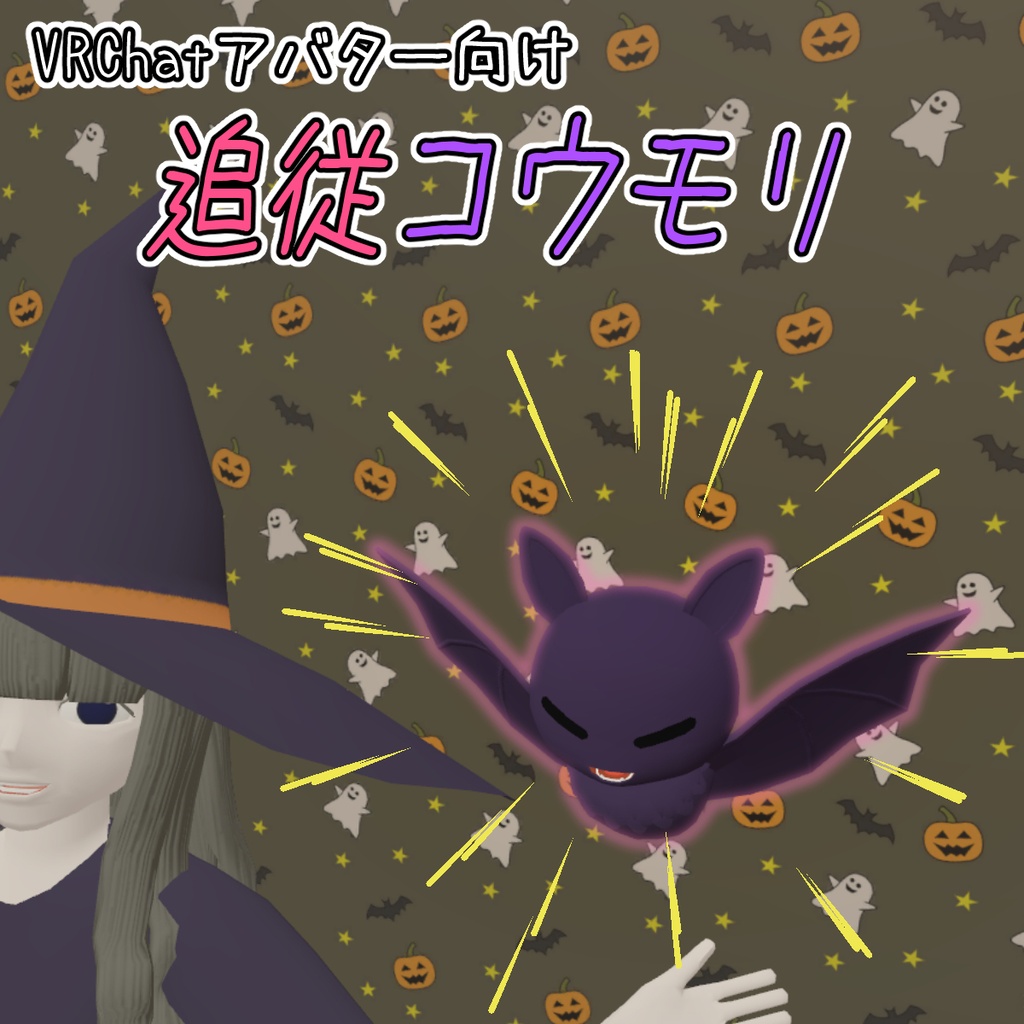
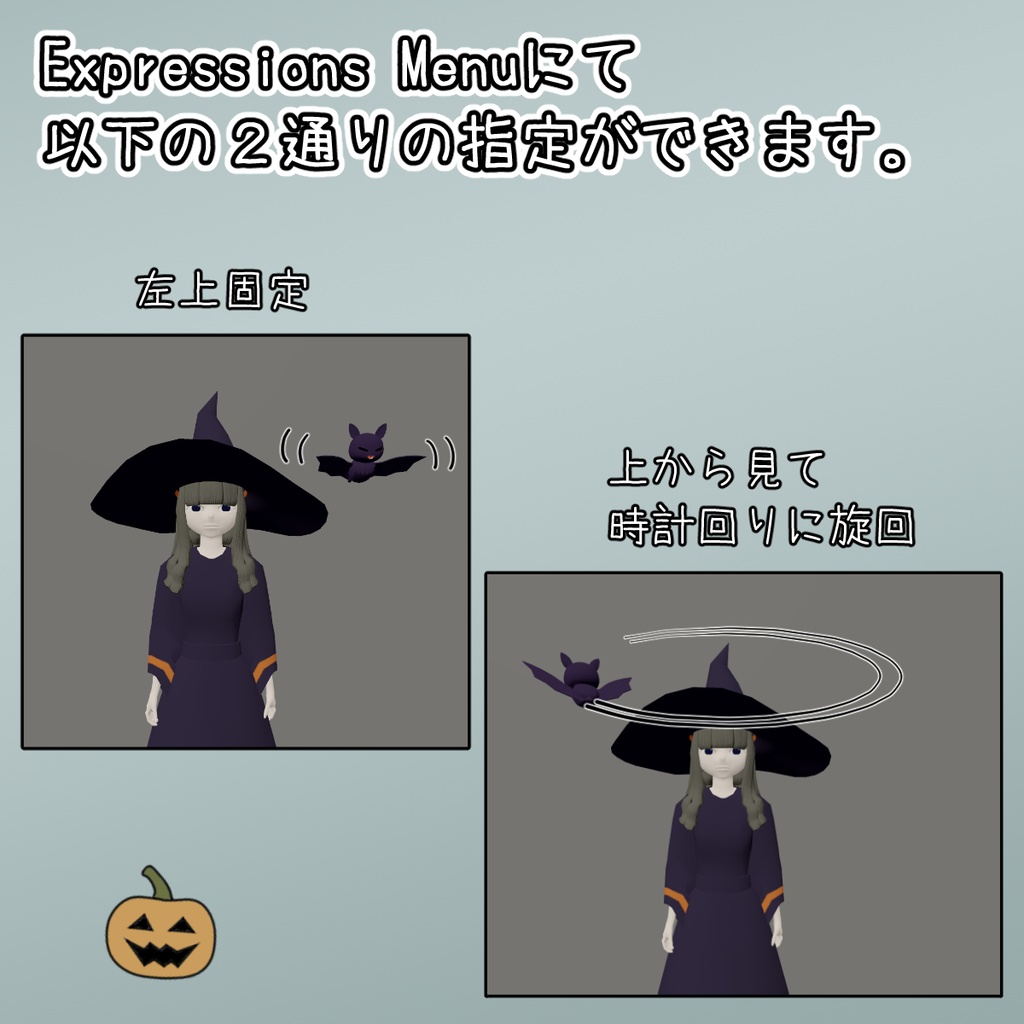
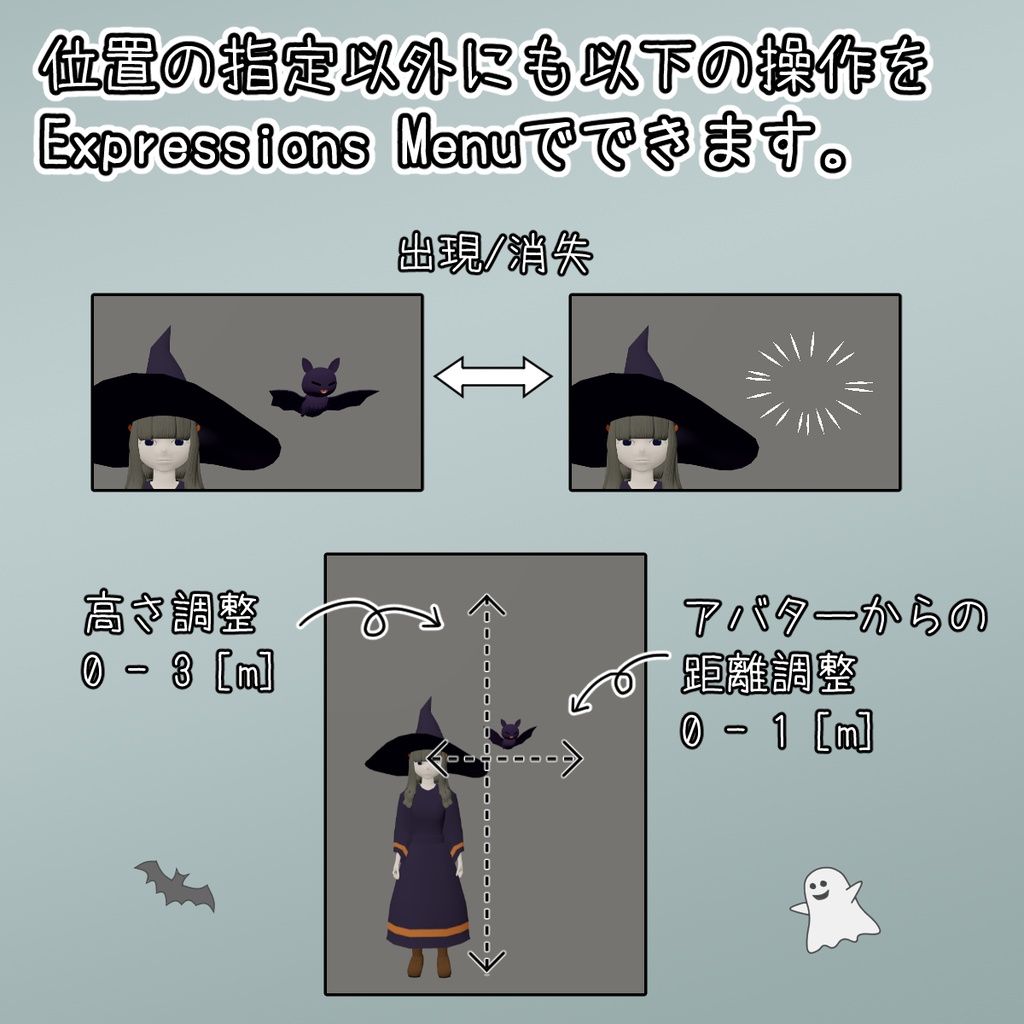
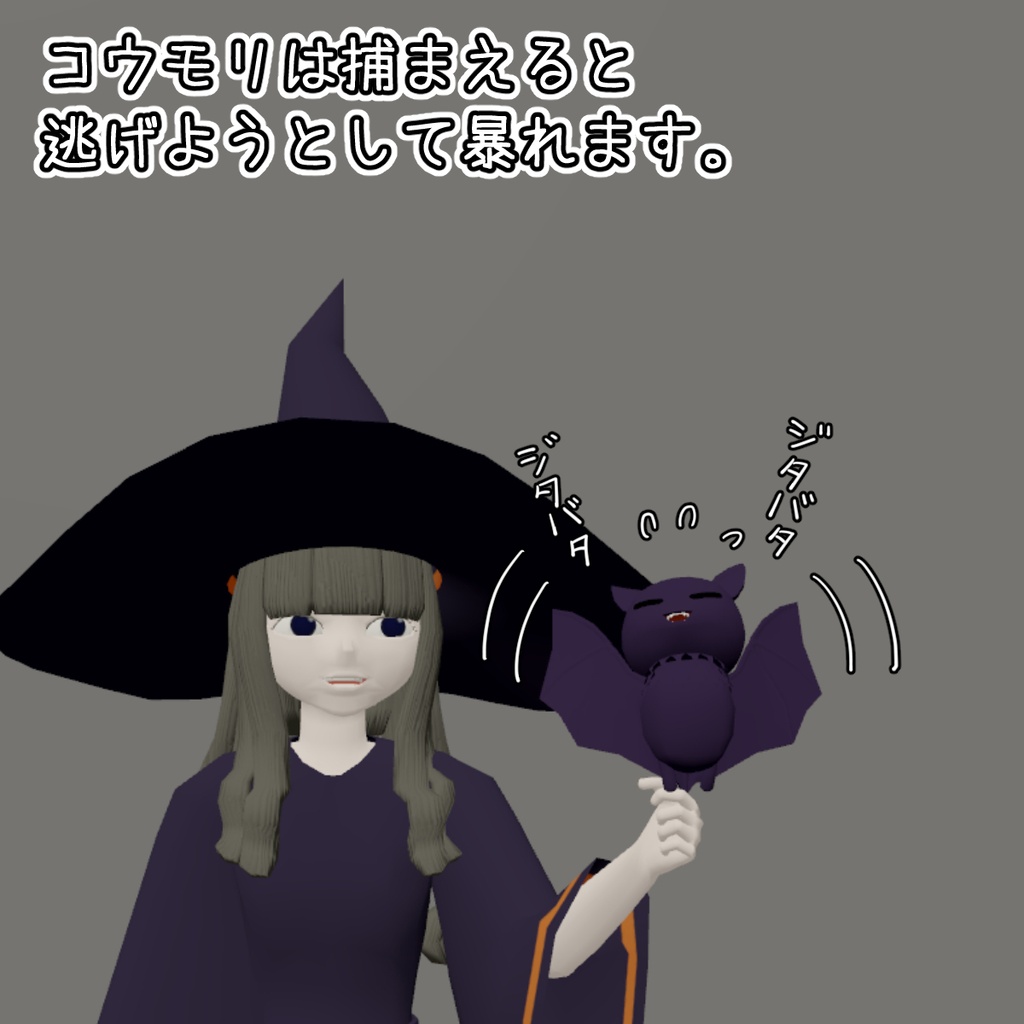


コウモリはVRChatアバターに追加でき、アバターの動きに合わせてついていきます。 また、コウモリは捕まえると逃げようとして暴れます。 Expressions Menuにより、以下の変更ができます。 ・コウモリの出現/消失 ・左上固定/旋回 ・コウモリの高さ 0 – 3 [m] ・コウモリとアバターとの距離 0 – 1 [m] <お試しをしたい方へ> 本製品を付けたアバターが以下のワールドに置いてあります。 このワールドへ寄っていただければ動作などを試す事ができます。 - ワールド名 HagakureExhibitionHall - URL https://vrchat.com/home/launch?worldId=wrld_84d4ee8c-cc93-4d19-a2b4-ef316b9b7dd5 <注意> 紹介画像にあるアバターはおまけで付属します。
内容物
- FollowingBat_v1.0.unitypackage (*) - HalloweenWazard_v1.0.unitypackage (*) - FBXファイル - マテリアル - テクスチャ - 利用規約.txt * Unity 2022.3.22f1にてパッケージしています。 三角ポリゴン数: 3124
前提条件
本製品のUnitypackageをUnityへインポートする前に、以下のパッケージをUnityへ追加してください。 - VRChat SDK – Avatars 3.10.2以降 - Modular Avatar 1.15.1以降 (アバター配布補助ツール)
導入手順
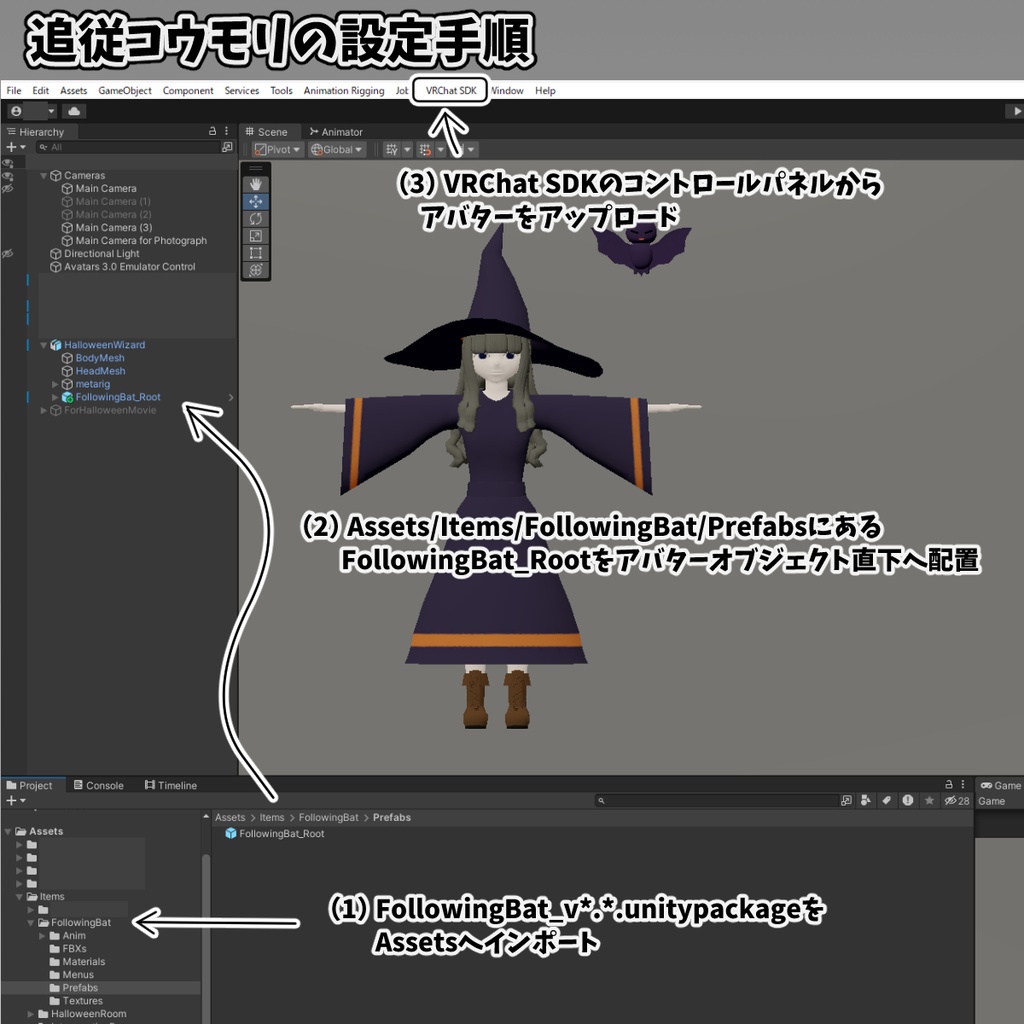
(1) FollowingBat_v1.0.unitypackageをUnityへインポートします。 (2) Project パネルの Assets/Items/FollowingBat/PrefabsフォルダにあるFollowingBat_RootをHierarchyパネルのアバターであるオブジェクトの直下に配置します。 (3) VRChat SDKのコントロールパネルからアバターをVRChatへアップロードしてください。
利用規約
- 本データを購入- ダウンロードした時点で本利用規約に同意したものとします。 - 本データ、またはその改変データを使用することによって生じた不都合やトラブル、損失に対し当方は一切責任を負いません。ご了承ください。 - 本データの著作権は作者に帰属します。 - この規約は予告なく変更、追加が行われる場合がございます。ご了承ください。
禁止事項
- 購入者間以外での再配布を禁止します。
許可
以下の利用を許可します。 - 個人利用 - 商用利用 - 本データの改変利用
Introduction
This bat can be added to your VRChat avatar and will follow its movements. Additionally, if you "catch" the bat, it will struggle and try to escape. You can make the following adjustments via the Expressions Menu: - Show/Hide the bat - Set position (fixed to the upper-left or orbiting) - Adjust the bat's height (0 – 3 meters) - Adjust the distance between the bat and the avatar (0 – 1 meter) <For those who would like to try it out> An avatar equipped with this product is available in the following world. Please feel free to visit this world to test its functionality. - World Name HagakureExhibitionHall - URL https://vrchat.com/home/launch?worldId=wrld_84d4ee8c-cc93-4d19-a2b4-ef316b9b7dd5 <Note> The avatar shown in the promotional images is included as a bonus.
Contents
- FollowingBat_v1.0.unitypackage (*) - HalloweenWazard_v1.0.unitypackage (*) - FBX files - Materials - Textures - Terms of Use.txt * Packaged using Unity 2022.3.22f1. Triangle polygon count: 3,124
Prerequisites
Before importing this product's Unitypackage into Unity, please add the following packages to your Unity project: - VRChat SDK – Avatars 3.10.2 or later - Modular Avatar 1.15.1 or later (an avatar distribution support tool)
Installation procedure
(1) Import `FollowingBat_v1.0.unitypackage` into Unity. (2) Locate the `FollowingBat_Root` prefab in the `Assets/Items/FollowingBat/Prefabs` folder within the Project panel, and place it directly under your avatar object in the Hierarchy panel. (3) Upload your avatar to VRChat using the VRChat SDK control panel.
terms of service
- By purchasing and downloading this data, you agree to these Terms of Use. - We accept no responsibility for any issues, troubles, or losses arising from the use of this data or any modified versions thereof. Please be aware of this. - The copyright for this data belongs to the author. - Please note that these terms are subject to change or addition without prior notice.
Prohibitions
- Redistribution outside of the group of purchasers is prohibited.
permission
The following uses are permitted: - Personal use - Commercial use - Use of this data in a modified form