

【FREE】Skin Touch for Poiyomi and lilToon, VRChat
- Free / 無料Digital0 JPY
- Support DocMe (same files) / 応援版(中身は同じ)Digital420 JPY
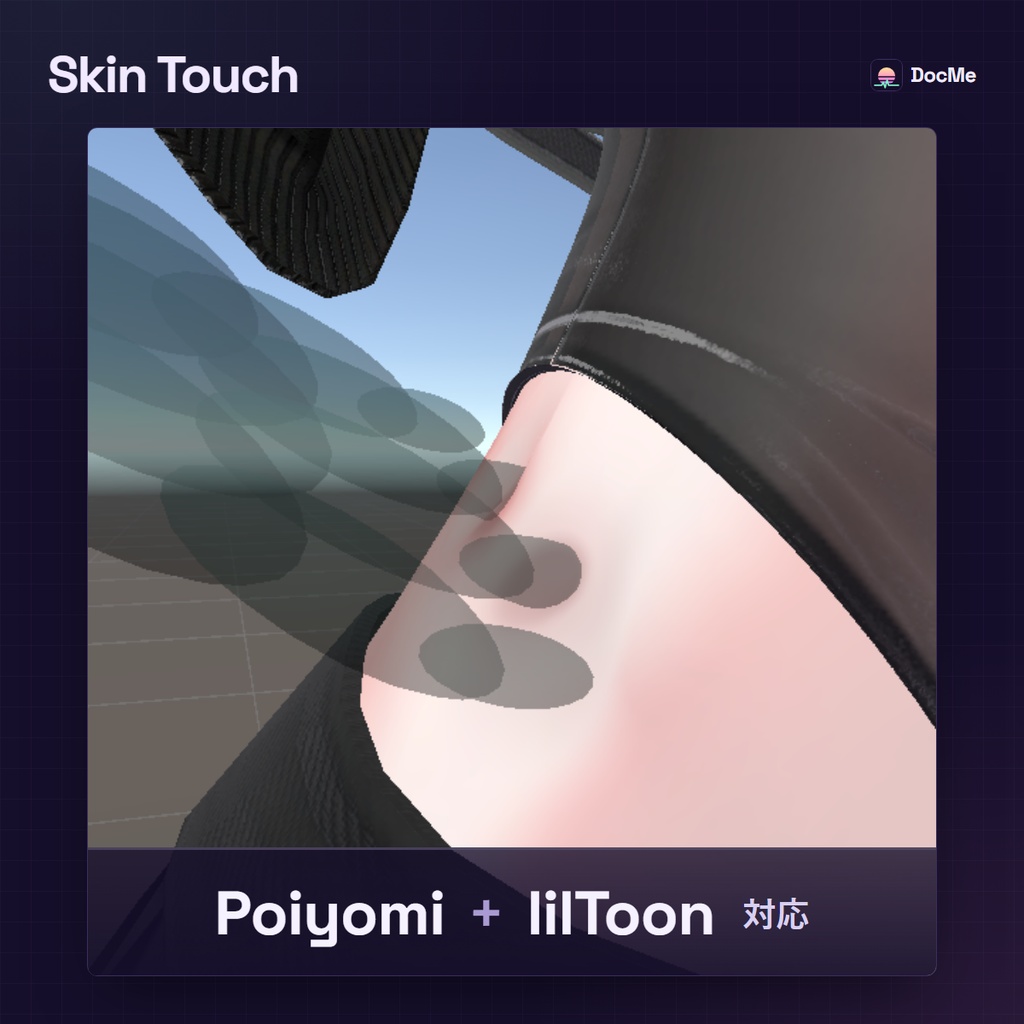
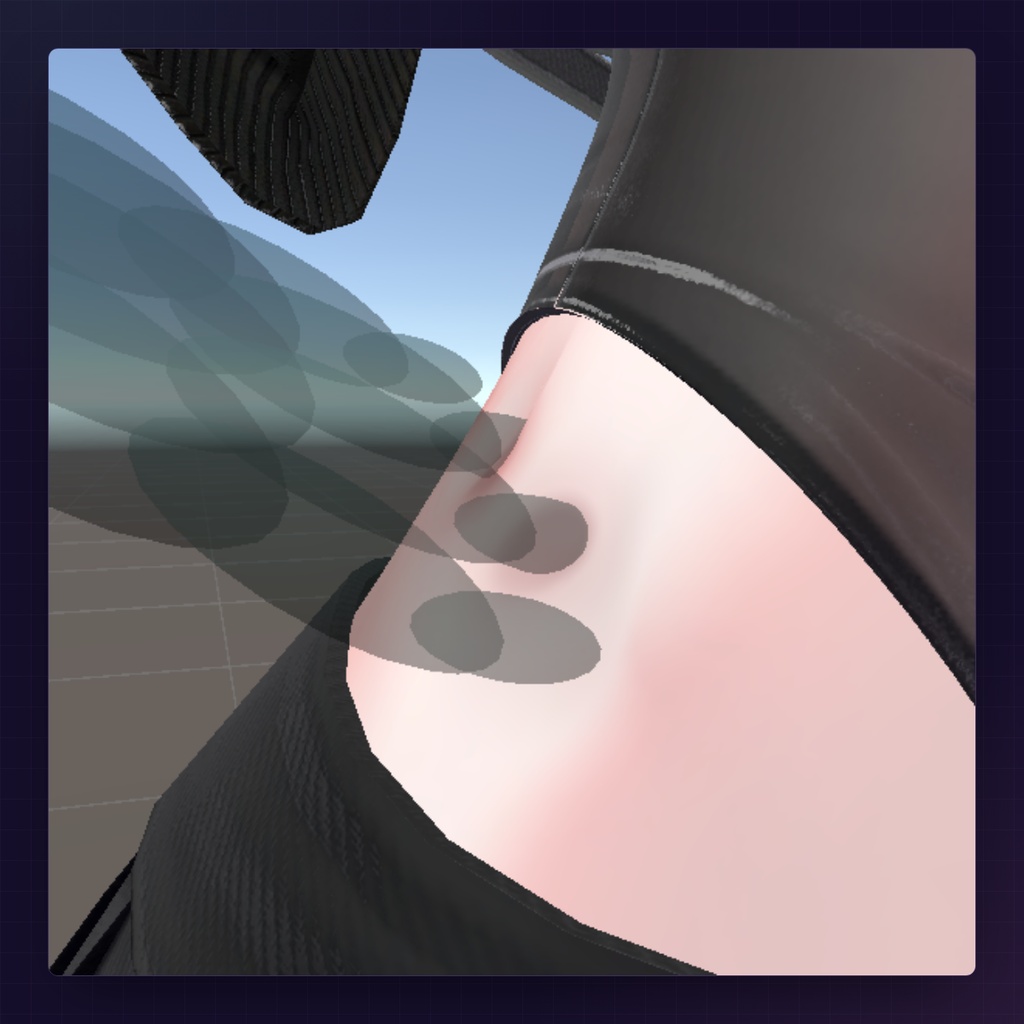
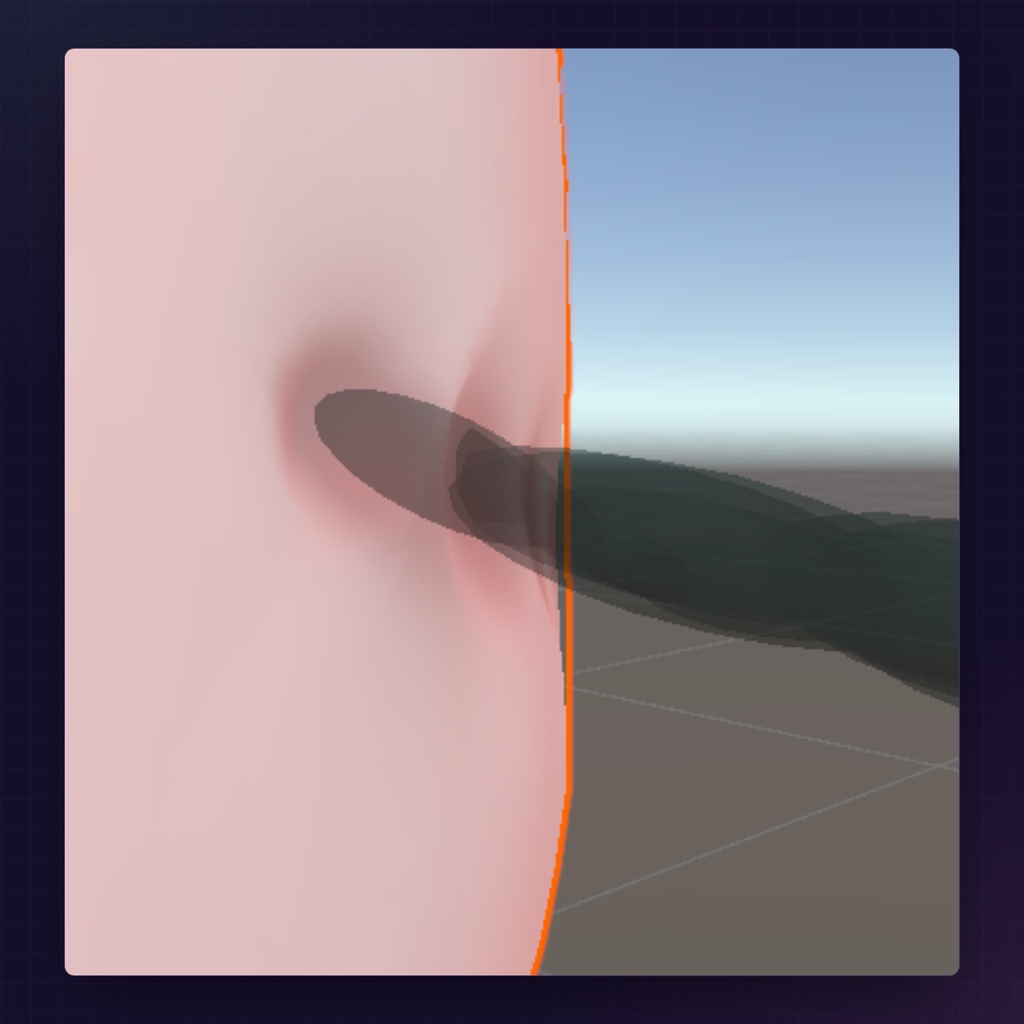
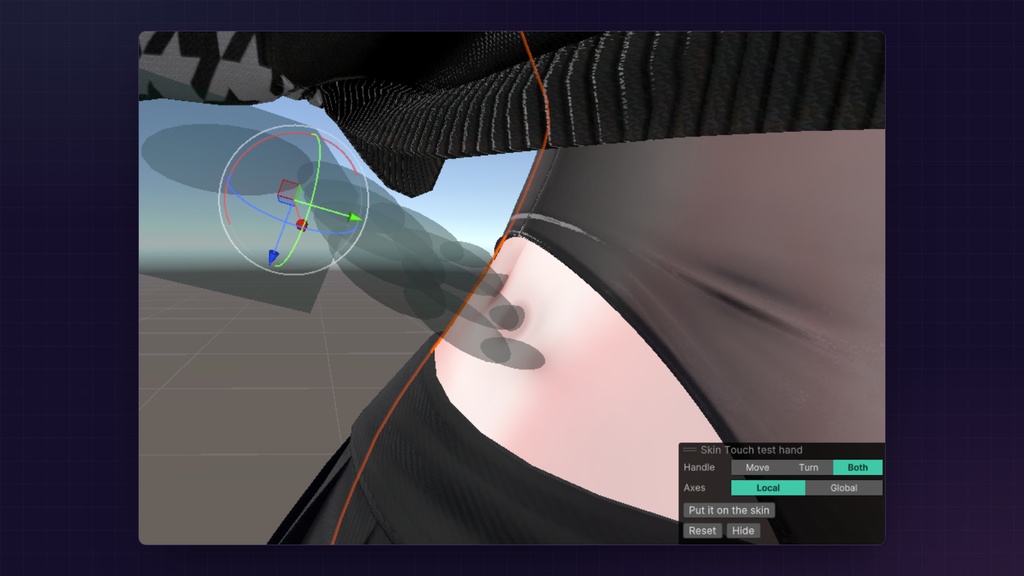
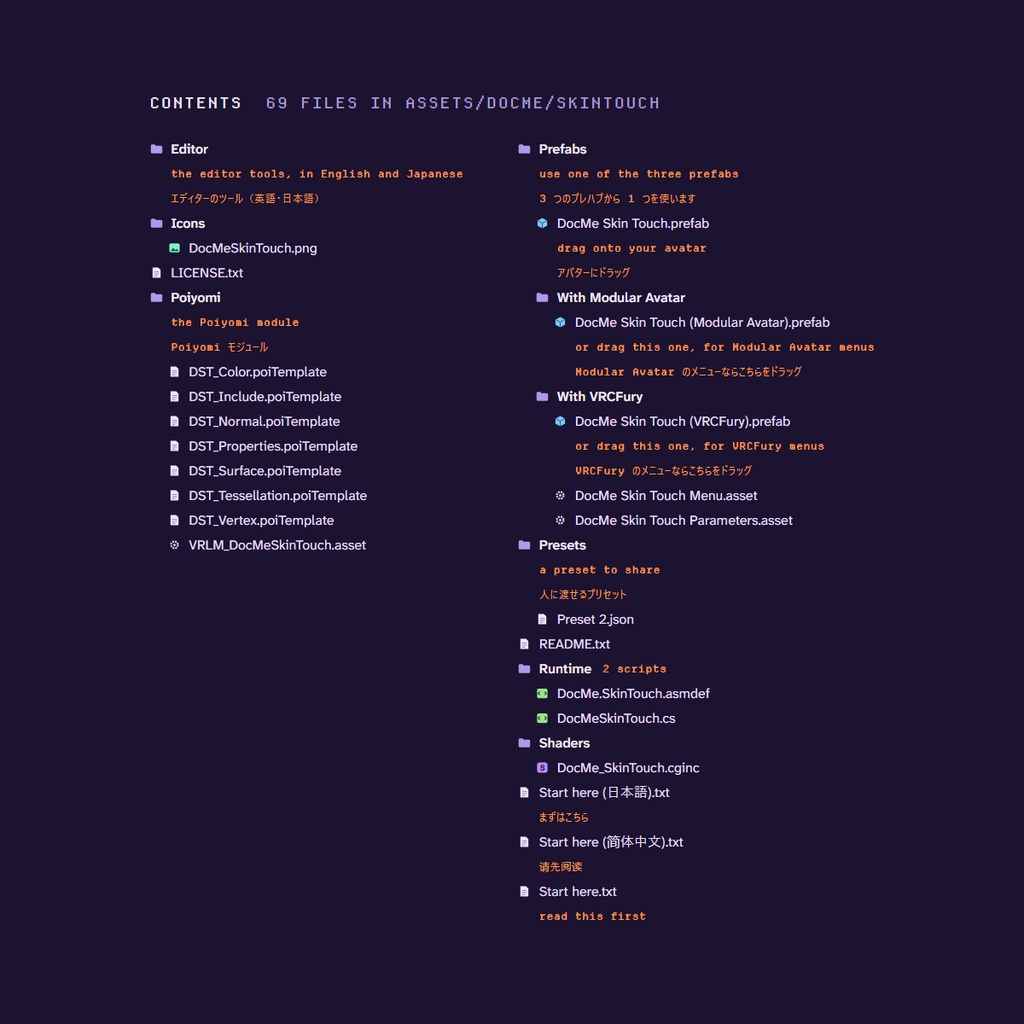
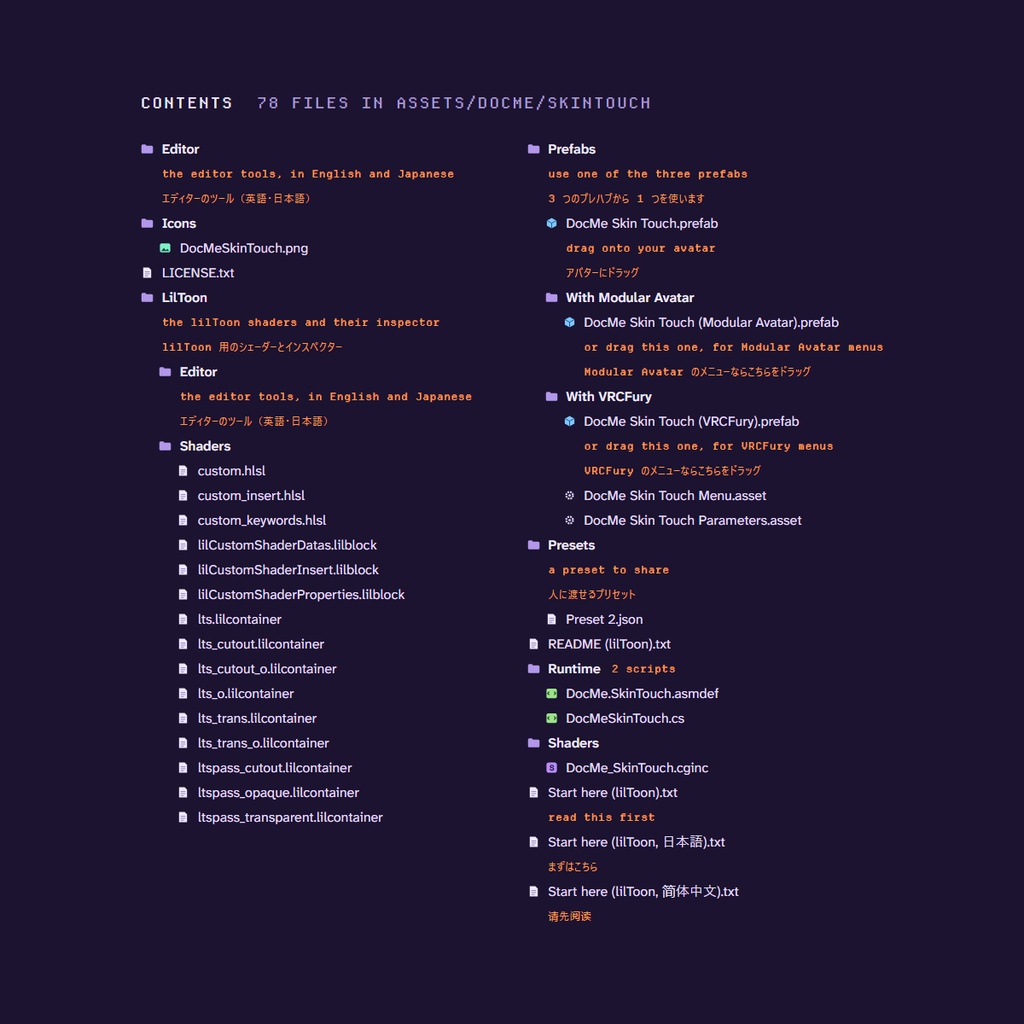


With Skin Touch, your skin sinks in when another player touches you in VRChat, shaped like a real palm and fingers, and a soft shadow falls as the hand comes close. It works with Poiyomi, and the lilToon version comes in its own zip. It's free. The ¥420 version has the same files, for anyone who wants to support me. ※ 日本語は機械翻訳です。わかりにくいところがあれば、Discord でお気軽にお知らせください。 こんにちは =) DocMe Skin Touch を入れると、VRChat でほかのプレイヤーに触れられたとき、手のひらと指の形どおりに肌がへこみ、手が近づくとやわらかい影が落ちます。Poiyomi で使えて、lilToon 版も別の zip で入っています。 無料です。420円版も中身は同じなので、応援したい方はそちらをどうぞ。
What it does / できること
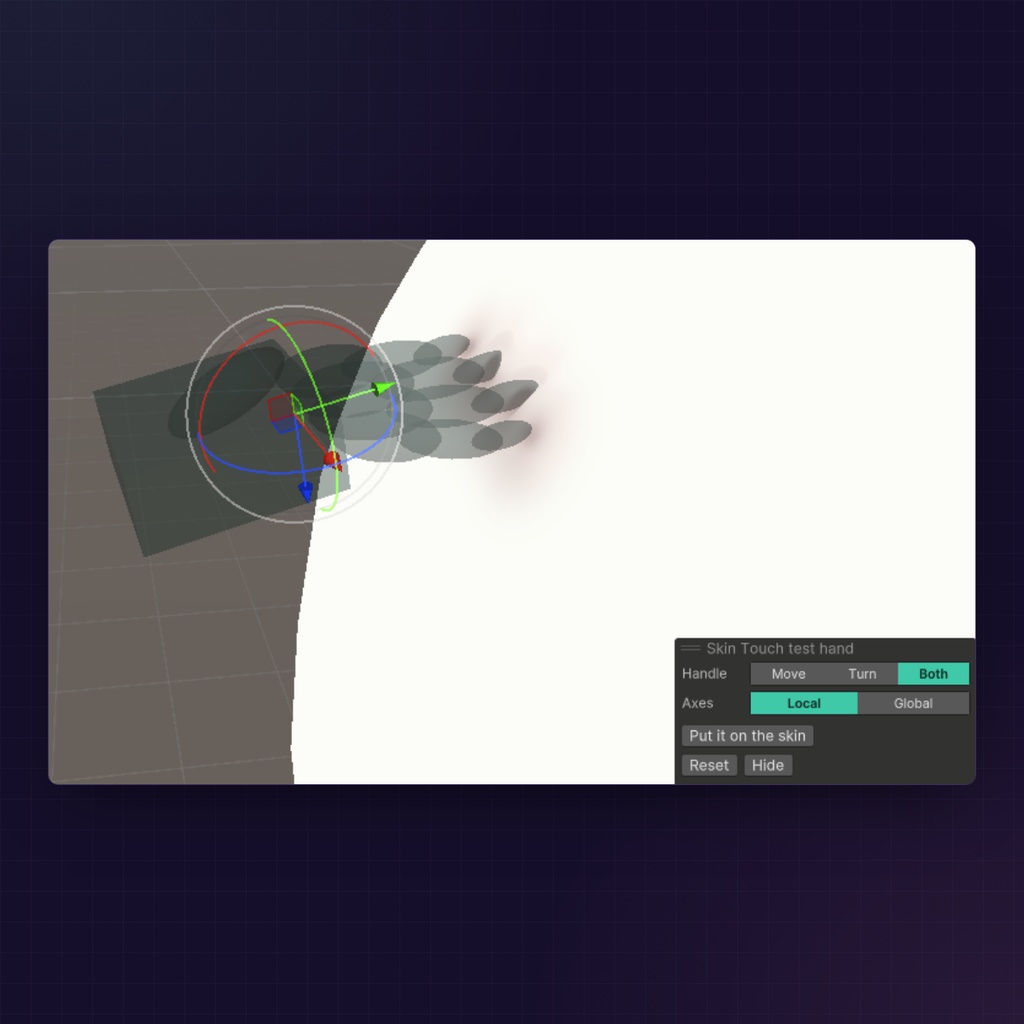
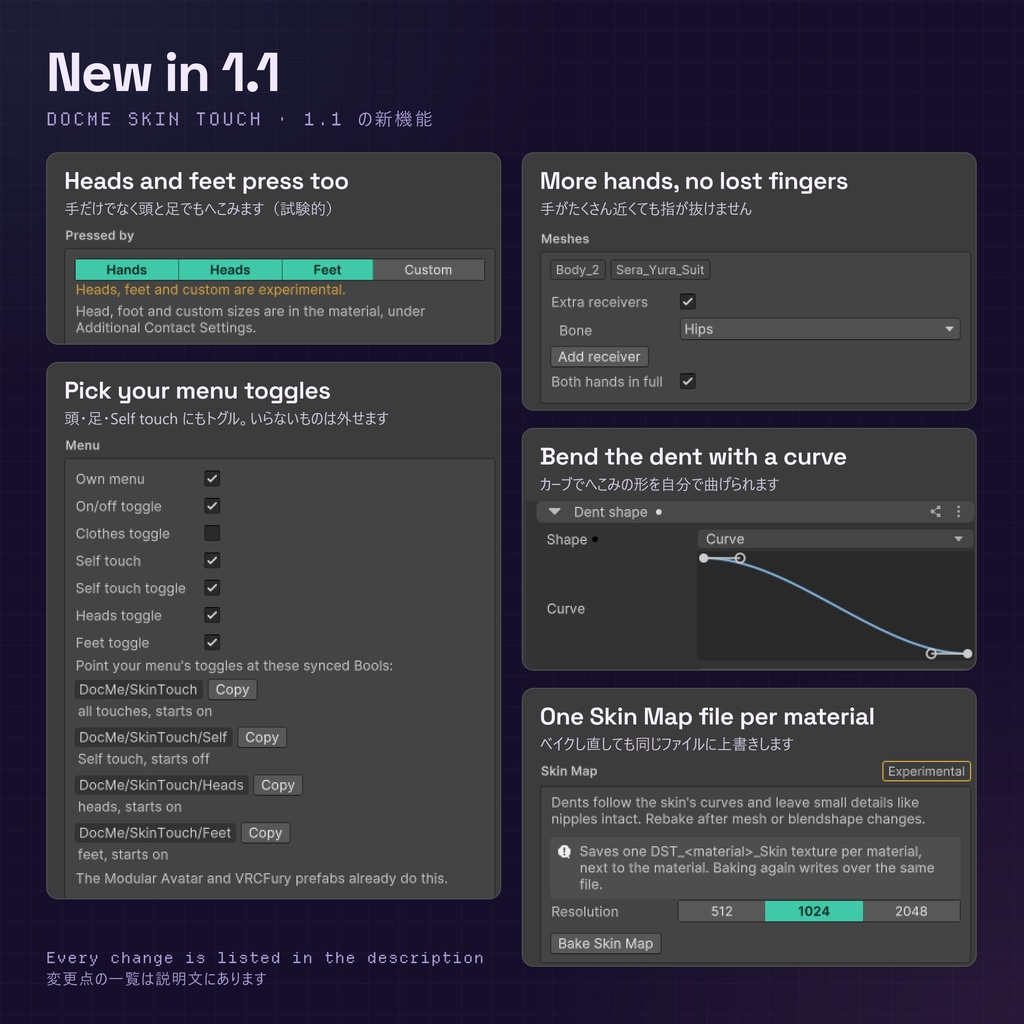
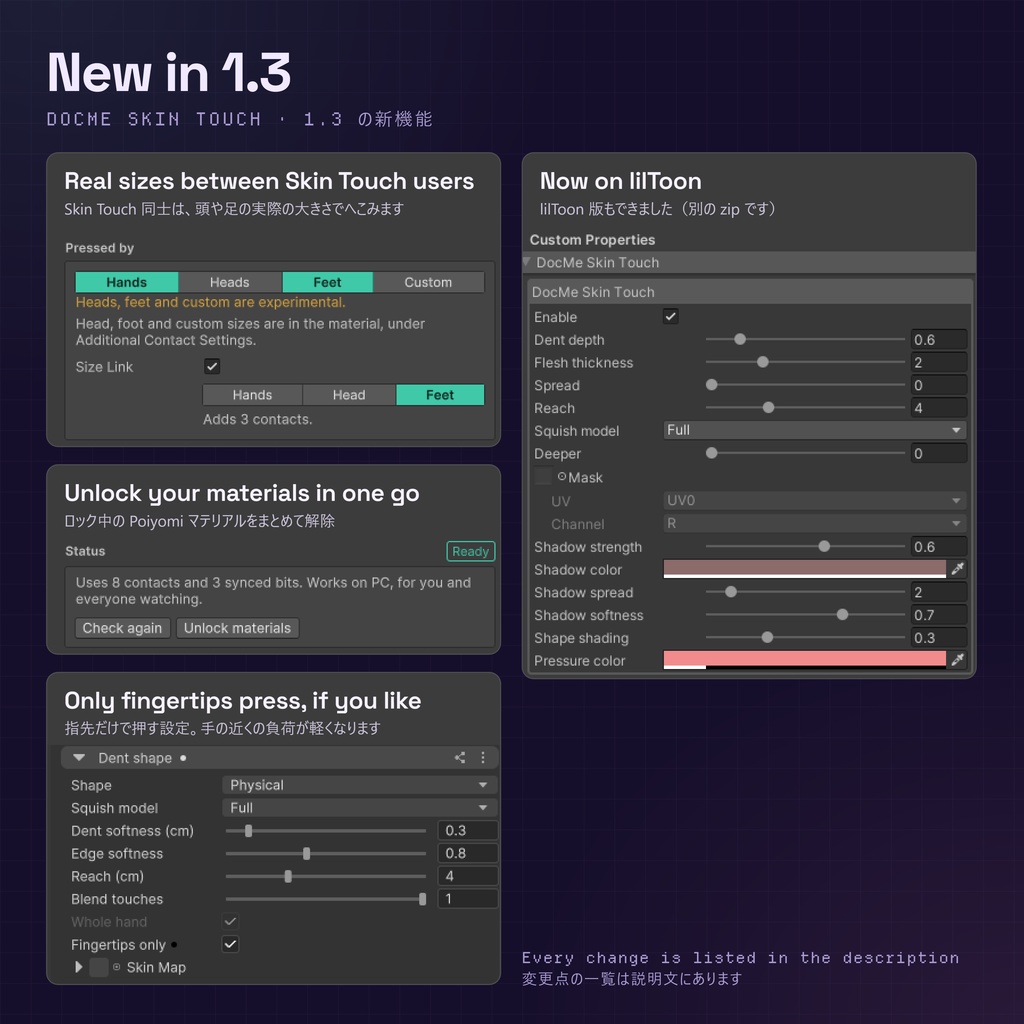
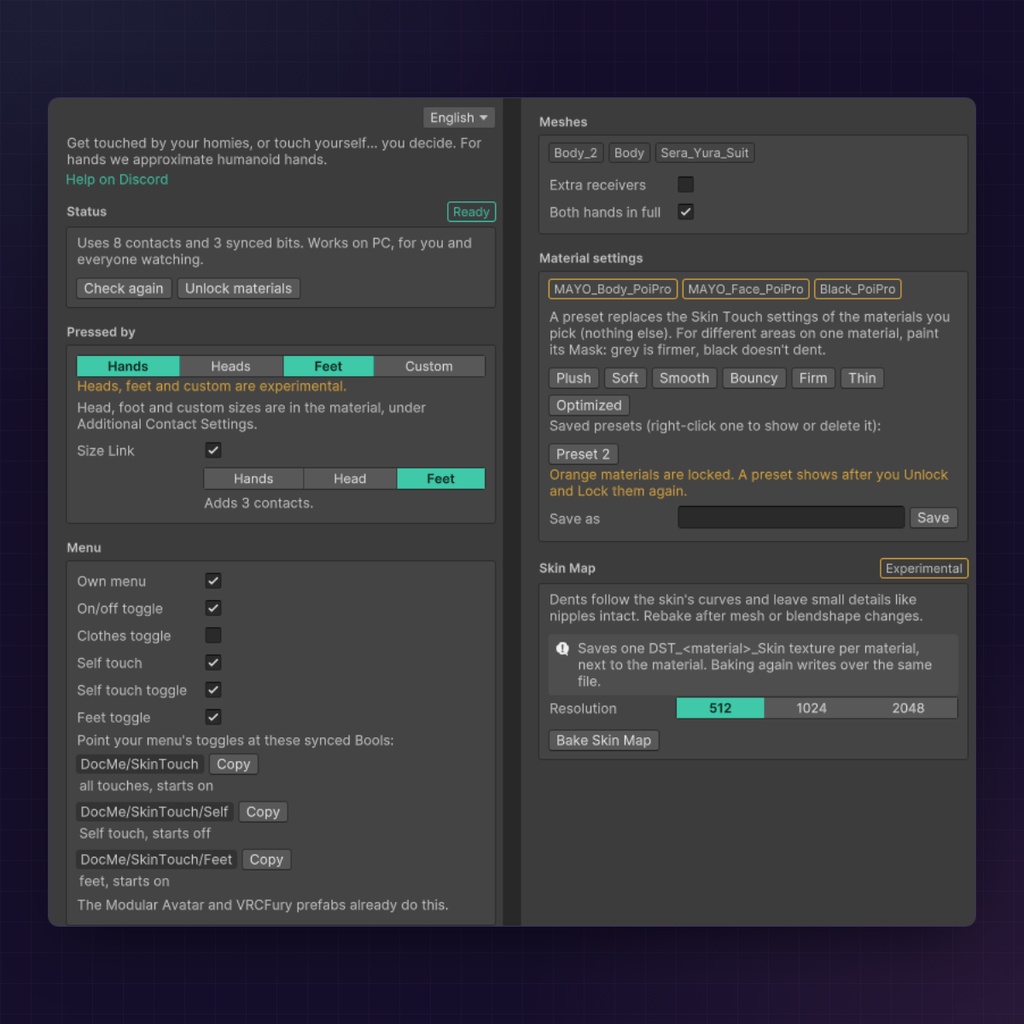
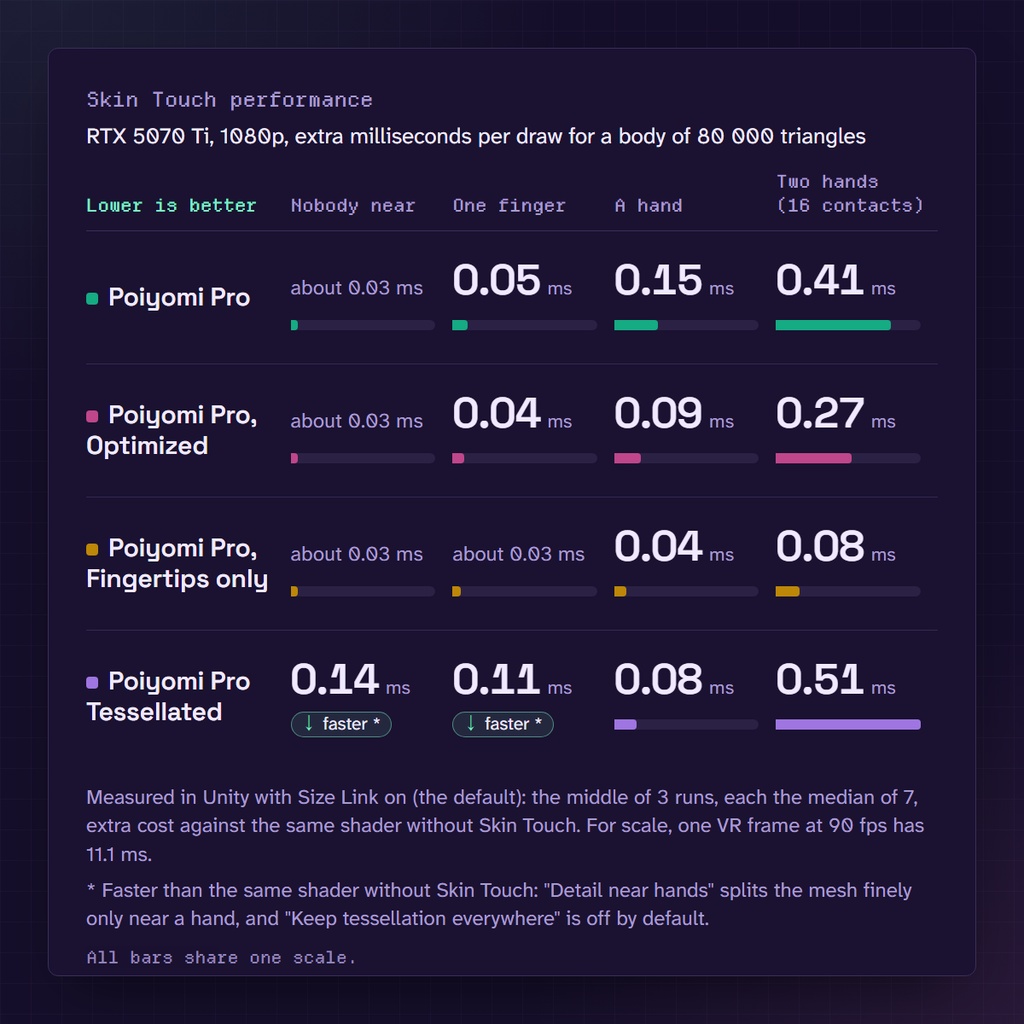
- Other players' hands dent your skin, shaped like their palm and fingers. Clothes can dent too - Heads, feet and a custom contact can press as well (experimental) - Size Link (on by default, both players need it) lets other Skin Touch users' heads and feet dent you at their real size, and their hands too once they switch Hands on there - One-click presets for how the skin feels, and a Mask in the material for where it dents - A test hand in Unity shows the dent before you upload, and your menu gets a Skin touch switch (Self touch and clothes switches are optional) - Light on the GPU. I measured +0.03 ms with nobody near and +0.15 ms with a hand on the skin (RTX 5070 Ti, 1080p). The numbers are in the Performance picture - Quest and phone players see your avatar without the dents - ほかのプレイヤーの手が触れると、手のひらと指の形どおりに肌がへこみます。服もへこみます - 頭・足・カスタムのコンタクトでもへこみます(実験的な機能) - Size Link(初期設定でオン。二人とも必要です)なら、Skin Touch ユーザー同士の頭と足が実際の大きさでへこませます。手も合わせるには、Size Link の「手」をオンに - 肌の感触はワンクリックのプリセットで選べて、へこむ場所はマテリアルのマスクで決められます - アップロード前に、Unity のテストハンドでへこみを確かめられます。メニューには Skin touch のスイッチが追加されます(「自分で触る」と服のスイッチは任意) - 負荷は軽めです。近くに誰もいないとき +0.03 ms、肌に手が触れているとき +0.15 ms でした(RTX 5070 Ti・1080p)。数値は Performance の画像にあります - Quest やスマホのプレイヤーには、へこみなしで表示されます
Requirements / 必要なもの
- An avatar project in the VRChat Creator Companion (VCC) on VRChat SDK 3.10.6 or newer - Poiyomi Toon or Pro 10.0.20 or newer. Or, for the lilToon zip, lilToon 2.3.2 or newer with its Opaque, Cutout or Transparent shaders (Multi, Lite, Fur and the rest are not covered) - NDMF (free, in the VCC): https://ndmf.nadena.dev/ (Modular Avatar brings it along) - VRCFury 1.786 or newer, only for the VRCFury prefab - VRChat on PC, and both players' Avatar Interactions must allow touching - VCC(VRChat Creator Companion)のアバタープロジェクトと、VRChat SDK 3.10.6 以降 - Poiyomi Toon または Pro の 10.0.20 以降。lilToon 版の zip なら lilToon 2.3.2 以降で、不透明・カットアウト・半透明のシェーダー(Multi、Lite、ファーなどは対象外) - NDMF(無料、VCC で追加):https://ndmf.nadena.dev/ (Modular Avatar を入れれば付いてきます) - VRCFury 用プレハブを使うときだけ、VRCFury 1.786 以降 - VRChat は PC 版。触れ合うには、両方のプレイヤーの Avatar Interactions で接触の許可が必要です
Setup / 導入
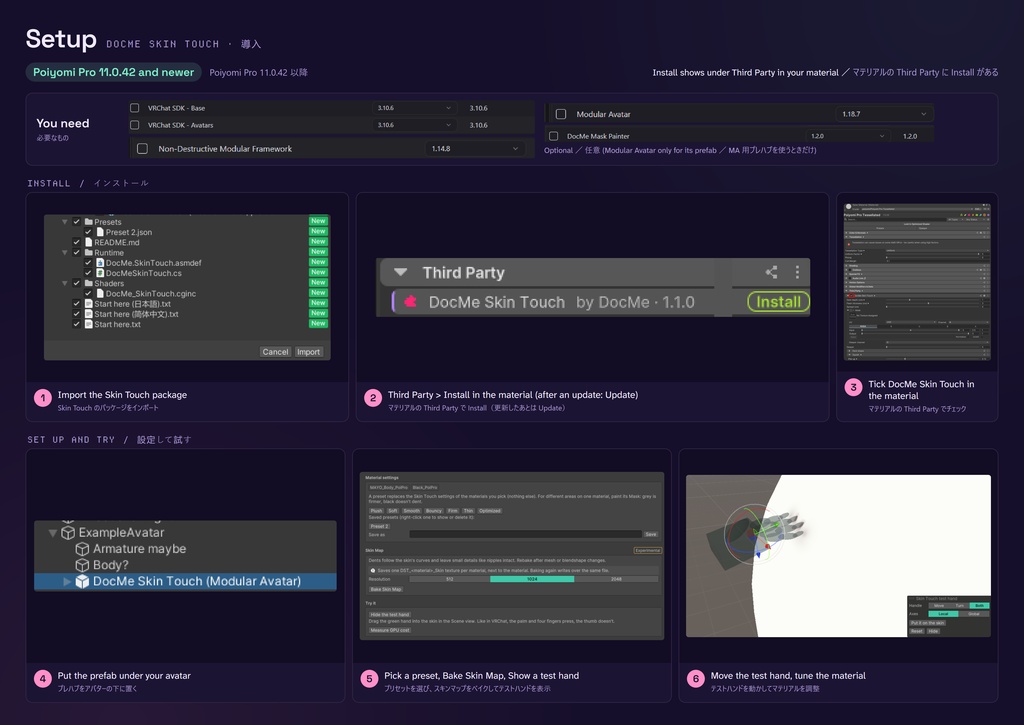
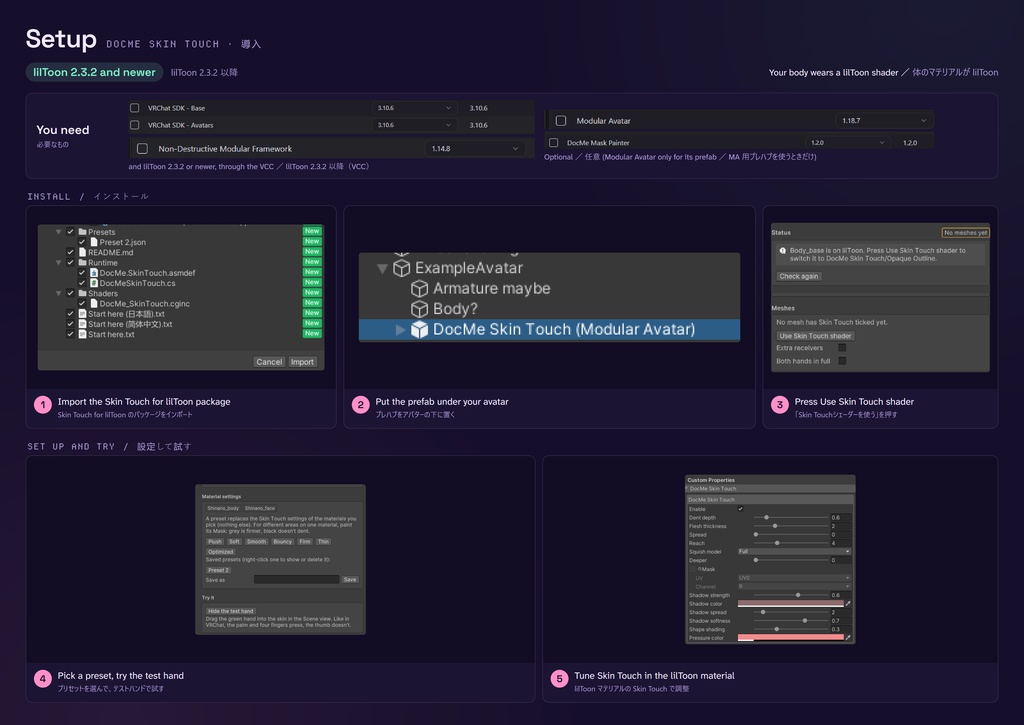
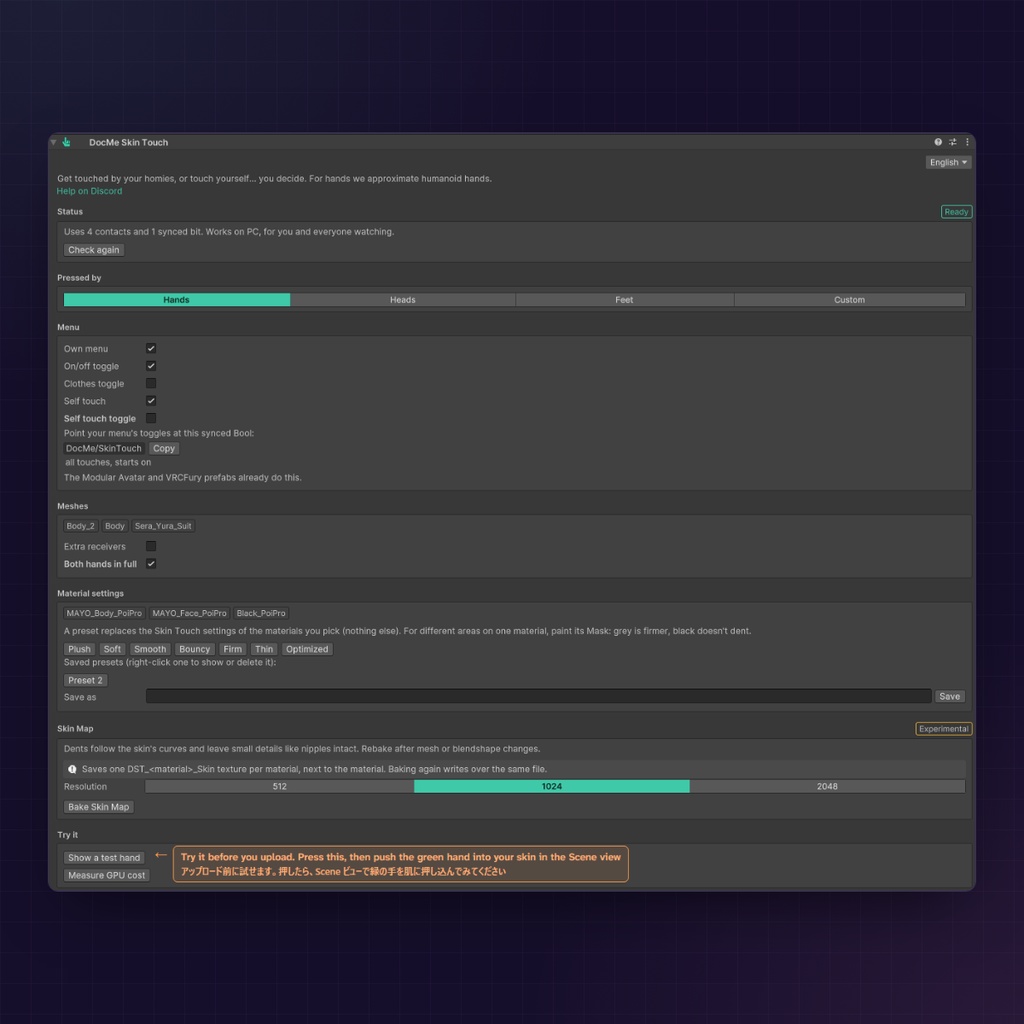
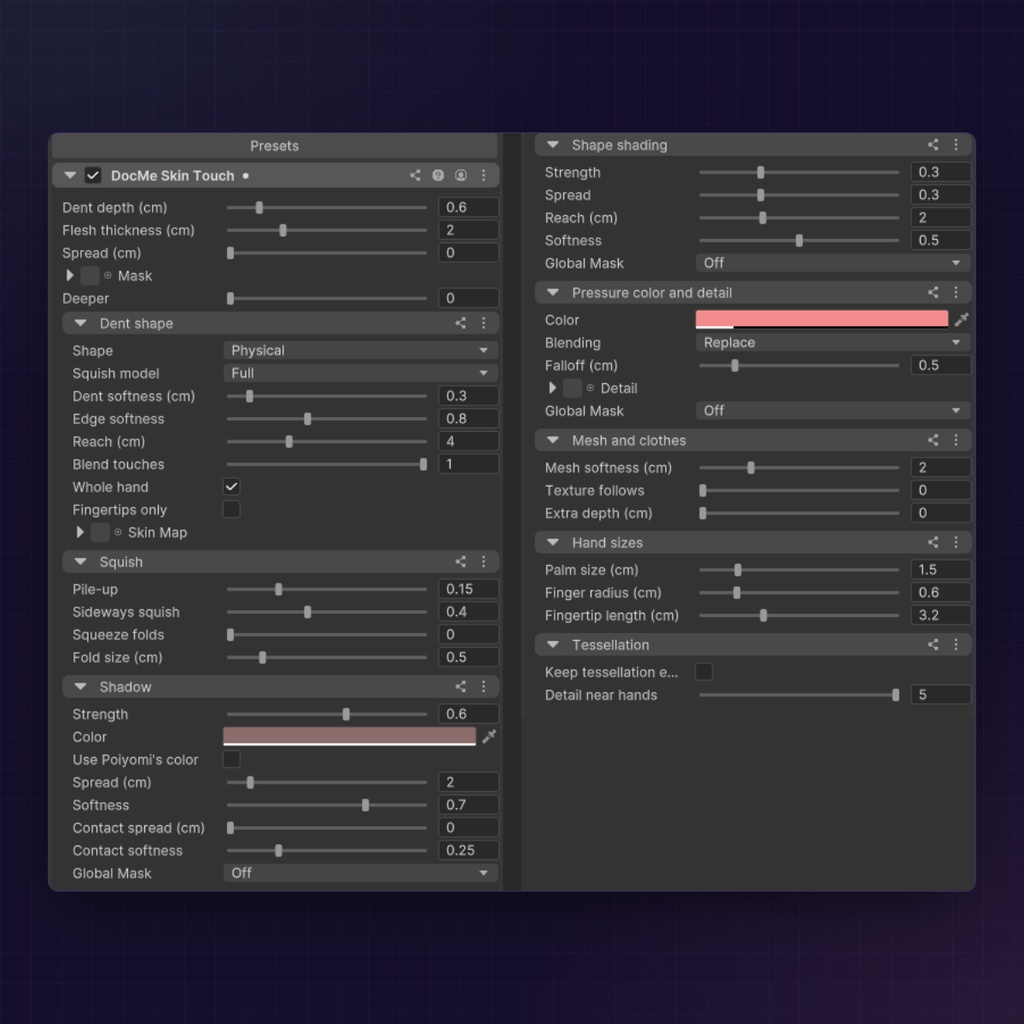
Poiyomi 1. In your body's Poiyomi material, press Install next to DocMe Skin Touch under Third Party, then tick it there. No Install button (Toon and older Pro)? Tick it in Poi > Installed Modules and press Apply & Rebuild Shaders first 2. Drag the DocMe Skin Touch prefab (Assets/DocMe/SkinTouch/Prefabs) onto your avatar. Using Modular Avatar or VRCFury menus? Take the prefab from the folder named after it 3. On the component, pick a preset under Material settings (Soft is a good start) 4. Upload lilToon (the zip with LilToon in its name, with fewer settings) 1. Drag the DocMe Skin Touch prefab onto your avatar 2. Press Use Skin Touch shader on the component 3. Pick a preset and upload. The first upload takes a few minutes longer while Unity compiles the shader Every step has a picture in the download, and "Start here" (English, 日本語, 简体中文) has the details. To see a dent before you upload, press Show a test hand under Try it. Poiyomi 1. 体の Poiyomi マテリアルの Third Party で、DocMe Skin Touch の Install を押してからチェックを付ける。Install ボタンがない(Toon と古い Pro)ときは、先に Poi > Installed Modules でチェックして Apply & Rebuild Shaders を押す 2. DocMe Skin Touch プレハブ(Assets/DocMe/SkinTouch/Prefabs)をアバターにドラッグ。Modular Avatar や VRCFury のメニューを使うなら、その名前のフォルダにあるプレハブを 3. コンポーネントの「マテリアル設定」でプリセットを選ぶ(まずは「やわらか」がおすすめ) 4. アップロード lilToon(名前に LilToon と付いた zip。設定は少なめです) 1. DocMe Skin Touch プレハブをアバターにドラッグ 2. コンポーネントの「Skin Touchシェーダーを使う」を押す 3. プリセットを選んでアップロード。初回は Unity がシェーダーをコンパイルするので、数分長くかかります どの手順も、ダウンロードに画像があります。くわしくは「Start here」(English・日本語・简体中文)をどうぞ。アップロード前にへこみを見たいときは、「試してみる」の「テストハンドを表示」を押してください。
Changelog / 更新履歴
1.3.1 (2026-11-18): Status no longer warns that a locked material has no Skin Touch code when a newer Poiyomi locked it. The lilToon zip has the same fix 1.3.0 and lilToon 1.0.0 (2026-11-16) After updating, press Update next to DocMe Skin Touch under Third Party (or Rebuild Poiyomi shaders under Status), then Fix if Status lists materials. With Self touch on, press Black out your hands again. Size Link, the lilToon version, Fingertips only and the Unlock materials button are new. The test hand works in Play mode now. Self touch no longer flattens your wrist. A missing NDMF shows in Status instead of breaking every script. 1.2.1 (2026-11-08): Installed Modules shows the right version, and Status offers Rebuild Poiyomi shaders after an update 1.3.1(2026-11-18):新しい Poiyomi でロックしたマテリアルに、Skin Touch のコードがないという警告が誤って出る問題を修正。lilToon 版の zip にも同じ修正が入っています 1.3.0・lilToon 版 1.0.0(2026-11-16) 更新したら、マテリアルの Third Party で DocMe Skin Touch の Update を押します(または「ステータス」の「Poiyomiのシェーダーを作り直す」)。「ステータス」にマテリアルが出たら「修正」も。「自分で触る」を使っているなら、「手を黒くする」をもう一度押してください。 Size Link、lilToon 版、「Fingertips only」、「マテリアルのロック解除」ボタンが加わりました。 テストハンドはプレイモードでも使えます。「自分で触る」で手首が平らになる問題を直し、NDMF がないときは、すべてのスクリプトでエラーになる代わりに「ステータス」に出るようにしました。 1.2.1(2026-11-08):Installed Modules に正しいバージョンが出て、更新のあと「ステータス」に「Poiyomiのシェーダーを作り直す」が出るようになりました
Terms and license / 利用規約とライセンス
- Free to use on any avatar you upload, also for commissions and avatars you sell - You may change it, and include it in an avatar or asset you sell or give away, as long as you keep the license and credit "Skin Touch by DocMe" with a link to this page - Do NOT sell Skin Touch itself, a changed version or its code, and do NOT present it as your own work - Use it at your own risk, as is, without warranty. No support for changed versions or copies from anywhere but this page - The full text is LICENSE.txt in the download, and it is the binding one - アップロードするどのアバターにも無料で使えます。依頼制作や販売するアバターにも使えます - 改変できます。ライセンスを同梱し、「Skin Touch by DocMe」とこのページへのリンクを記載すれば、販売・配布するアバターや素材に入れられます - Skin Touch そのもの、その改変版、そのコードの販売と、自分の作品として公開することは禁止です - ご自身の責任で、現状のままお使いください(保証はありません)。改変版や、このページ以外から入手したものはサポートの対象外です - 全文はダウンロードに同梱の LICENSE.txt にあり、そちらが正式なものです
Support / サポート
Stuck? The README's "When nothing shows" list covers the common problems. For anything else, or a bug, join my Discord and tell me your Unity, VRChat SDK and Poiyomi or lilToon versions: https://discord.gg/2YEz6MevDp If you read this, I hope you have a wonderful day! =) 困ったときは、README の「When nothing shows」によくある問題をまとめてあります。それ以外の質問や不具合は、Discord で Unity・VRChat SDK・Poiyomi または lilToon のバージョンを添えて教えてください: https://discord.gg/2YEz6MevDp ここまで読んでくれてありがとう。いい一日を =)
Thanks / スペシャルサンクス
Thank you zanariyo for helping me test Skin Touch and for all the feedback (https://x.com/zanariyo). The video was recorded in the VRChat world "Café Floréal" by 澤村さん, with "Starfield Romance" by Yoiyami (CC0) as the music: https://opengameart.org/node/182246 テストとたくさんのフィードバックで協力してくれた zanariyo さん、ありがとうございます(https://x.com/zanariyo)。 動画は澤村さんの VRChat ワールド「Café Floréal」で撮影し、音楽は Yoiyami さんの「Starfield Romance」(CC0)を使いました:https://opengameart.org/node/182246