

ゲーミングアホ毛|AudioLink対応・虹色に光るアホ毛|SHANI-MUNI対応【無料】
- Digital0 JPY
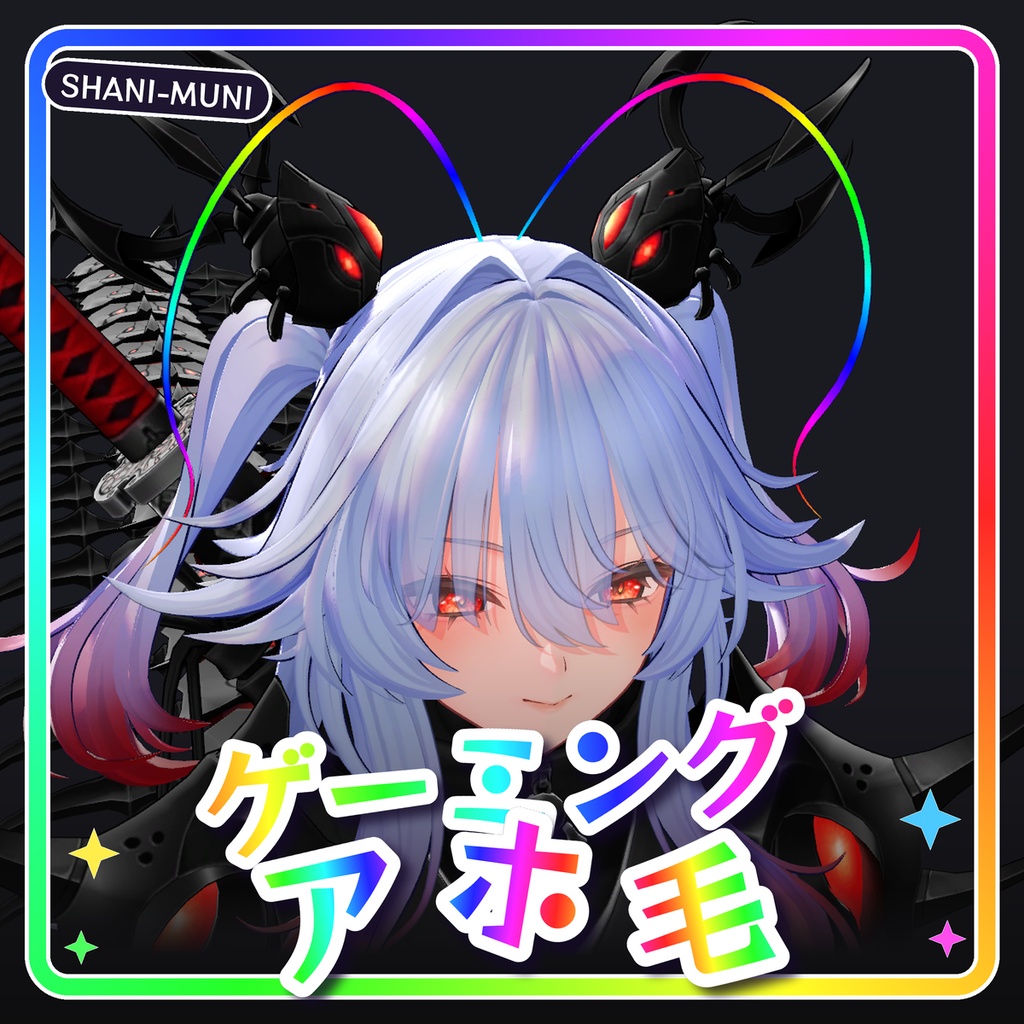
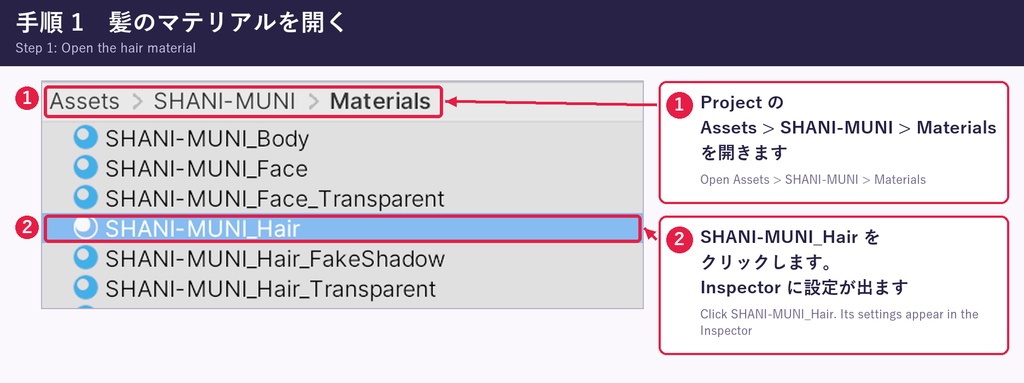
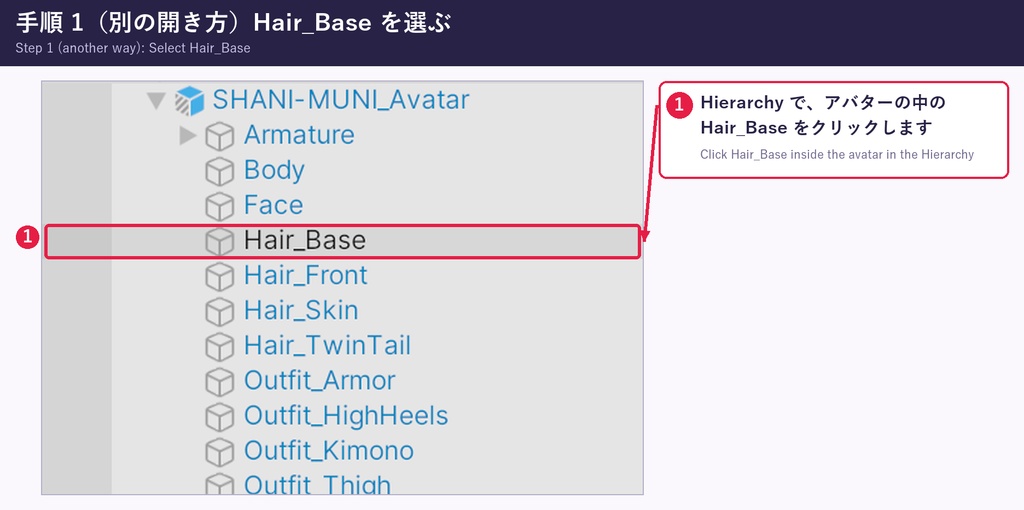
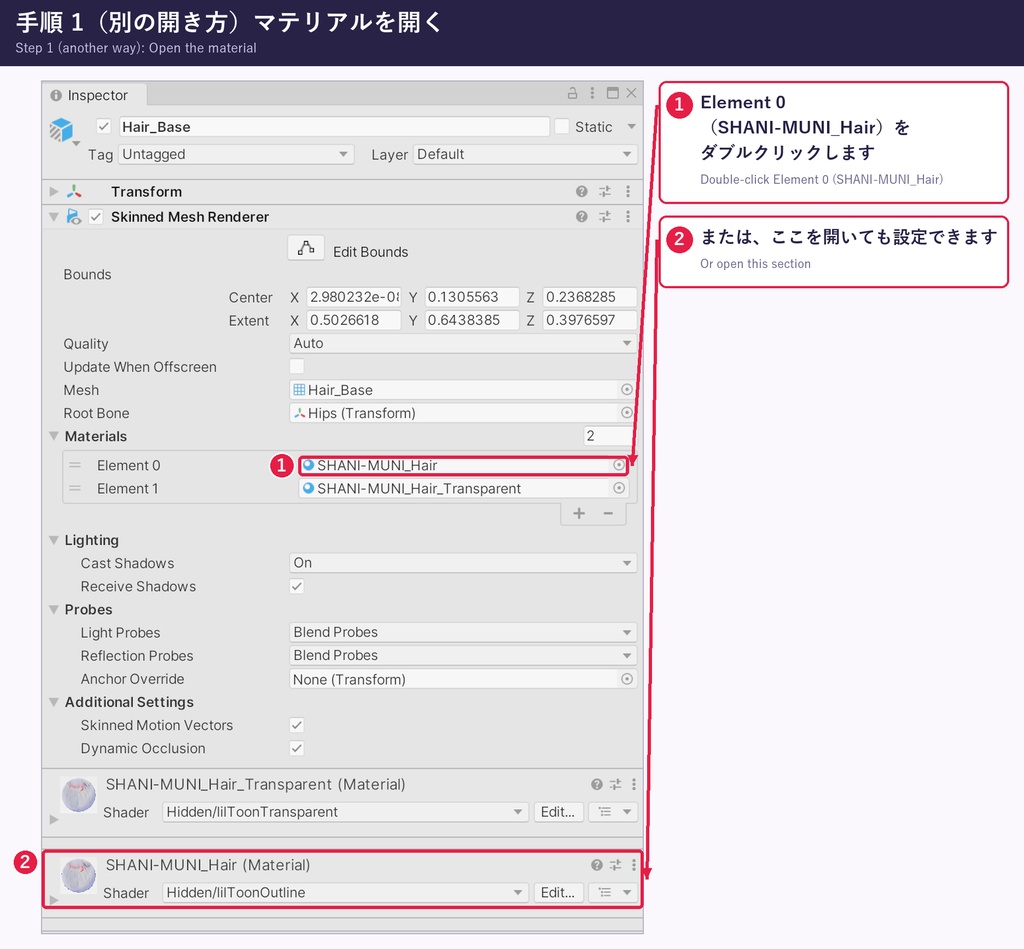
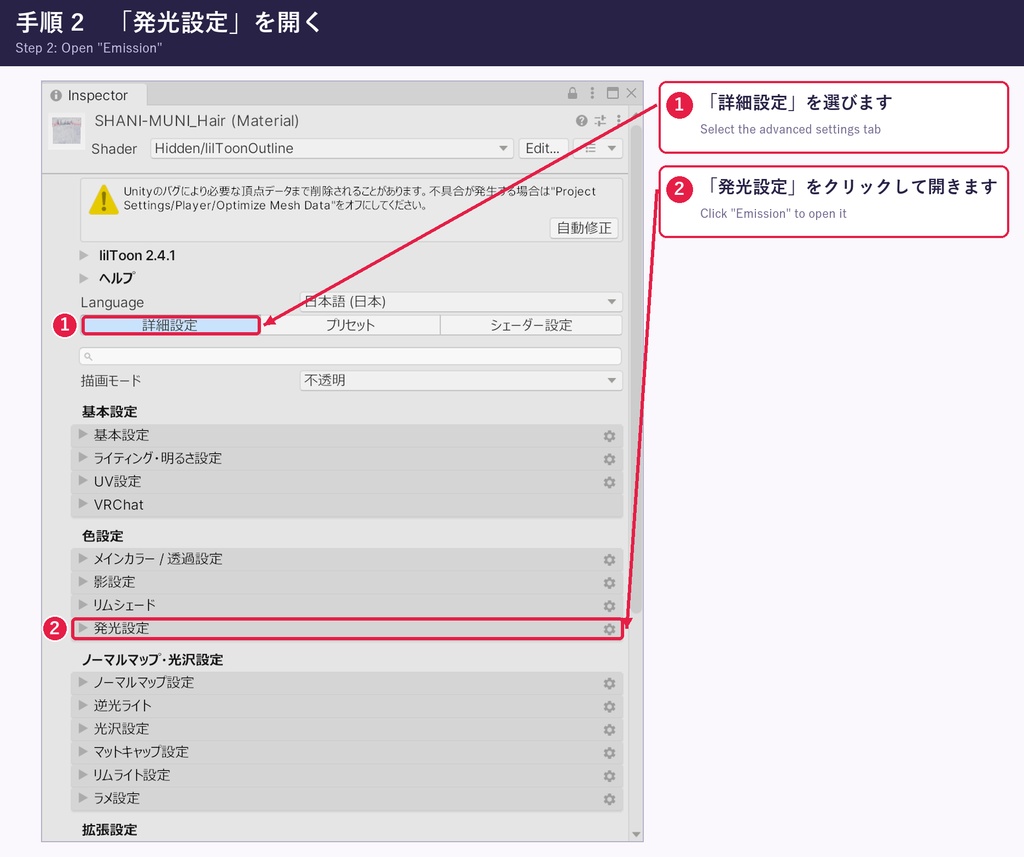
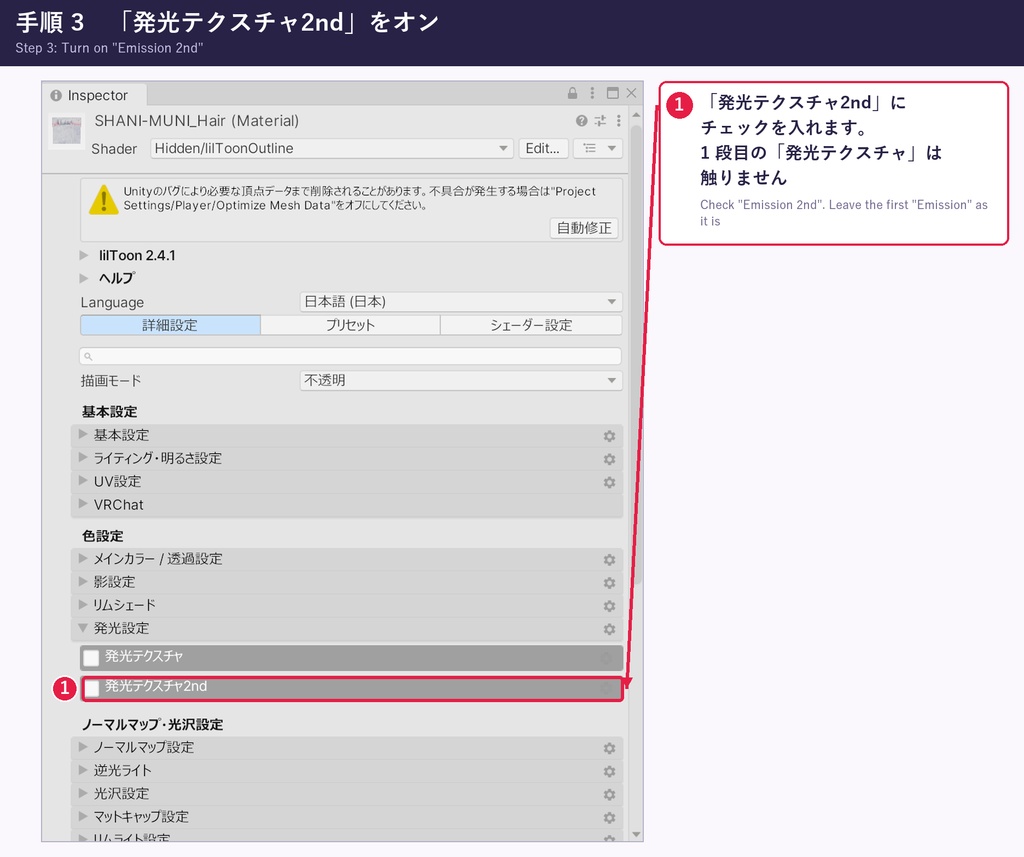
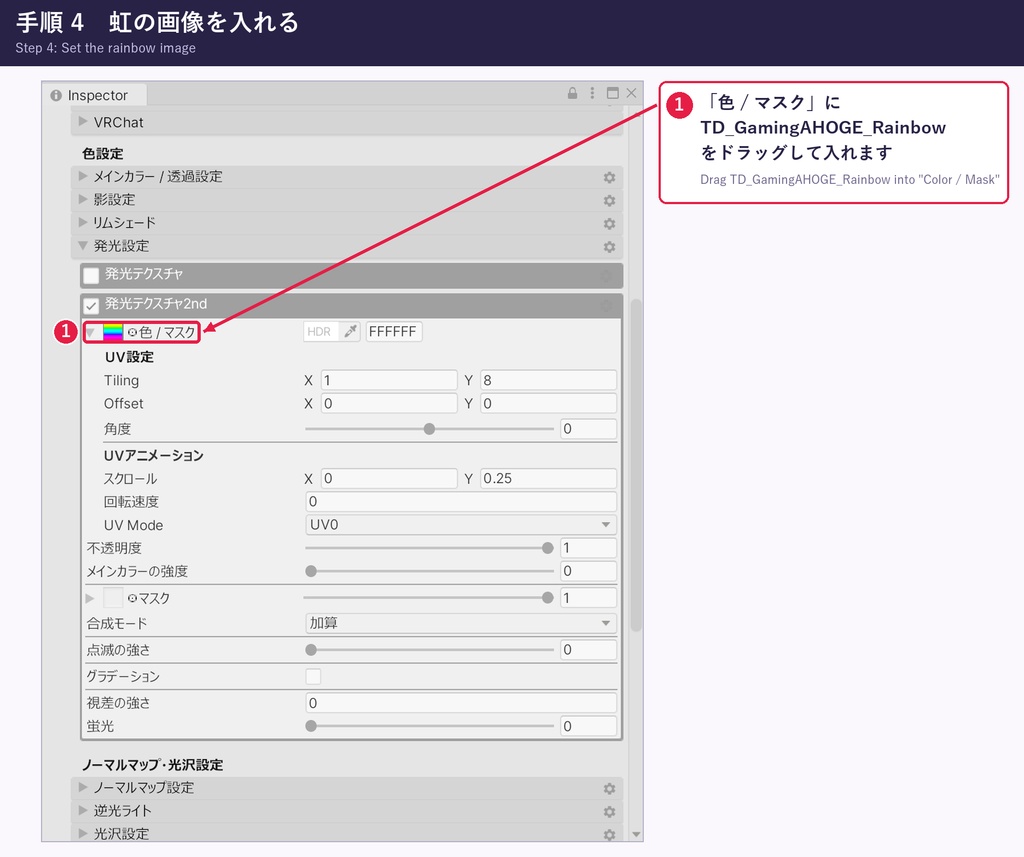
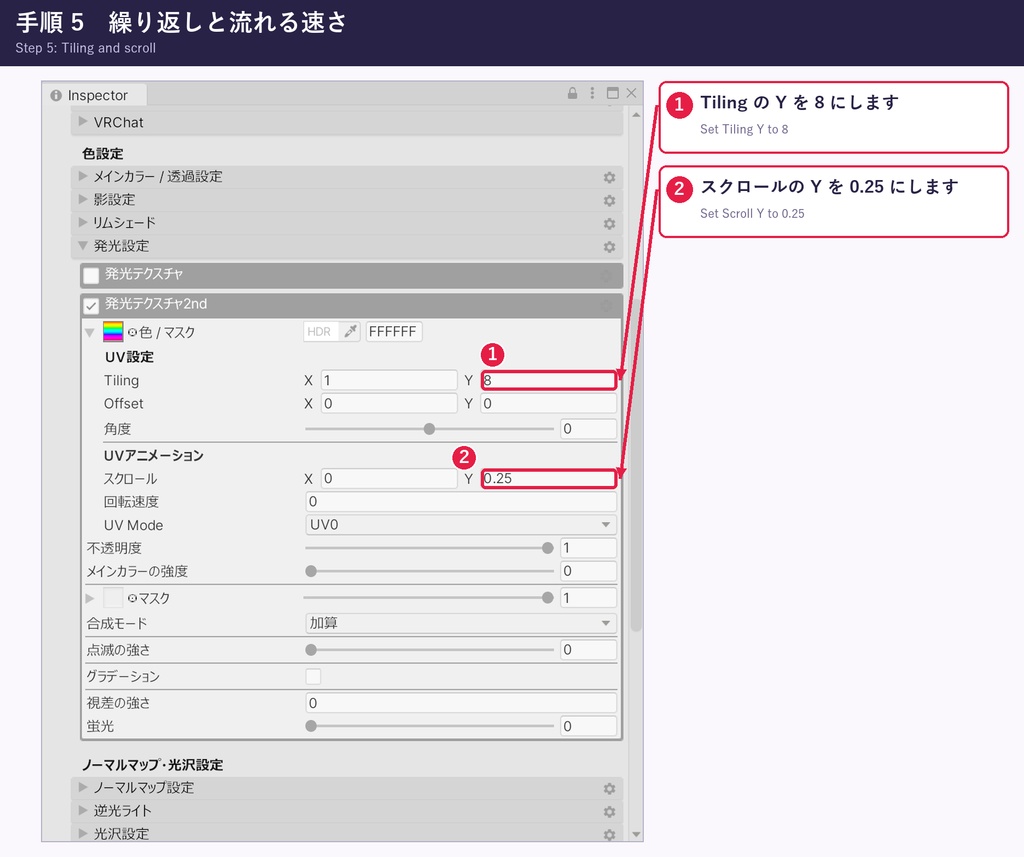
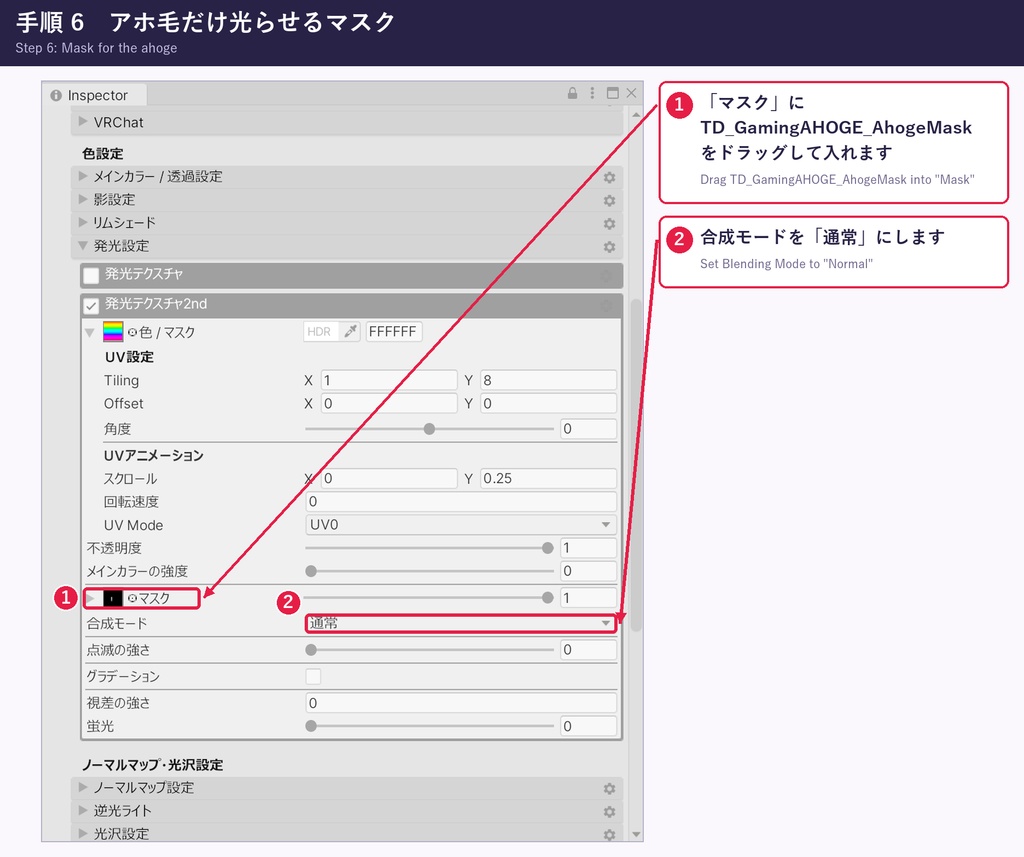
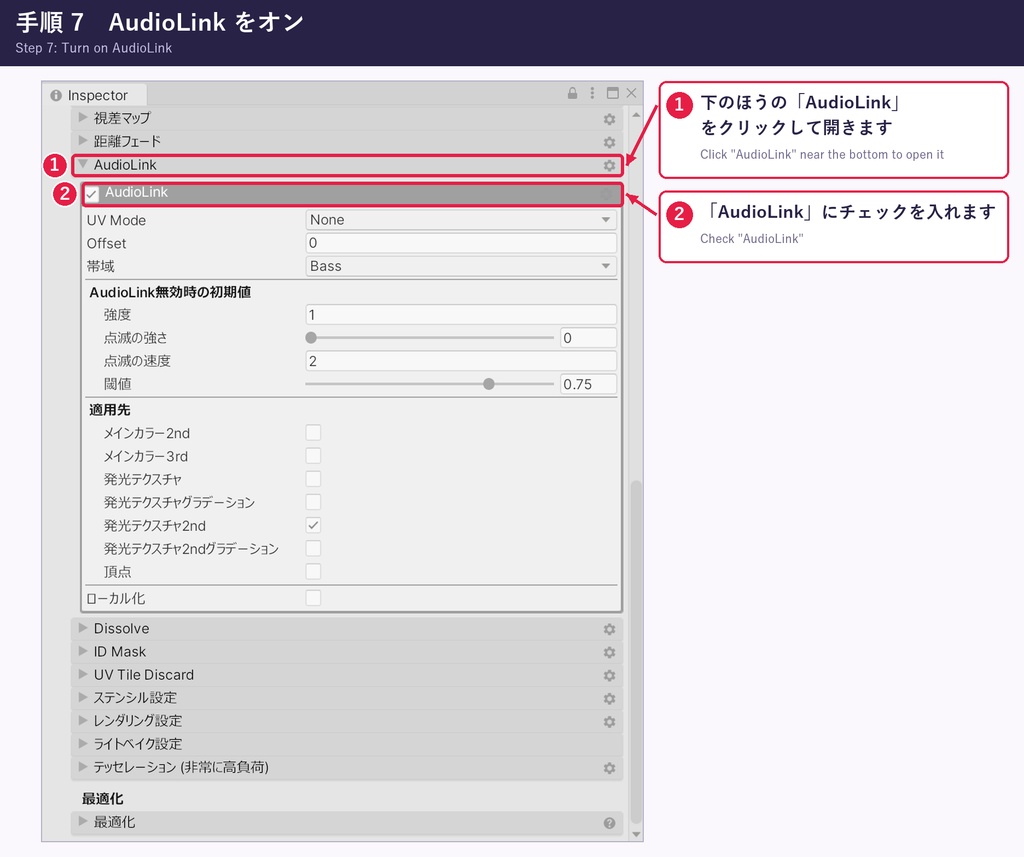
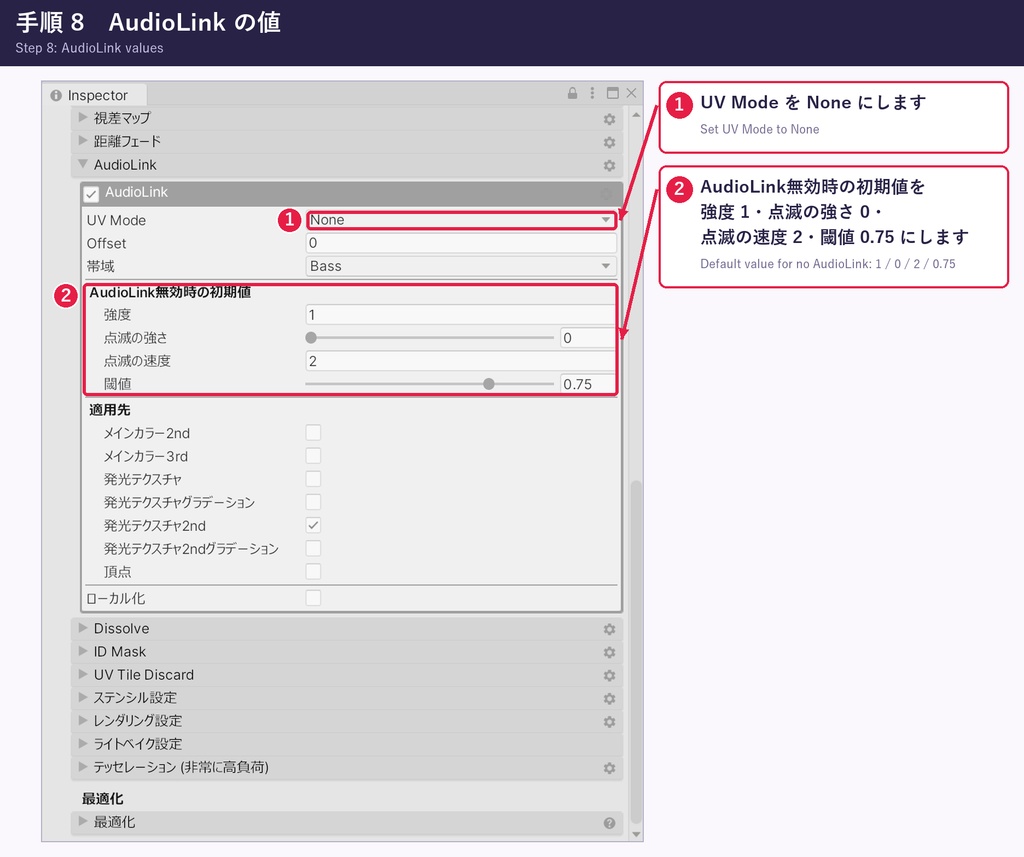
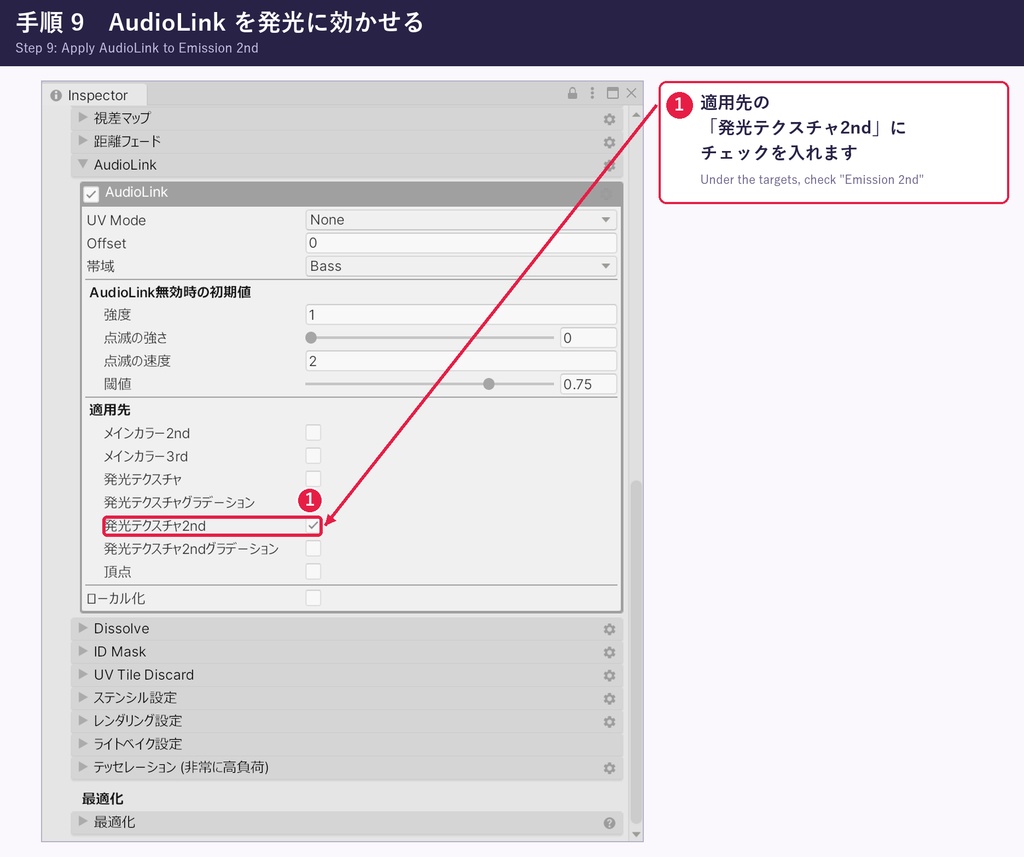
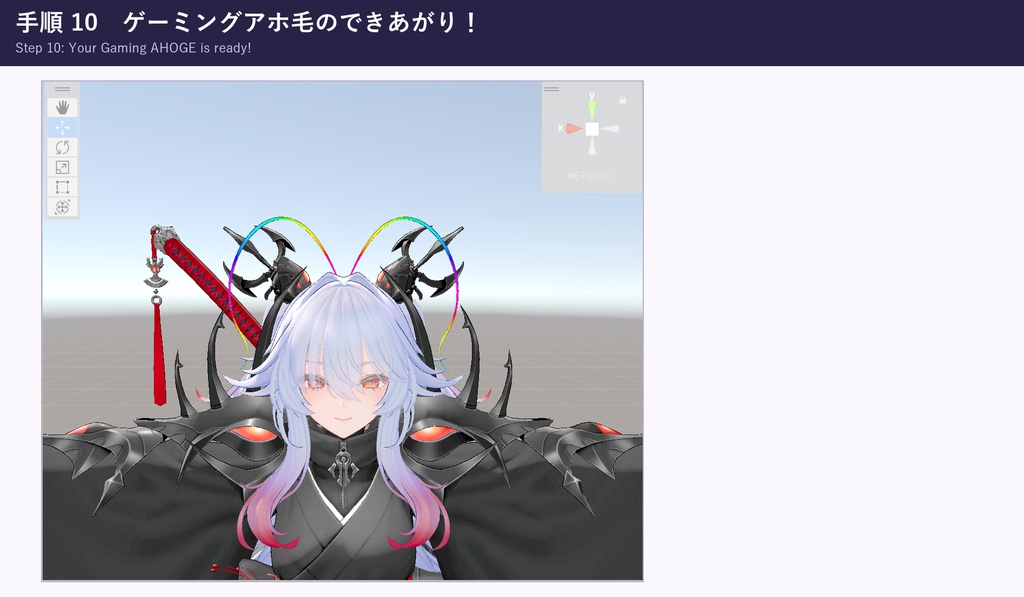


※ PC 版の VRChat 用です(Quest・Android には対応していません)。 ※ SHANI-MUNI専用です。SHANI-MUNI本体は含まれていません。 ━━━━━━━━━━━━━━━━━━━━ アホ毛、ゲーミング化。 SHANI-MUNIの長いアホ毛を、虹色に光らせるお遊びギミックです。 ━━━━━━━━━━━━━━━━━━━━ ■ 特徴 ・AudioLink 対応 ・画像 2 枚を、髪のマテリアル(lilToon)に設定するだけ。設定の手順は説明画像つきです ━━━━━━━━━━━━━━━━━━━━ ■ 対応アバター SHANI-MUNI Ver.1.2 対応(https://yorshkasencho.booth.pm/items/9058030) ※ Prefab(SHANI-MUNI_Avatar)で動作を確認しています。 ■ 必要なもの ・VRChat SDK3 Avatars ・lilToon 2.4.1 以降 ・AudioLink 3.1.2 以降 ■ 動作確認環境 Unity 2022.3.22f1 / VRChat SDK 3.10.5 / lilToon 2.4.1 / AudioLink 3.1.2 ■ 導入方法 1. TD_A_ShaniGamingAHOGE_v1.0.0.unitypackage をプロジェクトにインポートします。 2. 髪のマテリアル(SHANI-MUNI_Hair)を開き、説明画像(手順 1〜10。商品画像と同じ物を同梱しています)のとおりに「発光テクスチャ2nd」と「AudioLink」を設定します。 3. 通常どおりアップロードします。 ※ 髪のマテリアルの「発光テクスチャ2nd」を使います。すでに使っている場合は、この設定で上書きされます。 ※ 光を消すときは、「発光テクスチャ2nd」をオフにします。 ※ 本商品は、SHANI-MUNIの公式の商品ではありません。 SHANI-MUNIの作者様とは関係のない、個人が制作した非公式の商品です。 本商品について、SHANI-MUNIの作者様へのお問い合わせはご遠慮ください。 ━━━━━━━━━━━━━━━━━━━━ ■ 利用規約 同梱の「利用規約_ShaniGamingAHOGE.pdf」に従ってください。 主な条件は下のとおりです。 ・VRChat などへのアップロード:可(個人・法人) ・改変:可(ご自分で使う範囲) ・商用利用(配信・動画・写真の販売など):可(個人・法人) ・再配布:不可(無料も含みます。改変したもの、アバターに組み込んだ状態も含みます) ・クレジット表記:不要 利用規約は日本語版を基準とします。英語版は参考訳です。 ・本商品をアバターに組み込んで利用する場合は、そのアバターの利用規約が優先して適用されます。 アバターの利用規約で禁止されている行為は、本商品の利用規約で許諾されている場合でも行うことはできません。 ■ 制作について(AI の一部使用) 本商品は、制作の一部に AI(Claude Code)を使っています。 デザインの決定と、VRChat の中での確認は作者が行っています。 AI を使った制作物が気になる方は、ダウンロード前にご検討ください。 ━━━━━━━━━━━━━━━━━━━━ ■ 同梱物 ・TD_A_ShaniGamingAHOGE_v1.0.0.unitypackage(画像 2 枚:TD_GamingAHOGE_Rainbow.png・TD_GamingAHOGE_AhogeMask.png) ・説明書_ShaniGamingAHOGE.txt ・説明画像 12 枚(手順 1〜10) ・利用規約_ShaniGamingAHOGE.pdf(英語の参考訳つき) ■ 更新履歴 2026/10/30 1.0.0 初版 ■ ショップ・お問い合わせ ともさか店舗BOOTH店(https://tomosaka-shop.booth.pm/) お問い合わせは BOOTH のメッセージからお願いします。 運営:ともぴ@ともさか(X:https://x.com/tomop_jp) ━━━━━━━━━━━━━━━━━━━━ [English] Gaming Ahoge — a free, just-for-fun gimmick that makes SHANI-MUNI's long ahoge glow in rainbow colors. * For the PC version of VRChat only (Quest and Android are not supported). * For SHANI-MUNI only. SHANI-MUNI itself is not included. This is an unofficial item, not affiliated with the author of SHANI-MUNI. Features - AudioLink compatible: in worlds with AudioLink, it glows to the music. In worlds without AudioLink, the rainbow flows. - Just set two images in the hair material (lilToon). Step-by-step guide images are included. Supported avatar: SHANI-MUNI Ver.1.2 (https://yorshkasencho.booth.pm/items/9058030) Tested with the prefab SHANI-MUNI_Avatar. Requirements: VRChat SDK3 Avatars, lilToon 2.4.1 or later, AudioLink 3.1.2 or later Tested environment: Unity 2022.3.22f1 / VRChat SDK 3.10.5 / lilToon 2.4.1 / AudioLink 3.1.2 Installation: 1. Import TD_A_ShaniGamingAHOGE_v1.0.0.unitypackage into your project. 2. Open the hair material (SHANI-MUNI_Hair) and set "Emission 2nd" and "AudioLink" as shown in the guide images (steps 1-10; the same images as the product images are included). Included: TD_A_ShaniGamingAHOGE_v1.0.0.unitypackage (2 images), 説明書_ShaniGamingAHOGE.txt, 12 guide images, 利用規約_ShaniGamingAHOGE.pdf 3. Upload the avatar as usual. This uses "Emission 2nd" of the hair material. If you already use it, these settings overwrite it. To turn off the glow, turn off "Emission 2nd". Terms of use: see the included 利用規約_ShaniGamingAHOGE.pdf. Redistribution is not allowed (including for free). The Japanese version is authoritative; the English version is a reference translation. When this item is used with an avatar, the terms of use of that avatar take precedence. Use of AI: AI (Claude Code) is used for part of the production of this item.