

【JP_EN_KR】触ると糸を引く! ぬるベロ ― VRChat ぬるぬるベロギミック【Modular Avatar対応】
- Digital980 JPY
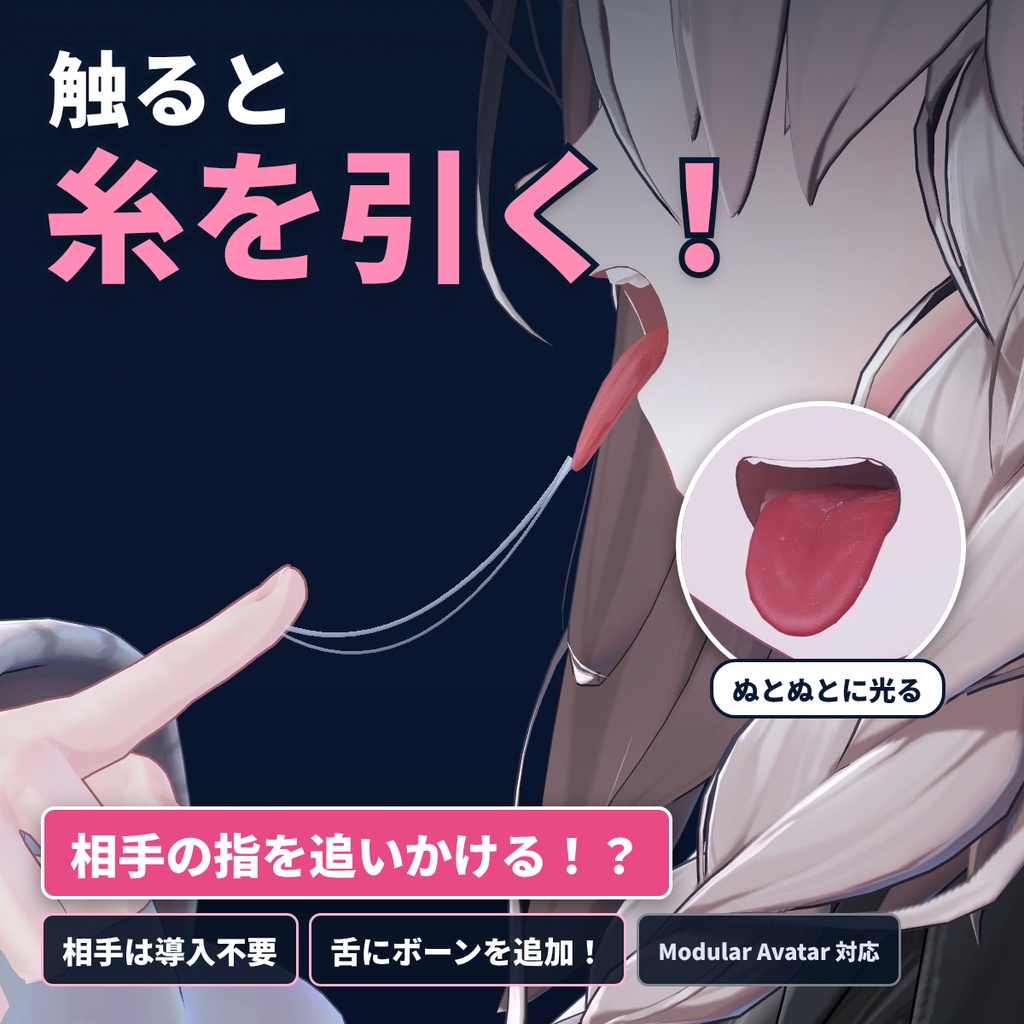
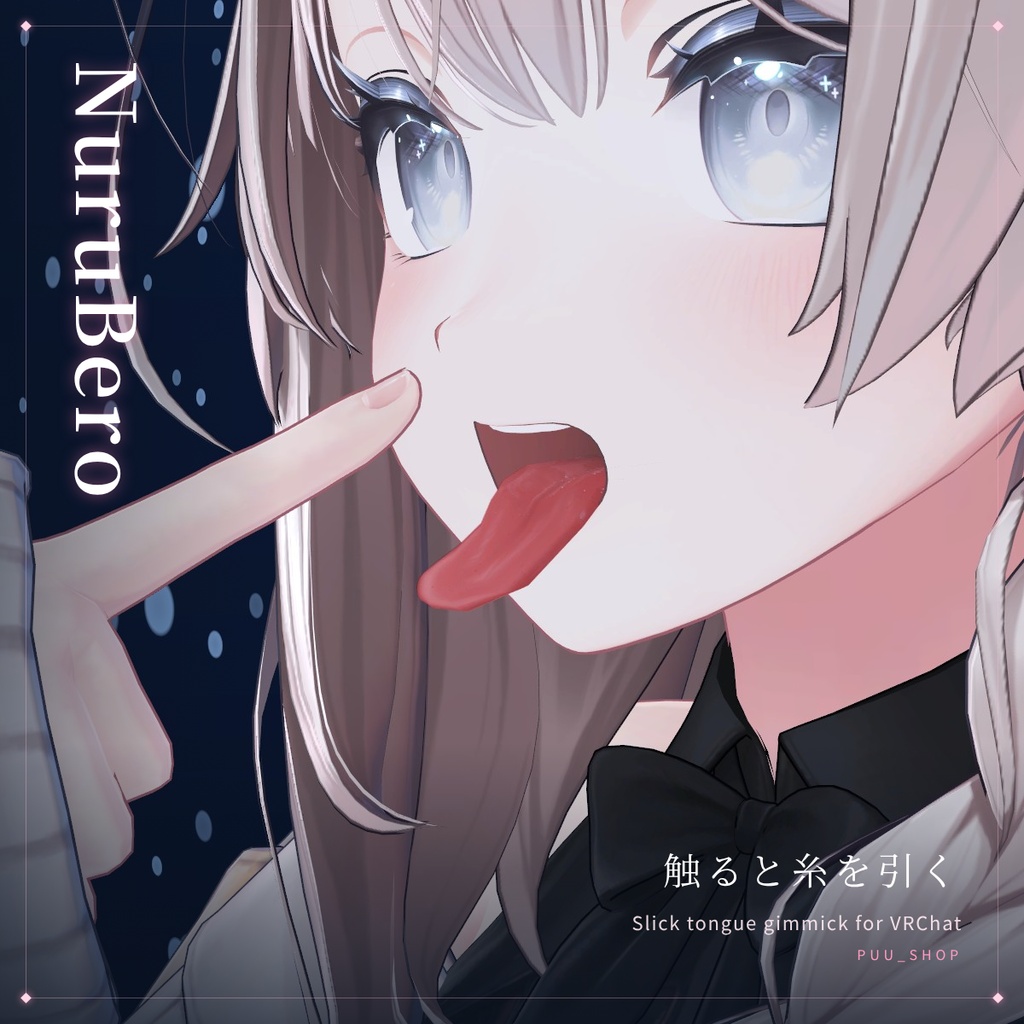


VRChat(VRC)用の、ベロがぬとぬとに濡れて光るギミックです。 相手の指を近づけるとベロが指を追いかけ、触って離すと唾の糸を引きます。 相手はこのギミックを入れていなくても大丈夫です。 Modular Avatar 対応で、アバターを入れるだけでベロを自動で見つけて導入できます。 HumanoudAvatarであれば対応しています。 ※不具合などあればお問い合わせください
日本語
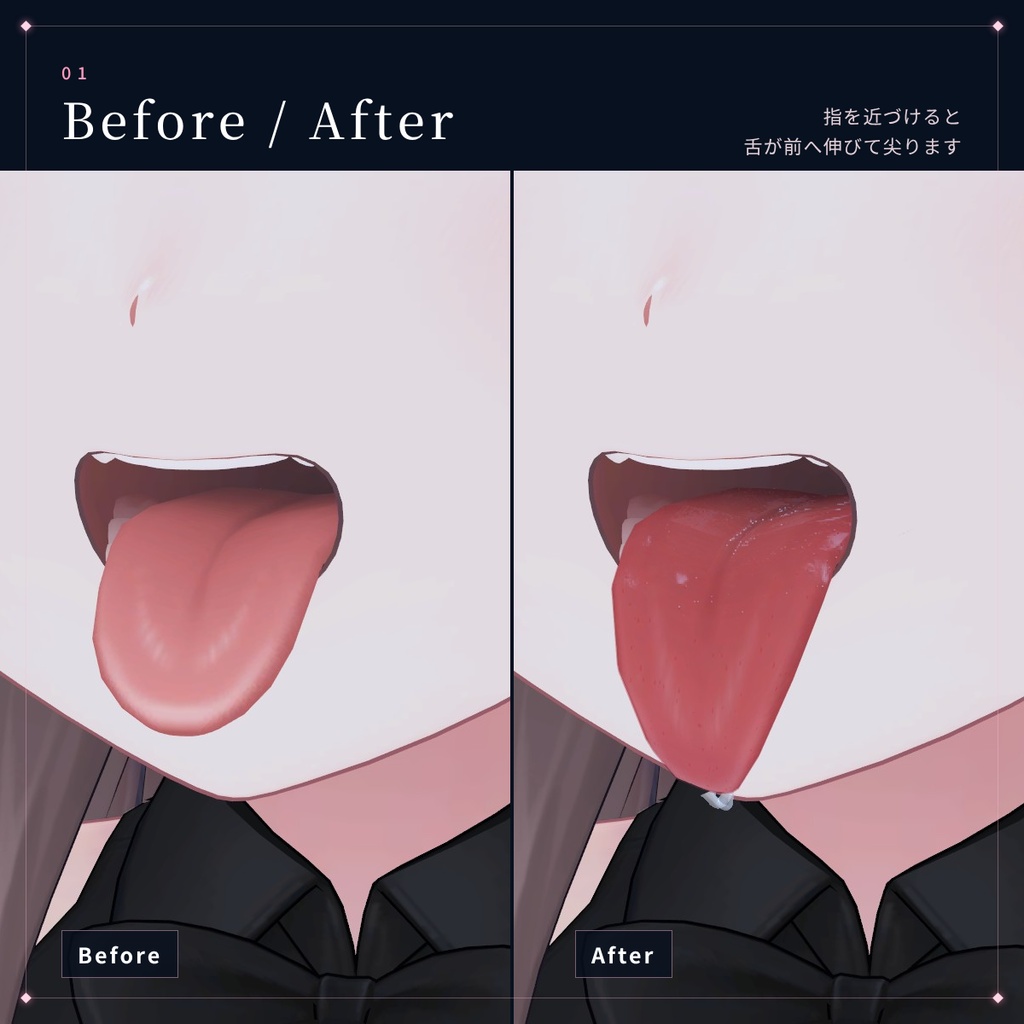
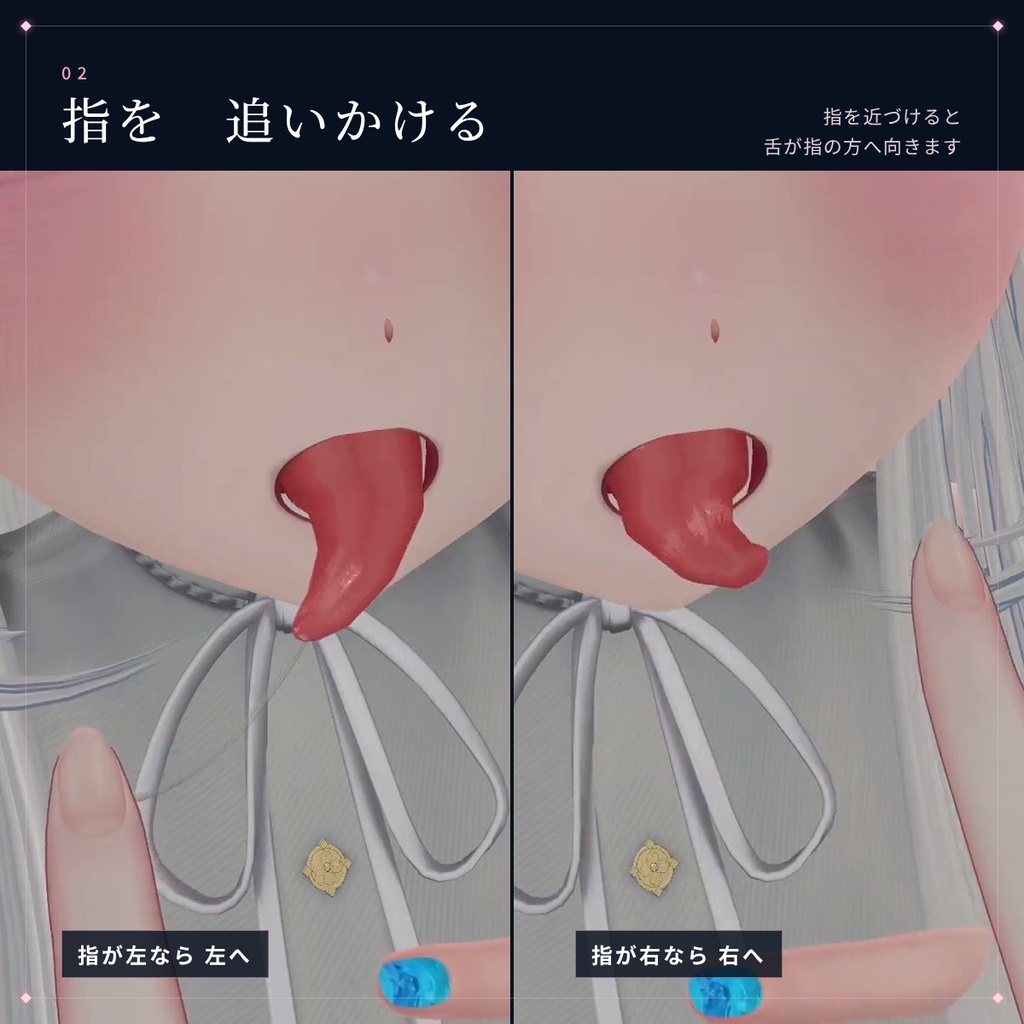
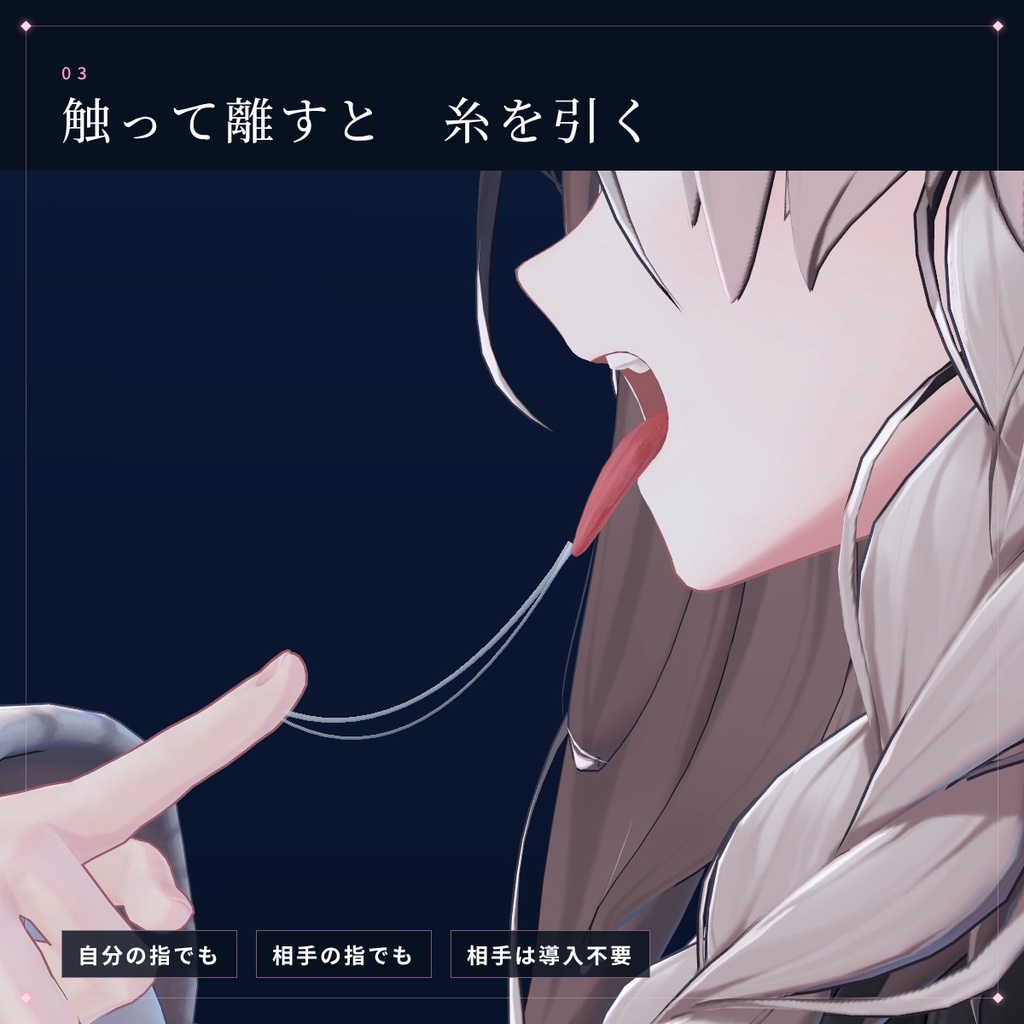
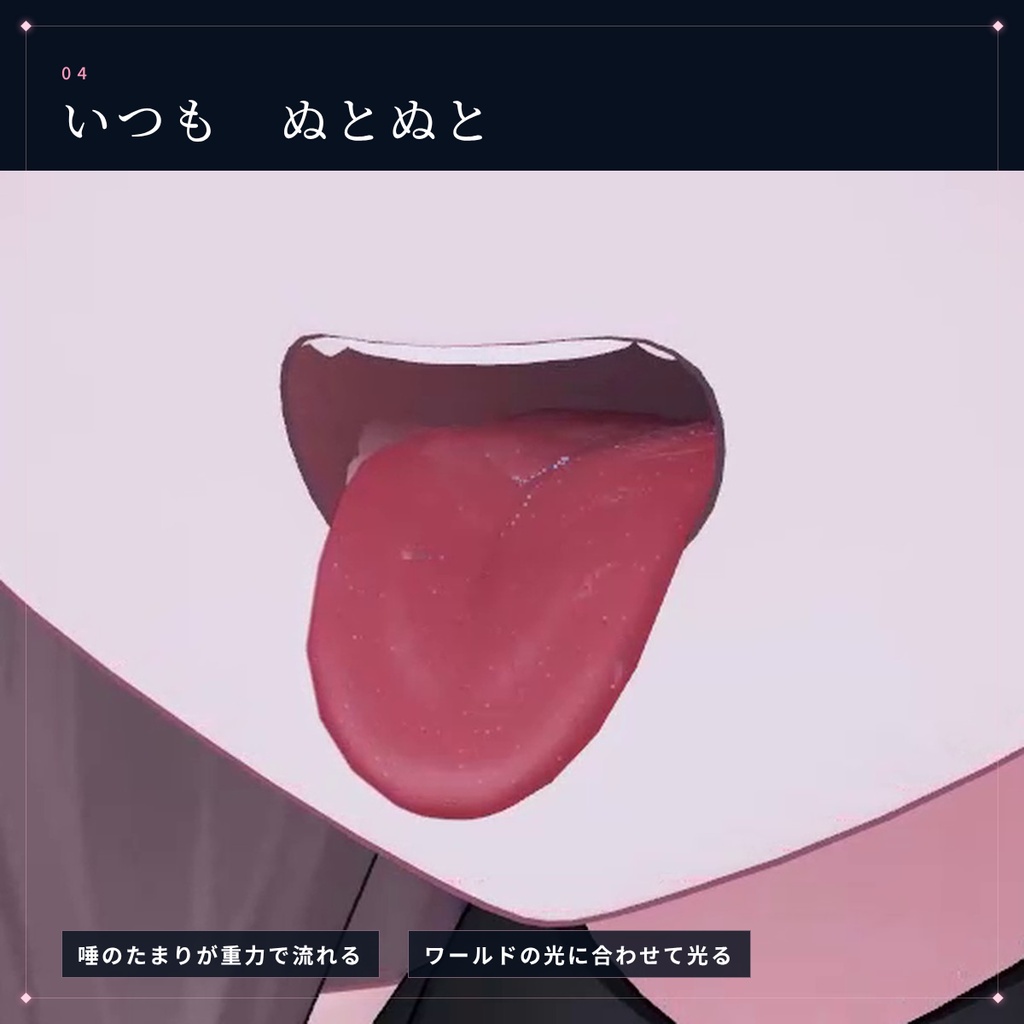
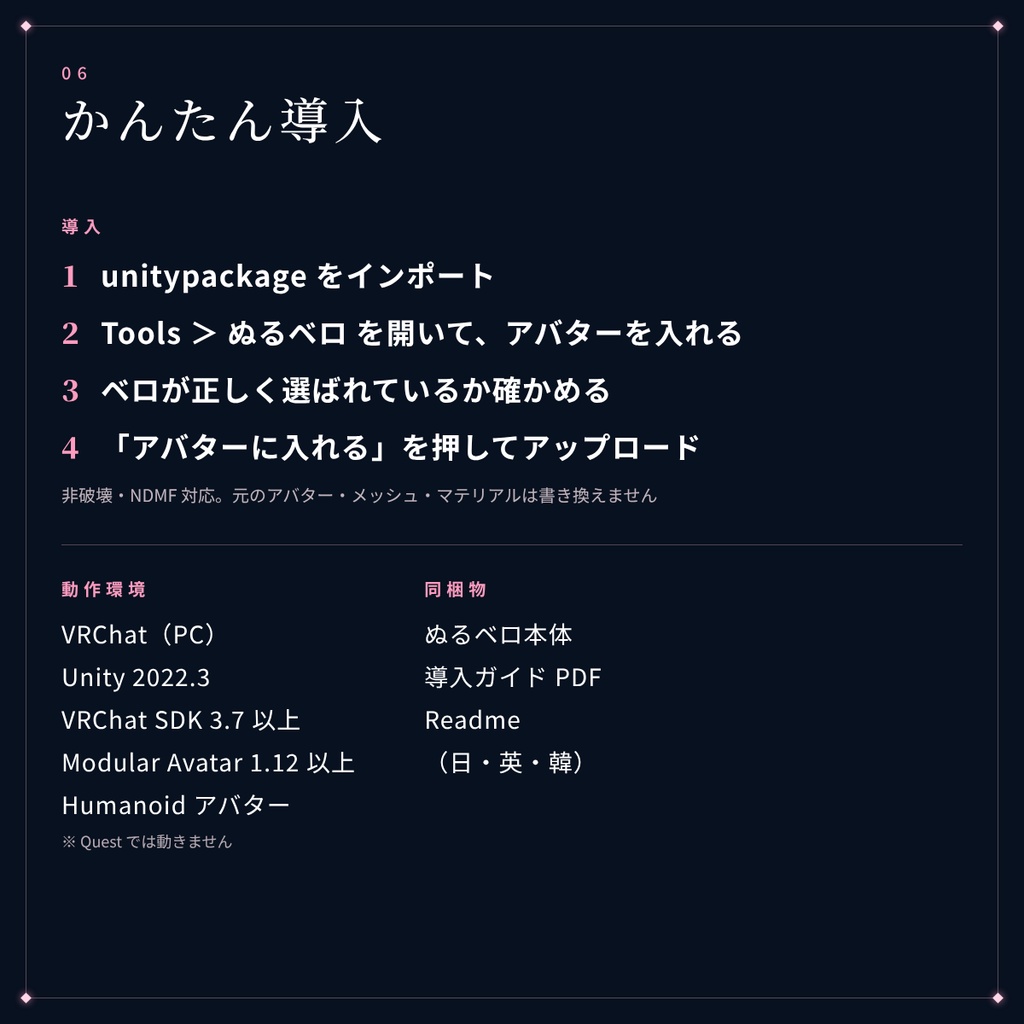
■ できること ・舌が指を追いかける 指を舌の先に近づけると、唇から出ているベロが指のいる向き(上・下・左右)へゆっくり向き、舐め回すように揺れます。 指が近いほど舌先が前へ伸び、伸びるのと一緒に舌先が細く尖っていきます。 唇や歯にめり込まない角度まで、アバターごとに自動で測って曲げます。 ・触って離すと、唾の糸を引く 指でベロの先に触れて離すと、指とベロの間に糸を引きます。 伸びるほど細くなって垂れ、引っぱりすぎると一番細い所ではじけて切れ、時間がたつと垂れた所で切れます。 自分の指でも、ほかの人の指でも引けます。 ・舌にボーンが無いアバターでも動く 舌にボーンが無いアバターには、アップロードの時に自動でボーンを入れます。 元から舌にボーンがあるアバターは、そのボーンと作者の PhysBone の設定をそのまま使います。 ・舌がぬとぬとに光る 唾のたまりが重力でゆっくり流れ、光の映り込みが表面を滑ります。 舌先と縁は赤く、真ん中の溝には唾がたまって光り、後ろから光が当たると縁が透けます。 ■ メニュー(ぬるベロ) ・ON/OFF ・ベロを出す(ベロを出す表情をFXに入れていないアバターの時) 出している間はハンドサインで表情が変わらないので、指さしでも舌がずれません ・指に吸い寄せる ■ 動作環境 ・VRChat(PC) ・Unity 2022.3 ・VRChat SDK 3.7 以上 ・Modular Avatar 1.12 以上(NDMF 1.7 以上)を推奨 ・Humanoid のアバター ※ Quest(Android)版では動きません(アップロードの時に自動で外れます)。 ■ 導入方法 1. unitypackage をインポート 2. メニューの Tools > ぬるベロ (NuruBero) を開く 3. アバターを入れる(ベロは自動で見つかります) 4. 「位置調整」で、糸が出る所がベロの先にあるか確かめる 5. 「アバターに入れる」を押して、アップロード (非破壊・NDMF 対応。元のアバター・メッシュ・マテリアル・表情のアニメーションは書き換えません) くわしくは同梱の 導入ガイド をご覧ください。 ■ 同梱物 ・NuruBero_v1.0.0.unitypackage ・導入ガイド PDF(日本語・English・한국어) ・Readme(日本語・English・한국어) ■ ご注意 ・PC 版向けです。Quest(Android)版では動きません。 ・自分の指で試す時は、VRChat のクイックメニューの「アバターインタラクション」で Self Interact を ON にしてください。ほかの人に触ってもらう時は、お互いのインタラクションの許可が必要です。 ・自分の画面では自分のベロが見えにくいので、鏡で確かめてください。 ・指をとても速く動かすと、指を見失って糸が切れます。 ・アバターの設定やワールドが直接動かすシェイプキー(リップシンクなど)には、糸の根元は付いていきません。 ■ 利用規約 ・購入者ご本人のアバターでの使用・改変はご自由にどうぞ ・データの再配布・転売は禁止です ・このギミックを組み込んだアバターを販売・配布したい場合はご相談ください ・使用によって生じたトラブルについては責任を負いかねます ■ その他 本ギミックの開発(プログラム・文章の作成など)には、AIと協力して作成しております。 動作の確認・調整は作者が行っています。 不具合・ご質問は、BOOTH のメッセージからお送りください。
English
A gimmick for VRChat (VRC) that makes your tongue glisten, slick and wet. When someone brings a finger close, your tongue chases it. Touch it and pull away, and a string of saliva stretches between them. The other person does not need this gimmick. Supports Modular Avatar. Just set your avatar and the tongue is found and set up automatically. ■ Features - Your tongue chases fingers When a finger comes near the tip of your tongue, the part sticking out past your lips slowly turns toward the finger (up, down, left or right) and sways as if licking around it. The closer the finger, the further the tip reaches forward, growing thinner and more pointed as it stretches. The bend is measured automatically for each avatar so the tongue never sinks into the lips or teeth. - Touch and pull away to string saliva Touch the tip of the tongue with a finger and pull away, and a string stretches between the finger and the tongue. It thins and sags as it stretches. Pull too far and it snaps at its thinnest point; leave it and it breaks where it sags. Works with your own fingers and with other people's. - Works even if the tongue has no bones For avatars without tongue bones, bones are added automatically at upload. Avatars that already have tongue bones keep those bones and the creator's PhysBone settings as they are. - A slick, glistening tongue Pools of saliva slowly flow with gravity, and reflections glide across the surface. The tip and edges are red, saliva gathers and shines in the center groove, and the edges glow through when lit from behind. ■ Menu (NuruBero) - ON/OFF - Tongue out (for avatars without a tongue-out expression in their FX) While it is on, hand signs do not change the expression, so pointing does not shift the tongue - Draw to fingers ■ Requirements - VRChat (PC) - Unity 2022.3 - VRChat SDK 3.7 or later - Modular Avatar 1.12 or later (NDMF 1.7 or later) recommended - Humanoid avatar * Does not work on Quest (Android). It is removed automatically when uploading for Android. ■ Setup 1. Import the unitypackage 2. Open Tools > ぬるベロ (NuruBero) from the menu 3. Set your avatar (the tongue is found automatically) 4. Use "Adjust" to check that the string starts at the tip of the tongue 5. Press "Add to avatar" and upload (Non-destructive, NDMF-based. Your original avatar, meshes, materials and expression animations are not modified.) See the included setup guide for details. ■ Contents - NuruBero_v1.0.0.unitypackage - Setup guide PDF (Japanese / English / Korean) - Readme (Japanese / English / Korean) ■ Notes - For PC only. Does not work on Quest (Android). - To try it with your own finger, turn on Self Interact under "Avatar Interactions" in VRChat's Quick Menu. To let others touch it, both of you need to allow interactions. - Your own tongue is hard to see from your own view, so check it in a mirror. - If a finger moves very fast, it can lose track of the finger and the string breaks. - The base of the string does not follow blendshapes driven directly by the avatar settings or the world (such as lip sync). ■ Terms of use - You may freely use and modify it on the purchaser's own avatars - Redistribution and resale of the data are prohibited - If you want to sell or distribute an avatar that includes this gimmick, please contact us - We cannot take responsibility for any trouble caused by its use ■ Other This gimmick was developed (programming, writing, etc.) in collaboration with AI. Testing and adjustments are done by the creator. For bug reports and questions, please send a message through BOOTH.
한국어
VRChat(VRC)용, 혀가 끈적하게 젖어서 반짝이는 기믹입니다. 상대가 손가락을 가까이 대면 혀가 손가락을 쫓아가고, 만졌다가 떼면 침이 실처럼 늘어집니다. 상대는 이 기믹을 넣지 않아도 괜찮습니다. Modular Avatar 대응으로, 아바타를 넣기만 하면 혀를 자동으로 찾아서 도입할 수 있습니다. ■ 할 수 있는 것 ・혀가 손가락을 쫓아간다 손가락을 혀끝에 가까이 대면, 입술 밖으로 나온 혀가 손가락이 있는 방향(위・아래・좌우)으로 천천히 향하고, 핥아 돌리듯이 흔들립니다. 손가락이 가까울수록 혀끝이 앞으로 늘어나고, 늘어나면서 혀끝이 가늘고 뾰족해집니다. 입술이나 이에 파고들지 않는 각도까지, 아바타마다 자동으로 재서 구부립니다. ・만졌다가 떼면 침이 실처럼 늘어진다 손가락으로 혀끝을 만졌다가 떼면, 손가락과 혀 사이에 실이 늘어집니다. 늘어날수록 가늘어지며 처지고, 너무 당기면 가장 가는 곳에서 톡 끊어지고, 시간이 지나면 처진 곳에서 끊어집니다. 자기 손가락으로도, 다른 사람의 손가락으로도 늘어집니다. ・혀에 본이 없는 아바타도 움직인다 혀에 본이 없는 아바타에는 업로드할 때 자동으로 본을 넣습니다. 원래 혀에 본이 있는 아바타는 그 본과 제작자의 PhysBone 설정을 그대로 사용합니다. ・혀가 끈적하게 반짝인다 고인 침이 중력으로 천천히 흐르고, 빛의 반사가 표면을 미끄러집니다. 혀끝과 가장자리는 붉고, 가운데 홈에는 침이 고여 반짝이며, 뒤에서 빛이 비치면 가장자리가 비칩니다. ■ 메뉴 (누루베로) ・ON/OFF ・혀 내밀기 (FX에 혀를 내미는 표정이 없는 아바타일 때) 켜져 있는 동안에는 핸드 사인으로 표정이 바뀌지 않아서, 손가락으로 가리켜도 혀가 어긋나지 않습니다 ・손가락에 끌려가기 ■ 동작 환경 ・VRChat(PC) ・Unity 2022.3 ・VRChat SDK 3.7 이상 ・Modular Avatar 1.12 이상(NDMF 1.7 이상) 권장 ・Humanoid 아바타 ※ Quest(Android)판에서는 동작하지 않습니다(업로드할 때 자동으로 빠집니다). ■ 도입 방법 1. unitypackage를 임포트 2. 메뉴의 Tools > ぬるベロ (NuruBero)를 연다 3. 아바타를 넣는다(혀는 자동으로 찾아집니다) 4. 「위치 조정」으로 실이 나오는 곳이 혀끝에 있는지 확인한다 5. 「아바타에 넣기」를 눌러 업로드 (비파괴・NDMF 대응. 원래 아바타・메시・머티리얼・표정 애니메이션은 바꾸지 않습니다) 자세한 내용은 동봉된 설치 가이드를 봐 주세요. ■ 동봉물 ・NuruBero_v1.0.0.unitypackage ・설치 가이드 PDF(일본어・English・한국어) ・Readme(일본어・English・한국어) ■ 주의 ・PC판용입니다. Quest(Android)판에서는 동작하지 않습니다. ・자기 손가락으로 시험할 때는 VRChat 퀵 메뉴의 「아바타 상호작용」에서 Self Interact를 ON으로 해 주세요. 다른 사람이 만지게 할 때는 서로 상호작용 허용이 필요합니다. ・자기 화면에서는 자기 혀가 잘 보이지 않으니 거울로 확인해 주세요. ・손가락을 아주 빠르게 움직이면 손가락을 놓쳐서 실이 끊어집니다. ・아바타 설정이나 월드가 직접 움직이는 쉐이프키(립싱크 등)에는 실의 뿌리가 따라가지 않습니다. ■ 이용 약관 ・구매자 본인의 아바타에서의 사용・개변은 자유롭게 하셔도 됩니다 ・데이터의 재배포・전매는 금지입니다 ・이 기믹을 넣은 아바타를 판매・배포하고 싶은 경우에는 상담해 주세요 ・사용으로 인해 생긴 문제에 대해서는 책임지지 않습니다 ■ 기타 이 기믹의 개발(프로그램・문장 작성 등)은 AI와 협력하여 만들었습니다. 동작 확인・조정은 제작자가 하고 있습니다. 버그・질문은 BOOTH 메시지로 보내 주세요.
更新履歴
v1.0.0(2026/10/21) ・公開