

からくりポップコーンワゴン【Modular Avatar 対応】
- Digital2,500 JPY
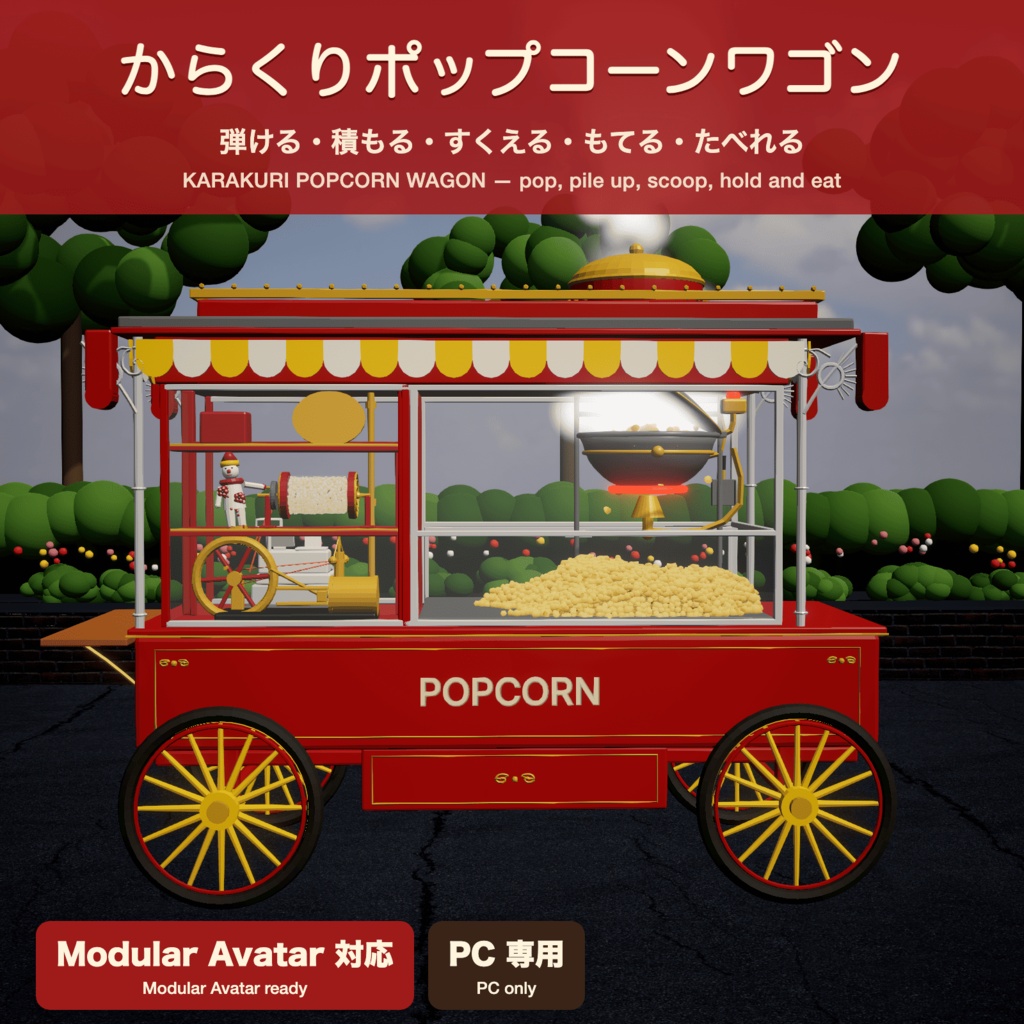
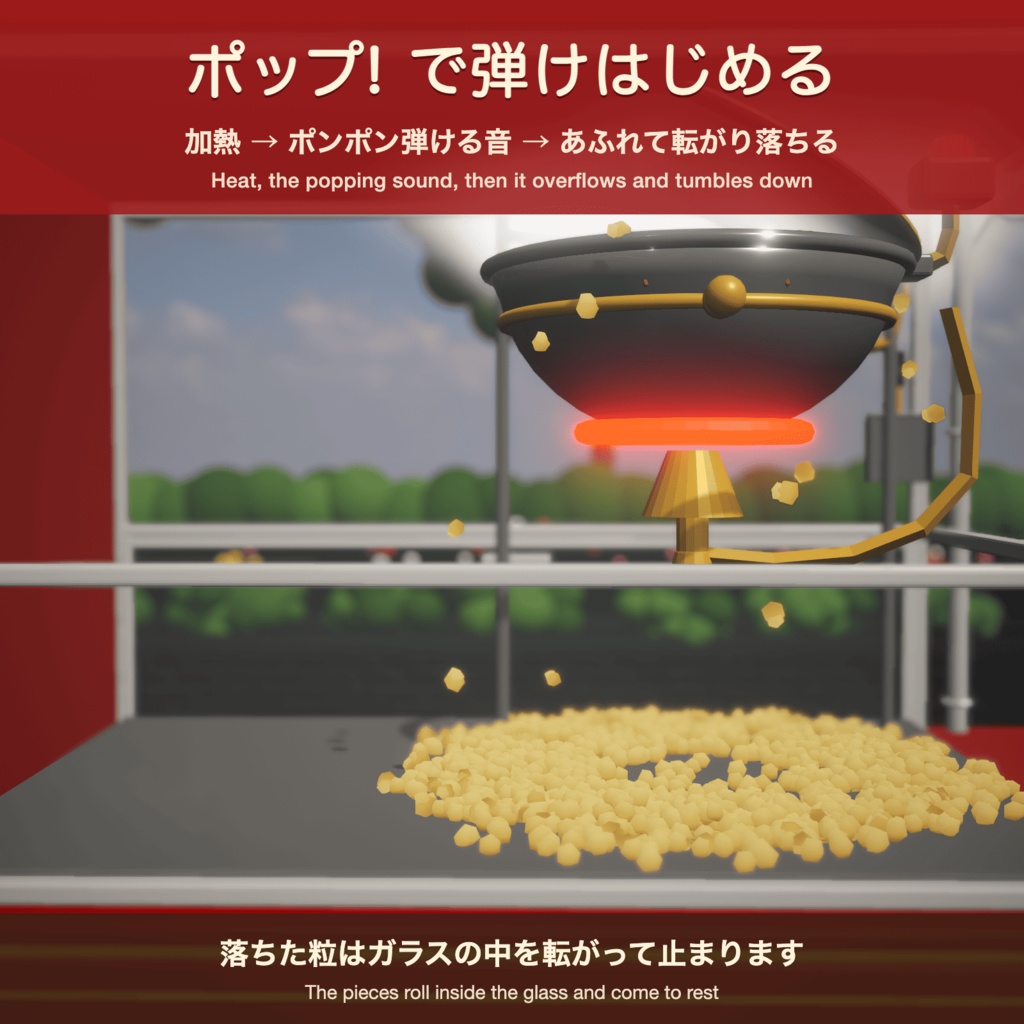

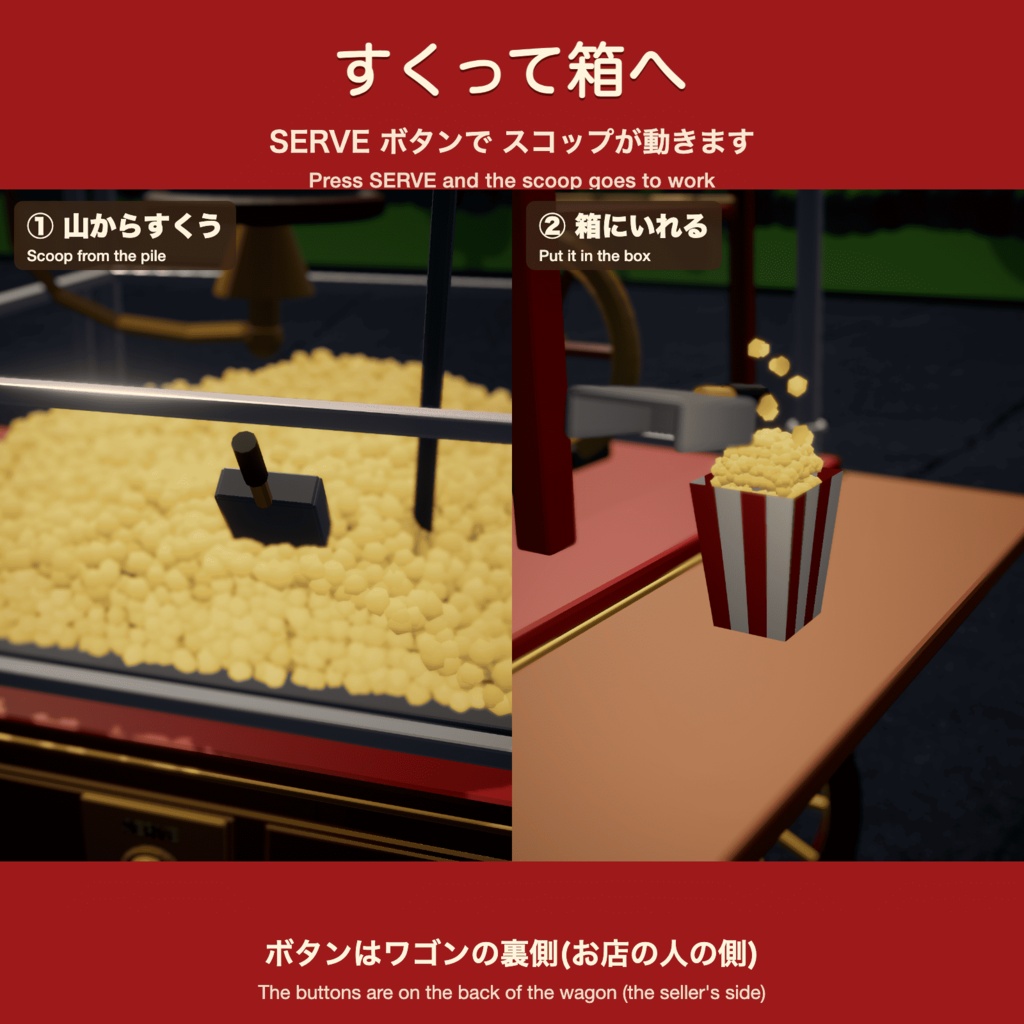
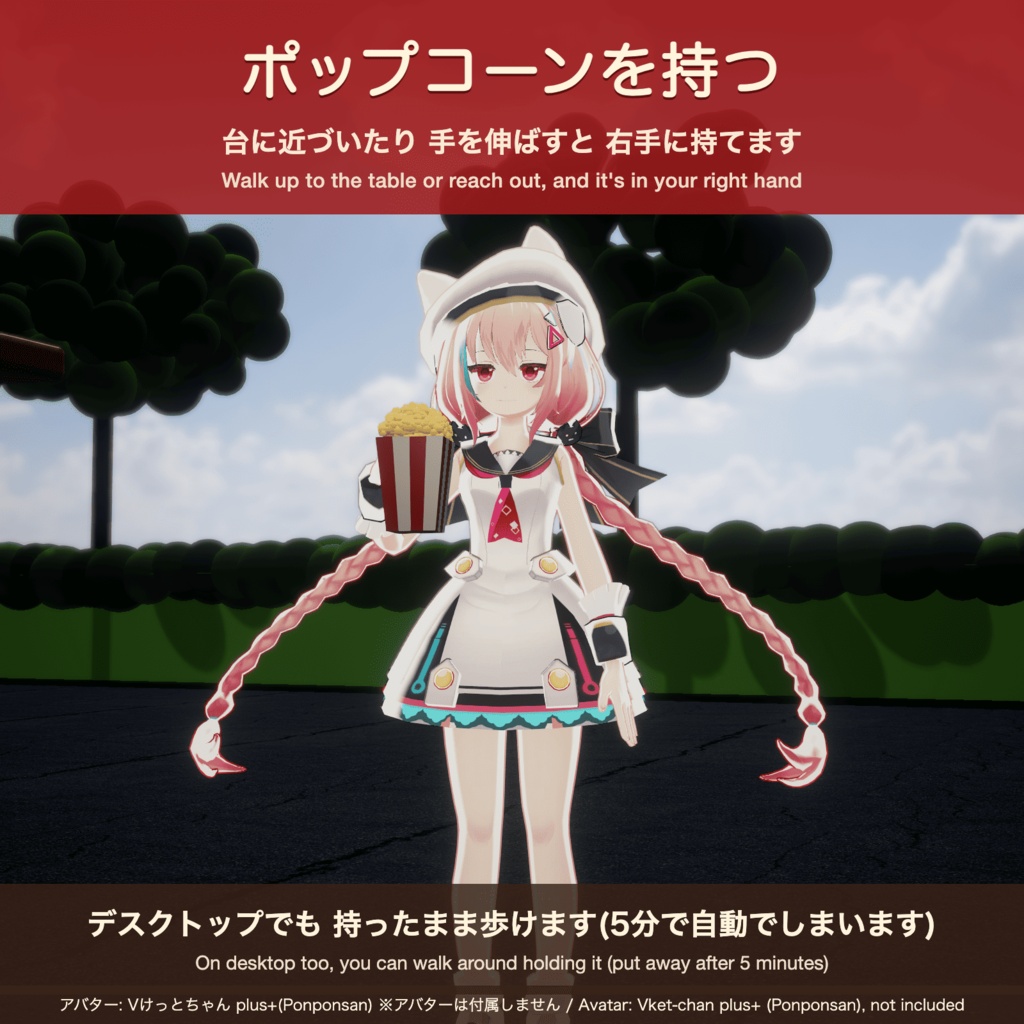
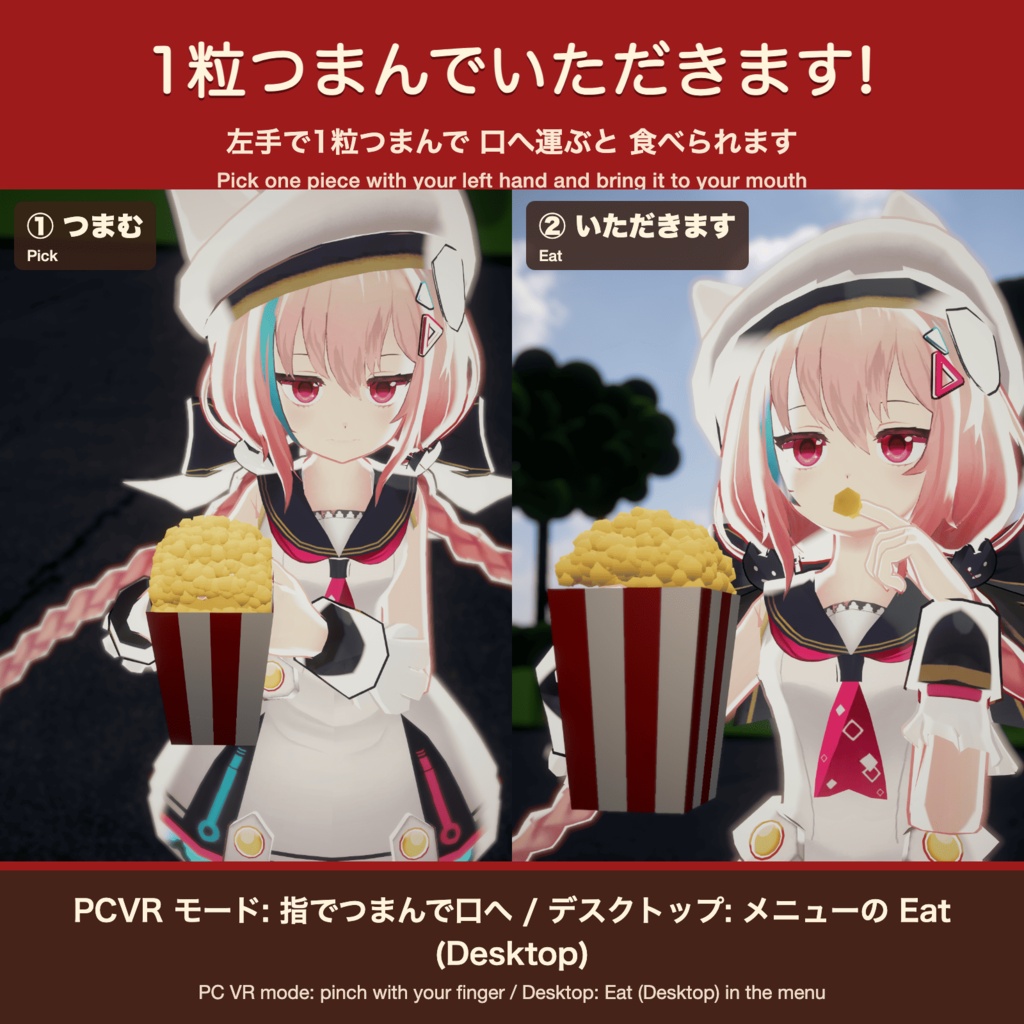
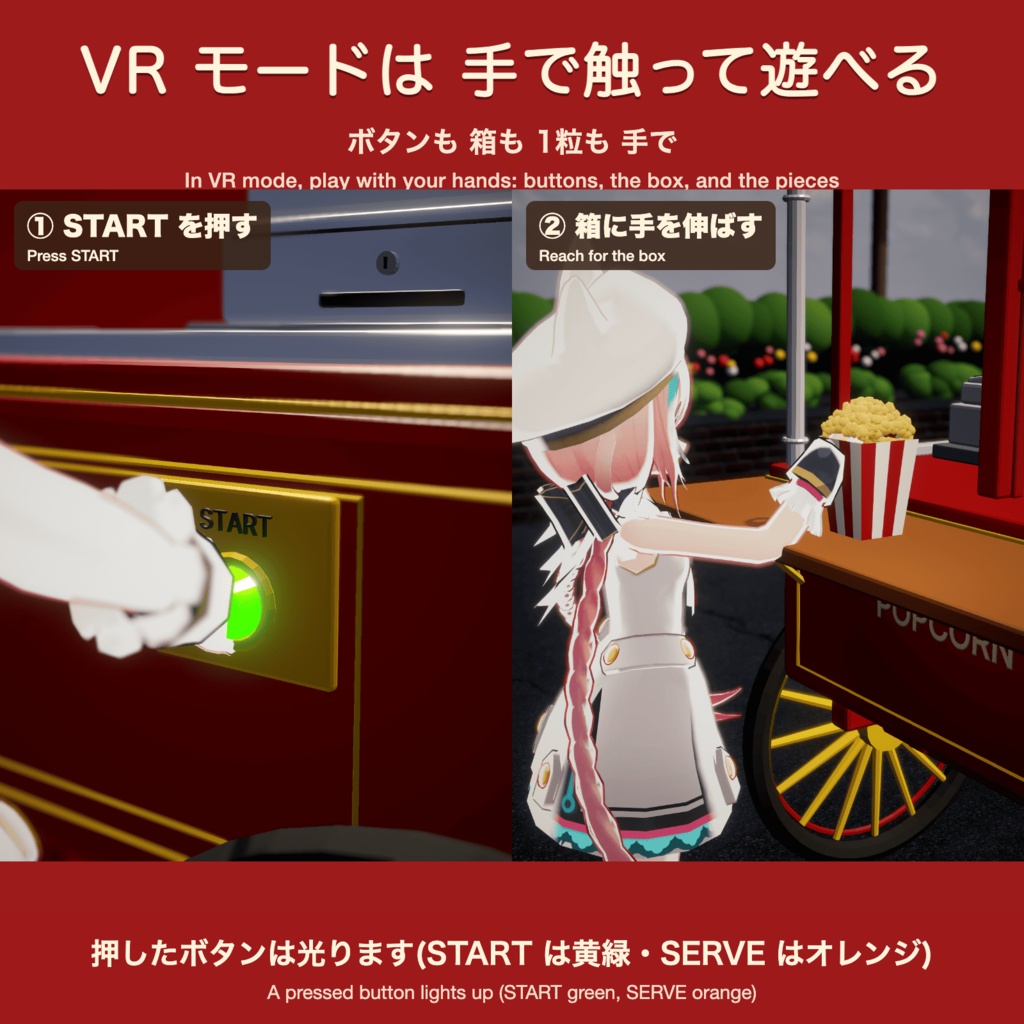
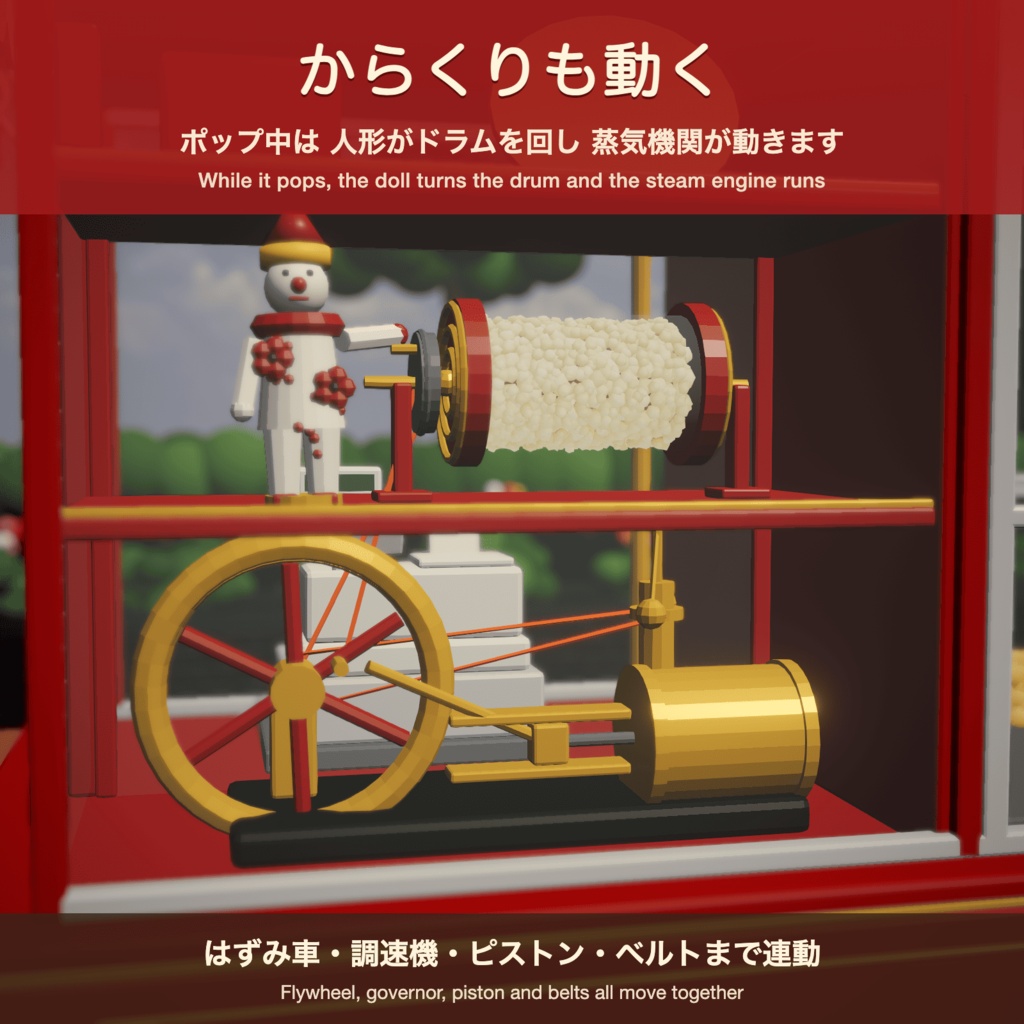


ワゴンを出して、ポップコーンを作ろう! メニューから呼び出すと、目の前にレトロなポップコーンワゴンが現れます。 START を押すとケトルが温まり、ポンポンと弾ける音といっしょにポップコーンがあふれ出します。 ガラスの中を転がり落ちて、少しずつ山になっていきます。 ■ できること ・ポップ … 加熱 → 弾ける音 → あふれて転がり落ちる ・6段階で積もる … ポップするたびに山が大きくなり、すくうと1段低くなります ・すくう … スコップが山をすくって、台の上の箱へ ・ポップコーンを持つ … 台に近づいたり手を伸ばすと、右手に持てます(メニューからも持てます)。持った箱は5分で自動でしまいます ・デスクトップでも食べられる … メニューの「Eat (Desktop)」で、左手で1粒つまんで口へ運びます ・デスクトップでも持って歩ける … 箱を持つ腕は歩きの動きに重ねるので、持ったまま歩き回れます ・からくり … ポップ中は人形がドラムを回し、歯車やピストンも連動して動きます ・その場に固定 … 出したワゴンはその場に残るので、歩き回っても屋台はそのまま 操作は同期されるので、まわりの人にも同じように見えます ■ VR モードでは、手で触って遊べます ・ボタンを押す … ワゴンの裏(お店の人の側)の START・SERVE ボタンを手で押すと、ポップ・すくうが始まります。押したボタンは点滅します(START は黄緑、SERVE はオレンジ) ・箱を受け取る … 台の上の箱に手を伸ばすと、右手に持てます ・つまんで食べる … 左の人差し指を箱に入れると1粒つまめて、口元に運ぶと食べられます ワゴンをメニューから出したあとは、ポップ・すくう・受け取る・食べるまで、手だけで楽しめます。 ■ かんたんな導入説明(Modular Avatar)※詳しくはREADMEをご覧ください。 1. Modular Avatar をプロジェクトに入れる(VCC / ALCOM) 2. この商品の unitypackage をインポート 3. PopcornWagon_MA をアバターの直下にドラッグ 4.手にもつ箱の調整(ツールで簡単にできます) 4. アップロード アバターの FX・メニュー・パラメータは書き換えません。 ■ 仕様 ・対応:VRChat PC 版のみ(Quest / Android 非対応) ・必要なもの:Unity 2022.3 / VRChat SDK3 Avatars / Modular Avatar 1.18 以上 ・動作確認:Unity 2022.3.22f1、VRChat SDK 3.10.6、Modular Avatar 1.18.7 ・対象:人型(Humanoid)アバター ・メニュー:1 項目(サブメニュー「Popcorn」に 6 つ、表記は英語) ■ ご注意 ・ポリゴン数が多いため、アバターは Very Poor になります。Very Poor を表示しない設定の人には見えません。 ・ワゴンは実物大です(長さ 約 2.8m、高さ 約 2.4m)。 ・手に持つ箱の位置は、体型によってずれることがあります(調整メニューあり)。 ・弾ける音は、アバターの音声を聞く設定の人にだけ聞こえます。 ・紹介画像・動画のアバターは付属しません。画像・動画は Unity で撮影したものです。 ■ 内容物 ・PopcornWagon_MA_v1.0.unitypackage ・README.txt(導入手順・よくある質問) ・利用規約.txt ━━━━━━━━━━━━━━━━━━━━━━━━━━━━━━━━━━━━ 【English】 Bring out the cart and let’s make some popcorn! When you select this from the menu, a retro popcorn cart will appear right in front of you. Press START to heat up the kettle, and the popcorn will spill out accompanied by the sound of popping. It rolls down inside the glass, gradually piling up into a mound. ■ What You Can Do ・Pop … Heat → Popping sound → Popcorn spills out and rolls down ・Stacks in 6 levels … The pile grows larger with each pop; scooping it down reduces the height by one level ・Scoop … Use the scoop to scoop the pile and transfer it to the box on the counter ・Hold the popcorn … Move closer to the counter or reach out to hold it in your right hand (you can also pick it up from the menu). The box you’re holding will automatically be put away after 5 minutes ・You can eat it on the desktop too … Select “Eat (Desktop)” from the menu to pick up a kernel with your left hand and bring it to your mouth ・You can walk around holding it on the desktop too … The arm holding the box moves in sync with your walking motion, so you can walk around while holding it ・Mechanical effects … While the popcorn is popping, the figure turns the drum, and the gears and pistons move in unison ・Stays in Place … Once the cart is out, it remains where it is, so the food stand stays put even if you walk around. Since the controls are synchronized, it looks the same to people around you. ■ In VR mode, you can interact with the cart using your hands. ・Pressing Buttons … Press the START and SERVE buttons on the back of the cart (the vendor’s side) with your hand to start popping and scooping. The button you press will flash (START flashes yellow-green, SERVE flashes orange). ・Receiving a box … Reach out to the box on the counter, and you can hold it in your right hand ・Picking up and eating … Place your left index finger inside the box to pick up a piece; bring it to your mouth to eat it Once you’ve summoned the wagon from the menu, you can enjoy everything—from popping and scooping to receiving and eating—using only your hands. ■ Simple Setup Guide (Modular Avatar) *Please see the README for details. 1. Add Modular Avatar to your project (VCC / ALCOM) 2. Import this product’s unitypackage 3. Drag PopcornWagon_MA directly under your avatar 4. Adjust the box held in your hand (this can be done easily with the tools) 4. Upload The avatar’s FX, menu, and parameters will not be overwritten. ■ Specifications ・Compatibility: VRChat PC version only (not compatible with Quest or Android) ・Requirements: Unity 2022.3 / VRChat SDK 3 Avatars / Modular Avatar 1.18 or later ・Tested on: Unity 2022.3.22f1, VRChat SDK 3.10.6, Modular Avatar 1.18.7 ・Compatibility: Humanoid avatars ・Menu: 1 item (6 options in the “Popcorn” submenu; labels are in English) ■ Notes ・Due to the high polygon count, the avatar will be classified as “Very Poor.” It will not be visible to users who have disabled the “Very Poor” display setting. ・The wagon is life-size (approx. 2.8 m long, approx. 2.4 m tall). ・The position of the box held in the hand may shift depending on the avatar’s body type (an adjustment menu is available). ・The popping sound is only audible to users who have their settings configured to hear avatar audio. ・The avatars shown in the promotional images and videos are not included. The images and videos were captured using Unity. ■ Contents ・PopcornWagon_MA_v1.0.unitypackage ・README.txt (Installation Instructions & FAQs) ・Terms of Use.txt