

【VRChat / Modular Avatar】MomoNyan モモニャン|あなたについてくる猫ペット
- MomoNyan 製品版Digital1,200 JPY
- 購入前ガイド・利用規約Digital0 JPY
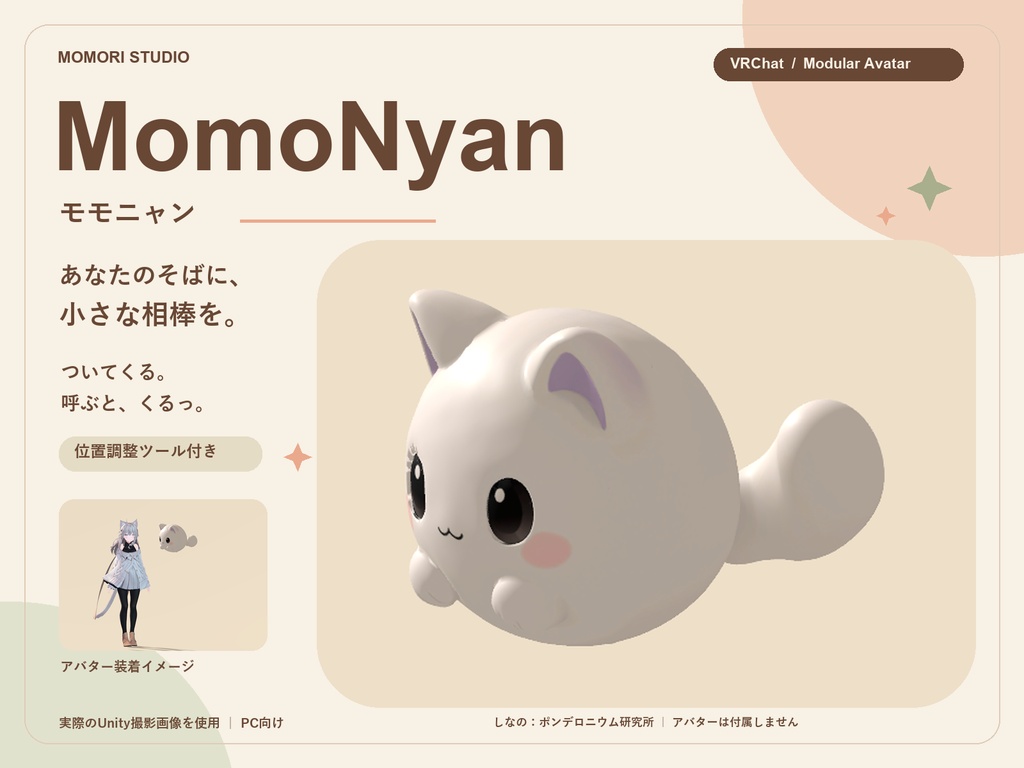
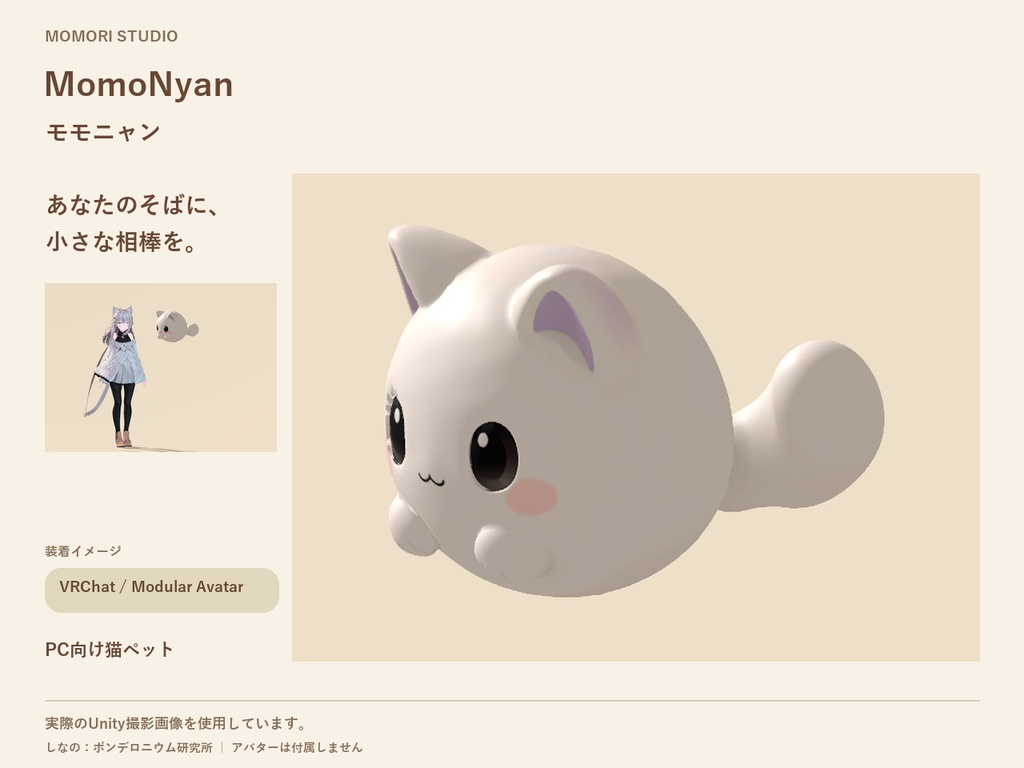
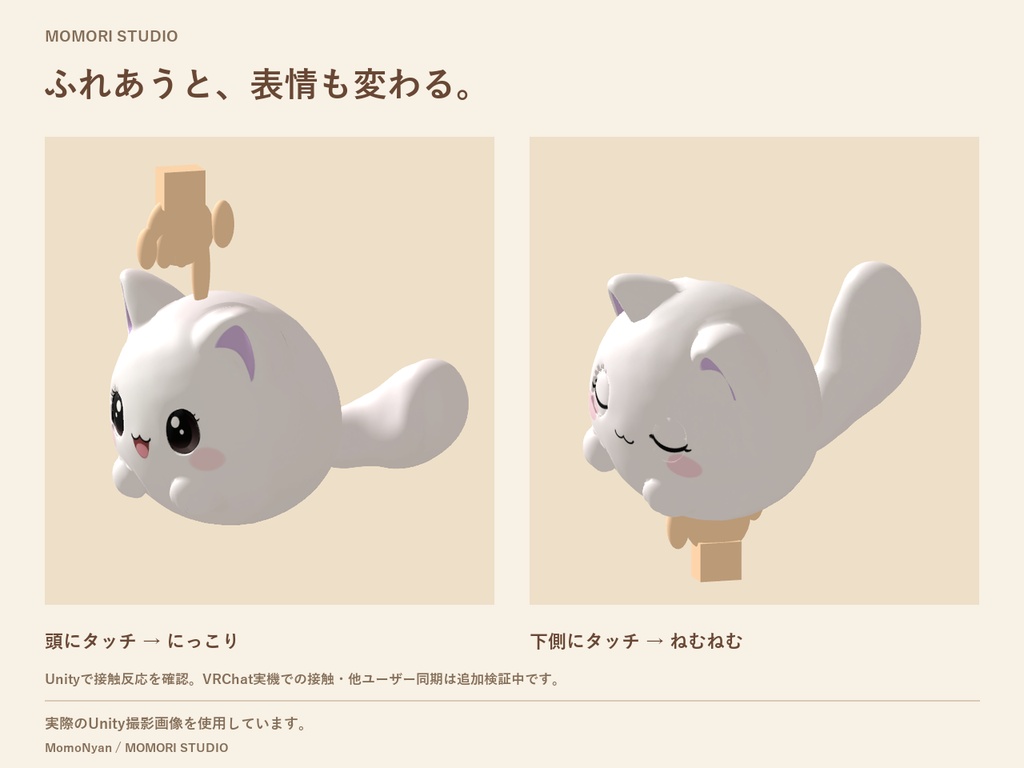
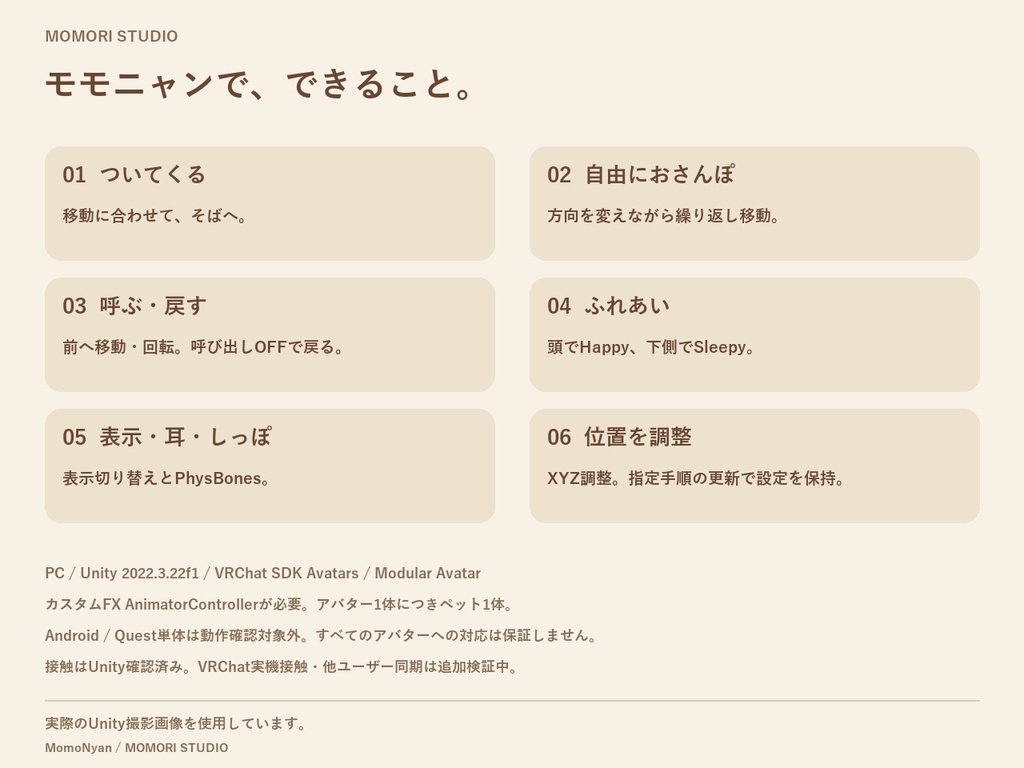


【日本語】MomoNyan モモニャン いつものお出かけに、ちいさな相棒を。 そばについてきたり、自由にお散歩したり、呼ぶと前に来て、くるっと一回転する猫ペットです。 ■ 機能 ・Follow:飼い主についてくる ・Wander:自由にお散歩 ・Come Here:前へ移動・360度回転・Happyリアクション ・Return:待機位置へ戻る ・Show / Hide:表示・非表示 ・耳としっぽのPhysBones ・頭への接触でHappy、下側への接触でSleepy。接触終了後は基本表情に戻ります。 専用ツールで待機位置のXYZを調整できます。指定の更新手順で位置設定を保持できます。呼び出し時の前方到着点は調整対象外です。 ■ 必要環境・対応範囲 Windows PC / Unity 2022.3.22f1 / VRChat SDK Avatars / Modular Avatar カスタムFX AnimatorControllerを使用するアバター向け。1アバターにつき1体。 デフォルトFXのみの構成・AnimatorOverrideControllerは現行ツール非対応です。 すべてのアバターとの互換性を保証するものではありません。体格に合わせた位置調整が必要な場合があります。 Android / Quest単体環境は検証対象外です。 新規プロジェクトへの導入、しなのへの設置・位置調整、VRChat Desktopでの基本動作を確認済みです。 テスト用接触オブジェクトによるタッチ反応も確認しています。2アカウント環境では、表示切り替え・呼び寄せ・Happy/Sleepyの表情変化・接触解除後の復帰が、別アカウント側にも表示されることを確認しました。 導入ツールは韓国語、メニュー名は英語です。日本語・韓国語・英語の導入ガイドを同梱しています。 ■ 内容物 ・MomoNyan_1.0.0.unitypackage モデル、テクスチャ、マテリアル、アニメーション、Prefab、導入・位置調整ツール ・導入・更新ガイド ・利用規約 掲載画像・動画は実モデルをUnityで撮影したものです。 撮影用アバター・手・背景・音楽、検証用Contact Labは付属しません。 VRChat SDK、Modular Avatar、アバター用シェーダーは別途ご用意ください。 ■ 利用条件 個人利用・改変・収益化動画/配信は許可しています。 ファイルの再配布・再販売・Publicアバター等を通じた共有は禁止です。 導入・改変の依頼では、依頼者と作業者の双方に正規の利用権が必要です。作業者が案件ごとに再購入する必要はありません。 法人・団体利用、ゲーム等への組み込み配布、グッズ制作・販売などは事前許可が必要です。 購入前に、無料の「購入前ガイド・利用規約」で利用規約全文(JA / KO / EN)をご確認ください。翻訳に相違がある場合は、適用法令を優先したうえで韓国語版を解釈の基準とします。 導入・更新・トラブル対応の詳細は同梱ガイドをご覧ください。 お問い合わせ:本ショップのBOOTHメッセージ MOMORI STUDIO制作のVRChat向けアセットです。 ──────────────────── 【English】MomoNyan A little companion for your everyday adventures. A cat pet that follows you, wanders around, and comes over for a cheerful spin when called. ■ Features ・Follow: follows the owner ・Wander: wanders around ・Come Here: approaches, spins 360 degrees, and performs a Happy reaction ・Return: returns to the waiting position ・Show / Hide: toggles visibility ・Ear and tail PhysBones ・Head contact triggers Happy; lower contact triggers Sleepy. The default expression returns when contact ends. Adjust the waiting position with XYZ controls and preserve it by following the documented update procedure. The arrival point in front of the owner is not adjustable with this tool. ■ Requirements and compatibility Windows PC / Unity 2022.3.22f1 / VRChat SDK Avatars / Modular Avatar Requires an avatar with a custom FX AnimatorController. One pet per avatar. Default-FX-only setups and AnimatorOverrideController are unsupported by the current tool. Compatibility with every avatar is not guaranteed; placement may require adjustment. Android / standalone Quest is outside the tested scope. Installation in a fresh project, placement on Shinano, and basic VRChat Desktop functions have been verified. Touch responses were tested using test contact objects. In a two-account test, visibility changes, Come Here movement, Happy/Sleepy expressions, and the return to the default expression after contact ended were confirmed on the other account's screen. The installer interface is in Korean, with English menu names. Japanese, Korean, and English installation guides are included. ■ Included ・MomoNyan_1.0.0.unitypackage Model, textures, materials, animations, prefab, installer, and position adjustment tools ・Installation and update guides ・Terms of Use Images and video show the actual model captured in Unity. The demonstration avatar, hands, background, music, and Contact Lab test setup are not included. Please obtain VRChat SDK, Modular Avatar, and avatar shaders separately. ■ Usage terms Personal use, modification, and monetized videos or streams are permitted. File redistribution, resale, and sharing through Public avatars are prohibited. Installation or modification commissions require both the customer and contractor to hold valid licenses. Contractors do not need to repurchase for each job. Corporate or organizational use, distribution within games or apps, and merchandise production or sales require prior permission. Before purchasing, read the full Terms of Use (JA / KO / EN) in the free “購入前ガイド・利用規約” download. If translations differ, the Korean version is the basis for interpretation, subject to applicable law. See the included guides for installation, updates, and troubleshooting. Contact: this shop's BOOTH messages A VRChat-compatible asset created by MOMORI STUDIO. ──────────────────── 撮影モデル / Featured avatar しなの — ポンデロニウム研究所 https://ponderogen.booth.pm/items/6106863
導入・位置調整|Installation & Position
Unityでの導入・待機位置のXYZ調整を24秒でご紹介します。 ※動画は日本語UIの更新準備版です。現在の販売パッケージの導入ツールは韓国語表示です。日本語・韓国語・英語の導入ガイドを同梱しています。 A 24-second Unity installation and XYZ placement preview. The Japanese tool UI shown is an upcoming update preview. The current package uses a Korean tool UI; Japanese, Korean and English guides are included.