
Rawsy's Mesh Decimator
- Digital0 JPY
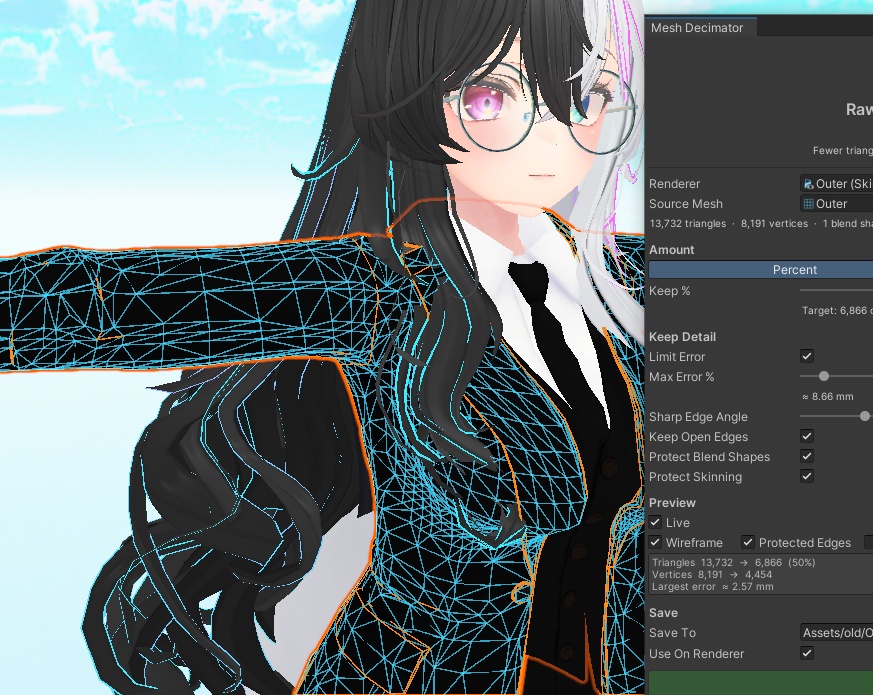
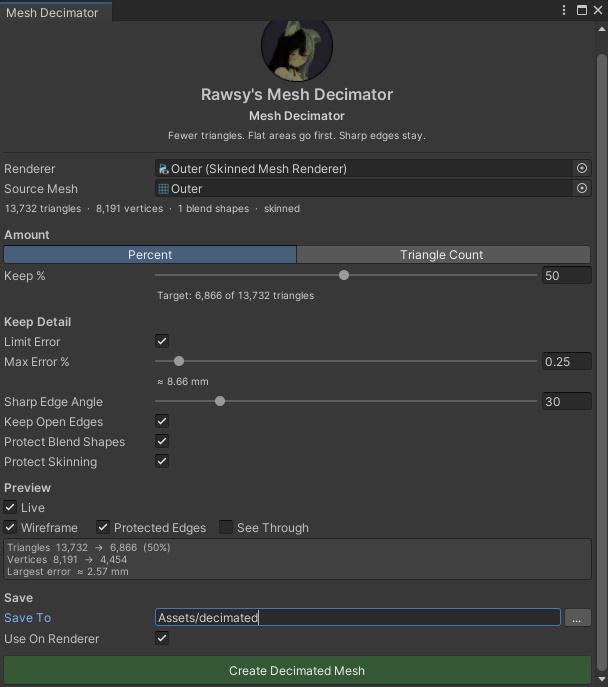


Rawsy's Mesh Decimator Unity上でメッシュのポリゴン数を減らすエディタ拡張です。アバターに付けたまま使えます。 ・割合(%)または三角形数を指定して削減 ・平らな部分から優先して削減。シャープなエッジ、UVの継ぎ目、マテリアルの境界、服の縁(裾・袖口・襟ぐり)は保持 ・ブレンドシェイプ、ボーンウェイト、UV、法線はそのまま。リグ付きのアバターや衣装にも使えます ・シーンビューでワイヤーフレームをリアルタイムにプレビュー ・新しいメッシュとして保存。元のメッシュは変更されず、Ctrl+Zで元に戻せます 動作環境:Unity 2022.3(VRChat対応バージョン)。他のパッケージは不要です。 内容:RawsyMeshDecimator_v0.1.1.unitypackage、README.txt(英語) 使い方:パッケージをインポートし、Tools > Rawsy > Mesh Decimator を開きます。 エディタ専用ツールです。アバターにコンポーネントは追加されません。 ------------ Rawsy's Mesh Decimator Lower the polycount of any mesh in Unity, right on your avatar. - Set a percentage or an exact triangle count - Flat areas go first. Sharp edges, UV seams, material borders and clothing edges (hems, sleeves, necklines) are kept - Blend shapes, bone weights, UVs and normals stay exact. Works on rigged avatars and outfits - Live wireframe preview in the Scene view - Saves a new mesh. Your original is never changed, and Ctrl+Z undoes it Requirements: Unity 2022.3 (the VRChat version). No other packages needed. Contents: RawsyMeshDecimator_v0.1.1.unitypackage, README.txt How to use: import the package, then open Tools > Rawsy > Mesh Decimator. Editor-only tool. Nothing is added to your avatar.