

「Modular Expressions」表情設定は、これ一本で | The all-in-one solution for expression setups.
- Digital500 JPY
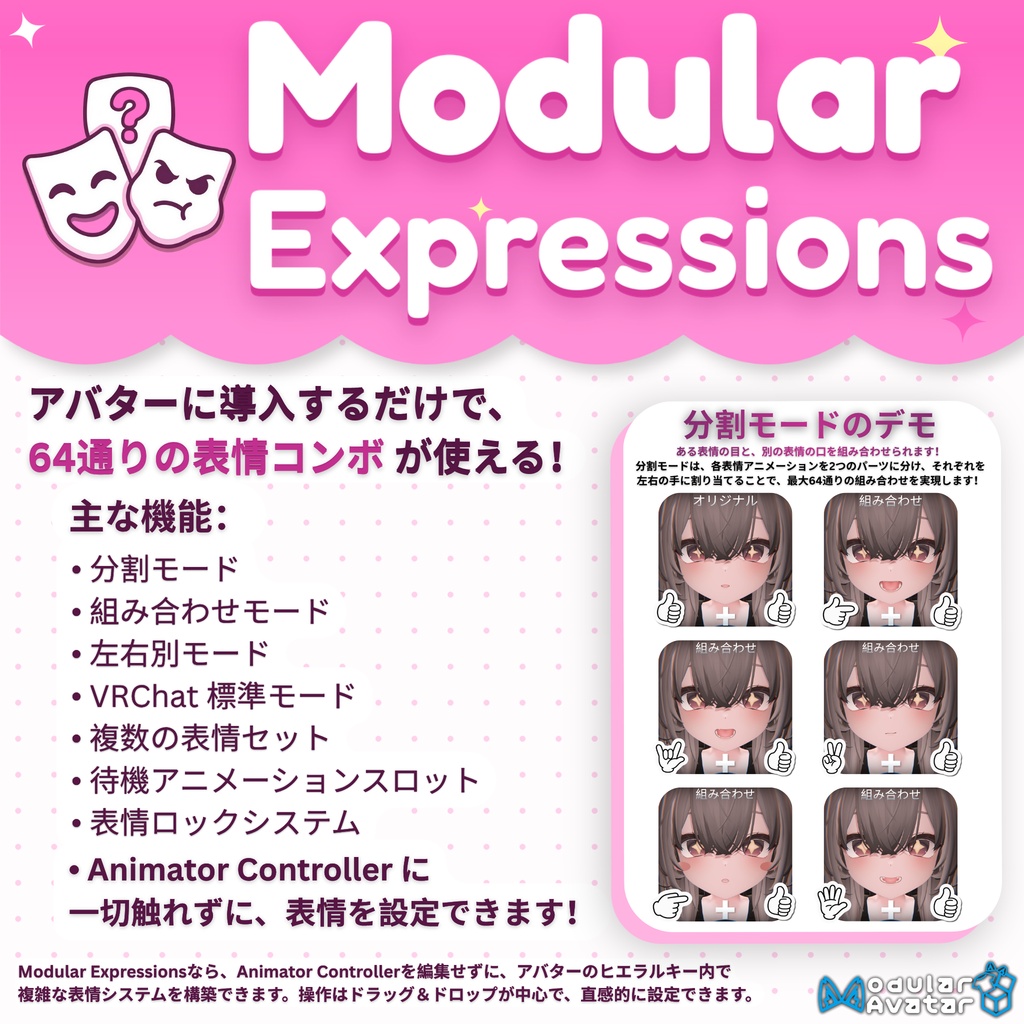
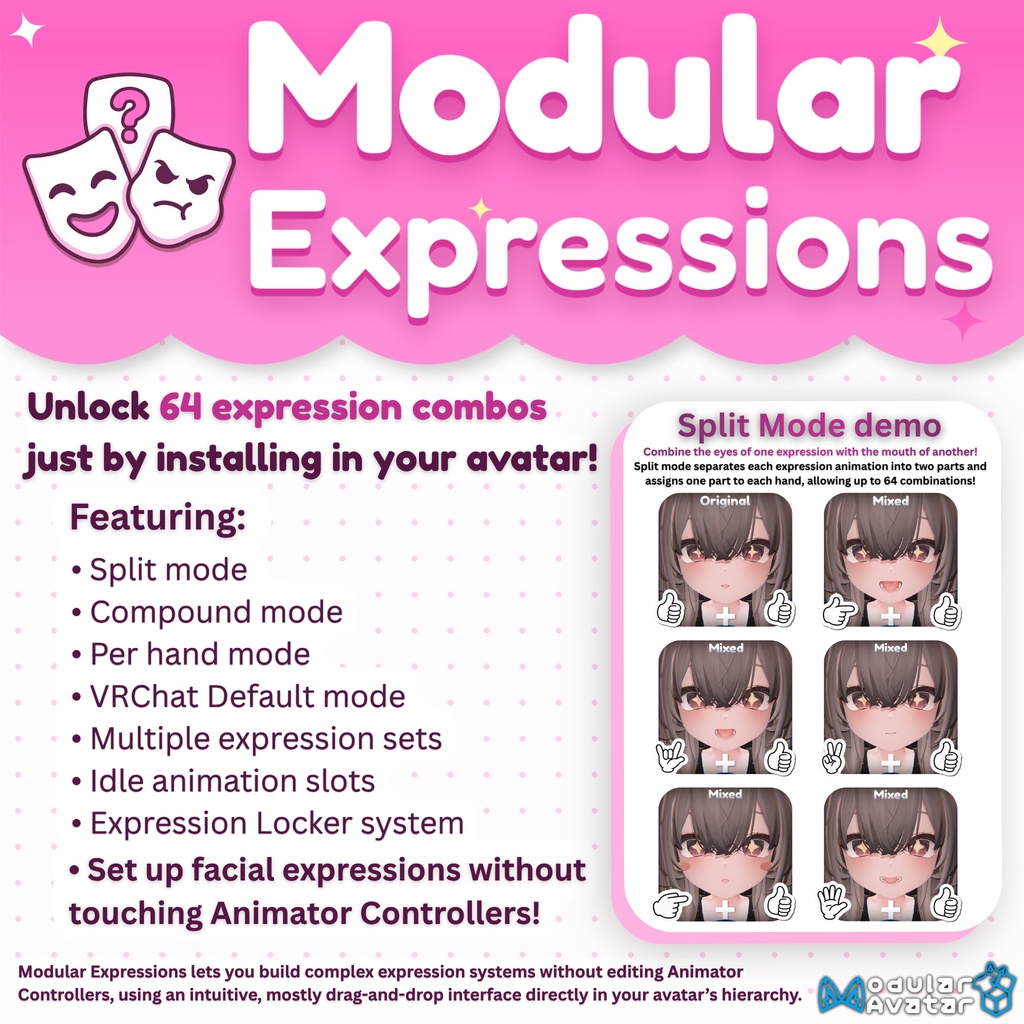


Modular Expressions(ME)なら、アバターの表情設定、プレビュー、カスタマイズをまとめて行えます。Prefab をアバターのヒエラルキーにドラッグ&ドロップすると、ME が既存の表情レイヤーを探し、判別できたジェスチャーのスロットにアニメーションを自動で割り当てます。そのまま使うことも、自分好みの表情設定を一から作ることもできます。 初期設定は 分割 モードです。片手で顔の上側、もう片方の手で顔の下側を操作します。両手で同じジェスチャーを出すと元の表情全体が再生され、左右で異なるジェスチャーを出すと、ある表情の目と別の表情の口を組み合わせられます。 笑顔に眠そうな目を合わせたり、ウインクにすねた口元を合わせたり、驚いた顔を少し疑わしげにしてみたり。片手につき 7 つのジェスチャーとニュートラルがあり、1 セットあたり最大 64 通りの表情を作れます。覚えるのは元の 7 つの表情だけです。 Modular Expressions gives you one place to set up, preview, and customize your avatar’s expressions. Drag the prefab into your avatar’s hierarchy and ME will look for your existing expression layers and fill in the gestures slots it recognizes. You can start with those animations right away or build a completely custom setup. ME starts in Split Mode: one hand controls the upper face and the other controls the lower face. Use the same gesture on both hands to play the full original expression, or use different gestures to mix the eyes from one expression with the mouth from another. Give a grin sleepy eyes, add a pout to a wink, or make a surprised expression look a little more skeptical. With 7 gestures plus Neutral on each hand, you get up to 64 combinations per set. You only have to remember the original 7 expressions.
※ 選べる表情モード
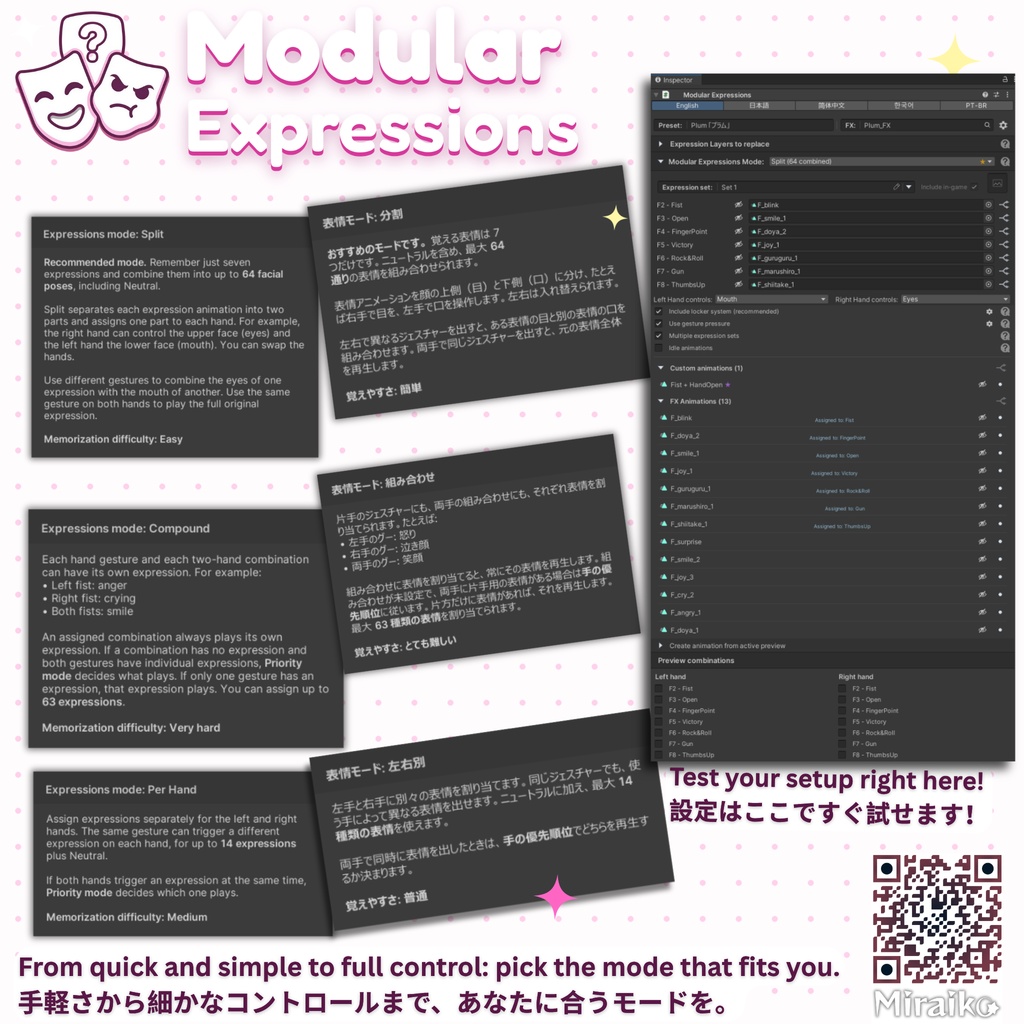
・分割(最大 64 通り) 目と口を別々に操作します。両手で同じジェスチャーを出すと元の表情に、異なるジェスチャーを出すと新しい組み合わせになります。目と口を操作する手は入れ替えられます。 ・組み合わせ(最大 64 種類の表情) 片手のジェスチャーや両手の組み合わせに、それぞれ異なる表情を割り当てられます。たとえば、左手のグーで怒った顔、右手のグーで悲しそうな顔、両手のグーで笑顔を出せます。組み合わせに表情が割り当てられていれば、その表情が優先されます。未設定の組み合わせでは、左右それぞれの表情をどう扱うか選べます。すべてのジェスチャーの組み合わせに専用の表情を設定できる、自由度が最も高く、設定も最も細かいモードです。 ・左右別(最大 14 種類の表情) 左手と右手それぞれに 7 つのジェスチャーを割り当てます。同じジェスチャーでも、使う手によって異なる表情を出せます。 ・VRChat 標準(最大 7 種類の表情) ジェスチャーごとに表情を 1 つ割り当てます。同じジェスチャーなら、左右どちらの手で出しても同じ表情になります。両手で異なる表情を同時に出したときは、手の優先順位でどちらを再生するか選べます。
※ Available modes
・Split (Up to 64 combinations) Control the eyes and mouth independently. Matching gestures play the original expression, and different gestures create a new combination. You can swap which hand controls each part of the face. ・Compound (Up to 64 unique expressions) Assign a different expression to a single-hand gesture or an exact two-hand combination. A left fist could look angry, a right fist could look sad, and both fists together could smile. An assigned combination takes priority. For unassigned combinations, you can choose how the individual expressions interact. This is the most complex mode, which gives you all the freedom to set a specific expression to all possible gesture combinations! ・Per Hand (Up to 14 expressions) Give each hand its own set of 7 gesture assignments. The same gesture can play a different expression on each hand. ・VRC Default (Up to 7 expressions) Keep the familiar one-expression-per-gesture layout. Either hand triggers the same expression for that gesture, and you can choose which hand takes priority when two different expressions are triggered.
※ 機能
・4 つの表情モード 分割、組み合わせ、左右別、VRChat 標準。 ・複数の表情セット 表情セットを複数作成し、ゲーム内の Expressions メニューから切り替えられます。 ・表情ロック 両手首を触れ合わせると、現在の表情を固定できます。固定中は手のジェスチャーを変えても表情は変わりません。解除するには、もう一度手首を触れ合わせるか、設定したロック解除ジェスチャーを出してください。初期設定は 左手のロック+右手のサムズアップ です。 ・待機アニメーション まばたきなどの動きをループ再生したり、待機時の顔のシェイプキーを設定したりできます。表情ジェスチャーを出している間の動作も、クリップごとに選べます。 ・グリップの押し込み 押し込み量で、グーに割り当てた表情の強さや、動きのあるクリップの再生位置を調整できます。 ・現在のプレビューからアニメーションを作成 プレビュー中のアニメーションを保存して、新しい表情アニメーションクリップを作成できます。 ・Unity でプレビュー アップロード前に、ジェスチャーやその組み合わせ、グリップの押し込み具合を確認できます。 ・対応言語 英語、日本語、簡体字中国語、韓国語、ブラジルポルトガル語。 ・表情パラメーターの使用量 ビルドに含める表情セットの数や、表情ロック、グリップの押し込みの設定に応じて、同期パラメーターを 2~36 ビット使用します。VRChat SDK 3.10.6 が広く普及した段階で、使用量をさらに削減する予定です。この SDK では、必要な値の範囲が小さいパラメーターに割り当てるビット数を減らせます。
※ Features
・4 expression modes: Split Mode, Compound Mode, Per Hand Mode, VRChat Default Mode. ・Multiple expression sets: Create different sets and switch between them from your in-game Expressions Menu. ・Lock System: Touch your wrists together to freeze your current expression so you can freely change your gestures without changing your current expression. Unlock it with another touch or a gesture combination you choose (The default unlock combination is Left Rock&Roll + Right ThumbsUp). ・Idle animations: Add looping motions like blinking, or use idle clips to set your avatar’s resting facial shape keys. Choose how each clip behaves while you use expression gestures. ・Gesture pressure: Use grip pressure to control the intensity of a Fist expression or scrub through an animated clip. ・Expression Animation Creation: Create brand-new expression animation clips through saving the active preview animations! ・Preview in Unity: Test gestures, combinations, and grip pressure before uploading. ・Languages: English, Japanese, Simplified Chinese, Korean, and Brazilian Portuguese. ・Expression parameter cost: ME uses 2–36 synced bits, depending on the amount of included expression sets and whether the Lock System and gesture pressure are enabled. Further reductions are planned once VRChat SDK 3.10.6 is more widely adopted. That SDK lets us use fewer bits for parameters that only need a smaller range of values.
※【更新履歴】Changelog:
・2026/11/19 - v1.00 Modular Expressions officially released! 「Modular Expressions」 正式リリース! 何か問題や不具合がありましたら、お気軽にメッセージを送ってください! If you run into any issues or bugs, feel free to send me a message!
※【動作確認済みアバター】Tested Avatars:
Airi 「愛莉」, Alué「アルエ」, Anon 「あのん」, Azuki 「アズキ」, Baku「獏」, Bokusei「墨惺」, Chiffon 「シフォン」, Chocolat 「ショコラ」, Cian 「シアン」, Clonka 「クロンカ」, Conica 「コニカ」, Eku 「エク」, ELusion 「エルシオン」, Glaze 「ぐれーず」, Grus, Hanka「斑霞」, Haruka「はるか」, Hikarun 「ひかるん」, Ichigo 「イチゴ」, Isanai Nuku 「イサナイ・ヌク」, Iyori「伊依」, Kaguya 「輝夜」, Kalne「カルネ」, Kanata「彼方」, Karasuma「烏丸」, Karin 「カリン」, Kikyo 「桔梗」, Kipfel 「キプフェル」, KissMommy, Komano「狛乃」, Kumaly 「クマリ」, Kuuta「くうた」, Lapwing, Lasyusha 「ラシューシャ」, Lime 「ライム」, Lumiere「ルミエール」, Lumina 「ルミナ」, Lunary 「ルナリィ」, Mafuyu 「真冬」, Mamehinata 「まめひなた」, Manuka 「マヌカ」, Mao 「真央」, Maya 「舞夜」, Mayo 「まよ」, Meiyun 「めいゆん」, Melvii 「邪竜メルヴィ」, Merino 「メリノ」, Milfy 「ミルフィ」, Milk 「ミルク」, Milltina 「ミルティナ」, Misty 「ミスティ・カクテル」, Mitsumame 「みつまめ」, Mizuki 「瑞希」, Moe 「萌」, Nagiya Ruri 「凪夜 瑠璃」, Nanodevi 「なのでび」, Nemesis 「ネメシス」, Ninya 「に~にゃ」, Nochica 「ノーチカ」, ORCA-NA 「オルカーナ」, Ortwa 「オルトア」, Patanyako 「ぱたにゃこ」, Plum 「プラム」, Pochimaru 「ぽちまる」, Ragussiel 「ラグシエル」, Ramune 「ラムネ」, Remuy_Re 「レムイ」, Rindo 「竜胆」, Ririka 「りりか」, Riru 「りる」, Rurune 「ルルネ」, Rusk 「ラスク」, Ryumii 「リュミィ」, Salt 「ソルト」, Savarum 「サバラム」, Selestia 「セレスティア」, Shinano 「しなの」, Shipilka 「シピルカ」, Sio 「しお」, SiuSiu 「シウシウ」, Soraha 「ソラハ」, Suzuya「紗夜」, Torao 「とらお」, Twel 「トゥエル」, UltimateKissMa, Uruki 「ウルキ」, Usasaki 「うささき」, Uzuruha 「ウズルハ」, Velle 「ヴェール」, Vlau「ヴラウ」, Yuri「悠莉」 Modular Expressions は90体を超えるアバターで動作を確認しています。動作未確認のアバターでも、基本的にはお使いいただけます。表情レイヤーが自動で見つからない場合は、表情レイヤーの欄で手動で選択できます。分割モードで顔の上側と下側がうまく分かれない場合は、画面上部のプリセット/FX欄の横にある歯車アイコンから、お使いのアバター用のプリセットを作成できます。 お使いのアバターへの公式対応をご希望の場合は、お気軽にご連絡ください! Modular Expressions has been tested on more than 90 avatars and should work with untested avatars too. If ME can’t find your expression layers automatically, you can select them manually in the Layers section. If Split mode doesn’t correctly separate your avatar’s upper and lower face, click the gear icon next to the Preset and FX fields at the top of the interface to create a preset. You can also message me to request official support for your avatar! 本システムにはVN3ライセンスを適用しています。ご購入前に、必ず利用規約をご確認ください。本システムのご購入をもって、利用規約に同意したものとみなします。 This system uses the VN3 license. Please read it carefully before purchasing. By purchasing this system, you are deemed to have agreed to these Terms of Use. ・ToS: https://drive.google.com/drive/folders/1yidlP5z5PUIQi65TpT5Lvb_n75U1dqZc