
AutoLive2D|PSDからLive2D自動リグ&.moc3書き出し Auto Rig for Cubism / VTube Studio
- Digital1,020 JPY
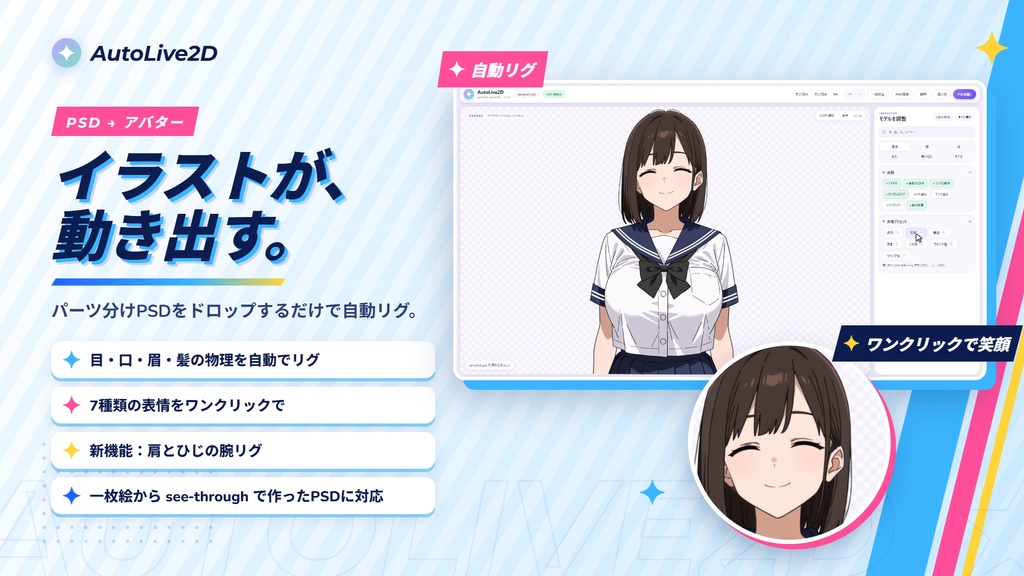
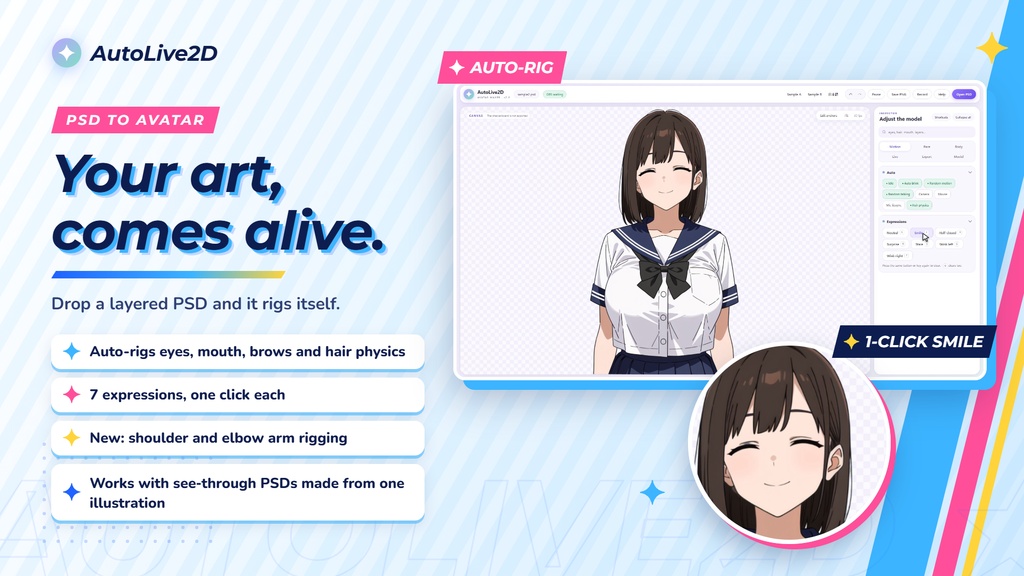


【日本語】 AutoLive2D は、パーツ分けしたPSDをドロップするだけで自動リグし、Live2D 向けのパッケージを書き出せる Windows 用ツールです。 目・口・眉・髪の物理を自動でセットアップし、表情プリセット、顔追跡、マイク口パク、アンカー編集、PNG / 透過WebM書き出し、OBS連携にも対応します。バージョン 2.1 では肩・ひじの腕リグと Live2D パッケージ書き出しが加わりました。 ■ 売りポイント ・パーツ分けPSDを入れるだけで自動リグ ・ワンクリックでパッケージを書き出し(.moc3、テクスチャ、physics3.json、表情、待機モーション、model3.json、Cubism Editor で開くためのパーツ分けPSD) ・パラメーターIDは Cubism でよく使われる標準名(ParamAngleX、ParamEyeLOpen、ParamMouthOpenY など)に合わせています ・この .moc3 は Live2D 公式の SDK や Cubism Editor による書き出しではなく、本ソフト独自の書き出しです。公式の編集用ファイル(.cmo3)は出力しません ・VTube Studio や nizima LIVE など、.moc3 を読み込むアプリ向けのランタイム形式です。動作は環境やアプリのバージョンによって異なります。公式の対応認定や、すべての環境での動作保証はありません ・書き出しは平面的な 2.5D リグです。より立体的な回転が必要な場合は、書き出したPSDを Cubism Editor(4.2以降 / 5)で開いてデフォーマを追加し、Editor 側で改めて書き出してください ■ 一枚絵について(重要) このアプリ自体は、一枚絵のレイヤー分解は行いません。あらかじめパーツ分けしたPSDを用意してください。一枚のイラストから作る場合は、先に see-through 等で分割したPSDをドロップします(see-through 本体は同梱していません)。 ■ 使い方(Windows) 1. ダウンロードした AutoLive2D-2.1.0-windows.zip を解凍します 2. インストールする場合は「AutoLive2D Setup 2.1.0.exe」を実行します(インストール先を選べます)。インストールせず使う場合は「AutoLive2D-2.1.0-portable.exe」を起動します 3. パーツ分けPSDをドロップ(または開く)すると自動リグが始まります 4. 「Live2D書き出し」からパッケージを保存します ■ 入力の目安(ドキュメント記載) ・Windows 用です(本パッケージはインストーラーとポータブルの2点。macOS / Linux 用ファイルは入っていません) ・PSD:RGB、8bit/チャンネル、128MB以下、2400万画素以下、一辺16384px以下 ・キャンバスは正方形の 768〜2048px を推奨 ・レイヤー名は日本語・英語の別名(前髪 / bangs、白目、瞳 など)や see-through の出力名に対応 公式の最低OSバージョン、メモリ、GPU要件はパッケージのREADMEには書かれていません。顔追跡とマイク口パクはカメラ / マイクの許可が必要です。 ■ クレジット ・サンプルアバターおよび販売用画像のイラスト:vTuber ホームセンター ・本製品は 852wa/Anime2.5DRig(MIT、Copyright (c) 2026 hakoniwa)をベースにしています https://github.com/852wa/Anime2.5DRig ・ag-psd(MIT) ・MediaPipe Face Mesh(Apache-2.0, Copyright Google LLC) ・一枚絵の分割には shitagaki-lab/see-through(Apache-2.0)の利用を想定していますが、コードやモデルは同梱していません https://github.com/shitagaki-lab/see-through ・Live2D および Cubism は Live2D Inc. の商標です。本製品は Live2D Inc. とは無関係であり、公式の認定や保証はありません デモ動画:https://youtu.be/-MkMyYtxt4M 【English】 AutoLive2D is a Windows tool that auto-rigs a layered PSD and exports a Live2D-style package. It sets up meshes, eyes, mouth, brows and hair physics, and also includes expression presets, face tracking, mic lip sync, anchor editing, PNG / transparent WebM export, and OBS sync. Version 2.1 adds shoulder and elbow arm rigging and Live2D package export. Highlights - Drop a layered PSD and it rigs itself - One-click export of a package: .moc3, texture atlas, physics3.json, expressions, idle motion, model3.json, and a layered PSD you can open in Cubism Editor - Parameters use common Cubism-style IDs (ParamAngleX, ParamEyeLOpen, ParamMouthOpenY, and others) - The .moc3 is written by this app, not by the official Live2D SDK or Cubism Editor. It does not export a native Cubism Editor project (.cmo3) - The runtime files are meant for apps that load .moc3, such as VTube Studio or nizima LIVE. Results can vary by app and version. This is not official Live2D certification, and compatibility is not guaranteed - The export is a flat 2.5D rig. For stronger 3D turning, open the exported PSD in Cubism Editor (4.2+ / 5), add deformers, and export again from the Editor About “one image” (important) This app does not split a flat illustration into layers. You need a layered PSD. If you start from a single image, split it first (for example with see-through) and drop that PSD. see-through itself is not included. How to use (Windows) 1. Unzip AutoLive2D-2.1.0-windows.zip 2. Run “AutoLive2D Setup 2.1.0.exe” to install (you can choose the folder), or run “AutoLive2D-2.1.0-portable.exe” with no install 3. Drop or open a layered PSD; auto-rig starts 4. Use Live2D export to save the package Input notes (from the product docs) - Windows only in this package (installer + portable; no macOS / Linux build is included) - PSD: RGB, 8-bit/channel, 128 MB or less, 24 megapixels or less, 16384 px or less on a side - A square canvas from 768 to 2048 px is the comfortable range - Japanese and English layer names (前髪 / bangs, 白目, 瞳, and similar) and see-through output names are recognised No official minimum Windows version, RAM, or GPU requirement was found in the package README. Face tracking and mic lip sync need camera / microphone permission. Credits - Sample avatar and sales-image illustration: vTuber ホームセンター - Built on 852wa/Anime2.5DRig (MIT, Copyright (c) 2026 hakoniwa) https://github.com/852wa/Anime2.5DRig - ag-psd (MIT) - MediaPipe Face Mesh (Apache-2.0, Copyright Google LLC) - Single-image layer split is expected to use shitagaki-lab/see-through (Apache-2.0); its code and models are not bundled https://github.com/shitagaki-lab/see-through - Live2D and Cubism are trademarks of Live2D Inc. This product is not affiliated with Live2D Inc., and it is not officially certified or guaranteed by Live2D Demo: https://youtu.be/-MkMyYtxt4M
