

Mythical Toolset - VRC Avatar/World Tools
- Digital0 JPY
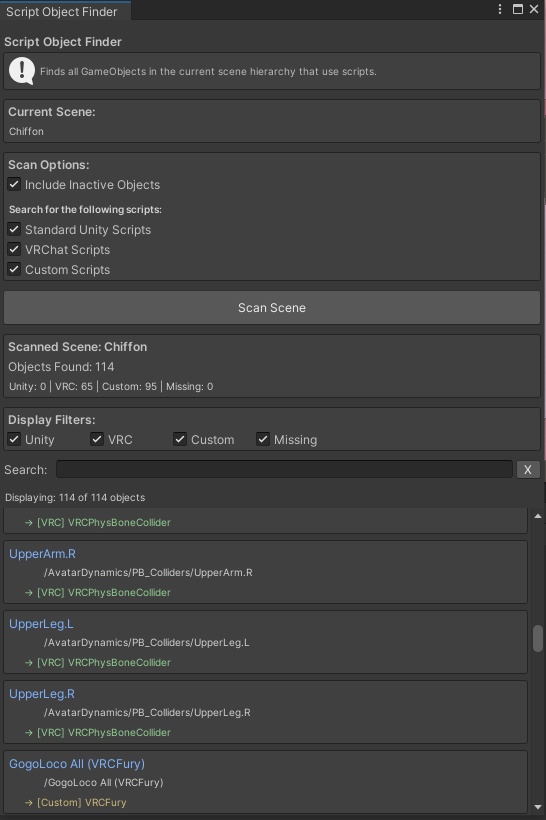
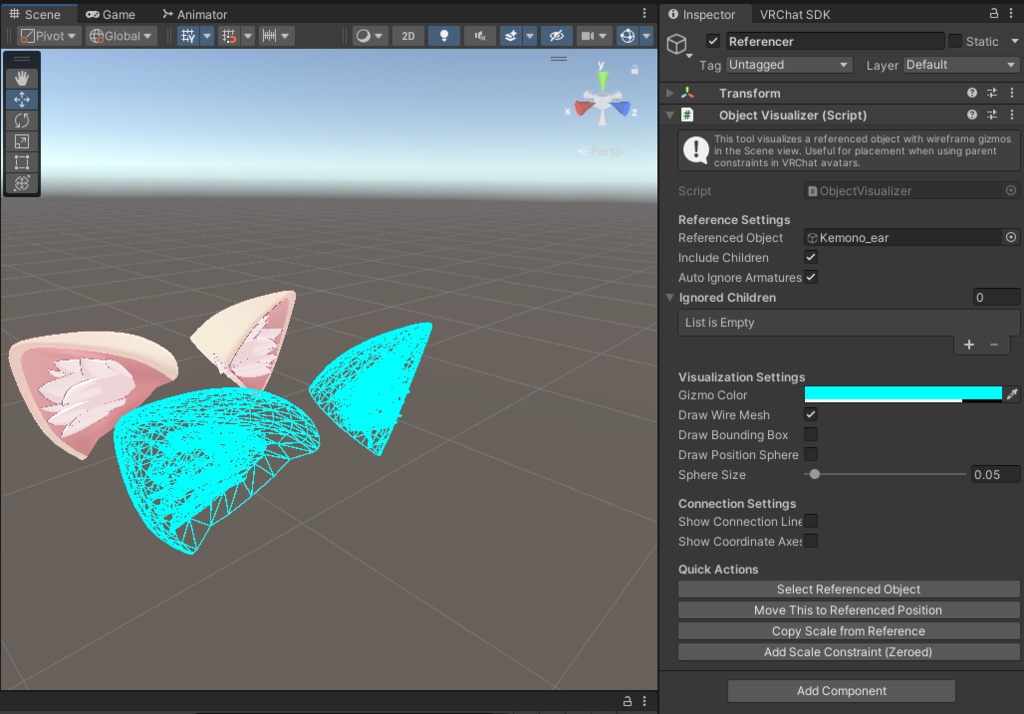
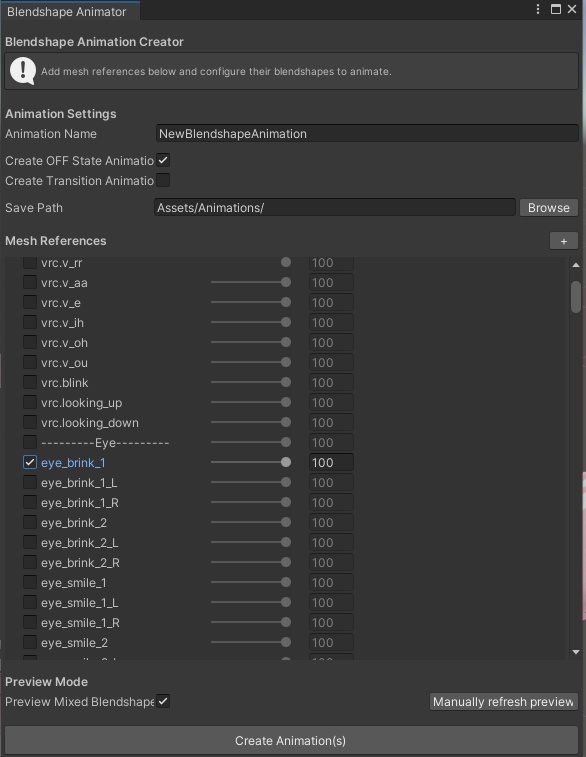


This includes some tools that I created as I required. Please be aware that these scripts have been tested in unity 2022 with VRC SDK 3.10.0. I can not guarantee they will work on other versions. Object Visualizer: Got a Prefab that contains parent constraints to place your object into multiple locations? This will create a wireframe of the referenced item - so no more copies of your actual mesh in your project. It updates if you exchange child components, making it more easy to create prefabs that users may alter before placement or while you are still editting yourself. (Attach Script to Object in Scene) Blendshape Animation Creator: A simple tool to create an animation out of the selected blendshapes. Will create an OFF animation or a transition (0:00 - 1:00) from on/off on demand. Nothing that you couldn't do manually, it's just a little timesaver for those pesky toggle animations. (Use from Tools>Mythical Tools) Version 1.1 Update: Fixed an issue in my last version where it didn't store your original blendshape value and reset it to 0 after preview. Script Object Finder: This tool will search your active scene for scripts on any object. You can limit the search or filter it later by Unity-, VRC- or Custom-Scripts. It will also let you filter for objects with missing scripts and will return the GUID of the missing script. Clicking on the blue object name will jump in your Hierarchy to the object. If you got missing scripts, you can delete all of them with a button click (asks for an additional confirm and warns of possible functionality loss). This is probably most useful to figure out script locations of bought prefabs. (Use from Tools>Mythical Tools) Lip Sync Generator: !! Important: This script relies on the Oculus LipSync library. Please import the unitypackage provided by Oculus (See the attached installation guide for more information). !! When selecting your avatar this tool will search for your visemes (they have to be appropriately named). You may then provide an audiofile (tested with mp3 and wav) to create an animation that matches your audio. In non-legacy mode this now creates the mesh with viseme copies that will be used for your animation. The new mesh will be saved in the same location as your animation(s). Viseme Duplicator: ! This has been incorporated in Lip Sync Generator v2 ! If you're going to use viseme animations AND plan to talk, you may use this script to duplicate your visemes. This will copy your existing mesh and prepend a copy (renamed with a prefix by you) to your mesh. You can then replace your mesh in the scene. Be aware that existing blendshape value changes will be reverted, so document your current settings. If you find problems with the scripts or run into issues, feel free to contact me here or thrtough e-mail at scribble.clash@mythicalvrc.net.
Licensing
Custom License for Mythical Toolset Copyright © 2025 Scribble Clash Permission is hereby granted, free of charge, to any person obtaining a copy of this software and associated documentation files, to use, modify, and redistribute the Software for any purpose, including commercial use within a larger project, subject to the following conditions: 1. **Attribution** You must provide reasonable attribution to the original author when possible, such as in documentation, credits, or source files. If providing attribution is not practical, you are not required to do so. 2. **No Sale of the Software** You may not sell, resell, or license the Software itself, in whole or in part, whether in original or modified form. You may, however, sell projects that *use* the Software, provided the Software is not the primary product being sold. 3. **Redistribution** Any modified versions of the Software or derivative works must be redistributed under this same license. 4. **No Warranty** The Software is provided “as is,” without warranty of any kind, express or implied. In no event shall the authors be liable for any claim, damages, or liability arising from the use of the Software.
Update information
Blendshape Animation Creator: Version 1.1 Update: - Fixed an issue in my last version where it didn't store your original blendshape value and reset it to 0 after preview. - Changed default to always show one slot for a mesh. Lip Sync: Version 1: - Added Version 1.1 Stereo: - Fixed: The duration was not accomodating for channels, making stereo animations become twice as long. Version 1.2 Bulky: - Feature added: Got multiple audio files you want to create? I added a bulk mode to make this process easier. Version 2 Going full auto: - Uses custom visemes that it checks for if they exist (anim.vrc_*) - If custom visemes do not exist, detected visemes will be duplicated and a new mesh is created. It then offers to automatically replace the mesh (resets any customizations done on the mesh component, mainly: Blendshapes set to default values). - Legacy mode for the former behaviour (persistent toggle). Version 2.1: - Fixed Bulk mode v.3.0: - Updated an issue with creating Visemes in a specific way visemes were named (it wouldn't work on avis that didn't use vrc.XY format). - Made an update to sound file handling. They need preload to be one, this has to be manually turned on per audio file. There's a help button to explain so. Viseme Duplicator: Version 1: - Added because you shouldn't animate the visemes that VRC uses. This will be the last Update for a while - unless I do get reports on problems with the scripts that need fixing.