

【無料/Free】VRoid用シンプルピアス・イヤリング 20種類(.png/ワークキャップ用テクスチャ)(.vroidcustomitem/つけ髪)
- All FileDigital0 JPY
- Gold(.png/ワークキャップ用テクスチャ)Digital0 JPY
- Silver(.png/ワークキャップ用テクスチャ)Digital0 JPY
- Gold(.vroidcustomitem/つけ髪)Digital0 JPY
- Silver(.vroidcustomitem/つけ髪)Digital0 JPY
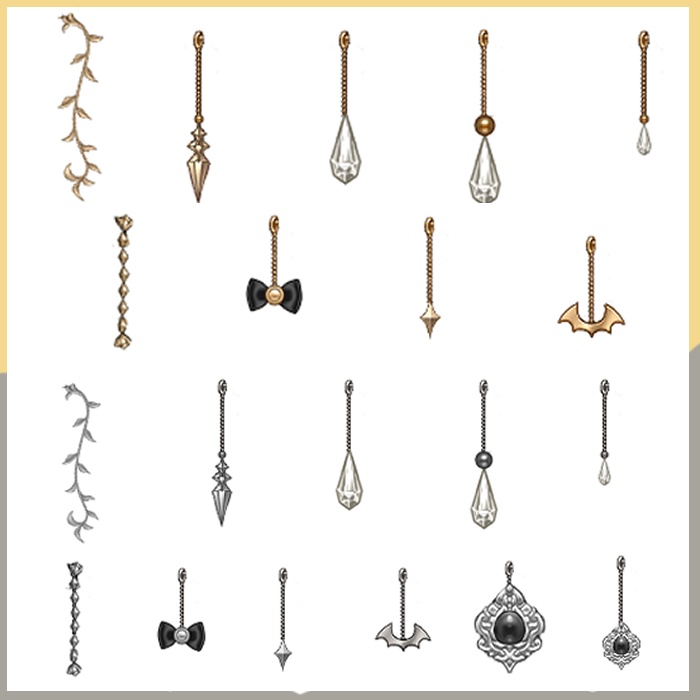
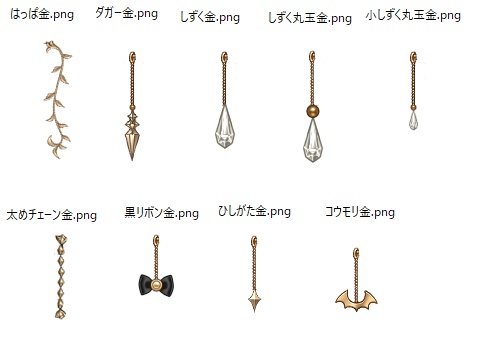
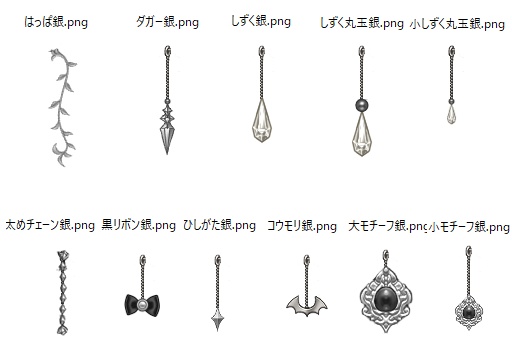
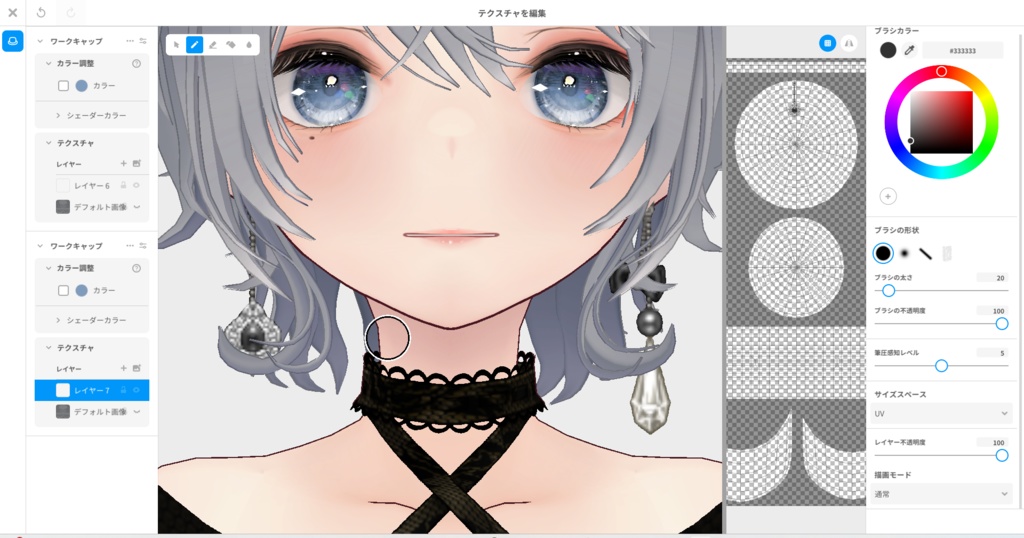


VRoidのワークキャップ(帽子)用のテクスチャです。 帽子カテゴリなので既存の髪型に干渉しません。 ワークキャップにテクスチャを適用後、位置やサイズ等を適宜調整してください。 色が変だなと思ったら、ワークキャップのテクスチャ編集画面の左上にある [カラー調整] のカラー欄のチェックを外してみてください。 左右に付けたい場合はまず片耳分を作った後、[複製]して位置をずらすと楽に作れます。 本テクスチャはすべてVRoidデフォルト衣装をベースに作成しています。 加工、改変、テクスチャの差し替え等、ご自由にお使いください。 クレジット表記も特に必要ありません。 使用、改変したデータの再配布、販売もOKです。 =============================== This is a texture for the work cap (hat) in VRoid. Since it is categorized as a hat, it does not interfere with existing hairstyles. After applying the texture to the work cap, please adjust the position, size, and other settings as needed. If the colors look unusual, try turning off the “Color Adjustment” checkbox in the work cap’s texture editing screen. This texture is created based on the default VRoid clothing assets. You are free to use, modify, edit, and replace the texture as you like. No credit is required. Redistribution and sale of modified or edited data are also permitted.
Gold/Silver(.vroidcustomitem/つけ髪)について
■適用方法 1.画面右側の 髪型を編集 2.髪型を1つクリック(どれでもOK) 3.画面右側のマテリアル をクリック 4.テクスチャを編集 をクリック 5.左側のテクスチャ欄から使用したいアイテムを表示 ■下記アイテムにはAI画像生成を使用しています ・Gold(.vroidcustomitem/つけ髪) ・Silver(.vroidcustomitem/つけ髪) ============================= ■Application Method 1. Click Edit Hairstyle on the right side of the screen 2. Click one hairstyle (any will do) 3. Click Material on the right side of the screen 4. Click Edit Texture 5. Display the desired item from the texture panel on the left ■AI image generation is only used for the following items. ・Gold(.vroidcustomitem/つけ髪) ・Silver(.vroidcustomitem/つけ髪)