

Babushka & Cat Plushie - VRChat Avatar Accessory / CP29
- Digital800 JPY
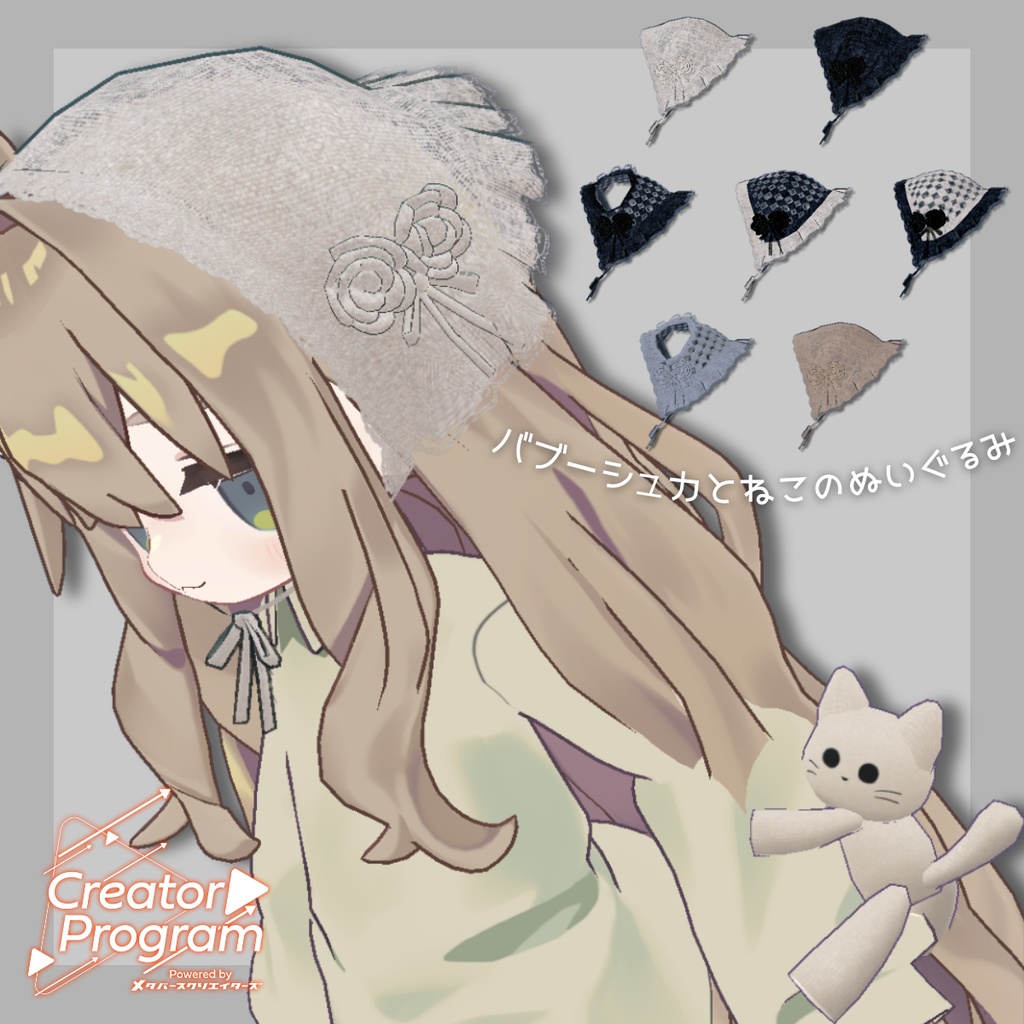
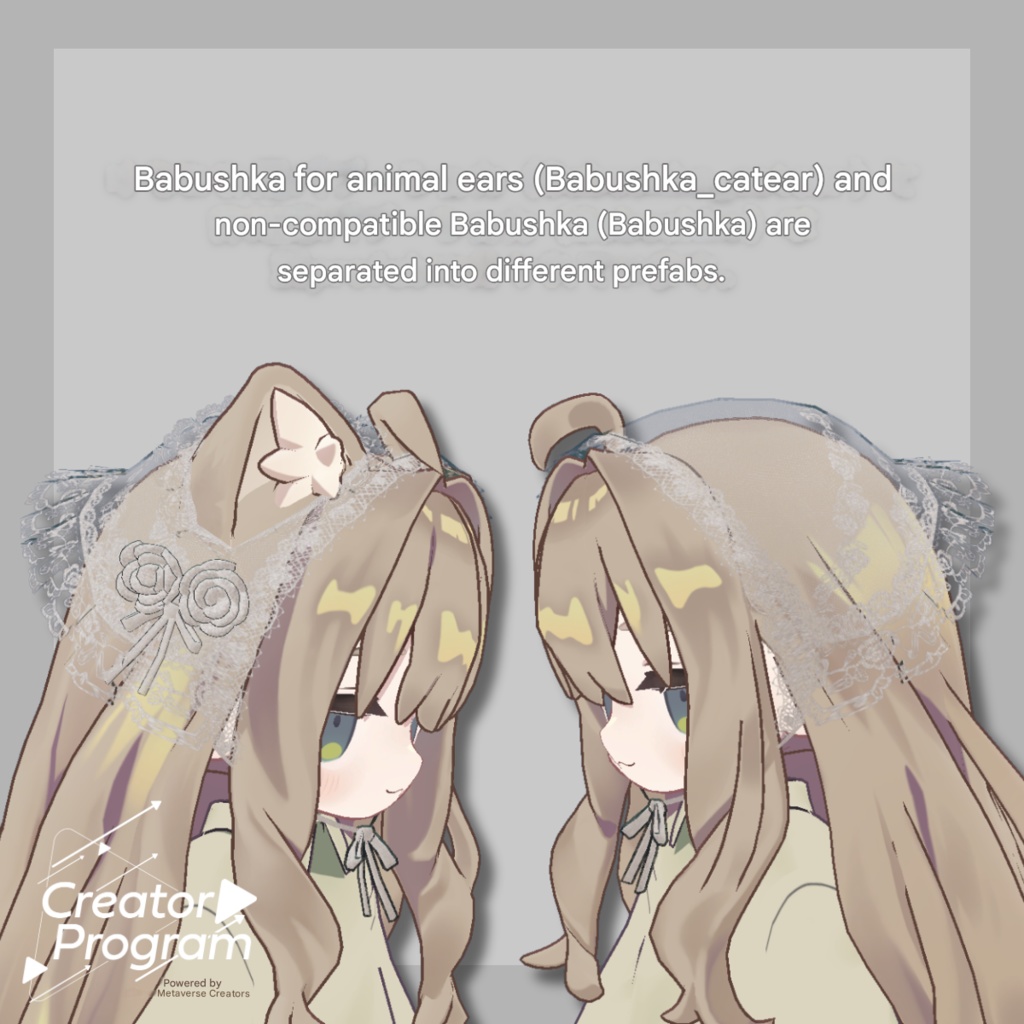
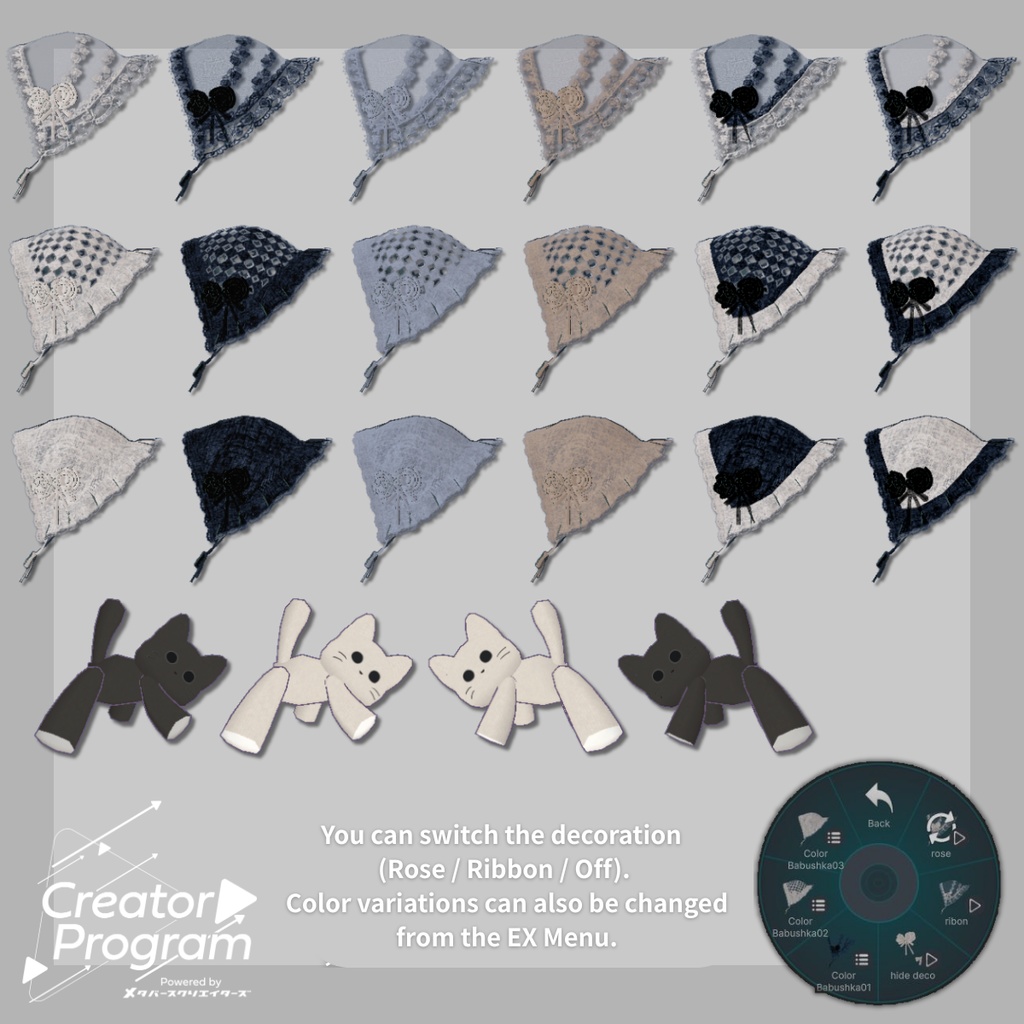


◆ Babushka & Cat Plushie ◆ Creator: Eido (EIDO) This is a monochrome-style babushka. Decorations can be toggled ON/OFF, and a special babushka for kemomimi (animal-ear) avatars is included. Comes with a cute cat plushie as a bonus. ※ This 3D product is an item intended for avatars. The avatar itself is not included. ※ Due to the nature of digital downloads, returns and refunds are not available. Please read and agree to the product description and Terms of Use before purchasing. ◆ Item Overview ● Contents Babushka.Unitypackage Textures ReadMe.txt (this document) ※ PSD/CLIP files for editing are not included. Shader Used liltoon https://lilxyzw.booth.pm/items/3087170 Required Assets Modular Avatar https://modular-avatar.nadena.dev/ja/docs/intro ● Model Data △ Polygon Count: Total 4,634 polygons Babushka: 3,866 polygons CatPlush: 768 polygons Mesh count: 5 Material count: 2 PhysBone components: 0 Import Folder Assets > MetaverseCreators_CP > EIDO > Babushka ◆ Base Avatar Kipfel / Original 3D Model https://booth.pm/ja/items/5813187 ◆ Installation Guide Set up the latest VRC SDK in VCC. Install the required assets (liltoon, Modular Avatar) via VCC. Import the latest package for your chosen avatar. Import this product’s package (Babushka.Unitypackage). Drag your avatar (and any outfit/editable prefab) into the Scene Hierarchy. Drag this product’s Prefab (Babushka) directly under the avatar. In the Scene, move/scale/rotate the Prefab to your preferred position. Upload your avatar via the VRC SDK. ※ This product uses Modular Avatar features such as MA Object Toggle and MA Shape Changer. If you do not need these functions, you may delete or adjust them to fit your needs. ◆ Feature Overview Decorations (Rose / Ribbon / OFF) can be switched from the EX Menu. Color variations can also be changed through the EX Menu. Kemomimi-compatible babushka (Babushka_catear) and the non-kemomimi version (Babushka) are provided as separate Prefabs. The kemomimi frill area can be adjusted via the shapekey babushka_catear_frills. Frills can also be turned OFF from the EX Menu. The cat plushie comes in separate left/right Prefabs (CatPlush_L / CatPlush_R). Target bone is LowerArm. Adjust placement as needed. ◆ Changing Colors Replace the color-variation materials inside: Common > Material ※ PSD/CLIP files are not included with this product. ◆ Terms of Use https://drive.google.com/drive/folders/1qRMXoIxM1ZgacBPfwOigQRtXP1vCbNMn?usp=sharing ※ This product complies with the Metaverse Creators Terms of Use. ※ Please also follow the Terms of Use of the base avatar you apply this item to. ◆ Production Environment Modeling: Blender Ver. 4.2.3 Textures: CLIP STUDIO PAINT, Substance Painter 2025 Setup: Unity Ver. 2022.3.22f1 VRChat SDK – Avatars Ver. 3.8.2 (VCC) liltoon 2.2.1 Modular Avatar 1.14.3 ◆ Credits Creator: Eido (EIDO) X (Twitter): @eieiou_eieiou BOOTH (Personal BOOTH): https://eieio000.booth.pm/ Contact / Support https://discord.gg/bmw3PWE37M