

【MA】Knee Fixer
- FreeDigital0 JPY
- SupportDigital200 JPY

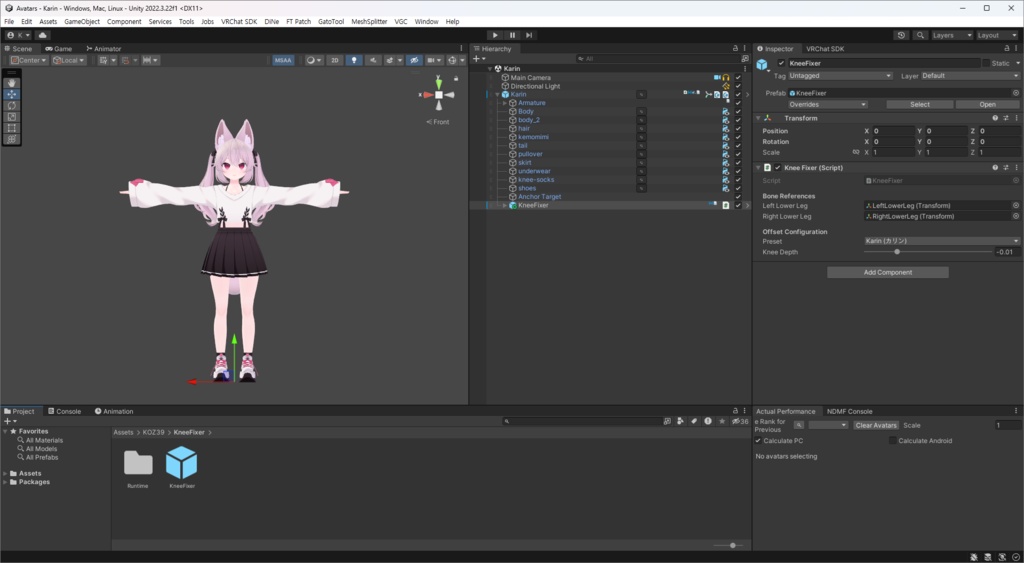
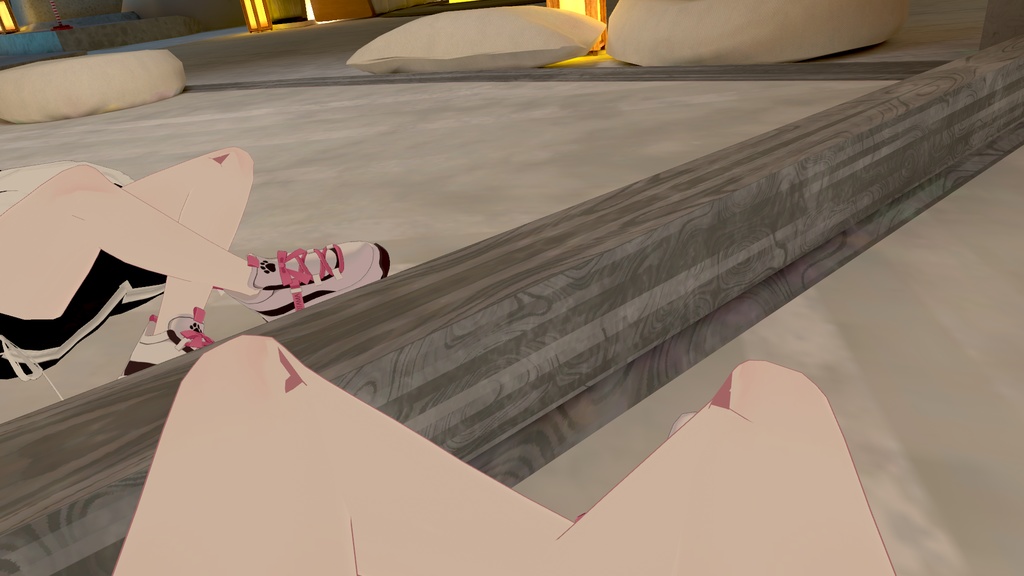
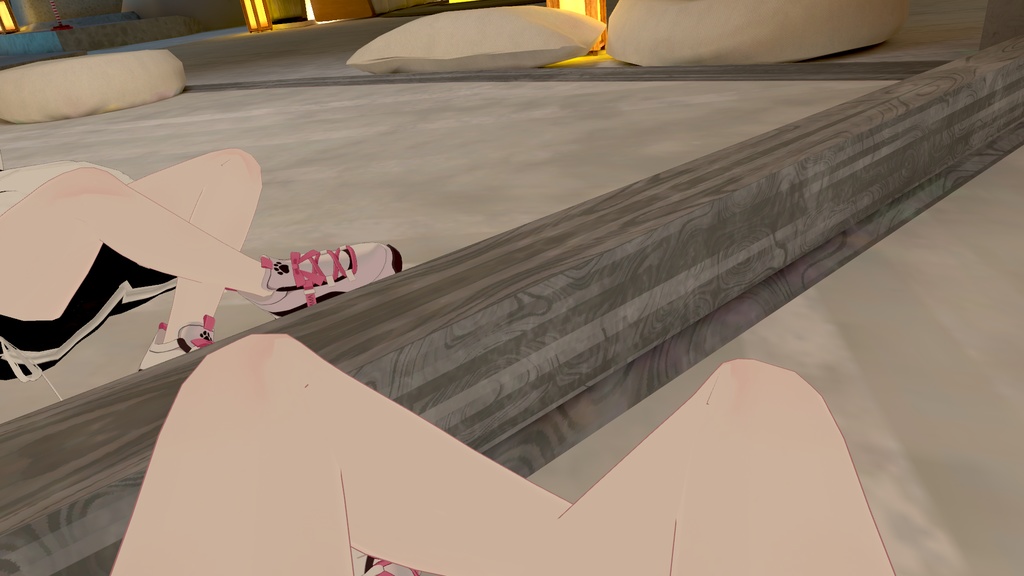


Unityだけで簡単に膝の部分を調整できます。 非破壊型で階層構造を変更しないため、フルトラッキングや衣装変更もそのまま使用できます。 유니티만으로 간단하게 무릎 부분을 보정할 수 있습니다. 비파괴형 및 계층 구조를 건드리지 않기 때문에 풀 트래킹이나 의상 변경도 그대로 가능합니다. You can easily adjust the knee area using Unity alone. Since it’s non-destructive and doesn’t modify the hierarchy, full-body tracking and outfit changes can be used as is.
Requirements
- Unity 2022.3.22f1 - Modular Avatar https://modular-avatar.nadena.dev/
Supported Avatars
Karin (カリン) https://komado.booth.pm/items/3470989 Lime (ライム) https://komado.booth.pm/items/4876459 Chiffon (シフォン) https://komado.booth.pm/items/5354471 Chocolat (ショコラ) https://komado.booth.pm/items/6405390 Plum (プラム) https://komado.booth.pm/items/7770415 Rinasciita (リナシータ) https://rionesta.booth.pm/items/7475899 Manuka (マヌカ) https://jingo1016.booth.pm/items/5058077 Ichigo (イチゴ) https://hamini.booth.pm/items/7328789 Riru (りる) https://ookamiriru.booth.pm/items/8062861
How to Use
Knee Fixer プレハブをアバターに配置した後、アバターに合ったプリセットを選択してください。 プリセットがないアバターの場合は、Knee Depth の値を手動で調整して使用できます。 Knee Fixer 프리팹을 아바타에 배치한 후, 아바타에 맞는 프리셋을 선택합니다. 프리셋이 없는 아바타의 경우 Knee Depth 수치를 수동으로 조절하여 사용할 수 있습니다. Place the Knee Fixer prefab on your avatar, then select the preset that matches your avatar. If your avatar does not have a preset, adjust the Knee Depth value manually.
Reference
소소 팁) 블렌더 무릎 2중 관절 리깅 https://gall.dcinside.com/m/vr/3952531
Update Log
v1.4.0 (2026-05-05) · 일부 파일명 수정 v1.3.4 (2026-03-18) · Ichigo, Riru 프리셋 추가 v1.3.3 (2026-03-07) · AAO: Avatar Optimizer 호환성 개선 · Manuka 프리셋 추가 v1.3.2 (2026-02-01) · 사소한 버그 수정 v1.3.1 (2026-01-31) · VRCSDK AutoFix 경고 문제 수정 v1.3.0 (2026-01-31) · 자동 설정 추가 · README 제거 v1.2.0 (2026-01-20) · Plum 프리셋 프리팹 추가 v1.1.0 (2025-12-26) · Rinasciita 프리셋 프리팹 추가 v1.0.1 (2025-12-25) · README 업데이트