
ERPレディ・ERP Ready
- ERPレディ_ERP_ReadyDigital0 JPY
- ERPレディ_ERP_Ready (サポート、同じコンテンツ+私のSPSテストトイ / Support, the same content + my SPS test toy)Digital600 JPY
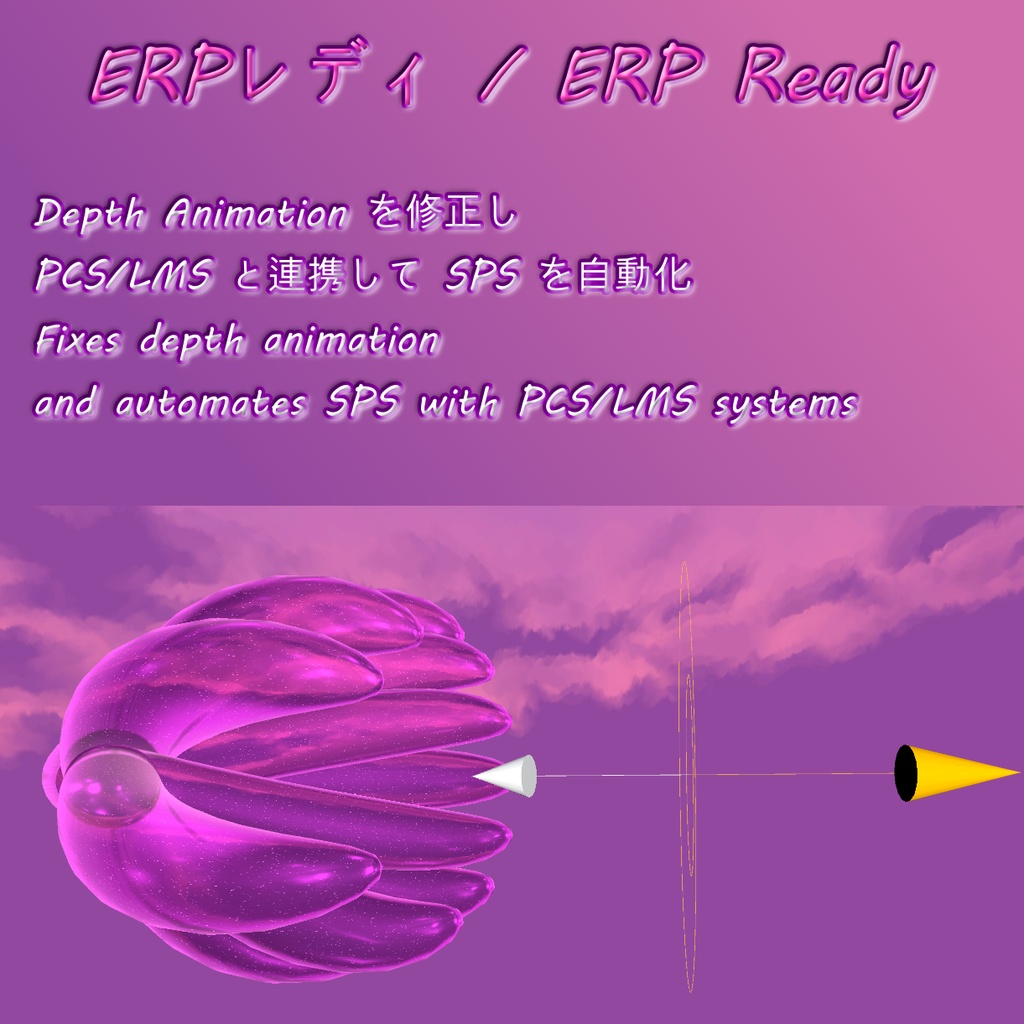
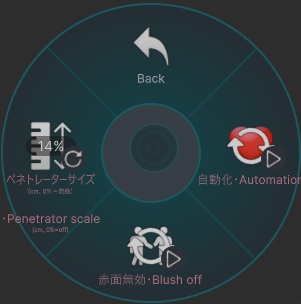


↓ ENGLISH ↓ DeepLによる日本語翻訳、GPTチャットによる校閲。ご理解いただきありがとうございます。 ERP Ready は、2つの機能を持つアセットです。 「Depth Animation Fix」 は、ソケットが突然別のソケット内部で検出された際に発生する Depth Animation の不具合を修正します。SPS のバグによってペネトレーターサイズがデフォルトの 30cm として扱われてしまう場合でも、ソケット側に正しいサイズが定義されていると認識させます。メニューから自分または他の人のペネトレーターサイズを調整してください。一般的なアバターおよびペネトレーターサイズでは、14% に設定することで最も良い結果が得られます。なお、本アセットはペネトレーターの破損のみを修正するものであり、PCS/LMS(別売)などのコンタクトベースのアセットは、コンタクトに起因する問題の影響を受ける可能性があります。 「Automation」 は、近くのペネトレーター(自分のものを含む)を検出すると SPS を自動的に有効化し、PCS および LMS(別売)との同期にも対応しているため、手動で切り替える必要がありません。独自のパラメーターを設定するためのツールも付属しています。また、近くのペネトレーターを検出すると照れ演出を再生し、雰囲気を演出できます。さらに、ペネトレーターが検出された場合、またはソケットが有効化された場合には、Motchiri および Marshmallow のコンタクト(別売)を自動的に無効化し、過剰なコンタクトによって SPS ペネトレーターが破損することを防ぎます。本アセットは動作に 2つのローカルコンタクト のみを使用します。 画像・動画に表示されているペネトレーターはサポート版に含まれており、主にテスト目的で使用されています。 アセットの導入手順はアセット内に組み込まれています。VRCFury を使用すれば、アバターへドラッグ&ドロップするだけで導入でき、必要に応じて位置を調整してください。プロジェクトには以下を導入してください。 VRCFury: https://vrcfury.com アイコンはアセットには含まれておらず必須でもありませんが、人気ツール Gesture Manager を導入している場合は自動的に読み込まれます。 https://github.com/BlackStartx/VRC-Gesture-Manager 本アセットには説明に記載されている内容のみが含まれます。画像・動画に表示されているアバターおよびアバターの各要素は含まれていません。 ◆ ENGLISH ◆ ERP Ready is an asset with two functions: "Depth Animation Fix" fixes depth animations that break when a socket is suddenly found inside the socket. Depth animation forces your socket to think the penetrator size is defined, when the default size in the SPS is 30 cm during a bug, which is usually unrealistic. You need to adjust the size of your or someone else's penetrator in the menu. When using average avatar and penetrator sizes, setting it to 14% should give the best results. Please also take into account that the asset only fixes the breaking penetrator, unfortunately contacts-based assets like PCS/LMS (available for purchase separately) are still susceptible to breakage. "Automation" automatically activates the SPS on detecting nearby penetrators (including yours), with PCS and LMS synchronization (available for purchase separately), eliminating the need to toggle anything. A tool is also included for customizing your own parameters. The asset also supports a blush when detecting a nearby penetrator, adding atmosphere. The asset also automatically disables the Motchiri and Marshmallow contacts (available for purchase separately) when a penetrator is detected, or a socket is activated to prevent excessive contacts from breaking SPS penetrators. The asset only uses two local contacts to operate. The penetrators visible in the pictures/recordings are part of the support version and exist mainly for testing purposes. Instructions for the installation of the asset are built into it. Thanks to VRCFury, adding it to your avatar is as simple as dragging and dropping, followed by adjusting its position if needed. So make sure you have them in your project. VRCFury: https://vrcfury.com The icons are not included with the asset nor required, but will load automatically from the popular tool "Gesture Manager" if you have it: https://github.com/BlackStartx/VRC-Gesture-Manager
利用規約 / Terms of Service
↓ ENGLISH ↓ ✅ このアセットは、政治的または宗教的な文脈を除き、個人用および商用目的で利用可能です。 ✅ これを改変したり、個々のファイルを利用したりすることができます。 ✅ このアセットを含むアバターをパブリックに設定できます。 ❌ アセットを販売または再配布することはできません。 ❌ 返金を請求することはできません。 クレジット表記は必須ではありませんが、このアセットを自分のものとして主張しないでください。アセットやライセンスに関する質問や問題がある場合は、ご連絡ください。 ◆ ENGLISH ◆ ✅ You may use this asset for personal and commercial purposes, except in political or religious contexts. ✅ You may modify it or use its individual files. ✅ You may set an avatar as public while including this asset. ❌ You may not sell or redistribute the asset. ❌ You may not request a refund. Crediting is not required, but please do not claim the asset as your own. If you have any questions or issues regarding the asset or license, please contact me.
更新情報 / Update information
v2026.2.12 ・製品リリース ・Product release v2026.2.13 ・別個の「プレサイス_SPS」アセットとの互換性を高めたバージョンを作成しました。 ・Created a version that works better with the separate "Precise_SPS" asset. v2026.2.15 ・アセットのバリエーション管理を容易にするため、「プレファブバリアント」の使用を開始しました。 ・Started using "Prefab Variants" for asset variants for easier management. v2026.2.18 ・パラメータ名の軽微な修正。 ・プレファブバリアント使用時に、VRCF が言語を EN&JP にリセットしてしまう問題を修正しました。 また、「用ForPreciseSPS」バージョンでパラメータがリセットされる問題を修正しました。 ・Minor parameter name corrections. ・Fixed VRCF resetting language to EN&JP on prefab variants and resetting parameters for the "用ForPreciseSPS" version. v2026.2.22 ・ハプティクスのトグルを修正し、「手のタッチゾーン」のみではなく、ハプティクスを完全に無効化するようにしました。 ・Corrected the haptics toggle to turn off haptics completely instead of just the "hand touch zone". v2026.2.26 ・アセットは「赤面あり」と「赤面なし」に分かれていた以前の形式から変更され、赤面を無効化する追加トグルを備えた単一のアセットに統合されました。 ・The asset is no longer separated into with blushing and without, but is instead combined as one with an additional toggle to deactivate blush. v2026.3.9 ・ハプティクスのトグルを「デバイスハプティクス無効」と「タッチハプティクス無効」に分離しました。 ・翻訳用Prefabの名前を短縮しました。 ・Haptics toggle has been separated into device haptics off and touch haptics off. ・The name of the translation prefabs has been shortened. v2026.3.18 ・「プレサイスSPS」プレハブの「用ForPreciseSPS」を更新し、「自己貫通を防ぐ」機能に対応しました。 ・Updated "用ForPreciseSPS" prefab to support the "Avoid self-penetration" function in the "Precise SPS" asset. v2026.3.24 ・赤面とハプティクスは、ほとんどのユーザーが使用しないため、デフォルトで無効になっています。 ・強制ペネトレーターサイズ調整の範囲は、10〜22cmから0〜100cmに変更されました。スライダーのパーセンテージは、ペネトレーターの長さ(cm)を表します。 ・「腰の自己貫通を防ぐ」の一部機能は「プレサイスSPS」に移動され、完全に統合されたため、「ERPレディ」は不要になりました。 ・Blush and haptics are disabled by default, as most people don't use them. ・The forced penetrator size adjustment range has been changed from 10-22 cm to 0-100 cm. The slider percentage represents the number of cm of your penetrator. ・Partial "Avoid hip self-penetration" functionality has been moved to "Precise SPS" so that it is fully integrated and does not require "ERP Ready". v2026.3.26 ・アバターのスケール変更に対応しました。 ・Added support for avatar scaling. v2026.4.2 ・2つのパラメータの同期を解除しました。 ・Unsynced 2 parameters. v2026.4.10 ・「Synchronizer」トグルのロジックをわずかに変更し、2つのコンタクトをローカル化しました。アセットの動作には影響ありません。 ・The logic of the "Synchronizer" toggles has been slightly updated so that both contacts are now local, without affecting how the asset works. v2026.4.13 ・前回のアップデートで発生した、Motchiri/Marshmallowのコンタクトがローカル側でのみ無効化されていた問題を修正しました。 ・Fixed an issue introduced in the previous update where Motchiri/Marshmallow contacts were only disabled locally. v2026.4.16 ・スクリプトはVRC SDKによって強制的に削除されることがなくなりました。 ・パラメータやハプティクス用アニメーションパスの編集を容易にするため、スクリプトを大幅に改良しました。 ・The script is no longer forcibly removed by the VRC SDK. ・The script has been significantly revised to make editing parameters and haptic animation paths easier. v2026.4.18 ・アバターのアップロードを妨げていた問題を修正しました。 ・フォース_SPSはデフォルトで有効化されており、コンタクトが破損し始めた場合にペネトレーターの強制が実行されます。 ・Fixed an issue that prevented avatar uploads. ・Force SPS is enabled by default, and penetrator forcing will occur when contacts start breaking. v2026.4.20 ・軽微な修正。 ・Minor fixes. v2026.5.29 ・小さな調整。 ・VRCF のバージョン 1.1333.0 以降で使用されている新しいパラメーター名に合わせて、このアセットは対応されています。 ・「Force SPS scale」パラメーターのデフォルト値を 16 cm から 14 cm に減少しました。 ・Small adjustments. ・The asset has been adapted to the new parameter naming used in VRCF since version 1.1333.0. ・Reduced the default value of the "Force SPS scale" parameter from 16 cm to 14 cm. v2026.7.14 ・アセットの更新を行わなくても、パラメーター名が自動的に更新されるように対応しました。 ・新しい SPS2 に対応しました。 ・SPS ソケットの各部位を個別に削除できる機能を追加しました。 ・アセットの導入手順を大幅に簡略化しました。 ・生成される FX コントローラーの負荷を大幅に最適化しました。 ・Adapted to automatically update parameter names without requiring constant asset updates. ・Updated to work with the new SPS2. ・Added the ability to remove individual parts of SPS sockets. ・Significantly simplified asset installation. ・Significantly optimized the generated FX controller load. v2026.7.17 ・軽微な修正。 ・Minor fixes. v2026.8.4 ・新しいSPSに対応しました。 ・Updated to work with the new SPS. v2026.8.9 ・軽微な修正。 ・Minor fixes.