
【After Effects Premiere プラグイン FX】 Advfill
- Digital1,800 JPY
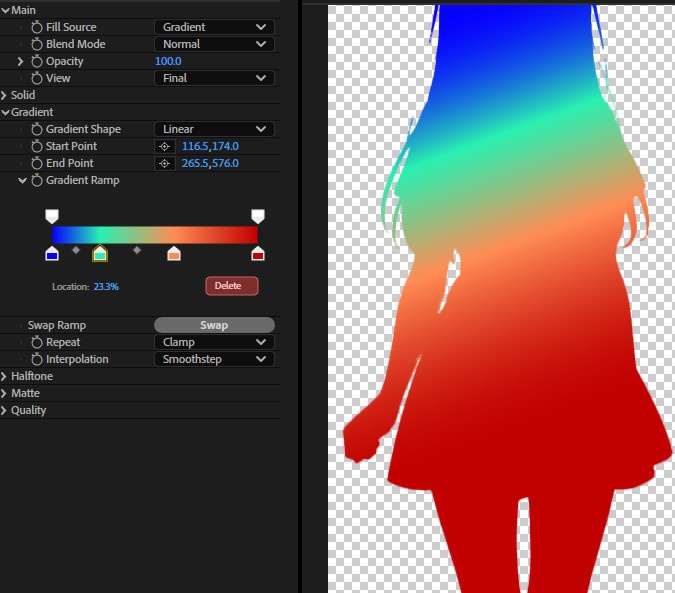
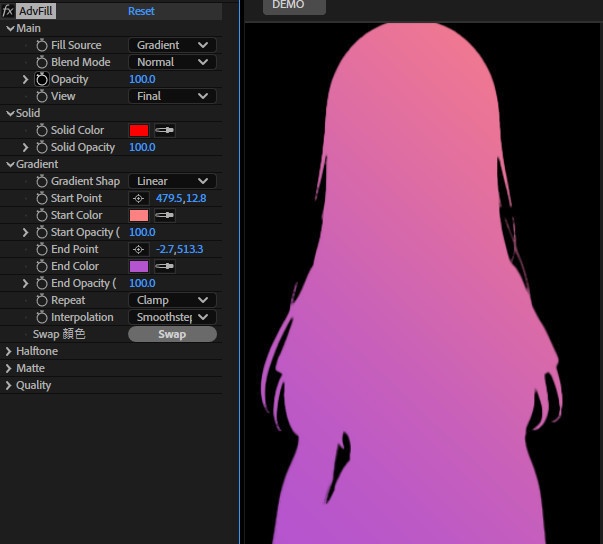
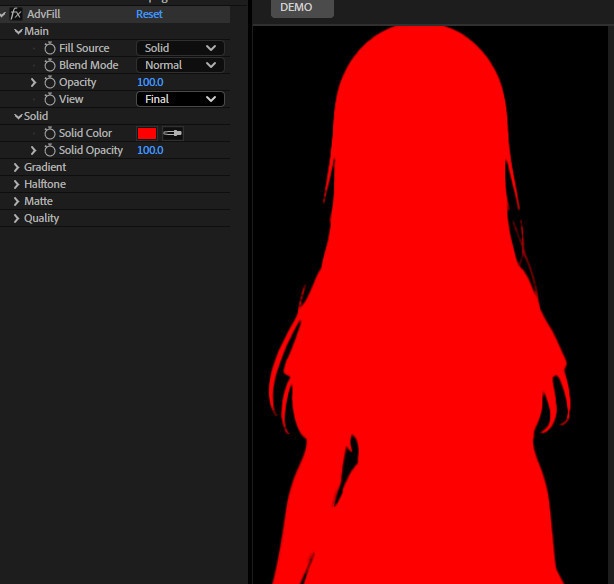
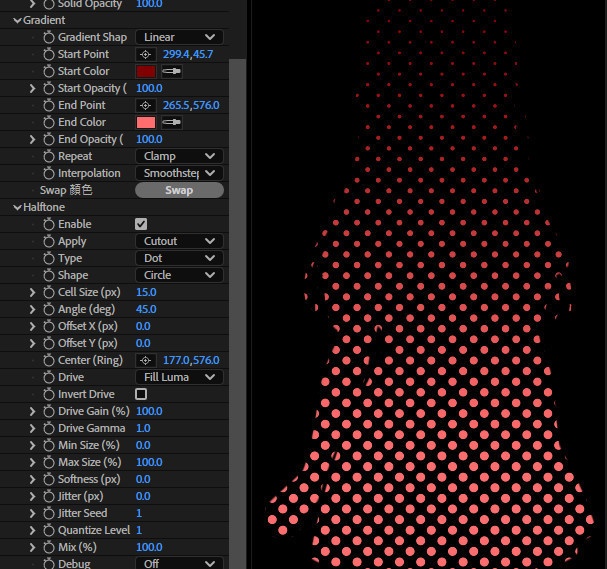
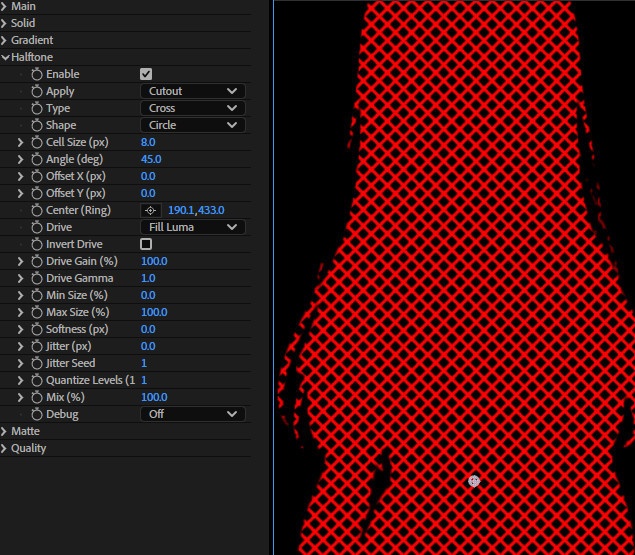
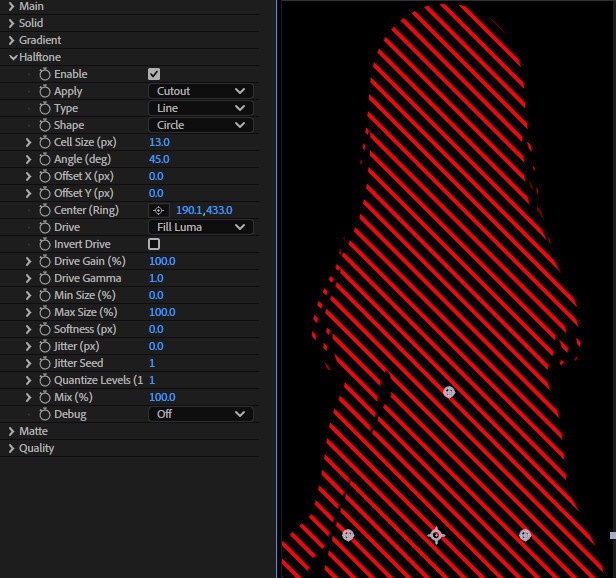
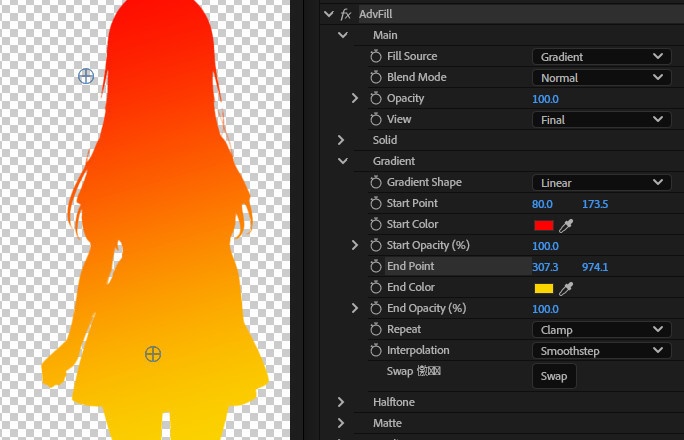
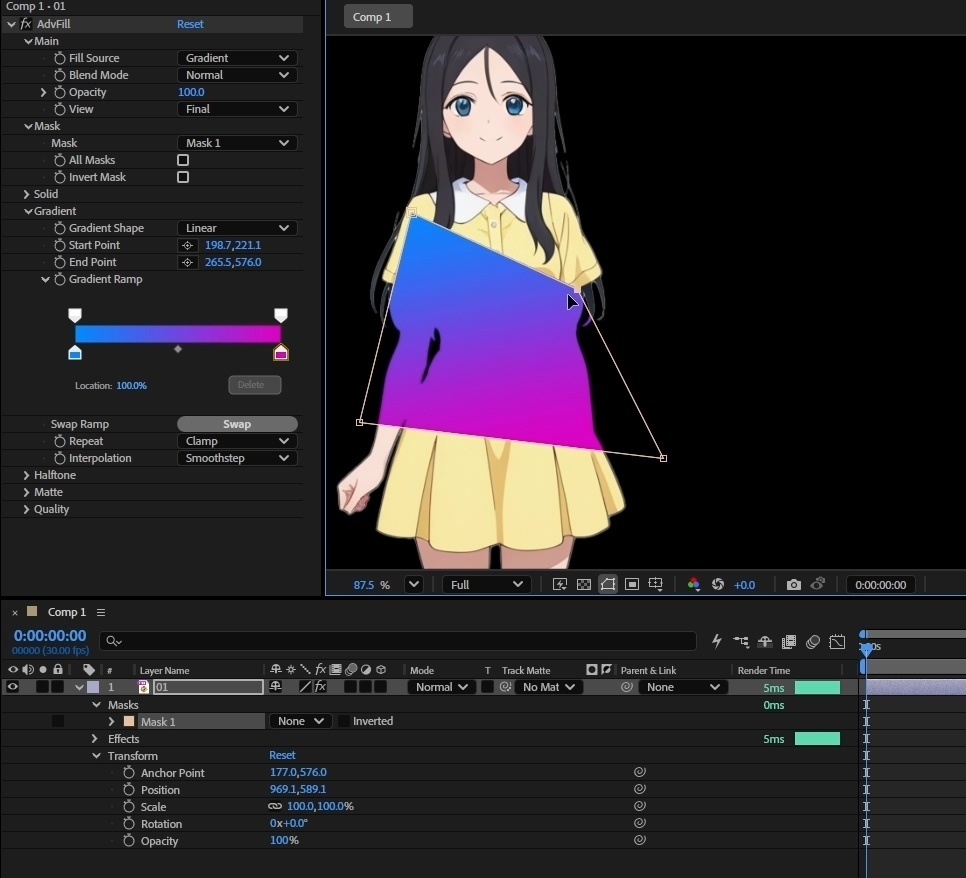
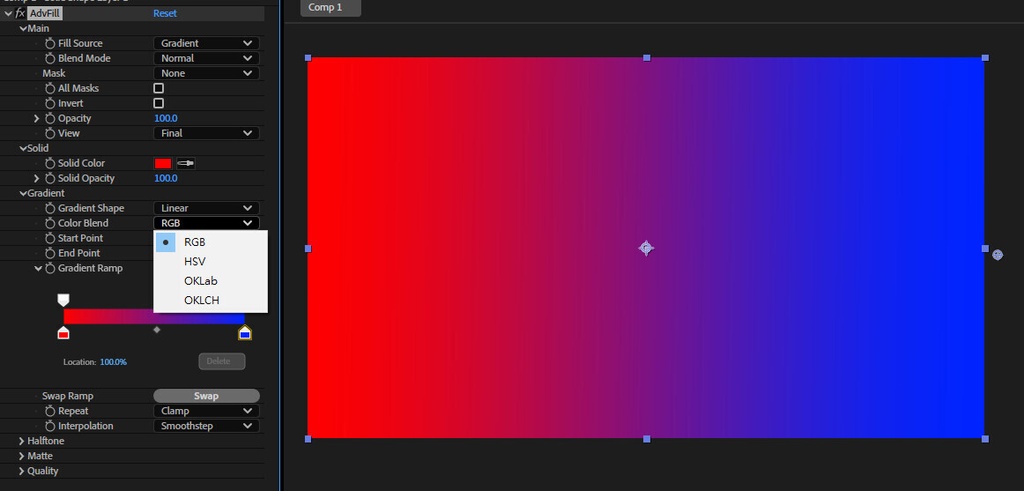
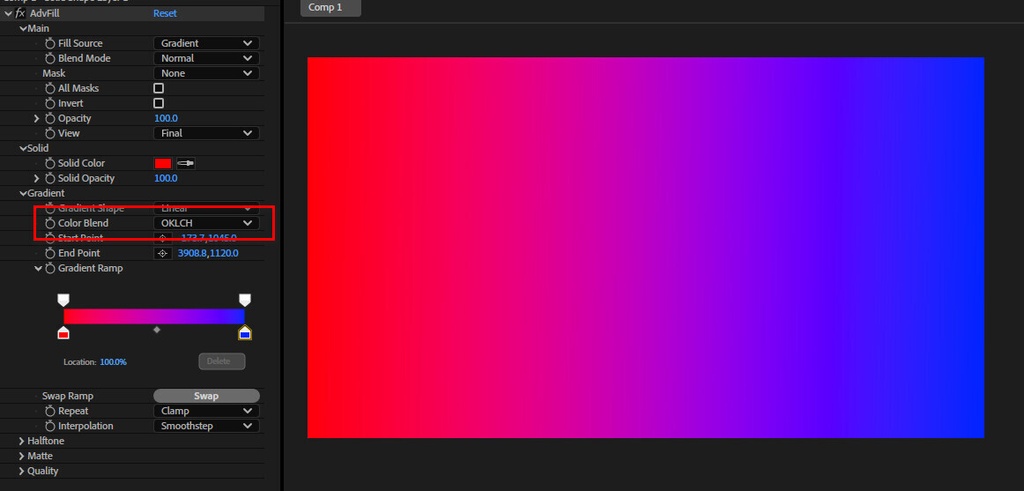


**AdvFill**は After Effects 向けの「高度な塗りつぶし + ハーフトーン」エフェクトです。 塗り・ブレンド・マット・ハーフトーンを一つにまとめ、グラフィック表現を直感的に作れます。 主な特長 塗りつぶしソース Solid(単色・独立不透明度) 2-Point Gradient(開始/終了の色と不透明度) Gradient Map(入力の輝度でグラデーションにマッピング) グラデーション機能 形状:Linear / Radial / Angular / Reflected / Diamond Repeat:Clamp / Repeat / Mirror Interpolation:Linear / Smoothstep / Smoother Swap ボタンで開始/終了の色と不透明度を入れ替え 27種類のブレンドモード Multiply / Screen / Overlay / Soft Light / Hard Light / Difference…などを搭載 Global Opacity で全体強度を一括調整 ハーフトーン(Halftone) タイプ:Dot / Line / Cross / Ring 形状:Circle / Square / Diamond 調整:Cell Size、Angle、Offset、Ring Center、Min/Max Size%、Softness、Jitter(Seed)、Quantize Levels、Mix% 適用:Cutout / Mix Only / Both Drive(駆動元):Fill Luma や Pre-Halftone Result Luma など、「現在の塗り結果」を基準にサイズ変化させる運用が可能 Debug:Mask / Drive 表示で調整を効率化 マット(Matte)対応 Matte Source:Input Alpha / Input Luma / Layer Matte / None Matte Channel:Alpha / Luma / RGB チャンネル Invert、Multiply Alpha、Gain、Gamma などの補正 品質・パフォーマンス Dither(Seed付き)でバンディング低減 Smart Render、マルチスレッドレンダリング対応 Deep Color / Float Color(8/16/32bpc)対応 View モード Final / Matte / Gradient T / Fill:マットやグラデ位置、塗り結果を素早く確認 **AdvFill* *是一款為 After Effects 設計的「進階填色 + 半色調」效果,主打可控、可混合、可用遮罩與多種驅動來源打造圖形化風格。 主要特點 多種填色來源 Solid 純色填色(含獨立不透明度) 2-Point Gradient 兩點式漸層(Start/End 顏色與不透明度) Gradient Map 以輸入影像亮度做漸層對映(用於快速風格化配色) 漸層功能完整 形狀:Linear / Radial / Angular / Reflected / Diamond Repeat:Clamp / Repeat / Mirror Interpolation:Linear / Smoothstep / Smoother 一鍵 Swap 起點/終點顏色與透明度 27 種混合模式 包含 Multiply / Screen / Overlay / Soft Light / Hard Light / Difference…等,方便直接與原圖融合 Global Opacity 全域不透明度,快速控整體強度 Halftone(半色調)系統 類型:Dot / Line / Cross / Ring 形狀:Circle / Square / Diamond 控制項:Cell Size、Angle、Offset、Ring Center、Min/Max Size%、Softness、Jitter(含 Seed)、Quantize Levels、Mix% 套用方式:Cutout / Mix Only / Both 驅動來源(Drive):可用 Fill Luma 或 Pre-Halftone Result Luma 等方式,讓半色調跟「目前填色結果」走,而非只跟原圖走 Debug:可切換檢視 Mask / Drive,方便調參 Matte(遮罩/消光)支援 Matte Source:Input Alpha / Input Luma / Layer Matte / None Matte Channel:Alpha / Luma / RGB 通道 Invert、Multiply Alpha、Gain、Gamma 等後處理控制 品質與穩定性 Dither(含 Seed)減少色階斷層、提升平滑度 支援 Smart Render、多執行緒渲染 Deep Color / Float Color:支援 8/16/32bpc 工作流程 View(檢視模式) Final / Matte / Gradient T / Fill:快速檢查遮罩、漸層位置與填色結果 AdvFill is an After Effects “advanced fill + halftone” effect designed for clean, art-directable graphic looks. It combines fill generation, blending, matting, and halftone patterning in one workflow-friendly plugin. Key Features Multiple Fill Sources Solid fill (with its own opacity) 2-Point Gradient (start/end colors and opacities) Gradient Map (maps input luminance to a gradient for fast re-coloring) Full 2-Point Gradient Controls Shapes: Linear / Radial / Angular / Reflected / Diamond Repeat: Clamp / Repeat / Mirror Interpolation: Linear / Smoothstep / Smoother One-click Swap for start/end colors and opacities 27 Blend Modes Includes Multiply, Screen, Overlay, Soft Light, Hard Light, Difference, and more Global Opacity for overall intensity control Halftone System Types: Dot / Line / Cross / Ring Shapes: Circle / Square / Diamond Controls: Cell Size, Angle, Offset, Ring Center, Min/Max Size %, Softness, Jitter (with Seed), Quantize Levels, Mix % Apply modes: Cutout / Mix Only / Both Drive sources: can be driven by Fill Luma or Pre-Halftone Result Luma (and more), so the halftone responds to the current fill look—not only the original layer Debug views: Mask / Drive for faster tuning Matte Support Matte Source: Input Alpha / Input Luma / Layer Matte / None Matte Channel: Alpha / Luma / RGB channels Invert, Multiply Alpha, Gain, Gamma adjustments Quality & Performance Dither (with Seed) to reduce banding and improve smooth gradients Smart Render + multi-threaded rendering Deep Color / Float Color workflow support (8/16/32 bpc) View Modes Final / Matte / Gradient T / Fill for quick inspection of masks, gradient position, and fill output V1.21 New Gradient Modes: RGB, HSV, OKLCH, OKLAB V1.2 Mask Drop Menu added 新バージョンは旧バージョンと互換性がない可能性があります。旧バージョンを使用しているプロジェクトについては、ご注意ください V1.1 Gradient Ramp UI Added V1.0 Any problems caused by the use of this file are at your own risk and responsibility. 【免責事項】 お客様は、自らの責任において、素材をダウンロードし、これを使用することに同意します。 素材の利用によってお客様に何らかの損害が発生したとしても、損害賠償義務及びその他一切の責任を負いません