

ACHT Hub v1.6.1
- Personal LicenseDigital1,500 JPY
- Commercial LicenseDigital3,000 JPY
- Supporter LicenseDigital4,500 JPY
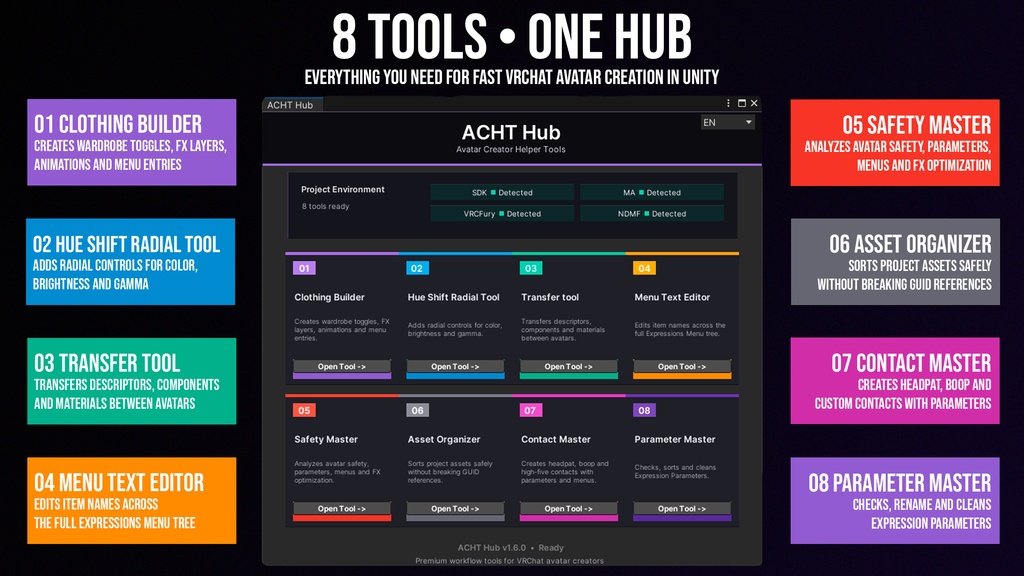
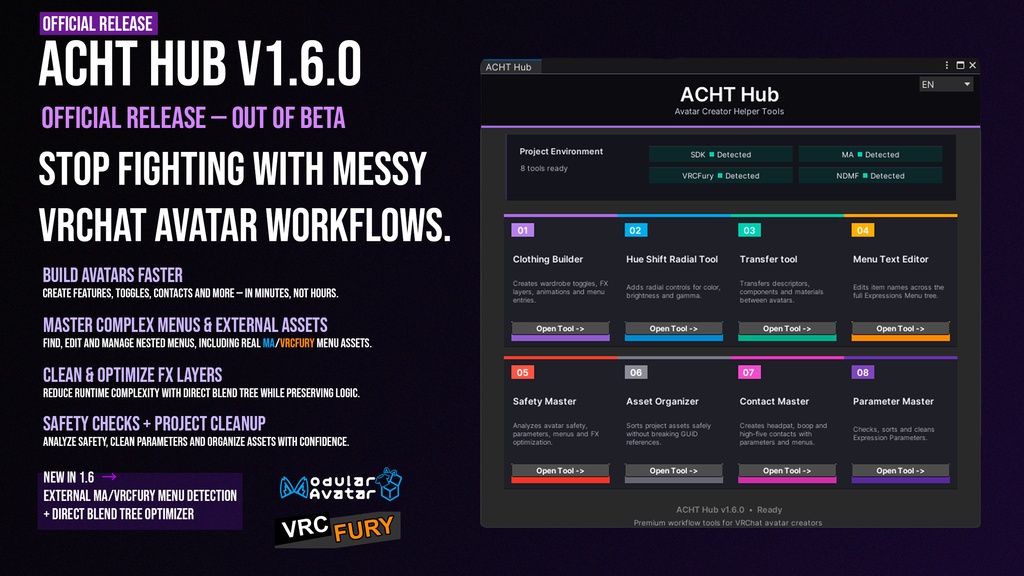
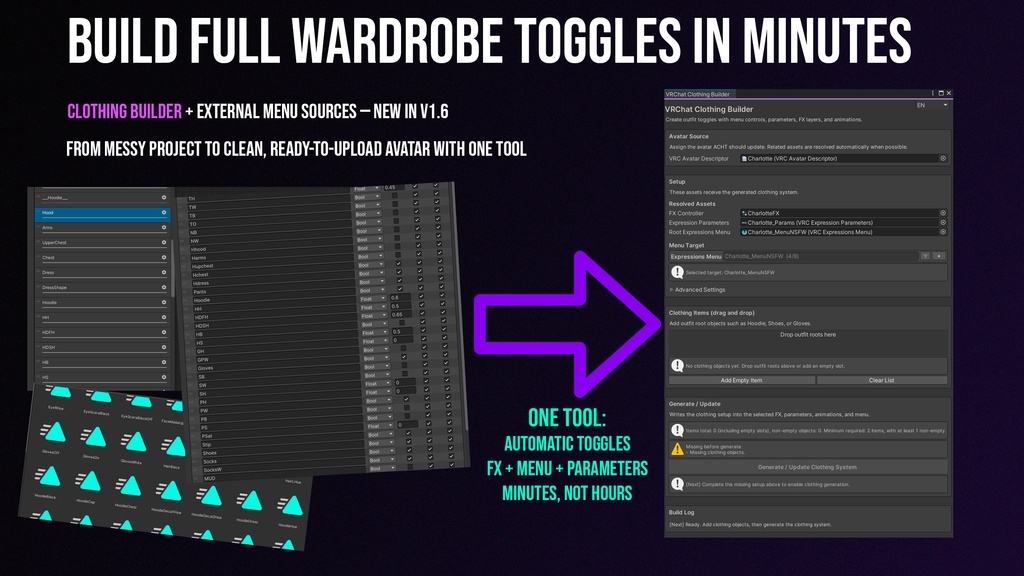
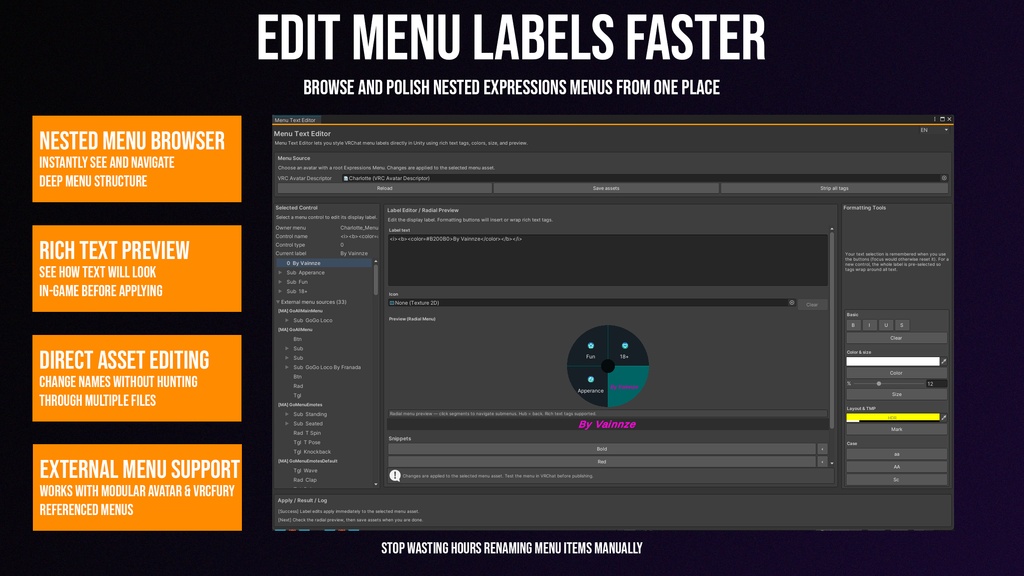
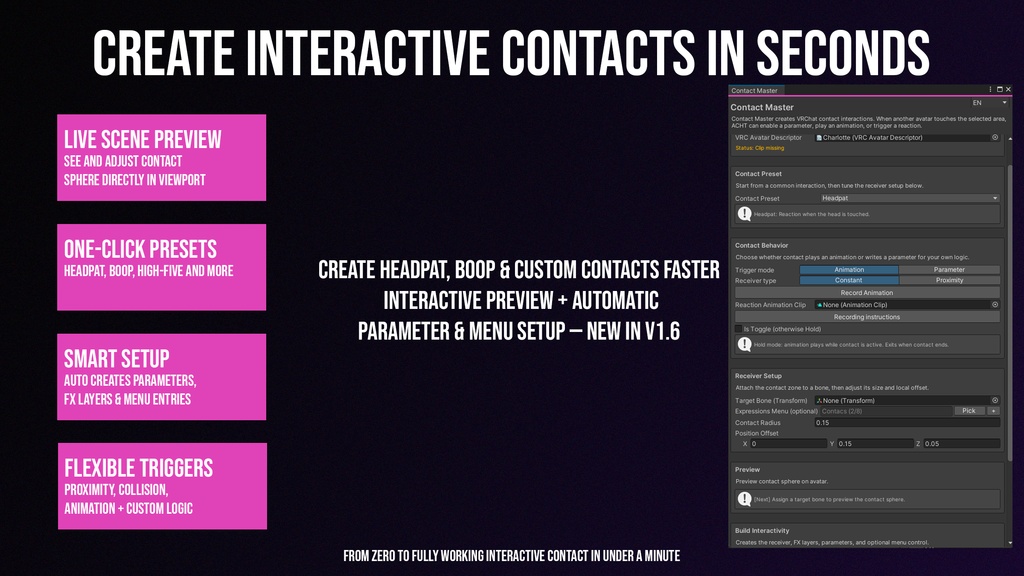
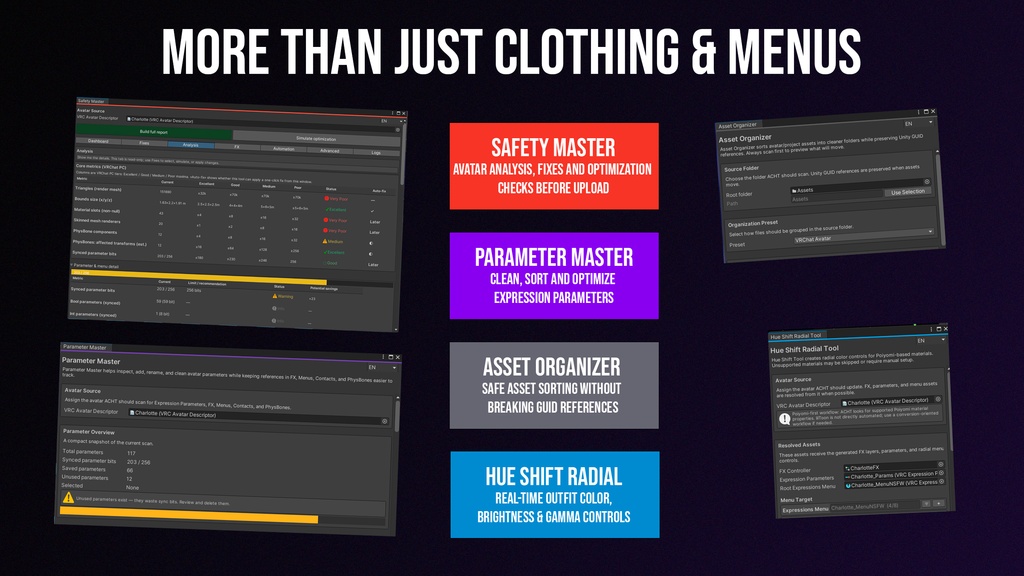


ACHT Hub v1.6.1 — Official Release / Contact Master Hotfix 日本語の説明は下にあります。 Unity workflow toolkit for VRChat avatar creators ACHT Hub is officially out of beta. Stop fighting with messy VRChat avatar workflows. ACHT helps you build avatar features faster, manage complex Expressions Menus, create contacts, organize assets, clean parameters, and prepare avatar projects inside Unity. Built for VRChat avatar creators, Booth sellers, commission work, outfit-heavy avatars, and Modular Avatar / VRCFury workflows. What’s new in v1.6.1 Contact Master hotfix / polish update Fixed Contact Master preview sphere behavior Preview sphere now correctly represents 100% of the contact sphere Fixed an issue where Contact Master could only create up to 4 contacts Improved Contact Master behavior when creating multiple contacts Updated package version to v1.6.1 What’s new in v1.6.0 - Official release / out of beta - Refreshed ACHT Hub UI - Project Environment status indicators - External Menu Sources for real Modular Avatar / VRCFury `VRCExpressionsMenu` assets - Cleaner menu pickers with collapsible external sources - Improved nested Expressions Menu discovery - Release polish and cleanup Included tools 01 — Clothing Builder Creates wardrobe toggles, menu entries, parameters, FX layers, and animations. 02 — Hue Shift Radial Adds radial color, brightness, and gamma controls. 03 — Transfer Tool Transfers supported avatar setup between source and target avatars. 04 — Menu Text Editor Edits labels and rich text across nested Expressions Menus. 05 — Safety Master Checks avatar setup, menus, parameters, FX controllers, and optimization risks. 06 — Asset Organizer Organizes project assets safely while keeping Unity GUID references. 07 — Contact Master Creates headpat, boop, high-five, and custom contact systems. 08 — Parameter Master Checks, sorts, renames, and cleans Expression Parameters. License Personal License For personal avatar projects and non-commercial use. Commercial License For avatar sales, commission work, paid avatar projects, client work, or commercial VRChat content. Requirements - Unity 2022.3.x LTS - VRChat SDK Avatars - PC avatar projects - Windows Unity Editor recommended - Modular Avatar optional - VRCFury optional - Poiyomi recommended for Hue Shift workflows Important notes ACHT edits real Unity assets in your project. Please make a backup or use version control before running generation, cleanup, transfer, or optimization tools. External Menu Sources detect real menu assets referenced by Modular Avatar / VRCFury. ACHT does not simulate generated build-time menus or edit virtual menu instructions. Full manual / documentation: https://www.notion.so/ACHT-Hub-v1-6-0-Manual-c19694106b554e08b5509af30484ece1?source=copy_link Discord support: https://discord.gg/nQvmb8fYaW X / Twitter: https://x.com/Vainnze --- 日本語説明 ACHT Hub v1.6.1 — 正式リリース / Contact Master 修正アップデート ACHT Hub は、VRChatアバター制作者向けの Unity Editor ツールキットです。 衣装切り替え、色変更ラジアル、Contact、Expressions Menu 編集、Parameter整理、Asset整理、Safetyチェックなどを1つのHubから扱えます。 v1.6.1 の変更内容 Contact Master の修正アップデート Contact Master のプレビュー球の挙動を修正 プレビュー球が Contact Sphere の100%サイズを正しく表すように改善 Contact Master で Contact を4個までしか作成できない問題を修正 複数の Contact 作成時の動作を改善 パッケージバージョンを v1.6.1 に更新 v1.6.0 では正式リリースとして、Hub UI の改善、メニュー検出の改善、Modular Avatar / VRCFury が参照する実際の `VRCExpressionsMenu` アセット検出に対応しました。 含まれるツール - Clothing Builder — 衣装切り替え、メニュー、パラメーター、FX、アニメーション作成 - Hue Shift Radial — 色相、明るさ、ガンマのラジアル操作 - Transfer Tool — アバター間の設定転送 - Menu Text Editor — Expressions Menu のラベル編集 - Safety Master — アバター構成、メニュー、パラメーター、FX の確認 - Asset Organizer — Unityアセット整理 - Contact Master — Headpat / Boop / High-five / カスタムContact作成 - Parameter Master — Expression Parameters の確認・整理 ライセンス Personal License 個人利用・非商用プロジェクト向け。 Commercial License アバター販売、コミッション、有料プロジェクト、商用VRChatコンテンツ向け。 動作環境 - Unity 2022.3.x LTS - VRChat SDK Avatars - PCアバタープロジェクト - Modular Avatar 任意 - VRCFury 任意 注意 ACHT は Unityプロジェクト内の実際のアセットを編集します。 使用前にバックアップ、またはバージョン管理の利用をおすすめします。 詳しい説明とマニュアル: https://www.notion.so/ACHT-Hub-v1-6-0-Manual-c19694106b554e08b5509af30484ece1?source=copy_link