
【OBS/配信素材】Spectrum レインボー・チャットボックス 15色 / Custom Streamlabs Chat Box CSS for VTuber & Streamer (15 Colors, EN & JP)
- 15色フルセット / 15-Color Full SetDigital1,200 JPY
- 01 RedDigital400 JPY
- 02 CoralDigital400 JPY
- 03 OrangeDigital400 JPY
- 04 ApricotDigital400 JPY
- 05 YellowDigital400 JPY
- 06 LimeDigital400 JPY
- 07 GreenDigital400 JPY
- 08 MintDigital400 JPY
- 09 SkyDigital400 JPY
- 10 BlueDigital400 JPY
- 11 PeriwinkleDigital400 JPY
- 12 PurpleDigital400 JPY
- 13 MagentaDigital400 JPY
- 14 Hot PinkDigital400 JPY
- 15 PinkDigital400 JPY
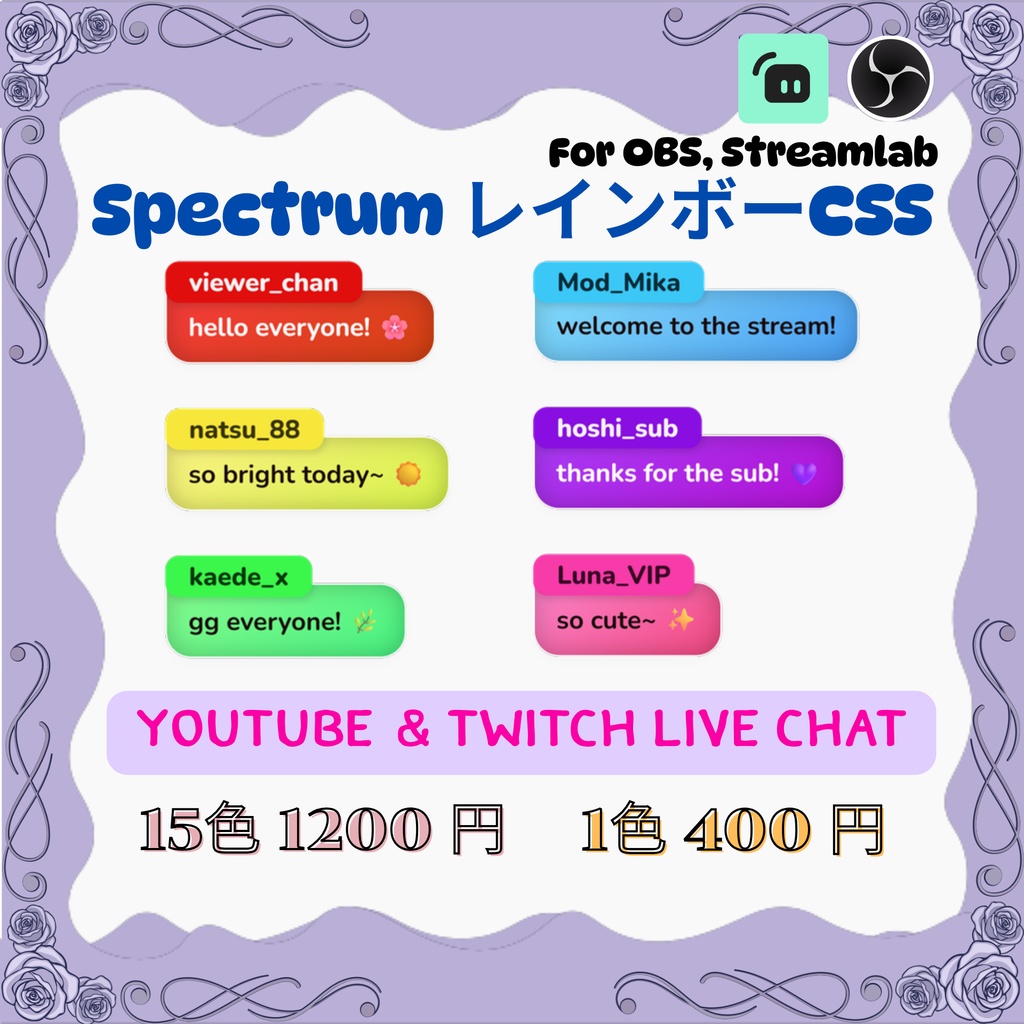
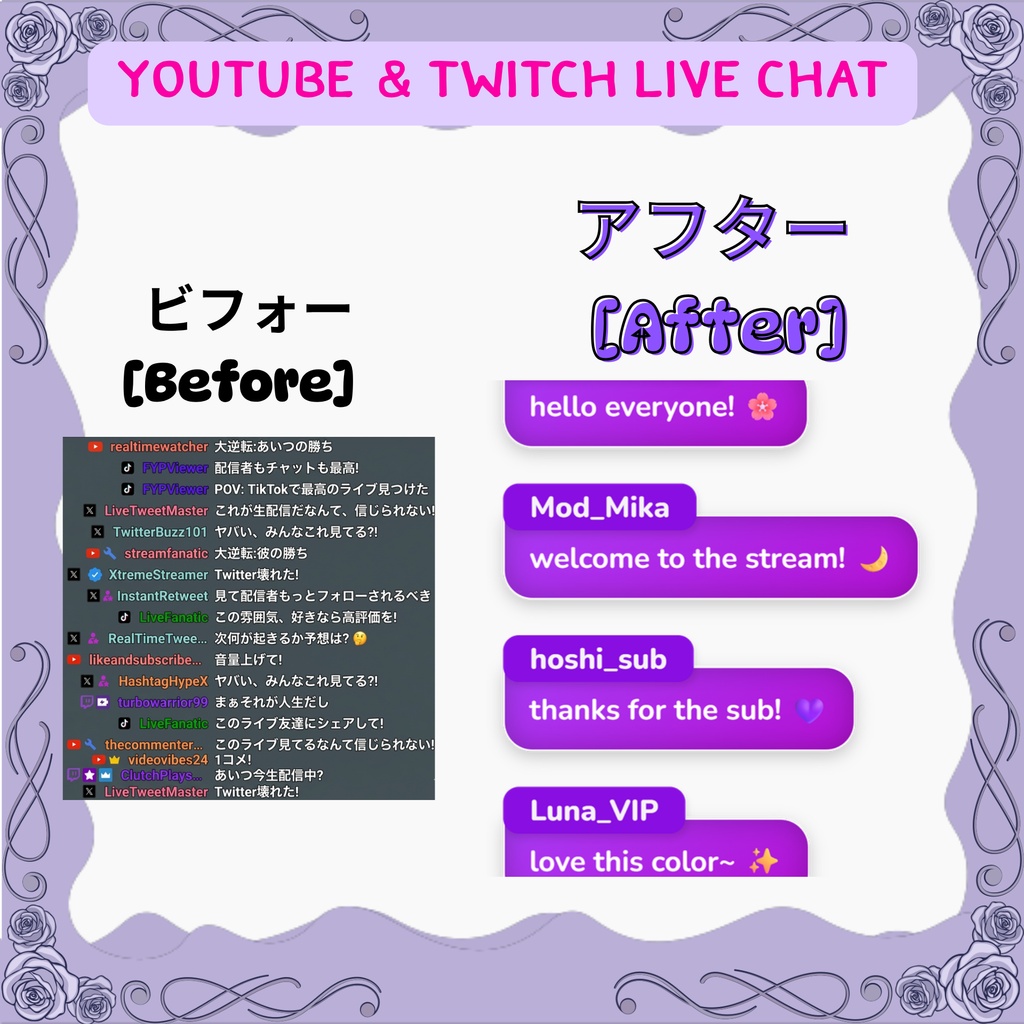
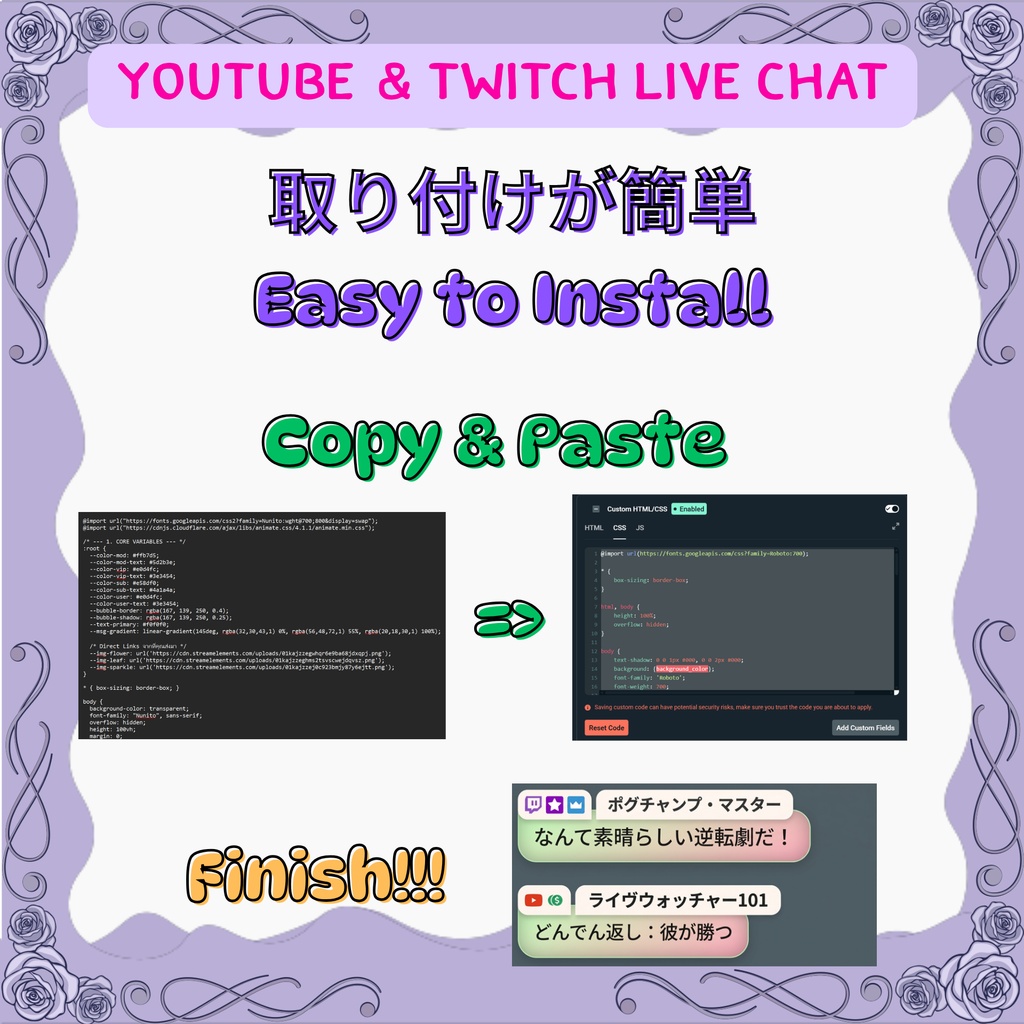
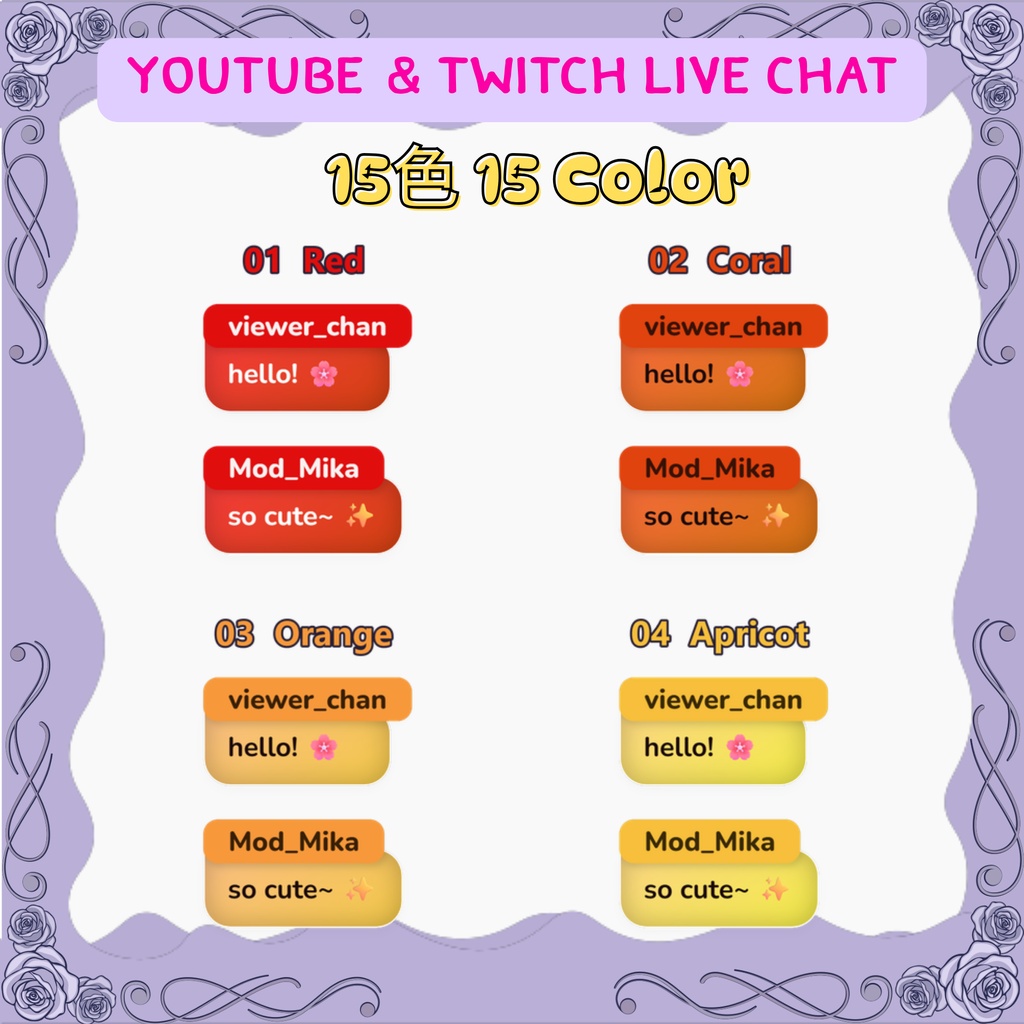
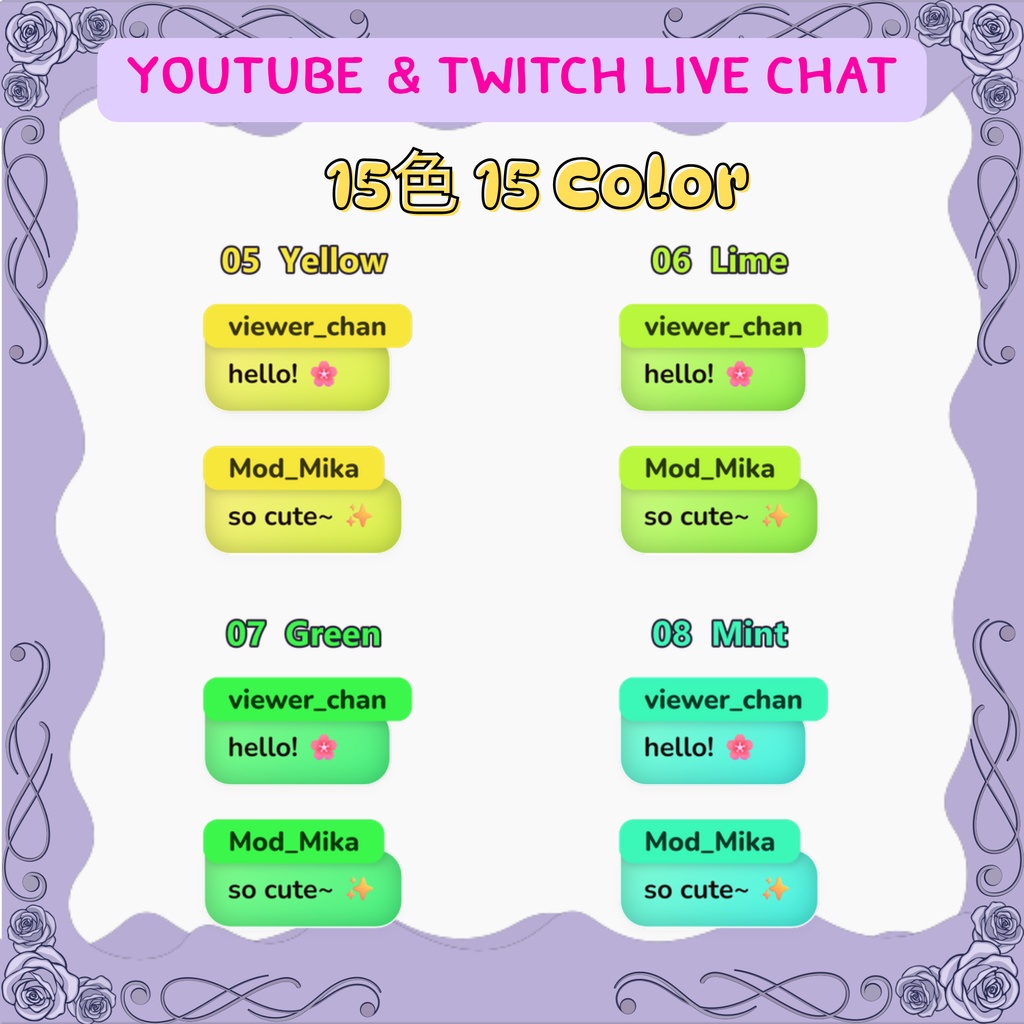
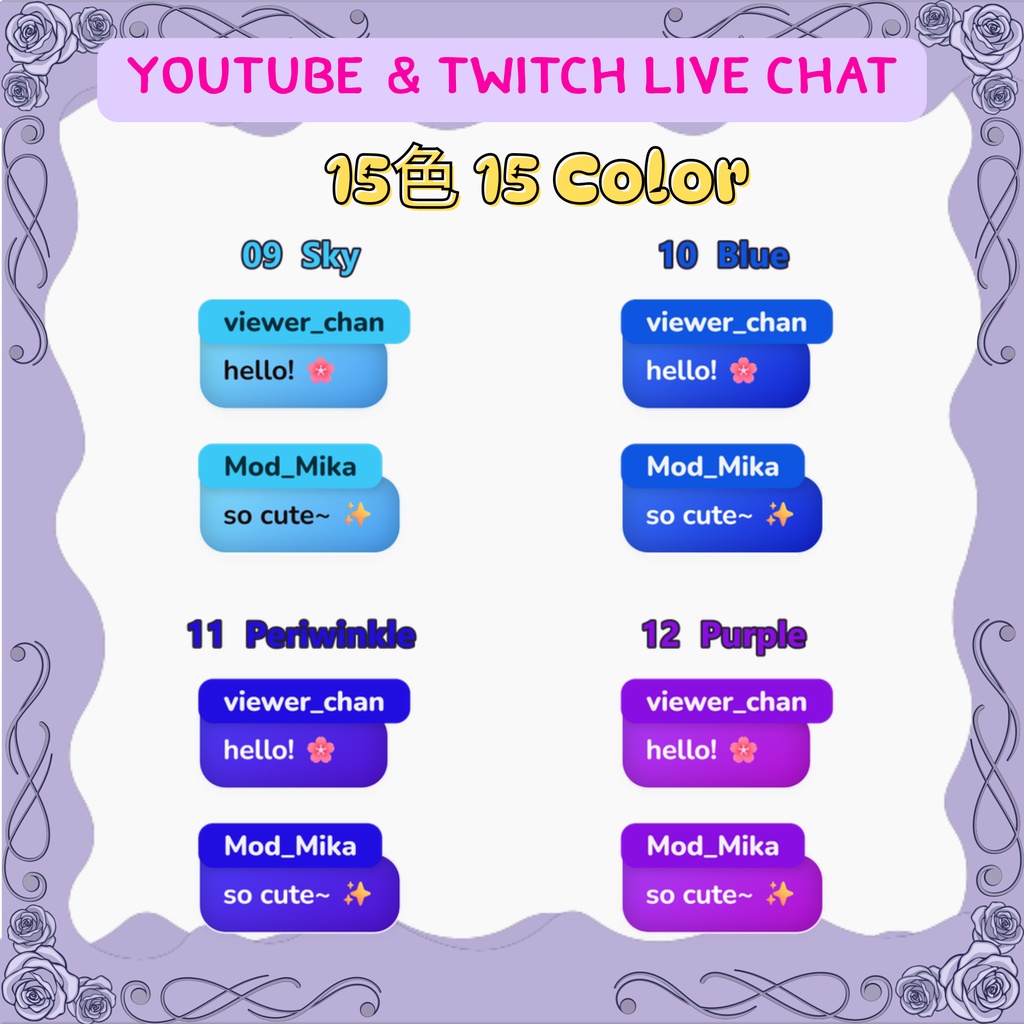
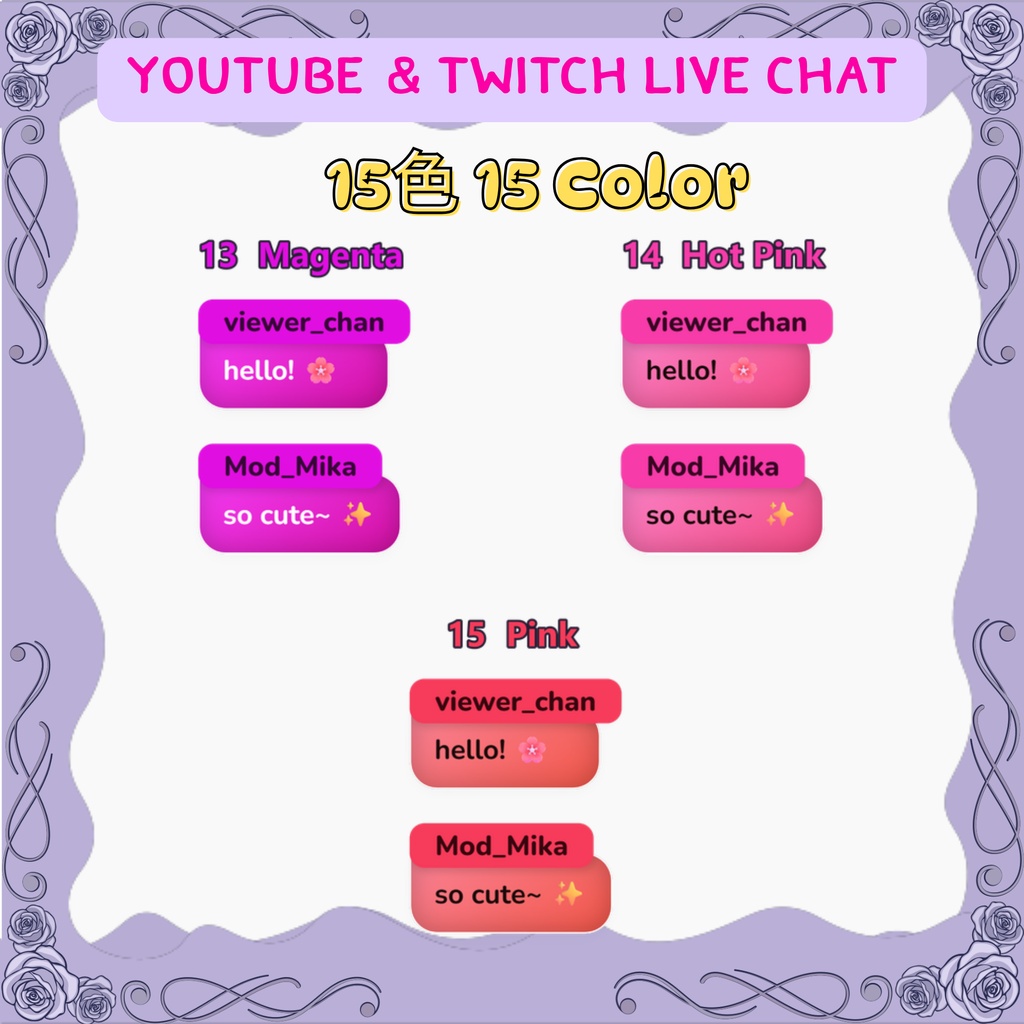
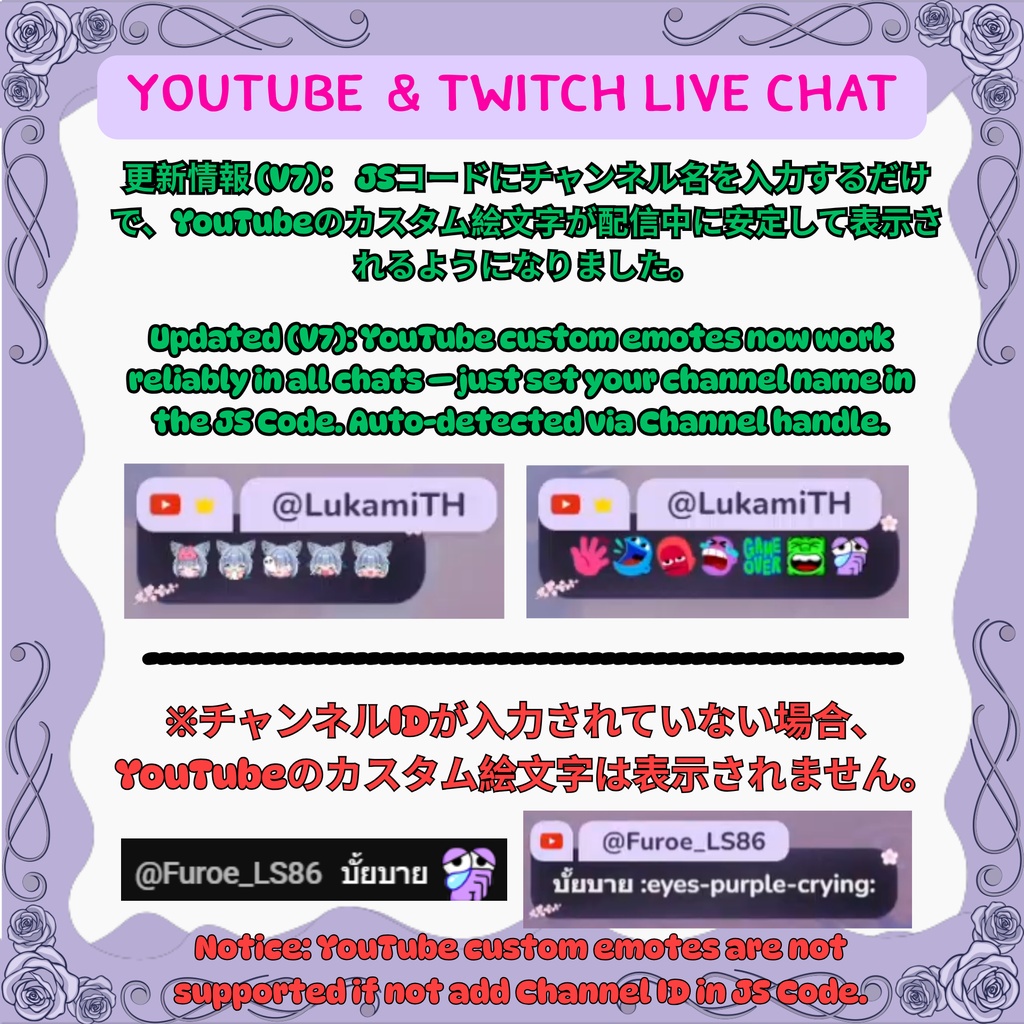
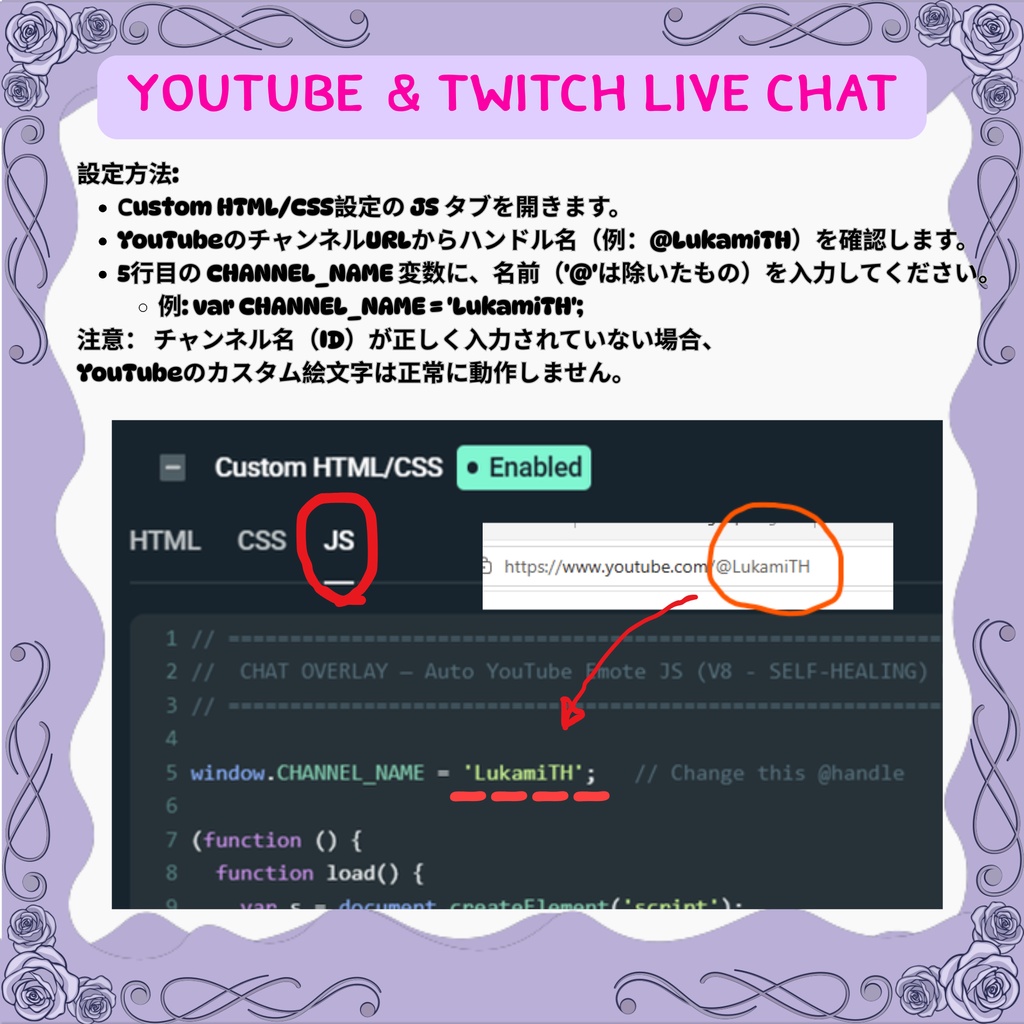
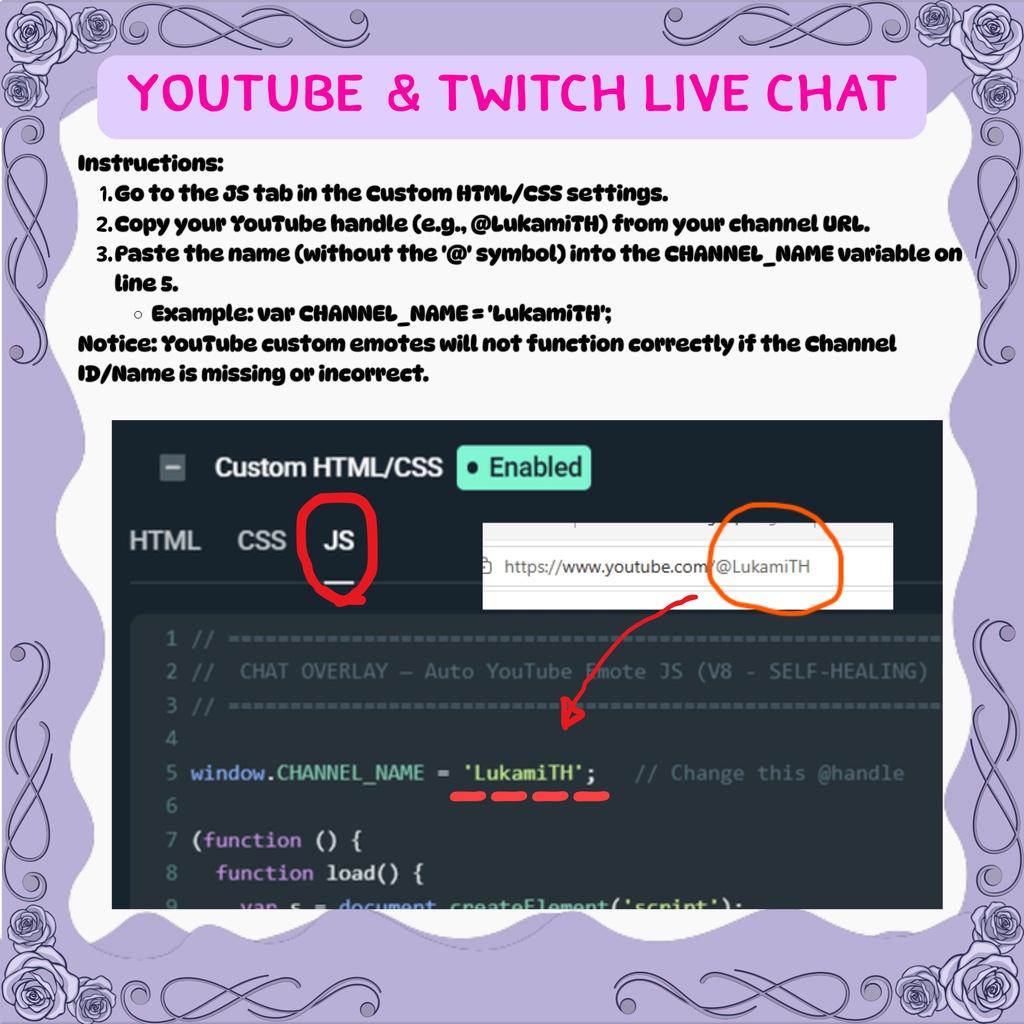


【Spectrum】15色から選べる レインボー・チャットボックス Vivid Rainbow Chat Box for VTuber & Streamer 🌈 あなたの配信カラーが、きっと見つかる 🌈 レッドからピンクまで、鮮やかな 15色 をご用意したシンプルなチャットボックスです。 余計な装飾はなく、滑らかな角丸バブルとくっきりした発色で、どんな背景・ゲーム画面にもすっきり馴染みます。 本製品は Streamlabs のチャットボックスをカスタマイズできるウィジェットです(CSS / JS を貼り付けるだけ)。 ━━━━━━━━━━━━━━━━━━━━━━━━ ⬖ 特徴・機能 ✦ 15色のカラーバリエーション(01 Red 〜 15 Pink のレインボー) ✦ Streamlabs Chatbox 専用設計:コードを貼り付けるだけで即反映 ✦ Twitch & YouTube ライブチャット対応 ✦ 角丸のぷっくりバブル + 滑らかなエントリーアニメーション ✦ 日本語・英語・絵文字 対応 ✦ YouTubeカスタム絵文字対応 💎 (※ JSコードの編集とチャンネルIDの入力が必要です) ━━━━━━━━━━━━━━━━━━━━━━━━ ⬖ 使い方(とっても簡単!) 1. Streamlabs で「チャットボックス」ウィジェットを用意 2. 付属の CSS を「カスタム CSS」に、JS を「カスタム JS」に貼り付け 3. JS 内の @ハンドルをご自分のチャンネルに変更して完了 ✨ (詳しい手順は付属の PDF をご覧ください) ━━━━━━━━━━━━━━━━━━━━━━━━ ⬖ 動作環境 ✦ Streamlabsアカウント(無料版OK) ✦ 配信プラットフォーム(YouTube / Twitch 等)と Streamlabs の連携 ✦ 対応ソフト:OBS Studio / Streamlabs OBS / Prism Live 等 ━━━━━━━━━━━━━━━━━━━━━━━━ ⬖ 内容 ・各カラー = CSS / JS / 設置説明書(PDF)/ プレビュー画像 ・15色フルセット = 全色まとめてお得に 【価格】 ・1色 ¥400 / 15色フルセット ¥1200 ━━━━━━━━━━━━━━━━━━━━━━━━ ⬖ 禁止事項 ❌ デジタル商品のため返品・返金不可 ❌ 二次配布・無断転載・自作発言は固くお断り ❌ 改変してのリバースエンジニアリング・再販売不可 ━━━━━━━━━━━━━━━━━━━━━━━━ ENGLISH ━━━━━━━━━━━━━━━━━━━━━━━━ 🌈 Spectrum — Vivid Rainbow Chat Box (15 Colors) A clean, simple chat overlay in 15 vivid colors — from Red all the way to Pink. No clutter, just smooth rounded bubbles and crisp color that sits nicely over any scene or game. This is a custom Streamlabs Chat Box widget — just paste the CSS / JS. ━━━━━━━━━━━━━━━━━━━━━━━━ ⬖ Features ✦ 15 color variations (01 Red → 15 Pink rainbow) ✦ Exclusive Streamlabs Chat Box integration — paste the code, done ✦ Works with Twitch & YouTube live chat ✦ Rounded, puffy bubbles + smooth entry animation ✦ English / Japanese / emoji supported ✦ YouTube custom emote support 💎 (Requires editing the JS + entering your Channel ID) ━━━━━━━━━━━━━━━━━━━━━━━━ ⬖ How to install (super easy!) 1. Add a "Chat Box" widget in Streamlabs 2. Paste the included CSS into "Custom CSS", the JS into "Custom JS" 3. Change the @handle in the JS to your own channel — done ✨ (Full steps in the included PDF) ━━━━━━━━━━━━━━━━━━━━━━━━ ⬖ Requirements • Streamlabs account (Free or Paid) • Streamlabs connected to your platform (YouTube / Twitch / etc.) • Compatible software: OBS Studio / Streamlabs OBS / Prism Live ━━━━━━━━━━━━━━━━━━━━━━━━ ⬖ What's included · Each color = CSS / JS / install guide (PDF) / preview image · 15-color full set = every color, bundled [Price] · 1 color ¥400 / 15-color full set ¥1200 ━━━━━━━━━━━━━━━━━━━━━━━━ ⬖ Terms ❌ Digital product — no refunds or returns ❌ Redistribution, reposting, or claiming as your own are strictly prohibited ❌ Reverse-engineering or reselling modified versions is not permitted ━━━━━━━━━━━━━━━━━━━━━━━━ 🎁 You might also like: 💎 Modern Glow Chat Box → https://lukami.booth.pm/items/8167629 🌸 Sakura Serenity Chat Box → https://lukami.booth.pm/items/8152397 🕐 Flip Clock (animated) → https://lukami.booth.pm/items/8523609 If this helps your stream shine, please ♥ and follow the shop! 🌈✨ Lukami Ch. ✦ ルカミ [Lukami Stellaz]