

VRでもデスクトップでも簡単操作で可愛く飛べる!フライングホバーシステム【MA対応・アバターギミック】
- Digital500 JPY
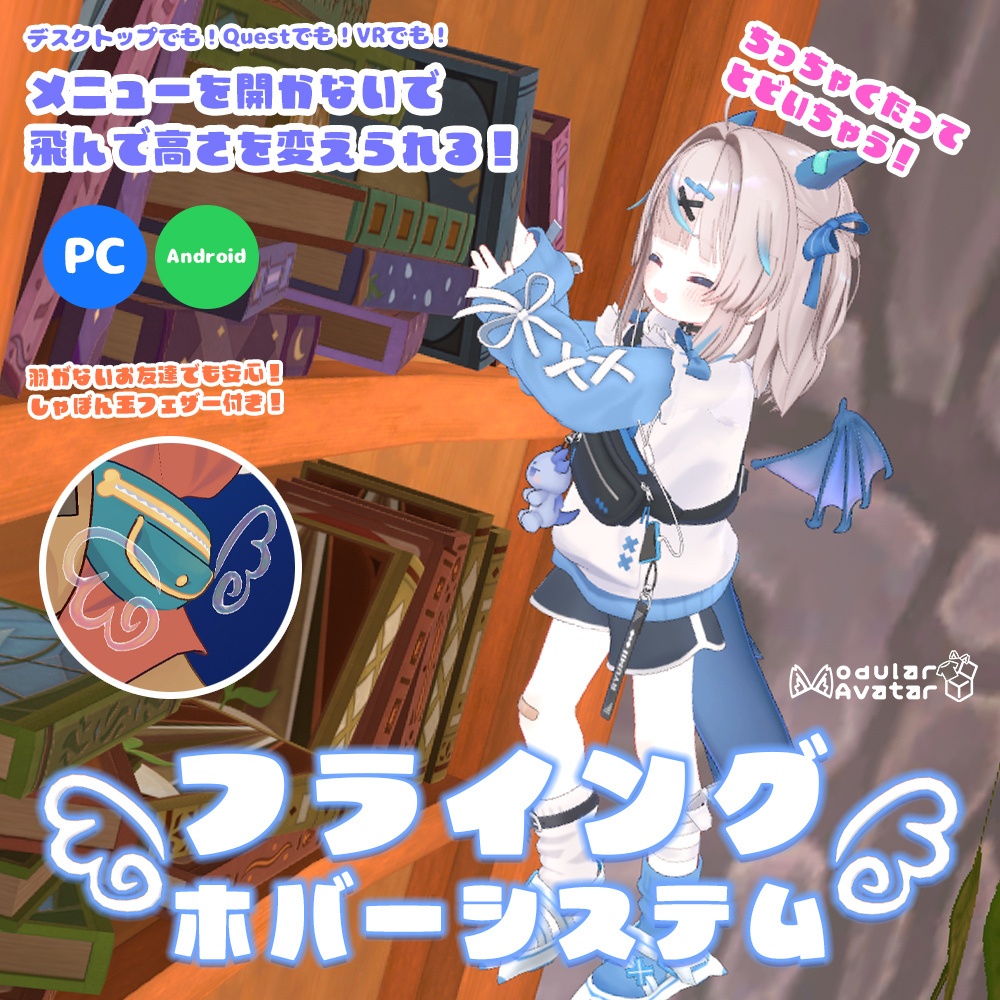
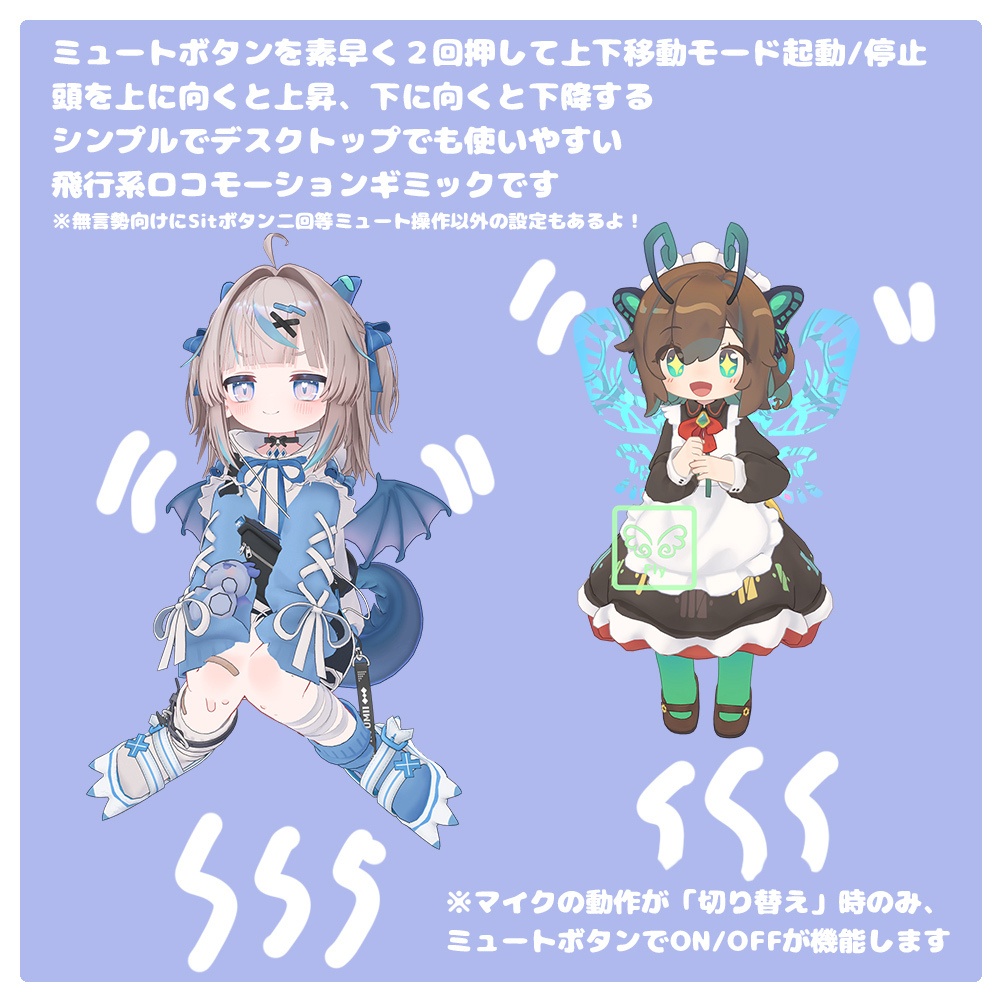
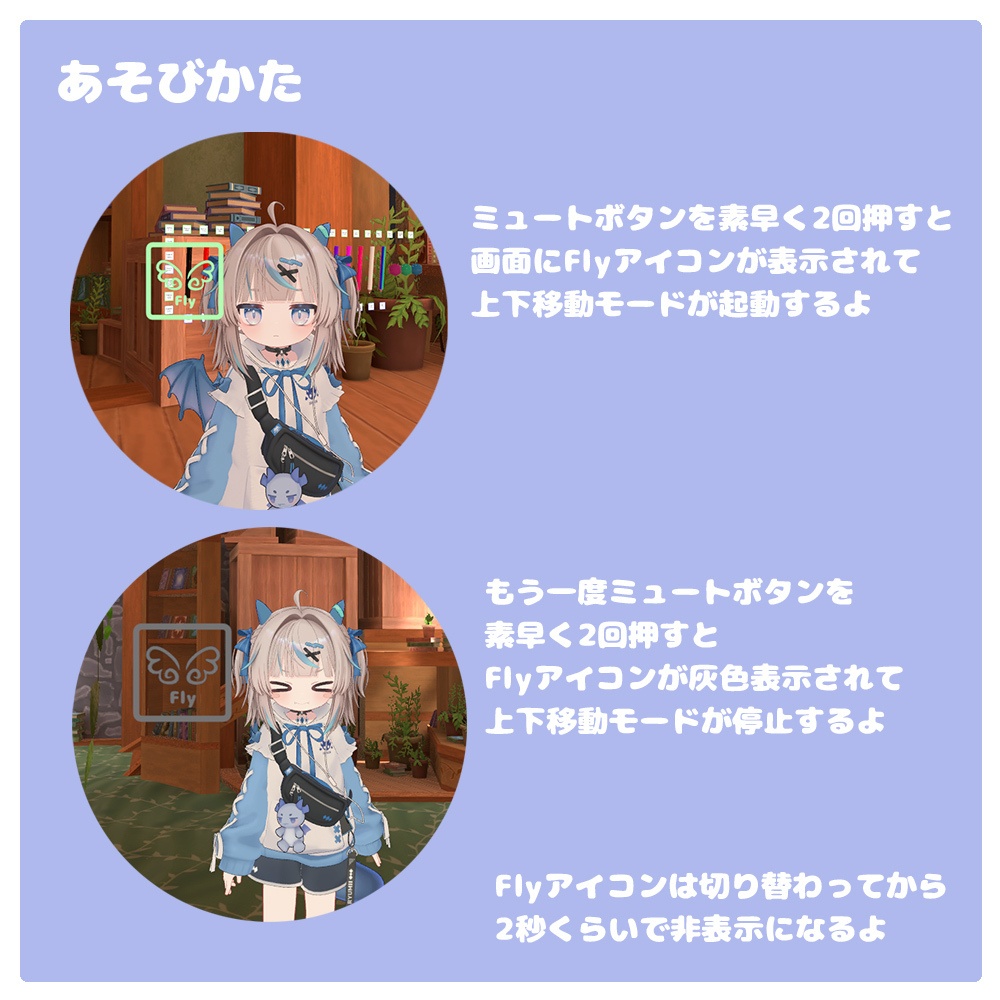
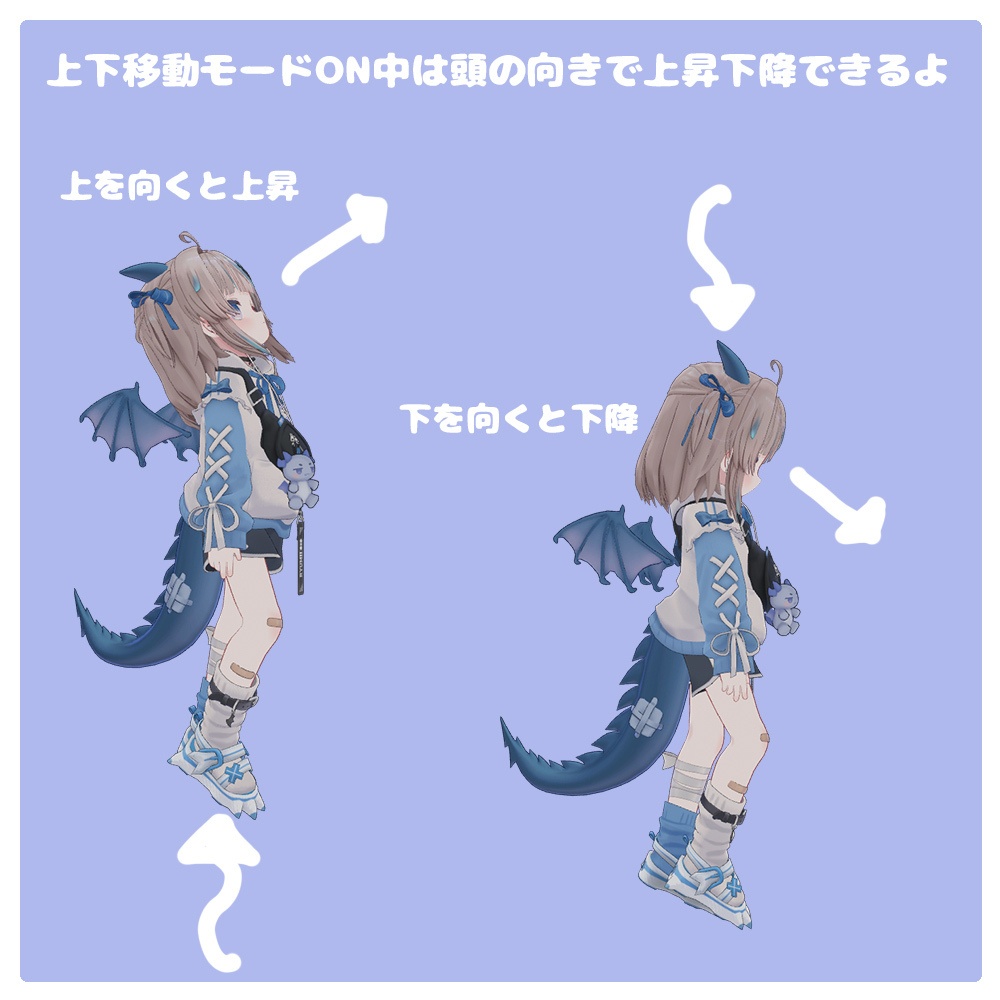
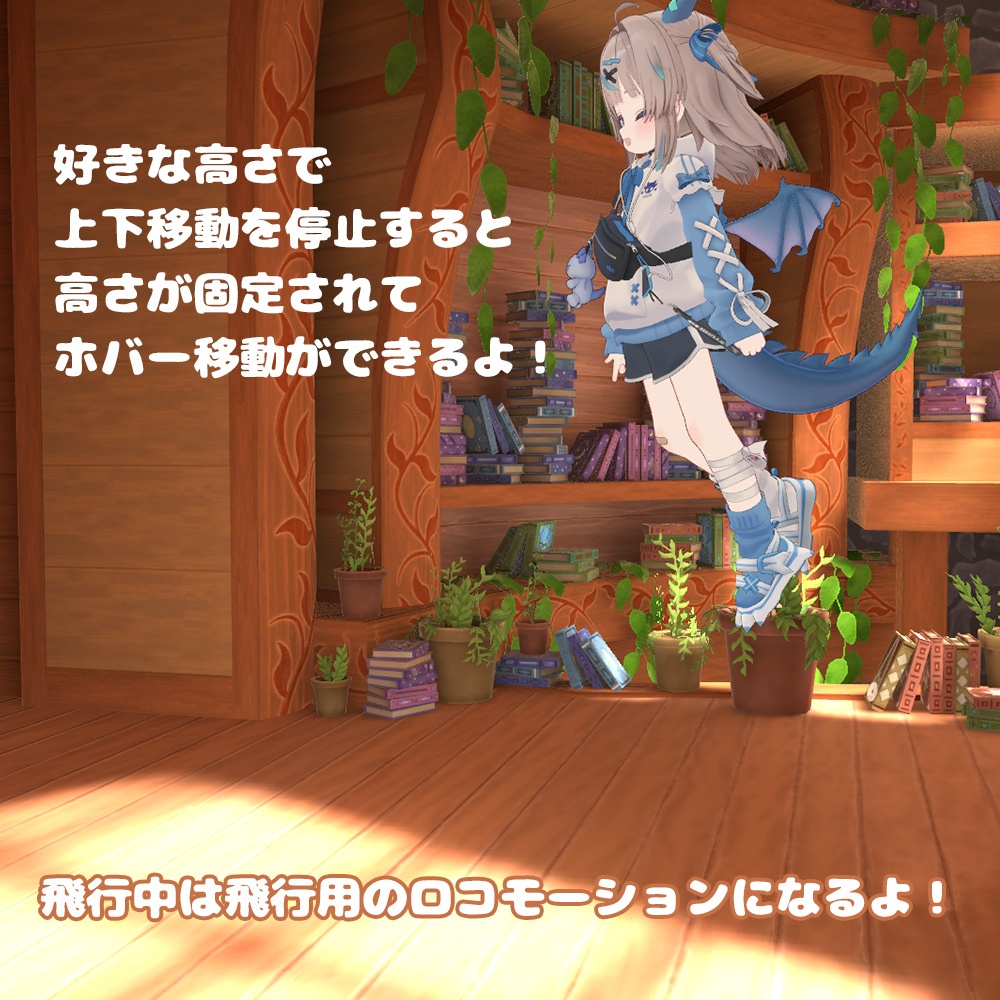
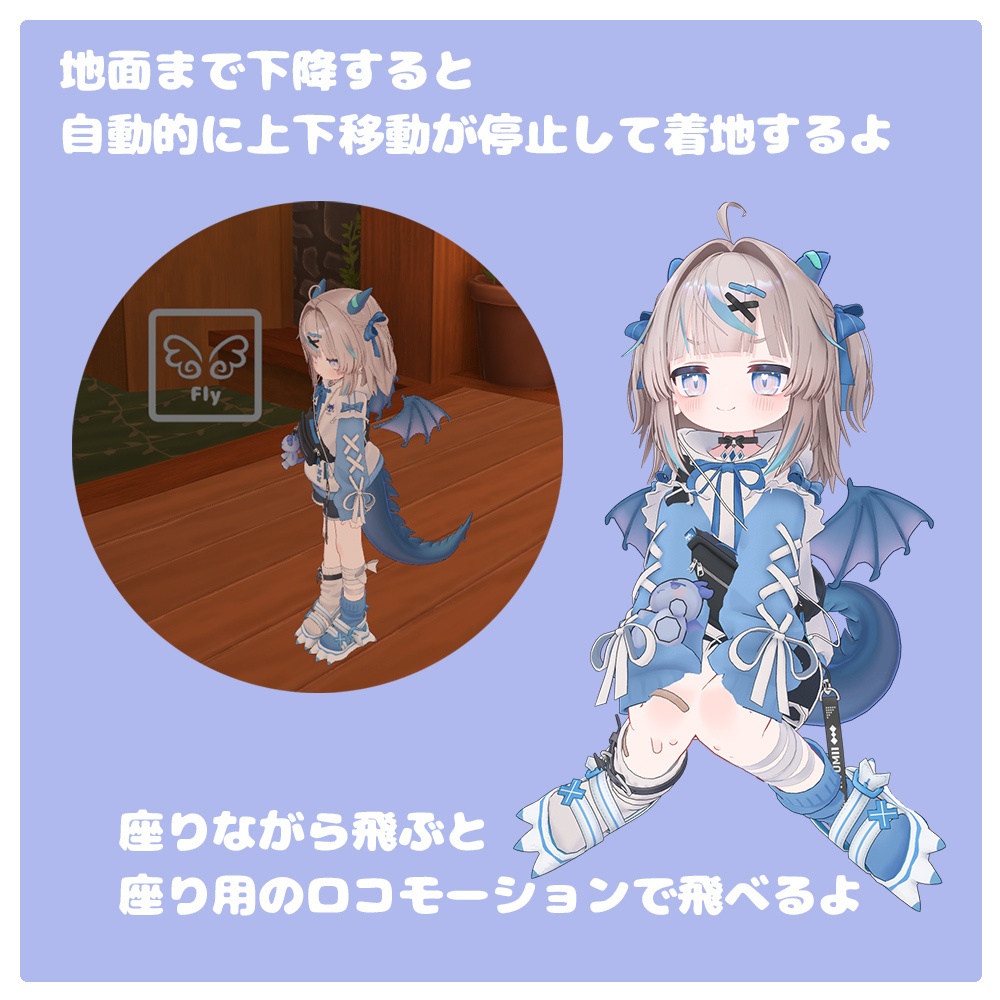
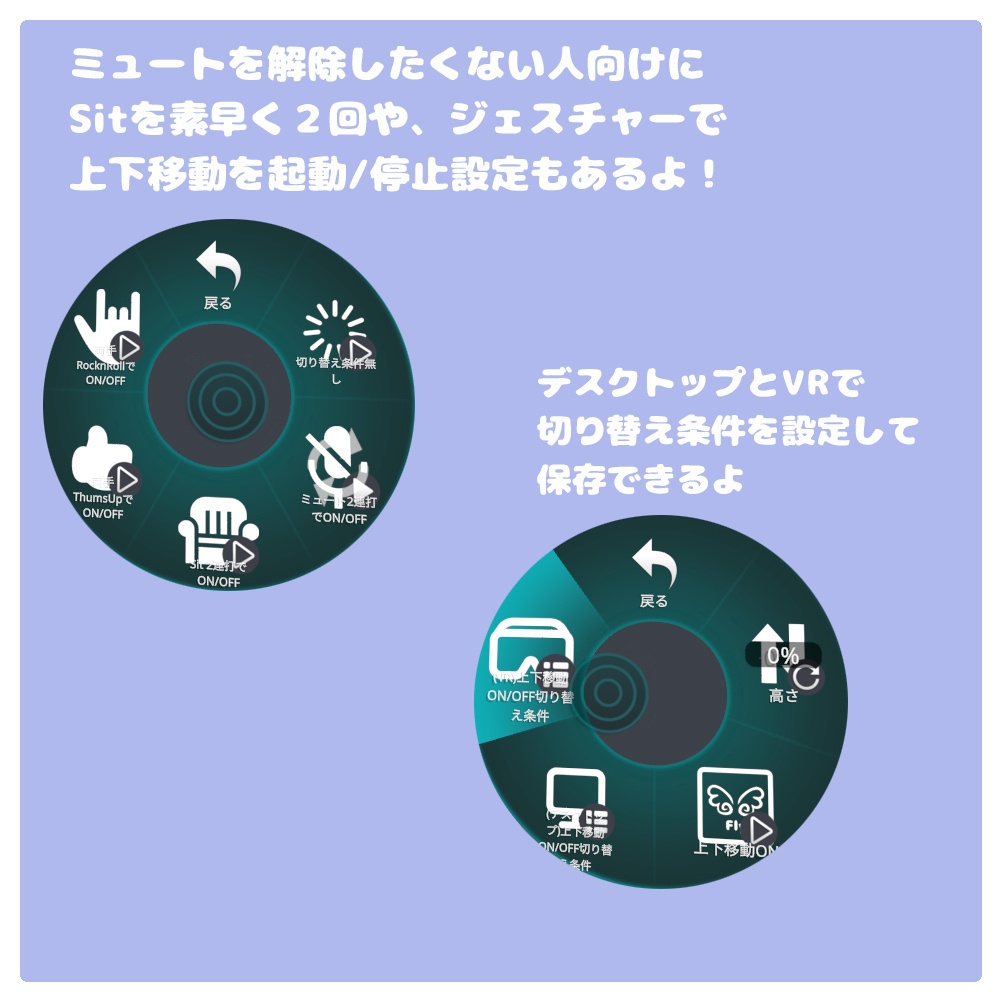
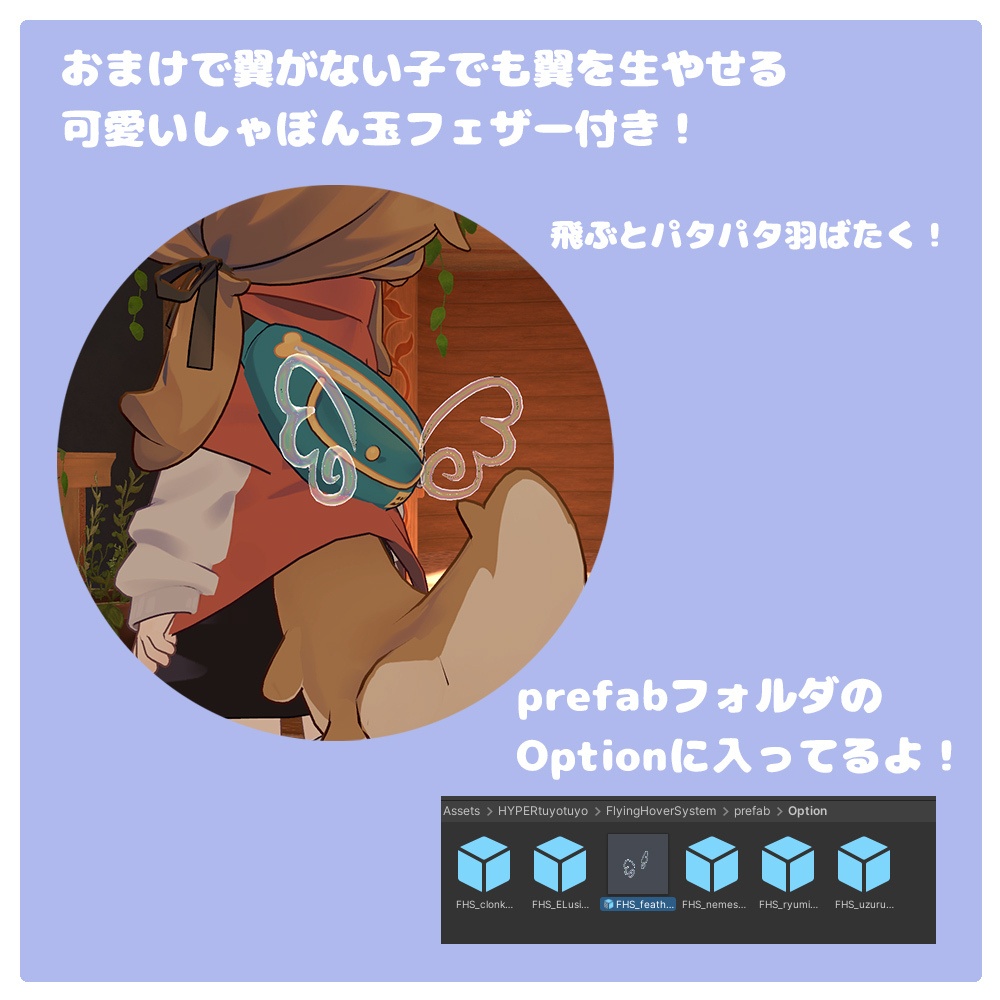


6/28までリリース記念セール中!! 6/27 Android(Quest)対応しました! ミュートボタンを2回ポチポチっと押すだけで、いつでも簡単にON!✨ 上を向くだけでふわふわ〜っと空を飛んで、高さ調整ができる! 「この高さがいいな」と思ったら、もう一度ミュートボタンを2回押すだけで、その高さに固定して移動できます 小さめなアバターでも高さ調整でVRChatがとっても快適になる、便利なロコモーションギミックです! 💡 無言勢の方向けにも! ミュートボタンを使わなくても使える【Sitボタン2回連続】や【ハンドジェスチャーモード】もご用意しています ※マイクの動作が「切り替え」時のみ、ミュートボタンでON/OFFが機能します ※アニメーションによる高さ調整な為、歩行で超えられない壁などを超える事はできません ※フルトラだと、アニメーションが上書きされてしまう為、使用する事ができません ※他のロコモーションやポーズシステムなどと競合して動作しない事がございます、動かない場合は他のギミックを外してご確認ください ※スマホで動作させる場合は、起動動作がスマホ上では難しい為、Exメニューから高さ調整を行ってください ※当システムは飛行風ロコモーションギミックです、紹介動画や画像にあるアバターや衣装などは付属していません ★導入手順(Untiy) Modular Avatarを使用していますので、以下からインストールしてください VRC SDKは3.10.3↑で動作いたします - Modular Avatar https://modular-avatar.nadena.dev/ja/ ①以下のzipファイルを開き、フォルダ内のFlyingHobberSystem.unitypackageをAssetフォルダにインポートします FlyingHobberSystem.zip ②HYPERtuyotuyo>FlyingHoverSystem>prefab内にある、FlyingHoverSystem.prefabをアバター配下に配置します FlyingHoverSystem.prefabは言語違い、Android(Quest)対応の4種類あります PC用日本語メニュー JP_FlyingHoverSystem.prefab PC用英語メニュー ENG_FlyingHoverSystem.prefab Android用日本語メニュー JP_Quest_FlyingHoverSystem.prefab Android用英語メニュー ENG_Quest_FlyingHoverSystem.prefab ③オプション要素としてFlyingHoverSystemに連動した羽ばたきギミックを導入できます prefab/optionに、FlyingHoverSystemに連動した羽アクセサリー FHS_feather.prefab が入っています (Quest用はQuest_FHS_feather.prefabをお使いください) こちらもアバター直下にいれて、好きな位置に配置してください ※Hipsに追従します また、Optionのavatar_wingsの中に アバター用の羽ばたきモーションも用意しています ・クロンカ FHS_clonka_wing_flap.prefab ・ウズルハ FHS_uzuruha_wing_flap.prefab ・エルシオン FHS_ELusion_wing_flap.prefab ・ネメシス FHS_nemesis_wing_flap.prefab ・リュミ FHS_ryumi_wing_flap.prefab ・ラグシエル FHS_ragssiel_wing_flap.prefab ・ココちゃんとポポさん FHS_Coco_and_Popo_wing_flap.prefab ・ノーチカ FHS_nochica_wing_flap.prefab こちらもアバターにデフォルトでついている各羽をいれた状態でprefabを配置すると羽ばたく事ができます ★使い方 ・ミュートボタン(デスクトップならVキー)を2回素早く押すとFlyingHoverSystemが起動します その際に画面上に緑色のFlyと書いた羽アイコンが2秒間表示されます ※マイクの動作が「切り替え」時のみ、ミュートボタンでON/OFFが機能します ※それ以外の設定の場合は、Sitで切り替えやジェスチャーで切り替えをご利用ください ・起動状態で上を向くと上昇し、下を向くと下降して高さを調整できます ・好きな高さになったら、もう一度ミュートボタンを2回素早く押すとFlyingHoverSystemが停止し高さを固定します その際に画面上に灰色のFlyと書いた羽アイコンが2秒間表示されます ・飛行中はホバー移動風のロコモーションで移動します Stand状態とSit状態の2種類のロコモーションがあります ・FlyingHoverSystem起動状態で最大まで下降すると自動的にFlyingHoverSystemが停止します ・ExメニューからFlyingHoverSystemの起動条件を変更する事ができます また起動条件はデスクトップとVRで異なる設定をすることができます Exメニューの設定場所は以下にあります [空を飛ぶ] >(デスクトップ)上下移動ON/OFF切り替え条件 >(VR)上下移動ON/OFF切り替え条件 ・ 切り替え条件無し 起動条件を無効化します、Exメニューのみで操作を行いたい場合などに ご利用ください ・ミュート2連打でON/OFF ミュートボタンを素早く2回押すとON/OFF切り替える事ができます ・Sit 2連打でON/OFF デスクトップモードのみの項目です Sitボタン(Cキー)を素早く2回押すとON/OFF切り替える事ができます ・両手ThumsUpでON/OFF 両手ThumsUpのジェスチャーをするとONになります 他のジェスチャーにするとOFFになります (デスクトップでは左Shift+F8 右Shift+F8) ・両手RocknRollでON/OFF 両手RocknRollのジェスチャーをするとONになります 他のジェスチャーにするとOFFになります (デスクトップでは左Shift+F6 右Shift+F6) ★対応アバター Humainoid系アバター ※極端に身長が高いアバターだと、動作がおかしくなる可能性があります また、以下のアバター用にFlyingHoverSystemと連動した羽ばたきモーションもご用意しています ・クロンカ https://am23ti.booth.pm/items/4256853 ・ウズルハ https://kanalia.booth.pm/items/5673586 ・ネメシス https://komainu-street.booth.pm/items/5986971 ・エルシオン https://komainu-street.booth.pm/items/6663666 ・リュミィ https://kululu3d.booth.pm/items/8393733 ・ラグシエル https://booth.pm/ja/items/4472191 ・ココちゃんとポポさん https://booth.pm/ja/items/6857753 ・ノーチカ https://booth.pm/ja/items/7363489 羽ばたきモーションを他のアバターでも自作したい場合、 FHS_height_global_Float のfloatパラメーターをGreater 0で羽ばたきモーションを適応 less 0.01で羽ばたきOFF というアニメーションを組む事で羽ばたく事ができます HYPERtuyotuyo>FlyingHoverSystem>animation>Fx>Feather>FHS_Feather.controllerに羽ばたく用のコントローラーがございますので こちらをご参照ください ★内容 FryingHobberSystem 使用パラメーター数 8ビット テクスチャ1 マテリアル1 羽アクセサリーポリゴン △1976 ボーン5 マテリアル1 アイコン SVG Repo https://www.svgrepo.com/ シェーダー2 BubbleShader https://github.com/sigmal00/BubbleShader ScreenUIシェーダー ※生成AI使用( Claudeで生成 ) ★利用規約・免責事項・アセット使用ガイドライン VN3ライセンス https://www.vn3-portal.org/ をベースに、はいぱーつよつよが独自の条件を加えて拡張した規約です。 購入前に利用規約をご覧ください https://hyper-tuyotuyo.com/terms アセット使用する際に守って頂きたいガイドラインを記載しています こちらも合わせてご覧ください https://hyper-tuyotuyo.com/guidelines ★撮影ワールド 【VRchat対応ワールド】Atelier https://booth.pm/ja/items/5605173 ★Version 2026/7/23 V1.5 特殊なheadボーンの構造にも対応できるように修正しました 2026/6/27 v1.4 Android対応しました、ココちゃんポポさんとラグシエルの羽ばたきを調整しました 2026/6/25 v1.3 AFKまたはStation時、フライングホバーシステムがリセットされるように調整しました 2026/6/23 v1.2 ラグシエル、ココちゃんとポポさん、ノーチカの羽ばたきオプションを追加しました 2026/6/23 v1.1 一部のアニメーションがNoneになってしまっていたのを修正しました 2026/6/22 v1.0 リリース
English Description
Just a quick double-tap of the mute button, and you're ready to fly! ✨ Simply look up to float up into the air and adjust your height seamlessly! When you find the perfect height, just double-tap the mute button again to lock your position right there! 📌 This is a super convenient locomotion gimmick that makes VRChat incredibly comfortable, especially for smaller avatars! 💡 Perfect for Mute Players too! Don't want to use the mute button? No problem! We also include alternative activation methods such as [Double-Tap Sit Button] and [Hand Gesture Modes]. ⚠️ Important Notes: Since this system uses animation to adjust height, you cannot fly over walls or obstacles that you normally cannot walk through. This gimmick cannot be used with Full-Body Tracking (FBT), as FBT will override the animations. It may conflict with other locomotion systems or playspace/pose systems. ★ Installation Steps (Unity) This system uses Modular Avatar. Please make sure it is installed beforehand. Compatible with VRC SDK 3.10.3 or higher. Modular Avatar: https://modular-avatar.nadena.dev/ja/ Open the zip file and import FlyingHobberSystem.unitypackage into your Unity project's Asset folder. Filename: FlyingHobberSystem.zip Locate the prefabs under HYPERtuyotuyo > FlyingHoverSystem > prefab and place the appropriate prefab under your avatar's hierarchy. We offer two language versions: Japanese Menu: JP_FlyingHoverSystem.prefab English Menu: ENG_FlyingHoverSystem.prefab [Optional] You can add a wing-flapping gimmick that syncs with the system. Under prefab/option, you will find a wing accessory prefab: FHS_feather.prefab. Place this directly under your avatar and adjust it to your preferred position. (It is set to follow the Hips bone). We also provide pre-configured wing-flapping motion prefabs for specific avatars: Clonka: FHS_clonka_wing_flap.prefab Uzuruha: FHS_uzuruha_wing_flap.prefab ELusion: FHS_ELusion_wing_flap.prefab Nemesis: FHS_nemesis_wing_flap.prefab Ryumi: FHS_ryumi_wing_flap.prefab By placing these prefabs with the avatar's default wings included, they will automatically flap when you fly. ★ How to Use To Activate: Quickly double-tap the Mute button (or the V key on Desktop). A green wing icon with the text "Fly" will appear on your screen for 2 seconds. To Adjust Height: While active, look up to rise and look down to descend. While flying, you will move using a hover-style locomotion. We provide two types of locomotion states: Standing and Sitting. To Lock Height: Once you reach your desired height, quickly double-tap the Mute button again to turn the system off and lock your height. A gray wing icon with the text "Fly" will appear on your screen for 2 seconds. Auto-Shutoff: If you descend to the lowest possible height while the system is active, it will automatically turn off. ⚙️ Ex Menu Settings You can change the activation triggers via the Expression Menu. You can also set different triggers for Desktop and VR modes. Find the settings here: [Flying] [ (desktop)Vertical Movement Toggle Conditions ] [ (VR)上下移動ON/OFF切り替え条件 ] No Toggle Conditions Disables shortcut triggers. Use this if you only want to operate the system via the Ex Menu. Double-Tap Mute Double-tap the mute button to toggle ON/OFF. Double-Tap Sit (Desktop only) Double-tap the Sit button (C key) to toggle ON/OFF. Both Thumbs Up Make a Thumbs Up gesture with both hands to turn ON. Change to any other gesture to turn OFF. (Desktop: Left Shift+F8 + Right Shift+F8) Both Rock n' Roll Make a RocknRoll gesture with both hands to turn ON. Change to any other gesture to turn OFF. (Desktop: Left Shift+F6 + Right Shift+F6) ★ Compatible Avatars Designed for Humanoid avatars. Note: It may not function correctly on extremely tall avatars. We also offer customized wing-flapping motions synced with the FlyingHoverSystem for the following avatars: Clonka: https://am23ti.booth.pm/items/4256853 Uzuruha: https://kanalia.booth.pm/items/5673586 Nemesis: https://komainu-street.booth.pm/items/5986971 ELusion: https://komainu-street.booth.pm/items/6663666 Ryumi: https://kululu3d.booth.pm/items/8393733 💡 Creating your own wing-flapping motion for other avatars: You can create a custom animation using the float parameter FHS_height_global_Float. Set the flapping animation to apply when the parameter is Greater than 0, and turn it OFF when it is Less than 0.01. For reference, please check the controller located at: HYPERtuyotuyo > FlyingHoverSystem > animation > Fx > Feather > FHS_Feather.controller. ★ Product Contents FlyingHoverSystem: VRChat Parameters: 8 bits Textures: 1 Materials: 1 Wing Accessory: Polygons: △1,976 Bones: 5 Materials: 1 Icons: SVG Repo: https://www.svgrepo.com/ Shaders Used: BubbleShader: https://github.com/sigmal00/BubbleShader ScreenUI Shader (Generated using AI / Claude) ★ Terms of Use, Disclaimer, and Guidelines This license is based on the VN3 License (https://www.vn3-portal.org/) and extended with original terms by HYPERtuyotuyo. Please read the terms of use before purchasing: 👉 https://hyper-tuyotuyo.com/terms Please also check our asset usage guidelines to ensure proper use: 👉 https://hyper-tuyotuyo.com/guidelines