
🐾 Pawlette|かわいいきせかえデスクトップウィジェット【Windows対応】
- Digital1,480 JPY
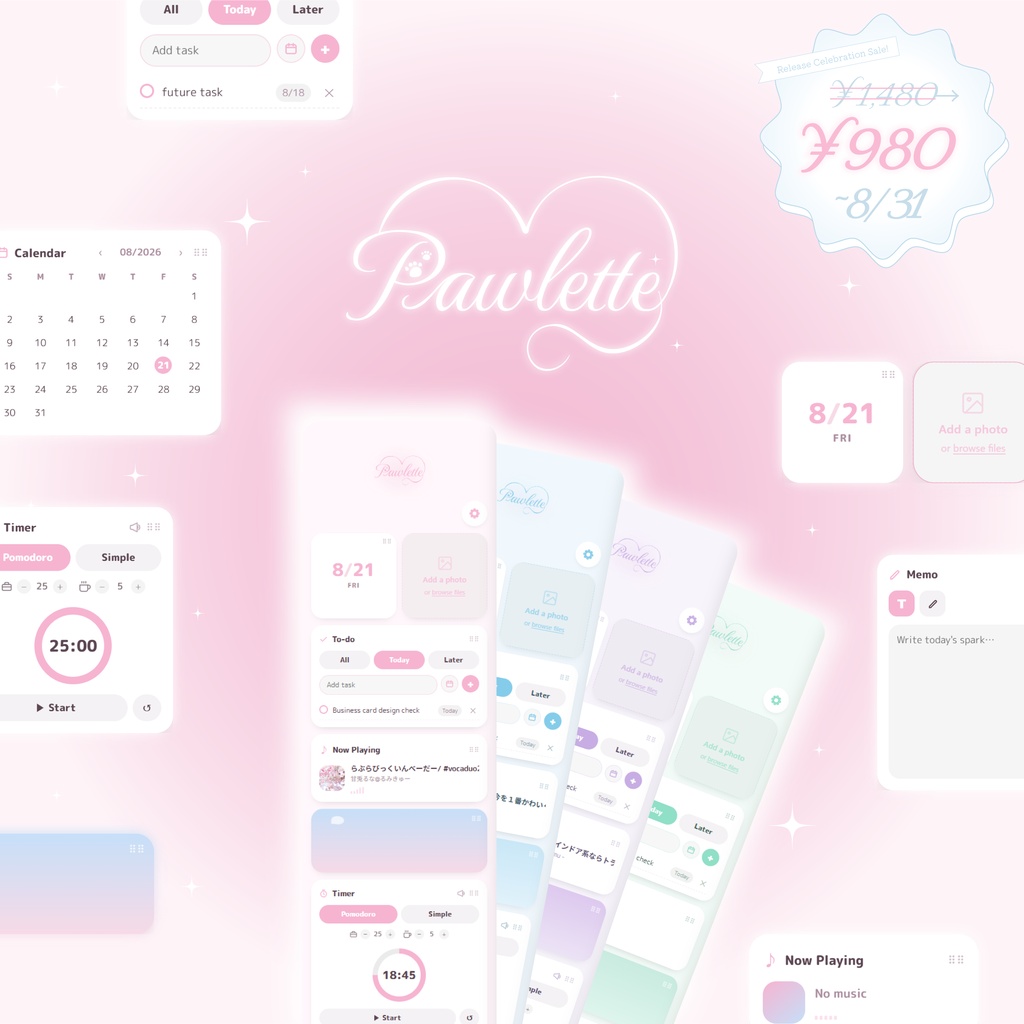
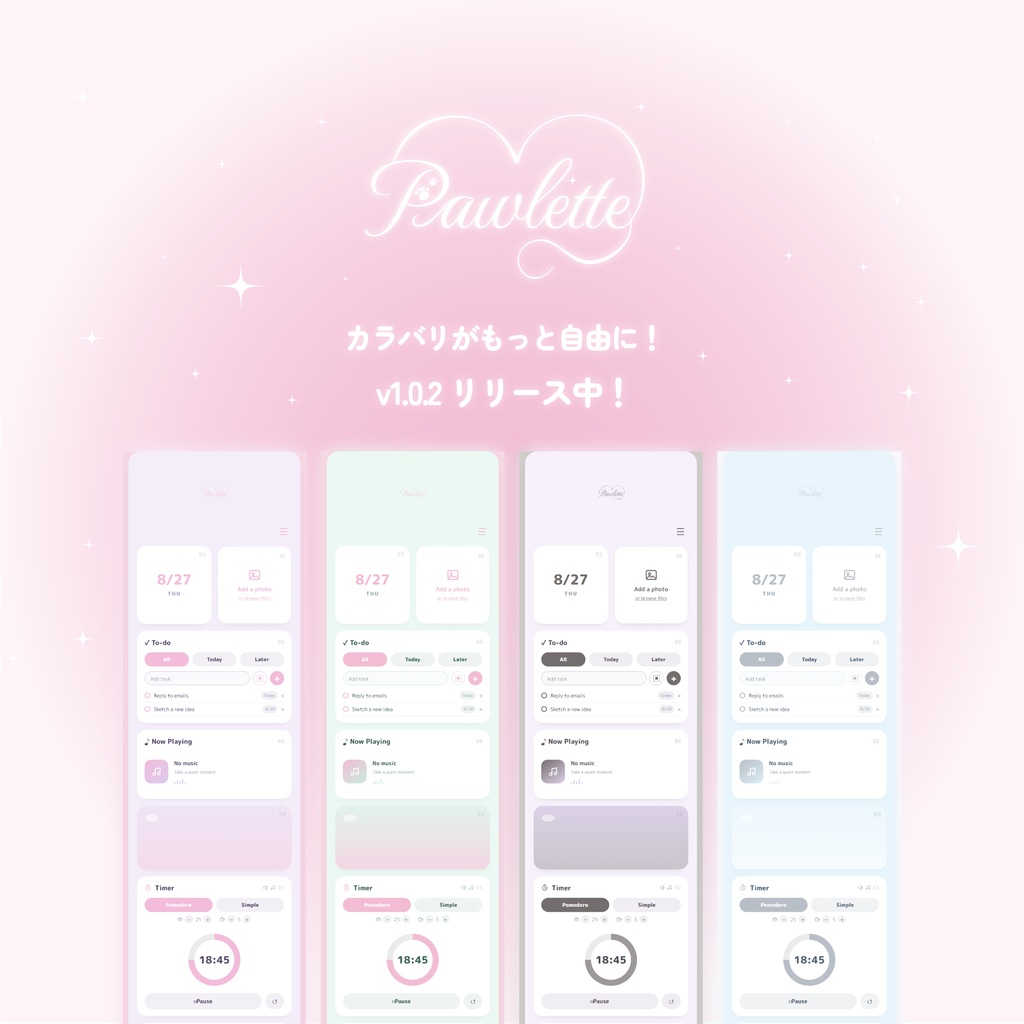
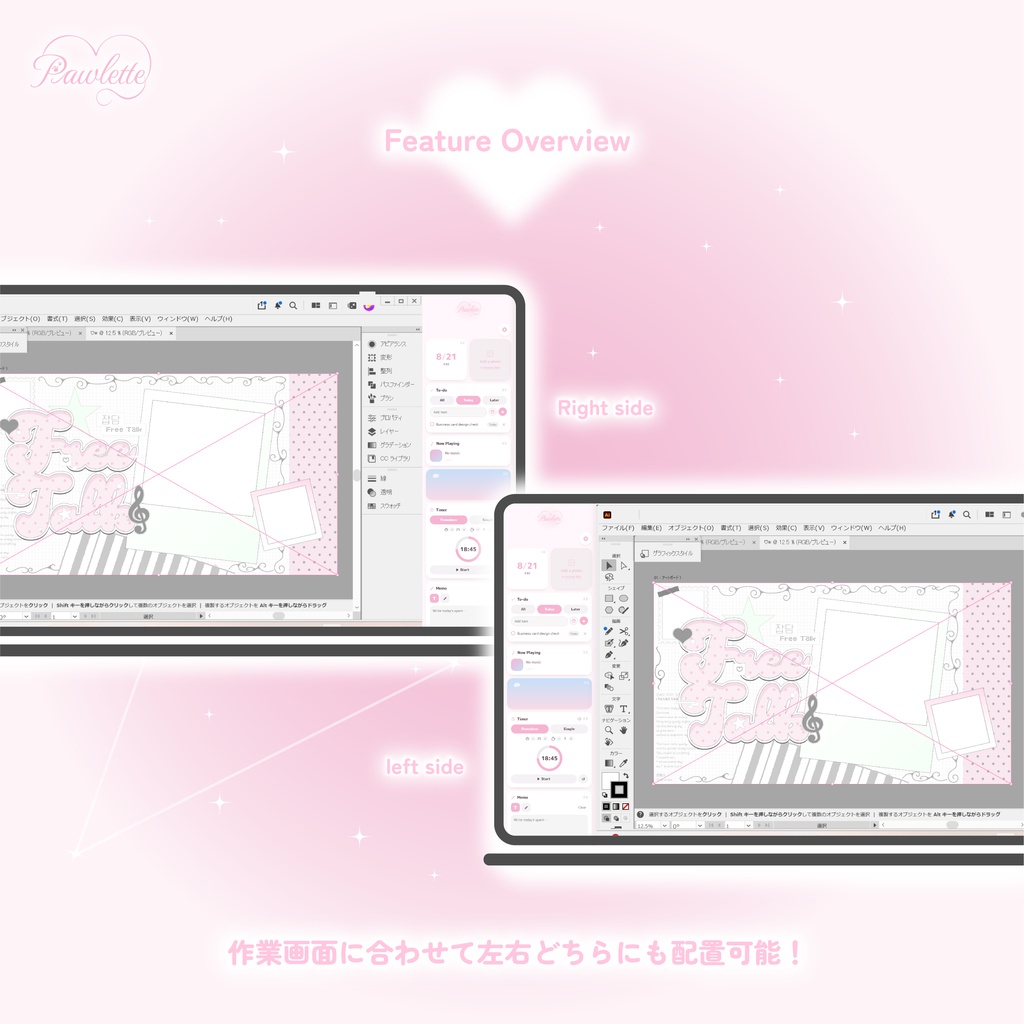
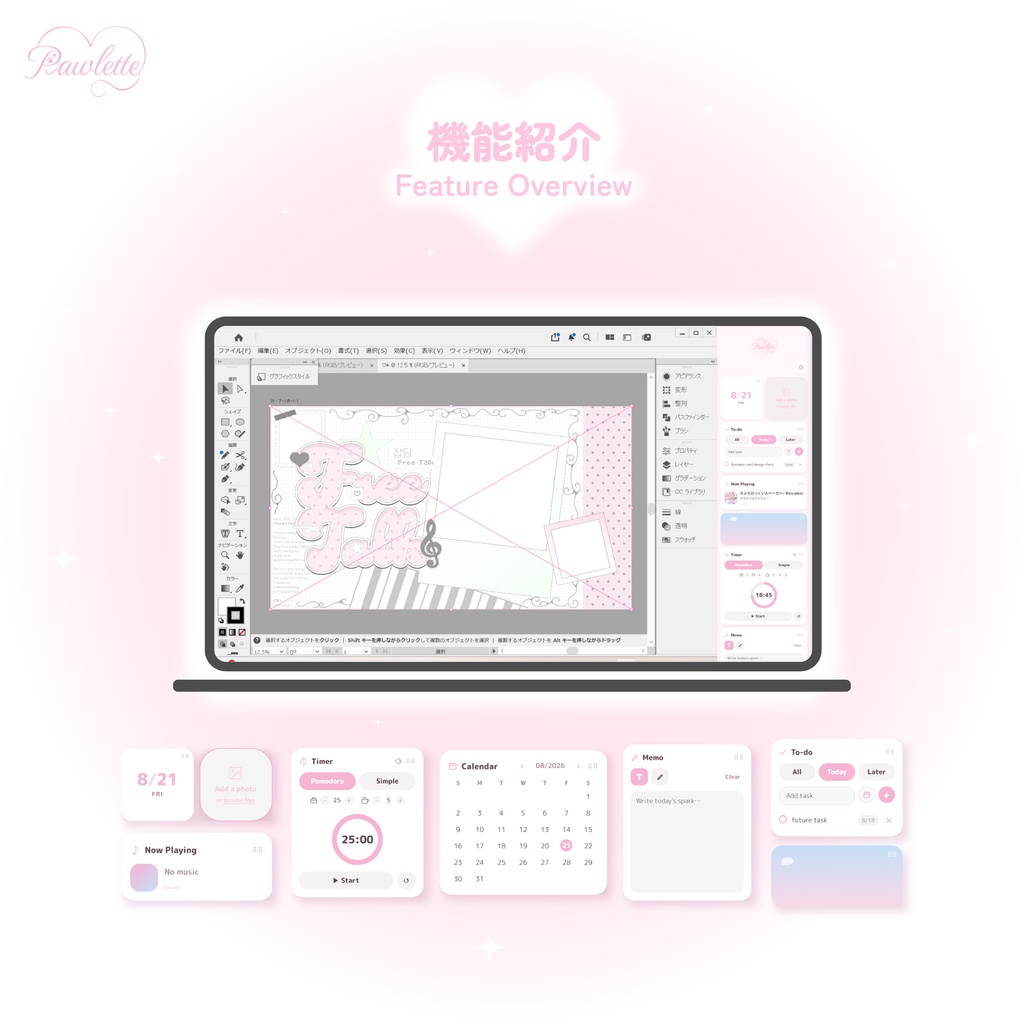
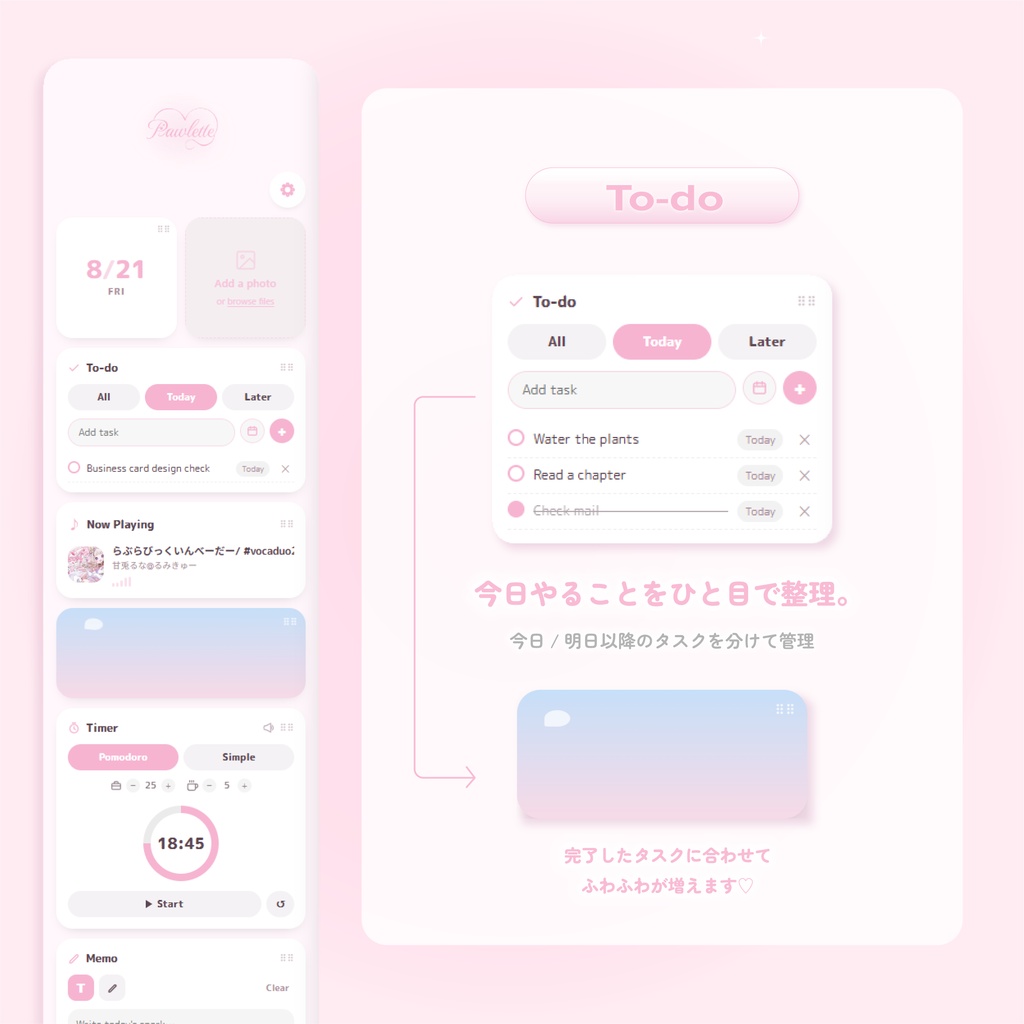
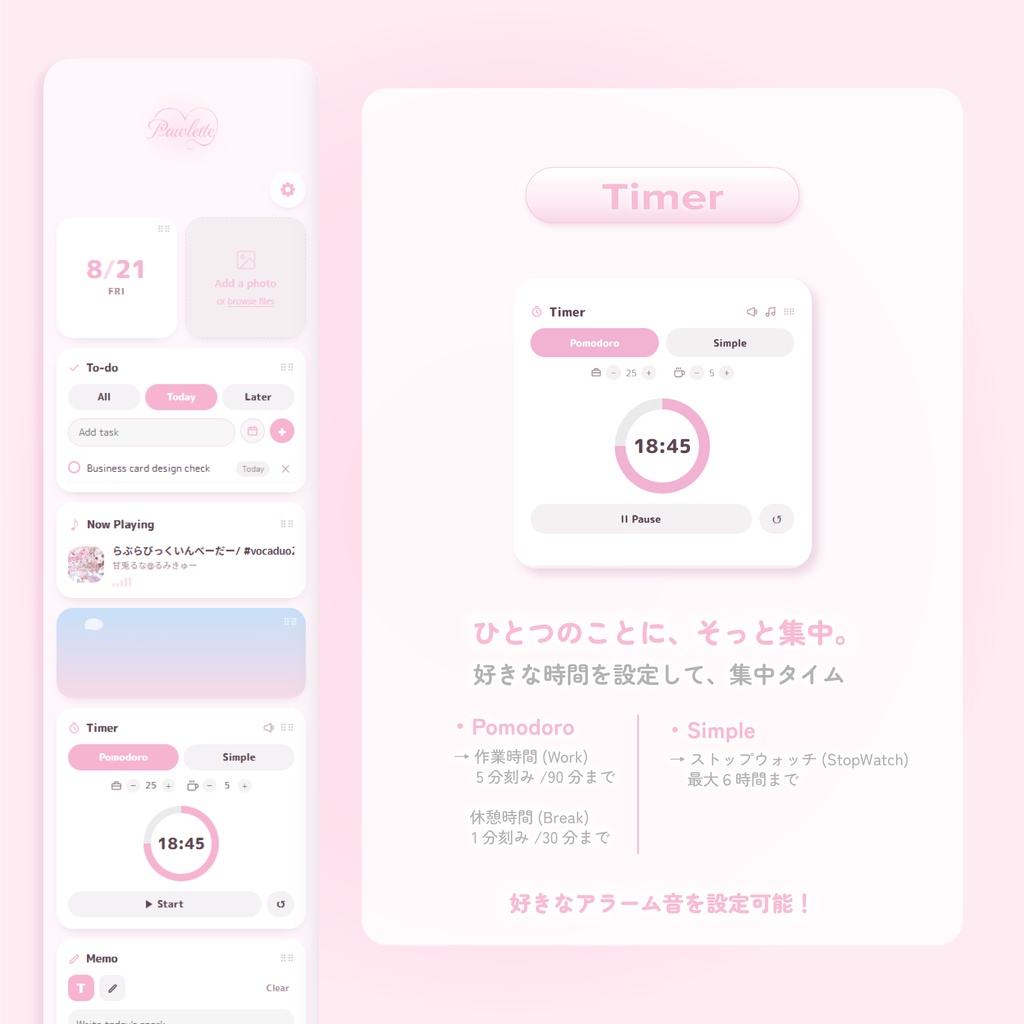
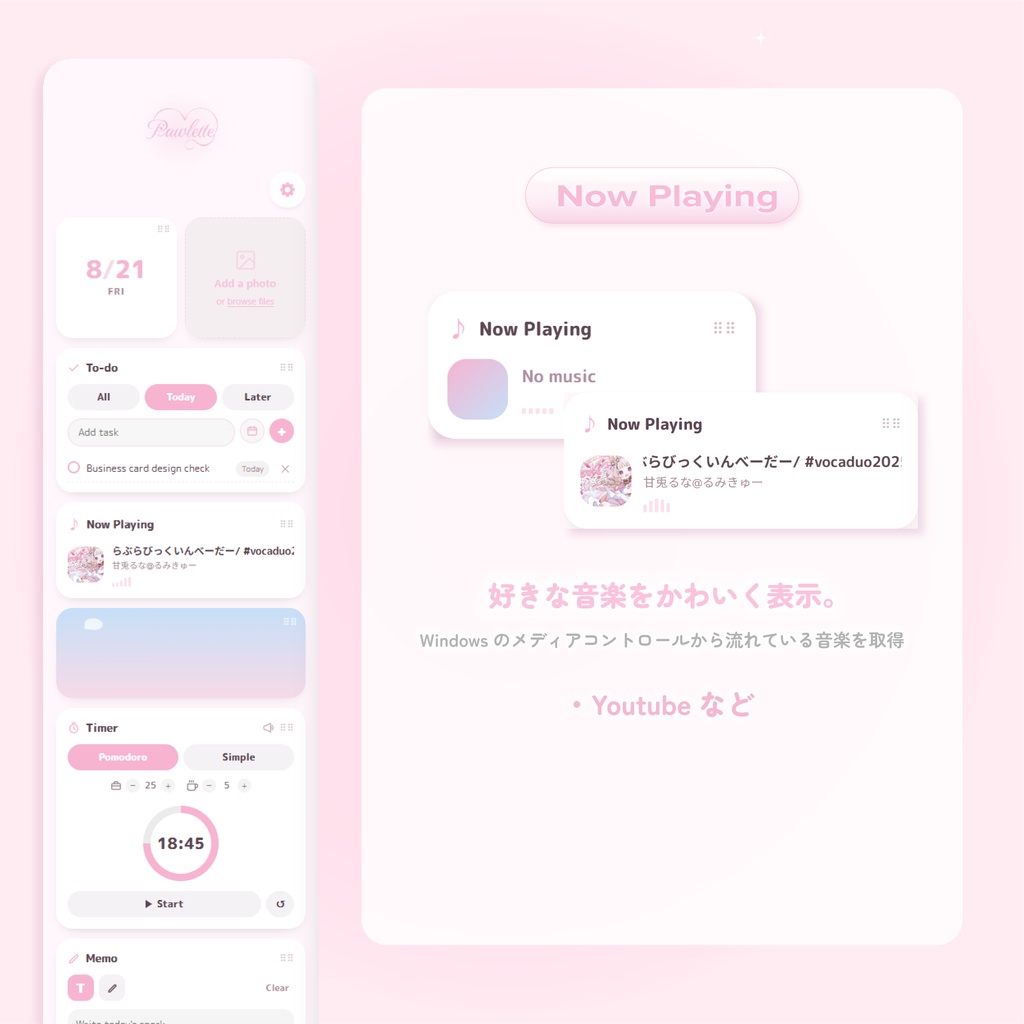
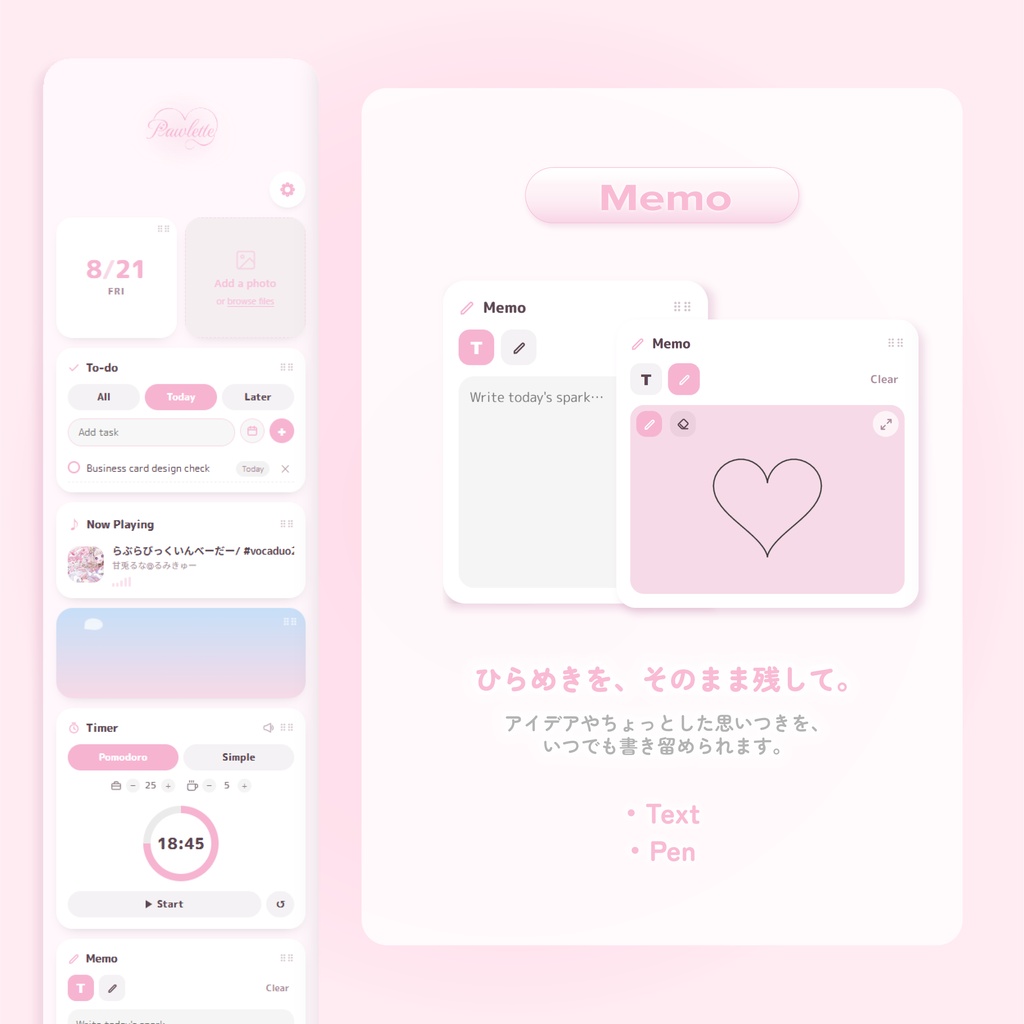
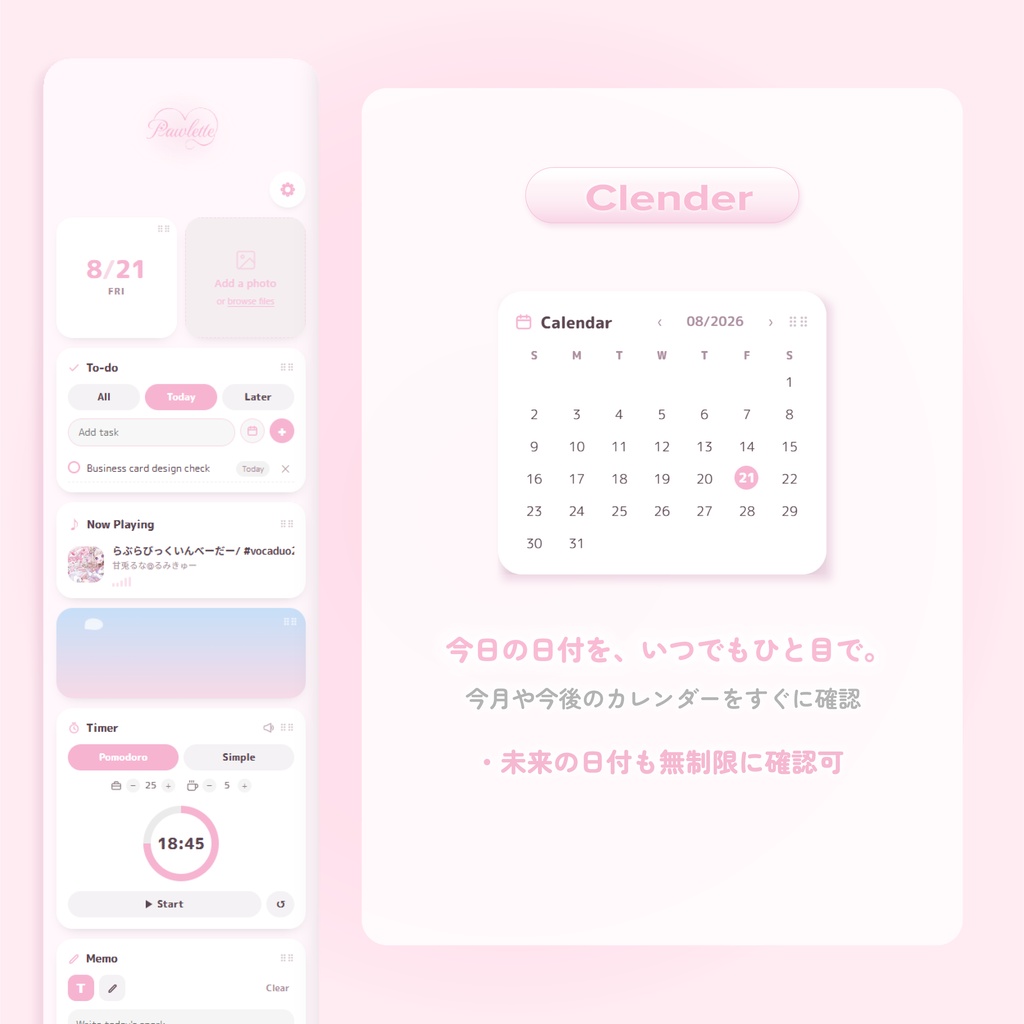
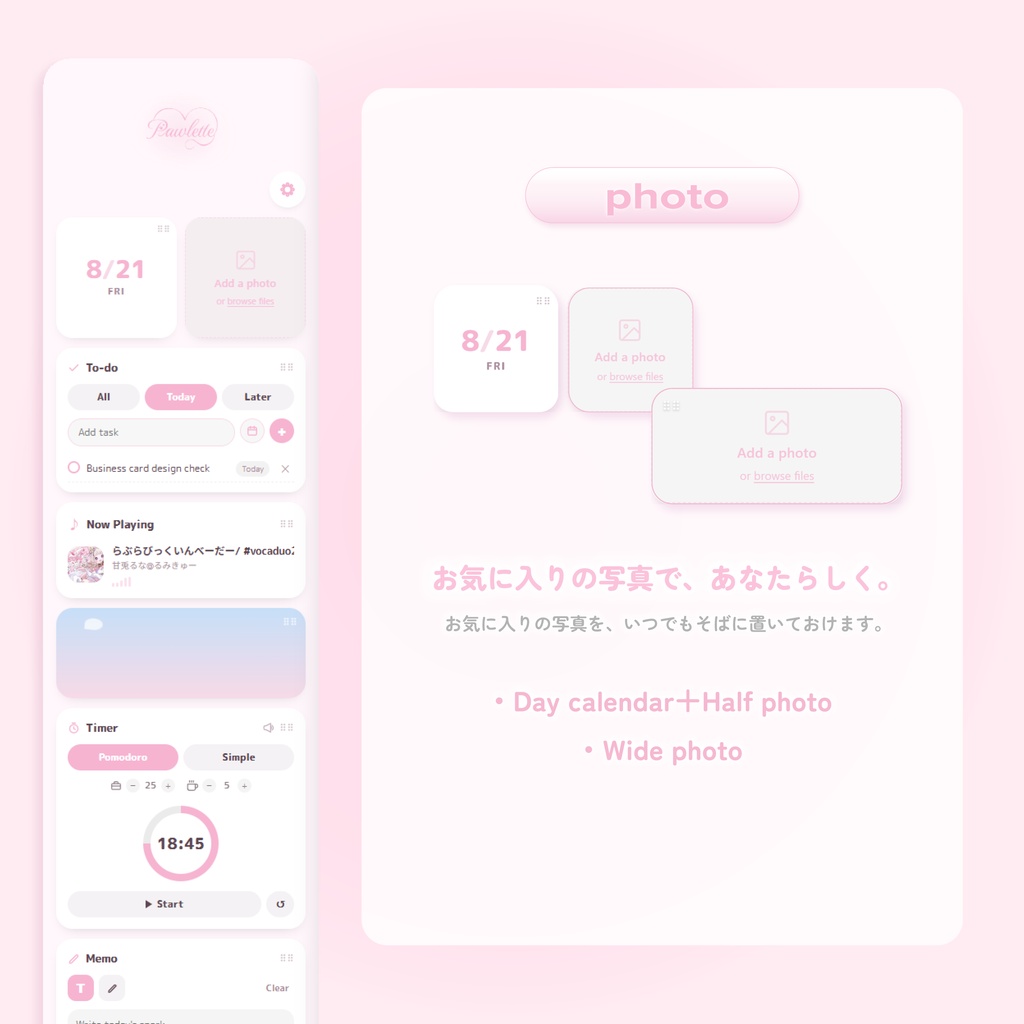


Pawlette(パウレット) 🐾×🎨 v1.0.2(2026/08/26)リリース! -タイマーの音を選択可能に! -photoにGIFを入れれるように!(8MB以下) -Frameless切り替えボタンの実装! -その他細かなバグやエラー修正 ※Youtubeの背景を変える機能はございません There is no feature to change the YouTube background. 作業画面と縦に並べて使える常駐型デスクトップウィジェットアプリです💻 あなたらしい、お気に入りの画面を作れます◝✩ ⭐️⸝推しポイント ・かわいい好きなデザイナーがつくった 世界一かわいいウィジェットアプリ! ・作業画面の左右どちらにもおける、 じゃまにならない縦長サイズ! ・全8色のカラバリをボタン1つで切り替え! (今後も増えます!) ・1回の購入でずっと使える! ※アプリ内の表示(ボタン名など)はすべて英語表記です。操作はシンプルなので、迷わずご利用いただけます
ꔫ Pawletteでできることꔫ
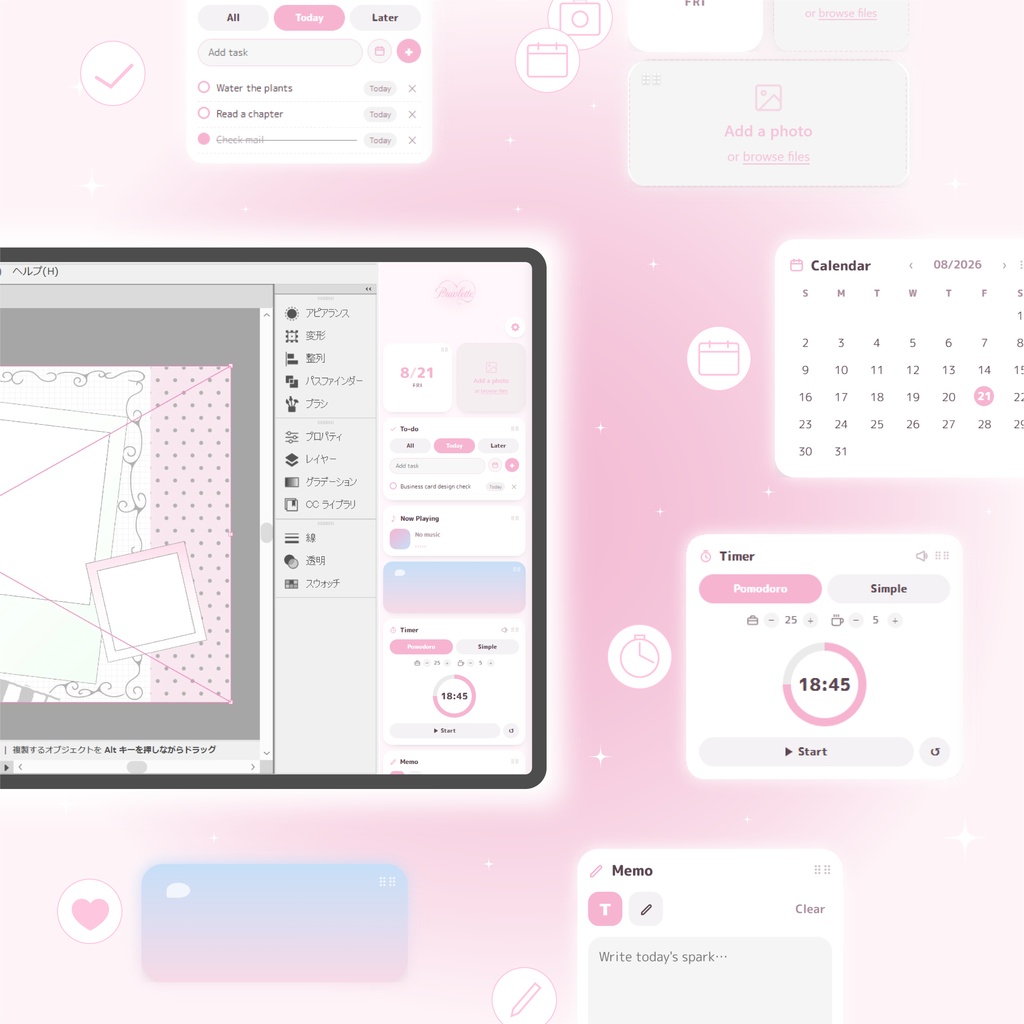
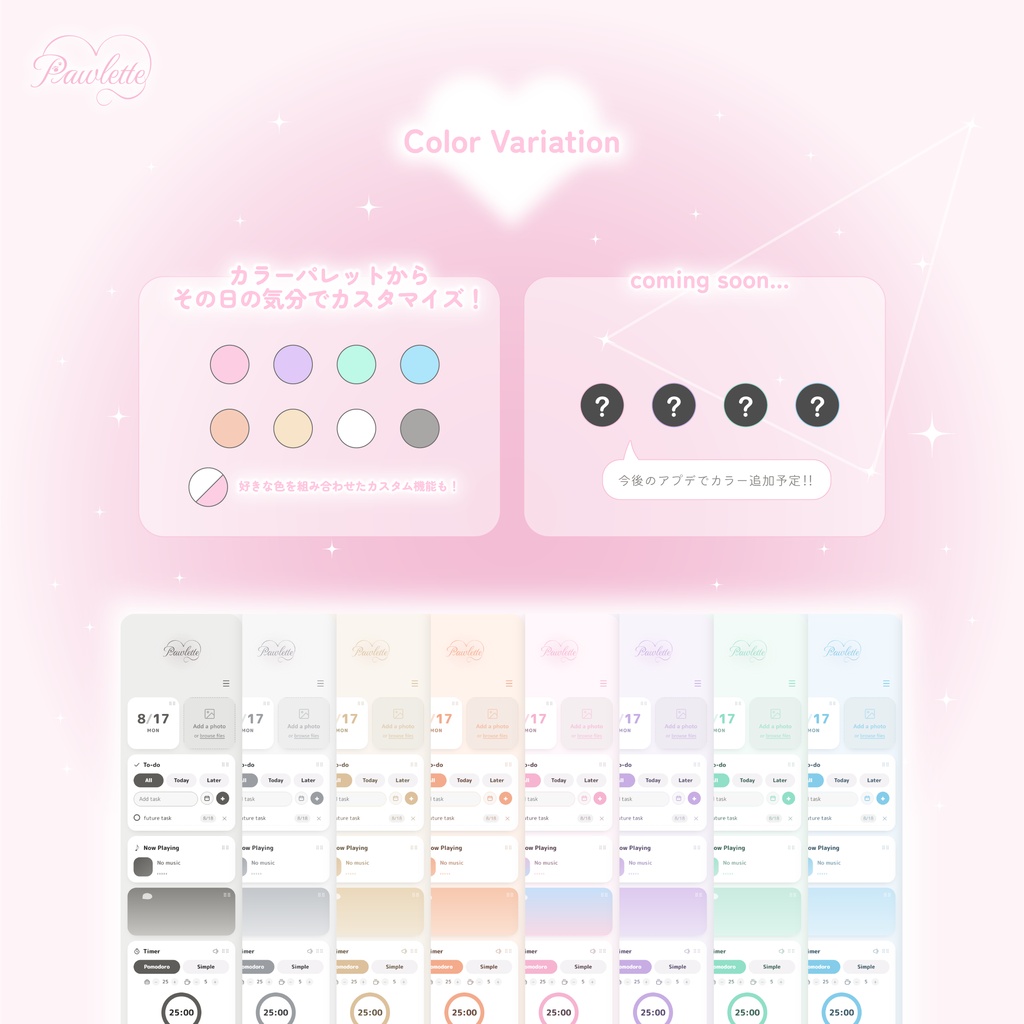
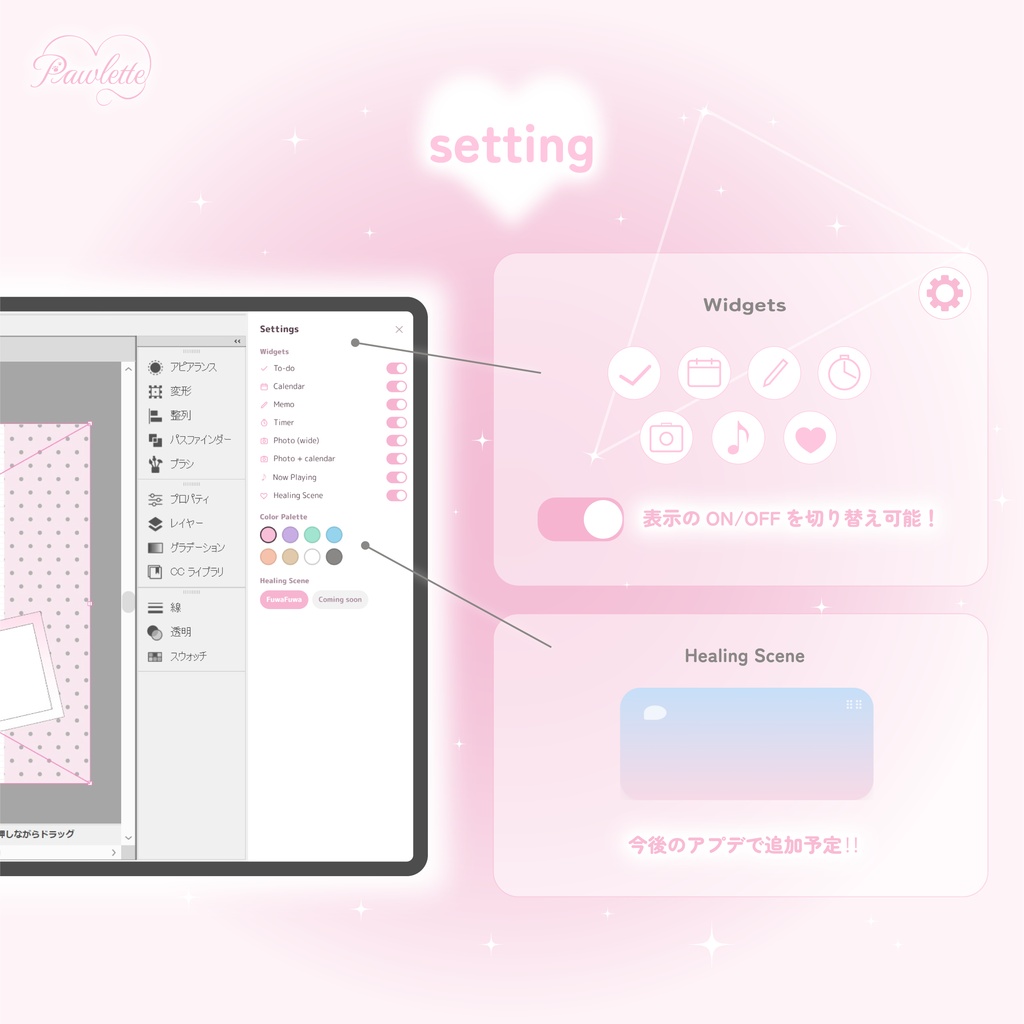
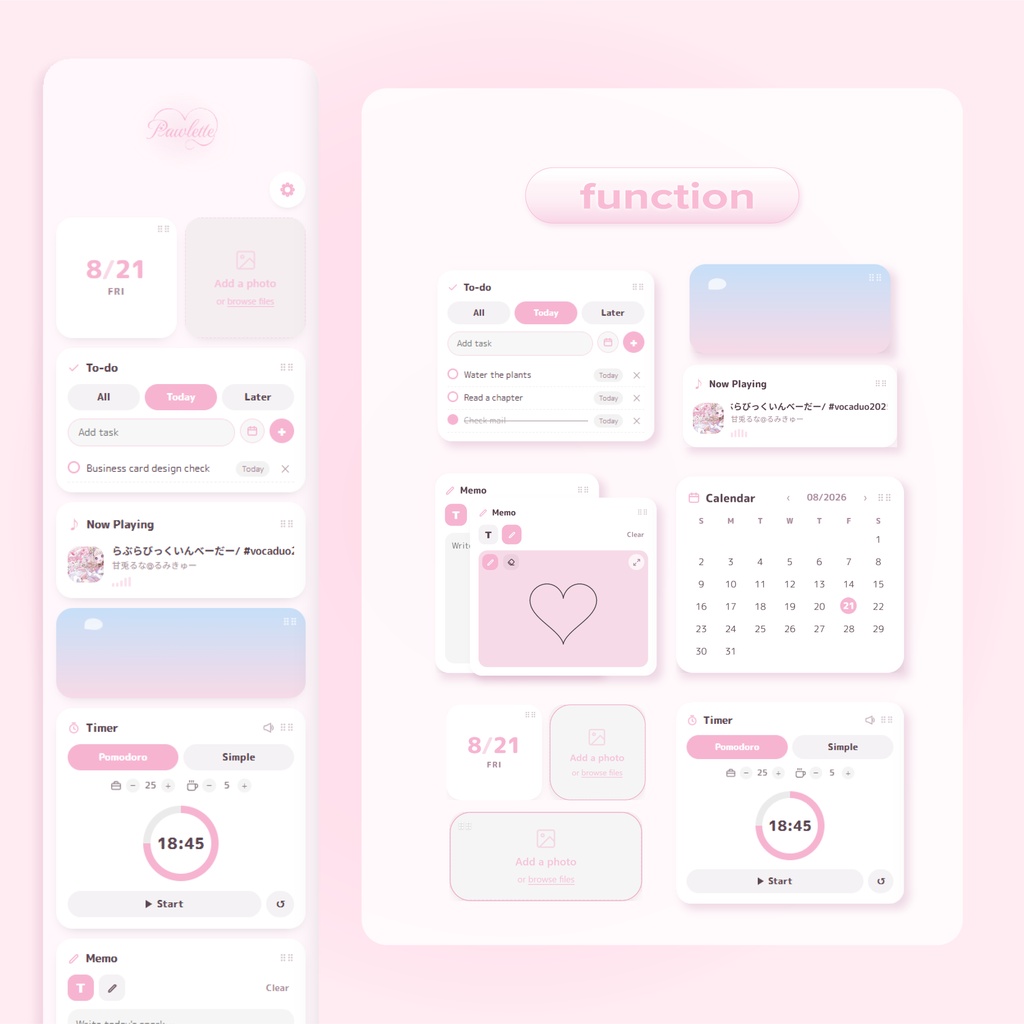
▣ Photo 大切な一枚を、正方形でもワイドでも好きな形で飾れます ღ Calendar 月表示でパッと見渡せる、シンプルなカレンダー ⌚︎ Timer / Pomodoro 集中したいときはポモドーロ、気軽に使いたいときはシンプルタイマー 作業と休憩の時間も自分のペースに合わせて調整できます ①Pomodoroモード 作業時間(Work)5分刻み/90分まで 休憩時間(Break)1分刻み/30分まで ②Simpleモード 0から数え上げるストップウォッチ 最大6時間まで ♪ Now Playing いま流れている音楽や動画が連動します ✓ Todo 追加・編集・削除・期日管理まで、迷わず使えるシンプルなタスク管理 ✎ Memo ペンと消しゴムでお絵描きメモ。拡大表示でじっくり書き込みも。 ︎ ︎︎︎︎︎☁︎︎ Healing Scene(FuwaFuwa) ながめているだけで癒される演出 (完了したタスクと連動して、ふわふわが増えます♡) ✤ きせかえカラーパレット Pink / Mint / Purple / Sky / Yellow / Beige / Gray / White… 背景も影もスクロールバーも、まとめてカラーチェンジ その日の気分で模様替えを ◆ 常に最前面表示 他のアプリを開いていても、Pawletteがそばに ◆ 海外ユーザーの方へ Pawletteのインターフェースは英語表記です。言語の壁を気にせず、 そのままご利用いただけます。 Pawlette's interface is fully in English — see the section below for details.
⋈ 動作環境
・Windows 10 / 11(64bit) ・インストール、アップデート確認にインターネット接続が必要です
⋈ ダウンロード内容
・インストーラー(exe) ・README(使い方・インストール方法) ・利用規約 ・インストール時の注意画面について(画像) ※本ソフトは現時点で電子署名を行っていません。ダウンロード時やインストール時に、 ブラウザやWindowsから「信頼できることを確認してください」「Windowsによって PCが保護されました」といった警告が表示される場合がありますが、ウイルスでは ありません。詳しい手順はREADME・同梱の「こんな表示が出たら」フォルダをご確認ください。
⋈ アップデートについて
不具合修正や機能改善、カラーの追加などは、一部を除き基本的に無料で継続的に提供予定です。 v1.0.2(2026/08/26) - Settingsの操作性を改善、Frameless切替を追加 - Timerの長時間表示・Gray配色を調整、通知音3種の選択・試聴に対応 - TodoのTodayで完了済みを下部に表示 - Photoの拡大画質を改善、8MB以下のGIFに対応 - 最小化から復帰した際の最前面表示を補強 ※Frameless切替時はTimerがリセットされます。既存Photoの画質改善には元画像の再登録が必要です。一部環境の最前面表示の不具合は引き続き調査中です。 v1.0.1(2026/08/24) - Customカラーを追加(背景・カード背景を自由に組み合わせ) - 起動時の表示、タイトルバー・最前面・画面端への吸着を改善 - Todoの並び替えを追加、見た目・操作性を調整 自動更新:ネット接続中にアプリを数分起動した後、終了・再起動してください。BOOTHから最新版のダウンロードも可能です。
⋈ Q&A(よくあるご質問)
Q. Now Playingの文字やHealing Sceneの雲が、ものすごい速さで動きます A. お使いのPCの「Windowsのアニメーション効果」がOFFになっている可能性があります🐾 以下から確認・ONにして、Pawletteを再起動してみてください。 ・Windows 11:設定 → アクセシビリティ → 視覚効果 →「アニメーション効果」 ・Windows 10:設定 → 簡単操作 → ディスプレイ →「Windowsにアニメーションを表示する」 Q. X(Twitter)などで見た画像のように、タイトルバー(×ボタンなど)を消すことはできますか? A. 掲載していた画像は、ウィンドウの縁を消した合成イメージ(モックアップ)となっております🙏 現在のPawletteはタイトルバー付きの通常ウィンドウとしてご利用いただく仕様で、非表示にする機能は 今のところございません。タイトルバーを隠せるフレームレス表示は現在アップデート対応中ですので、今しばらくお待ちください。 Q.「常に最前面表示」を無効化(OFF)にすることはできますか? A. 申し訳ございません、現時点では常に最前面表示が常時ONで固定されており、OFFにする設定はございません。 他のウィンドウを手前に出したいときは、Pawletteのタイトルバーにある「最小化」ボタンで一時的にしまい、 必要なときにタスクバーから復帰してご利用ください。ON/OFFを切り替えられる設定については、 今後のアップデートで対応を検討しております。
⋈ サポート
不具合・ご質問は BOOTHメッセージ、またはサポート用Discordよりお気軽に✉️ Discord: [ https://discord.gg/Qarq2sD573 ]
⋈ ご利用にあたって
個人利用はもちろん、配信・実況などでの商用利用もOKです(現在の形式のまま使用する範囲に限ります)。 再配布・転売・素材の抜き出し利用、逆コンパイル・改変は禁止です。 Now Playing機能はWindowsから再生中のメディア情報を取得しますが、外部へ送信することはありません。 ご利用の環境によっては動作に影響が出る場合があります、あらかじめご了承ください。 デジタルコンテンツの性質上、購入後の返金は原則承っておりません(返金の取り扱いはBOOTHの規約に準じます)。 詳細は同梱の利用規約をご確認ください。
⋈ English
Pawlette 🐾×🎨 Release celebration price until August 31! A desktop widget app that sits quietly alongside your work💻 — line it up next to your main screen and build a corner that feels like you◝✩ ⭐️⸝Highlights ・Designed with a real obsession for cuteness, down to the last pixel! ・A simple, intuitive feel with plenty of room to customize! ・8 adorable color themes to choose from! ・One-time purchase — yours to keep, forever! ・Free automatic updates included! ꔫ What Pawlette Can Doꔫ ▣ Photo Display your favorite photos, square or wide, exactly how you like them. ღ Calendar A clean, at-a-glance monthly view. ⌚︎ Timer / Pomodoro Switch between a simple timer and Pomodoro sessions, with work/break durations you can fine-tune to your own rhythm. ① Pomodoro Mode Work: adjustable in 5-minute increments, up to 90 minutes Break: adjustable in 1-minute increments, up to 30 minutes ② Simple Mode A stopwatch that counts up from 0 Up to 6 hours maximum ♪ Now Playing Syncs with whatever music or video is currently playing. ✓ Todo Add, edit, delete, and track due dates with ease. ✎ Memo Sketch or jot notes with a pen and eraser, with an expandable canvas. ︎ ︎︎︎︎︎☁︎︎ Healing Scene (FuwaFuwa) A gentle little scene that's soothing just to watch (finish a task, and a new little friend joins in ♡). ✤ Color Palette Pink / Mint / Purple / Sky / Yellow / Beige / Gray / White… background, shadows, even the scrollbar change together. Redecorate your corner of the desktop whenever the mood strikes. ◆ Always on Top Stays right there with you, even while you're in other apps. ◆ A note for international users Pawlette's interface is written entirely in English — buttons, labels, and all — so you can use it comfortably with no language barrier, right out of the box. ⋈ System Requirements ・Windows 10 / 11 (64-bit) ・Internet connection required for installation and update checks ⋈ What's Included ・Installer (.exe) ・README (setup & usage guide) ・Terms of Use ・A note about the SmartScreen warning at install (with screenshot) ※ This app is currently not code-signed. You may see warnings such as "make sure you trust this site" (from your browser) or "Windows protected your PC" (Windows SmartScreen) during download or installation — this is expected and not a virus. See the README and the included「こんな表示が出たら」 ("if you see this" guide) folder for step-by-step instructions. ⋈ Updates Bug fixes and improvements will be provided free of charge on an ongoing basis (with rare exceptions for larger content additions). v1.0.2 (2026/08/26) - Improved Settings controls and added a Frameless toggle - Improved long-duration Timer displays and Gray contrast; added three selectable alarm sounds with previews - Completed tasks now appear at the bottom of Todo’s Today view - Improved enlarged Photo quality and added GIF support (up to 8 MB) - Added reapplication of Always on Top when restoring from minimize Note: Switching Frameless resets the Timer. Re-add original images to improve existing Photo quality. Always on Top issues on some systems remain under investigation. v1.0.1 (2026/08/24) - Added Custom colors for mixing background and card colors - Improved startup display, title bar, Always on Top, and edge snapping - Added Todo reordering and refined visuals and controls **Automatic updates:** Keep the app open for a few minutes while connected to the internet, then close and reopen it. The latest version is also available on BOOTH. ⋈ Q&A Q. The Now Playing text and Healing Scene clouds are moving super fast A. This usually happens when "Animation effects" is turned off in Windows🐾 Try turning it on and restarting Pawlette: ・Windows 11: Settings → Accessibility → Visual effects → "Animation effects" ・Windows 10: Settings → Ease of Access → Display → "Show animations in Windows" Q. Can I hide the title bar (like the × button) shown in images I've seen on X (Twitter) etc.? A. That image isn't a screenshot of the app by itself — it's a composite mockup with the window frame removed🙏 Pawlette currently runs as a normal window with a title bar, and there's no way to hide it yet. A frameless display mode (without the title bar) is in development for an upcoming update, so please stay tuned. Q. Can I turn off "Always on Top"? A. Sorry, at the moment Always on Top is fixed to always ON, and there's no setting to disable it. If you need another window in front temporarily, you can minimize Pawlette using the minimize button in its title bar, then bring it back from the taskbar whenever you need it again. We're considering adding an on/off toggle for this in a future update. ⋈ Support For bugs or questions, please reach out via BOOTH messages or our support Discord. Discord: [ https://discord.gg/Qarq2sD573 ] ⋈ License Personal use and commercial use (streaming, content creation, etc.) are both allowed, as long as the app is used unmodified in its original form. Redistribution, resale, extracting assets, decompiling, and modifying the app are not permitted. The Now Playing feature reads currently-playing media info from Windows, but this information is never sent anywhere externally. Performance may vary depending on your environment. As this is digital content, refunds are not available in principle (handled according to BOOTH's policies). See the included Terms of Use for full details.