
あわせ肌 - 肌マテリアルをアバターごとに測って合わせるUnityツール+MatCap18種【VRChat】【JA,EN,KO】
- 日本語Digital700 JPY
- EnglishDigital700 JPY
- 한국어Digital700 JPY
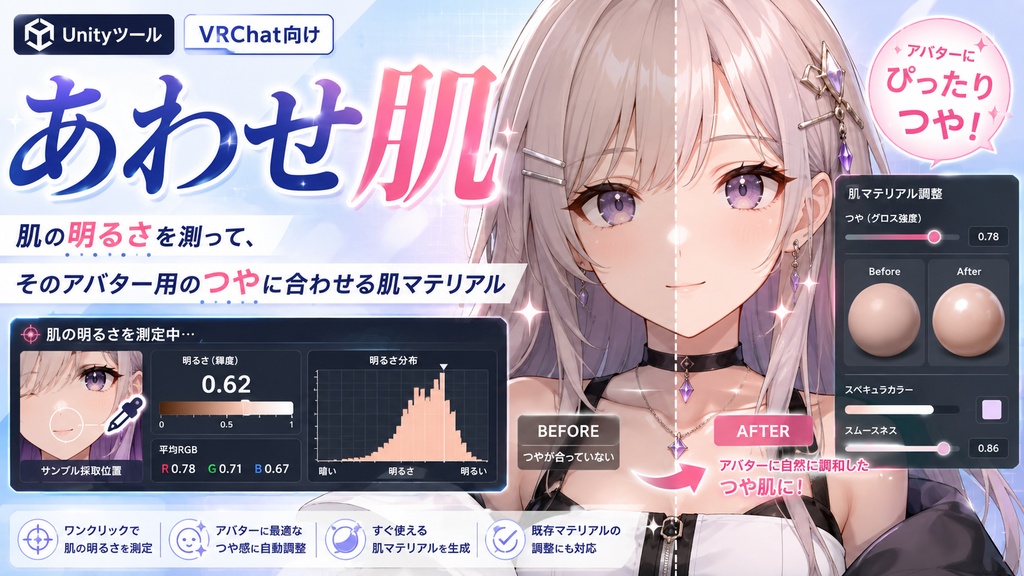
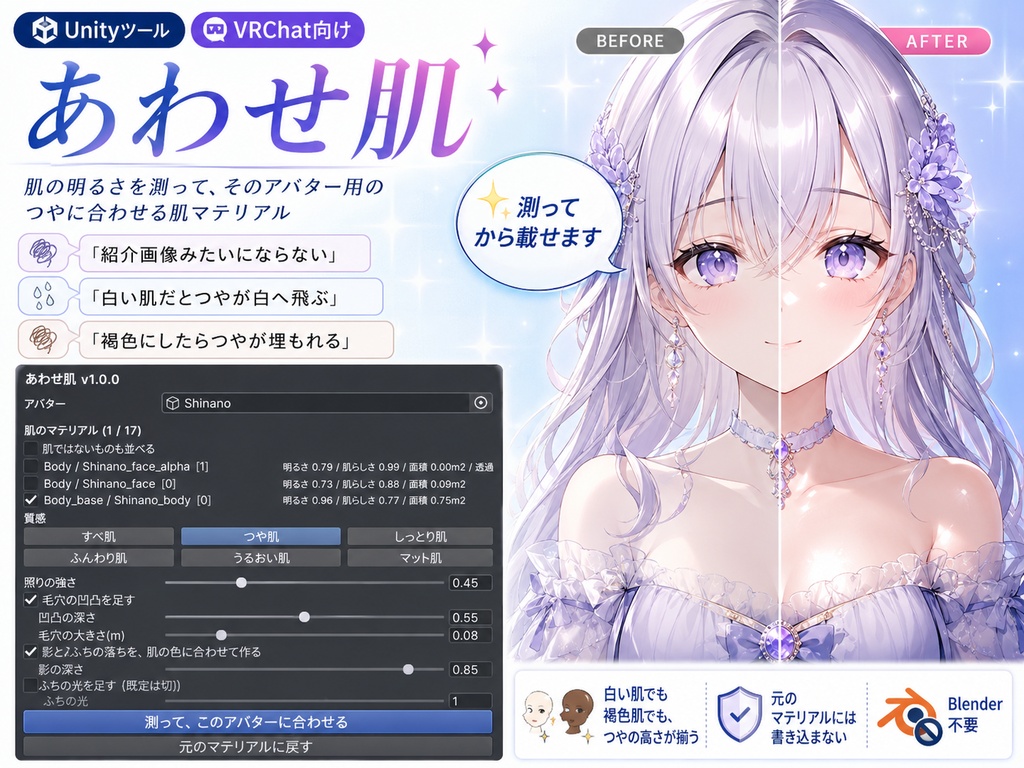
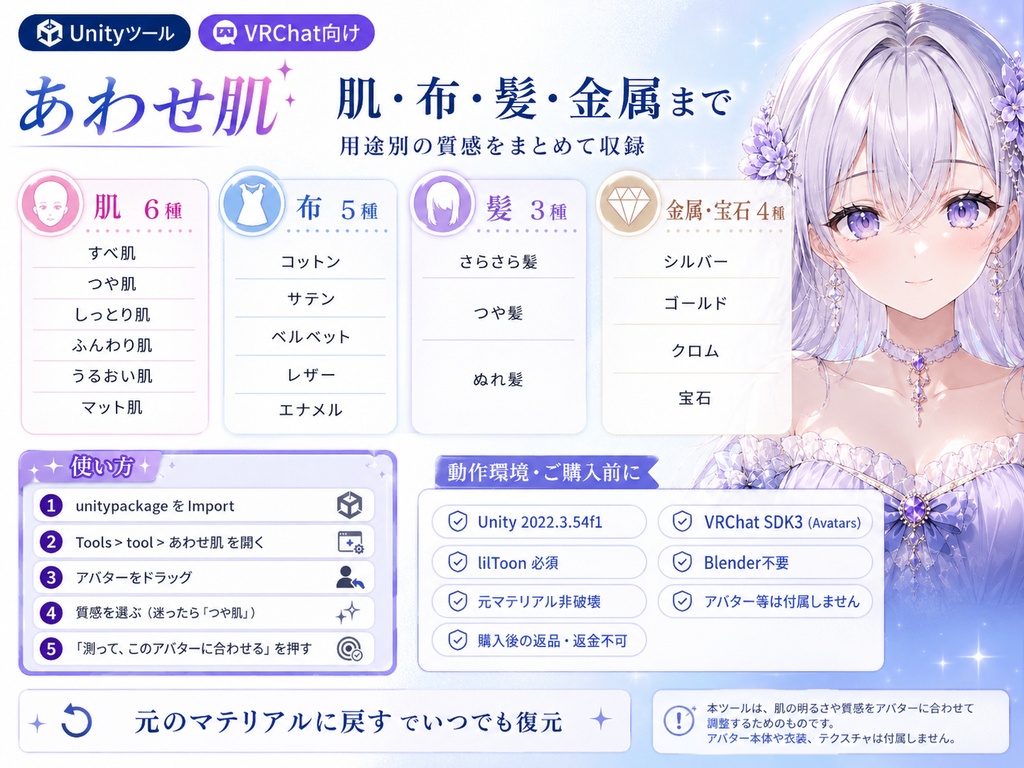
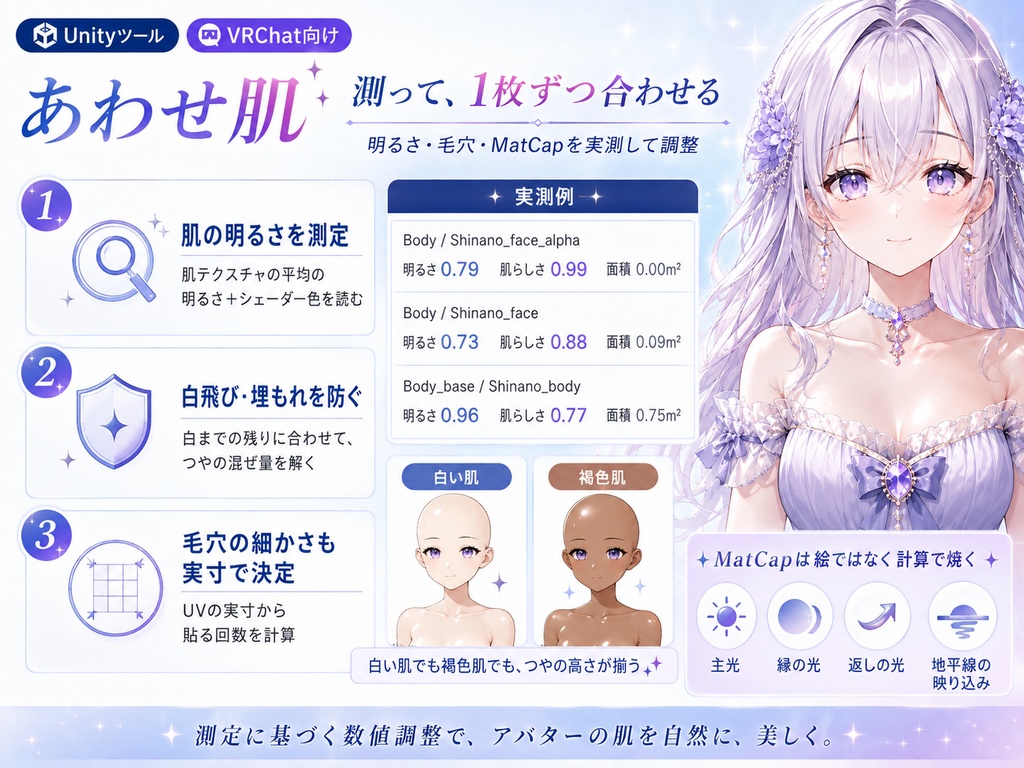


「肌マテリアルを買っても、うちの子だとしっくりこない…」——そんなときのためのツールです。入れる前にアバターの肌を測って、この子ならいくつ、と計算してから載せます。Blenderもいりません。 ◆ こんな人に ・白肌や褐色肌で、つやが飛んだり出なかったりする ・数値をいじってみたけれど、どこを触ればいいのか分からない ・アバターを何体か持っていて、どの子にも同じ質感で入れたい ◆ 入っている質感は18種類 ・肌 すべ肌/つや肌/しっとり肌/ふんわり肌/うるおい肌/マット肌 ・布 コットン/サテン/ベルベット/レザー/エナメル ・髪 さらさら髪/つや髪/ぬれ髪 ・金属宝石 シルバー/ゴールド/クロム/宝石 ◆ ここがうれしい ・アバターを入れて質感を選んでワンクリック ・白い肌でも褐色の肌でも、つやの出かたが揃います ・毛穴の細かさもアバターの大きさに合わせるので、粒が大きすぎたり細かすぎたりしません ・すでにMatCapが入っているアバターでも効きます(効きを抑えていた設定を外してから入れます) ・肌のメッシュは自動で探しますが、違っていたら画面で選び直せます ・非破壊。元のマテリアルには書き込まず、複製を作って差し替えます ・「元のマテリアルに戻す」で、いつでも元どおりです ◆ 使い方はシンプル 1. メニュー Tools/tool/あわせ肌 を開く 2. アバターを入れる 3. 質感を選んで(迷ったら「つや肌」)「測って、このアバターに合わせる」を押すだけ ◆ 動作環境 ・Unity 2022.3 系(VRChat SDK3 - Avatars 環境を推奨) ・lilToon が必要です ※ lilToon は同梱していません(再配布になるため)。 https://booth.pm/ja/items/3087170 ※ lilToon 以外のシェーダーでは、対応する項目が無いため効きません。 ※ 実際の見え方はワールドの明るさでも変わります。最終確認はご自身の環境でお願いします。 ※ アバター本体、衣装、VRChat SDKは付属しません。 --- English --- Title Hada-Awase - A skin material that measures your avatar first, plus 18 MatCaps [JA,En,Ko] Description You bought it, and it doesn't look like the preview. Pale skin blows out to pure white; dark skin barely shines at all. Hada-Awase is a skin material that looks at your avatar's skin before deciding the numbers. Skin materials on sale carry the numbers their author tuned on one avatar. If your base colour is different, it will not land the same way. The numbers are not bad; the avatar is just a different one. "I bought a skin material, but it never quite suits my avatar..." That is what this is for. It measures the skin first, works out the values for that avatar, and then applies them. No Blender. Who it's for - You bought a skin material and it doesn't look like the preview - On pale or dark skin, the shine blows out or barely appears - You tried tweaking the numbers and had no idea which one to touch - You own several avatars and want the same finish on all of them 18 finishes included - Skin: smooth / glossy / dewy / soft / moist / matte - Fabric: cotton / satin / velvet / leather / enamel - Hair: silky / glossy / wet - Metal and gem: silver / gold / chrome / gem What's nice - Drop in your avatar, pick a finish, click once - Pale skin and dark skin end up with the same level of shine - Pore detail is scaled to the avatar's size, so the grain is never too big or too fine - Works on avatars that already use MatCaps (the setting that was muting them is lifted first) - The skin mesh is found for you, and can be re-picked on screen if it is wrong - Non-destructive: the original material is never written to; a copy is made and swapped in - One button restores the original materials at any time How to use 1. Open Tools/tool/Hada-Awase 2. Drop in your avatar 3. Pick a finish (start with glossy) and press the button Requirements - Unity 2022.3 (VRChat SDK3 - Avatars recommended) - lilToon is required Note: lilToon is not bundled, as that would be redistribution. https://booth.pm/ja/items/3087170 It has no effect on shaders other than lilToon, because the settings it needs do not exist there. How it finally looks also depends on world lighting. Avatar, outfit and VRChat SDK are not included. Age rating All ages Category 3D Model / VRChat --- 한국어 --- 제목 아와세하다 - 아바타를 재고 나서 맞추는 피부 머티리얼 + MatCap 18종 [JA,En,Ko] 설명 샀는데 소개 이미지처럼 안 됩니다. 흰 피부에서는 광이 날아가 새하얗고, 갈색 피부에서는 광이 거의 안 납니다. 아와세하다는 그 아바타의 피부를 보고 나서 수치를 정하는 피부 머티리얼입니다. 판매되는 피부 머티리얼에는 작자의 아바타 한 체에 맞춘 숫자가 그대로 들어 있습니다. 바탕색이 다르면 같게 되지 않습니다. 숫자가 나쁜 것이 아니라 상대가 다를 뿐입니다. "피부 머티리얼을 사도 내 아이한테는 어울리지 않아요…" -- 그럴 때를 위한 툴입니다. 넣기 전에 피부를 재고, 이 아이라면 얼마, 라고 계산해서 올립니다. Blender도 필요 없습니다. 이런 분께 - 피부 머티리얼을 샀는데 소개 이미지처럼 되지 않는 분 - 흰 피부나 갈색 피부에서 광이 날아가거나 안 나는 분 - 수치를 만져 봤지만 어디를 건드려야 할지 모르는 분 - 아바타를 여러 체 갖고 있고 모두 같은 질감으로 넣고 싶은 분 들어 있는 질감 18종 - 피부: 매끈 / 윤기 / 촉촉 / 보송 / 물기 / 매트 - 천: 코튼 / 새틴 / 벨벳 / 레더 / 에나멜 - 머리카락: 찰랑 / 윤기 / 젖은 머리 - 금속·보석: 실버 / 골드 / 크롬 / 보석 좋은 점 - 아바타를 넣고 질감을 골라 원클릭 - 흰 피부든 갈색 피부든 광이 나는 정도가 고르게 맞춰집니다 - 모공의 크기도 아바타 크기에 맞추므로 입자가 너무 크거나 작지 않습니다 - 이미 MatCap이 들어 있는 아바타에서도 효과가 있습니다 - 피부 메시는 자동으로 찾지만, 틀렸다면 화면에서 다시 고를 수 있습니다 - 비파괴: 원본 머티리얼에는 쓰지 않고 복제를 만들어 교체합니다 - 「원래 머티리얼로 되돌리기」로 언제든 원래대로 사용법 1. 메뉴 Tools/tool/아와세하다 열기 2. 아바타 넣기 3. 질감을 고르고(고민되면 「윤기」) 버튼 누르기 동작 환경 - Unity 2022.3 (VRChat SDK3 - Avatars 권장) - lilToon이 필요합니다 ※ lilToon은 동봉하지 않았습니다(재배포가 되기 때문). https://booth.pm/ja/items/3087170 ※ lilToon 이외의 셰이더에서는 해당 항목이 없어 효과가 없습니다. ※ 실제로 보이는 모습은 월드 밝기에 따라서도 달라집니다. ※ 아바타 본체, 의상, VRChat SDK는 포함되지 않습니다. 연령 제한 전체 연령 카테고리 3D 모델 / VRChat ■タグ lilToon, liltoon, リルトゥーン, MatCap, matcap, マットキャップ, マテリアル, マテリアルプリセット, 肌マテリアル, 肌, 素肌, 肌質感, 肌テクスチャ, 肌色, 質感, つや, 艶, 光沢, てかり, うるおい, しっとり, ふんわり, マット, すべすべ, 褐色, 褐色肌, 色白, 白肌, 日焼け, テクスチャ, 3Dテクスチャ, 3D素材, 素材, ノーマルマップ, NormalMap, 法線マップ, 毛穴, キメ, 凹凸, シェーダー, Shader, シェーダー設定, リムライト, RimLight, リムシェード, 影, 陰影, 影色, 布, 生地, サテン, ベルベット, レザー, エナメル, 髪, ヘアマテリアル, 金属, メタル, ゴールド, シルバー, 宝石, 素体, ボディ, アバター, アバター改変, 改変, アバター改変ツール, セットアップ, アバターセットアップ, 非破壊, Undo対応, Blender不要, ワンクリック, 自動, 自動調整, 自動設定, 汎用, 全アバター対応, 複数アバター対応, 撮影, 写真映え, クオリティアップ, しなの, まよ, ミルフィ
