

Ezトークデッキ 『気持ちいい操作感のトークテーマカードUdonギミック!』VRCワールド向け・設定充実 - #NiAkaDev
- 通常価格Digital200 JPY
- にあちゃん応援価格(内容は同じです)Digital500 JPY
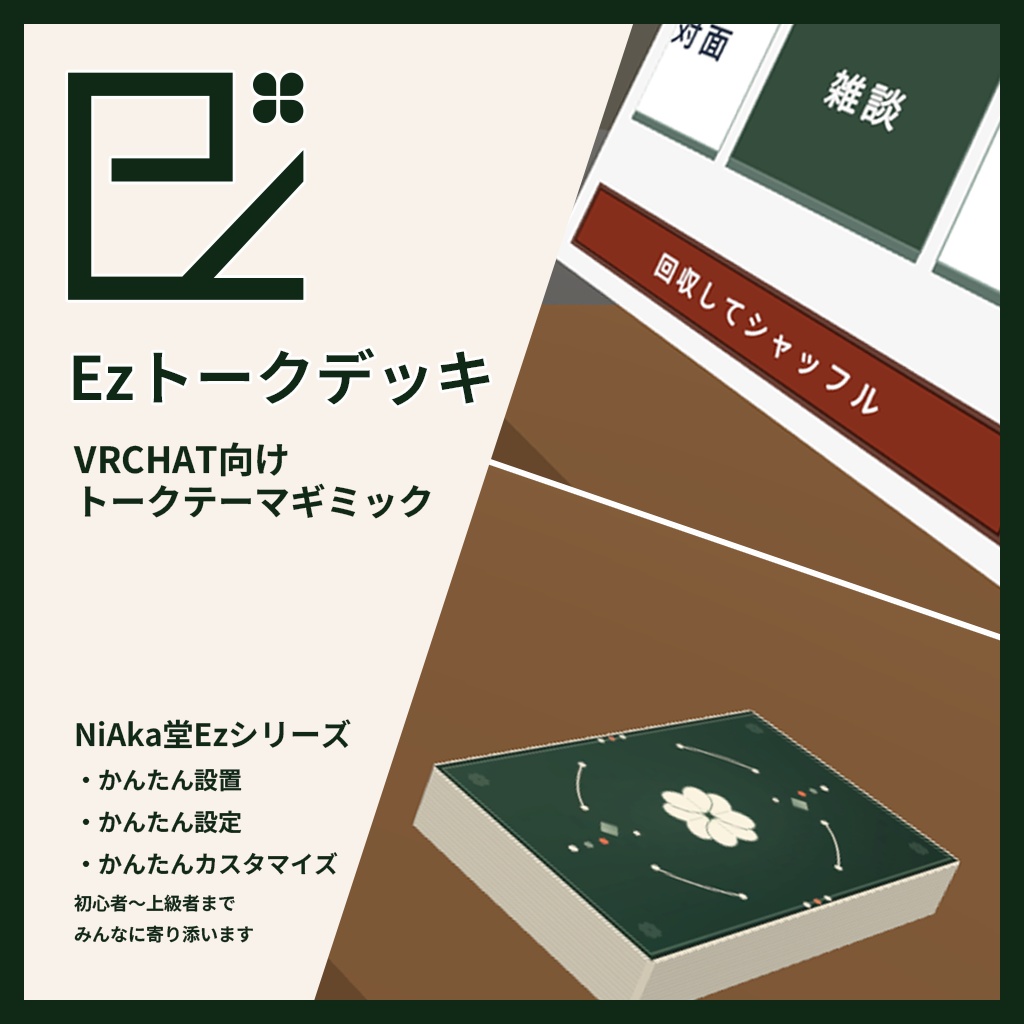
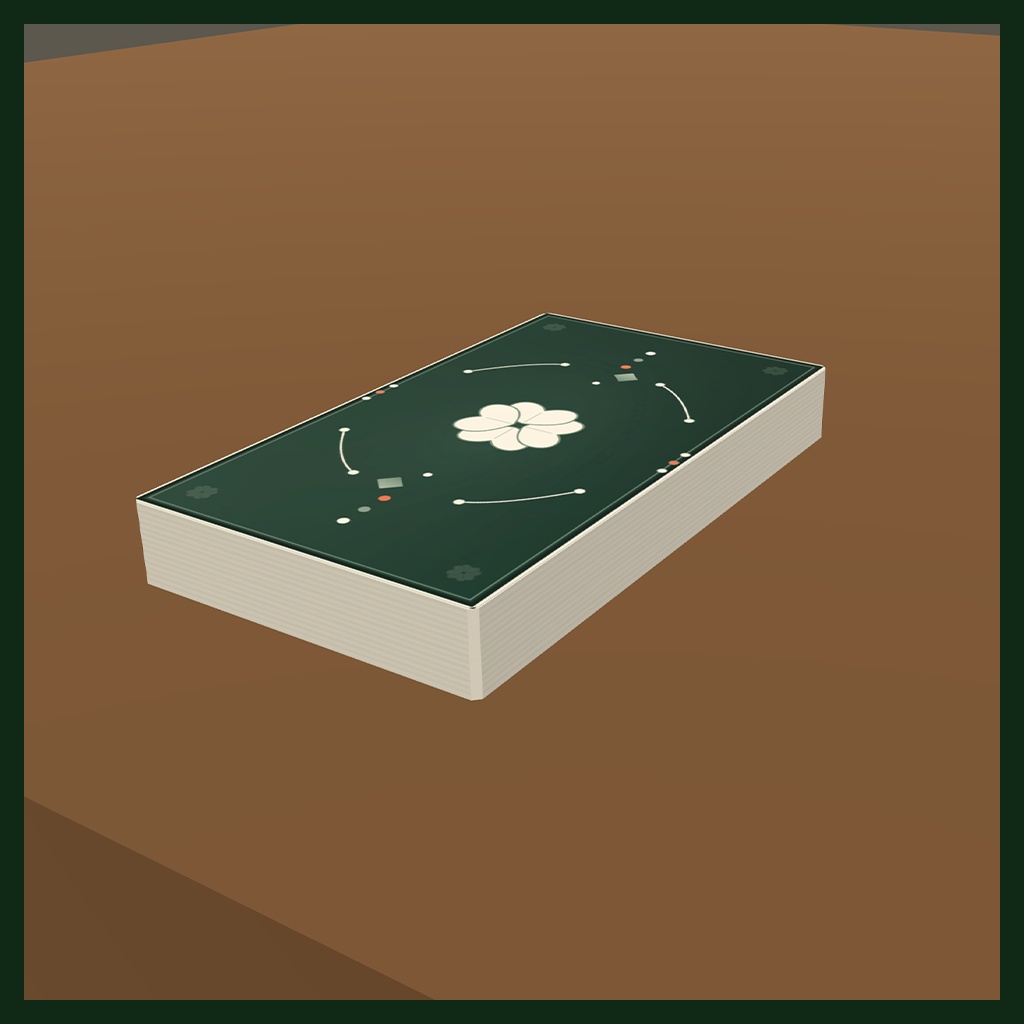
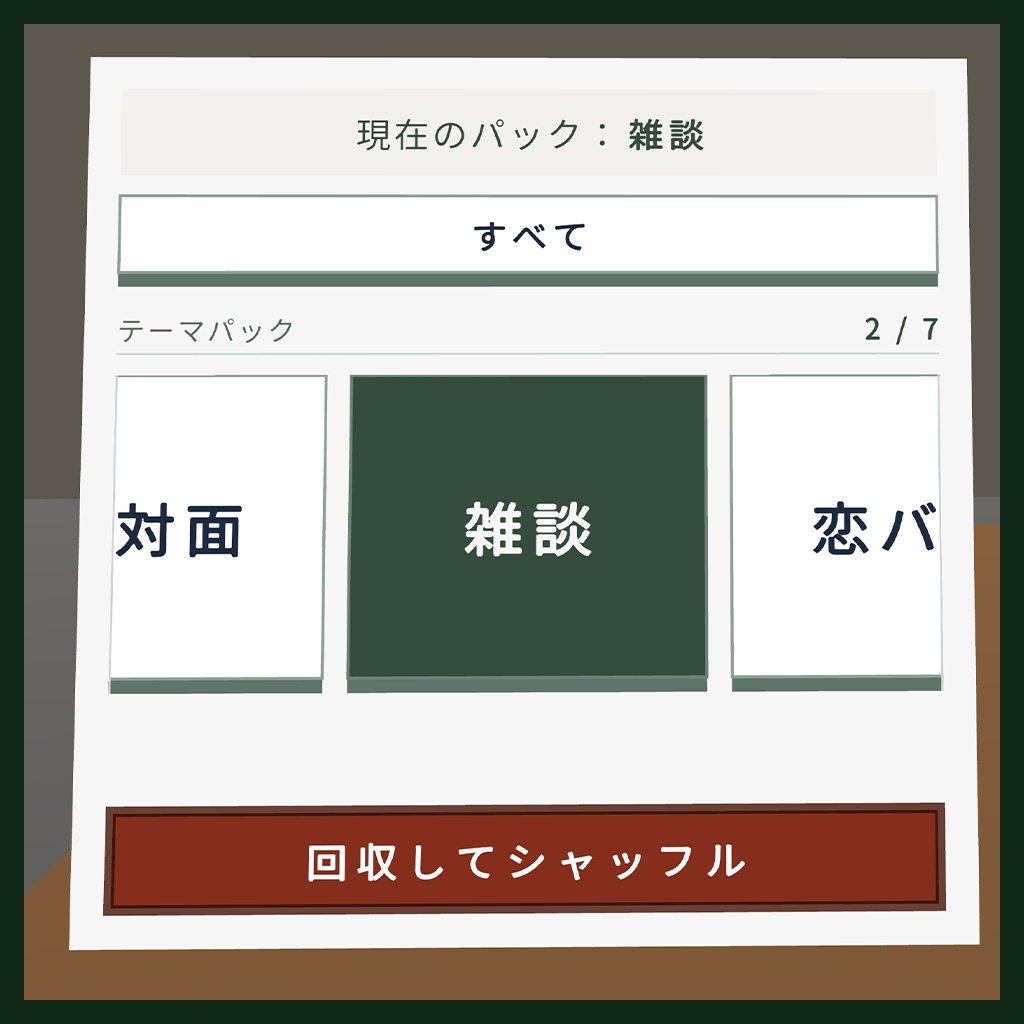
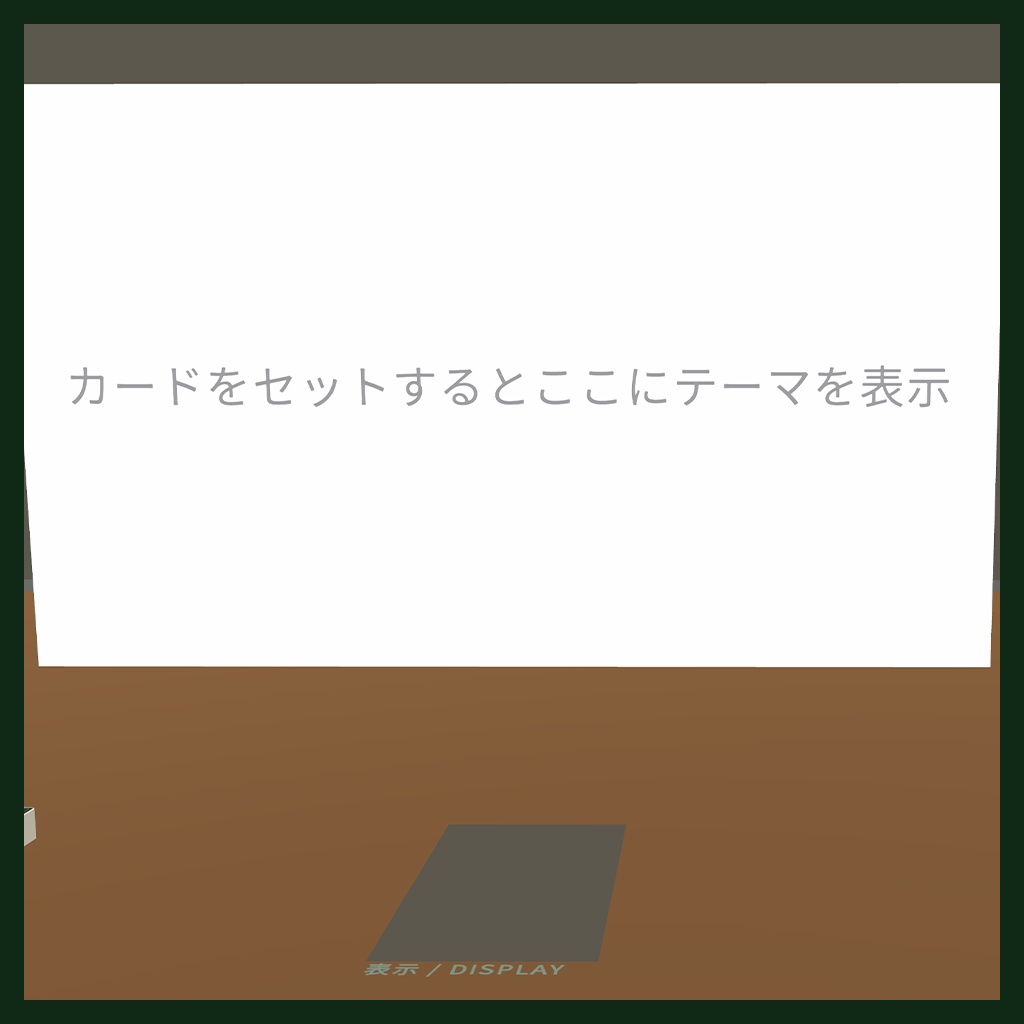
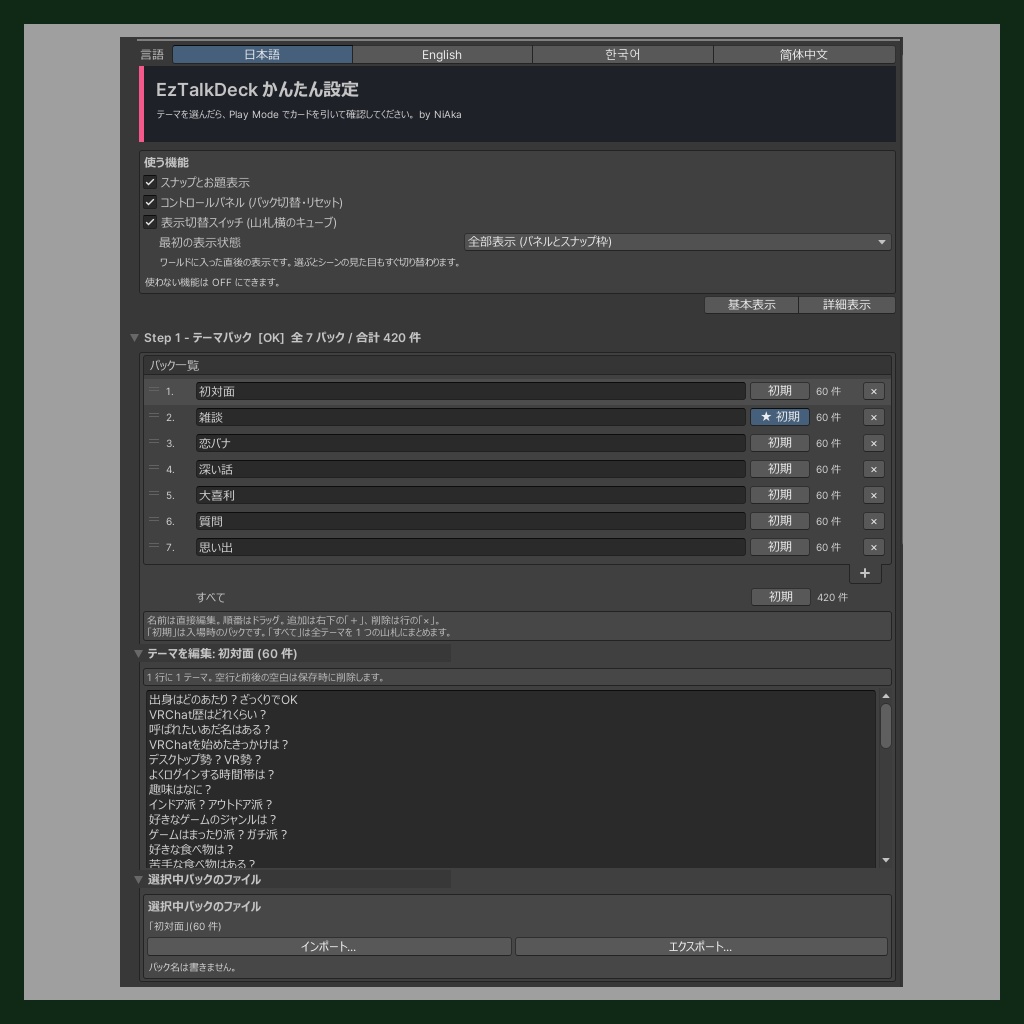


EzTalkDeck - VRChatワールド向け会話カードデッキギミック 「EzTalkDeck」は、「会話も、操作も、気持ちよく!」をモットーにした、会話デッキ系ギミックです。 会話のきっかけになるテーマをランダムに「ドロー!」できます。 初対面のあいさつに!雑談の切り出しに!集まりの場つなぎに!VRChatでの会話をシンプルに、かつ楽しくサポート! 自分でテーマを追加することも出来ますし、初対面、雑談、恋バナ、深い話、大喜利、質問、思い出の 7 パックを各 60 件、合計 420 件収録しています。 「すべて」から引くことも、パックを選んで引くこともできます。 パックの選択と山札は参加者全員で同期されます。誰が引いても同じ山札なので、複数人で囲んで使っても安心です! ドローは山札の上の伏せカードをつかむだけ。手の中でお題カードに変わり、「表示 / DISPLAY」へ置くと専用パネルにお題がタイプライター演出で大きく表示されます。モニターへ映したくないカードは「使用済み / USED」へ直接置けます。 UIパネルはレーザーの他、左右どちらの人差し指でも操作できます。指で押せる操作は浮いたキー形状、誤操作を避けたい「回収してシャッフル」は沈んだレーザー専用のコマンド面です。振動は押した本人の手にだけ返ります。 山札の横の回転キューブスイッチで、パネル類の表示も簡単に切替できます! 会話テーマはインスペクタ上で直接編集でき、1 行 1 テーマのテキストで入出力できます。 ワールドやイベントに合わせたお題への差し替えも超簡単です! 日本語 / English / 한국어 / 简体中文 の初期テーマ(各 7 パック、各 60 件)を同梱しており、その表示に必要なフォントも最初から入っています。 もちろん、インスペクタも、日本語 / English / 한국어 / 简体中文 に対応しています。 ワールド内のパネル表記と初期状態のテーマは日本語です。 導入は、購入者専用の VPM リポジトリを VCC / ALCOM に追加する方法がおすすめです。購入後の BOOTH ダウンロードページに表示される案内から、リポジトリ URL と認証情報を受け取れます。 ダウンロード版には .unitypackage版もあります。 BOOTH ショップ NiAka堂: https://niaka.booth.pm/ 不具合報告やご要望は BOOTH メッセージ、または X(Twitter): @niaka3vrc までお願いします。 --- EzTalkDeck - Conversation Card Deck Gimmick for VRChat Worlds EzTalkDeck is a conversation-deck gimmick built on one motto: conversations that flow, controls that feel great! Draw a random theme whenever the conversation needs a spark. Breaking the ice with someone new, kicking off small talk, filling a quiet moment at a meetup -- EzTalkDeck keeps VRChat conversations simple and fun! You can add your own themes, and it already comes loaded with seven packs of 60 themes each -- First Meeting, Casual Chat, Romance, Deep Talk, Improv, Questions, and Memories -- 420 themes in total. Draw from all of them, or pick just one pack. The pack selection and the deck are synchronized for everyone. No matter who draws, it is the same shared deck, so a whole group can gather around it without a worry! Drawing is as easy as grabbing the face-down card on top of the deck. It turns into a theme card in your hand. Place it in Display to show the theme in large text with a typewriter effect, or put it directly in Used when it should not replace the current monitor content. The panel controls work with lasers and either index finger. Finger-enabled controls are raised like physical keys, while the recessed Collect and Shuffle command is laser-click-only to prevent accidental resets. Haptics return only to the hand that pressed. And the spinning cube switch next to the deck toggles the panel display in one press! Themes are edited directly in the Inspector and can be imported and exported as one-theme-per-line text. Swapping in themes made for your world or event could not be easier! Default themes in Japanese, English, Korean, and Simplified Chinese are included (seven packs, 60 themes each per language), along with the fonts needed to display them, right out of the box. And of course, the Inspector itself supports Japanese, English, Korean, and Simplified Chinese. The in-world panel labels and the initial themes are in Japanese. For installation, we recommend adding the purchaser-only VPM repository to VCC or ALCOM. After purchase, use the instructions shown on the BOOTH download page to receive the repository URL and access credentials. A .unitypackage edition is also included in the download. BOOTH shop NiAka堂: https://niaka.booth.pm/ For bug reports or requests, please contact me through BOOTH messages or X(Twitter): @niaka3vrc.
【主な機能】
- 初対面 / 雑談 / 恋バナ / 深い話 / 大喜利 / 質問 / 思い出 の 7 パック、各 60 件を収録 - 「すべて」からの抽選と、パック単位の抽選を切り替え - パック選択、山札、引いたカードを参加者全員で同期 - 山札を引き切ったら自動でシャッフルし直し - ドローは山札の上の伏せカードをつかむだけ (VR は手でつかむ、デスクトップはクリック) - SnapZone の「表示 / DISPLAY」に置くと専用パネルへお題を大きく写せます (タイプライター演出、着地音、置いた本人への振動フィードバック) - モニターへ映したくないカードは「使用済み / USED」へ直接置けます。現在表示中の別カードとモニターの内容は変わりません - 山札横の回転キューブで表示を 3 状態 (全部 / 大写しのみ / 山札のみ) に切替 - スナップとお題表示 / コントロールパネル / 表示切替スイッチはインスペクタの「使う機能」で個別に無効化可能 - パネルの 4 操作はレーザーと左右人差し指での Contact 操作に対応 - 指で押せる操作は浮いたキー形状、「回収してシャッフル」は沈んだレーザー専用のコマンド面として外見から区別 - ドロー音、シャッフル音、表示エリアへの着地音、表示切替音 - 押した本人の手にだけ返るコントローラー振動 - 基本表示 / 詳細表示を切り替えられる段階式カスタムインスペクターと、問題だけを先に示す自動修復機能付き - パックの追加、削除、並べ替え、名前変更、初期パック指定が直感的に可能 - 選択中のパックを 1 行 1 テーマのテキストファイルで入出力することも可能 - 日本語 / English / 한국어 / 简体中文 初期テーマを同梱(各 7 パック、各 60 件。大喜利は各言語向けにローカライズ書き下ろし) - 한국어・简体中文の表示フォントを同梱(同梱テーマ分の軽量サブセット、追加設定不要) - 配置ガイドのシーンビュー用 Gizmo と位置調整、場に出せる枚数の調整も可能 - インスペクターの日本語 / English / 한국어 / 简体中文 切替対応 - すぐに使える初期設定済みプレハブ・サンプルシーンを同梱 --- [Main features] - Seven packs with 60 themes each: First Meeting, Casual Chat, Romance, Deep Talk, Improv, Questions, and Memories - Draw from all themes, or from a single selected pack - Pack selection, deck state, and drawn cards synchronized for everyone - Automatic reshuffle when the deck runs out - Draw by simply grabbing the face-down card on top of the deck (by hand in VR, click on desktop) - Place a card in Display in the snap area (SnapZone) to show its theme in large text on the dedicated panel (typewriter reveal, landing sound, and haptic feedback for the player who placed it) - Place a card directly in Used when it should not replace another card already shown on the monitor - A spinning cube next to the deck cycles the display through three states: everything, large display only, or deck only - The snap-and-display module, control panel, and display switch can each be disabled in the Inspector's Features in use - The four panel controls work with lasers and finger Contact from either index finger - Finger-enabled controls are raised like physical keys; Collect and Shuffle is a recessed, laser-click-only command to prevent accidental resets - Sound effects for drawing, shuffling, snapping a card into Display, and switching the panel display - Controller vibration only in the hand that pressed - A progressive custom Inspector with Basic and Detailed views, plus auto repair that surfaces problems first - Intuitive pack management: add, remove, reorder, rename, and set the default pack - The selected pack can also be imported and exported as a one-theme-per-line text file - Default themes in Japanese, English, Korean, and Simplified Chinese included (seven packs, 60 each per language; Improv is a localized rewrite for each language) - Subset fonts covering the bundled Korean and Simplified Chinese themes included, no extra setup - Scene view placement Gizmos with position adjustment, plus an adjustable table limit - Inspector switchable between Japanese, English, Korean, and Simplified Chinese - Ready-to-use preconfigured prefab and sample scene included
【導入方法】
購入後、BOOTH のダウンロードページに表示される案内から購入者専用ページへ進み、ZIP をダウンロードしてください。 ZIP には次の 2 つが入っています。 - VCC / ALCOM へ購入者専用リポジトリを追加するショートカット - .unitypackage 版 推奨は VPM リポジトリ経由です。 同梱のショートカットをダブルクリックすると VCC / ALCOM が開き、リポジトリが追加されます。 あとは VCC / ALCOM で EzTalkDeck をプロジェクトへ追加してください。URL を手で入力する必要はありません。 (VCC / ALCOM を入れていない環境では、このショートカットは何も起きません) .unitypackage を直接インポートすることもできますが、依存関係や更新管理のため、通常は VPM リポジトリ経由をおすすめします。 ※ どちらか一方だけを導入し、同じプロジェクトへ重複して追加しないでください。 【基本セットアップ】 1. Packages/com.niaka.eztalkdeck/Runtime/Prefabs/EzTalkDeck.prefab をシーンへ配置します。 2. EzTalkDeck を選び、インスペクターの Step 1 でテーマパックを確認してください。同梱の 7 パックをそのまま使う場合、変更不要です。 3. Step 2 の操作メッセージ、用意するカード枚数、振動、効果音は、必要な場合だけ調整してください。(基本はそのままで使えます) 4. Prefab の位置、回転、大きさをワールドに合わせて調整してください。各パーツはヒエラルキーから直接選ぶか、Step 3「オブジェクトの位置を調整」(任意) から動かせます。 5. Step 4 の「検証と自動修復」が「準備完了」になっていることを確認してください。 6. シーンを保存し、VRChat のテスト環境で動作を確認してください。 インスペクターは初回に Step 1 だけを開く「基本表示」です。「詳細表示」を押すと、Step 2〜4 と詳細設定が開きます。 ※ Packages/com.niaka.eztalkdeck/Runtime/Scenes/EzTalkDeckSampleScene.unity に配置例のサンプルシーンを用意しています。 【ワールド内での操作】 - 山札の上の伏せカードをつかむとお題が確定します (VR は手でつかむ、デスクトップはクリック)。 - 「表示 / DISPLAY」と書かれた枠へカードを近づけて離すと自動で張り付き、専用パネルにお題がタイプライター演出で大きく表示されます。2 枚目を置くと、新しいカードを表示して前のカードを使用済み位置へ移します。 - モニターへ映したくないカードは「使用済み / USED」と書かれた枠へ直接置けます。現在表示中の別カードとモニターの内容は変わりません。この操作では着地音や確定振動を再生しません。表示中のカード自身を使用済みへ移した場合は、そのカードが表示位置を離れるためモニター表示が消えます。 - 山札横の回転キューブ型スイッチを押すと、パネル類の表示が「全部 → 大画面ギミックのみ → 山札のみ」の順で切り替わります (全員に同期)。 - UIの左右に見切れているテーマ名を押すと、その方向のパックへ切り替わります。すでに出ているカードは残り、切り替え先のテーマは次に引くカードから反映されます。 - 「すべて」を選ぶと全パックから引きます。 - 「回収してシャッフル」で場のカードを回収し、リセットします。 - パネルの 4 操作は、レーザーでも左右どちらの人差し指でも押せます。指で押せる操作は浮いたキー形状です。「回収してシャッフル」は誤操作防止のため Contact 非対応で、沈んだコマンド面をレーザーでクリックします。 【テーマの差し替え】 Step 1 のパック一覧で、追加、削除、並べ替え、名前変更ができます。 行の「初期」を押すと、ワールド入場時に選ばれるパックを指定できます。 「エクスポート...」で選択中のパックを 1 行 1 テーマのテキストファイルとして書き出し、編集してから「インポート...」で戻せます。 インポートは選択中のパックだけを置き換えます。 デフォルトの同梱テーマの元テキストは Packages/com.niaka.eztalkdeck/Runtime/ThemePacks/Defaults/ に言語別フォルダ(Japanese / English / Korean / ChineseSimplified)という形で入っています。 パックごとにインポートして、その言語の山札にできます。 同梱テーマの表示に必要な 한국어 / 简体中文 フォントは同梱済みです。 --- [How to install] After purchase, follow the instructions on the BOOTH download page to reach the purchaser-only page and download the ZIP. It contains two items: - A shortcut that adds the purchaser-only repository to VCC or ALCOM - A .unitypackage edition The VPM repository is the recommended route. Double-click the shortcut and VCC or ALCOM opens with the repository added, then add EzTalkDeck to your project from there. You never have to type the URL by hand. (The shortcut does nothing if VCC or ALCOM is not installed.) You can import the .unitypackage directly instead, but the VPM repository is recommended for dependency and update management. * Install either one, but do not add both to the same project. [Basic setup] 1. Place Packages/com.niaka.eztalkdeck/Runtime/Prefabs/EzTalkDeck.prefab in your scene. 2. Select EzTalkDeck and review the theme packs in Step 1 of the Inspector. No change is needed if you use the seven included packs as they are. 3. Adjust the interaction message, Cards prepared, controller vibration, and sounds in Step 2 only when needed. (The defaults are ready to use.) 4. Adjust the prefab position, rotation, and scale for your world. Individual parts can be moved by selecting them straight from the Hierarchy, or from Step 3, Adjust object placement (optional). 5. Confirm that Step 4, Validation and auto repair, reports Ready to use. 6. Save the scene and test it in a VRChat test environment. The Inspector starts in Basic view with only Step 1 open. Detailed view opens Steps 2 through 4 and their advanced settings together. * A sample scene with an example setup is included at Packages/com.niaka.eztalkdeck/Runtime/Scenes/EzTalkDeckSampleScene.unity. [In-world controls] - Grab the face-down card on top of the deck to decide a theme (by hand in VR, click on desktop). - Bring a card into the frame labeled 表示 / DISPLAY and release it. The card snaps into place, and its theme appears in large text on the dedicated panel with a typewriter effect. A second card takes over the display and moves the previous card to Used. - Put a card that should not appear on the monitor directly into the frame labeled 使用済み / USED. It aligns inside the frame without replacing another card already shown on the monitor. This action does not play the landing sound or confirmation vibration. Moving the featured card itself to Used clears the monitor because that card leaves the Display spot. - Press the spinning cube switch next to the deck to cycle the panel display through everything, the large display only, and the deck only (synchronized for everyone). - Press a theme name peeking out on either side of the UI to switch to the pack in that direction. Cards already on the table stay; the new pack applies from the next draw. - Select すべて (All) to draw from every pack. - Press 回収してシャッフル (Collect and Shuffle) to return the cards on the table and reset the deck. - The four panel controls respond to lasers and to either index finger. Finger-enabled controls are raised like physical keys. Collect and Shuffle does not respond to finger Contacts; use a laser to click its recessed command surface. [Replacing the themes] Add, remove, reorder, and rename packs in the Step 1 pack list. Press Default in a row to choose the pack used when a player enters the world. Use Export to write the selected pack out as a one-theme-per-line text file, edit it, and use Import to bring it back. Import replaces only the selected pack. The source text for the bundled default themes is stored under Packages/com.niaka.eztalkdeck/Runtime/ThemePacks/Defaults/ in per-language folders (Japanese / English / Korean / ChineseSimplified). Import a set pack by pack to build a deck in that language. The Korean and Simplified Chinese fonts needed to display the bundled themes are already included.
【動作確認環境】
- Unity 2022.3.22f1 - VRChat Worlds SDK 3.10.4 - UdonSharp - TextMeshPro 3.0.6 / com.unity.ugui 1.0.0 VCC / ALCOM で VPM リポジトリを追加し、VRChat Worlds SDK と UdonSharp が導入済みのワールドプロジェクトを想定しています。 確認済みの内容: - 新規プロジェクトへの VPM 導入とコンパイル - 複数クライアントでのパック選択、山札、引いたカードの同期 - 後から参加したプレイヤーへの表示復元 - デスクトップのレーザー操作によるドローとパネル操作 出荷前の最終確認: - VR ヘッドセットのコントローラー操作によるドローとパネル操作 - Quest 実機での表示と操作 - 2 クライアントでの remote owner / late joiner を含む Display / Used 直接スナップ --- [Tested environment] - Unity 2022.3.22f1 - VRChat Worlds SDK 3.10.4 - UdonSharp - TextMeshPro 3.0.6 and com.unity.ugui 1.0.0 This asset assumes a world project where the VPM repository is added through VCC or ALCOM, with VRChat Worlds SDK and UdonSharp installed. Verified: - VPM installation into a new project, and compilation - Pack selection, deck state, and drawn cards synchronized across clients - Display restored for players who join later - Drawing and panel operation with desktop laser input Final verification before release: - Drawing and panel operation with VR headset controllers - Display and interaction on a Quest device - Direct Display / Used snapping with remote-owner and late-joiner cases across two clients
【利用規約】
正確な条件は、同梱の Packages/com.niaka.eztalkdeck/LICENSE.txt を参照してください。 概要: - 購入者は、ご自身の Unity プロジェクトや VRChat ワールドへ組み込みできます。 - 商用、非商用のワールドで利用できます。 - 設定、配置、Material、テーマ、シーン参照を改変できます。 - 本パッケージを含む完成ワールドを公開、販売できます。 - クレジット表記は任意です。 - パッケージ単体、Prefab 集、スクリプト集、素材の抜き出しは再配布できません。 - NFT、暗号資産、関連する Web3 製品には利用できません。 同梱フォント Noto Sans JP と Noto Sans CJK KR / SC には SIL Open Font License 1.1 が適用されます。 完全な利用条件は Packages/com.niaka.eztalkdeck/Runtime/Fonts/OFL.txt を参照してください。 本アセットの使用によるトラブル・損害について、作者は責任を負いかねます。 Unity、VRChat SDK、各種外部パッケージのアップデートにより仕様変更が生じた場合、可能な範囲でサポートを行いますが、完全な動作保証は致しかねます。 --- [Terms of Service] See Packages/com.niaka.eztalkdeck/LICENSE.txt for the complete terms. The English terms in that file are authoritative. Summary: - Buyers may use the package in their own Unity projects and VRChat worlds. - Commercial and non-commercial world use is allowed. - You may modify settings, placement, materials, themes, and scene references. - You may publish or sell a completed world that includes the package. - Credit is optional. - Do not redistribute the standalone package, prefab collection, script library, or extracted assets. - Do not use the package with NFTs, cryptocurrency, or related Web3 products. The bundled Noto Sans JP and Noto Sans CJK KR / SC fonts use the SIL Open Font License 1.1. See Packages/com.niaka.eztalkdeck/Runtime/Fonts/OFL.txt for the complete license text. The author is not responsible for any trouble or damage caused by the use of this asset. While support may be provided where possible for changes caused by Unity, VRChat SDK, or external package updates, full operation is not guaranteed.
【更新履歴】
1.0.3 - カスタムインスペクターに「最初の表示状態」を追加。ワールド入室直後の表示を「全部表示 / パネルをしまう / 山札だけ」から選択可能に (選ぶとシーンの見た目もすぐ切り替わります) ※ 1.0.2 以前は一部の方へお渡しした限定先行リリースです。BOOTH での配布は 1.0.3 が最初になります。 1.0.2 - カードを続けて素早く引くと、他の参加者が持っているカードを誤って回収し、白紙のカードが残って引けなくなる問題を修正 1.0.1 - お題を映したくないカードを置ける「使用済み / USED」エリアを追加 (大写し中のカードとモニターの内容はそのまま) - 張り付きエリアを「表示 / DISPLAY」と「使用済み / USED」に分割し、判定範囲と配置を調整 - 指で押せる操作は浮いたキー形状、「回収してシャッフル」は沈んだレーザー専用面として外見から区別 - カスタムインスペクターを基本表示 / 詳細表示の段階式に変更し、自動修復は問題のある箇所だけを先に表示 - 同梱サンプルシーンを最新の構成に更新 1.0.0 初回リリース --- [Change Log] 1.0.3 - Added Initial display state to the custom Inspector, so the world can start with everything shown, the panel tucked away, or the deck alone (the Scene view switches to match as soon as you choose) * Versions up to 1.0.2 were limited early-access builds shared with a small group. 1.0.3 is the first release distributed on BOOTH. 1.0.2 - Fixed an issue where drawing cards in rapid succession could recycle a card another player was still holding, leaving an undrawable blank card on the deck 1.0.1 - Added a Used area for cards you do not want to show on the monitor (the card on display and the monitor stay unchanged) - Split the snap area into Display and Used, then tuned the snap regions and layout - Finger-enabled controls are raised like physical keys, while Collect and Shuffle is a recessed, laser-click-only command - Reorganized the custom Inspector into Basic and Detailed views, and auto repair surfaces only the items that need attention - Updated the bundled sample scene to the current layout 1.0.0 Initial release