

【VRChat・PC向け】ごろごろにゃんこ|本物の猫のゴロゴロ音・Modular Avatar対応
- Digital300 JPY
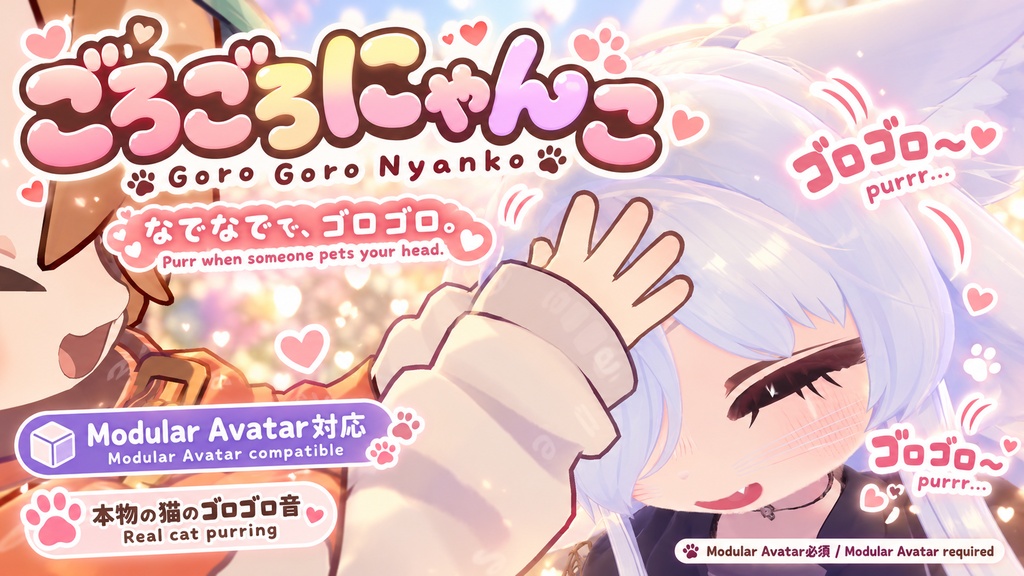
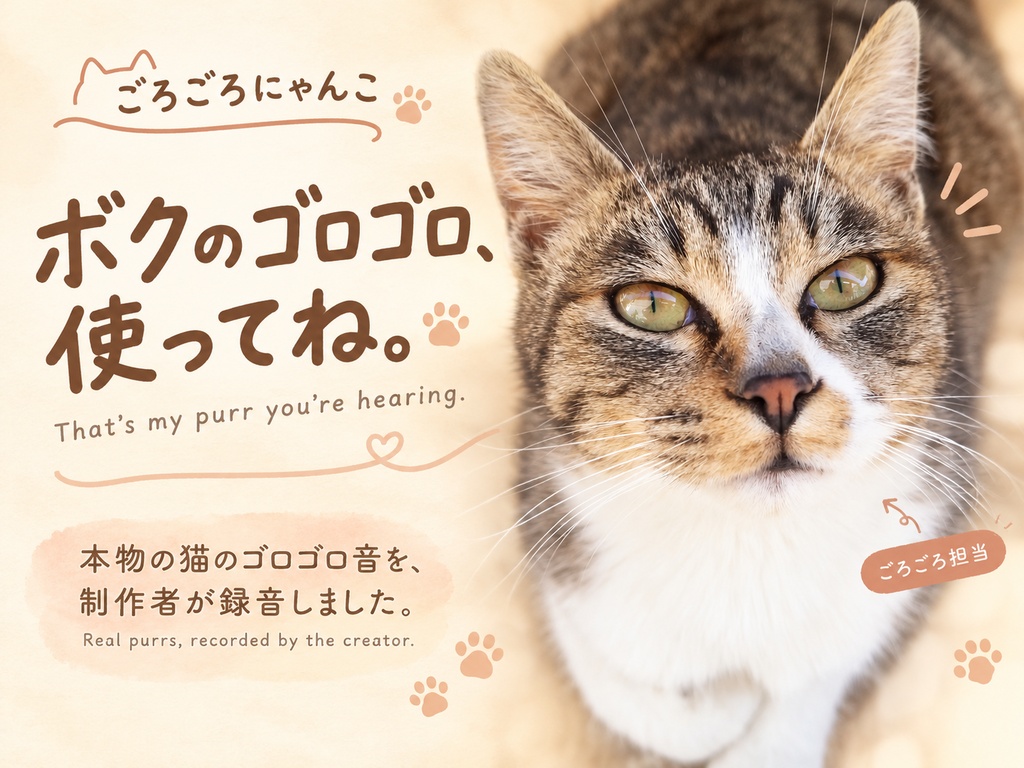
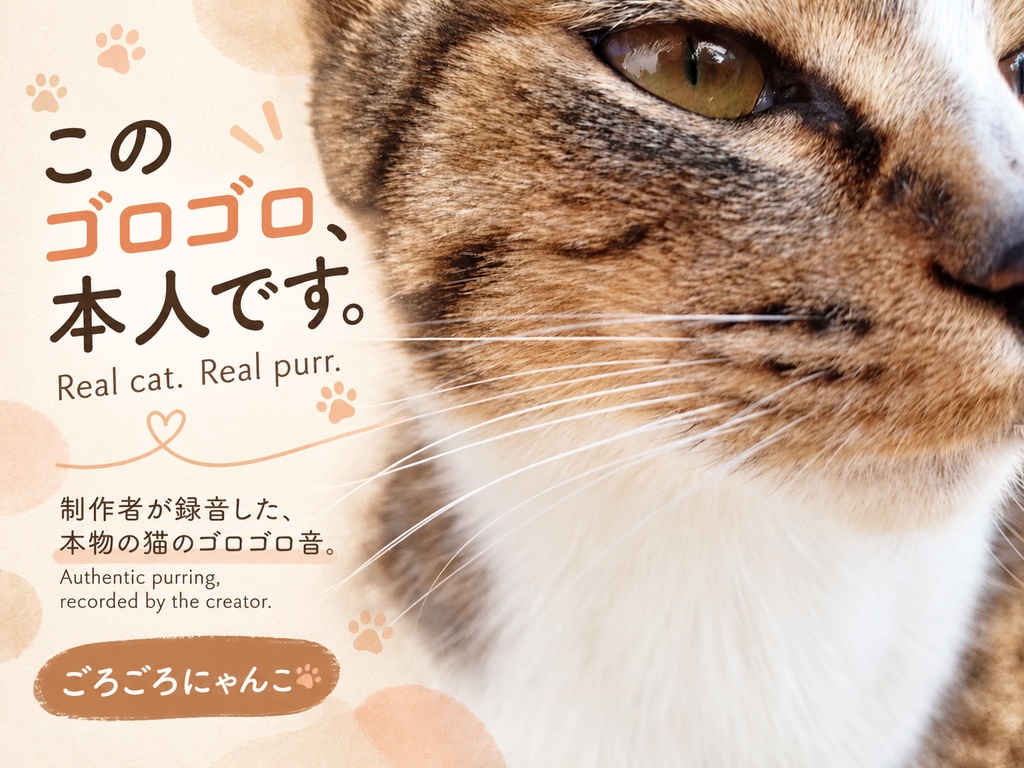
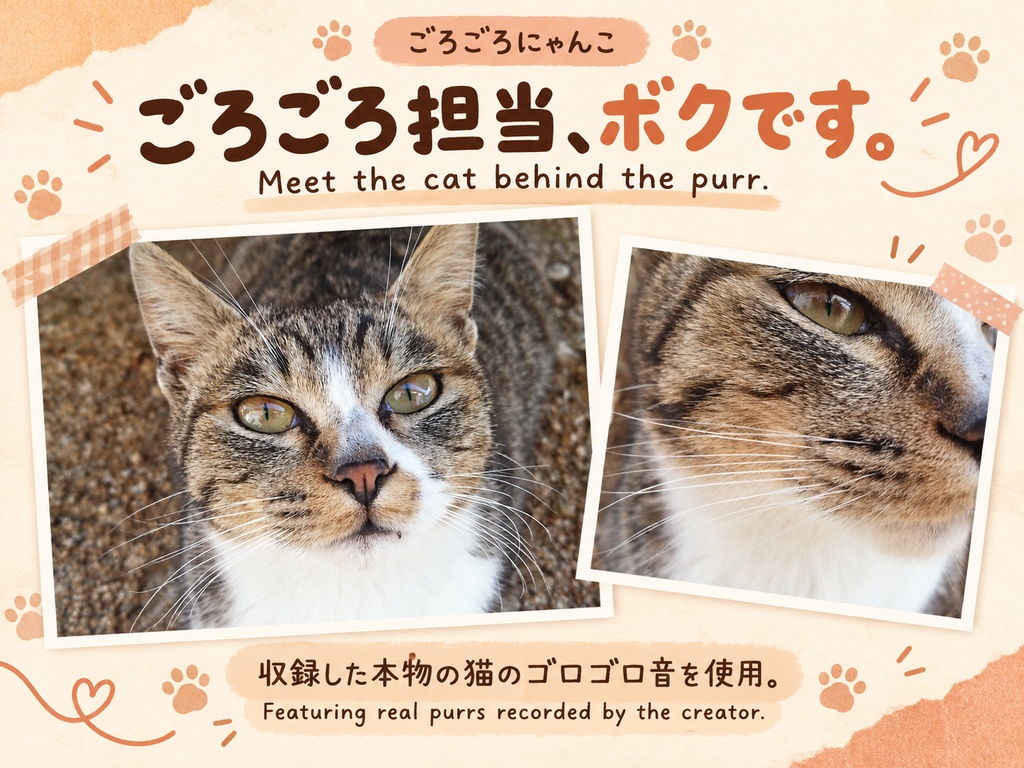
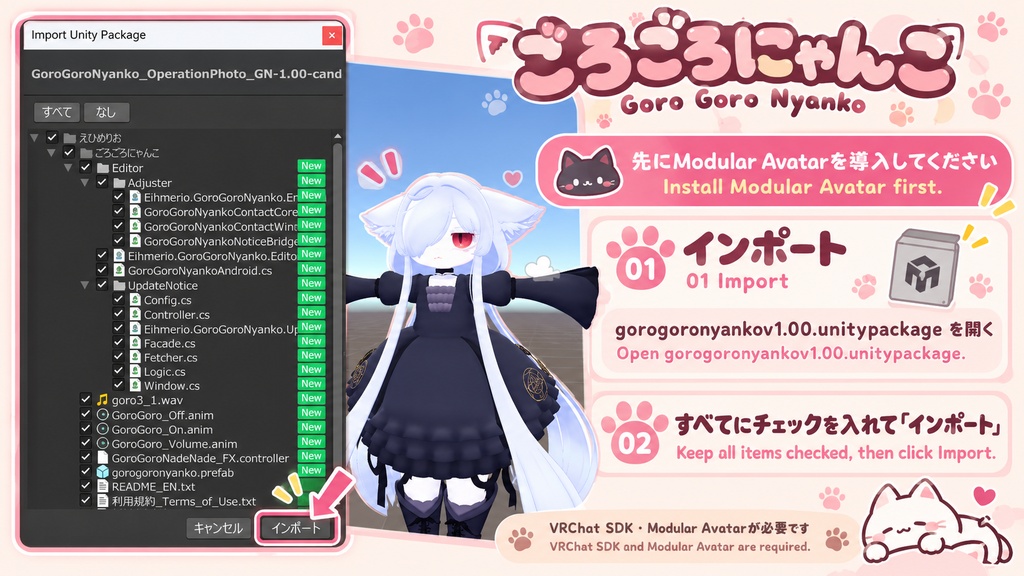
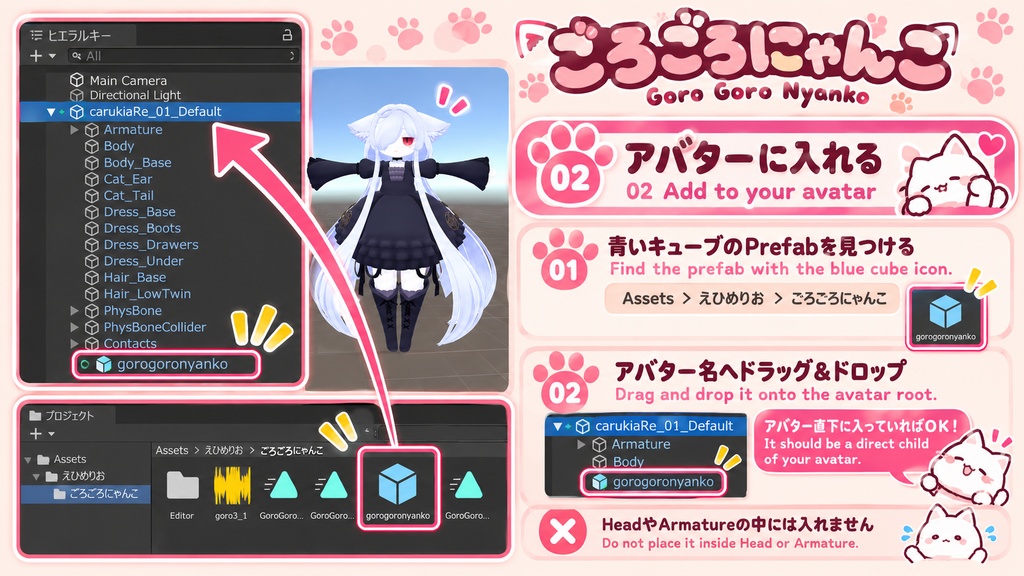
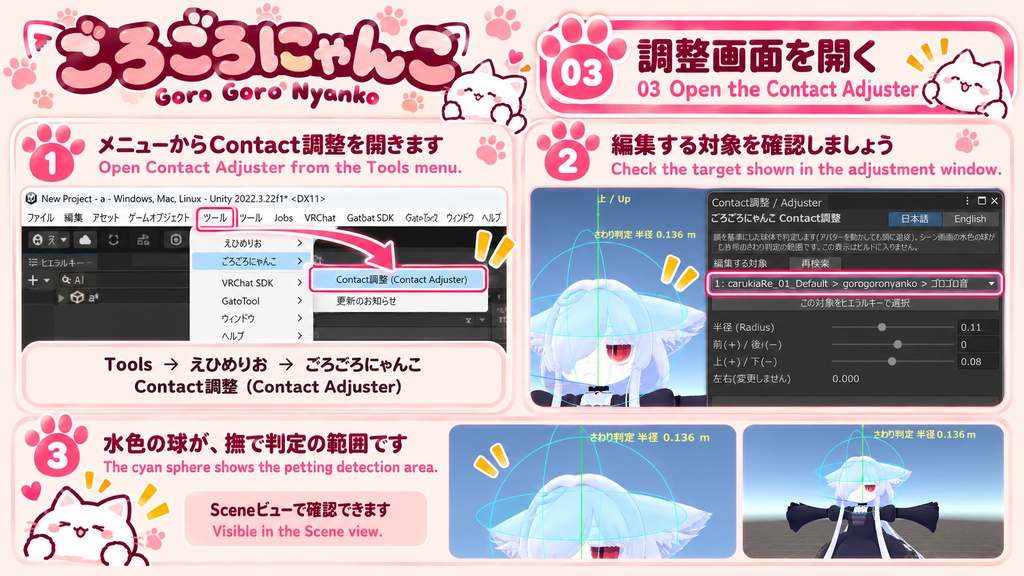
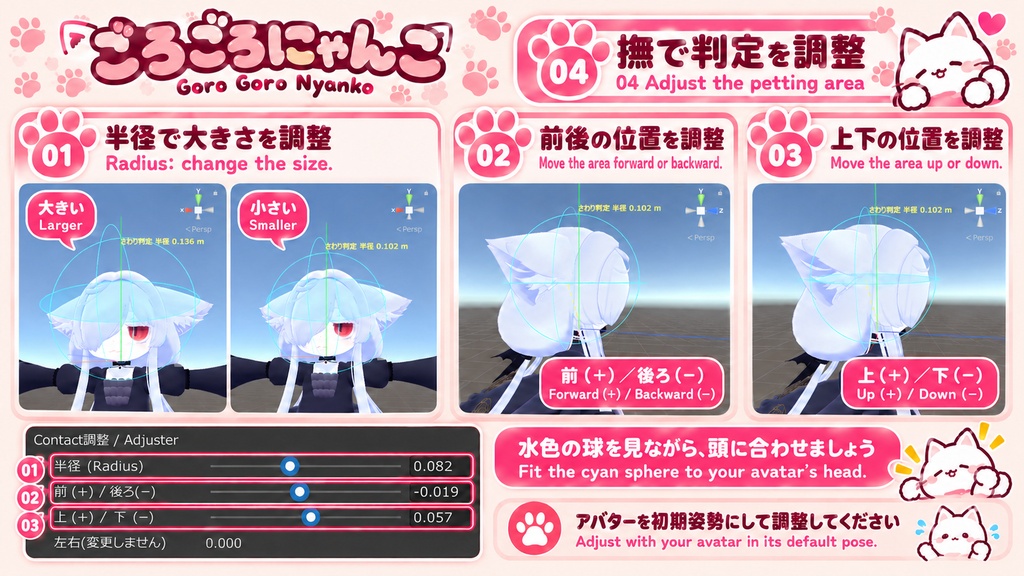
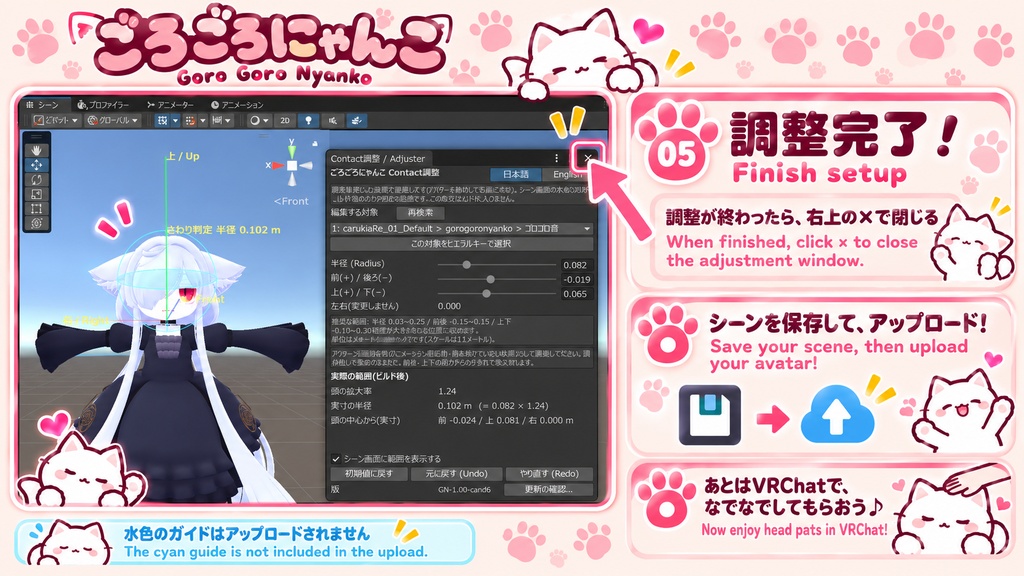


なでなでされると、ゴロゴロ〜。 あなたのアバターも、甘えんぼうなにゃんこに。 「ごろごろにゃんこ」は、ほかの人に頭を撫でてもらうと、本物の猫のゴロゴロ音が鳴るVRChat用ギミックです。 作者自身が録音した、本物のゴロゴロ音を収録。 商品画像の猫ちゃんが、ゴロゴロ担当です🐾 ■ できること ・ほかの人の手や指が頭の判定範囲に触れると音が鳴ります。自分の手には反応しません。 ・VRChat内のメニューで音量を調整。0%で消音になります。 ・設計上は約2mまで設定音量を保ち、約3mで聞こえなくなります。 ・Unityで判定範囲を見ながら、大きさ・前後・上下をスライダーで調整できます。 ・調整画面は日本語・英語に対応しています。 ※距離による減衰はVRChat実機で確認済みです。2〜3m間の細かな音量値や、正確に3mで無音になる点は測定していません。 ■ 導入方法 1. VRChat SDK - AvatarsとModular Avatarを導入したプロジェクトへ、本商品をインポートします。 2. 「gorogoronyanko」プレハブを、アバターのルートオブジェクト直下に配置します。 3. 必要に応じて頭の判定範囲を調整します。 4. シーンを保存し、アバターをアップロードします。 詳しくは説明画像・同梱説明書をご覧ください。 ■ 必要なもの・確認環境 ・Unity 2022.3.22f1(Windows) ・VRChat SDK - Avatars 3.10.4 ・Modular Avatar 1.17.1 ・NDMF 1.14.1 ・導入先のアバター 上記以外のバージョンの組み合わせは未確認です。 アバター本体、SDK、Modular Avatar、NDMFは付属しません。 ■ 更新のお知らせ Unityエディタ内で、新しいバージョンのお知らせを確認できます。 ・利用は任意。有効にするまで通信しません。 ・有効時は前回の確認から24時間以上空けて、Unity起動時やツール画面を開いたときなどに自動確認します。 ・「今すぐ確認」から手動確認もできます。 ・取得先はGitHub(raw.githubusercontent.com)です。アバター情報やローカルのファイルパスなどを送る機能はありません。 ・自動ダウンロード・自動更新はしません。 ・無効時や通信できない場合も、商品の基本機能は使えます。 作者が更新情報を公開した後、利用者側で次に確認した際に表示されます。BOOTHの商品ページの変更だけで通知される仕組みではありません。 ■ 内容物 ・gorogoronyankov1.00.unitypackage ・説明メモ.txt(日本語) ・README_EN.txt(英語) ・利用規約_Terms_of_Use.txt ・更新履歴_Changelog.txt ■ ご購入前に ・PC版VRChat向けです。Quest/Android版ではゴロゴロ音は再生されません。 ・標準構成ではAndroidビルド時に商品部分を自動で取り除きます。同梱コントローラーを複製・差し替えした場合は自動除外の対象外になるため、説明書に沿って手動で取り外してください。 ・アバターの形状や大きさに応じて判定範囲の調整が必要です。頭に合わせた自動サイズ調整機能はありません。 ・エクスプレッションメニューに空きが必要です。 ・相手側のアバター表示・音声・インタラクション設定によって、音や反応が制限される場合があります。 ・掲載画像・動画のアバターは付属しません。 ■ 利用規約の概要 ・購入者本人による使用・改変が可能です。 ・音源の差し替えも可能ですが、使用する音源の利用条件を守ってください。 ・導入したアバターを収益化した動画・配信で使用できます。 ・本商品および改変した商品データの再配布・譲渡・転売は禁止します。 ・アバターや素材など、第三者の権利者の利用条件も守ってください。 詳細は同梱の「利用規約_Terms_of_Use.txt」をご確認ください。 ■ 🐾 サポート・交流用Discord 感想や「こんな機能が欲しい!」を気軽にお聞かせください。 商品ごとの不具合相談、雑談、新しいツールのアイデアも歓迎です。 https://discord.gg/25udX2JX37 ・ご相談は該当商品のチャンネルへお願いします。 ・不具合の際はUnity・SDK・Modular Avatarのバージョンと、発生状況を添えてください。 ・購入情報や個人情報を含むお問い合わせは、BOOTHのショップメッセージをご利用ください。 ・参加は任意です。BOOTHメッセージからもお問い合わせいただけます。 制作:えひめりお ──────────────────── English ──────────────────── A little head pat, a happy purr! 🐾 GoroGoroNyanko plays real cat purring sounds when another person pets your avatar's head. The creator personally recorded the audio. The cat in the product images is the actual purring performer! ■ Features ・Triggered by another person's hands or fingers, not your own. ・In-game volume control; 0% mutes the sound. ・Designed to maintain the selected volume up to about 2m and fade to silence at about 3m. ・Visible head contact area with radius, front/back and height sliders in Unity. ・Japanese and English adjustment UI. Distance fading has been checked in VRChat. Exact volume levels and the precise silence distance have not been measured. ■ Installation / Requirements Import the package, place the “gorogoronyanko” prefab directly under the avatar root, adjust the contact area if needed, save the scene and upload. Checked environment: Unity 2022.3.22f1 on Windows / VRChat SDK - Avatars 3.10.4 / Modular Avatar 1.17.1 / NDMF 1.14.1 Other version combinations are untested. The avatar and required third-party tools are not included. See the included instructions for details. ■ Update Notices Optional update checks are available in the Unity Editor. No requests are made until enabled. Automatic checks run on startup or tool opening when at least 24 hours have passed since the previous check. Manual checks are also available. Information is fetched from GitHub (raw.githubusercontent.com). Avatar information and local file paths are not sent. Updates are not automatically downloaded or installed. Product features still work with checks disabled or offline. Notices require the creator to publish update information; editing the BOOTH page alone does not trigger them. ■ Contents Unity package, Japanese and English instructions, Terms of Use and changelog. ■ Before Purchasing ・PC VRChat only; purring audio does not play on Quest / Android. ・The standard setup removes the product during Android builds. Duplicating or replacing the bundled controller prevents automatic removal; follow the instructions for manual removal. ・Contact adjustment may be needed. Automatic head-size matching is not included. ・Requires a free Expressions menu slot. ・Other users' visibility, audio and interaction settings may limit functionality. ・Avatars shown in images and video are not included. ■ Terms Summary The purchaser may use and modify the product, including replacing audio subject to its usage terms. Avatars using it may appear in monetized videos and streams. Redistribution, transfer and resale of product data, including modified versions, are prohibited. Respect third-party asset terms. See the included Terms of Use for full details. ■ Discord — Support & Community Feedback, feature requests, product questions and tool ideas are welcome! https://discord.gg/25udX2JX37 Use the relevant product channel. For bug reports, include your Unity, SDK and Modular Avatar versions and describe the issue. Send purchase details or personal information through BOOTH shop messages. Discord participation is optional; BOOTH support remains available. Created by えひめりお / Ehimerio