

OVER:ALL - VRChat Clothing / CP1
- Full Pack: ALL INCLUDED!Digital2,500 JPY
- Hanka/ Shidou CompatibleDigital1,000 JPY
- Komano CompatibleDigital1,000 JPY
- Turanari (Tinmeshitei Body) CompatibleDigital1,000 JPY
- Licht CompatibleDigital1,000 JPY
- Bokusei (PlusHead Body) CompatibleDigital1,000 JPY
- Shizune CompatibleDigital1,000 JPY
- Shinano CompatibleDigital1,000 JPY
- Lapwing CompatibleDigital1,000 JPY
- Marycia CompatibleDigital1,000 JPY
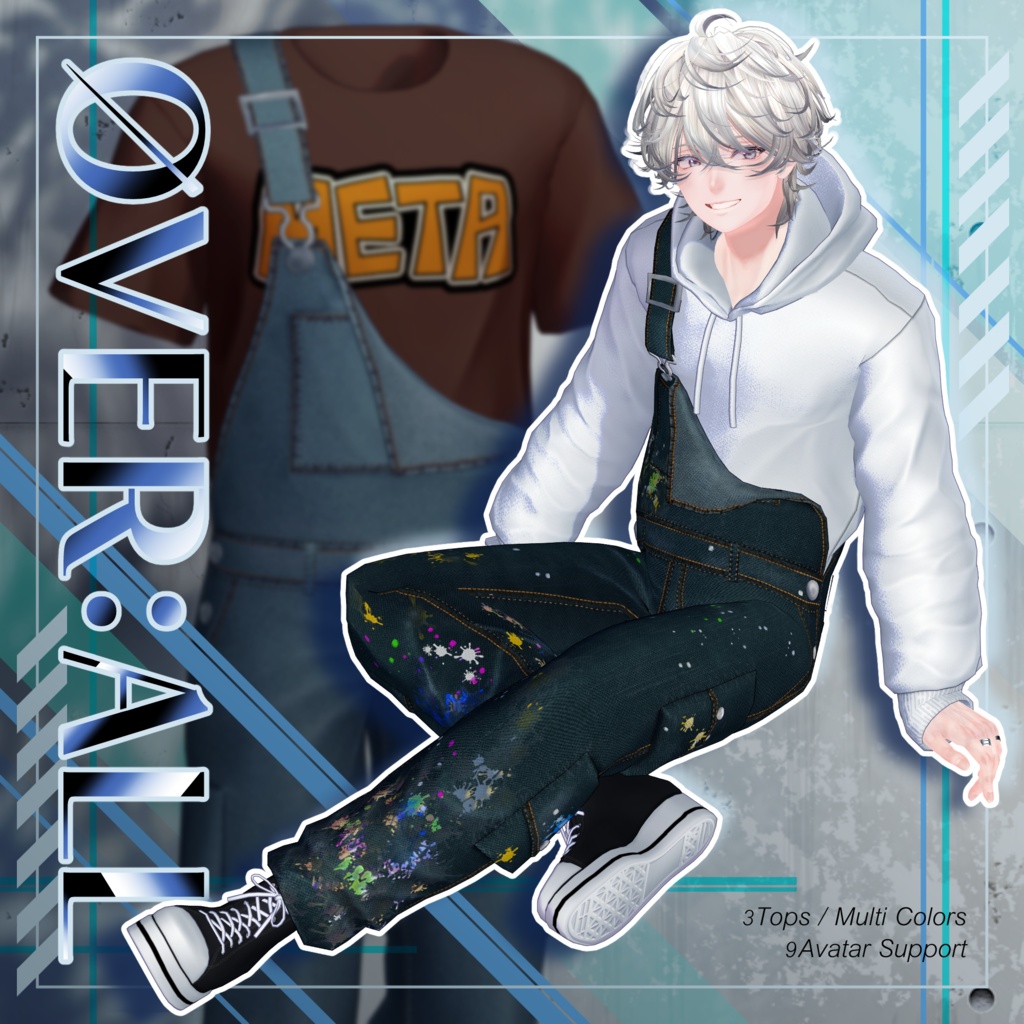
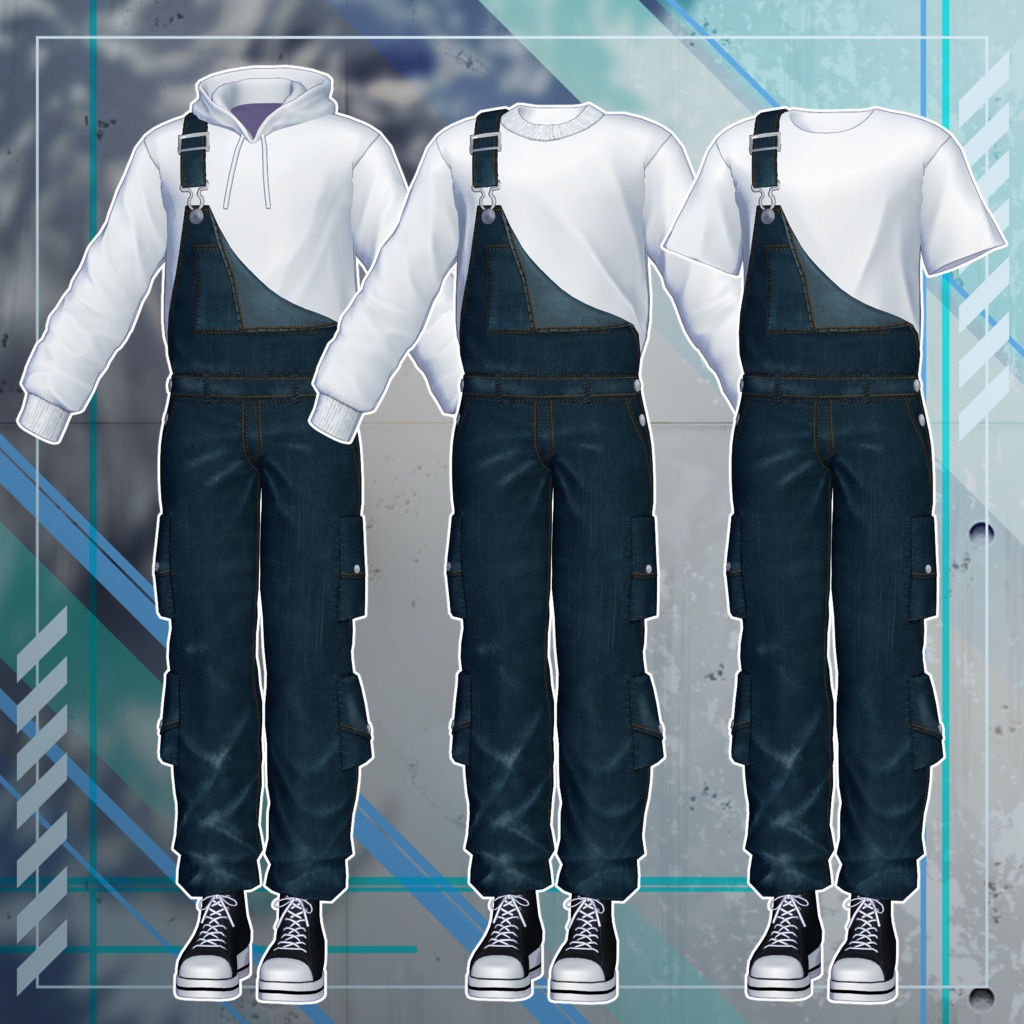
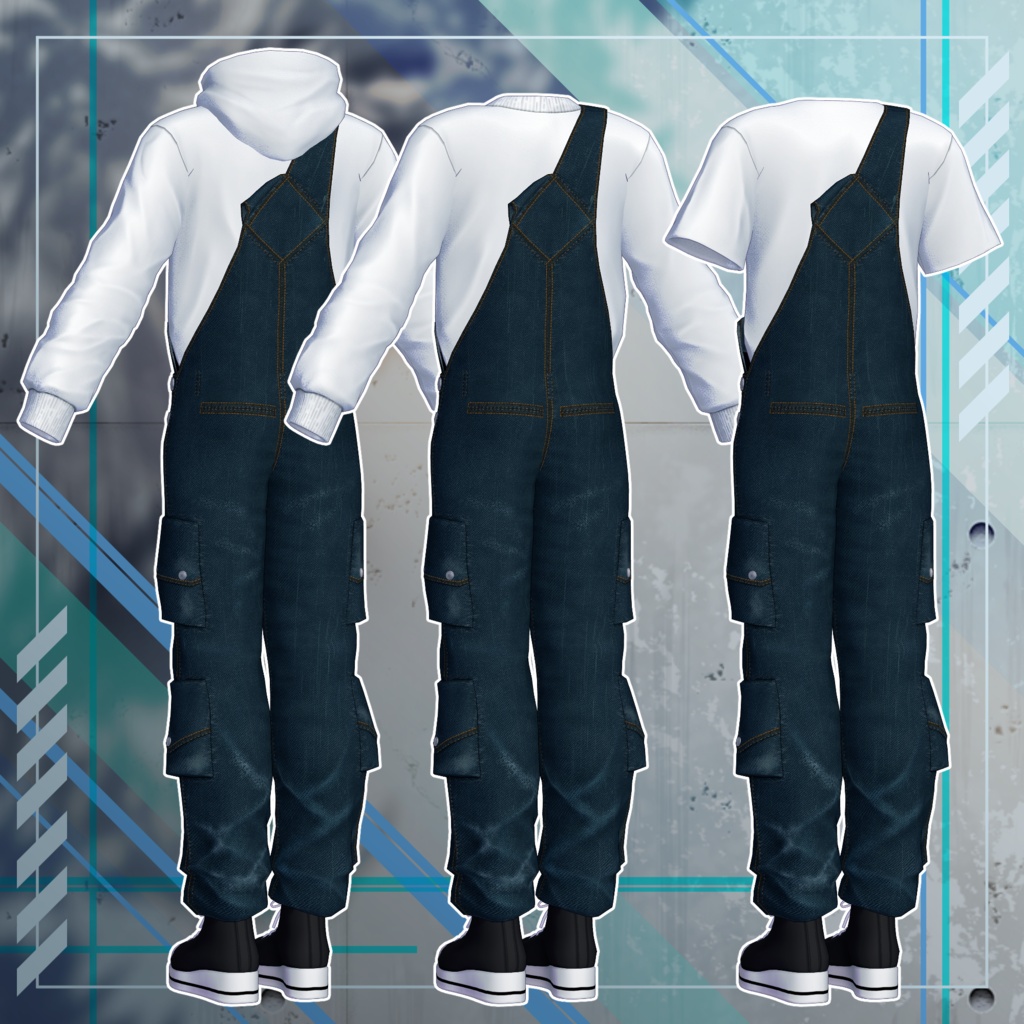
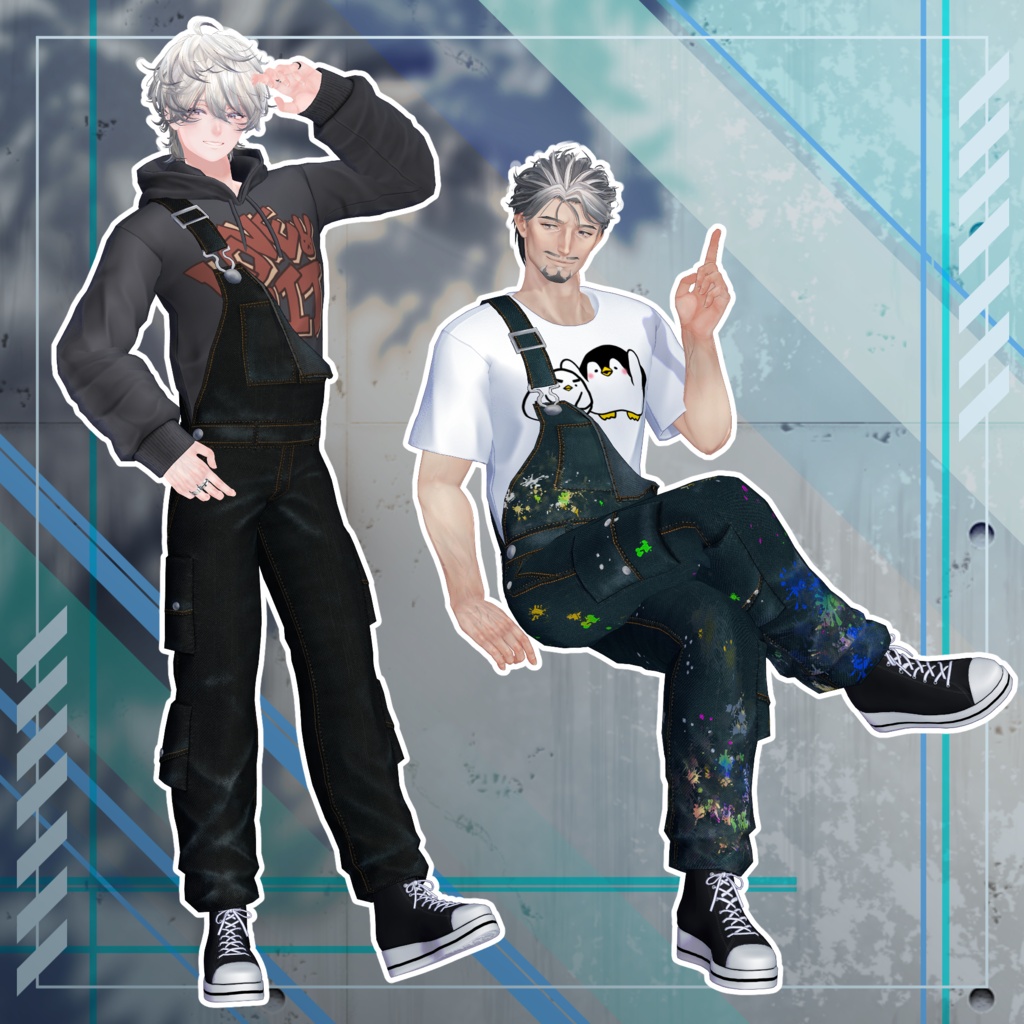
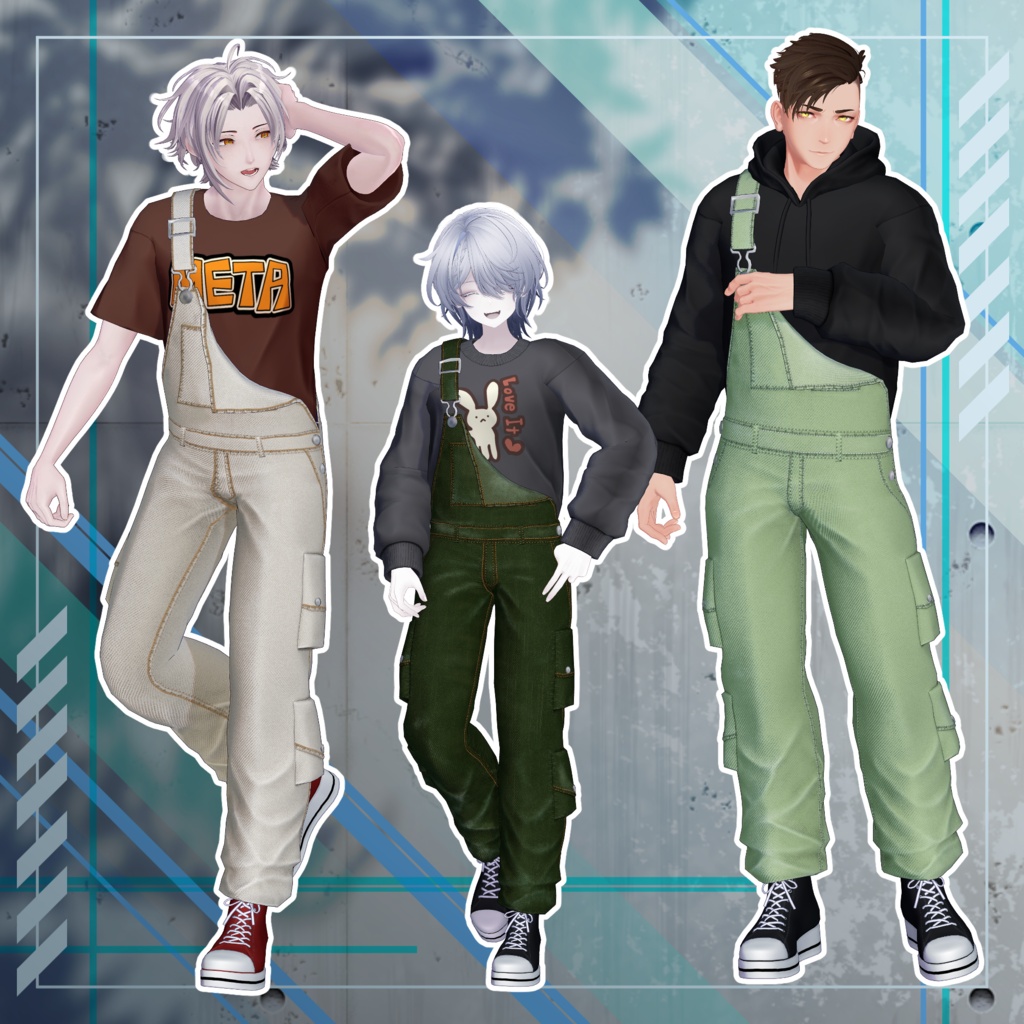
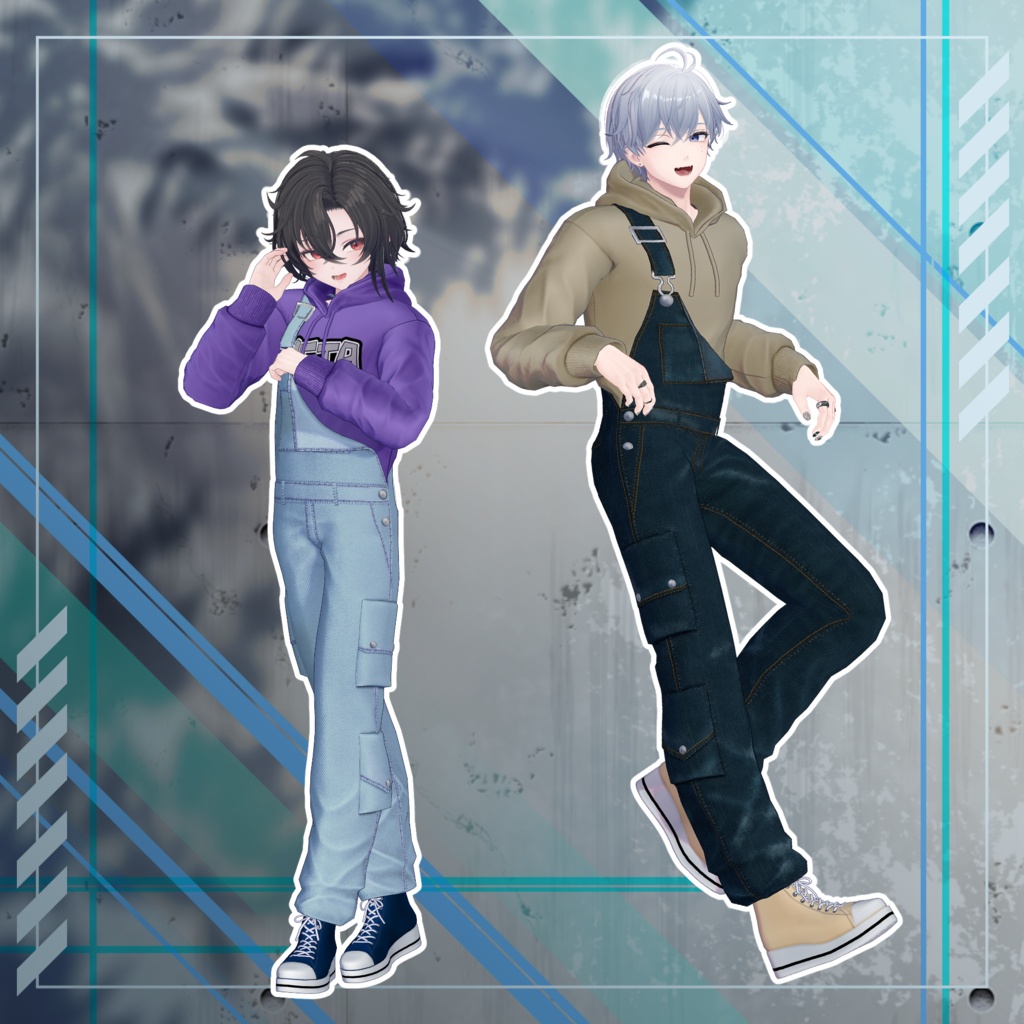
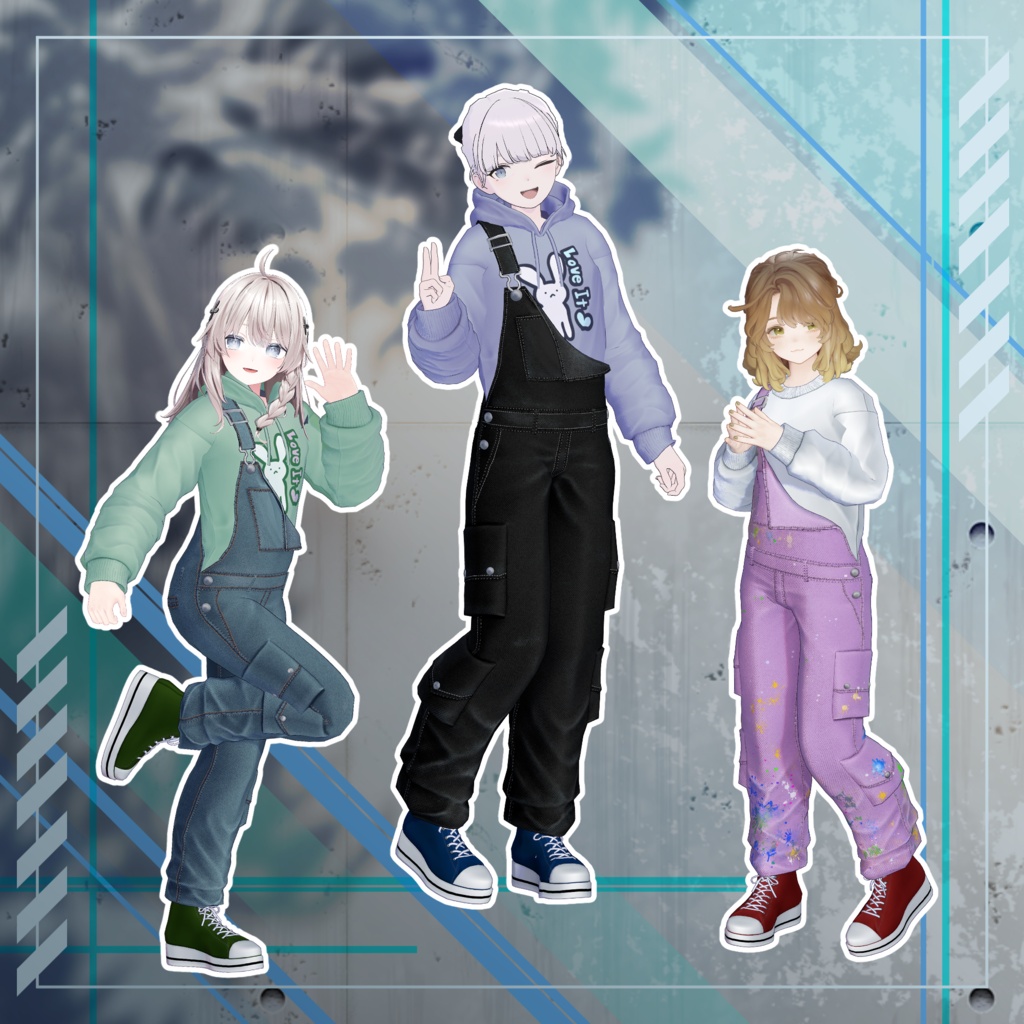
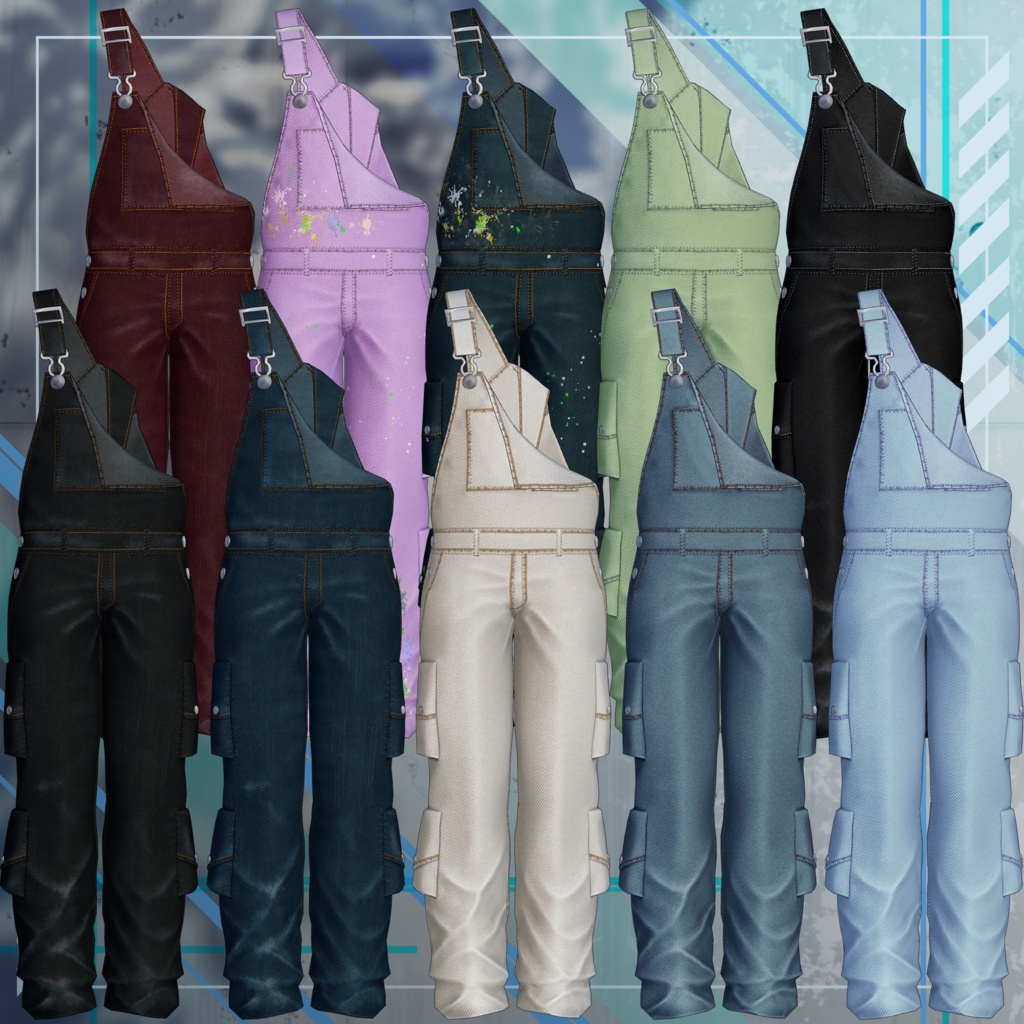
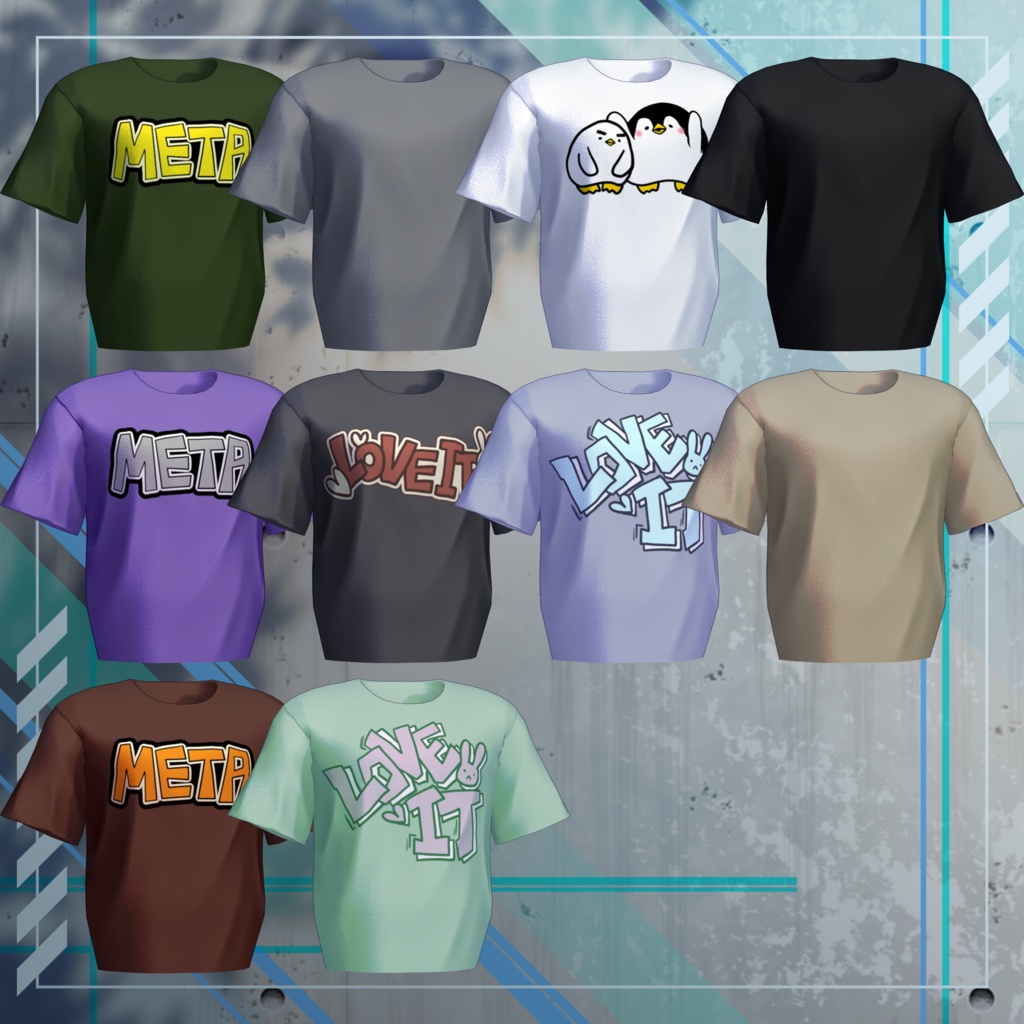
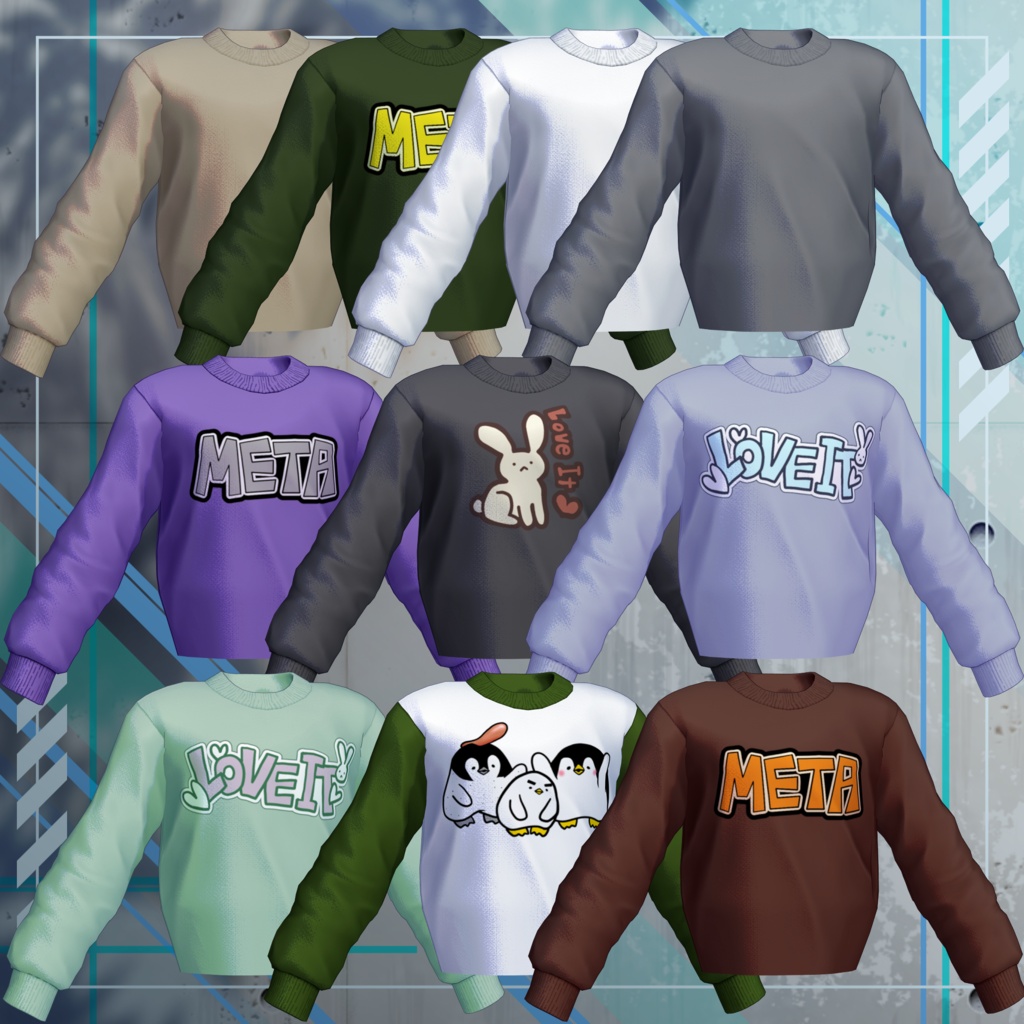
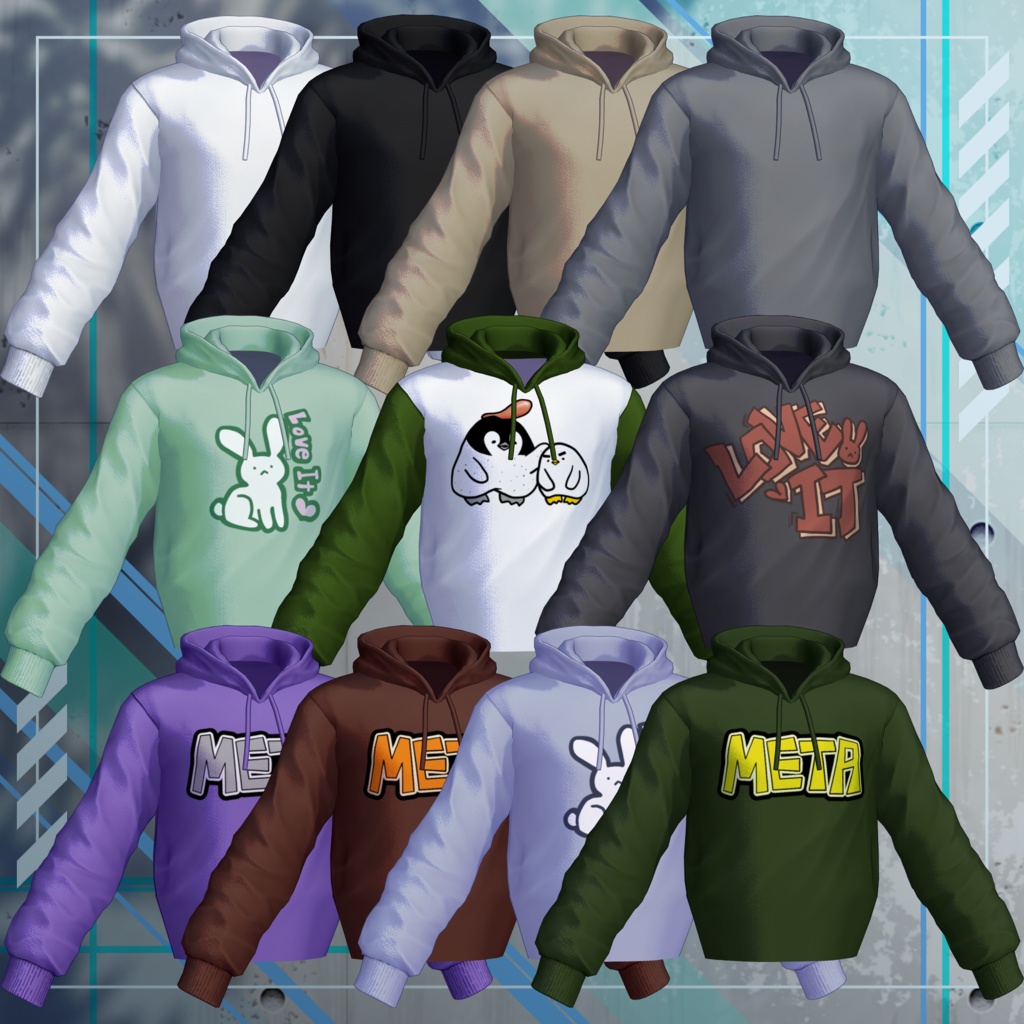
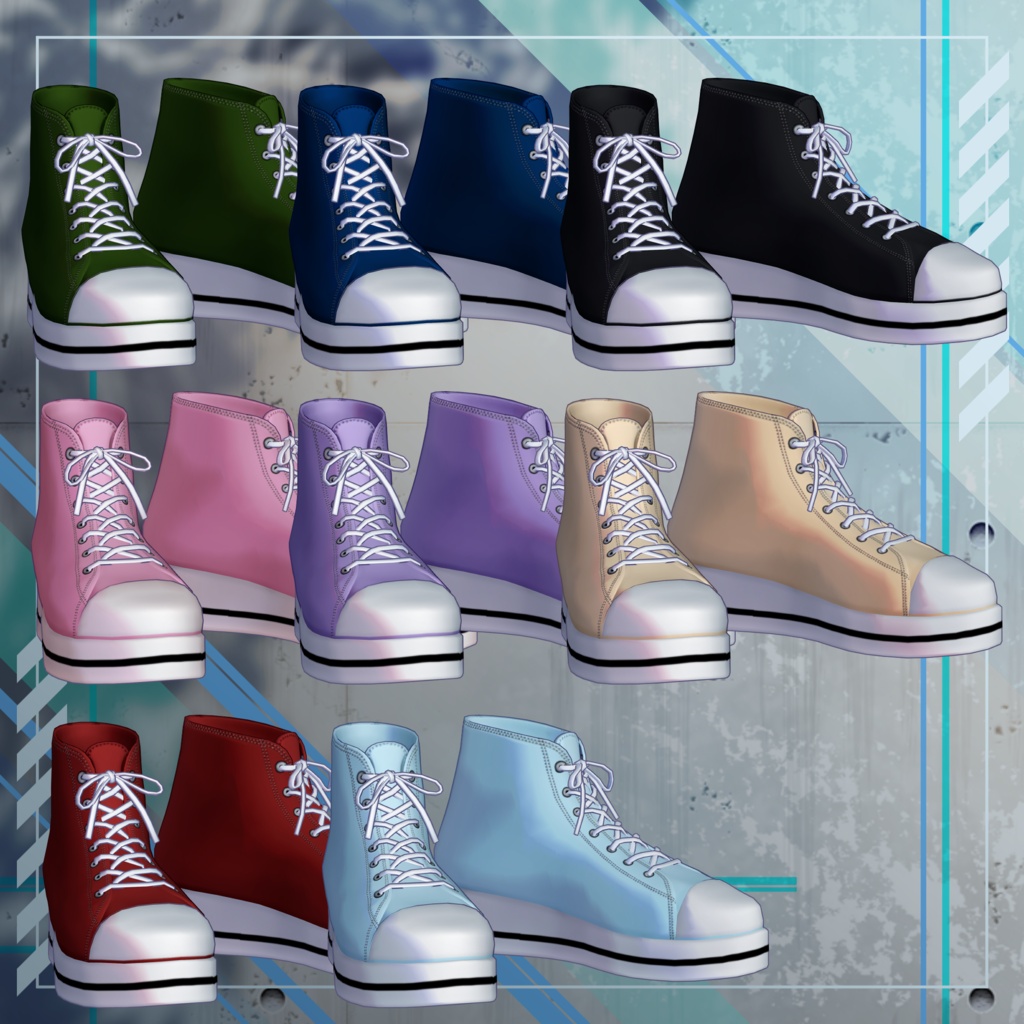


A casual overall outfit set featuring three different top options: a hoodie, sweatshirt, or T-shirt. Enjoy mixing and matching a wide variety of colors with bold, oversized logos! **Please Note:** - This product is a clothing model for VRChat avatars. The avatar model itself is not included. - Due to the digital nature of this product, all purchases are final and non-refundable. Please read and agree to the product description and Terms of Use before purchasing. ## ◆ Product Details **Included Files** - OverAll_For◯◯.Unitypackage - OverAll_Common.Unitypackage - PSD / CLIP files for customization - ReadMe.txt (this document) **Shader Used** - lilToon https://lilxyzw.booth.pm/items/3087170 **Required Asset** - Modular Avatar https://modular-avatar.nadena.dev/ja/docs/intro **Model Specifications** - **Total Polygon Count:** 22,272 polygons - Inner_Hoodie: 5,180 polygons - Inner_Sweat: 3,802 polygons - Inner_T-shirt: 1,908 polygons - OverAll: 5,680 polygons - Shoes: 5,702 polygons - Mesh Count: 5 - Material Count: 3 - PhysBone Components: 3 - Constraint Count: 0 **Import Folder:** `Assets > MetaverseCreators_CP > Takeru_Airgreen > OVERALL` ## ◆ Supported Avatars - **Hanka & Shidou (斑霞-Hanka- / 士堂-Shidou-)** - https://booth.pm/ja/items/6970249 - https://metacreatorstyo.booth.pm/items/8086741 - **Komano (狛乃)** - https://booth.pm/ja/items/5260363 - **Tsuranari (社畜の連成さん / 珍飯亭 Body)** - https://booth.pm/ja/items/5498540 - **Licht (凛仁)** - https://metacreatorstyo.booth.pm/items/7430852 - **Bokusei (墨惺 / PlusHead)** - https://booth.pm/ja/items/5727810 - **Shizune (雫峰)** - https://metacreatorstyo.booth.pm/items/7684873 - **Shinano (しなの)** - https://booth.pm/ja/items/6106863 - **Lapwing** - https://booth.pm/ja/items/4993931 - **Marycia (マリシア)** - https://booth.pm/ja/items/6305948 **Notes:** - When fitting the outfit, use the corresponding body-hiding shape keys (which reduce the avatar's body mesh to a simplified, rod-like shape). - Breast jiggle physics and breast size adjustments are not supported for Shinano and Marycia. ## ◆ Installation Instructions 1. Make sure you have the latest version of the VRChat SDK configured in VCC. 2. Install the required assets (lilToon and Modular Avatar) through VCC. 3. Import the latest package for the avatar you want to dress. 4. Import this product's **Common** package. 5. Import the package corresponding to your avatar. 6. Place your avatar (or its customization/dressing prefab, if available) into the Scene Hierarchy. 7. If necessary, hide or set any unwanted default avatar clothing (such as default outfits or underwear) to **Editor Only**. 8. Drag and drop `OVERALL_For[Avatar Name].Prefab` directly under the avatar in the Hierarchy. 9. Upload your avatar through the VRChat SDK. **Important Notes:** - The outfit uses Modular Avatar's **MA Mesh Cutter** component. When you place the outfit under the avatar in the Hierarchy, the configured body-hiding shape keys are automatically applied. - If you do not need this feature or it does not work correctly, adjust the component settings or the body shape keys manually. - The default top is set to the hoodie. To switch to another top, select the desired option directly from the Hierarchy. - Switching tops through the EX Menu is not currently supported. ## ◆ Color Customization You can change colors by replacing the corresponding color variation materials found in the **Common** folder under each individual part's folder. You can also use the included PSD or CLIP files to customize the colors to your liking. The logos are placed on separate layers, allowing you to mix and match different logo designs and color combinations! ## ◆ Terms of Use https://drive.google.com/drive/folders/1qRMXoIxM1ZgacBPfwOigQRtXP1vCbNMn?usp=sharing Please make sure to follow the Terms of Use of the original avatar when using this product. ## ◆ Development Environment **Modeling Software:** - Blender Ver. 5.2.0 **Texturing Software:** - CLIP STUDIO PAINT - Substance 3D Painter 2024 **Setup Environment:** - Unity Ver. 2022.3.22f1 - VRChat SDK - Avatars Ver. 3.10.5 - lilToon 2.3.4 - Modular Avatar 1.18.7 ## ◆ Credits **Creator:** Takeru - https://www.airgreen.net/ - https://airgreen.booth.pm/ For inquiries or support, please contact us via BOOTH Messages.