
着せ替え比較カメラ Look Pair|Unityで衣装の変更前後を4構図のPNGに
- Digital500 JPY
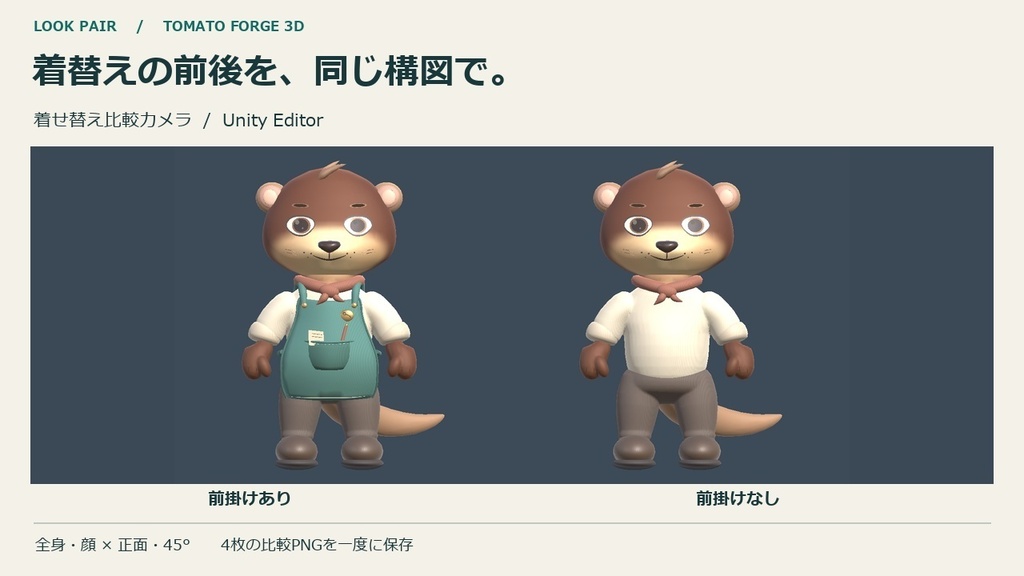
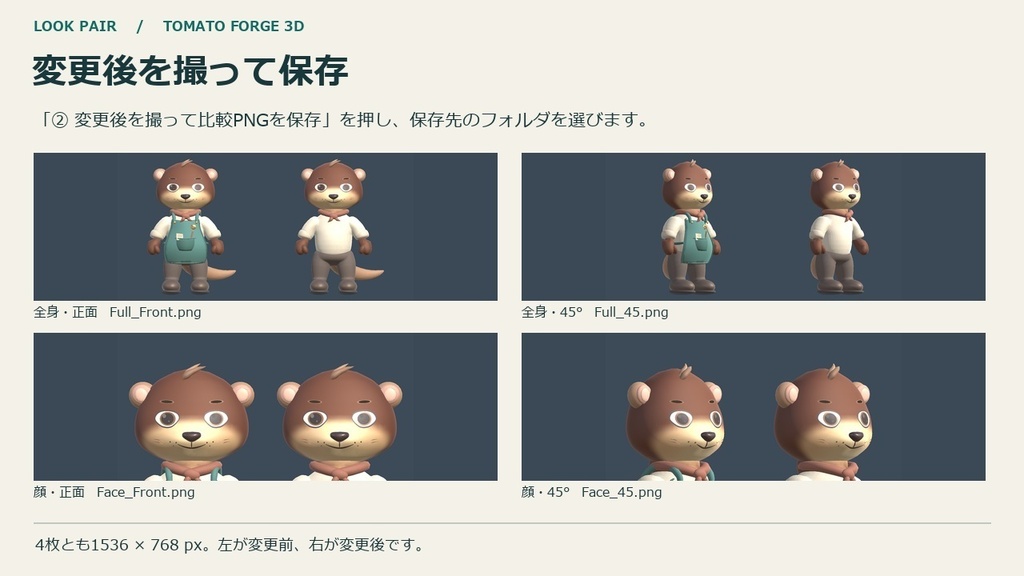
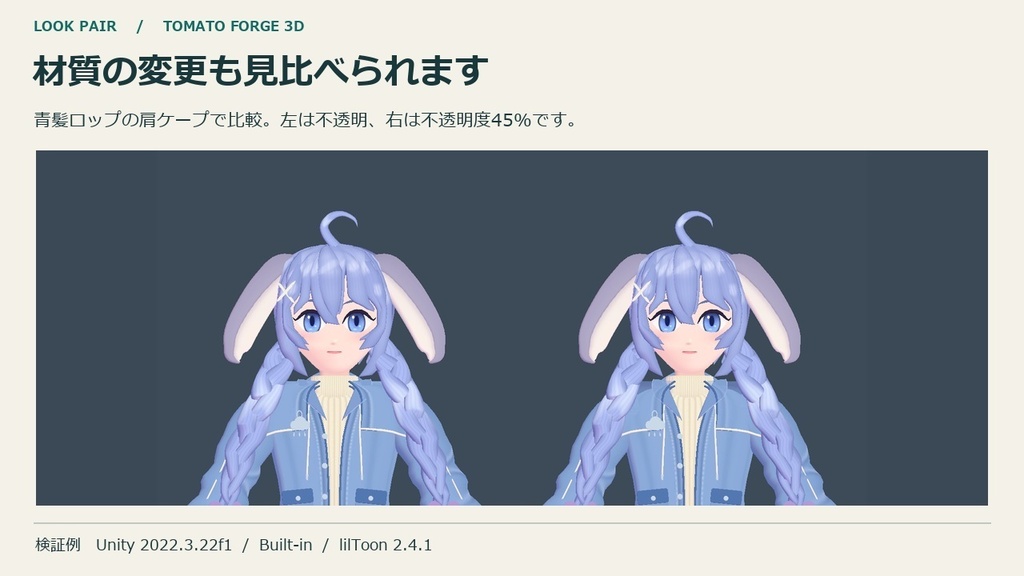
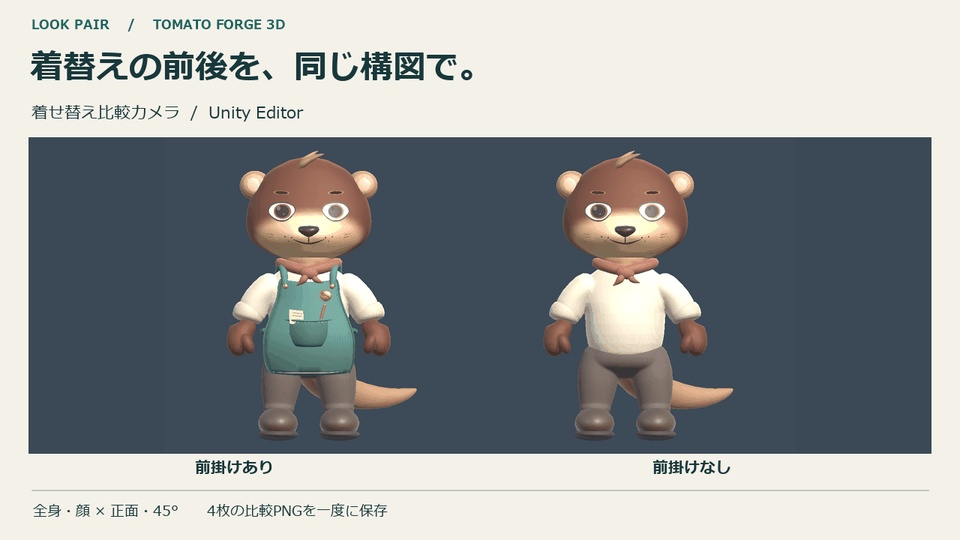


【日本語】 前掛けを外したとき、首元の紐やシャツの形はどう変わる? Look Pairは、Unity上のアバターを着替えの前後で撮り、同じ場所を見比べられるように2枚を横に並べるエディターツールです。 ① Tools → Tomato Forge → Look Pair を開き、Hierarchyに配置したアバターを指定します。 ② 「変更前を撮る」を押してから、シーンで衣装や材質を変更します。 ③ 「変更後を撮って比較PNGを保存」を押し、保存先を選びます。 全身の正面・45°、顔の正面・45°を一度に出力します。各画像は1536×768 px、左が変更前、右が変更後。最初の撮影で画角と専用照明が決まり、衣装を替えても同じ条件で比較できます。顔の注視点の指定と前後反転に対応します。撮影の途中はウィンドウを開いたままにしてください。 収録 LookPair.unitypackage、日英説明 Readme.txt。使用例のアバター・衣装・lilToonは別途用意した撮影素材です。 確認環境 Windows、Unity 2022.3.22f1、Built-in Render Pipeline。別プロジェクトへのImport、Edit Modeでのメニュー起動・撮影・保存を確認しました。カワウソの前掛けと、青髪ロップのlilToon 2.4.1の肩ケープで検証しています。対象は表示中のMeshRenderer/SkinnedMeshRenderer。シーンの照明・ポストエフェクト・パーティクルは撮影対象外です。Play Mode・単体ビルド・URP・HDRP・他のUnity版は未検証です。 【English】 Look Pair is a Unity Editor tool for comparing avatar outfits. Capture the original look, change clothes or materials in your scene, then save four side-by-side PNGs. Framing and studio lighting stay the same, so you can compare details such as the neckline or a translucent cape. Open Tools → Tomato Forge → Look Pair, assign a scene avatar, and click Capture A. Change the outfit, click Capture B & save, and choose a folder. Keep the tool window open between shots. Each 1536 × 768 PNG shows A on the left and B on the right. The four views cover the whole avatar and the face, from the front and at 45 degrees. You can set a custom face focus or flip the front direction. Includes the Unity package and Japanese/English instructions. The example avatars, outfits and lilToon are demonstration assets and are supplied separately. Tested on Windows with Unity 2022.3.22f1, Built-in Render Pipeline. Package import and Edit Mode capture/export were checked, including an opaque outfit and a cape using lilToon 2.4.1. Captures active MeshRenderer and SkinnedMeshRenderer geometry under studio lighting. Scene lighting, post-processing and particles are outside the capture. Play Mode, standalone builds, URP, HDRP and other Unity versions are untested. 利用条件 / Terms of use 購入者は個人・商用の制作でツールを利用し、自身の作業用に改変できます。購入者自身が権利を持つ素材の出力PNGは、商品画像、告知、ポートフォリオ等に使用できます。撮影対象のアバター・衣装・素材には各権利者の利用条件が適用されます。ツール本体、ソースまたは改変版の第三者への再配布・再販売は禁止します。 The purchaser may use the tool in personal and commercial work and modify it for their own workflow. PNGs made with assets the purchaser has the rights to use may be used in listings, announcements and portfolios, subject to the terms of the photographed assets. Redistribution or resale of the tool, its source or modified versions is prohibited.
