

- 【free版】Digital0 JPY
- 【Plus版】Digital500 JPY
- 【Pro版】Digital1,000 JPY
- 利用規約Digital0 JPY
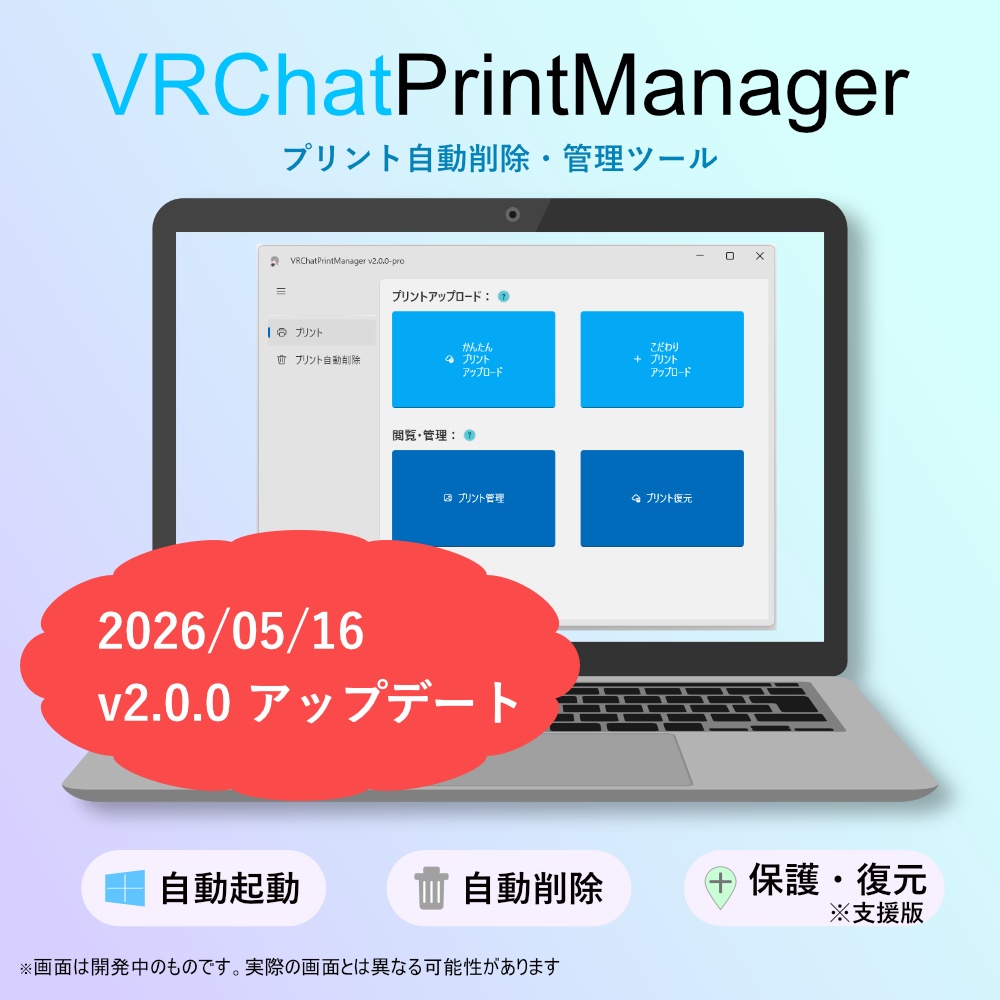
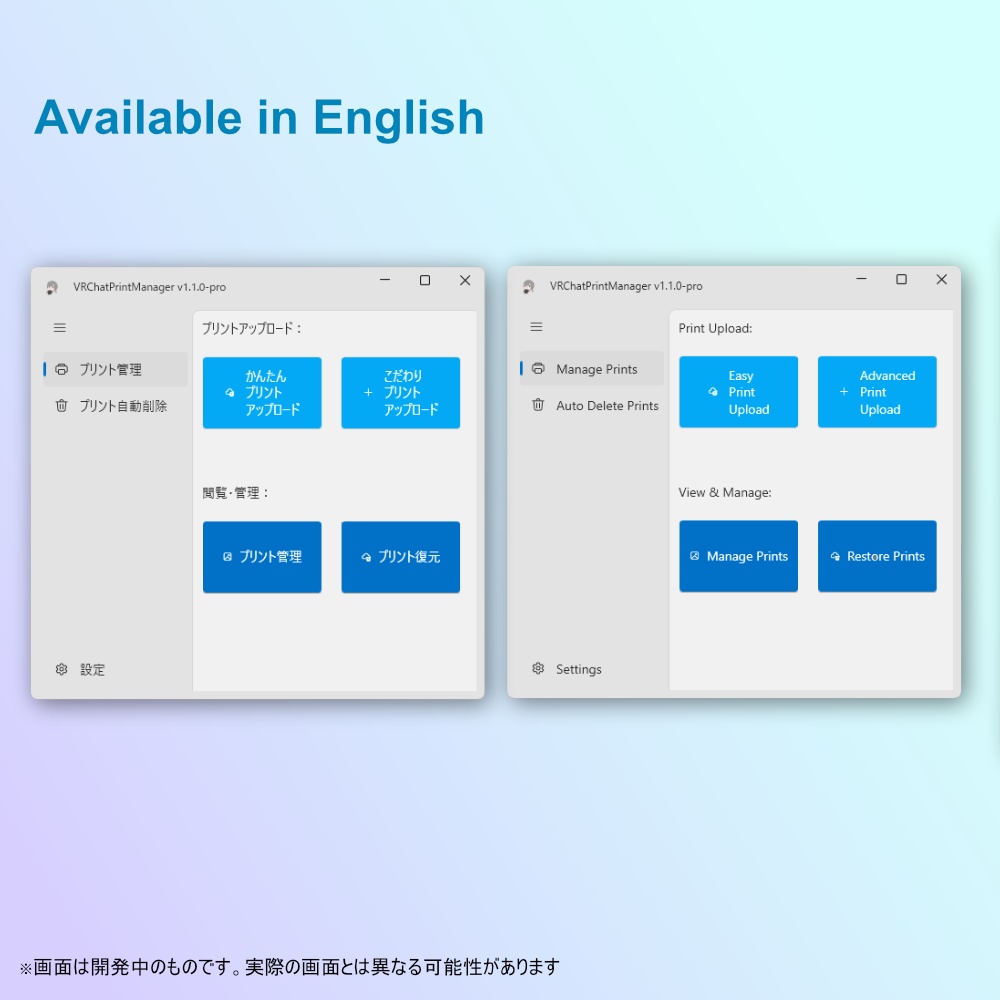


「プリントがいっぱいになりました」と言われる生活から解放されませんか!? VRChatPrintManager は Windows 向けの VRChat プリント自動削除・管理ツールです。 🔨VRChat Plusユーザー向けの撮影機能「プリント」では、 撮影画像をその場で他ユーザーとも共有できる反面、64枚まで撮影すると、それまでの画像を消さないと新たに撮影できなくなってしまうという難点がありました。 🔨本ソフトウェアではその悩みを解消します。 デフォルトカメラのシャッターをトリガーとして 設定枚数以上のプリントは古いものから自動的に削除し、プリント機能での撮影が無限に継続可能です。 自動起動やトレイ常駐が可能で、面倒な操作が不要なのもポイント! 🌟プリントの閲覧やダウンロードも可能!あなたの快適なプリントライフを応援します 📅[2025/07/02] プリントのアップロード機能を追加しました!! English follows Japanese.
内容の違いについて
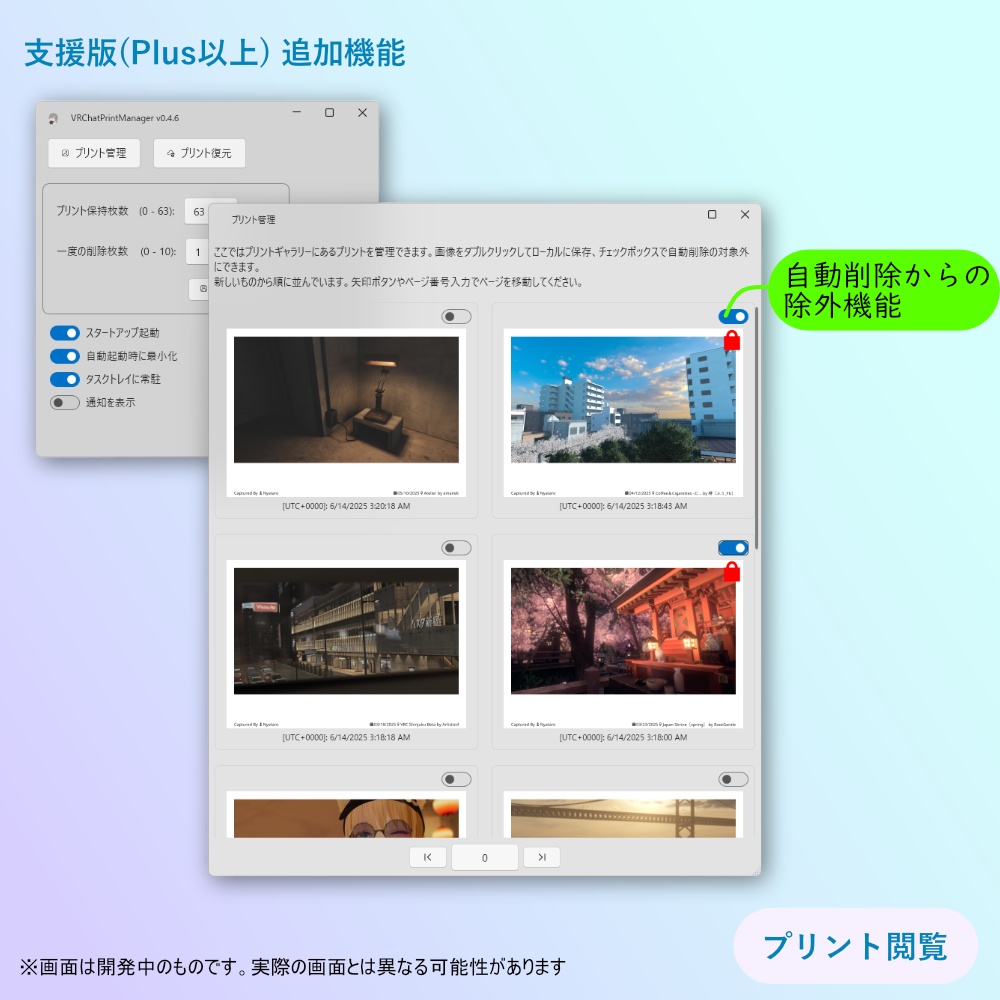
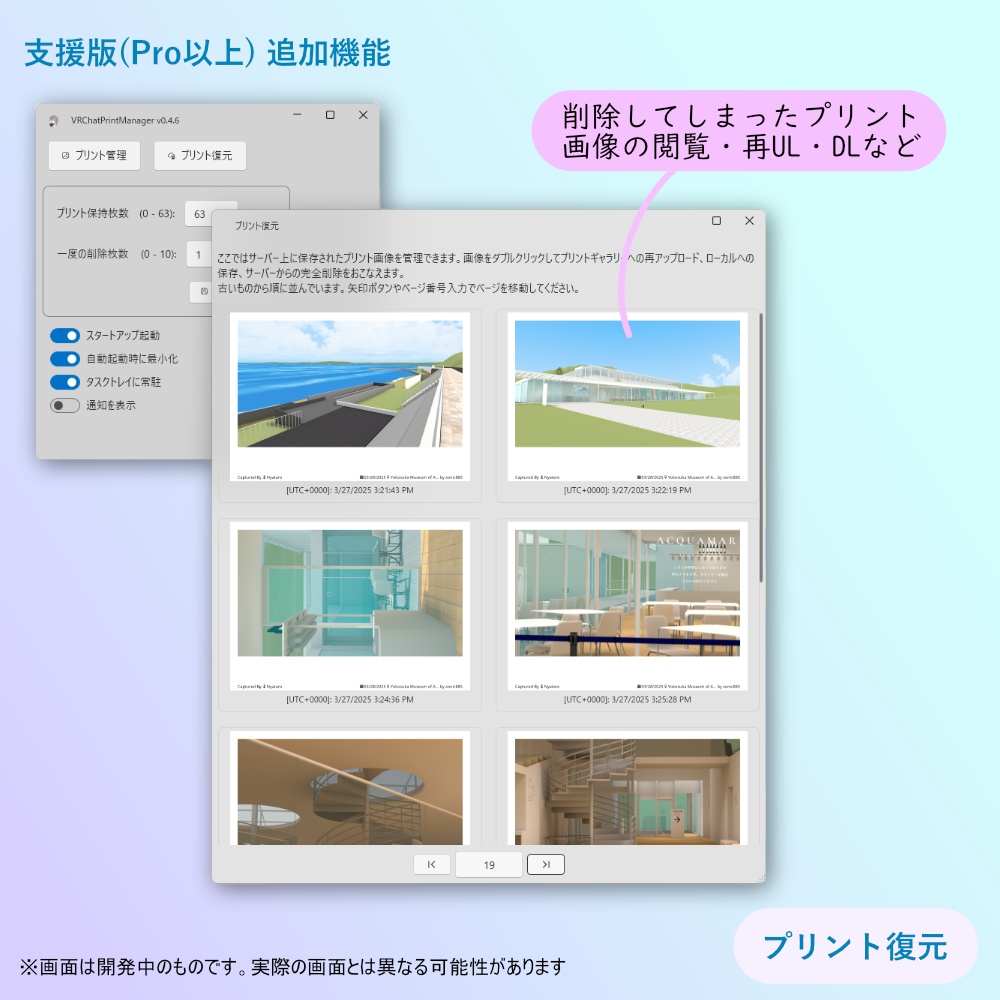
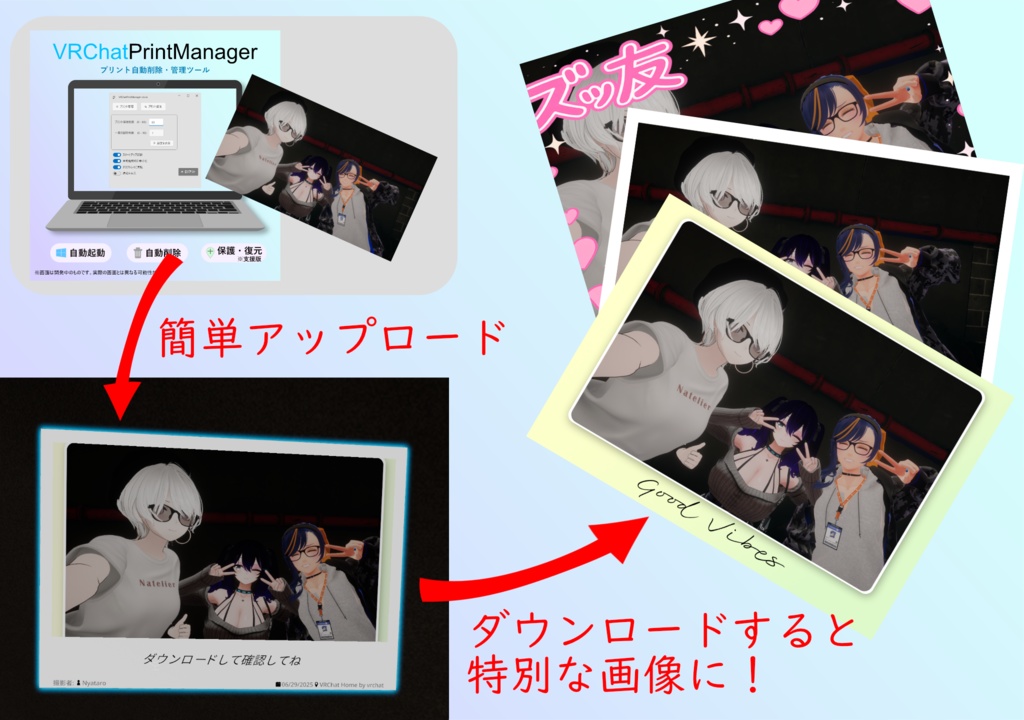
🚲【 free版(無料)】 ・プリント自動削除機能 設定した保持枚数を超えた場合に、古いプリントから自動的に削除します。 ---------------------------------------------- 🏍️【 Plus版(500円)】 free版の機能に加え、以下の機能が追加で利用可能です。 ・自動削除の除外設定 本ソフトウェアの自動削除で消したくないプリント画像を指定できます。 ・プリントのアップロード [かんたんアップロード] PCにある画像をプリントにアップロードできます。 ・ギャラリー閲覧、保護機能 プリント画像をローカルで閲覧でき、ダブルクリックでローカル保存ができます。 ---------------------------------------------- 🚅【 Pro版(1000円)】 Plus版までの機能に加え、以下の試験的な機能が追加で利用できます。 ・カスタムプリントのアップロード [こだわりアップロード] ダウンロードした際にオリジナル画像になるプリントをアップロードできます。 オリジナルのフレームを作成して利用することも可能です🔨 ・プリント復元機能 サーバー上に残っているプリントの画像ファイルを閲覧、ダウンロード、ギャラリーへの再アップロードができます。大切な思い出を取り戻す保険的な使い方ができます。 ※ この機能は試験的なため、VRChat側の仕様変更などで将来的に利用できなくなる可能性があります。
その他の特徴
・スタートアップ起動 PCの起動と同時に起動できるため、起動し忘れを防ぎます。 ・トレイ常駐機能 バックグラウンドで静かに動作します。 ・ログイン情報の暗号化 ログイン時のパスワードは本ソフトウェアには保存しません。ログイン後のCookie認証情報を使って動作します。 また、その認証情報もDPAPI方式で暗号化しているため情報漏洩の危険なく安全に利用できます。 ・軽量な単一実行ファイル インストール不要ですぐに利用できます。
まずは無料の free版で基本機能を体験し、便利さを実感してみてください。 「もっと柔軟にプリントを管理したい」「失ったプリントを取り戻したい」と感じたら、ぜひ上位版の購入をご検討ください。
使い方
1. zipファイルをダウンロード後、適当な場所に解凍してください。 2. 解答したフォルダ内にある VRChatPrintManager.exe もしくは VRChatPrintManager-XXX-Setup.exe を実行するだけです。 さらに詳しい使い方、オプションについては、同梱のReadme.txtをご参照ください。
動作環境
Windows 11 / 10 (64-bit)
対応言語
日本語 / 英語
利用規約、免責事項について
本ソフトウェアは VN3ライセンス に基づいて公開しています。 本商品の購入・ダウンロード・使用をもって、本規約およびライセンス内容に同意したものとみなします。 本ソフトウェアのうち作者が権利を有する部分の再配布・改変は許可しません。 ただし、本ソフトウェアに含まれる第三者ライブラリ、オープンソースソフトウェア、その他第三者の著作物については、それぞれのライセンスが適用されます。 本ソフトウェアは現状有姿で提供されます。作者は、本ソフトウェアの動作、継続利用可能性、特定目的への適合性、VRChat API の仕様変更への追従、データの完全性について保証しません。 本ソフトウェアの使用または使用不能により生じた損害について、作者は法令上許される範囲で責任を負いません。 本ソフトは VRChat 公式アプリではなく、VRChat Inc. が提供・承認・保証するものではありません。 VRChat Community Guidelines および Creator Guidelines では、VRChat のログイン認証情報を第三者間で共有したり、ログイン認証情報を求めるサービスやアプリケーションを構築したりしないよう定められています。 また、Creator Guidelines では、VRChat API は公開利用向けに公式文書化されたものではなく、エンドポイントの追加・削除・形式変更等が予告なく行われる可能性があることも示されています。 一方で、本ソフトの一部機能は、ユーザー本人の VRChat Print データの取得・アップロード・削除を行うため、VRChat API へのログインが必要です。 そのため、ログイン時に VRChat のユーザー名またはメールアドレス、パスワード、必要に応じて 2FA コードの入力を求めます。 入力されたユーザー名・パスワード・2FA コードは、VRChat API への認証にのみ使用し、HTTPS 通信で VRChat の認証 API サーバーへ送信されます。 本ソフトは、ユーザー名・パスワード・2FA コードを保存しません。また、これらの情報を VRChat の認証 API サーバー以外へ送信したり、作者が収集したりすることはありません。 ログイン状態の保存が有効な場合、ログイン後に取得した Cookie のみを Windows ユーザー単位で暗号化してローカル保存し利用します。 設定からログイン状態の保存を無効化した場合、保存済み Cookie は削除されます。 本ソフトの利用により、VRChat API の仕様変更、VRChat の利用規約・ガイドラインに基づく VRChat 側の判断によるアカウント制限その他の措置、ログイン・データ取得・アップロード・削除の失敗、意図しないデータ削除、その他の不利益が発生する可能性があります。 特に、削除操作は VRChat 側のデータに反映され、元に戻せない可能性があります。 これらのリスクを理解したうえで、利用者ご自身の判断と責任で使用してください。 不安がある場合は、本ソフトで VRChat アカウント情報を入力しないでください。 本ソフトは VRChat API の非公式利用に依存しているため、VRChat 側の仕様変更や方針変更により、予告なく一部または全部の機能が使用できなくなる場合があります。
アップデート履歴
[2025-06-14: v1.0.0] ・初回リリース [2025-06-17: v1.0.2] ・UIの軽微な修正 [2025-07-02: v1.1.0] ・UIの変更、プリントのアップロード機能、カスタムプリントの作成機能追加、内部処理の安定化 [2025-07-03: v1.1.2] ・プリント削除時、まれに404エラーが出る不具合の修正 [2026-01-06: v1.1.6] ・アップロード画像にメタデータがある場合の対応を追加。 ・特定文字が含まれるパスワードをコピペした場合に反映されなかった問題を修正。 ・セキュリティ強化と細かい不具合の修正 [2026-05-16: v2.0.0] ・かんたん/こだわりアップロードでは、VRChatのメタデータを含む画像を読み込んだ時、既定フレーム下部に撮影者、撮影日、ワールド情報を描画するようになりました。また、こだわりアップロードでは任意角度の回転機能の追加やカスタムフレーム管理を改善しています。 ・プリント復元ウィンドウにブックマーク機能を追加しました。 ・プリント管理/復元画面でのページ表示、日時表示、カードメニュー、復元ページのブックマーク、読み込み中のページ遷移などを改善。 ・自動削除機能は API のリクエスト回数を削減するため自動削除の方式を更新。プリント保持枚数の上限は 60枚、既定値は 58枚 です。 ・インストールする方式に変更。初回インストール時には以前のポータブル版(~ v1.1.6)からの設定インポートをおこなえます。 ・その他ログイン、ログアウト、アップロード、自動削除、ダウンロード周りの不具合修正と安全性向上。
----------------------------------------------
Say goodbye to the days of hearing “Your photo slots are full”! VRChatPrintManager is a print-management and auto-cleanup tool for Windows that keeps VRChat’s “Print” feature running smoothly. 🔨With VRChat Plus, the Print function lets you share snapshots with other users on the spot—but once you reach 64 shots, you have to delete older images before you can take any more. That limitation is exactly what this software eliminates. 🔨The program automatically deletes older prints once they exceed a user-defined limit by using the default camera’s shutter as a trigger, so you can keep snapping forever. It can launch at startup and stay quietly in your system tray—no fiddly operations required. 🌟This program also supports Gallery Viewing and Download! We’re here to support a carefree printing life! [2025/07/02] Print Upload feature rolls out!!
Editions
🚲[Free Edition (no charge)] ・ Automatic Print Deletion When the number of stored prints exceeds the set limit, the oldest prints are deleted automatically. 🏍[Plus Edition (¥500)] Includes all Free Edition features, plus: ・Auto-Delete Exclusion Settings Specify prints that you do not want the software to delete automatically. ・Print Upload Upload images from your PC as prints. ・Gallery Viewing & Protection View print images locally and double-click to save them on your computer. 🚅[Pro Edition (¥1,000)] Includes all Plus Edition features, plus the following experimental functions: ・Custom Print Upload Upload prints that will remain as their original image when downloaded. You can also create and use your own original frames.🔨 ・Print Recovery View, download, and re-upload to the gallery any print image files that still exist on the server—an “insurance” policy for recovering precious memories. Note: Because this feature is experimental, it may become unavailable in the future if VRChat changes its specifications.
Other Highlights
・Startup launch – Prevents you from forgetting to run the app. ・System-tray resident – Works quietly in the background. ・Encrypted login data – Passwords are never stored. Post-login cookies are saved with DPAPI encryption to prevent leaks. ・Single lightweight executable – No installation required. Start with the free edition to experience the core benefits. If you need finer control or want to restore lost prints, consider upgrading!
How to Use
1. Download the ZIP file and extract it anywhere you like. 2. Run VRChatPrintManager.exe or VRChatPrintManager-XXX-Setup.exe inside the extracted folder—that’s it! For detailed instructions and optional settings, see the included Readme.txt.
System Requirements
Windows 11 / 10 (64-bit)
Supported languages
English / Japanese
Terms of Use & Disclaimer
This software is distributed under the VN3 License. By purchasing, downloading, or using this product, you are deemed to have agreed to these terms and the contents of the license. Redistribution or modification of the portions of this software for which the author holds the rights is not permitted. However, third-party libraries, open-source software, and other third-party works included in this software are subject to their respective licenses. This software is provided “as is.” The author makes no warranties regarding the operation, continued availability, fitness for a particular purpose, compatibility with changes to the VRChat API, or integrity of data. To the extent permitted by law, the author shall not be liable for any damages arising from the use of, or inability to use, this software. This software is not an official VRChat application and is not provided, approved, or guaranteed by VRChat Inc. The VRChat Community Guidelines and Creator Guidelines state that users should not share VRChat login credentials with third parties, or create services or applications that request such login credentials. The Creator Guidelines also indicate that the VRChat API is not officially documented for public use, and that endpoints may be added, removed, or changed without prior notice. However, some features of this software require login to the VRChat API in order to retrieve, upload, and delete the user’s own VRChat Print data. For this reason, when logging in, this software asks the user to enter their VRChat username or email address, password, and, if necessary, a 2FA code. The entered username, password, and 2FA code are used only for authentication with the VRChat API, and are transmitted via HTTPS to VRChat’s authentication API server. This software does not store usernames, passwords, or 2FA codes. These pieces of information are not transmitted to any server other than VRChat’s authentication API server, nor are they collected by the author. When login persistence is enabled, only the Cookie obtained after login is encrypted on a per-Windows-user basis and stored locally. If login persistence is disabled in the settings, the stored Cookie will be deleted. Use of this software may result in disadvantages including, but not limited to, changes to the VRChat API, account restrictions or other actions taken by VRChat based on VRChat’s Terms of Service or guidelines, login failures, data retrieval failures, upload failures, deletion failures, unintended data deletion, or other issues. In particular, deletion operations may be reflected in VRChat-side data and may not be reversible. Please use this software at your own discretion and responsibility after understanding these risks. If you have any concerns, do not enter your VRChat account information into this software. Because this software depends on unofficial use of the VRChat API, some or all features may become unavailable without prior notice due to changes in VRChat’s specifications or policies.
Update History
[2025-06-14 : v1.0.0] - Initial release [2025-06-17 : v1.0.2] - Minor adjustments to the UI [2025-07-02 : v1.1.0] - Modify UI, Addition of a print-upload feature and custom-print creation feature, Optimization of internal processing [2025-07-03: v1.1.2] - Fixed an issue where a 404 error could occasionally occur when deleting a print. [2026-01-06: v1.1.6] - Fixed an issue where passwords containing certain characters were not applied when pasted. - Also implemented additional security improvements and minor bug fixes, and added support for handling uploaded images that include metadata. [2026-05-16: v2.0.0] - In Simple/Advanced Upload, the default frame now renders the photographer, capture date, and world information at the bottom. Advanced Upload also adds rotation by arbitrary angles and improves custom frame management. - Improved page display, date/time display, card menus, bookmarks on restore pages, page navigation while loading, and more in the Print Management/Restore screens. - Updated the auto-delete method to reduce the number of API requests. The maximum number of retained prints is 60, with a default of 58. - Changed to an installable distribution method. On first installation, settings can be imported from previous portable versions (~ v1.1.6). - Other bug fixes and safety improvements around login, logout, upload, auto-delete, and download.


