

フォントを一括置き換えするやつ #NiAkaDev
- 通常価格Digital500 JPY
- にあちゃん応援価格(内容は同じです)Digital800 JPY
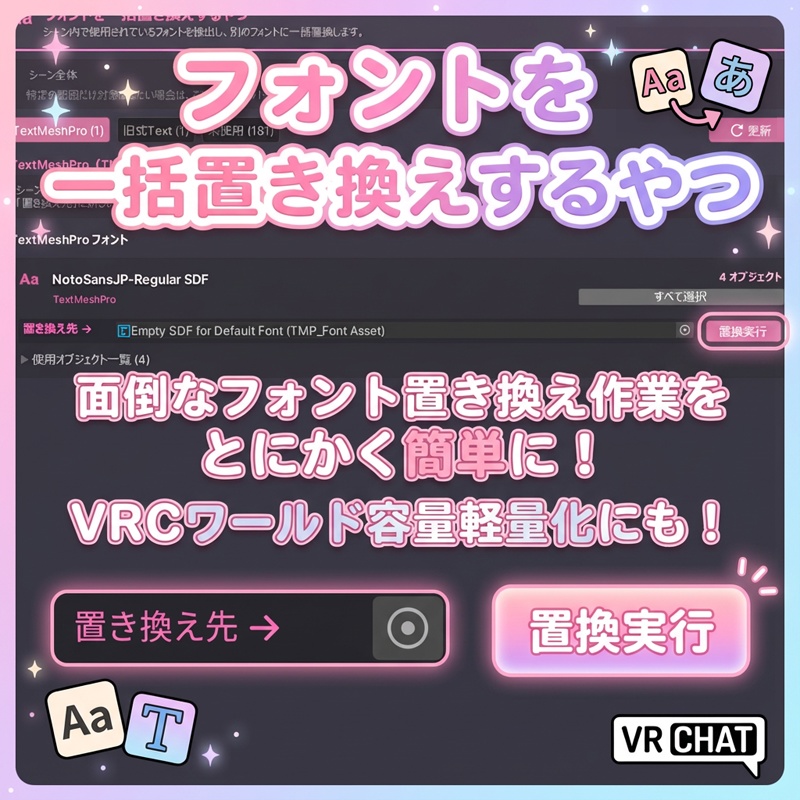
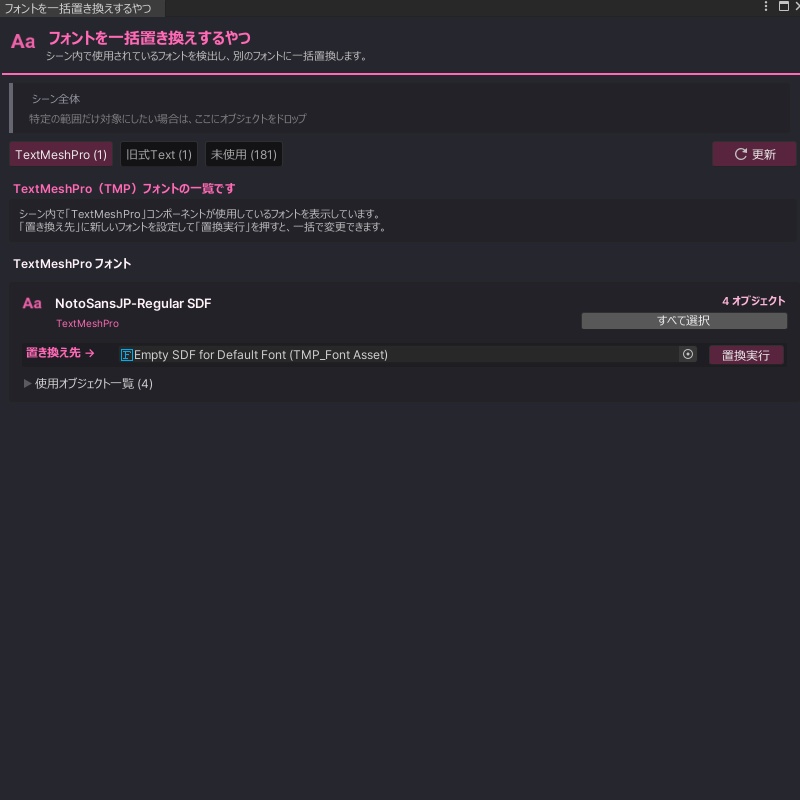
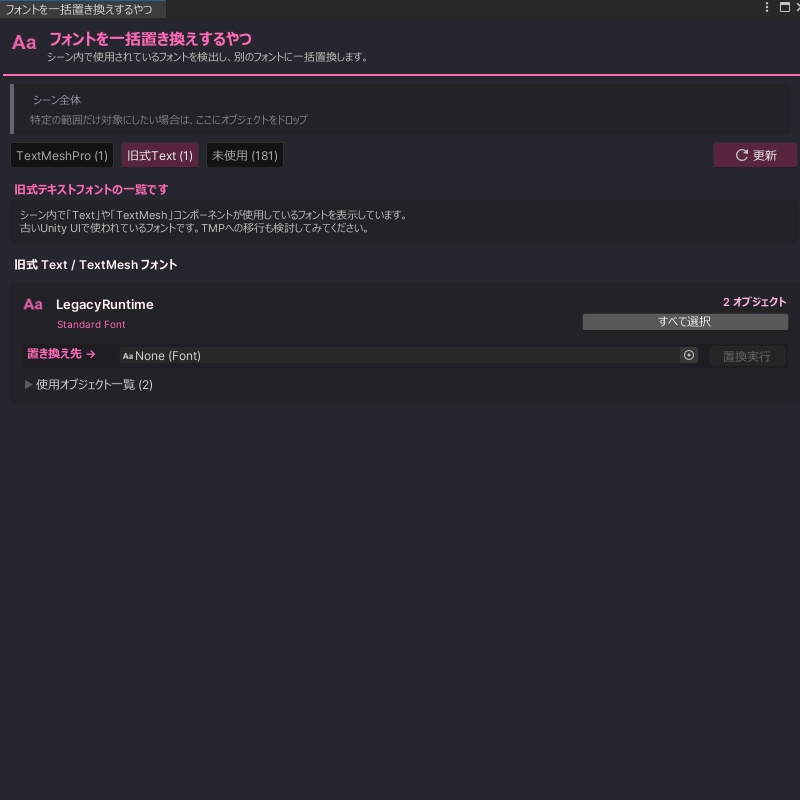
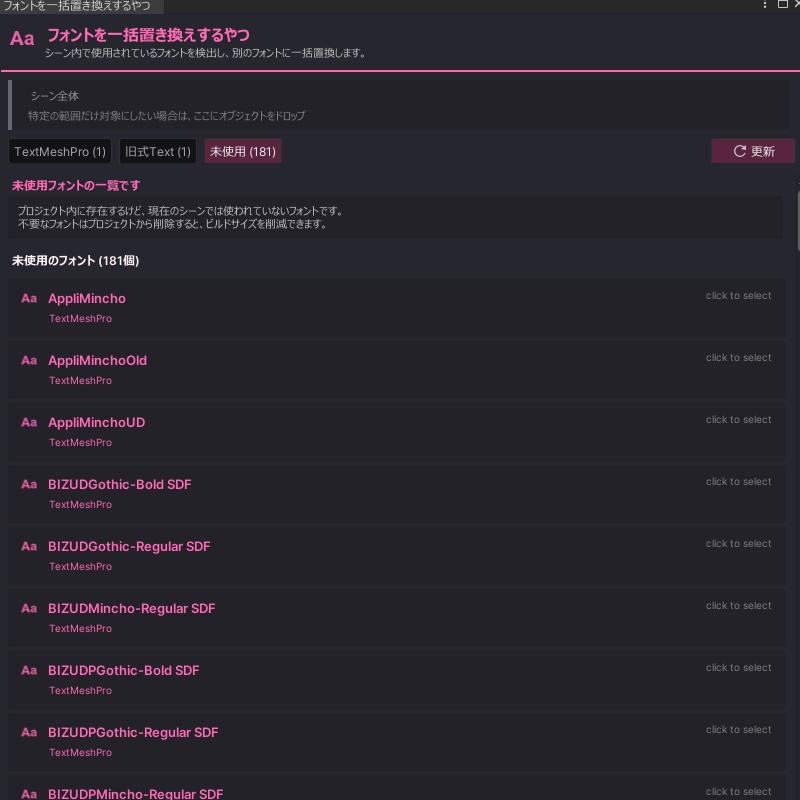


🛠 Multi Font Usage Explorer -フォント一括管理・置換ツール- 🎨 プロジェクト内のフォント使用状況を一目で把握し、一括で整理・置換できるUnityエディタ拡張です。 TextMeshPro と Legacy Text 両方に対応しており、「どのオブジェクトがどのフォントを使っているか」をリスト化して可視化します。 ✅ フォントの統一作業 ✅ 不要なフォントの洗い出し ✅ 特定プレハブ内のフォント一括変更 など、UI管理の煩わしい作業を数クリックで完結させることができます! ドラッグ&ドロップで検索範囲を絞り込む機能も搭載しており、シーン全体だけでなく特定のUI階層だけを対象に操作することも可能です。 📩 不具合報告やご要望は X(Twitter): @niaka3vrc までお気軽にどうぞ。 ハッシュタグ #NiAkaDev での活用報告もお待ちしています! Easily visualize and manage font usage across your Unity project. This editor extension supports both TextMeshPro and Legacy Text components, allowing you to see exactly which objects are using which fonts. It simplifies tedious UI management tasks such as unifying fonts, identifying unused fonts, or batch-changing fonts within specific prefabs—all with just a few clicks. Included features allow you to narrow the search scope via drag-and-drop, enabling operations not only on the entire scene but also targeting specific UI hierarchies. For bug reports or feature requests, please contact me via X(Twitter): @niaka3vrc.
■ 機能一覧 / Features
✨ スマート検出 (Smart Detection) TextMeshPro / Text コンポーネントを自動検出します。 ✨ 一括置換 (Batch Replacement) 指定したフォントを使用している全箇所を、別のフォントへワンクリックで変更できます。 ✨ 使用状況リスト (Usage Visualization) フォントごとに使用中のオブジェクトを一覧表示し、選択可能です。 ✨ 範囲指定モード (Scoped Search) 特定のGameObjectをドラッグ&ドロップして、その階層内だけを操作対象に設定できます。 ✨ 未使用チェック (Unused Font Detection) プロジェクトにはあるがシーンで使われていないフォントを検出します。 ✨ 多言語UI (Multilingual UI) 日本語 / 英語 / 韓国語 / 中国語のインターフェース切り替えに対応しています。 ✨ Smart Detection Automatically detects TextMeshPro and Text components. ✨ Batch Replacement Replace all instances of a specific font with another one with a single click. ✨ Usage Visualization Lists objects currently using specific fonts and allows you to select them directly. ✨ Scoped Search Drag and drop a specific GameObject to limit operations to that hierarchy only. ✨ Unused Font Detection Identifies fonts that exist in the project but are not currently used in the active scene. ✨ Multilingual UI Supports interface switching between Japanese, English, Korean, and Chinese.
■ 使い方 / How to Use
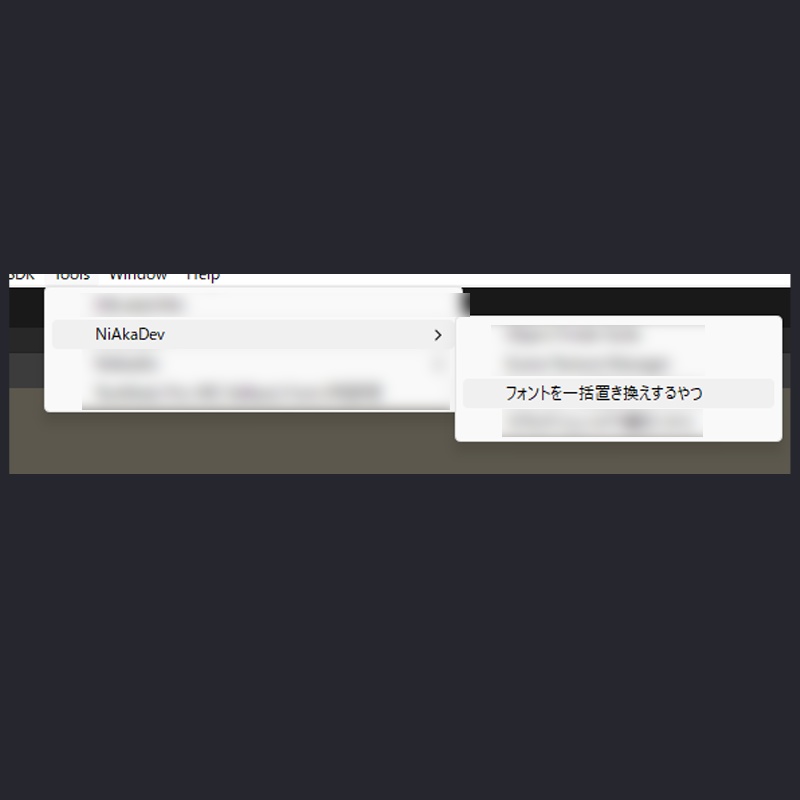
メニューバー "Tools > NiAkaDev > Multi Font Usage Explorer" を開く [TMP / Legacy / 未使用] タブで使用状況を確認 変更したいフォントのカードにある「置き換え先」スロットに新フォントを設定 [実行] ボタンを押すと、対象コンポーネントが一括で書き換わります [Steps] Open "Tools > NiAkaDev > Multi Font Usage Explorer". Check the [TMP / Legacy / Unused] tabs to see the current status. Assign a new font to the "Replace With" slot on any font card you wish to change. Click [Execute] to batch replace the target components.
■ 動作確認環境 / Tested Environment
✅ Unity 2022.3.22f1 ※上記バージョンにて動作確認済みです。 Verified on the version above.
■ 利用規約 / Terms of Service
⚠️ アセットの二次配布・再販売は禁止です。 ⚠️ 本ツール使用によるトラブル・損害について、作者は責任を負いかねます。 ⚠️ UnityやSDKのアップデートにより仕様変更が生じた場合、可能な範囲でサポートを行いますが、完全な動作保証は致しかねます。 [Terms] Secondary distribution or resale of this asset is prohibited. The author is not responsible for any trouble or damage caused by the use of this tool. While we will provide support to the extent possible for changes due to Unity or SDK updates, full operation is not guaranteed.
■ 更新履歴 / Change Log
🔄 v1.1.0 (2026/03/06) ・機能追加・改善 / New Features & Improvements - パフォーマンス最適化: GUIStyleのキャッシュ化によりエディタ描画の負荷を軽減しました。 - 未使用タブ分割: 「未使用」タブを「未使用TMP」「未使用旧式」の2タブに分割し、種類別に管理しやすくしました。 - フォント名クリック選択: フォントカードのフォント名をクリックすると、プロジェクト内でそのアセットが選択・ハイライトされるようになりました。 - Missing/None対応: フォントが未設定(None)のコンポーネントを検出・表示し、一括でフォントを割り当てられる機能を追加しました。 - Undo対応強化: 一括置換・一括割り当て操作がCtrl+Z一回で元に戻せるようになりました。 Performance Optimization: Cached GUIStyle instances to reduce editor rendering overhead. Split Unused Tab: The "Unused" tab has been split into "Unused TMP" and "Unused Legacy" for easier management by font type. Clickable Font Names: Clicking a font name in font cards now selects and highlights the asset in the project. Missing/None Support: Added detection and display of components with no font assigned (None), with batch font assignment functionality. Improved Undo: Batch replace and batch assign operations can now be fully undone with a single Ctrl+Z. 🔄 v1.0.1 (2025/12/02) ・バグ修正 / Bug Fixes LegacyRuntimeを選択した場合に一覧に何も表示されない問題を修正しました。 Fixed an issue where nothing was displayed in the list when LegacyRuntime was selected. 🔄 v1.0.0 (2025/12/01) ・初回リリース / Initial Release ツールが完成しました。 Tool completed and released.