

【VRChat向け】【Unity向け】フォルダタグマーカー機能
- 通常版Digital100 JPY
- お布施(通常版と同じ)Digital300 JPY
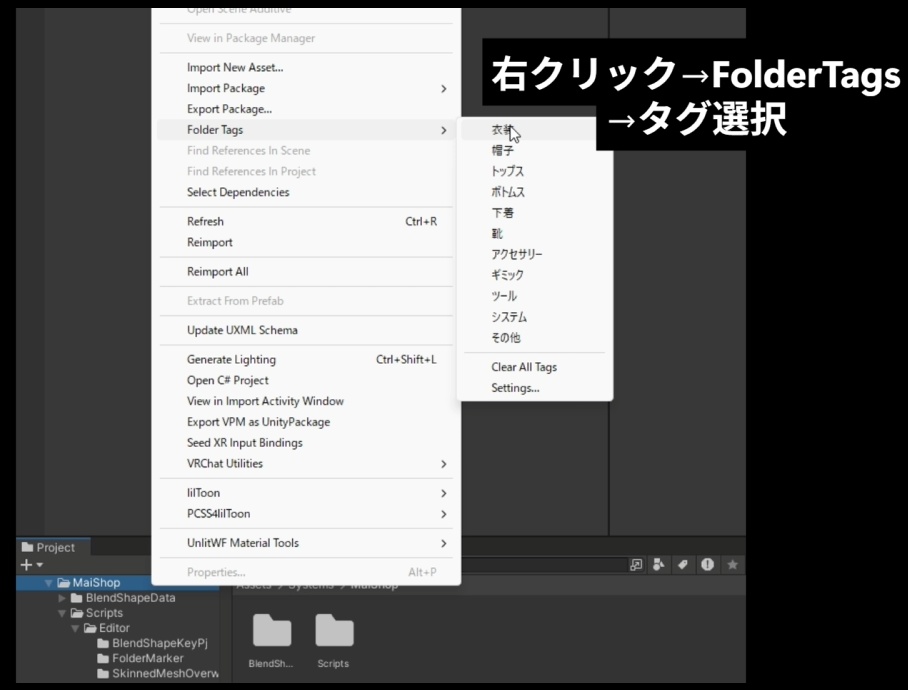
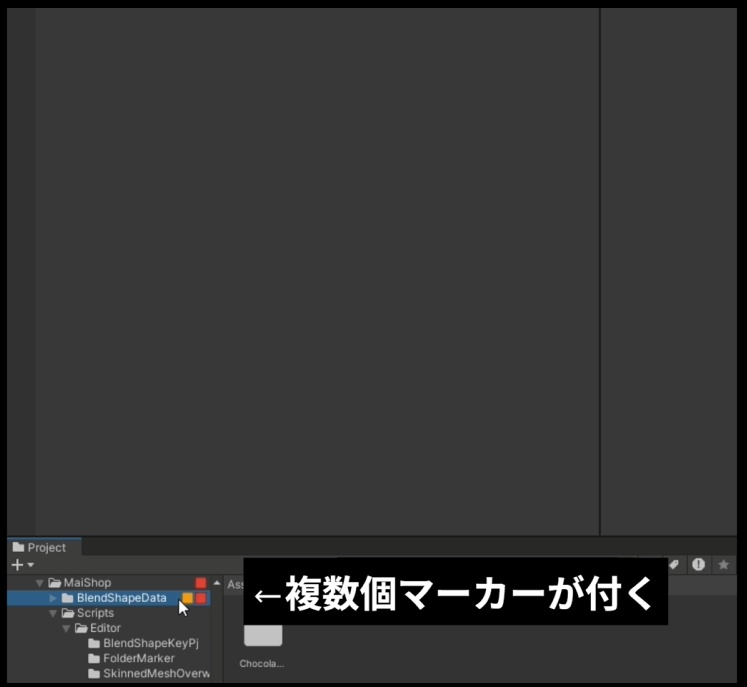
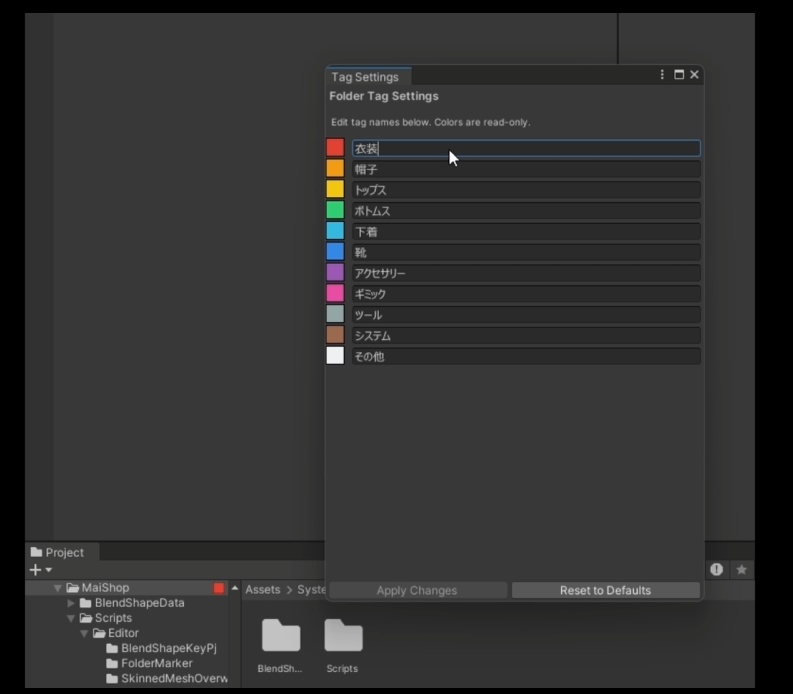
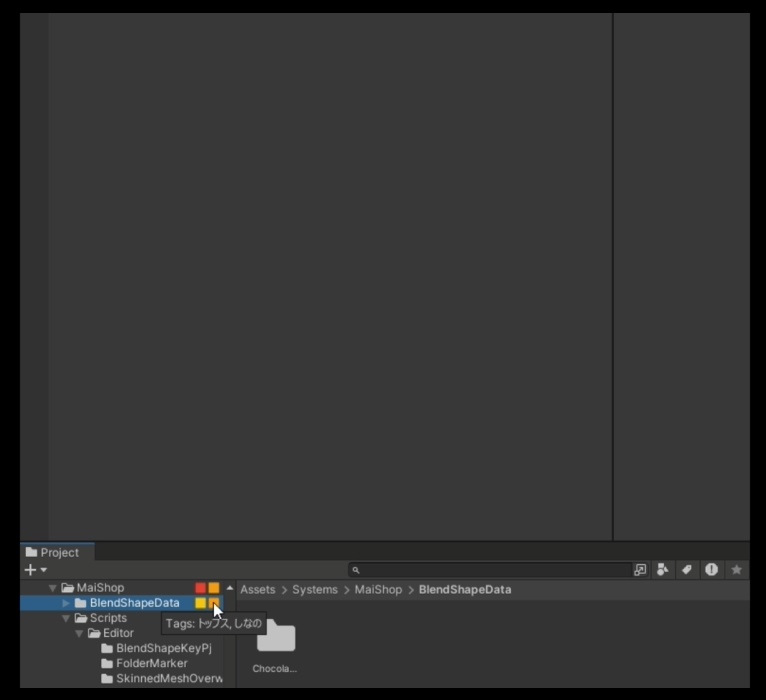


UnityのProjectフォルダにタグマーカーを付けられる機能です。 色や文字で自分専用にカスタマイズし、フォルダの管理が楽になります。
【日本語】
■ 導入手順 商品に入っているunitypackageをインポートするだけ! ■ 使い方 - タグの付け方 UnityのProjectウィンドウにカーソルを合わせて右クリック→FolderTags→[タグを選択] - タグの変更方法 UnityのProjectウィンドウにカーソルを合わせて右クリック→FolderTags→Settings... →タグを編集して[ApplyChanges]を押下で変更が反映 →[Reset to Default]でデフォルトのタグに変更 - タグのリセット方法 UnityのProjectウィンドウにカーソルを合わせて右クリック→FolderTags→ClearAllTags ■ 動作環境 - Unity 2019.4 以降推奨 ■ ライセンス - 個人利用・商用利用可能 - 改変可能 - 改変時のみ再配布可能(改変していない場合再配布禁止) ■ クレジット表記例 「FolderTagMarker by MaiShop」 ■ 更新履歴 v1.0.0 (初回リリース) ======================================== お問い合わせ: Twitter: https://x.com/tensei_mai ========================================
【英語】
■ Installation Simply import the unitypackage included in the product! ■ How to Use How to Add Tags Right-click in Unity's Project window → FolderTags → [Select a tag] How to Change Tags Right-click in Unity's Project window → FolderTags → Settings... → Edit the tags and click [ApplyChanges] to apply changes → Click [Reset to Default] to restore default tags How to Reset Tags Right-click in Unity's Project window → FolderTags → ClearAllTags ■ System Requirements Unity 2019.4 or later recommended ■ License Personal and commercial use allowed Modification allowed Redistribution allowed only if modified (redistribution prohibited without modification) ■ Credit Example "FolderTagMarker by MaiShop" ■ Update History v1.0.0 (Initial Release) ======================================== Contact: Twitter: https://x.com/tensei_mai ========================================