

Auto Terrain Pro
- Digital3,000 JPY
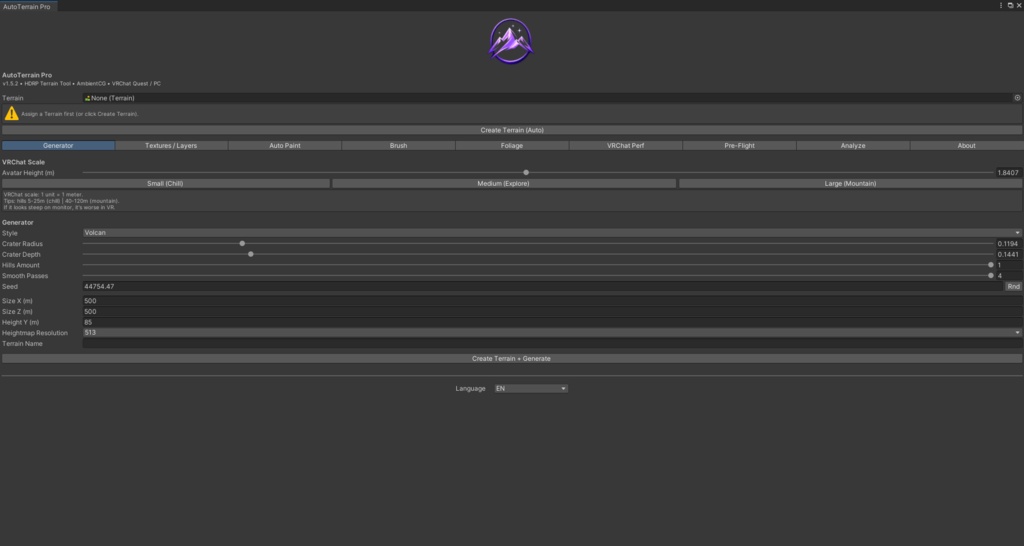

AutoTerrain Pro v1.5.2 **All-in-one terrain generator & editor for Unity — built for VRChat creators.** 🎯 Who is it for? VRChat world builders, terrain artists on Unity 2022.3+ (HDRP / URP / Built-in). ✨ Features 🏔 Terrain Generator - 5 styles: Default, Mountain, Hills, Volcano, Canyon - **Zero Perlin artifacts** — smooth generation using coarse grid + bilinear interpolation - Realistic volcano: concave crater floor, irregular rim with noise, conical slope - Normalized heights — terrain always spans 0 → sizeY - Live 128×128 heightmap preview - Auto-snaps terrain to (0,0,0) 🎨 Smart Auto-Paint - Slope fading + noise breakup for natural texturing - Per-pixel lock zones with backup/restore - SceneView painting: texture, lock, trees, grass brushes 🌿 Foliage & VRChat Perf - Quest / PC presets (trees, grass, details) - Multi-terrain auto-plant - PruneTreesByFactor — unbiased random pruning (Fisher-Yates) - VRChat performance settings (draw distance, pixel error, etc.) 🛠 Utilities - Export/Import heightmap & alphamap (RAW 16-bit) - Multi-terrain: scene-wide terrain list with quick switch - VRChat Pre-Flight: full scene validation - Terrain Analyzer: stats + copyable report - Custom Material (HDRP/Lit, URP) - HDRP layers + auto MaskMap generation 🌍 Localization - French, English, Japanese UI 📦 Package Contents - 10 Editor scripts - Service layer (TerrainGenerationService, etc.) - Assembly Definition (.asmdef) - VRChat Quest / PC presets - Layer presets (Forest, etc.) - Full CHANGELOG ⚙ Requirements - Unity 2022.3+ - HDRP / URP / Built-in - VRChat SDK (optional — auto-detected) 📜 v1.5.2 Changelog Highlights - Smooth terrain generator (coarse grid + bilinear interpolation) - Realistic volcano with irregular rim - Service layer + SafeCatch helper - Live heightmap preview - Terrain forced to (0,0,0) - .asmdef for faster compilation *AutoTerrain Pro — Generate, paint, optimize.* AutoTerrain Pro is an editor tool to help you build better worlds. It does not require SDK installation to use, but works perfectly alongside it.


