

Audio to NiceExpression(エクスプレッション・モジュレーション抽出ツール)分解能 1/128
- Digital980 JPY
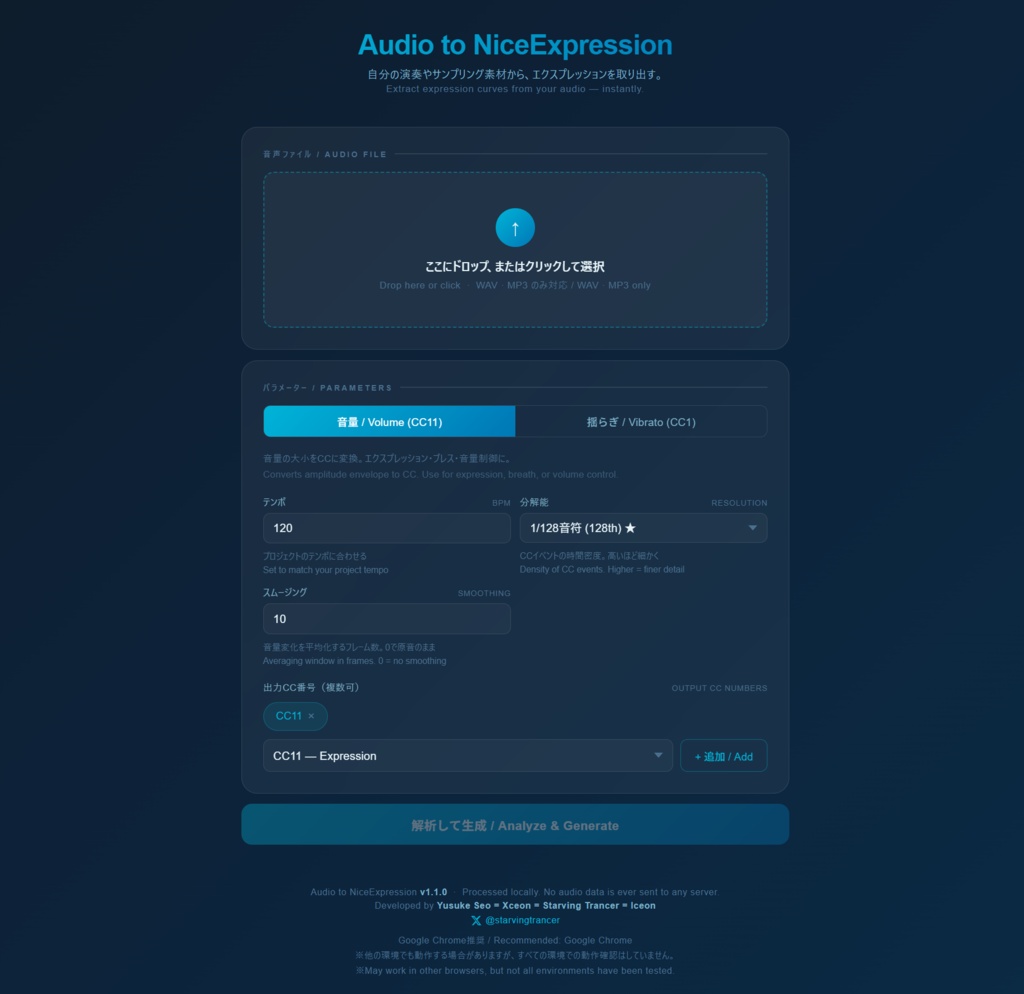

『Audio to NiceExpression』(エクスプレッション・モジュレーション抽出ツール)分解能 1/128 タバコより寿命が縮むと言われているエクスプレッションとモジュレーションの手描き作業に、終止符を打つ。 オーディオファイルをドラッグするだけで、CC11(エクスプレッション)とCC1(モジュレーション)のMIDIデータが自動生成される。口笛でもハミングでも、サンプリング素材でも、生楽器の録音でも使える。 MelodyneはノートとピッチのMIDI変換まで、CubaseのVariAudioも同様——音量エンベロープをCCとして出力できる市販品が存在しなかったため、自作した。 ■こんな用途に ①生演奏録音の表情を、そのままSWAM・Sample Modeling等のモデリング音源に転写できる。生弦とシンセのレイヤーはBGM・劇伴制作で定番の手法だが、生演奏のダイナミクスをシンセ側に転写することで、レイヤーとしての演奏感が自然に一致する。 ②Synthesizer V・ACE Studio・新型ボーカロイド等のAIボーカル・AI楽器で演奏させた表情を、CCとして抽出して任意の楽器音源に転写できる。ボーカルAIの息遣いが、そのまま弦や管の動きになる。 ③サンプリングCDのフレーズから音量エンベロープを取り出し、音源側でノートだけ差し替えることで、リアルな演奏感をそのまま別フレーズに流用できる。 ④機材なしでブレスコントローラーの代替にもなる。あらゆる音声素材から演奏表情を抽出し、楽器音源に転写できる。 ※生成されるのはCCデータのみ。MIDIノートデータは含まれない。 ■仕様 HTMLファイル1つ、インストール不要、ダブルクリックで起動。完全オフライン動作、音声データは外部に送信されない。WAV・MP3対応。分解能1/128まで選択可能。Windows / Mac対応、Chrome推奨(Firefox・Safari・Edgeでの動作も確認済み)。 ■ライセンス フリー版は分解能に制限あり。実用上おおむね問題なく使えるが、フル出力が必要な場合は有料版(980円)で分解能1/128に対応。 ※ご購入前に必ずフリー版で動作確認をお願いします。デジタルコンテンツの性質上、購入後の返金には対応していません。本ツールの使用によって生じたいかなる損害についても、制作者は責任を負いかねます。 Expression & Modulation Extraction Tool — 1/128 Resolution They say drawing expression and modulation curves by hand takes years off your life. This tool puts an end to that. Just drag in an audio file, and CC11 (Expression) and CC1 (Modulation) MIDI data are generated automatically. Works with whistling, humming, sample library material, or live instrument recordings. Melodyne stops at note and pitch-to-MIDI conversion. So does Cubase's VariAudio. No commercial product existed that could output volume envelopes as CC data — so this one was built from scratch. Use Cases ① Transfer the dynamics of a live performance directly onto modeling instruments such as SWAM or Sample Modeling. Layering live strings with synths is standard practice in BGM and dramatic scoring — by transferring the live performance's dynamics onto the synth layer, the two sit together naturally. ② Extract the expression from AI vocals or AI instruments (Synthesizer V, ACE Studio, next-gen VOCALOID, etc.) as CC data and transfer it to any instrument plugin. The breath of an AI vocal becomes the phrasing of a string or wind instrument. ③ Pull the volume envelope from a sample library phrase, then swap in different notes on the instrument side — carrying the realistic performance feel over to an entirely new phrase. ④ Functions as a breath controller substitute without any additional hardware. Extract performance expression from any audio source and transfer it to instrument plugins. Note: Only CC data is generated. MIDI note data is not included. Specifications Single HTML file. No installation required — just double-click to launch. Fully offline; no audio data is transmitted externally. Supports WAV and MP3. Resolution selectable up to 1/128. Compatible with Windows and Mac; Chrome recommended (Firefox, Safari, and Edge also confirmed working). License The free version has a resolution limit. For most practical purposes this is sufficient, but the paid version (¥980) unlocks full 1/128 resolution output. Please verify that the tool works in your environment using the free version before purchasing. Due to the nature of digital content, refunds cannot be issued after purchase. The creator assumes no liability for any damages arising from use of this tool
商品説明
https://youtube.com/shorts/huEBkhcY_sg?si=CENAEK5EyvkJhw4V