

かたひもおち - キャミやワンピの肩ひもを掴んで引くと肩から落ちるUnityツール【VRChat】【JA,EN,KO】
- 日本語Digital700 JPY
- EnglishDigital700 JPY
- 한국어Digital700 JPY
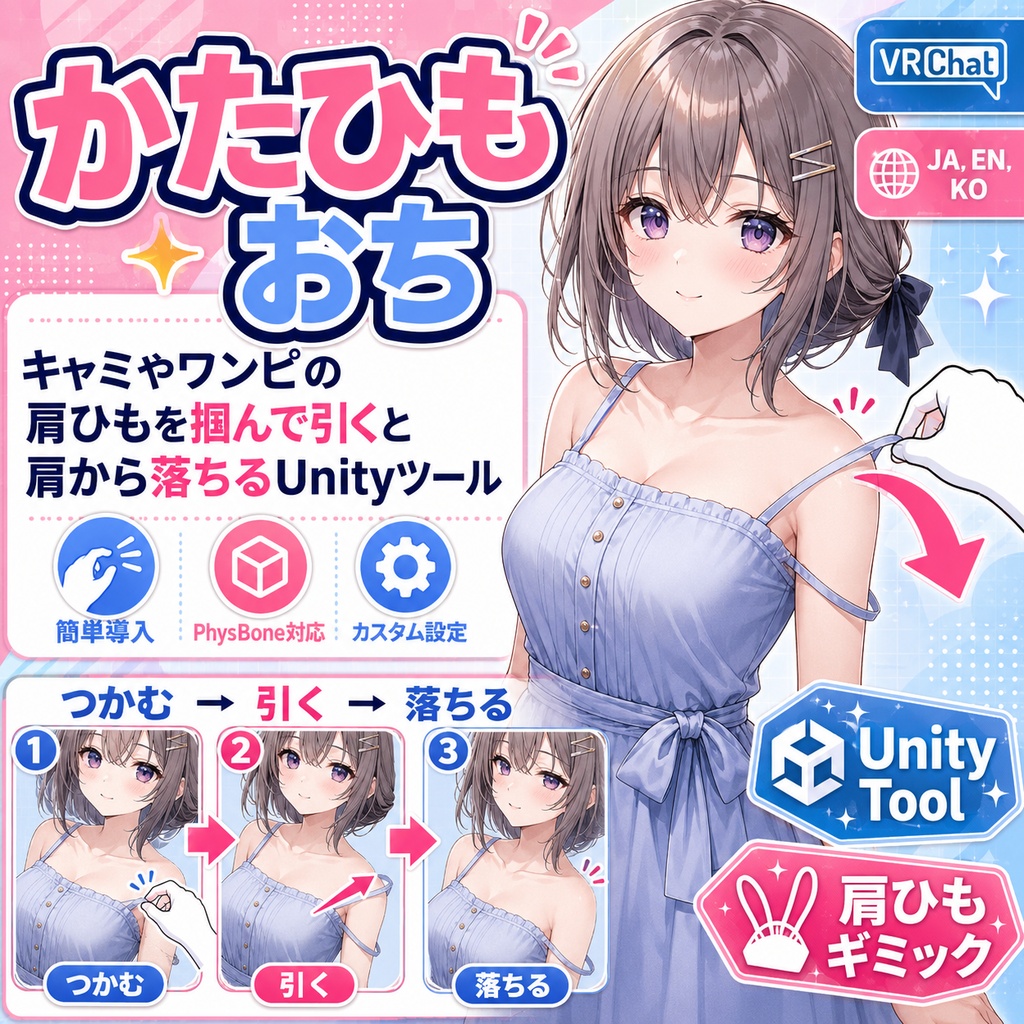
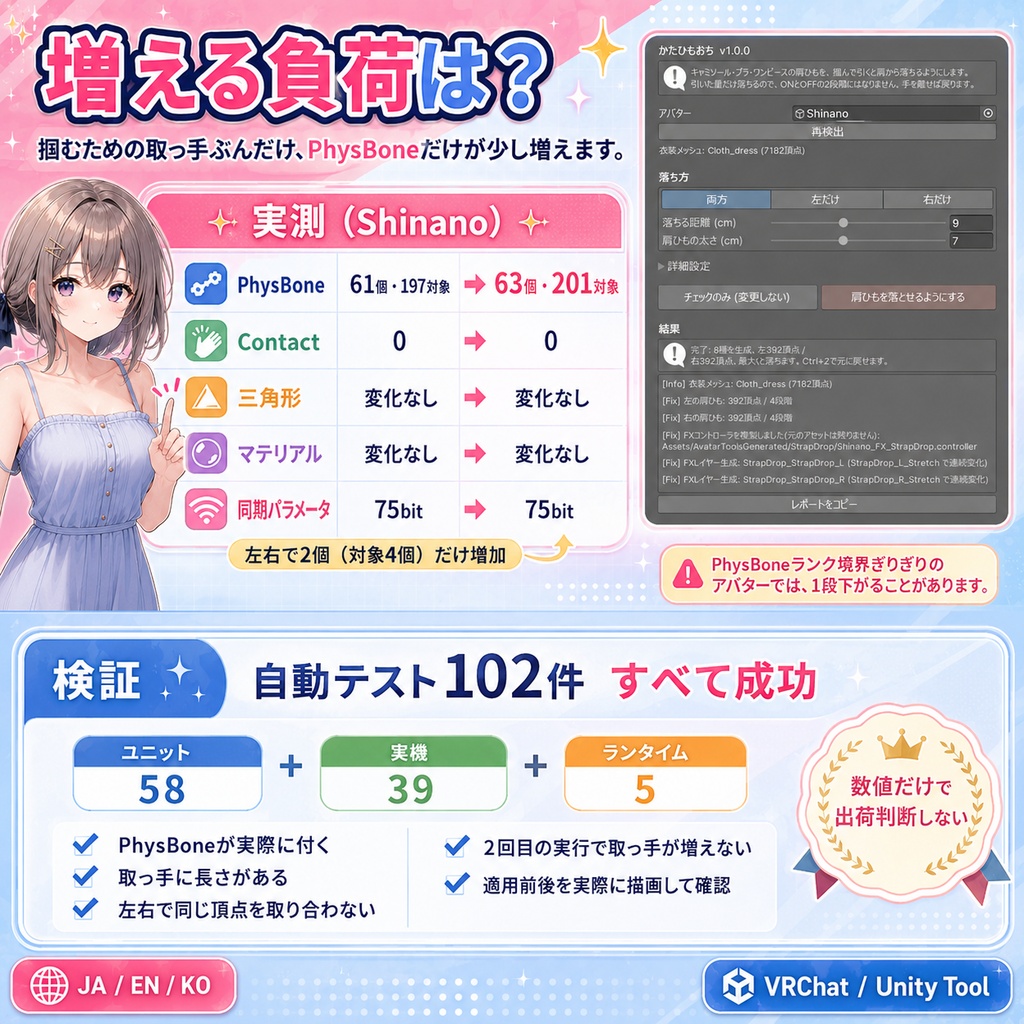
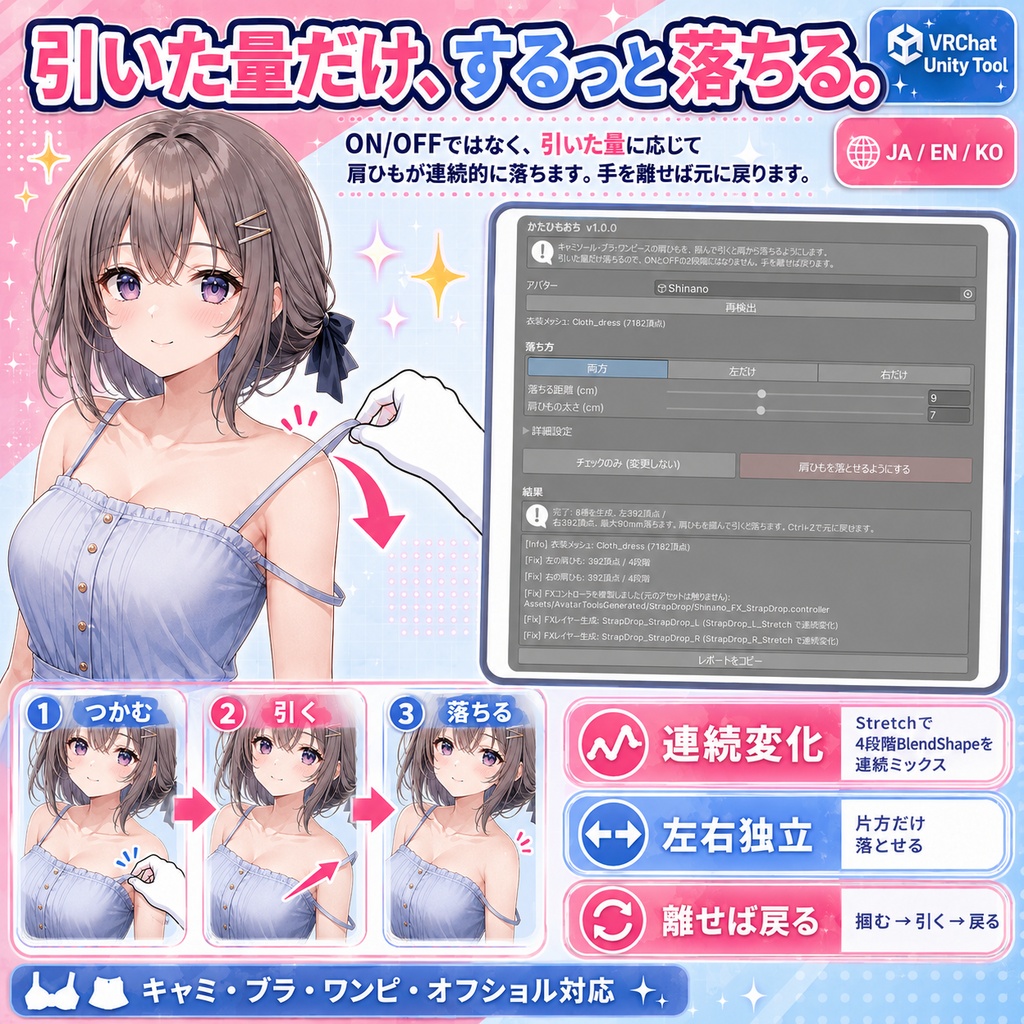
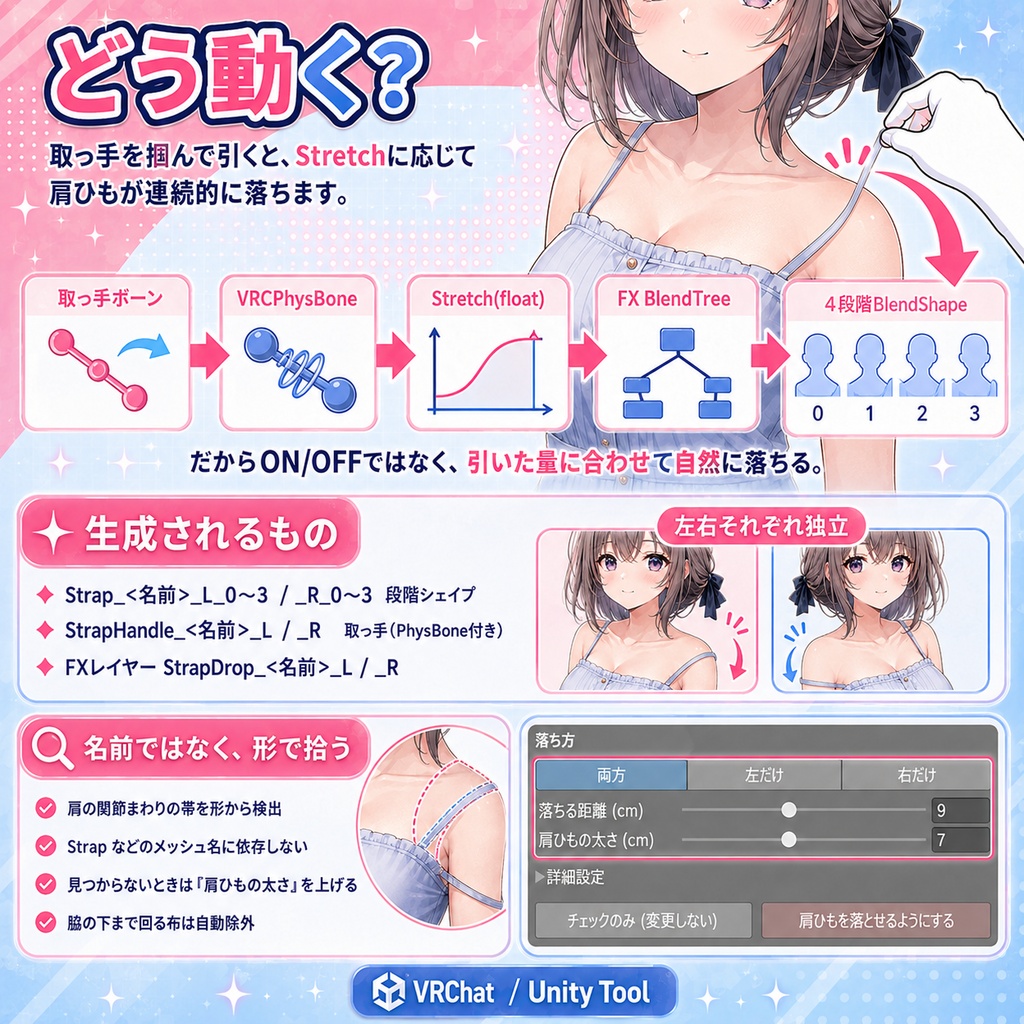


キャミソール・ブラ・ワンピース・オフショルの肩ひもを、掴んで引くと肩から落ちるようにします。 引いた量だけ落ちます。ONとOFFの2段階ではありません。手を離せば戻ります。 ◆ 仕組み 肩ひもの上に取っ手ボーンを立て、VRCPhysBone(掴める設定)を付けます。 引っ張られ具合が Stretch というfloatで出てくるので、FXのBlendTreeで4段階のBlendShapeを 順に混ぜます。だから連続的に落ちます。 ◆ 生成されるもの Strap_<名前>_L_0〜3 / Strap_<名前>_R_0〜3 段階シェイプ StrapHandle_<名前>_L / _R 取っ手(PhysBone付き) FXレイヤー StrapDrop_<名前>_L / _R 左右それぞれ独立しています。片方だけ落とせます。 ◆ メッシュ名で判定しません 肩の関節のまわりにある衣装の帯を、形から拾います。 名前で拾うと、Strap でも 紐 でもない名前の衣装で、黙って何も起きないためです。 見つからないときは「肩ひもの太さ」を大きくしてください。 脇の下まで回り込んだ布は、肩ひもではないものとして自動的に外します。 ◆ 増える負荷(実測) 掴むための取っ手なので、PhysBoneだけは増えます。しなので実測すると PhysBone 61個・197対象 → 63個・201対象。増えるのは左右で2個(対象4個)です。 Contact・三角形・マテリアル・同期パラメータは1つも増えません(75bitのまま)。 PhysBoneランクが境目ぎりぎりのアバターでは、これで一段下がることがあります。 ◆ 検証 3本あわせて自動テスト102件すべて成功(ユニット58件+実物のVRChat SDK環境での実機39件+Animatorを実際に回す実行時5件)。 PhysBoneが実際に付くこと、取っ手に長さがあること(無いとPhysBoneが動きません)、 左右が同じ頂点を取り合わないこと、2回目の実行で取っ手が増えないことまで見ています。 数値だけでは出荷判断をしていません。適用前後を実際に描画し、変化した画素を数えています。 --- English --- Strap Drop - grab the strap of a camisole or dress, pull, and it slides off the shoulder. It drops by however much you pull. This is not a two-state on/off. Let go and it returns. How it works A handle bone is placed on the strap and given a VRCPhysBone set to allow grabbing. How far it is pulled comes out as a Stretch float, and an FX BlendTree mixes four staged BlendShapes along it. That is why it is continuous. Left and right are independent, so you can drop just one side. It does not go by mesh name The tool picks up the band of cloth around the shoulder joint by its shape. Name matching silently does nothing on a garment that is not called Strap or anything like it. If nothing is found, raise Strap width. Cloth that wraps under the armpit is dropped automatically as not being a strap. What it costs (measured) The handles are what you grab, so PhysBones do go up. Measured on Shinano: PhysBone 61 components / 197 transforms -> 63 / 201. That is 2 components (4 transforms) for the pair. Contacts, triangles, materials and synced parameters do not change at all (still 75 bit). On an avatar sitting right on a PhysBone rank boundary this can cost one rank. Verification 102 automated tests across the three tools, all passing (58 unit + 39 on a real avatar with the real VRChat SDK + 5 that actually run the Animator). Among other things they check that PhysBones really attach, that the handle has length (without it a PhysBone does not move), that left and right do not fight over the same vertices, and that a second run does not add more handles. --- 한국어 --- 어깨끈 흘러내림 - 캐미솔이나 원피스의 어깨끈을 잡고 당기면 어깨에서 흘러내립니다. 당긴 만큼 흘러내립니다. 켜기/끄기 2단계가 아닙니다. 손을 놓으면 돌아옵니다. 구조 어깨끈 위에 손잡이 본을 세우고 VRCPhysBone(잡기 허용)을 붙입니다. 당겨진 정도가 Stretch라는 float으로 나오고, FX의 BlendTree가 4단계 BlendShape를 순서대로 섞습니다. 그래서 연속적으로 흘러내립니다. 좌우가 독립적이라 한쪽만 내릴 수 있습니다. 메시 이름으로 판정하지 않습니다 어깨 관절 주변에 있는 의상의 띠를 형태로 잡습니다. 이름으로 잡으면 Strap도 끈도 아닌 이름의 의상에서 아무 일도 일어나지 않기 때문입니다. 찾지 못할 때는 어깨끈 굵기를 키워 주세요. 겨드랑이 아래까지 돌아 들어간 천은 어깨끈이 아닌 것으로 자동 제외합니다. 늘어나는 부하(실측) 잡기 위한 손잡이라서 PhysBone만 늘어납니다. 시나노에서 실측하면 PhysBone 61개·197대상 → 63개·201대상. 늘어나는 것은 좌우 2개(대상 4개)입니다. Contact·삼각형·머티리얼·동기 파라미터는 하나도 늘지 않습니다(75bit 그대로). PhysBone 랭크가 경계에 아슬아슬한 아바타에서는 한 단계 내려갈 수 있습니다. 검증 3개 합쳐 자동 테스트 102건 전부 성공(유닛 58건 + 실제 VRChat SDK 환경의 실기 39건 + Animator를 실제로 돌리는 런타임 5건). PhysBone이 실제로 붙는지, 손잡이에 길이가 있는지(없으면 PhysBone이 움직이지 않습니다), 좌우가 같은 정점을 두고 다투지 않는지, 두 번째 실행에서 손잡이가 늘지 않는지까지 봅니다.