
CQ_MultiSkybox
- Digital0 JPY
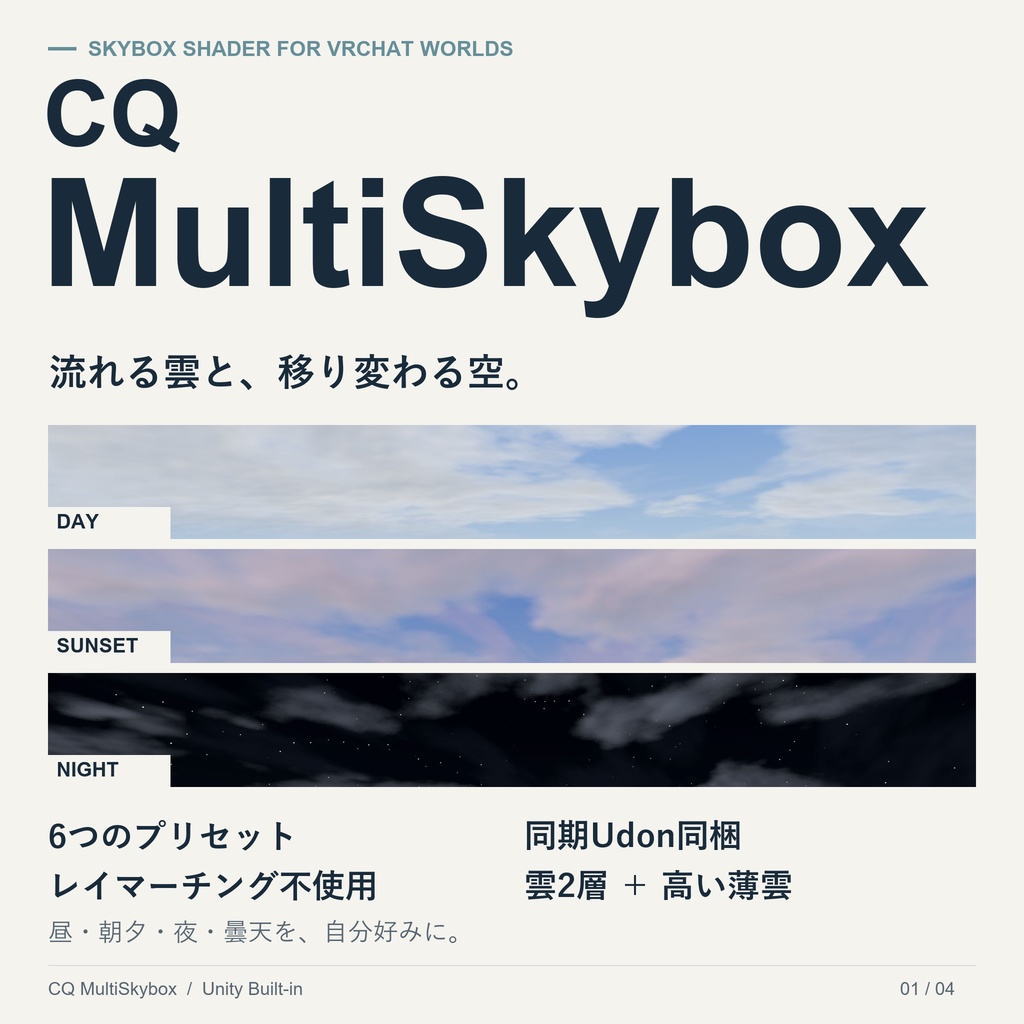


CQ MultiSkybox 流れる雲と、移り変わる空。 CQ MultiSkyboxは、VRChatワールド向けのSkyboxシェーダーです。 青空、朝焼け、夕焼け、曇天、月や星のある夜空を、ひとつのシェーダーで表現できます。 6種類のプリセットをもとに、雲の流れや空の色、太陽・月・星を自分好みに調整できます。インスタンス内で昼夜を揃えるUdonギミックと、設定済みPrefabも同梱しています。 CQ MultiSkybox is a skybox shader for VRChat worlds. Create blue skies, dawn, sunset, overcast skies, and moonlit or starry nights with a single shader. Start with six presets and customize the clouds, sky colors, sun, moon, and stars. An Udon clock and a preconfigured prefab are included to keep the day/night cycle aligned across the instance. ■注意 このアセットはChat-GPT6 Astraで生成されています。 (シェーダー、UDON、テクスチャ、商品画像、商品説明、デモシーン、ドキュメン類など)
主な特徴 / Features
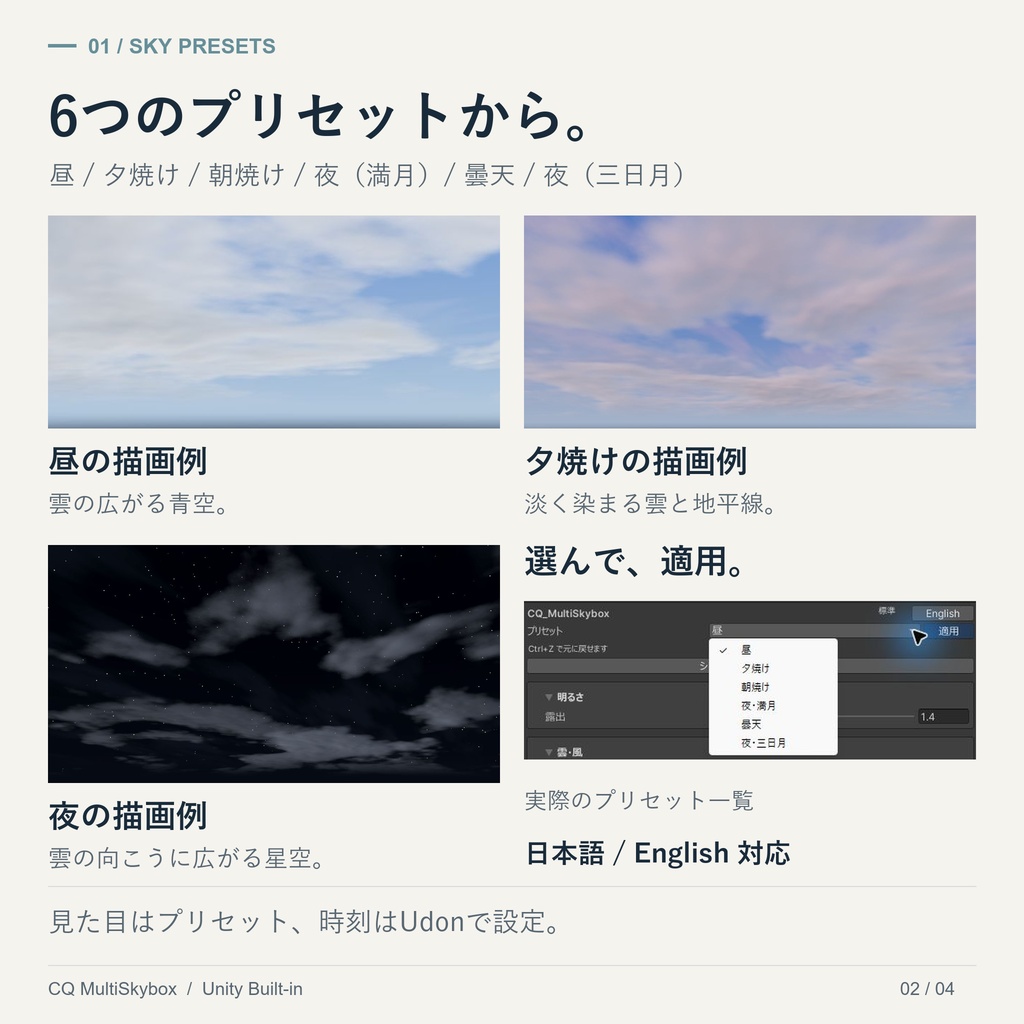
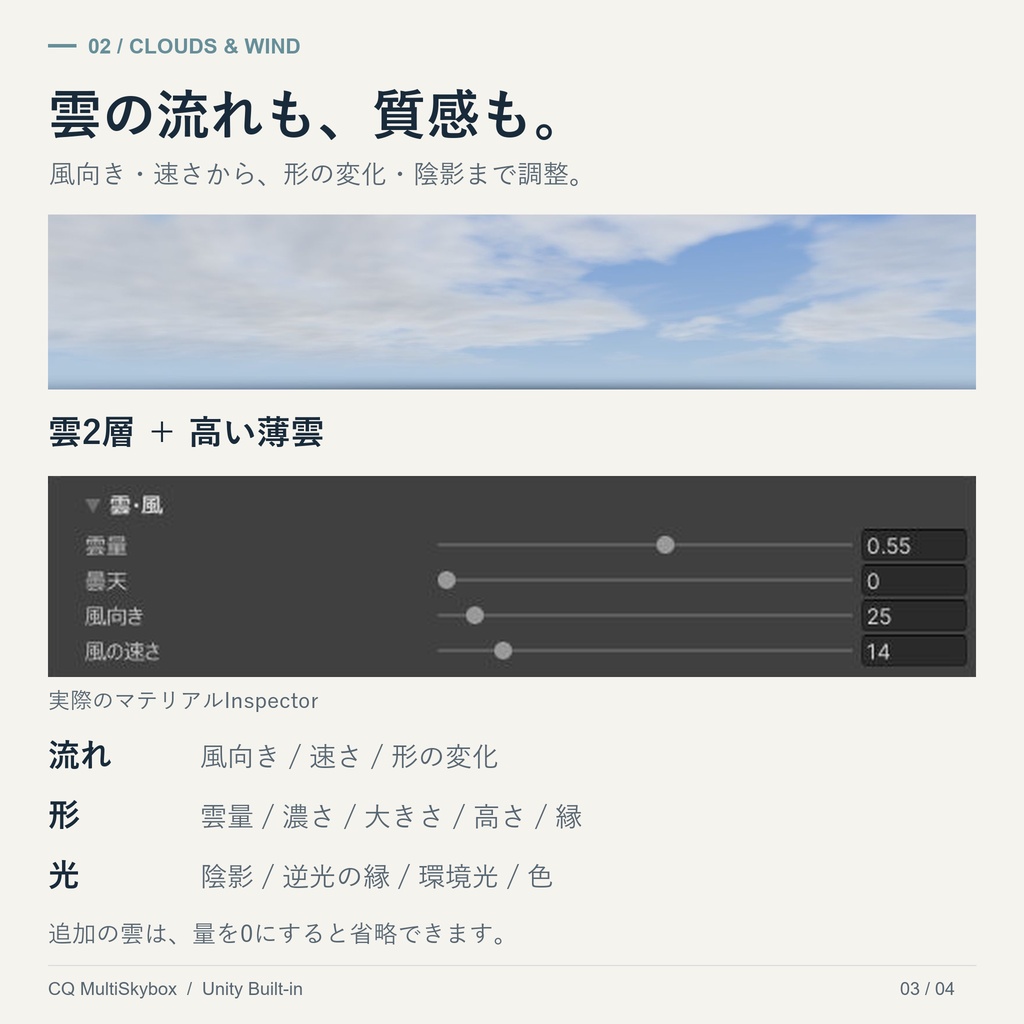
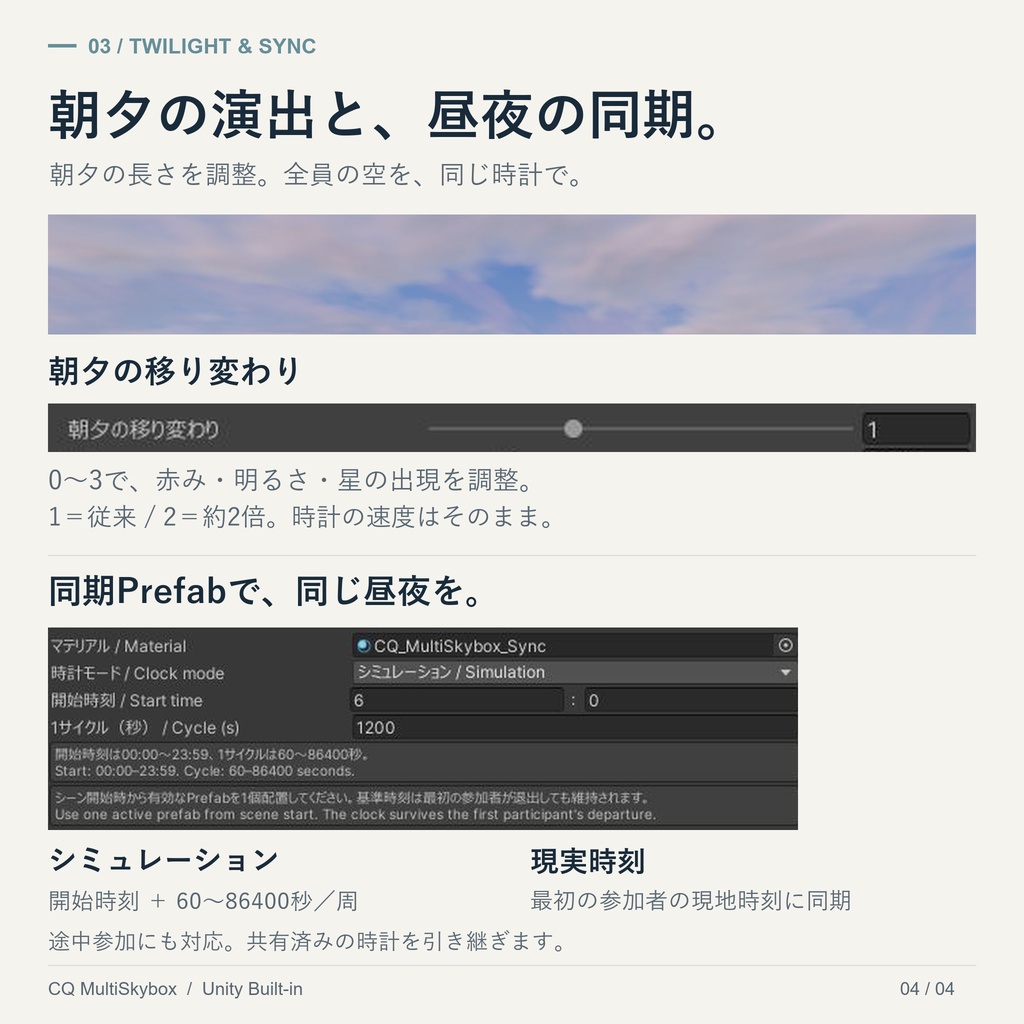
■ 6種類のプリセット 昼/夕焼け/朝焼け/夜・満月/曇天/夜・三日月。 ドロップダウンから選び、「適用」で見た目を変更できます。 ※プリセットは時刻を変更しません。開始時刻はUdon側で設定します。 Six presets: Day, Sunset, Dawn, Full Moon Night, Overcast, and Crescent Moon Night. Select a preset and apply it from the material Inspector. Presets change the appearance; the starting time is set separately in the Udon component. ■ 雲の動きと質感を調整 2層の雲と高い薄雲を表現。風向き・速さ・形の変化に加え、雲量、濃さ、大きさ、輪郭、陰影、色を調整できます。 レイマーチングを使わない1パス構成です。追加の雲は量を0にすると処理を省略できます。 Customize two cloud layers and high, thin clouds. Adjust wind direction, speed, shape evolution, coverage, density, size, edges, shading, and color. The shader uses a single pass without ray marching. Additional cloud layers can be skipped by setting their amounts to zero. ■ 太陽・月・星を個別に設定 それぞれの表示をON/OFFにでき、色や明るさ、太陽・月の大きさ、月の満ち欠け、星の密度やまたたきを調整できます。 ※月の満ち欠けは手動設定です。 Toggle the sun, moon, and stars individually. Adjust their colors and brightness, the apparent size of the sun and moon, the moon phase, and star density and twinkling. The moon phase is set manually. ■ 朝焼け・夕焼けの長さを調整 「朝夕の移り変わり」を0〜3で設定できます。赤み、空と雲の明るさ、星の出現をまとめて調整し、朝夕の変化をゆったり見せられます。 1が標準、2が約2倍の長さです。時計の進行速度は変わりません。 Adjust twilight transitions from 0 to 3. One control adjusts the duration of warm colors, sky and cloud brightness transitions, and the appearance of stars. The default is 1; 2 gives approximately twice the duration without changing the clock speed. ■ インスタンス内で昼夜を同期 最初の参加者を基準に、昼夜と雲・星の動きを揃えます。途中参加にも対応し、共有済みの時計は最初の参加者が退出しても継続します。 ・シミュレーション:開始時刻と、1日の長さ(60〜86400秒)を指定。 ・現実時刻:最初の参加者のローカル時刻を基準に、現実と同じ速さで進行。 ※現実時刻モードも全員が同じ時計を使います。各プレイヤー自身の現地時刻を表示する機能ではありません。 Keep the day/night cycle and cloud and star animation aligned using a shared clock initialized by the first participant. Late joiners receive the clock, and the established clock continues after the first participant leaves. • Simulation: Set the starting time and a full-day duration of 60–86400 seconds. • Real time: Start from the first participant’s local time and advance at real-world speed. Real-time mode uses the same clock for everyone, rather than each player’s own local time. ■ メッシュにも使える空 Skyboxとしての使用に加え、メッシュにも適用できます。 メッシュの位置と表示範囲はそのままに、その内側へ無限遠の空を描画します。 Use the material as a skybox or apply it to a mesh. The mesh stays in place while the sky within its visible area appears infinitely distant. ■ 日本語・英語のInspector 表示言語をボタンで切り替えられます。設定項目は、用途ごとに開閉できるグループに整理しています。 Switch the Inspector between Japanese and English. Settings are organized into collapsible groups.
同梱内容 / Contents
・シェーダー本体・描画用ファイル ・通常用/同期用マテリアル ・雲・月のテクスチャ ・日本語/英語対応のマテリアルInspector・6種類のプリセット ・同期UdonSharpスクリプト・設定済みPrefab ・6種類のプリセットを比較できるデモシーン ・日本語/英語マニュアル Shader files, standard and sync materials, cloud and moon textures, a bilingual material Inspector with six presets, an UdonSharp clock with a preconfigured prefab, a demo scene for comparing all six presets, and Japanese and English manuals.
使用環境・前提アセット / Requirements
・作成環境:Unity 2022.3.22f1 ・レンダーパイプライン:Built-in(URP/HDRP非対応) ・VRChat Worlds SDK・UdonSharpを導入したワールド用プロジェクト Created with Unity 2022.3.22f1 for the Built-in Render Pipeline. URP and HDRP are not supported. Use a world project with the VRChat Worlds SDK and UdonSharp installed.
導入手順 / Setup
1. VRChat Worlds SDK・UdonSharpのあるプロジェクトに、UnityPackageをインポートします。 2. Assets/CQ_MultiSkybox/Sync/Prefabs/CQ_MultiSkybox_Sync.prefabをシーンに1個配置します。 3. PrefabのInspectorで時計モードを選びます。シミュレーションでは開始時刻と1サイクルの秒数も設定します。 4. Assets/CQ_MultiSkybox/Materials/CQ_MultiSkybox_Sync.matで空の見た目を調整します。 5. シーンを保存し、PlayやVRChatのBuild & Testで確認します。 ※CameraのClear FlagsはSkyboxに設定してください。 ※1日を通して太陽・月・星を表示したい場合は、プリセット適用後に各表示チェックをONにしてください。 1. Import the UnityPackage into a project with the VRChat Worlds SDK and UdonSharp. 2. Add one CQ_MultiSkybox_Sync prefab from Assets/CQ_MultiSkybox/Sync/Prefabs to your scene. 3. Select a clock mode. For Simulation, also set the starting time and cycle duration. 4. Customize the sky using Assets/CQ_MultiSkybox/Materials/CQ_MultiSkybox_Sync.mat. 5. Save and check the scene in Play mode and VRChat Build & Test. Set the Camera’s Clear Flags to Skybox. To show the sun, moon, and stars throughout a full cycle, enable their visibility toggles after applying a preset.
デモシーン / Demo Scene
Assets/CQ_MultiSkybox/Demo/CQ_MultiSkybox_Demo.unity 同期PrefabとPlane、6種類のプリセットを適用した直径2mのSphereを配置しています。空の表現や設定をUnity上で比較できます。 ※ワールドとしてアップロードする場合は、VRChat用のワールド設定を別途行ってください。 The demo scene includes the sync prefab, a plane, and six spheres with a diameter of 2 m, each showing a different preset. Compare the appearances and settings in Unity. Additional VRChat world setup is required before uploading it as a world.
補足・注意事項 / Notes
・UnityとVRChatワールド制作の基本的な知識がある方向けです。 ・時刻経過、雲の移動、星のまたたきには同梱Udonが必要です。Prefabなしでは13:00の静止表示になります。 ・Directional Lightや各種Probe、ライトマップは空と自動連動しません。 ・日の出・日没は6時・18時を基準にした演出です。地域・季節に応じた天文学的な再現ではありません。 ・ワールド内から設定を変更する操作UIは同梱していません。 ・描画負荷はGPU、解像度、ミラー、シーン構成などで変わります。 ・商品画像の空・UIにはUnityの実画面を使用しています。掲載用の切り抜き・拡縮・文字配置を行っています。 Basic familiarity with Unity and VRChat world creation is expected. The included Udon is required for time progression, moving clouds, and twinkling stars; without the prefab, the sky remains static at 13:00. Lighting, probes, and lightmaps do not update automatically with the sky. Sunrise and sunset are based on 06:00 and 18:00, rather than astronomical calculations for a location or season. No in-world settings UI is included. Performance depends on hardware, resolution, mirrors, and scene configuration. Product images use actual Unity captures with cropping, resizing, and explanatory layout text.
ライセンス / License
本アセットは、雲・月のテクスチャを含めMIT Licenseで提供します。詳細は同梱のLICENSE.txtをご確認ください。 This asset, including the cloud and moon textures, is provided under the MIT License. Please see the included LICENSE.txt for details. ※MITライセンスの解説 ●商用利用OK ●改変OK ●再配布OK ●自分のプロジェクトへの組み込みOK ●条件:著作権表示とMITライセンス文を残す ●著作権表示・ライセンス表示を消して再配布するのはNG ●作者に保証や責任を求めることはできない →細かい所は検索して下さい。
