

【VRChat】【MA対応】Argentum Echo|残像シェーダー【PC用】
- Digital700 JPY
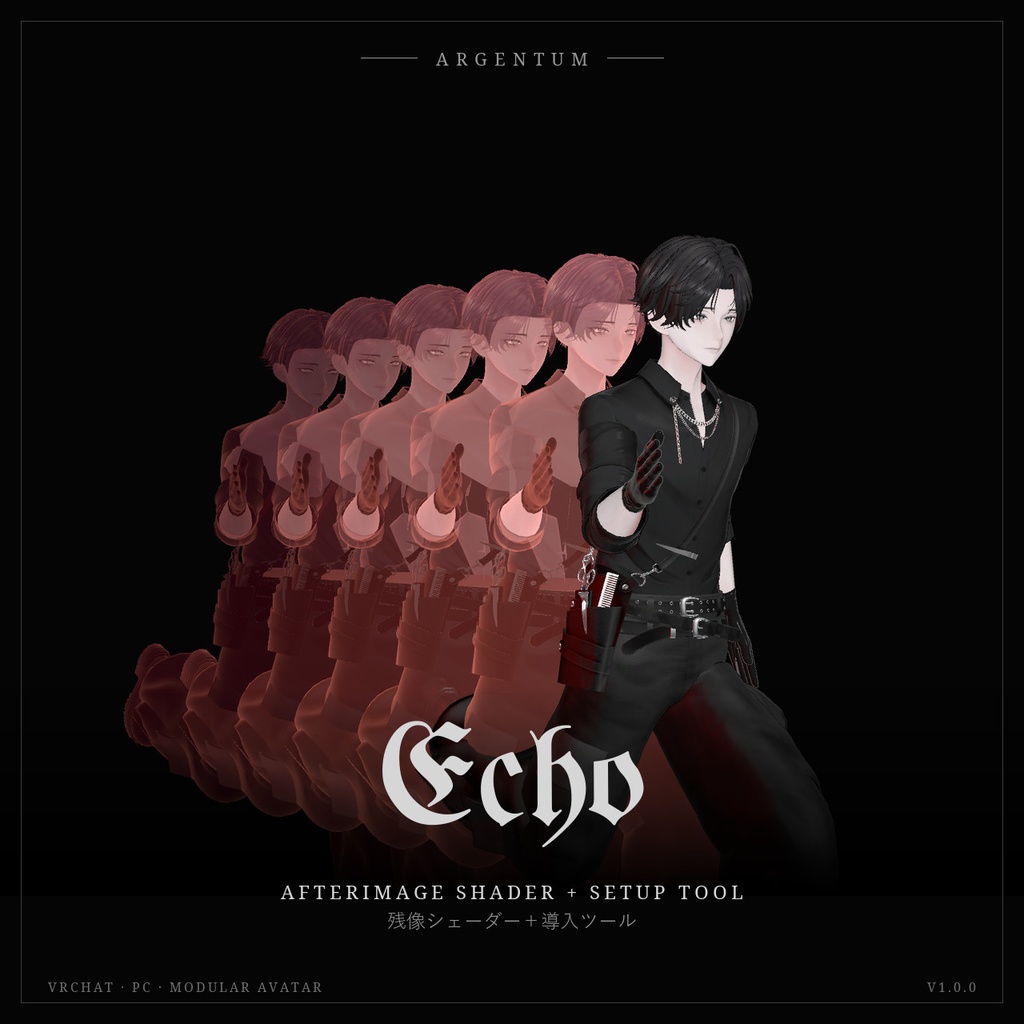
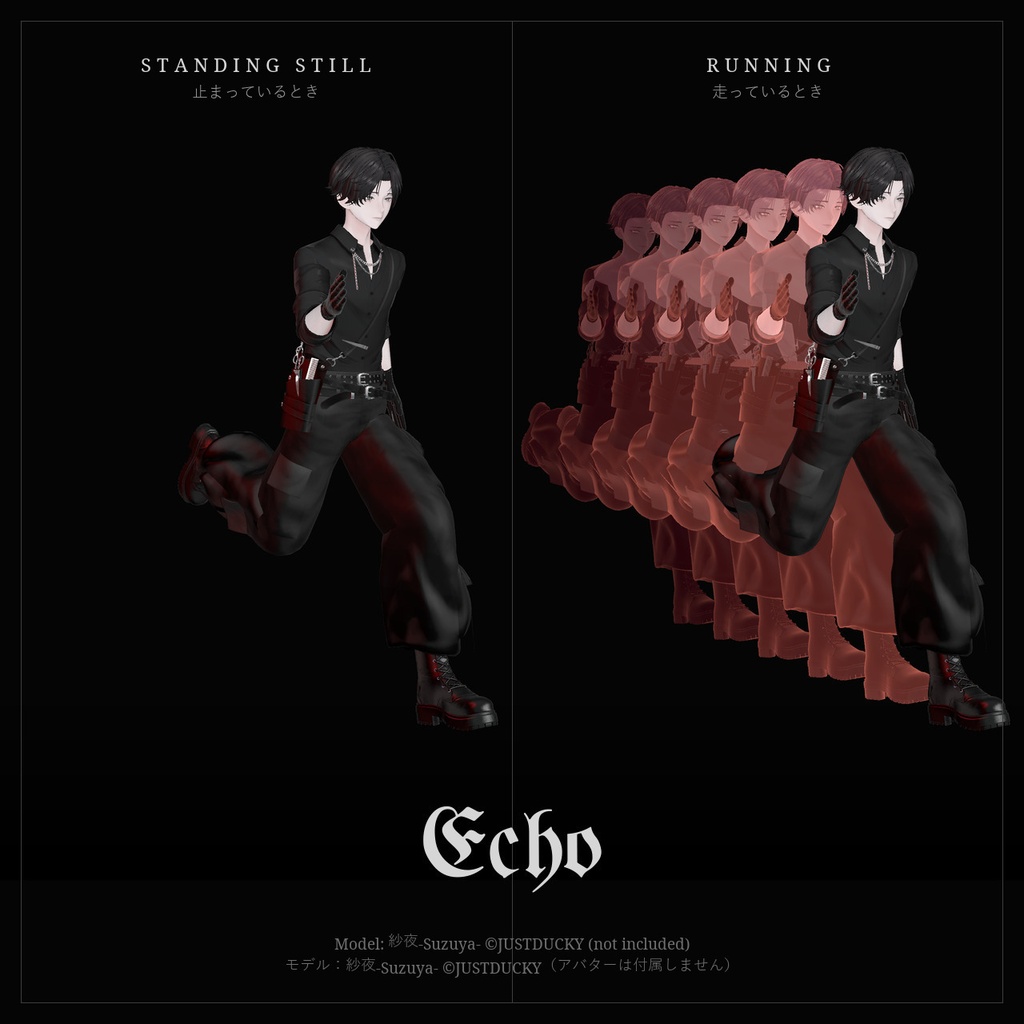
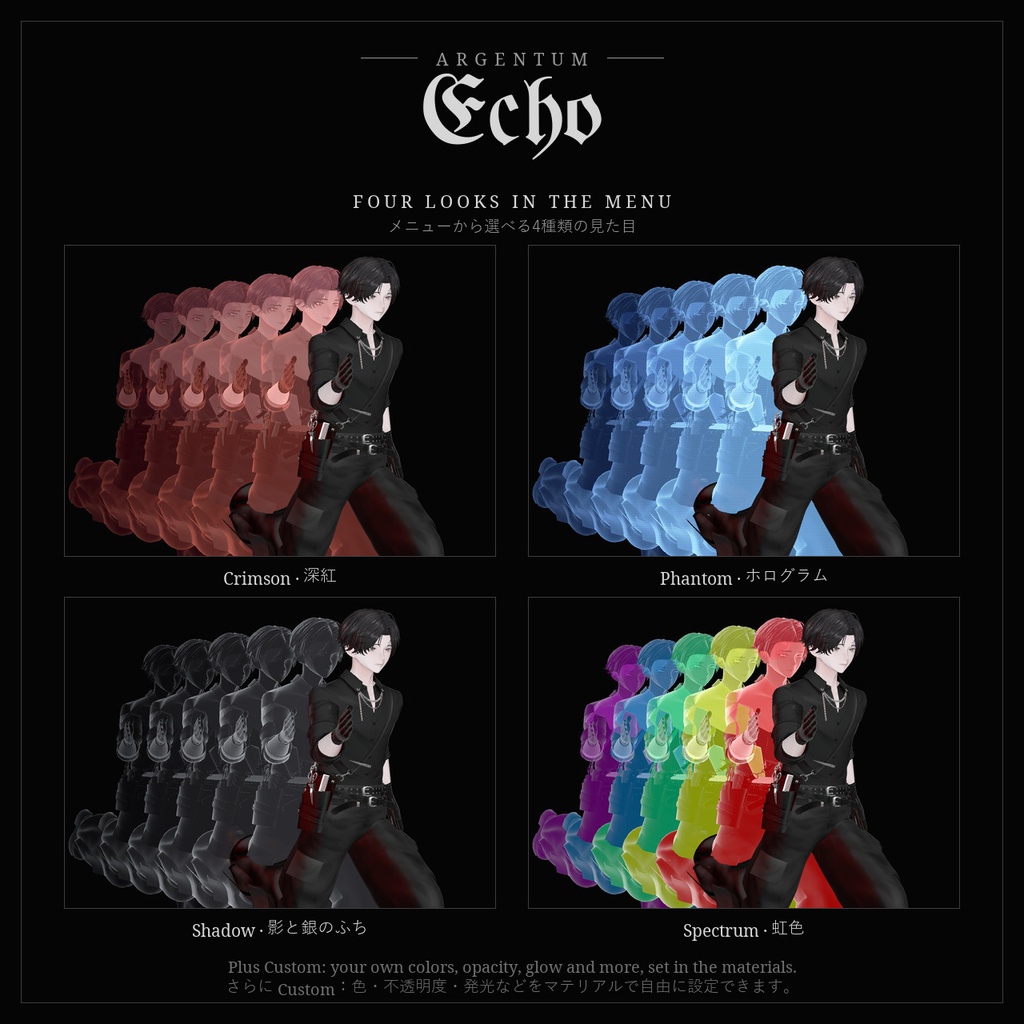
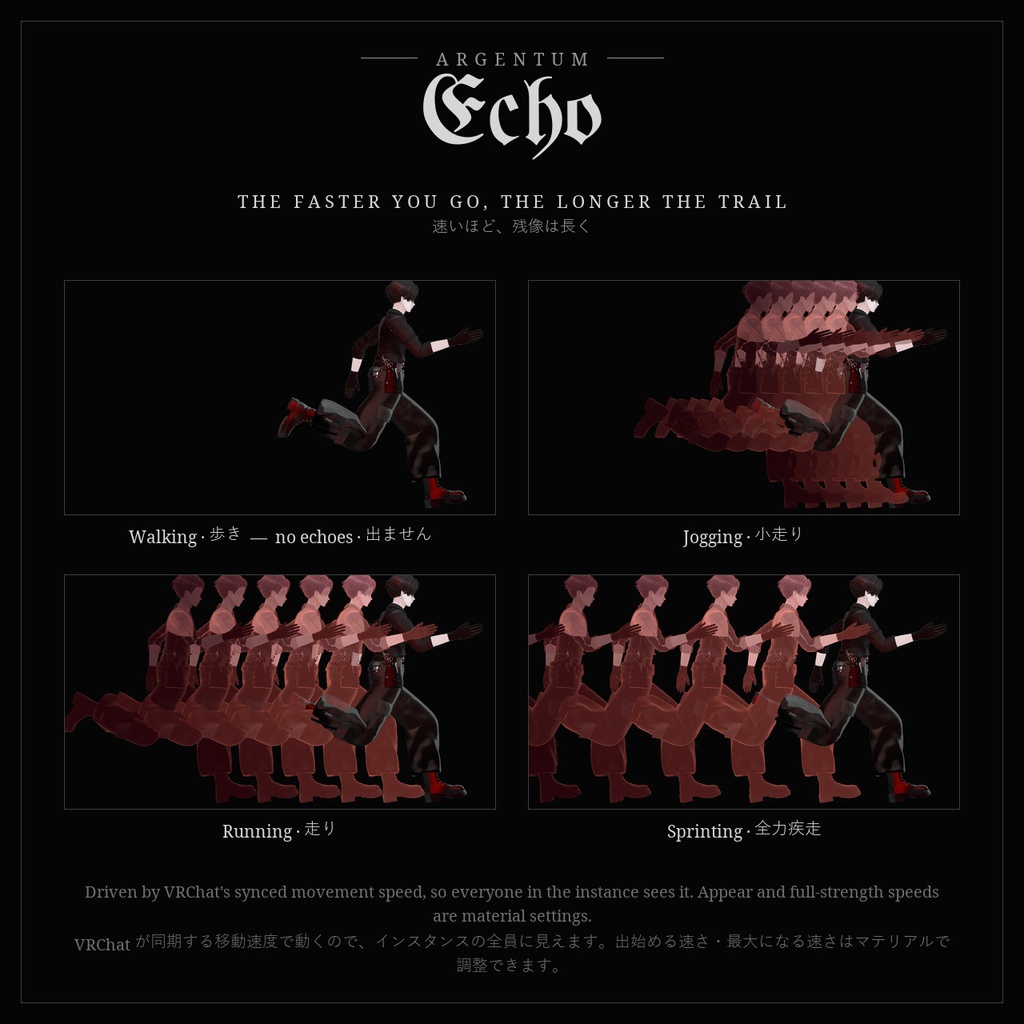
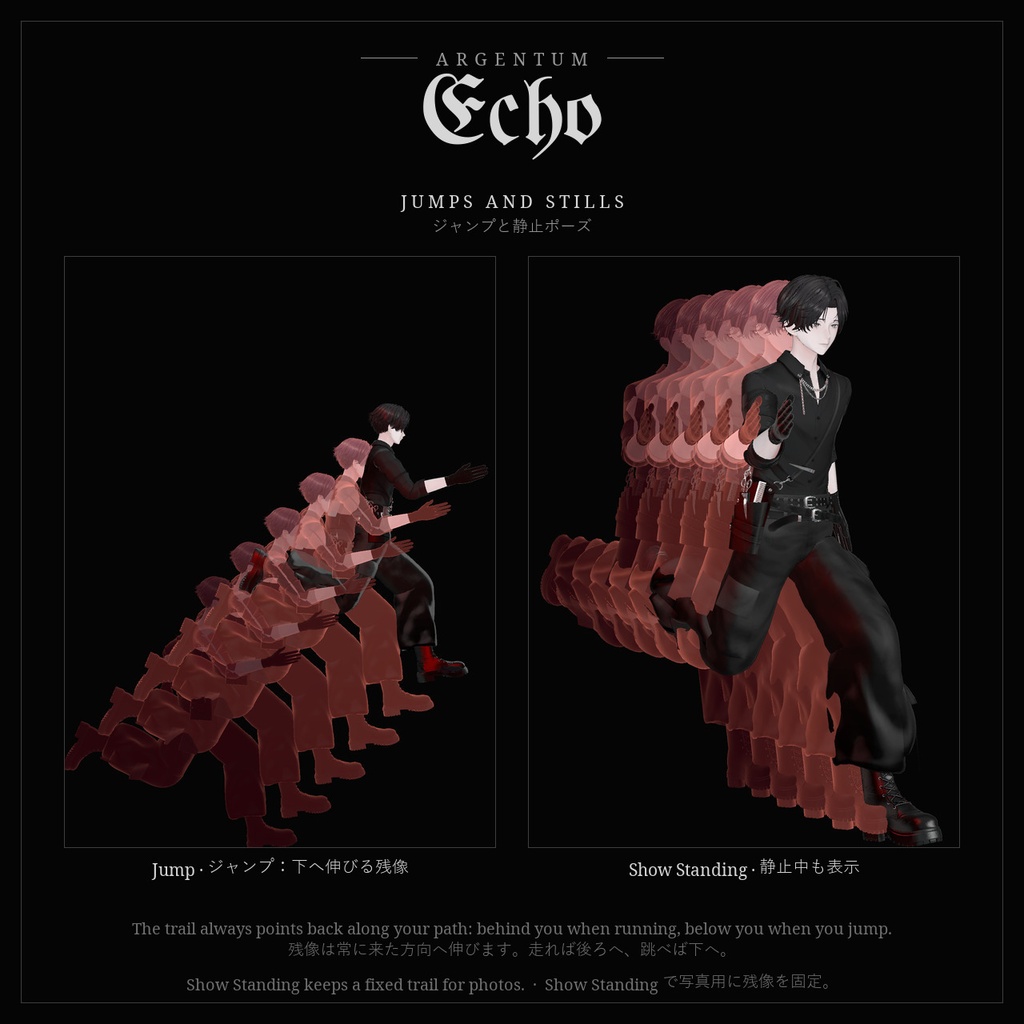
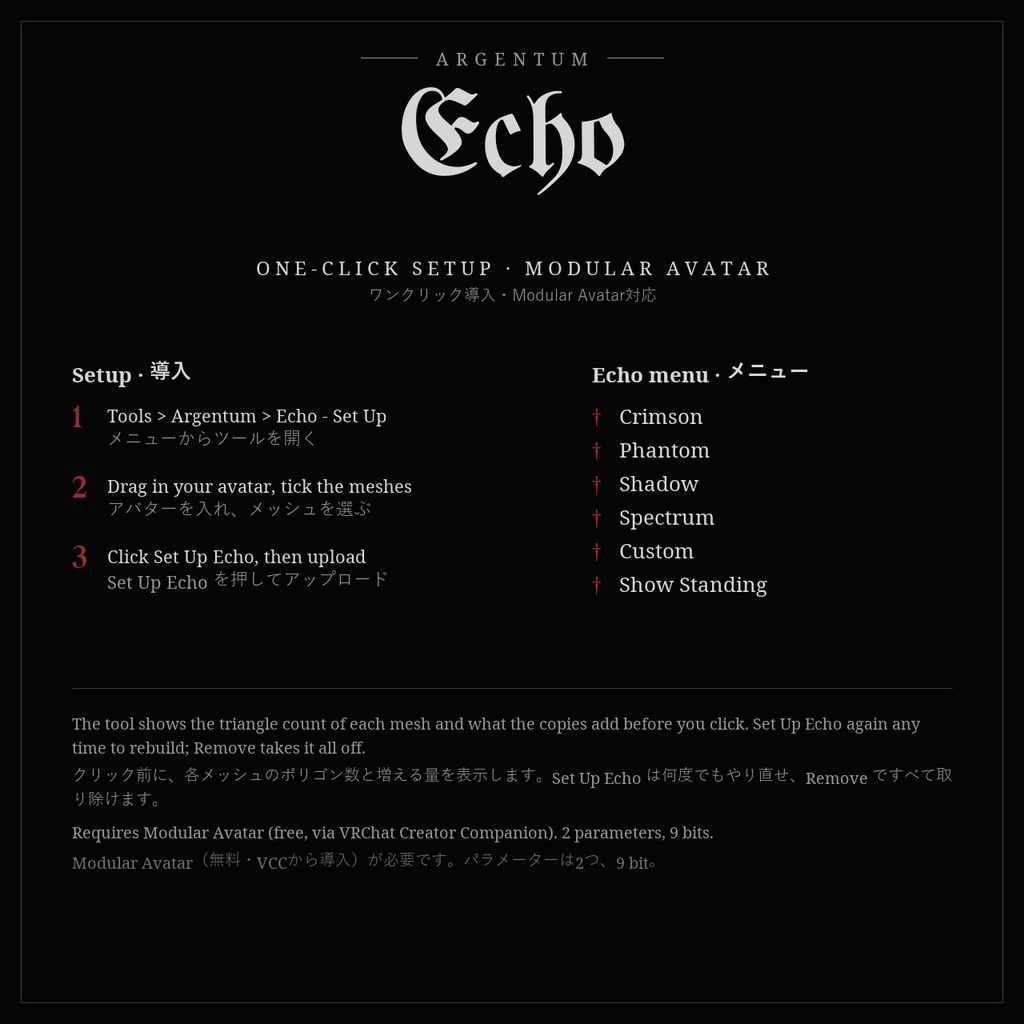


速く動くと、あなたの後ろに残像が連なる。ワンクリックで導入できる残像シェーダーです。 ■ 特長 ・ワンクリック導入:Tools > Argentum > Echo - Set Up でアバターを選び、ボタンを押すだけ。残像用のコピー、マテリアル、Modular Avatar メニューを自動で作成します ・残像の長さは速さに連動:歩いている間は出ず、速く走るほど長く、ジャンプすると下へ伸びます。常に来た方向へ伸びる残像です ・メニューから選べる4種類の見た目:Crimson(深紅)、Phantom(青いホログラム)、Shadow(銀のふちの黒い影)、Spectrum(虹色)。さらにマテリアルの設定を使う Custom ・残像はアバター自身のテクスチャ・ポーズ・衣装を使用。衣装を GameObject のトグルで隠せば、その部分の残像も消えます ・Show Standing:止まっていても後ろに残像を並べられます(写真・ポーズ用) ・メッシュごとに最大8つの残像。くっきりした人影/重なりが透ける半透明の切り替え、リムライト、走査線、ちらつき、加算発光 ・残像の間隔、最大の長さ、出始める速さ、最大になる速さをマテリアルで調整可能 ・ミラーとVRChatカメラで非表示にするオプション付き ■ こんな用途に ダッシュやジャンプのスピード演出、アクション系・ヒーロー系アバター、MVや写真撮影、イベントでの登場シーンに。 ■ 対応環境 ・Unity 2022.3.22f1(VRChatの現行バージョン)、ビルトインレンダーパイプライン ・VRChatアバター用、PC専用(ジオメトリシェーダーを使用。VRChatはQuest / Androidのアバターでカスタムシェーダーを許可していません) ・アバターを問わず使用でき、アバターのシェーダーの種類も問いません(テクスチャを読み取って残像を作ります) ・Modular Avatar が必要です(メニューと速さへの追従に使用。未導入でもツールは動きますが、残像は後ろに固定表示になります) ・VRChat が同期する移動速度(VelocityX / Y / Z)を使うため、インスタンスの全員に見えます ・Expression Parameter:2つ(int 1つ・bool 1つ、計 9 bit) ■ 内容物 ・Argentum_Echo_v1.0.0.unitypackage ・Argentum/Echo シェーダー ・導入ツール(Tools > Argentum > Echo - Set Up) ・見た目の初期設定用マテリアル4種とメニュー用アイコン ・README(英語・日本語)、利用規約、更新履歴 ■ 負荷 残像はメッシュの実際のコピーなので、チェックしたメッシュのポリゴン数・Skinned Mesh・マテリアルスロットがアバターの統計に加算されます。Performance Rank が下がる場合があります。ツールは押す前に増える量を表示するので、目・歯・小物など不要な部分を外して調整できます。 メニューが Off のときはコピーがオフになり、負荷はありません。速く動いている間だけ、残像の数だけメッシュを追加で描画します。画面キャプチャ、パーティクル、ライトは使いません。 ■ ご注意 ・残像は「今のポーズ」を来た方向へずらしたもので、少し前の手足の位置を記録したものではありません。 ・表情やブレンドシェイプのアニメーションには追従しません(導入時の形を使います)。 ・衣装のトグルは、GameObject をオン・オフするものだけに追従します。 ・同期された移動速度で動くため、ほかの人からは実際の動きより少し遅れて見えることがあります。 ・シェーダーがブロックされている相手には表示されません(フォールバックは非表示)。 ・Quest / Android 版をアップロードする前に、ツールの Remove で取り除いてください。 ■ アップデート 購入者は無料でアップデートを受け取れます。BOOTHのライブラリから再ダウンロードしてください。 画像のアバター:紗夜-Suzuya-(JUSTDUCKY様)※アバターは付属しません ──────────────────── English ──────────────────── Argentum Echo: Afterimage Shader + One-Click Setup [VRChat / PC / Modular Avatar] Move fast and afterimages trail behind you. An afterimage shader with a one-click setup tool. ■ Features ・One-click setup: open Tools > Argentum > Echo - Set Up, pick your avatar and click. It builds the echo copies, the materials and the Modular Avatar menu ・The trail follows your speed: nothing while you walk, longer the faster you run, downward when you jump. It always points back along your path ・Four looks in the menu: Crimson, Phantom (blue hologram), Shadow (black with a silver edge) and Spectrum (rainbow), plus Custom from your own material settings ・Echoes use your avatar's own textures, pose and outfit. Hide a piece of clothing with a GameObject toggle and its echo goes too ・Show Standing: a fixed trail behind you for photos and poses ・Up to 8 echoes per mesh, as solid figures or see-through layers, with rim light, scan lines, flicker and additive glow ・Spacing, longest trail, appear speed and full-strength speed are material settings ・Optional hide in mirrors and in the VRChat camera ■ Use it for Dashes and jumps, action and hero avatars, music videos and photo shoots, entrances at events. ■ Compatibility ・Unity 2022.3.22f1 (VRChat's current version), Built-in Render Pipeline ・VRChat avatars, PC only. It uses a geometry shader, and VRChat does not allow custom shaders on Quest / Android avatars. ・Works with any avatar and any avatar shader (it reads the textures to build the echoes). ・Requires Modular Avatar for the menu and speed tracking. Without it the tool still works, but the echoes stay as a fixed trail. ・Driven by VRChat's synced movement speed (VelocityX / Y / Z), so everyone in the instance sees it. ・Expression parameters: 2 (one int, one bool, 9 bits). ■ What's included ・Argentum_Echo_v1.0.0.unitypackage ・Argentum/Echo shader ・Setup tool (Tools > Argentum > Echo - Set Up) ・4 starting-look materials and a menu icon ・README (English / Japanese), terms of use, changelog ■ Performance The echoes are real copies of your meshes, so the ticked meshes' triangles, skinned meshes and material slots are added to your avatar's stats. This can lower your Performance Rank. The tool shows what the copies add before you click, so you can untick parts you don't need (eyes, teeth, small accessories). With the menu on Off the copies are switched off and cost nothing. Only while you move fast does each echo draw its mesh again. No screen grab, no particles, no lights. ■ Notes ・Echoes are your current pose stepped back along your path, not a recording of where your arms and legs were a moment ago. ・They don't follow face or blendshape animations (they keep the shape from setup time). ・Clothing toggles are followed only when they switch the GameObject on and off. ・Because it uses synced movement speed, other players may see it lag slightly behind your real movement. ・Not shown to people who have your shaders blocked (the fallback is hidden). ・Before uploading a Quest / Android version, take it off with the tool's Remove button. ■ Updates Free for buyers. Re-download from your BOOTH library. Avatar in the images: 紗夜-Suzuya- by JUSTDUCKY (not included)
Terms of Service
・○ アップロードするアバター・ワールドでの使用(個人・商用、配信・動画を含む) ・○ 自分用の改変。依頼で制作したアバターへの使用と代理アップロード(ファイルを渡さない場合) ・× ファイルの再配布・転売(改変の有無を問わず、アバターやワールドのパッケージへの同梱を含む) ・規約の全文はダウンロードデータに同梱しています ──────────────────── ・OK: use on avatars and worlds you upload, personal or commercial, including streams and videos. ・OK: modify for your own use; use on commissioned avatars you upload for a client, as long as the files aren't handed over. ・Not OK: redistributing or reselling the files, modified or not, including inside avatar or world packages. ・Full terms are included in the download.
Update information
・1.0.0 (2026-11-03): 初回リリース ・1.0.0 (2026-11-03): First release