

【無料】MotionBricks Baker - AI Motion Tool
- Digital0 JPY
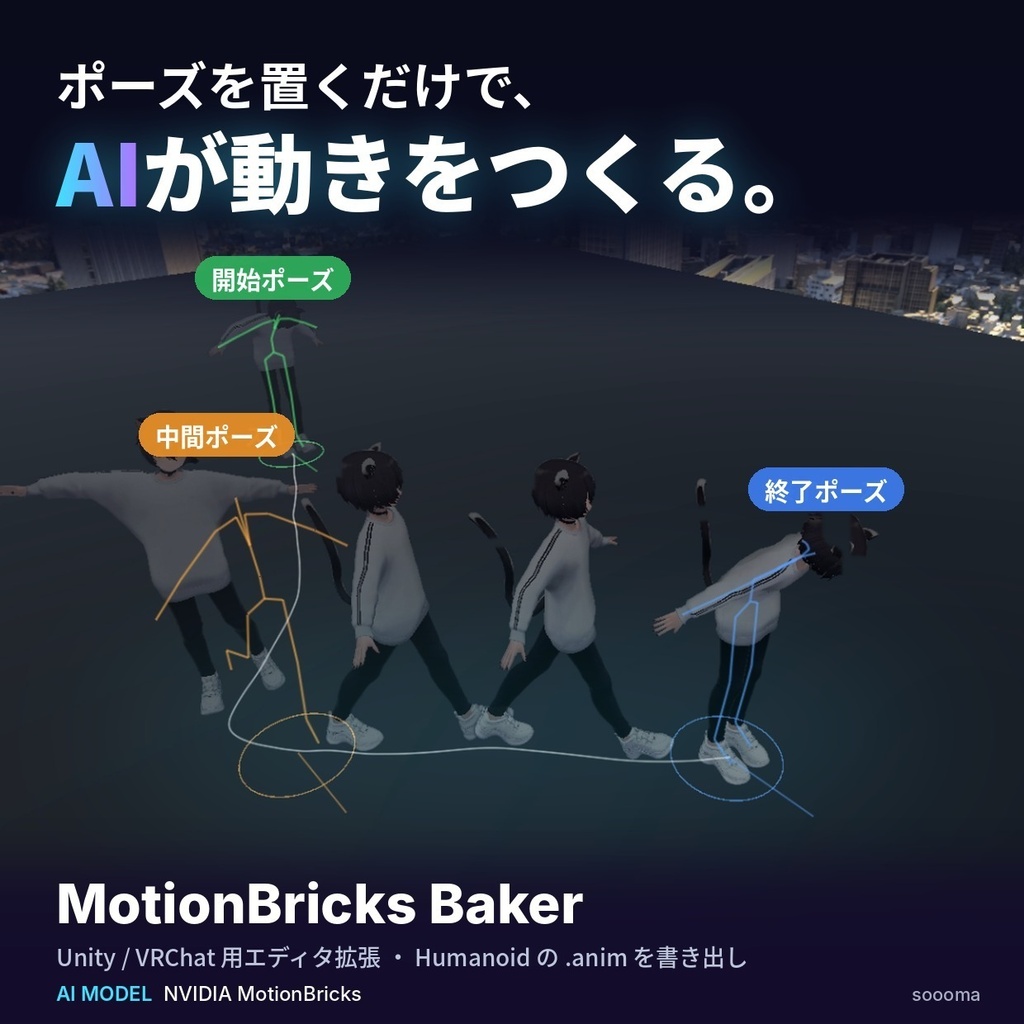
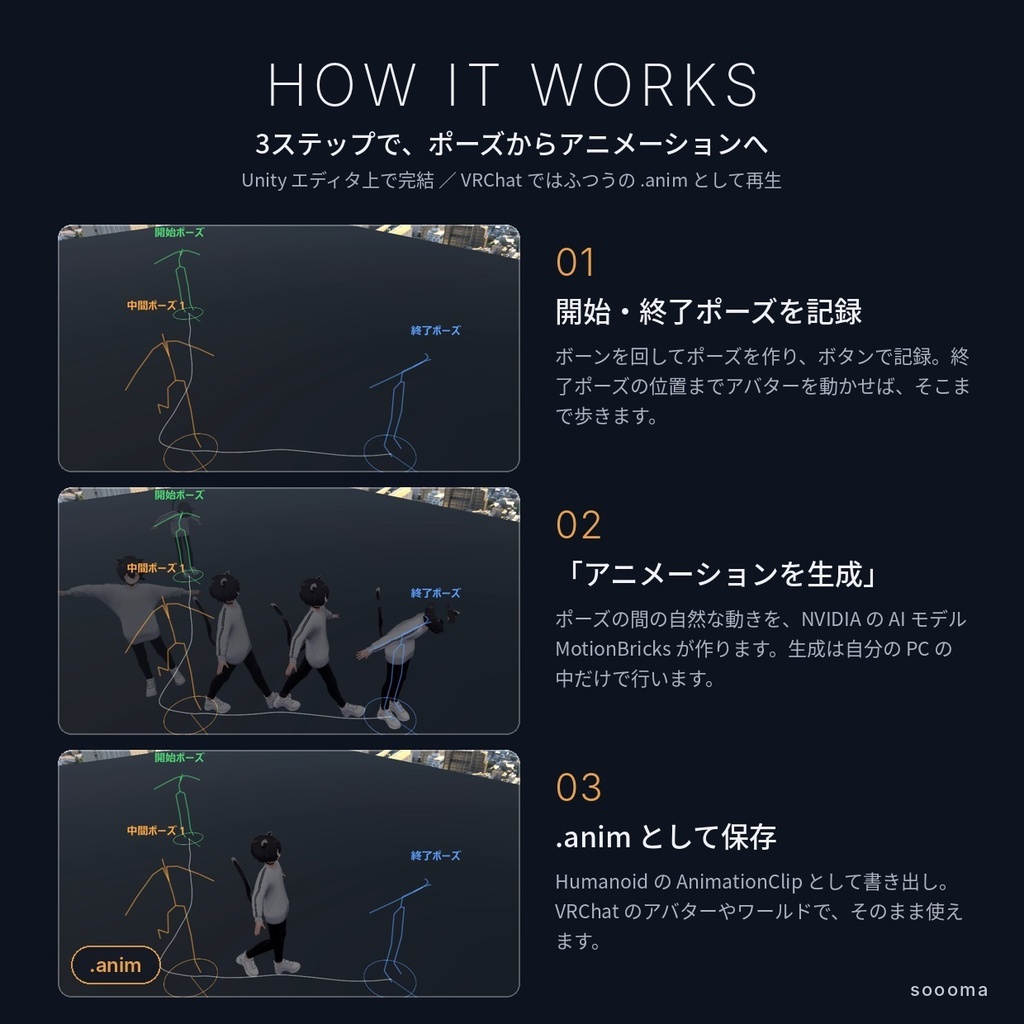


Unity 上でアバターの「開始ポーズ」と「終了ポーズ」を決めてボタンを押すだけで、その間の自然な動きを AI が作り、Humanoid の AnimationClip(.anim)として保存できるエディタ拡張です。 動きの生成には NVIDIA の AI モデル「MotionBricks」を使い、すべて自分の PC の中で行います。 書き出したアニメーションは普通の .anim なので、VRChat のアバターやワールドでそのまま使えます。
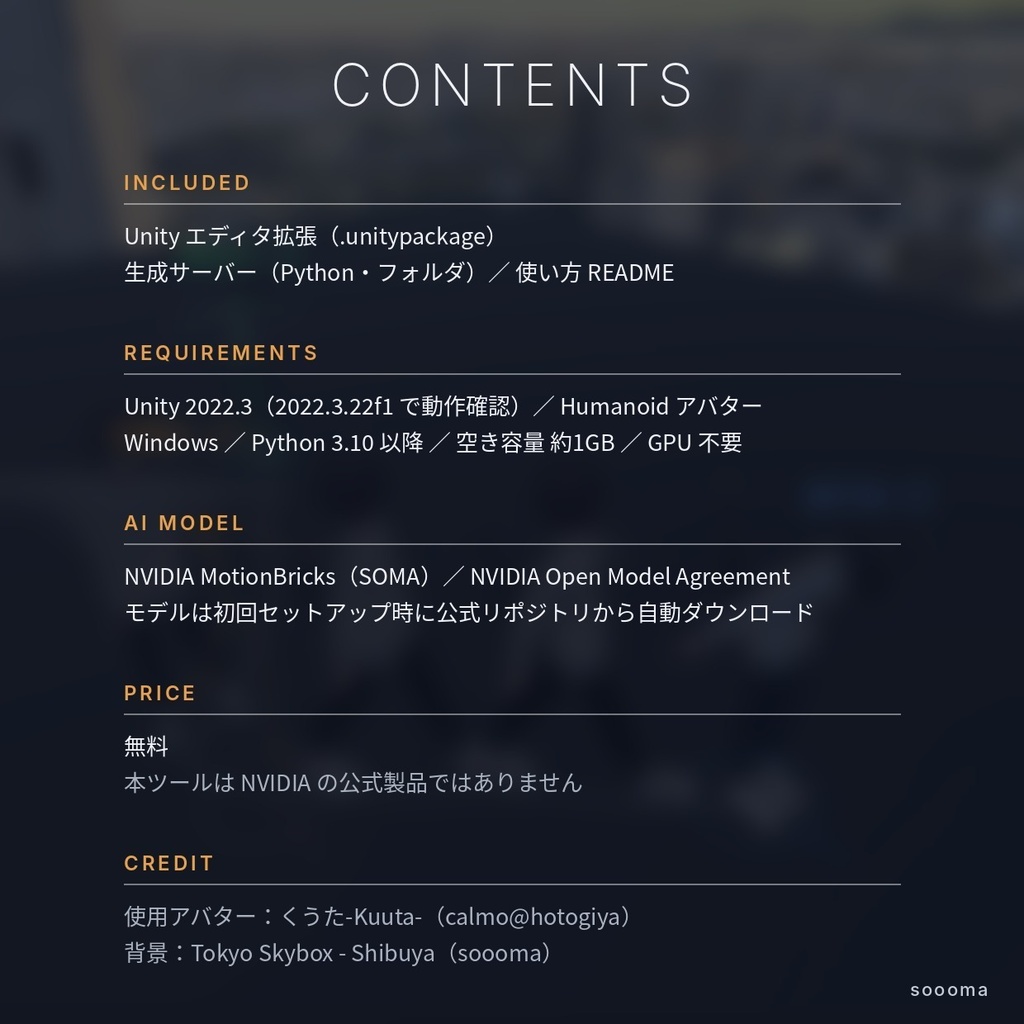
📦内容
○ Unity エディタ拡張(MotionBricksBaker.unitypackage) ○ 生成サーバー(Server フォルダ/Python) ○ README(セットアップと使い方) ※ AI モデル本体(約760MB)及びアバターは同梱していません。AIモデルは初回セットアップ時に公式リポジトリから自動でダウンロードします。
📝導入方法
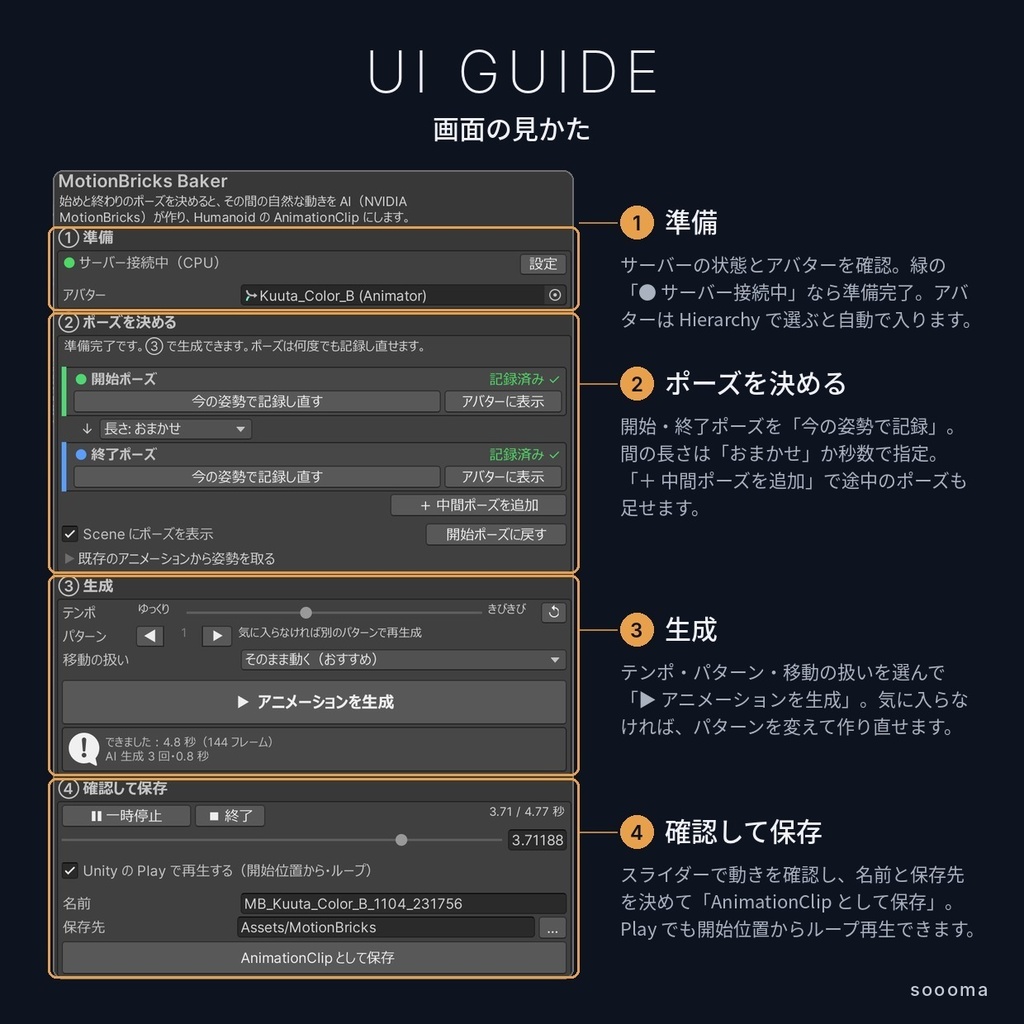
1. Python 3.10 以降をインストールします(Windows ではインストール時に「Add python.exe to PATH」にチェックを入れてください)。 2. unitypackage を Unity にインポートします。 3. メニュー「Tools」→「MotionBricks Baker」でウィンドウを開きます。 4. 「① 準備」の「設定」で Server フォルダを選び、「セットアップを実行」を押します(数分かかります)。 5. 「サーバーを起動」を押し、表示が「● サーバー接続中」になれば準備完了です。
🎬使い方
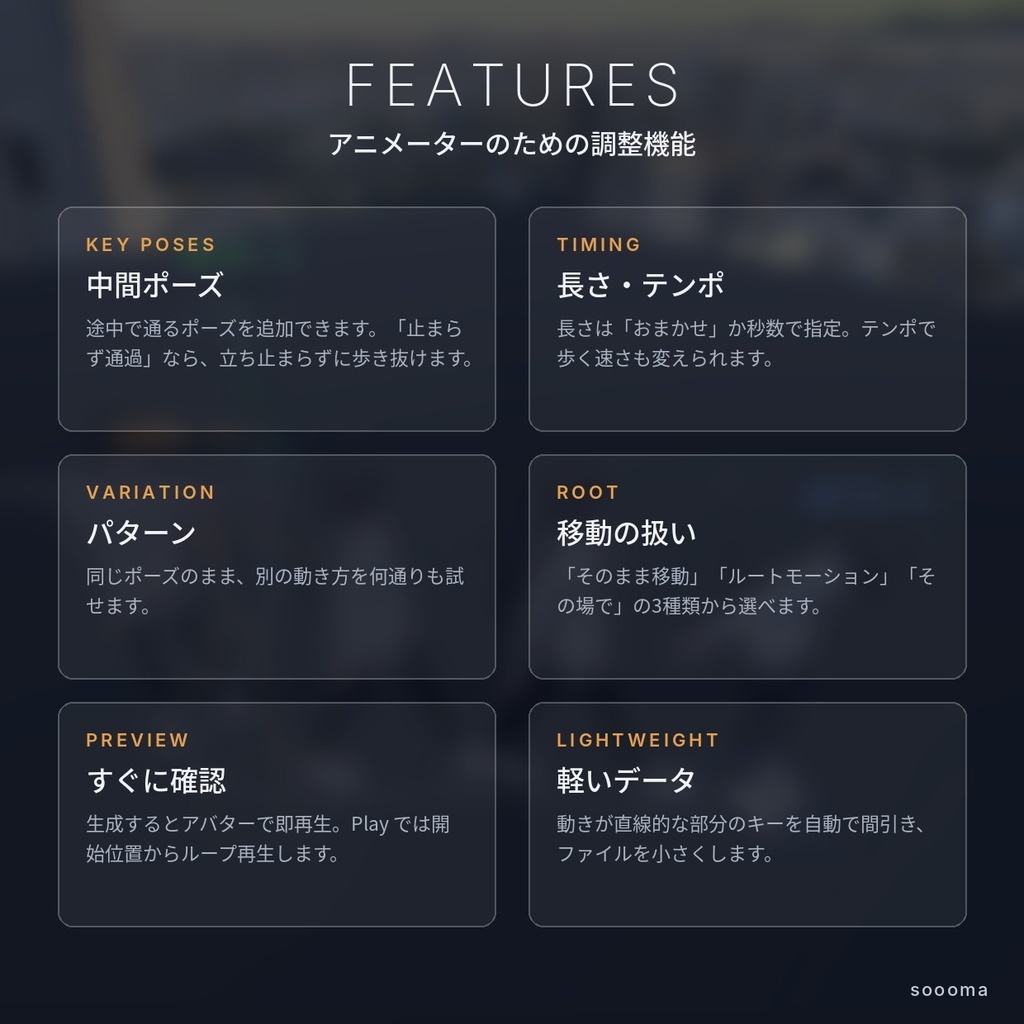
1. Hierarchy で Humanoid のアバターを選びます。 2. ボーンを回して開始ポーズを作り、「● 今の姿勢を記録」を押します。 3. アバターを動かしたい場所へ移動・回転させ、終了ポーズを作って記録します。 4. 「▶ アニメーションを生成」を押すと、すぐにアバターで再生されます。 5. 「AnimationClip として保存」で .anim を書き出します。 ○ 中間ポーズの追加(「止まらず通過」も可)、秒数の指定、テンポ、動きのパターン、移動の扱い(そのまま移動/ルートモーション/その場で)を調整できます。 ○ 指・目・あごは、記録したポーズの間をなめらかに補間します。
⚙動作環境
○ Unity 2022.3(2022.3.22f1 で動作確認) ○ Humanoid のアバター ○ Python 3.10 以降/空き容量 約1GB/GPU 不要(CPU で動作)
⚠注意
○ 足が接地しているときに、足がわずかに滑ることがあります(AI モデルの特性によるものです)。 ○ 障害物は考慮しません。極端なポーズでは動きが崩れることがあります。 ○ 本ツールは NVIDIA の公式製品ではなく、NVIDIA とは関係のない個人の制作物です。
📓利用規約
○ 無料でご利用いただけます。 ○ 生成したアニメーションは、個人・商用を問わず作品に使用できます。 ○ 本ツールの再配布・再販売は禁止です。 ○ AI モデルは NVIDIA Open Model Agreement に基づいて提供されています。ご利用前に条文をご確認ください。 https://www.nvidia.com/en-us/agreements/enterprise-software/nvidia-open-model-agreement/ ○ 本ツールの使用によって生じた損害について、制作者は責任を負いかねます。
🗺クレジット
・AI モデル:NVIDIA MotionBricks SOMA(Licensed by NVIDIA Corporation under the NVIDIA Open Model Agreement) ・推論の前後処理・骨格データ:NVlabs/motionbricks(Apache License 2.0)を元に作成 ・論文:T. Wang et al., "MotionBricks: Scalable Real-Time Motions with Modular Latent Generative Model and Smart Primitives", ACM TOG 45(4), SIGGRAPH 2026 ・画像の使用アバター:くうた-Kuuta-(calmo@hotogiya) ・画像の背景:Tokyo Skybox - Shibuya(soooma)
--------------------------------------------------------
Introduction
An editor extension for Unity: set a start pose and an end pose on your avatar, press one button, and AI creates the natural motion in between, saved as a Humanoid AnimationClip (.anim). Motion is generated with NVIDIA's AI model "MotionBricks", entirely on your own PC. The result is a regular .anim, so it works as-is on VRChat avatars and worlds. Free to use.
📦Contents
○ Unity editor extension (MotionBricksBaker.unitypackage) ○ Generation server (Server folder / Python) ○ README (setup and usage) * The AI model itself (about 760 MB) is not included. It is downloaded automatically from the official repository during the first setup.
📝Installation Instructions
1. Install Python 3.10 or later (on Windows, check "Add python.exe to PATH" during installation). 2. Import the unitypackage into Unity. 3. Open the window from **Tools → MotionBricks Baker**. 4. In "① 準備", press "設定", select the Server folder and press "セットアップを実行" (takes a few minutes). 5. Press "サーバーを起動". Setup is complete when the window shows "● サーバー接続中".
⚙System Requirements
○ Unity 2022.3 (tested with 2022.3.22f1) ○ A Humanoid avatar ○ Python 3.10 or later / about 1 GB of free disk space / no GPU required (runs on CPU) * The UI is in Japanese.
📓Terms of Use
○ Free to use. ○ Animations you generate may be used in your works, personal or commercial. ○ Redistribution and resale of this tool are prohibited. ○ The AI model is provided under the NVIDIA Open Model Agreement. Please read it before use. ○ This is an independent, unofficial tool and is not affiliated with NVIDIA. ○ The author is not responsible for any damage resulting from the use of this tool.
Credit
・AI model: NVIDIA MotionBricks SOMA (Licensed by NVIDIA Corporation under the NVIDIA Open Model Agreement) ・Pre/post-processing and skeleton data: based on NVlabs/motionbricks (Apache License 2.0) ・Avatar in images: Kuuta (calmo@hotogiya)
更新履歴
Ver1.0 公開