

【VRChat】【MA対応】Argentum Rime|霜・凍結&濡れ肌シェーダー【PC用】
- Digital1,200 JPY
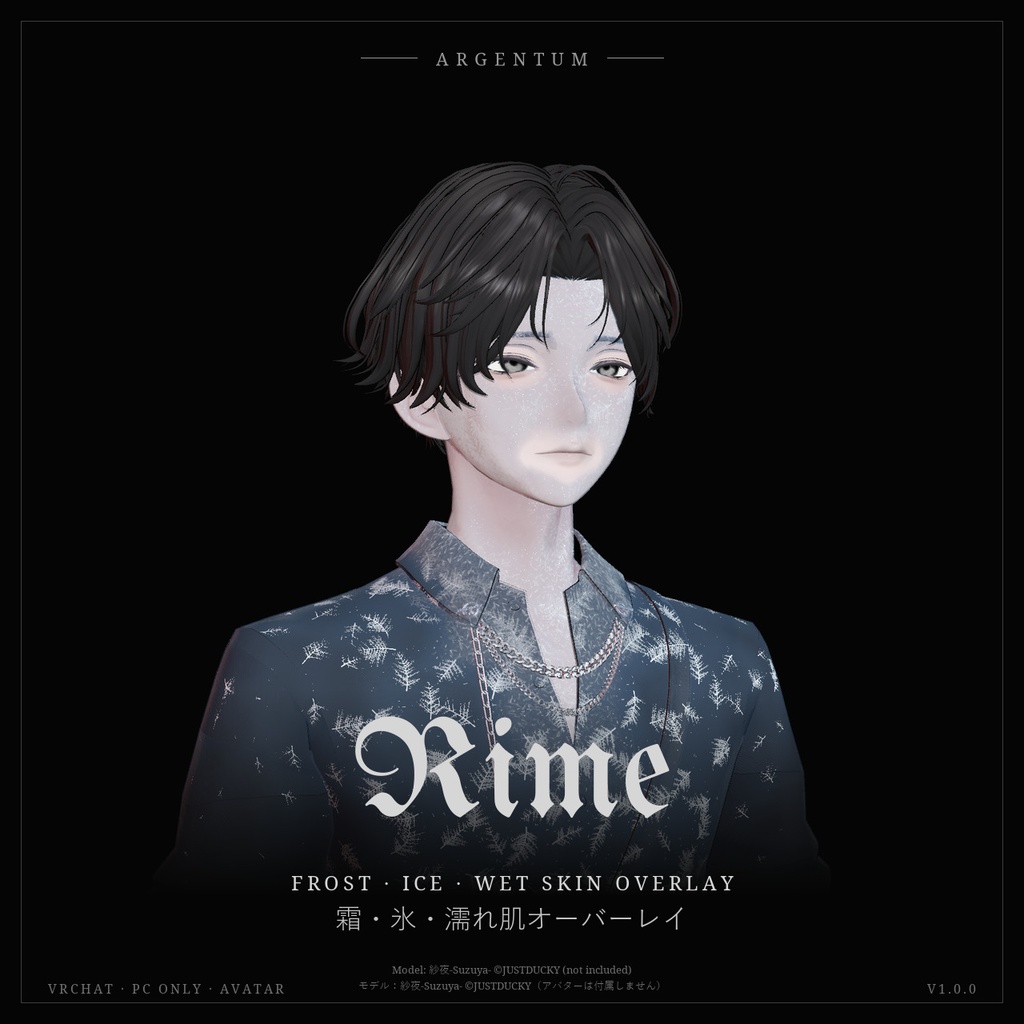
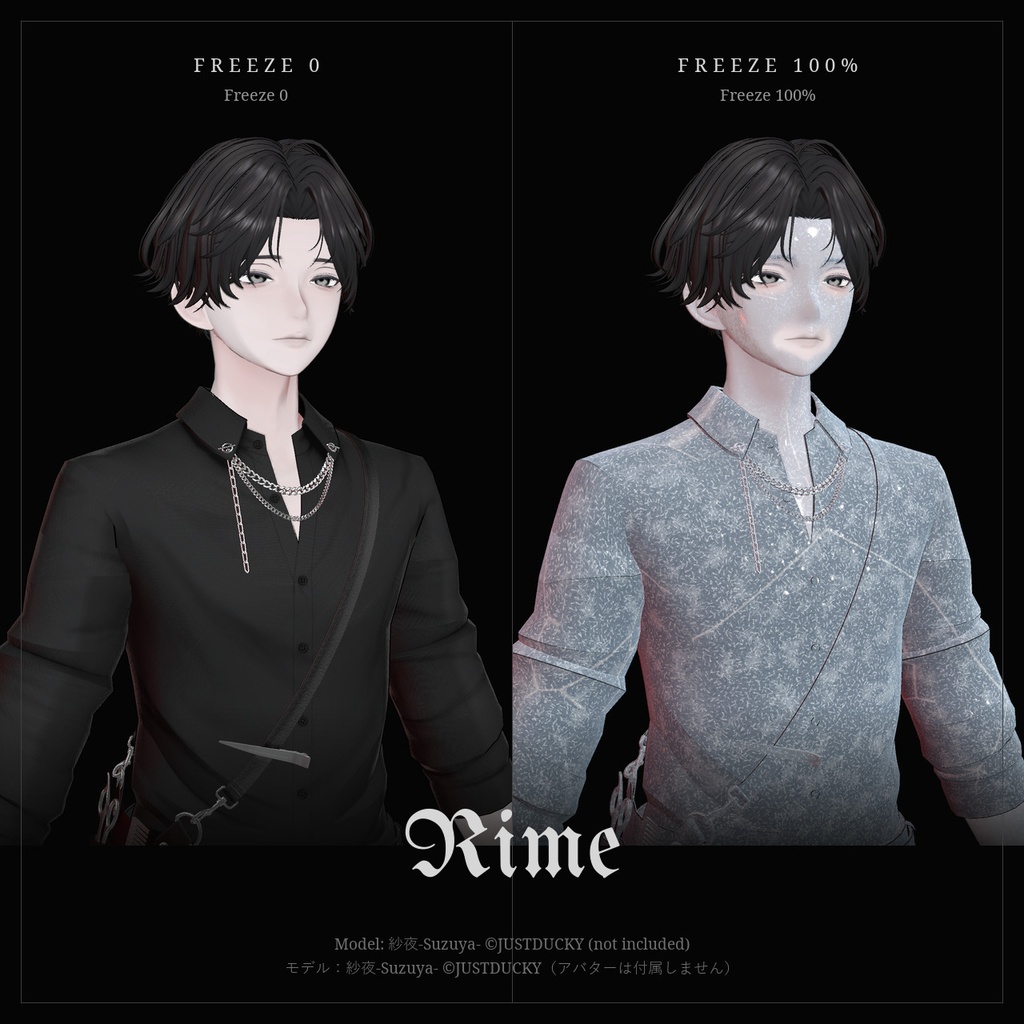
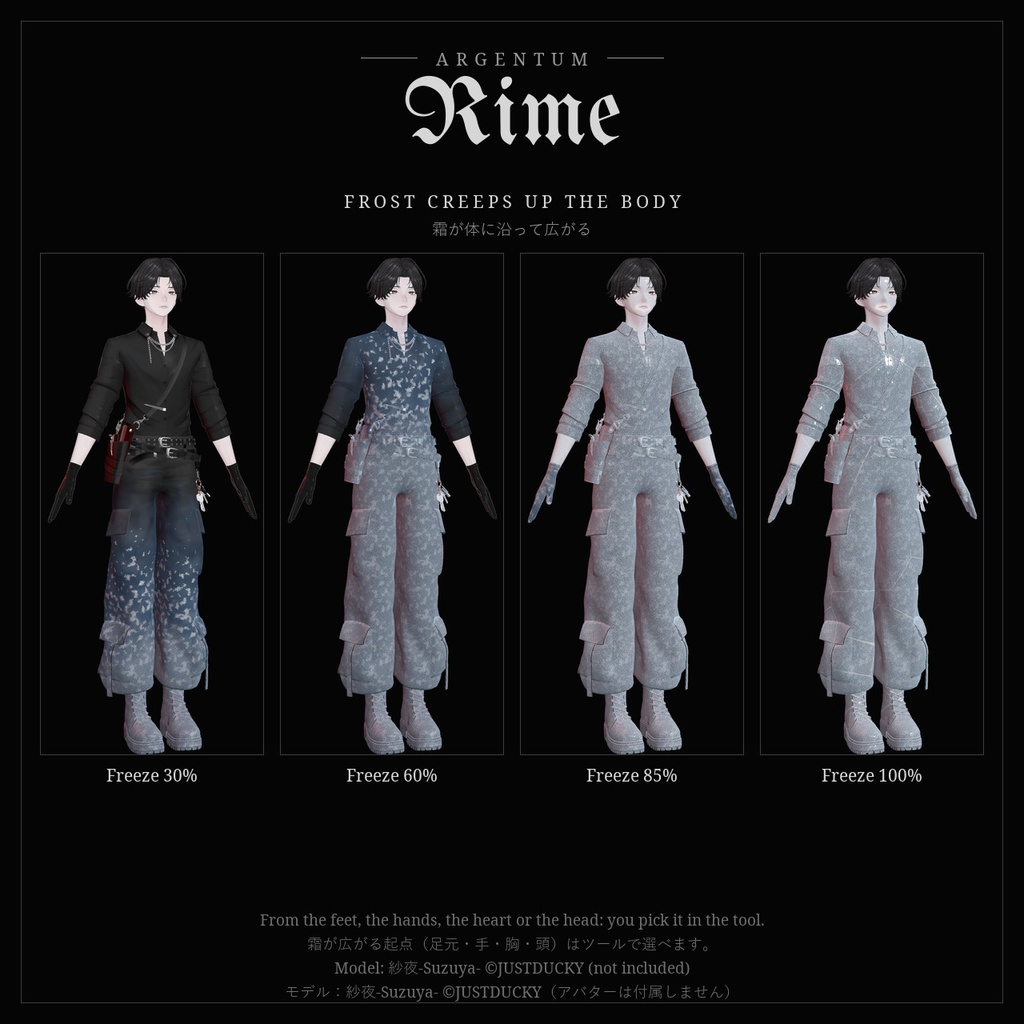
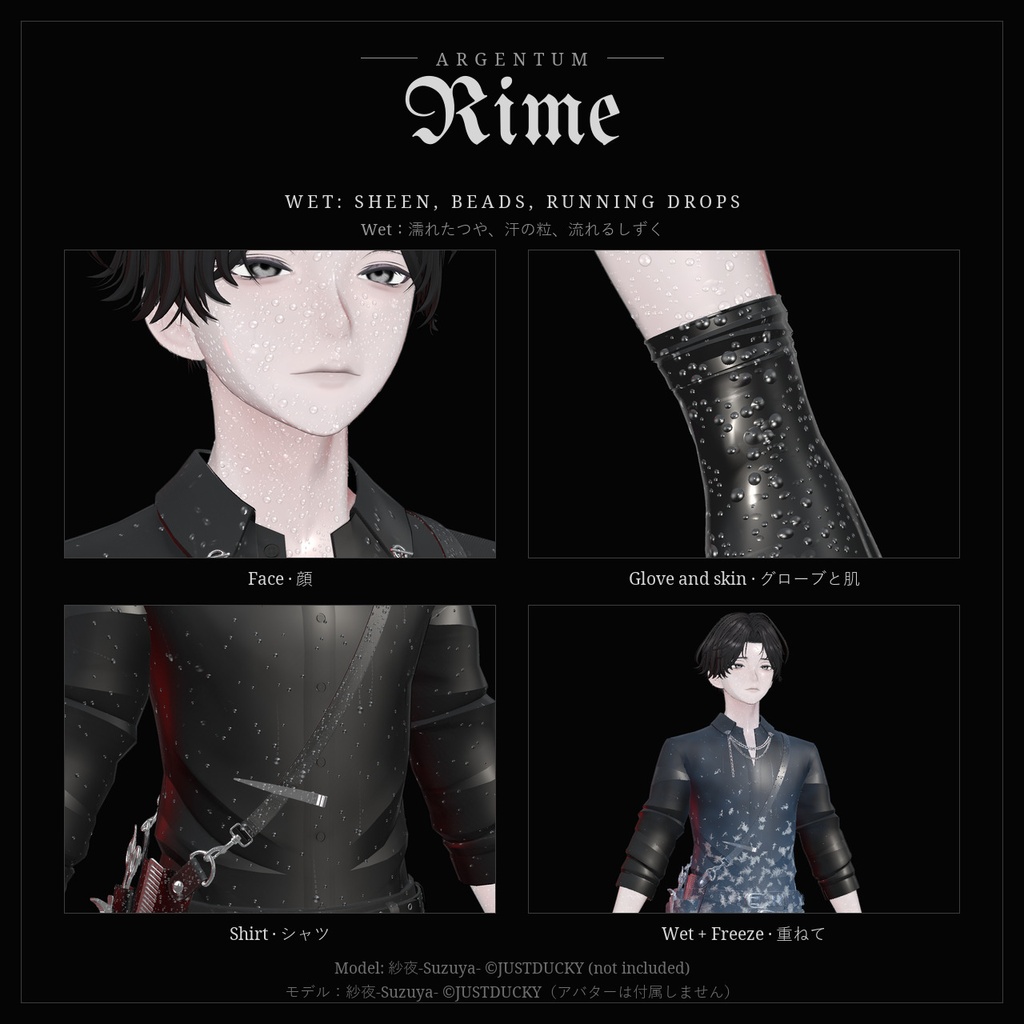
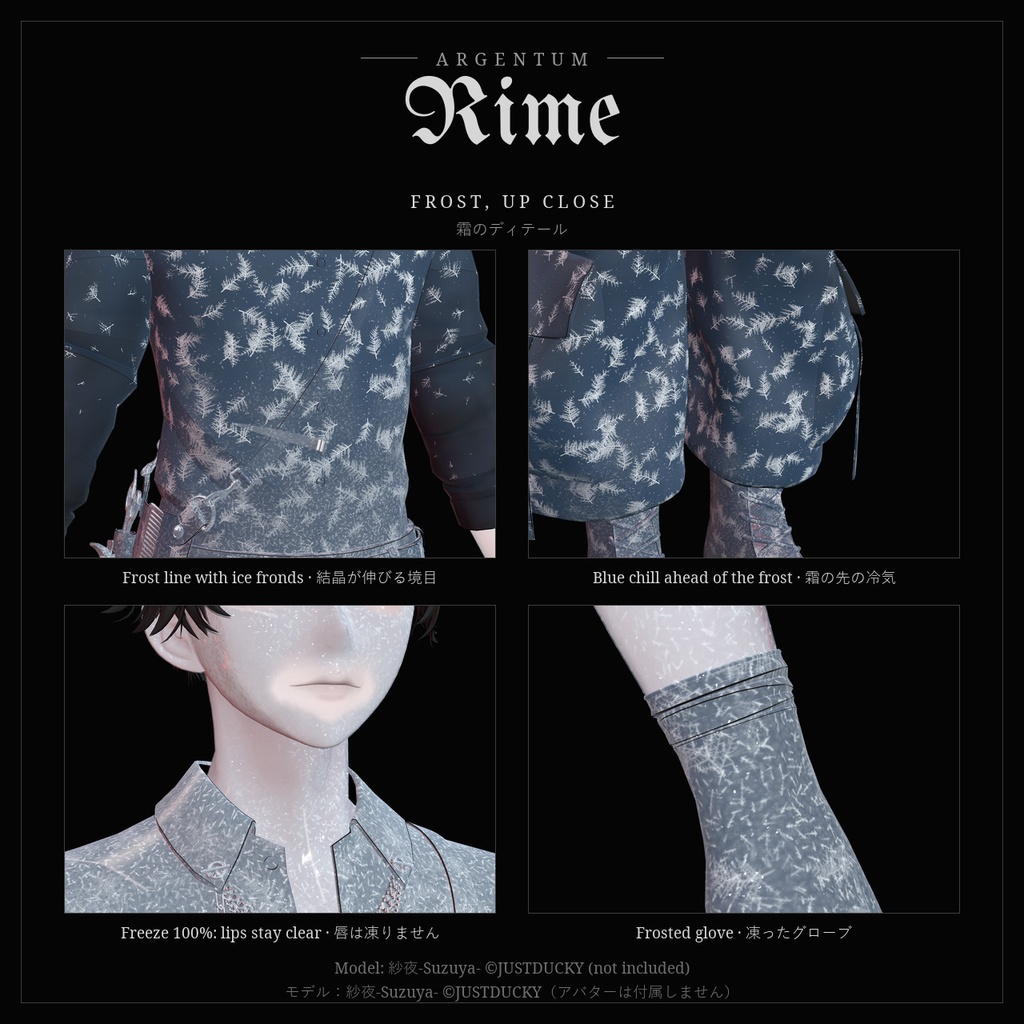


霜が這い上がり、肌が濡れる。ラジアル2つで、凍結と濡れ肌を。 ■ 特長 ・Freeze:足元・手・胸・頭のいずれか(ツールで選択)から、霜が体に沿って広がります。境目の先には羽のような氷の結晶が伸び、最後は透明な氷が全身を閉じ込めます ・Wet:濡れたつや、汗の粒、ゆっくり流れ落ちるしずく。布は濡れて暗くなり、肌には粒が浮かびます ・霜の先を走る青い冷気、きらめく結晶、輪郭の冷たい光。暗いワールドでも霜の境目が見えます ・模様はレストポーズに固定。動いても肌の上でずれず、どんなポーズでも霜は体に沿って進みます ・凍ったしずくは流れが止まります。FreezeとWetを重ねて、氷雨に濡れて凍りつく表現も ・ワンクリック導入ツール:メッシュとマテリアルスロットを選ぶだけ。肌・布・硬い素材で濡れ方が変わります。元のメッシュとマテリアルは一切変更しません ・Modular Avatarのメニュー付き:FreezeとWetのラジアル(同期16ビット) ■ こんな用途に 冬のイベント、雪や氷のワールド、氷の魔法、ホラー、撮影。汗や雨に濡れた表現にも。 ■ 対応環境 ・Unity 2022.3.22f1(VRChatの現行バージョン)、ビルトインレンダーパイプライン ・VRChatアバター用、PC専用(VRChatはQuest / Androidのアバターでカスタムシェーダーを許可していません) ・Humanoidのアバターならどれでも使用できます ・メニューにはModular Avatarが必要です(VRChat SDK 3.10.5、Modular Avatar 1.18.7で動作確認) ■ 内容物 ・Argentum_Rime_v1.0.0.unitypackage ・Argentum/Rime シェーダー ・設定ツール:Tools > Argentum > Rime — Set Up ・霜の結晶と水滴のテクスチャ、メニュー用アイコン ・README(英語・日本語)、利用規約、更新履歴 ■ 負荷 ・両方のラジアルが0の間はオーバーレイがオフになり、負荷はありません。 ・選んだメッシュ1つにつきSkinned Mesh 1つとマテリアルスロット1つ(透過部分があれば+1)、選んだスロットのポリゴン数が加わります。Performance Rankが下がることがあるので、不要な部分は外してください。 ・表示中は1パス(ワールドに追加のリアルタイムライトがあれば、1つにつき+1パス)。画面キャプチャ、ジオメトリシェーダー、パーティクルなし。 ■ ご注意 ・パラメーター:Argentum/Rime/Freeze、Argentum/Rime/Wet(float、各8ビット、保存あり)。 ・唇とまぶた(VRChatが口の形とまばたきで直接動かす部分)には効果が出ません。 ・しずくは立ち姿勢での「下」へ流れます。寝転んだときは実際の重力の向きとは一致しません。 ・PC専用です。Questのプレイヤーには表示されません。 ■ アップデート 購入者は無料でアップデートを受け取れます。BOOTHのライブラリから再ダウンロードしてください。 画像のアバター:紗夜-Suzuya-(JUSTDUCKY様)※アバターは付属しません ──────────────────── English ──────────────────── Argentum Rime: Frost & Wet Skin Overlay [VRChat / PC / Modular Avatar] Frost creeps over you, or your skin turns wet. Two radials: Freeze and Wet. ■ Features ・Freeze: frost spreads along the body from the feet, the hands, the heart or the head. Feathery ice crystals grow ahead of the frost line, and at the top clear ice seals everything in ・Wet: a wet sheen, sweat beads and drops that slowly run down. Cloth darkens, skin beads up ・Cold chill ahead of the frost, sparkling crystal facets and a cold rim light. The frost line still reads in dark worlds ・The frost is pinned to your rest pose: it stays put on your skin while you move, and it advances along the body in any pose ・Drops that freeze stop running. Combine Freeze and Wet for freezing rain ・One-click setup tool: pick the meshes and material slots. Skin, cloth and hard surfaces get wet differently. Your own meshes and materials are never changed ・Modular Avatar menu: Freeze and Wet radials (16 synced bits) ■ Use it for Winter events, snow and ice worlds, ice magic, horror, photos. Sweat and rain looks too. ■ Compatibility ・Unity 2022.3.22f1 (VRChat's current version), Built-in Render Pipeline ・VRChat avatars, PC only (VRChat doesn't allow custom shaders on Quest / Android avatars) ・Works with any humanoid avatar. ・Modular Avatar is needed for the menu (tested with VRChat SDK 3.10.5 and Modular Avatar 1.18.7). ■ What's included ・Argentum_Rime_v1.0.0.unitypackage ・Argentum/Rime shader ・Setup tool: Tools > Argentum > Rime — Set Up ・Frost crystal and water bead textures, menu icon ・README (English / Japanese), terms of use, changelog ■ Performance ・While both radials are at 0 the overlays are switched off and cost nothing. ・Per chosen mesh: 1 skinned mesh and 1 material slot (+1 for cut-out parts), plus the chosen slots' triangles. This can lower your Performance Rank; untick what you don't need. ・While on: one pass (plus one per extra realtime light in the world). No screen grab, no geometry shader, no particles. ■ Notes ・Parameters: Argentum/Rime/Freeze and Argentum/Rime/Wet (float, 8 bits each, saved). ・Lips and eyelids (moved by VRChat's visemes and blinking) stay clear. ・Drops run "down" in your standing pose; lying down, they don't follow real gravity. ・PC only. Quest players don't see the effect. ■ Updates Free for buyers. Re-download from your BOOTH library. Avatar in the images: Suzuya by JUSTDUCKY (not included).
Terms of Service
・○ アップロードするアバター・ワールドでの使用(個人・商用、配信・動画を含む) ・○ 自分用の改変。依頼で制作したアバターへの使用と代理アップロード(ファイルを渡さない場合) ・× ファイルの再配布・転売(改変の有無を問わず、アバターやワールドのパッケージへの同梱を含む) ・導入ツールがアバターごとに生成するファイル(メッシュ、マテリアル、アニメーター)も本製品の一部として扱います ・規約の全文はダウンロードデータに同梱しています ──────────────────── ・OK: use on avatars and worlds you upload, personal or commercial, including streams and videos. ・OK: modify for your own use; use on commissioned avatars you upload for a client, as long as the files aren't handed over. ・Not OK: redistributing or reselling the files, modified or not, including inside avatar or world packages. ・The files the setup tool generates for an avatar (meshes, materials, animator) count as part of the product. ・Full terms are included in the download.
Update information
・1.0.0 (2026-11-04): 初回リリース ・1.0.0 (2026-11-04): First release