
🎙️ AutoComp|Premiere用 自動コンプレッサープラグイン
- 通常購入Digital1,980 JPY
- 操作マニュアル (ご購入前の参考にしてください)Digital0 JPY
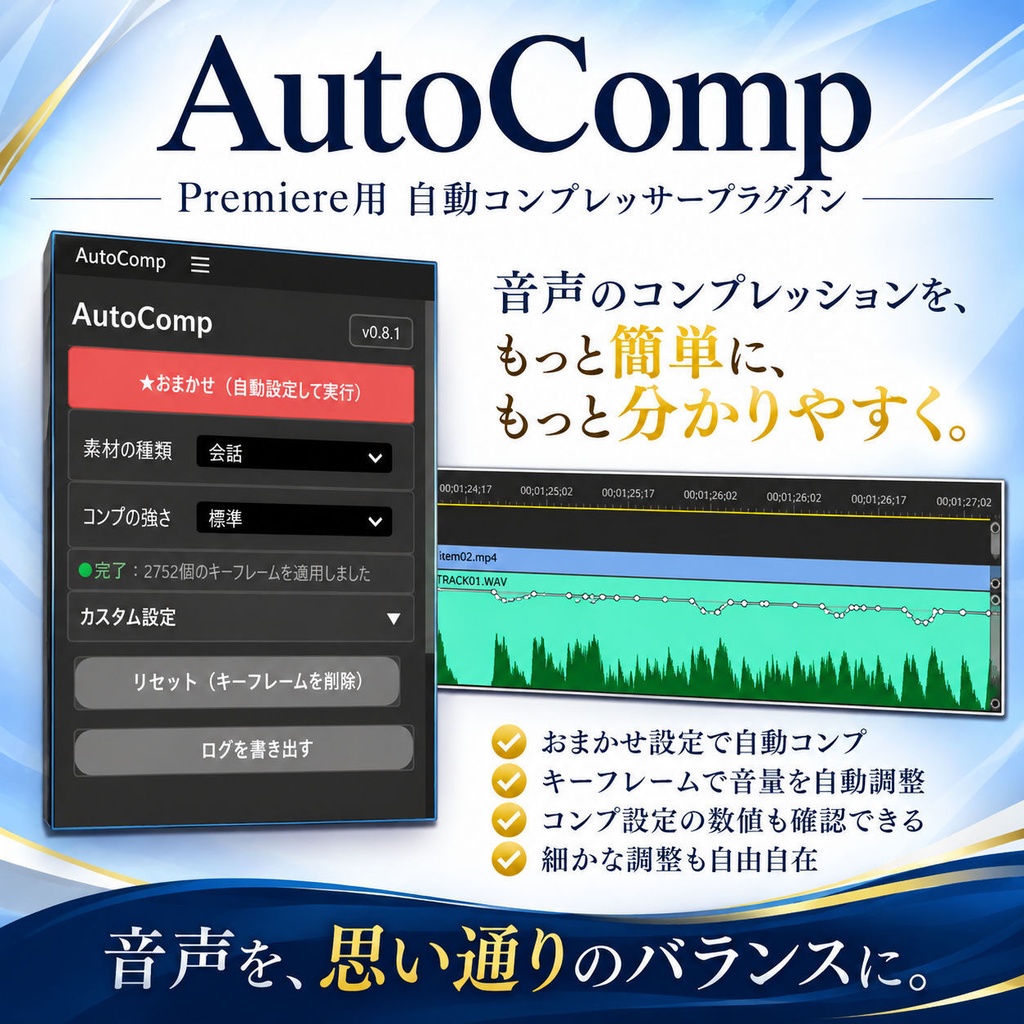
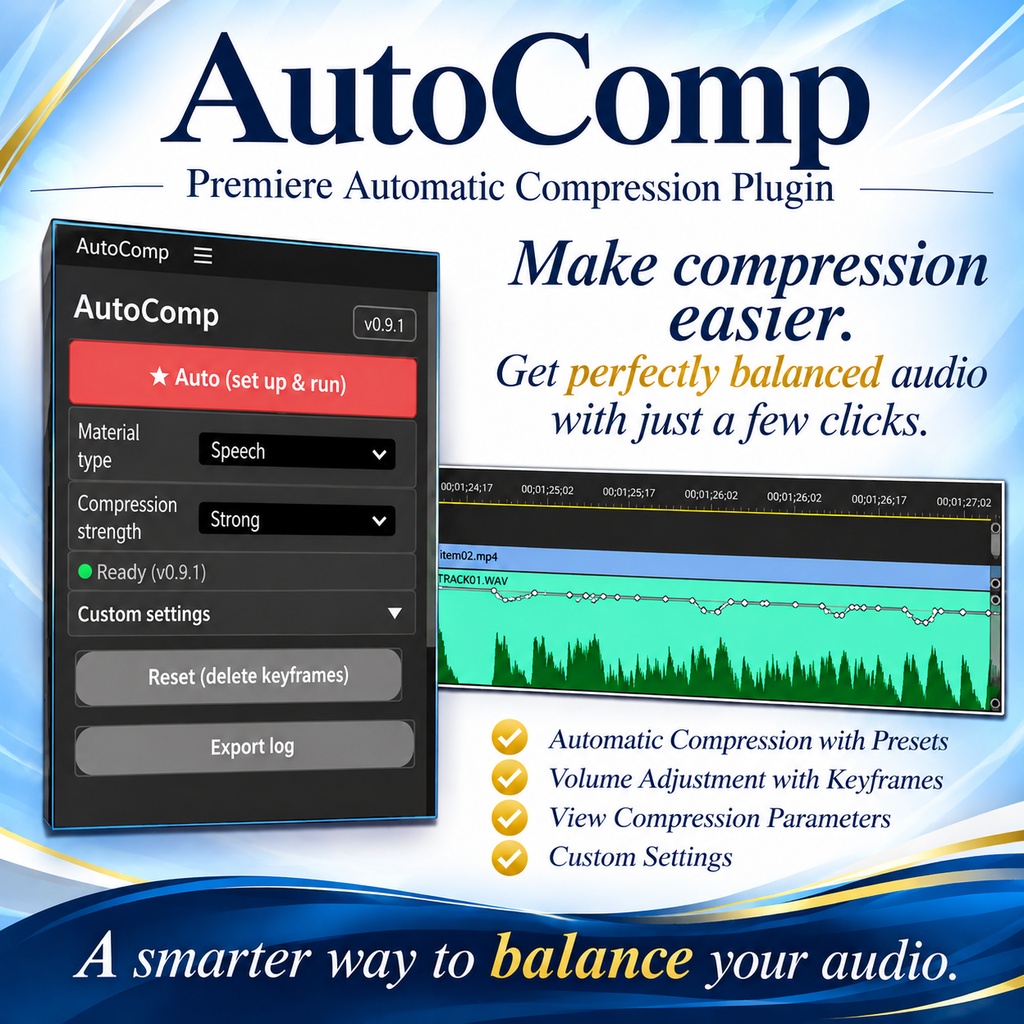
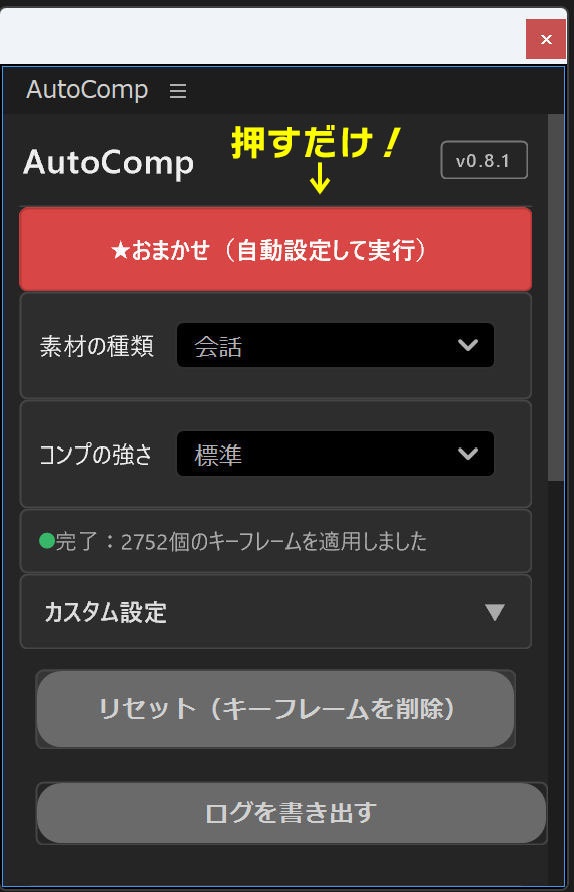
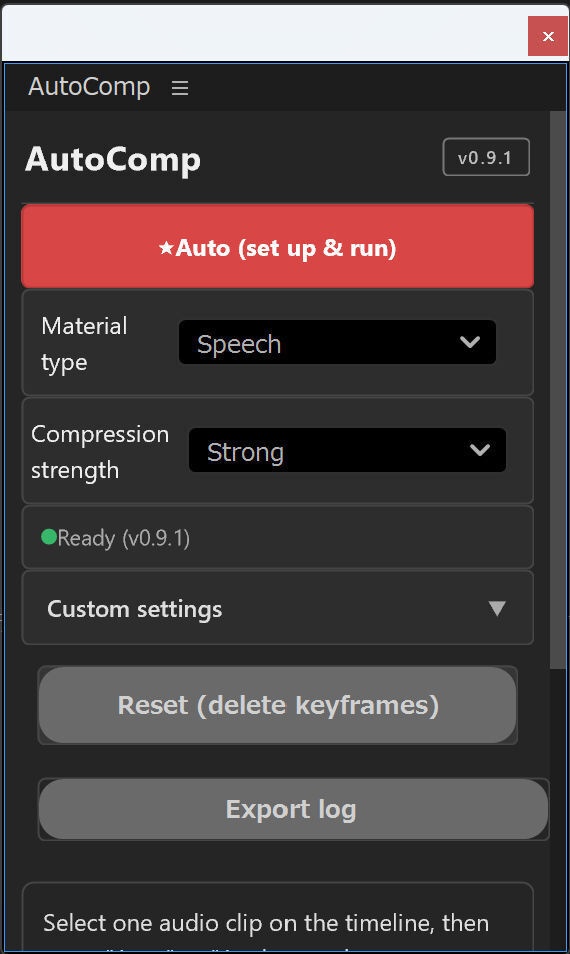
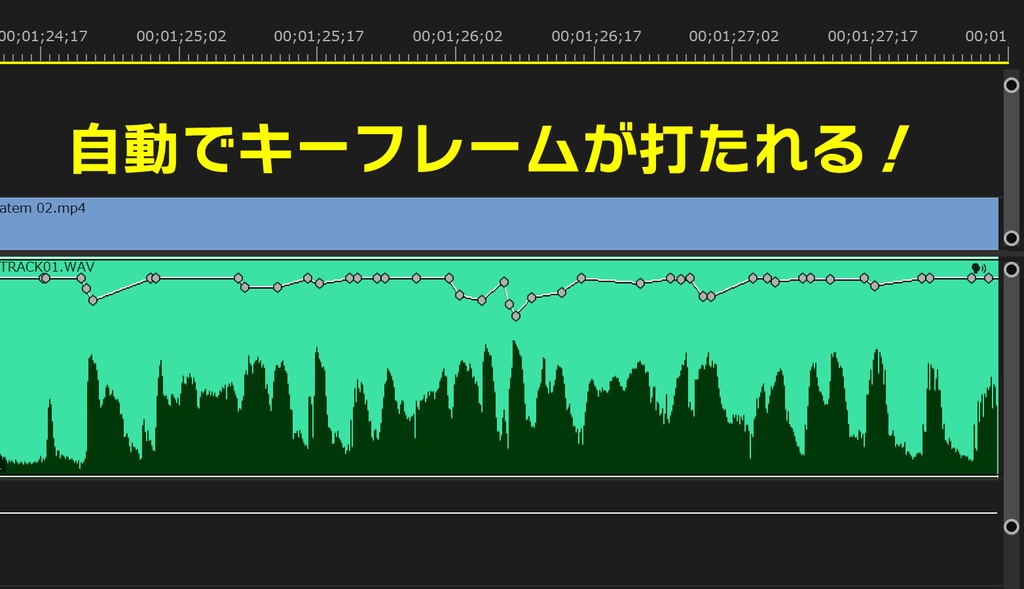
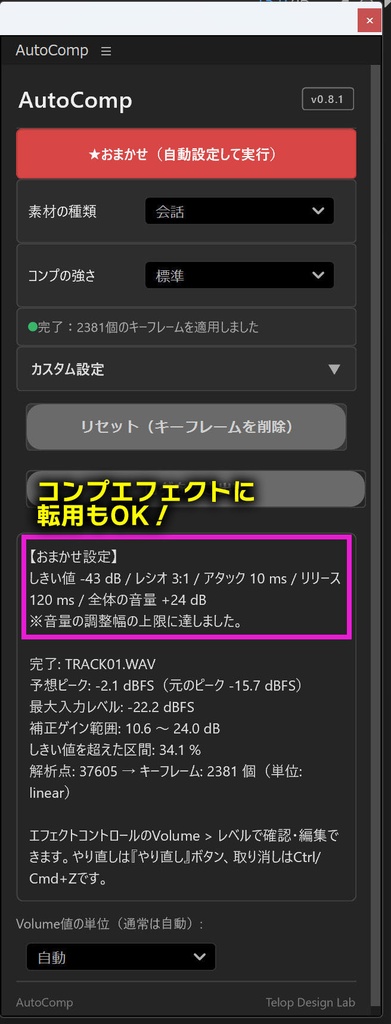
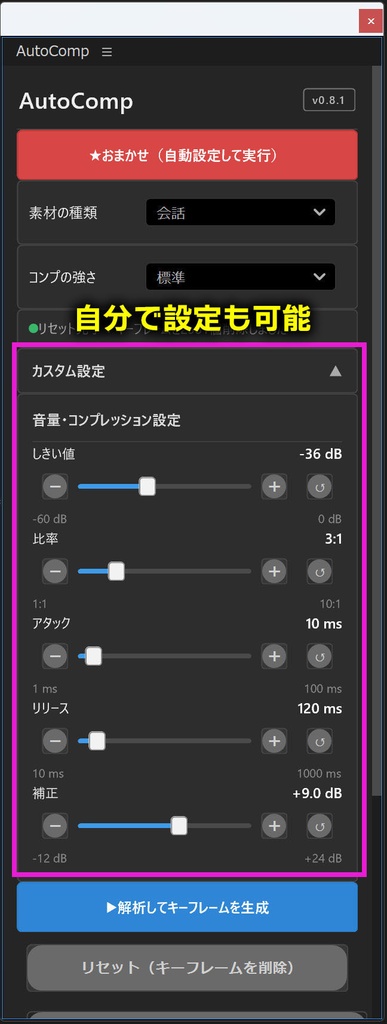
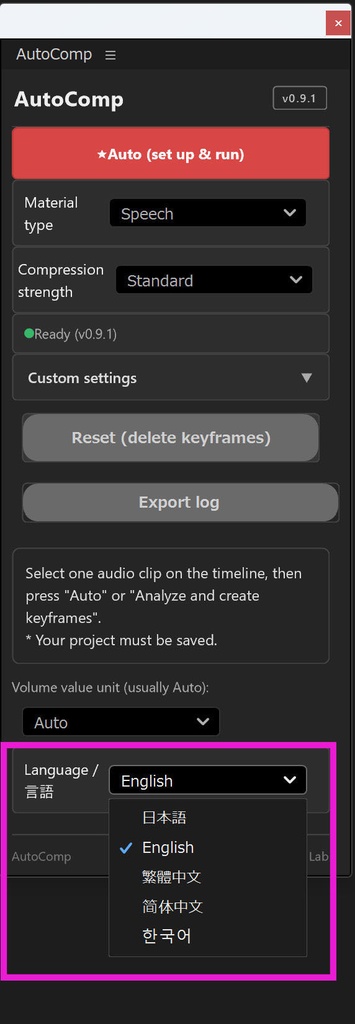
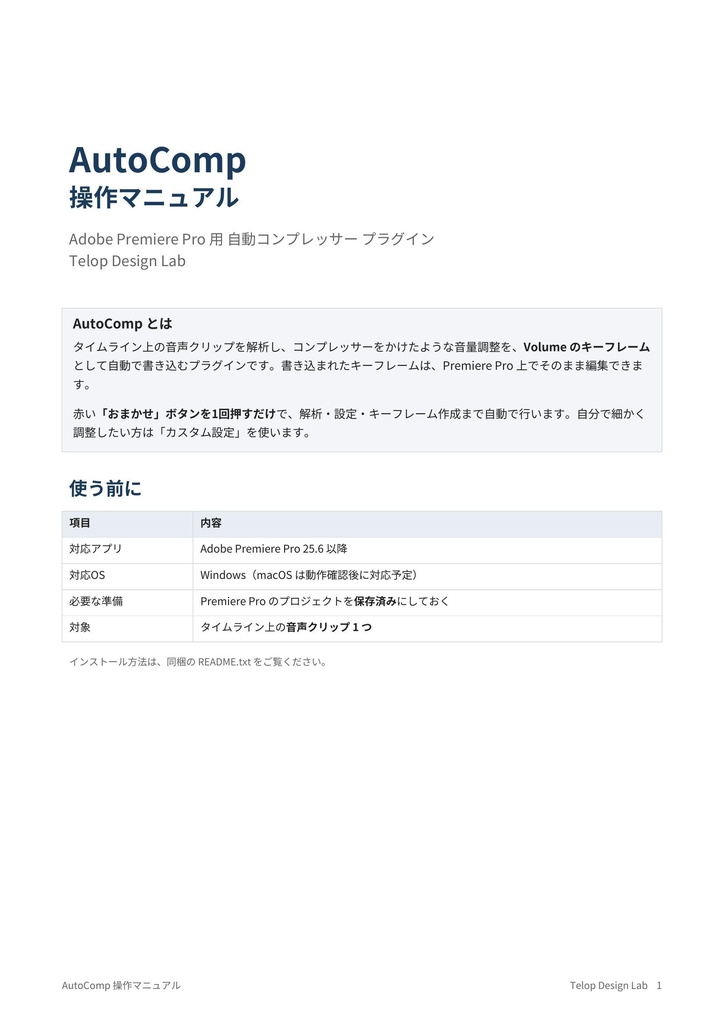
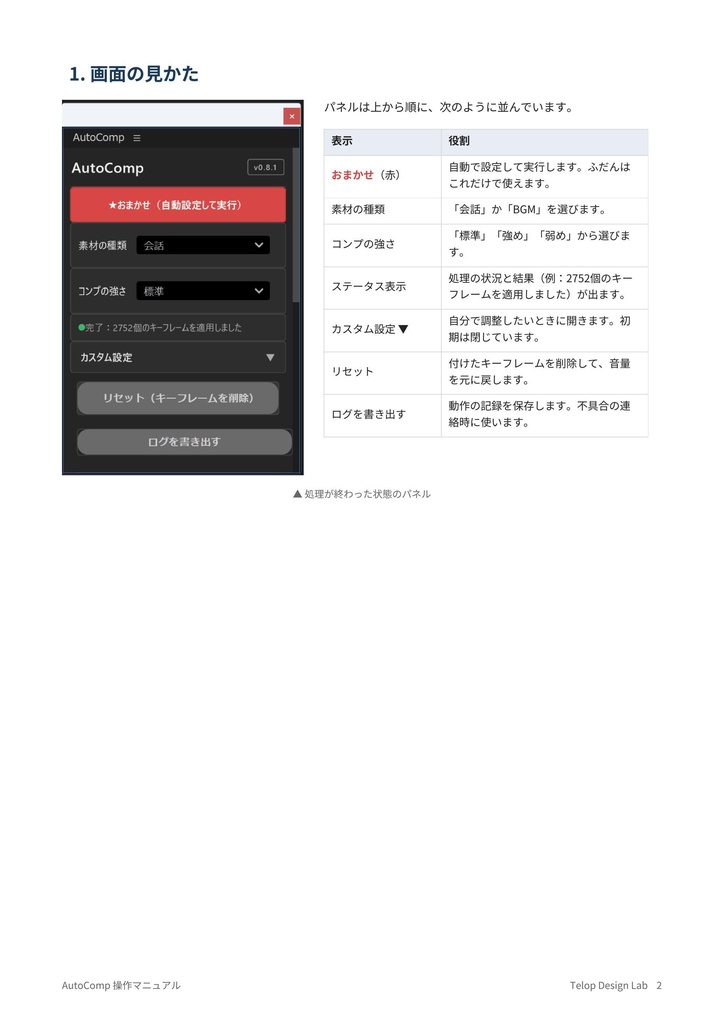
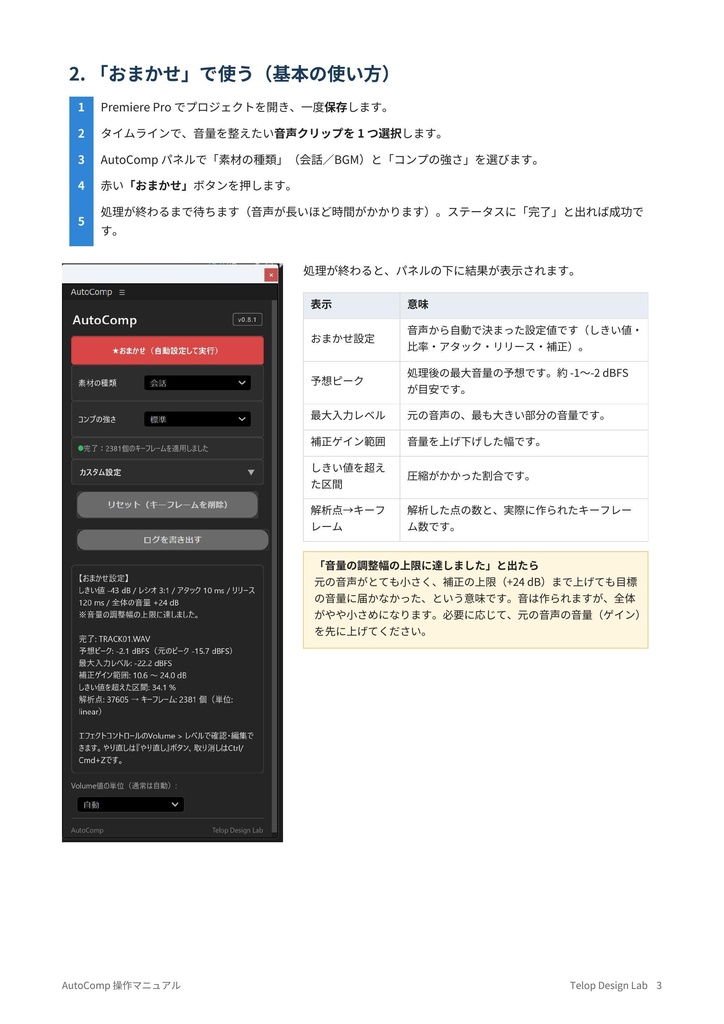
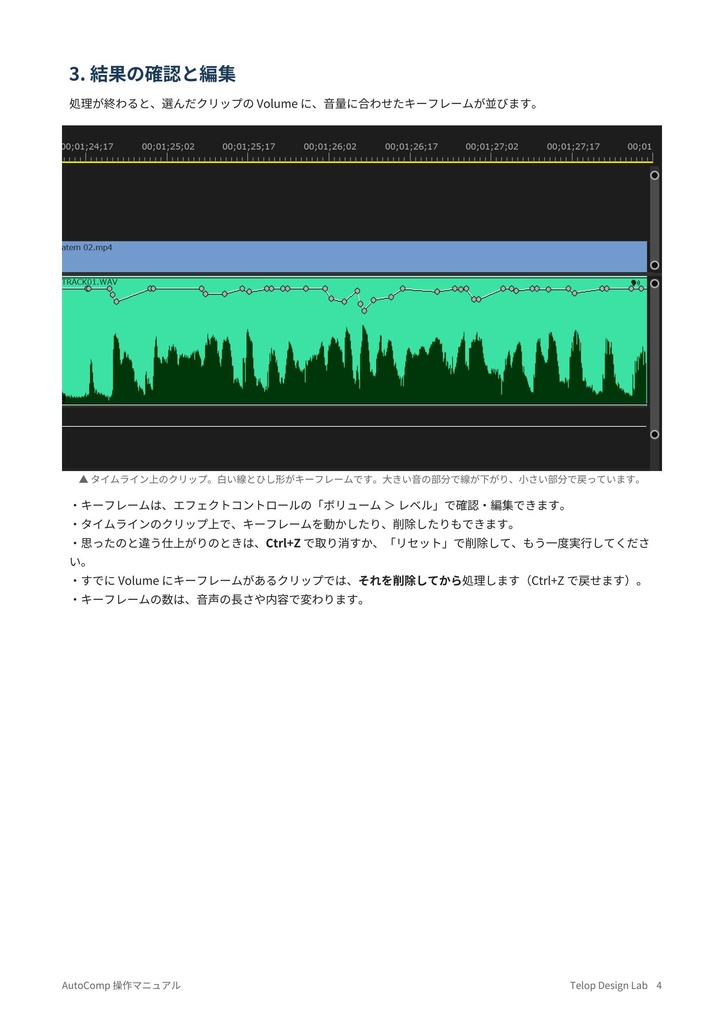
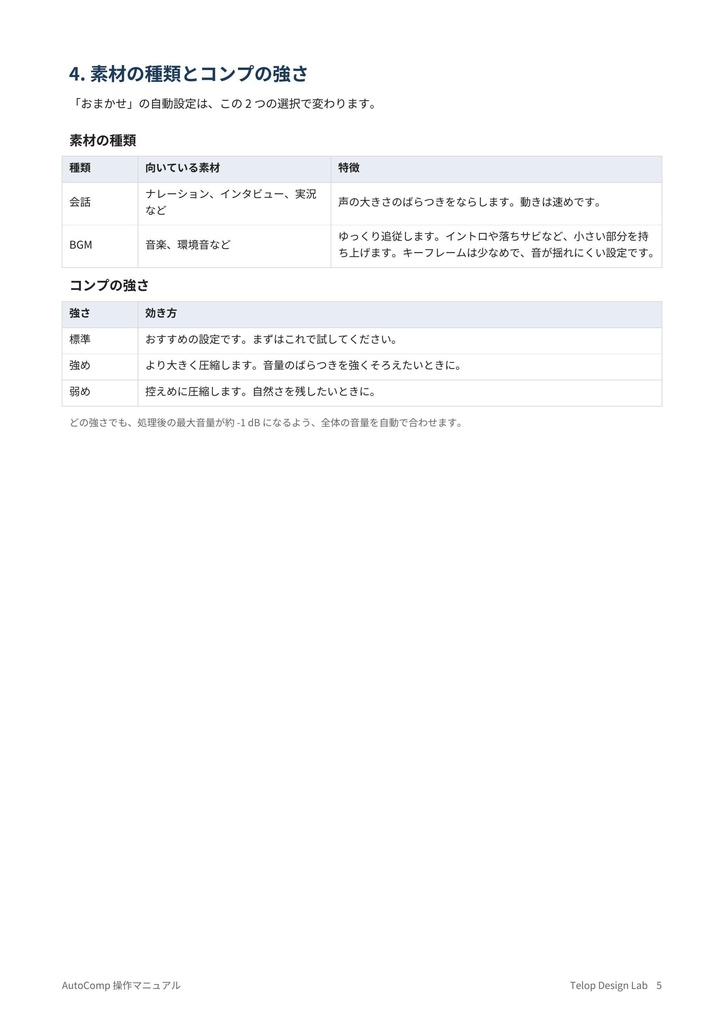
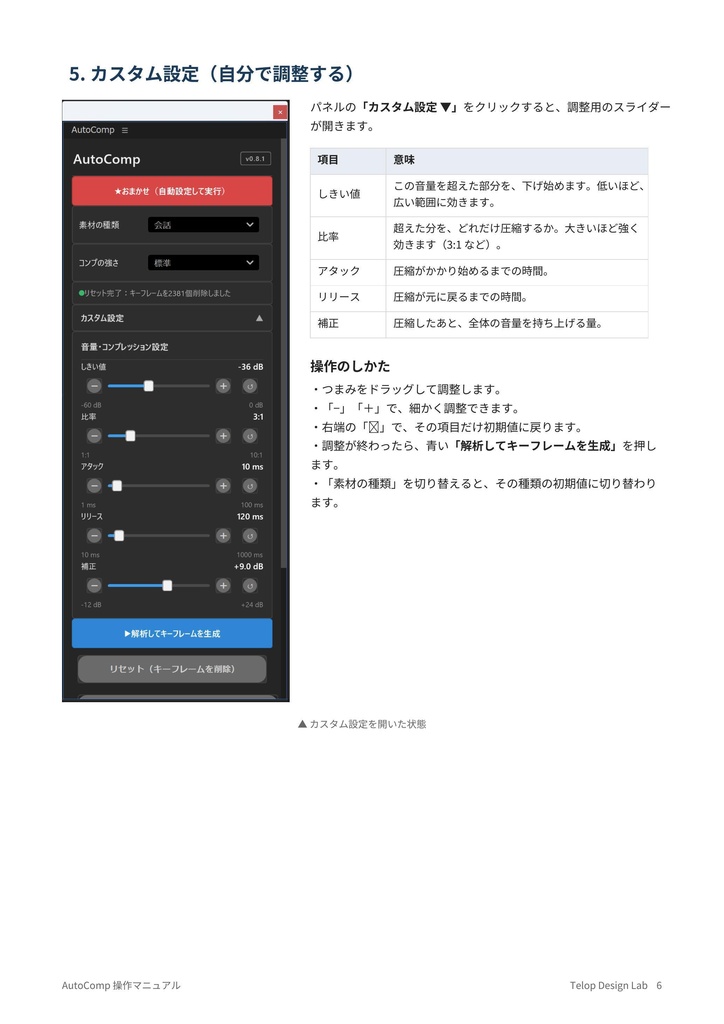
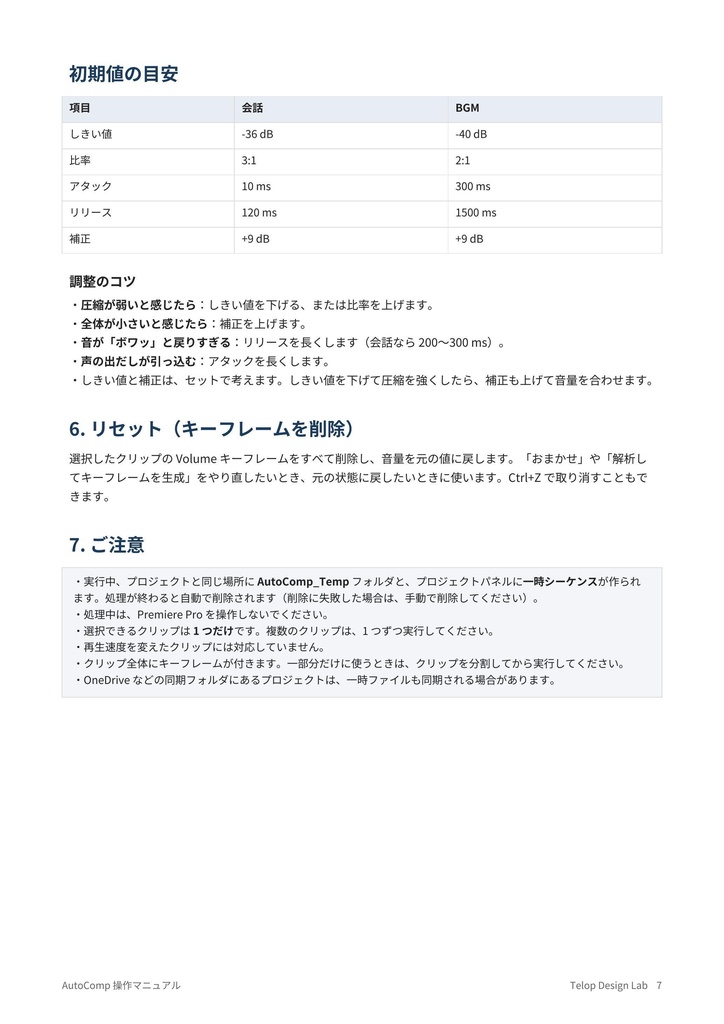
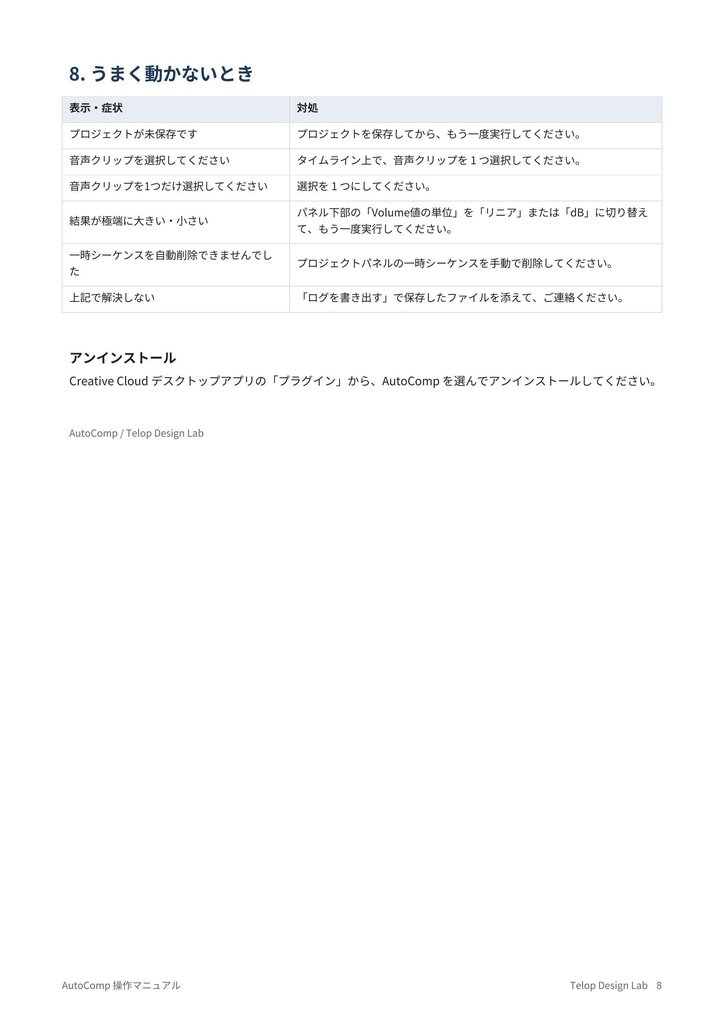


🎁【ベータ版先行販売・特別価格】 AutoCompをベータ版として本日リリースしました! 正式版に先駆けた先行販売期間として、特別価格でご提供しています。 ⚠️【ご購入前にお読みください】 本製品は現在ベータ版です。 Windows/Mac、Premiereのバージョンや環境、音声素材によっては、期待どおりの解析・音量補正が行われない場合があります。すべての音声素材で同じ結果が得られることを保証するものではありません。 ベータ版であることをご理解のうえ、ご購入ください。いただいたご意見や動作報告は、今後の改善・正式版の開発に活用します。 ━━━━━━━━━━━━━━━━━━━━ 🎙️ AutoComp|Premiere用 自動コンプレッサープラグイン 音声のコンプレッションを、もっと簡単に、もっと分かりやすく。 AutoCompは、Premiere上で音声を解析し、音量を自動調整するUXPプラグインです。 音声クリップを選んで、赤い「おまかせ」ボタンを押すだけ。難しいコンプレッサーの設定は必要ありません。 コンプレッサーエフェクトとは異なり、AutoCompはクリップの音量にキーフレームを打って調整します。どこで音量が下がり、どこで持ち上がったのかがタイムライン上で見え、気になる部分だけ後から手動で調整できます。 🔴 主な機能 1⃣ 🎚️ 「おまかせ」で自動コンプ 素材の種類(会話/BGM)とコンプの強さ(標準/強め/弱め)を選んで押すだけ。処理後の最大音量が約 -1 dB になるよう自動で整えます。BGMは、ゆっくり追従し、イントロや落ちサビなど小さい部分を持ち上げます。 2⃣ 📈 キーフレームで音量調整 コンプレッサーエフェクトではなく、音量のキーフレームを自動生成します。補正された箇所や量が一目で分かり、咳払い・マイクの接触音・突然大きくなった声など、部分的に抑えたい場合にも便利です。 3⃣ 🔍 「解析のみ」で設定値を確認 青い「解析のみ」ボタンで、キーフレームは作らず、おすすめのしきい値・比率・アタック・リリース・補正だけを表示します。Premiereの[ダイナミック]エフェクトの[コンプレッサー]の参考にできます。 ※ 検出方法や特性が異なるため、同じ結果にはなりません。目安としてお使いください。 4⃣ ⚙️ カスタム設定 5つの値を自分で調整して実行できます。「おまかせ」「解析のみ」の値も反映されるので、補正を下げるなど微調整が可能です。キーフレームは「リセット」で削除できます。 5⃣ 🌏 5言語対応 日本語/English/繁體中文/简体中文/한국어(パネルの一番下で切り替え) 6⃣ 📘 画面つきの操作マニュアル(PDF)付き 🔴 動作環境 ・対応OS:Windows/macOS ・対応ソフト:Adobe Premiere Pro 25.6 以降 ・プラグイン形式:UXP(Creative Cloud デスクトップアプリが必要) ・現在ベータ版 🔴 インストール方法 1⃣ ダウンロードした .ccx ファイルをダブルクリックします。 2⃣ Creative Cloudのインストール画面が表示されます。 3⃣ 確認画面が表示されたら「許可」を選択してください。 インストール後、PremiereからAutoCompを起動できます。 🔴 使い方・ご注意 1⃣ プロジェクトを保存し、タイムラインで音声クリップを1つ選びます。 2⃣ 素材の種類と強さを選び、「おまかせ」を押します。 3⃣ 完了すると、クリップのVolumeにキーフレームが作られます。 ・選択できるクリップは1つです。再生速度を変更したクリップには対応していません。 ・実行中は、一時フォルダと一時シーケンスが作られます(処理後に自動で削除)。 ・処理中はPremiereを操作しないでください。 実際の編集環境でお試しいただき、動作や使い勝手についてご意見をいただけるとうれしいです。 AutoCompで、日々の音声編集を効率化しましょう。 🎁【Beta Early Access – Special Launch Price】 AutoComp is now available as a beta release! Buy at a special price during early access, ahead of the official release. ⚠️【Please Read Before Purchasing】 AutoComp is currently in beta. Depending on your OS (Windows or macOS), Premiere version, environment, and audio material, the analysis and volume adjustment may not always produce the expected results. We cannot guarantee consistent results for all audio sources. Please purchase only if you understand this is a beta. Your feedback will help us improve AutoComp for the official release. ━━━━━━━━━━━━━━━━━━━━ 🎙️ AutoComp | Automatic Compression Plugin for Premiere Make audio compression easier and more intuitive. AutoComp is a UXP plugin that analyzes audio in Premiere and automatically adjusts its volume. Select a clip and press the red "Auto" button. No complicated compressor settings needed. Unlike a compressor effect, AutoComp adds volume keyframes to your clip. You can see on the timeline where the volume was lowered or raised, and manually adjust just the parts you want. 🔴 Key Features 1⃣ 🎚️ Automatic Compression with "Auto" Choose the material type (Dialogue / BGM) and strength (Standard / Strong / Gentle), then press "Auto". The peak after processing is leveled to about -1 dB. BGM follows slowly and lifts quiet parts such as intros. 2⃣ 📈 Volume Adjustment with Keyframes Volume keyframes are generated automatically, so adjusted sections are easy to see. Handy for throat clearing, mic handling noise, or suddenly loud speech. 3⃣ 🔍 "Analyze Only" to View Parameters The blue "Analyze only" button shows the recommended threshold, ratio, attack, release, and makeup gain without creating keyframes. Use them as a reference for the Compressor in Premiere's Dynamics effect. Note: Detection and behavior differ, so results will not be identical. Use them as a guideline. 4⃣ ⚙️ Custom Settings Adjust the five values yourself. Values from "Auto" and "Analyze only" are also set on the sliders for fine-tuning. Remove keyframes with "Reset". 5⃣ 🌏 5 Languages 日本語 / English / 繁體中文 / 简体中文 / 한국어 (switch at the bottom of the panel) 6⃣ 📘 Illustrated PDF manual included 🔴 System Requirements ・OS: Windows / macOS ・Software: Adobe Premiere Pro 25.6 or later ・Format: UXP (Creative Cloud desktop app required) ・Current version: Beta 🔴 Installation 1⃣ Double-click the downloaded .ccx file. 2⃣ The Creative Cloud installation window will appear. 3⃣ If a confirmation dialog appears, select "Allow". Once installed, launch AutoComp from within Premiere. 🔴 How to Use / Notes 1⃣ Save your project and select one audio clip on the timeline. 2⃣ Choose the material type and strength, then press "Auto". 3⃣ Volume keyframes are created on the clip. ・Only one clip can be selected at a time. Clips with changed playback speed are not supported. ・A temporary folder and sequence are created during processing (deleted automatically). ・Do not operate Premiere while processing. We'd love to hear your feedback from your real editing workflow. Improve your everyday audio editing with AutoComp.
アップデート履歴
v0.9.2 ・「解析のみ」ボタンを追加しました。音声を解析して、おすすめの設定値(しきい値・比率・アタック・リリース・補正)を表示します。キーフレームは作りません。Premiere Pro のダイナミックエフェクトのコンプレッサーの値を決めるときの参考にも使えます。 v0.9.1 ・言語を切り替えたとき、プルダウン(素材の種類・コンプの強さ・Volume値の単位)の選択肢が翻訳されない問題を修正しました。 v0.9.0 ・多言語に対応しました(日本語 / English / 繁體中文 / 简体中文 / 한국어)。パネルの一番下で切り替えられます。 ・WAV 書き出し用のプリセットを同梱しました。プリセットを選ぶ必要はありません。 ・パネルにバージョンを表示するようにしました。