

【複数アバター対応】なめらかマットマテリアル・SDFテクスチャセット【VRChat】
- しなの ShinanoDigital1,000 JPY
- マヌカ ManukaDigital1,000 JPY
- セレスティア SelestiaDigital1,000 JPY
- ミルティナ MilltinaDigital1,000 JPY
- 瑞希 MizukiDigital1,000 JPY
- ルルネ RuruneDigital1,000 JPY
- ラシューシャ LasyushaDigital1,000 JPY
- 【追加パック】ラシューシャ(Co2、Co3)Digital500 JPY
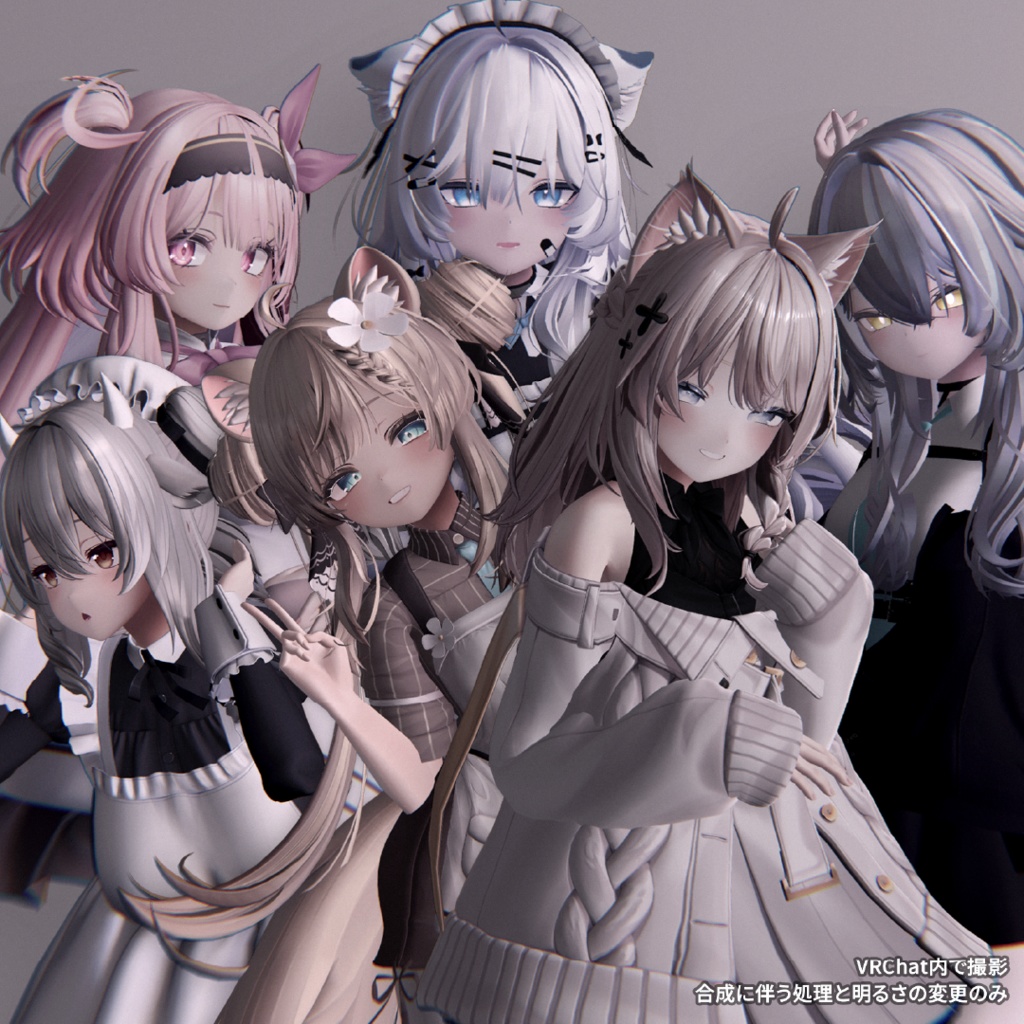
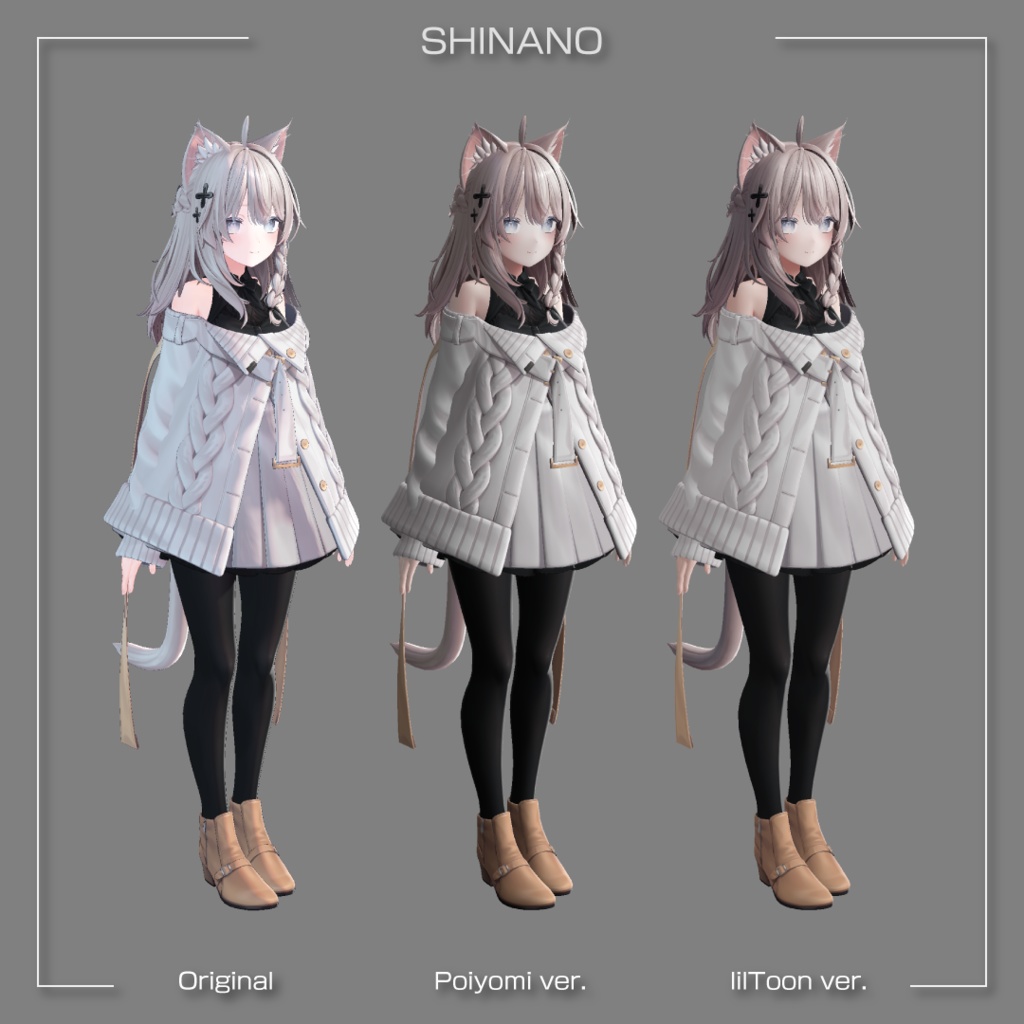
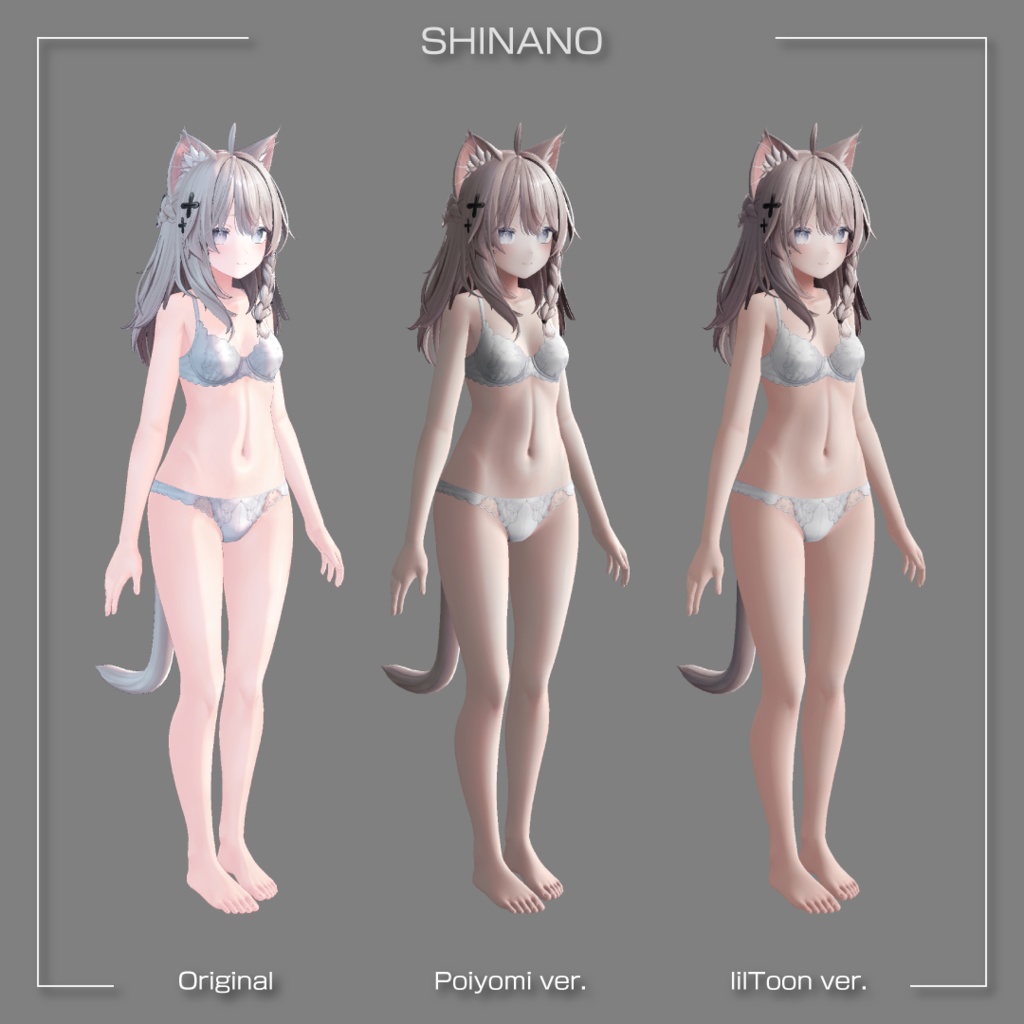
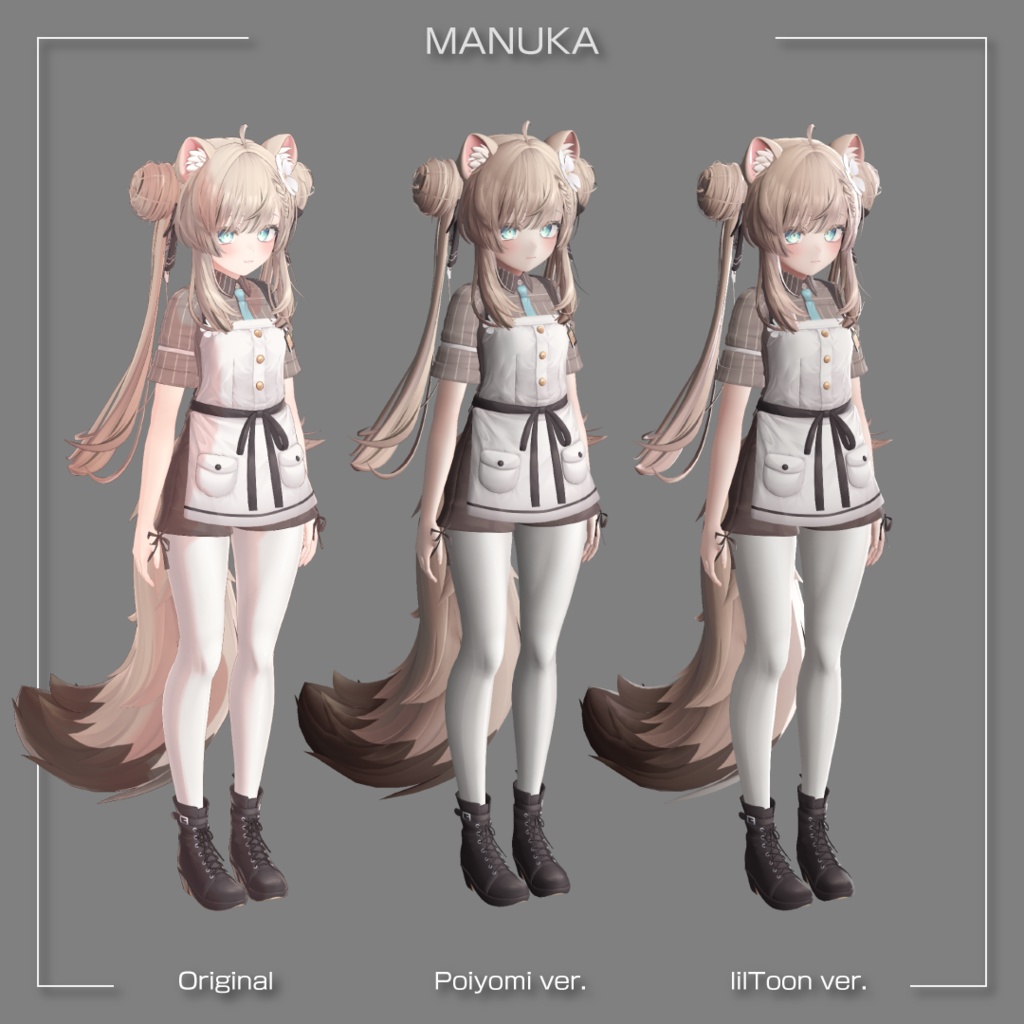
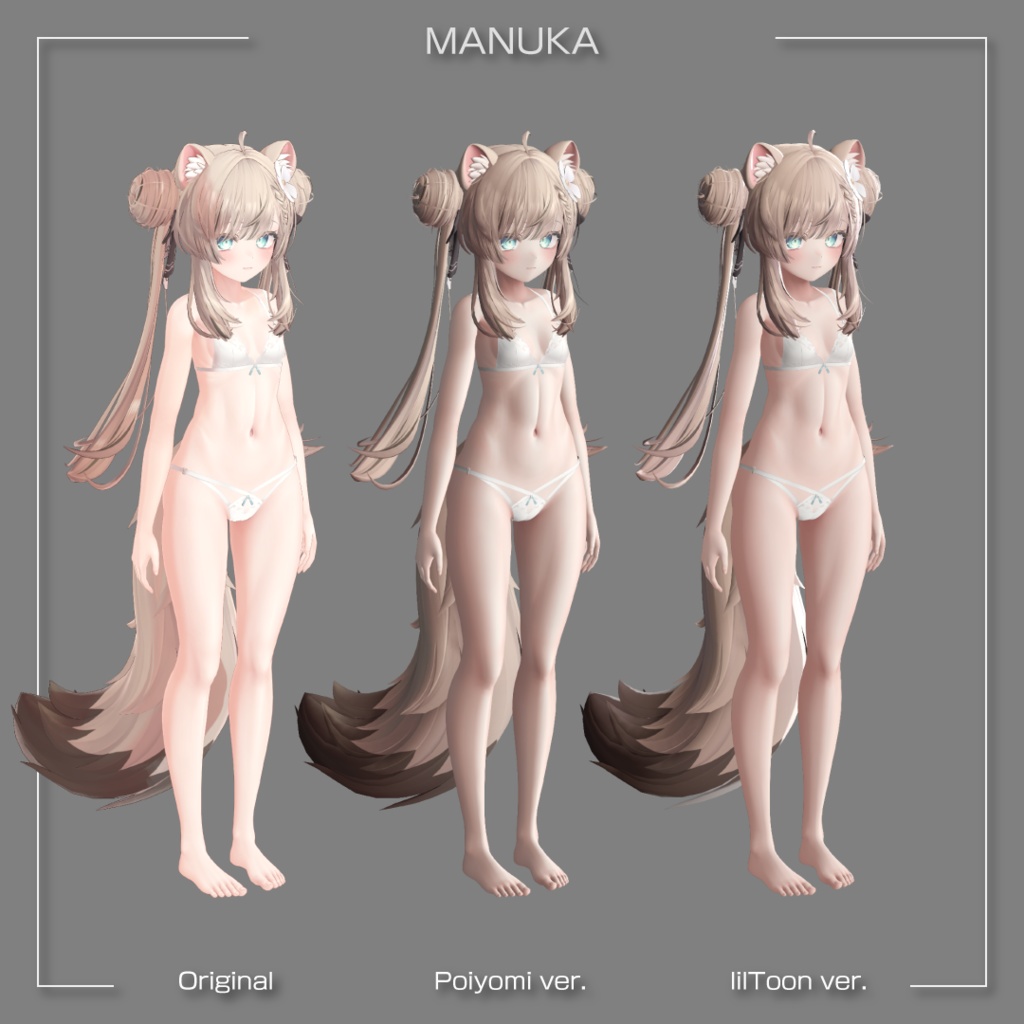
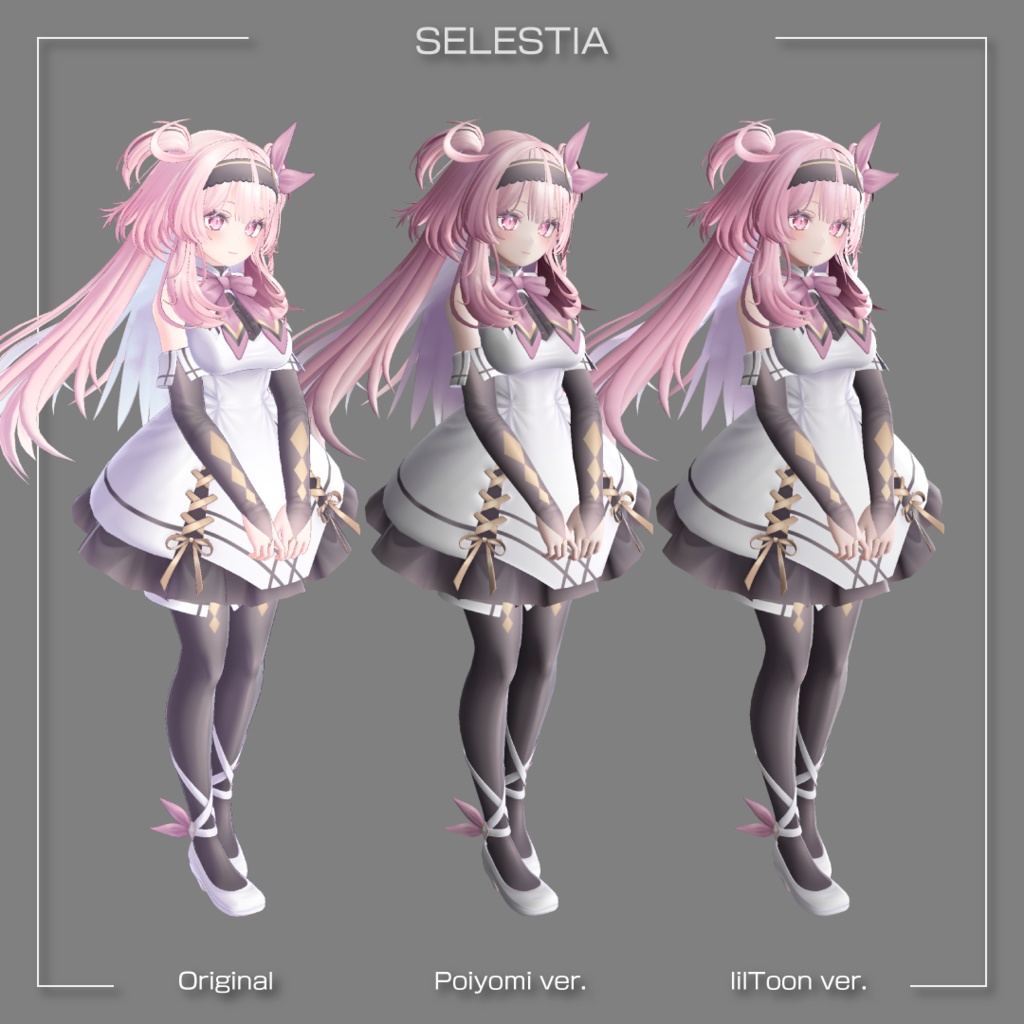
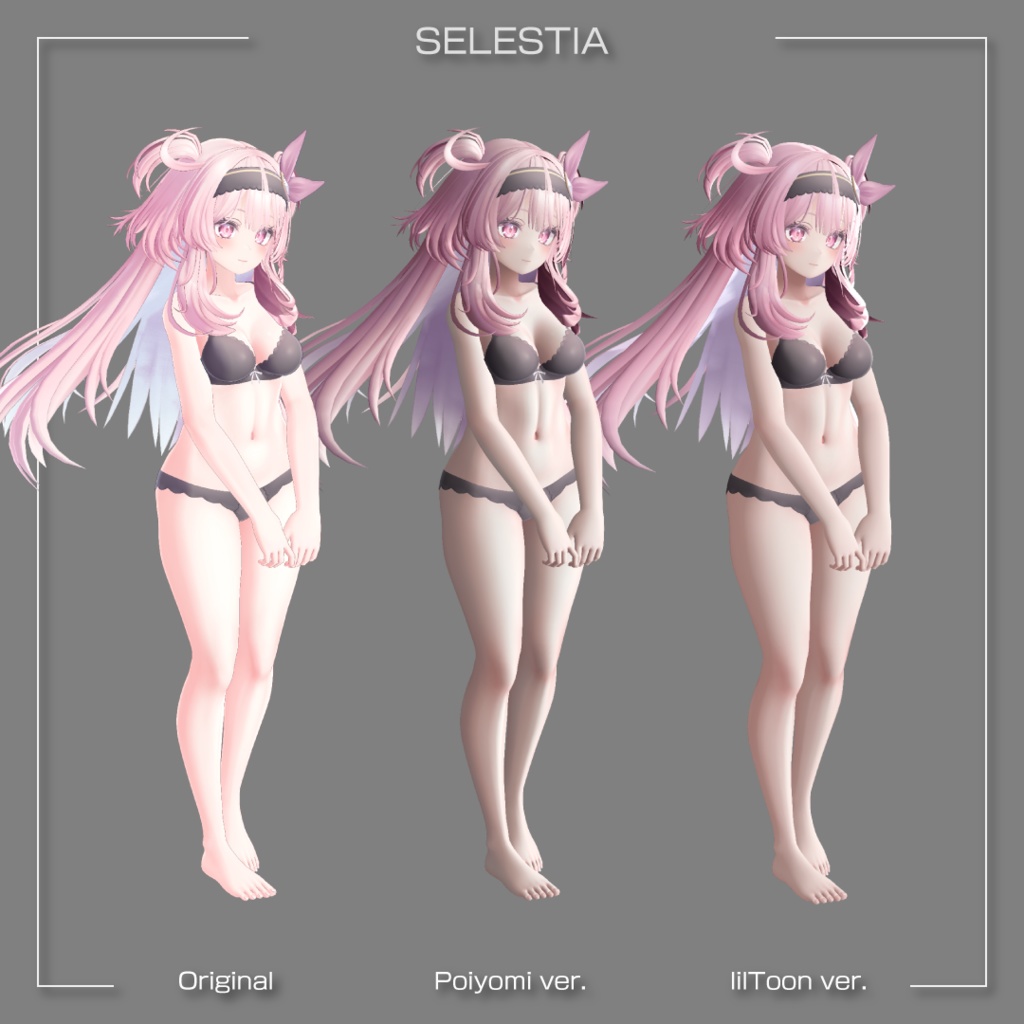
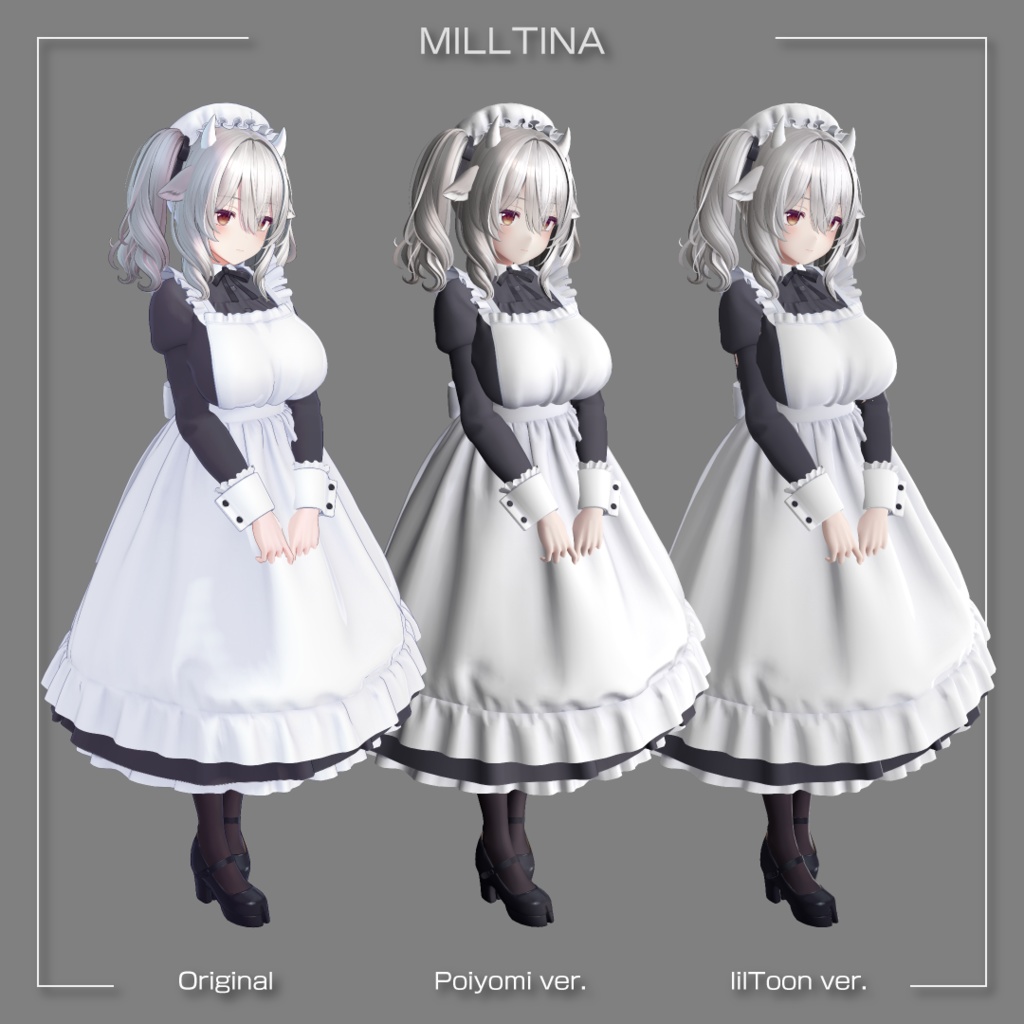
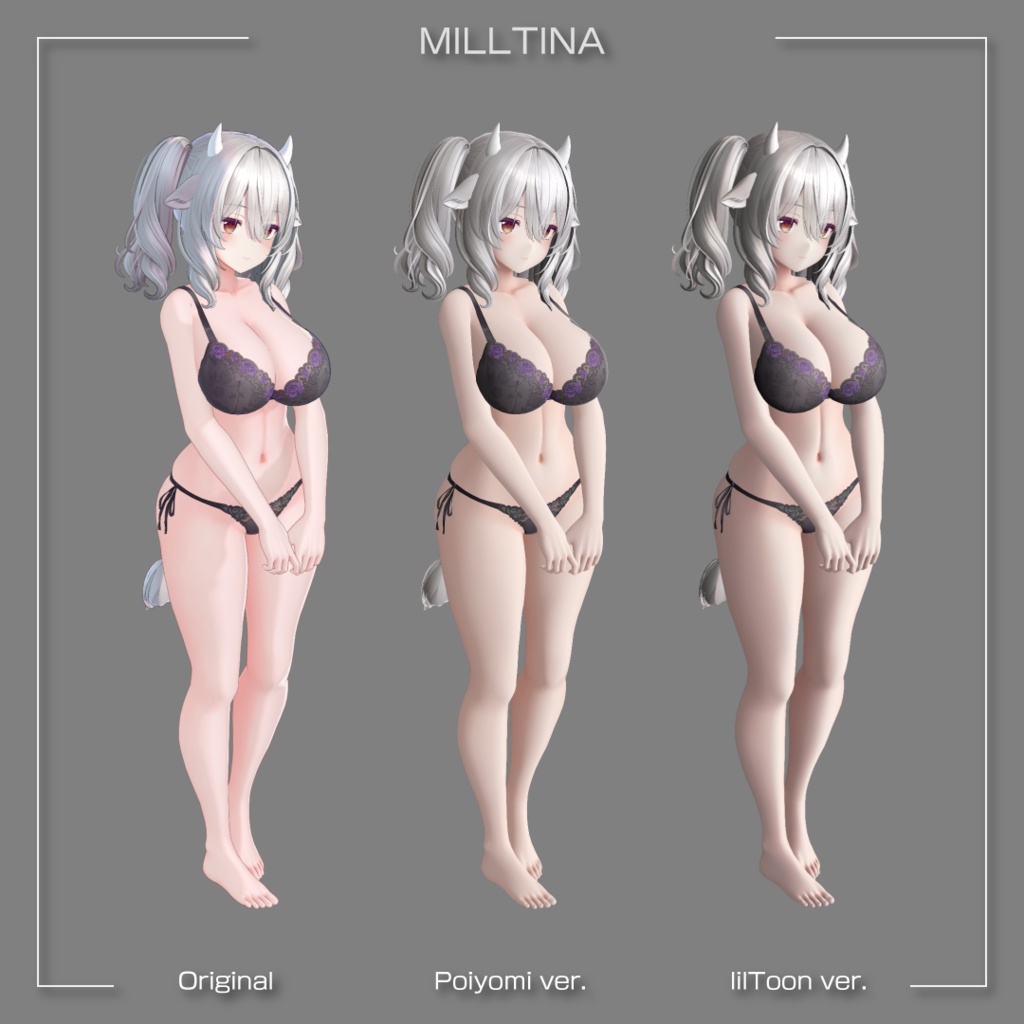
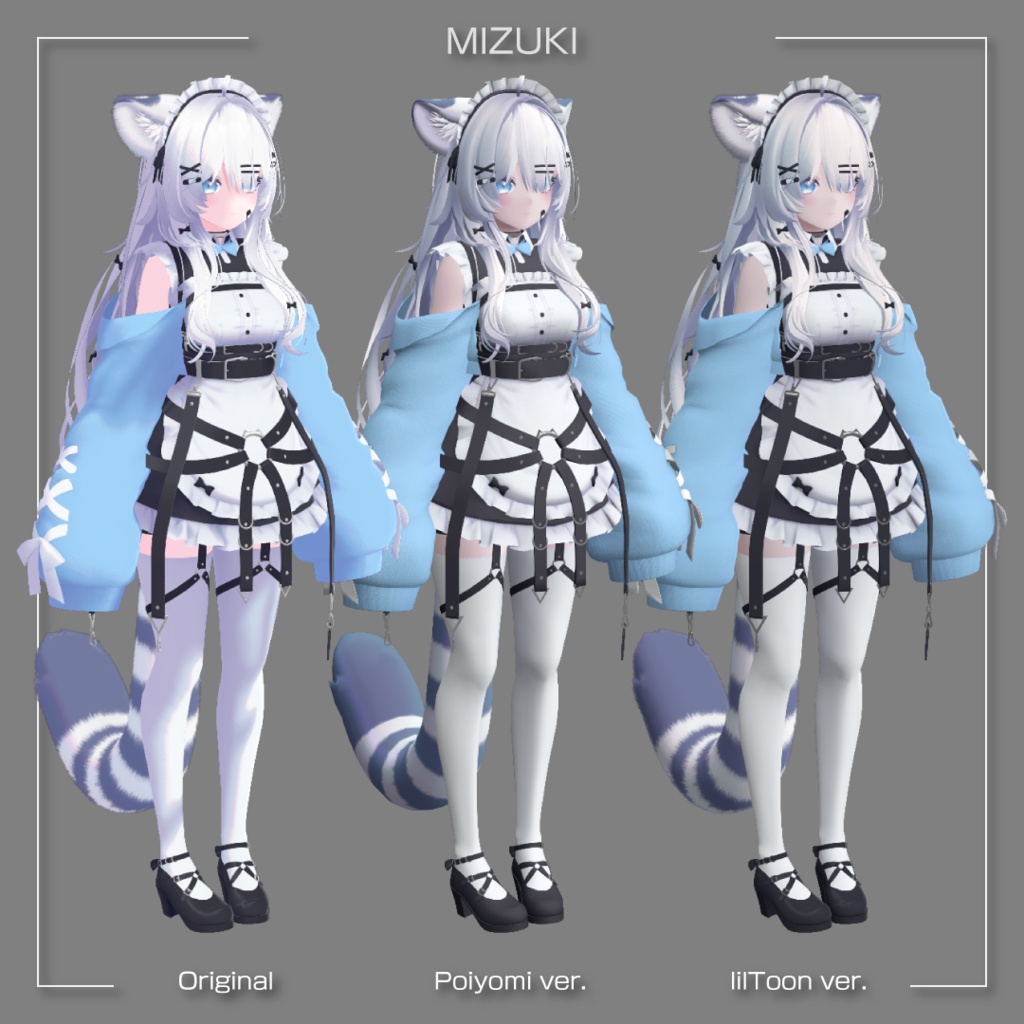
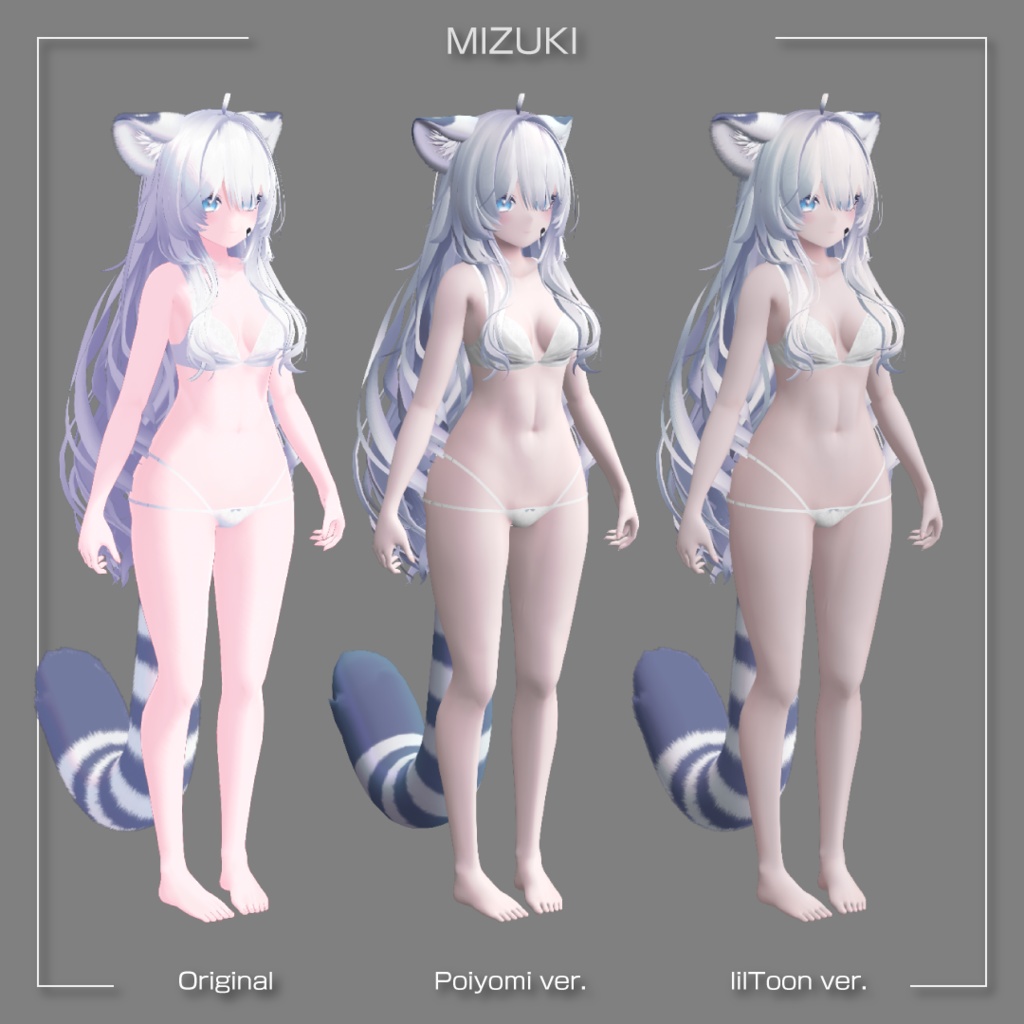
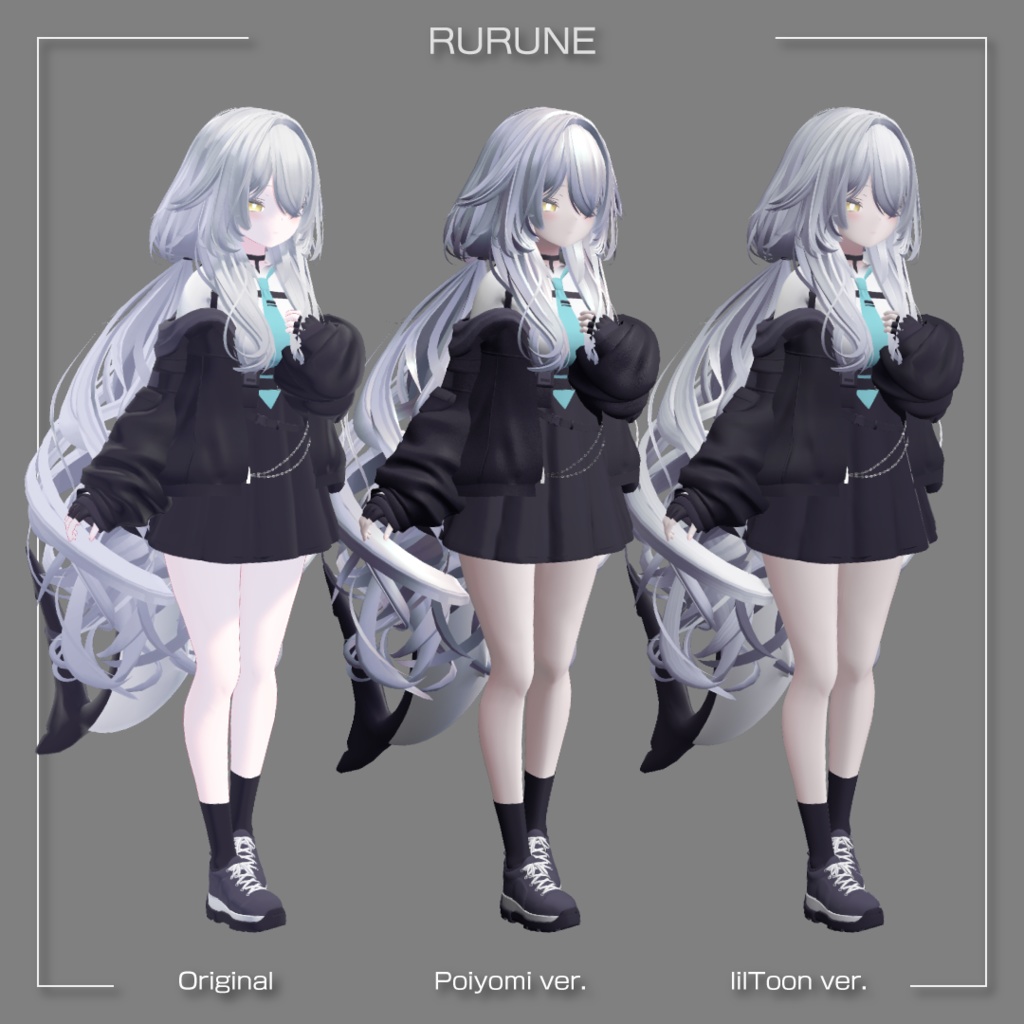
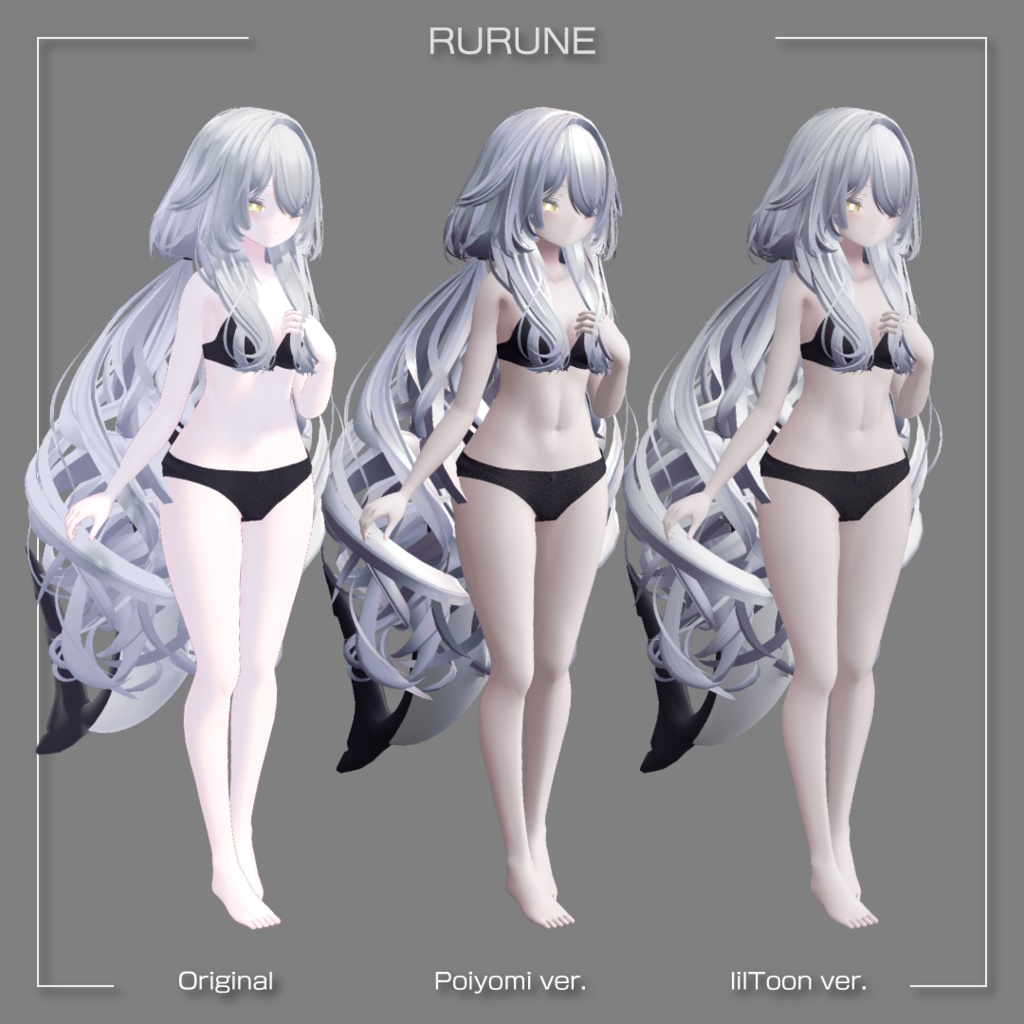
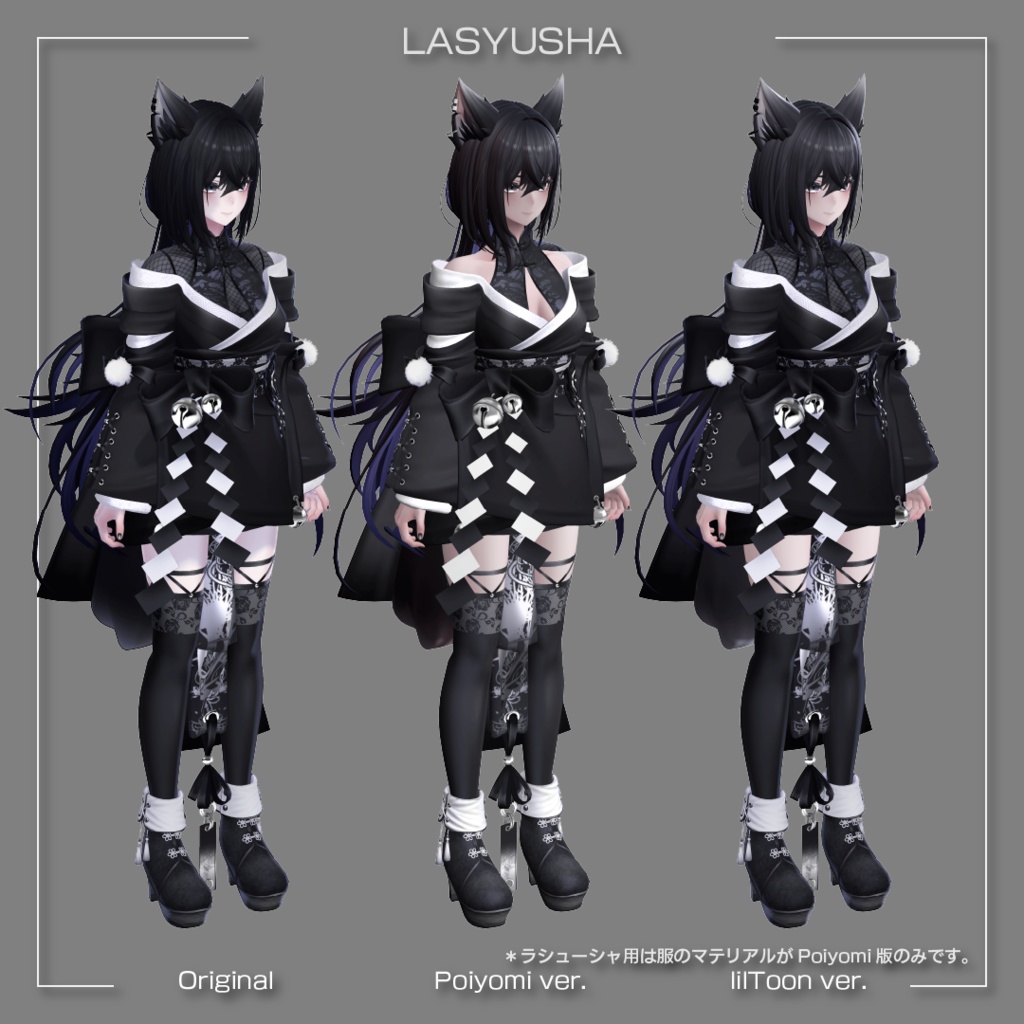
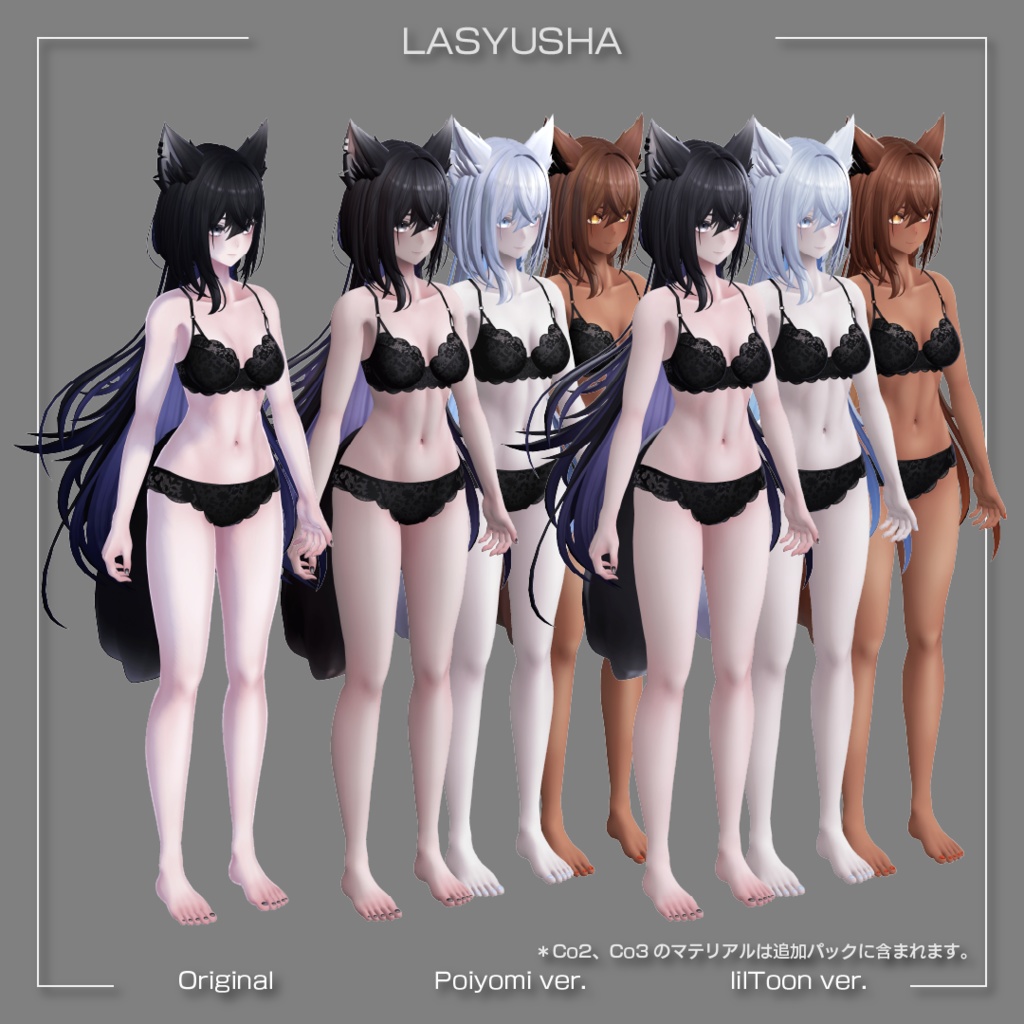


✨ なめらかマットマテリアル・SDFテクスチャセット 🌍 English below 滑らかな影とマットな質量感。 ほんのり強調された顔立ち。 VRChatでの使用を想定した、 複数のテクスチャを含む設定済みマテリアルセットです。 数字と色を操作しただけの「プリセット」と違い、各アバター専用のテクスチャを使った一段階上のセットアップを手軽に体験、導入することができます。 Poiyomi版、lilToon版の2種類が同梱。 ━━━━━━━━━━━━━━━━━━━━━━━━━━━━━━ メタカル最前線で紹介されました! https://metacul-frontier.com/?p=22516 ━━━━━━━━━━━━━━━━━━━━━━━━━━━━━━
📌 主な機能・特徴
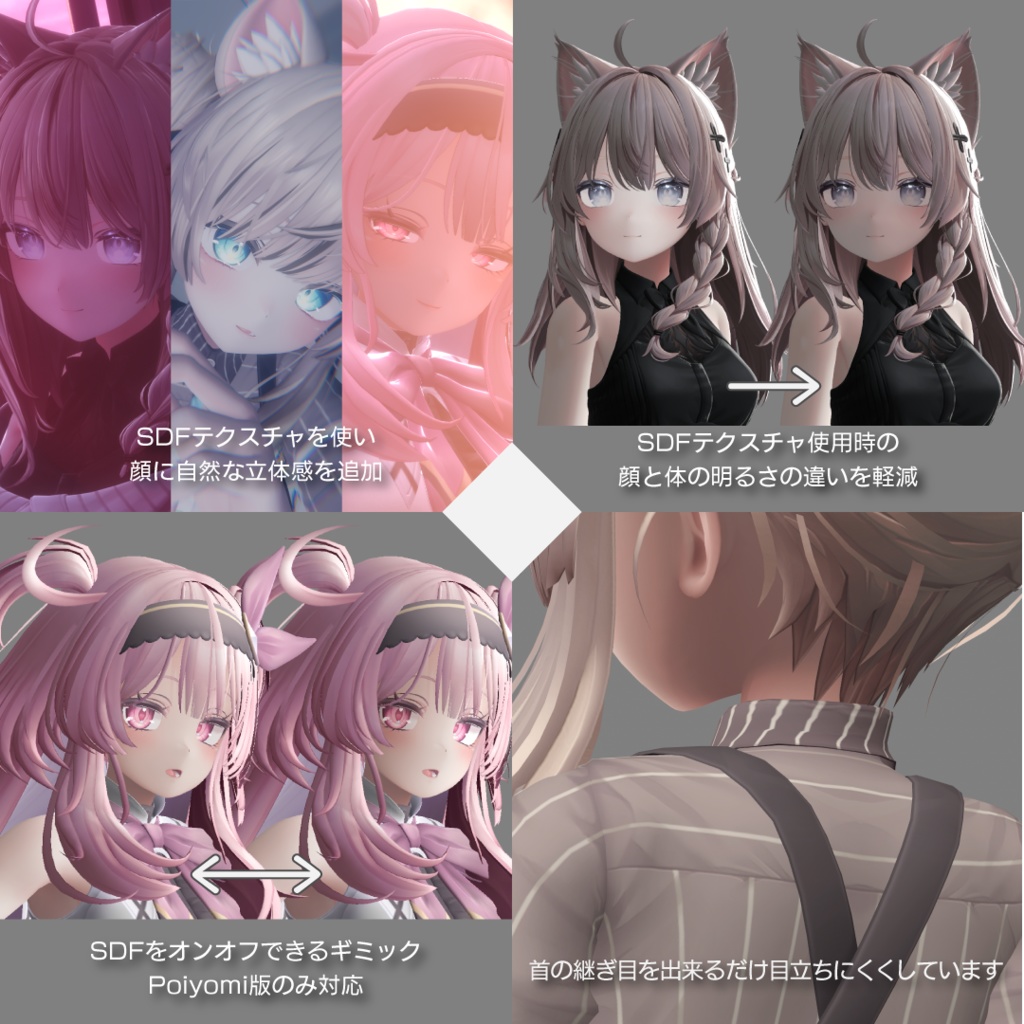
■ アバターごとに用意したセット 顔に自然な立体感を加えるSDFテクスチャ。 首の継ぎ目を目立ちにくくするマスクテクスチャ。 SDF特有の顔と体の明るさの違いを軽減するギミック。 VRChat内でSDFの設定を操作するギミック。 ワールドに馴染むスムースな影を目指して設定されたマテリアル。 それらをアバターごとに用意しました。 ■ 置き換えて、置いて、少し設定するだけ アバターのマテリアルを置き換え、 Modular Avatar対応のPrefabを置き、 設定を少し行うことで使用できます。 ■ Poiyomi版、lilToon版の違い ・Poiyomi版 VRChatのワールドに馴染む見た目を優先して調整されています。特に理由がない場合はこちらを推奨します。リアルタイムのポイントライト・スポットライトは少し苦手です。 VRChat内からSDFの強弱、オンオフを切り替え可能。 ・lilToon版 Poiyomi版の見た目をできるだけ再現しつつ、良く使われるスタイルのマテリアルと並んでも違和感が少なくなることを優先しています。現在はVRC Light Volumesの影響をテクスチャでコントロールできないため、該当環境で首と頭の継ぎ目などが想定外の見た目になります。 VRChat内からSDFの強弱のみ切り替え可能。オンオフはできません。
🖥️ 動作環境・必要なアセット
■ 必須アセット ・各アバター ・Modular Avatar https://modular-avatar.nadena.dev/ja ・Poiyomi Toon Shader https://poiyomi.booth.pm/items/4841309 ・lilToon https://booth.pm/ja/items/3087170 ※ PoiyomiとlilToonのどちらか一方だけで使用できます ■ 動作確認環境 ・Windows 11 ・VRChat(PC / Windows) ・Unity 2022.3.22f1 ・VRChat SDK 3.10.1 ・Modular Avatar 1.16.2 ・Poiyomi Toon Shader 9.3.64 ・lilToon 2.3.2 ※シェーダーが一定以上古いと『確実に』顔の描画が崩れます。
📁 製品内容・仕様
■ 入っているもの ・設定済みマテリアル(Poiyomi版、lilToon版の2種同梱) ・頭用SDFテクスチャ1枚 ・マスクなどテクスチャ複数枚(10枚前後~) ・ギミック ・SDF使用マテリアル向け自動光源方向補正 ・SDF使用の切替(Poiyomi版のみ) ・SDF使用マテリアルのY軸方向ブレンド調整 ・SDFテクスチャの強弱(LOD)切替 *マテリアルの総数はアバターごとに異なります *都合によりアバターによって仕様が追加されている場合があります ■ 仕様 ・最大使用パラメーター:10bit
⚠️ ご購入前の注意
【 必ずお読みください 】 ・顔の真正面および真後ろを光源が跨ぐとき、顔の影に左右の切り替わりが発生します。詳しくは動画「特別な注意事項と導入方法」をご覧ください。 ・本商品はいくつかのテクスチャとそれを設定したマテリアルのデータで構成されます。アバターとそれに含まれるテクスチャ等は付属していません。 ・顔と体の明るさの違い、首の継ぎ目は各シェーダーの仕様により完璧には消し切れない環境があります。 ・透過で設定されているマテリアルは特殊な効果を使用しているワールドで描画が乱れる場合があります。 ・アバターに標準で搭載されているマテリアルに関するギミックは動作確認を行っていません。動作する場合もありますが、基本的には動作しないと考えてください。 ・表情を構成する顔のパーツが一部不自然に目立つことがあります。気になる場合はアバター付属のテクスチャを直接加工するか該当するパーツを使用しないようにしてください。 ・アバターに付属しているものとは別の衣装や髪型などと組み合わせて使う場合、本商品のコンセプトはデファクトスタンダードと異なるため、衣装や髪型側のマテリアルに改変が必要です。 ・Y軸方向ブレンド調整は明るさなどを直接操作するわけではないため、効果が見えにくい環境、効果が出にくい環境があります。あくまでもVRChat内での微調整が目的です。 ・必要とされる細かな形式が異なるため、同じようなテクスチャが複数枚含まれる場合があります。 ■ お問い合わせ ・不具合報告はBOOTHのメッセージ機能からお願いします。 ・全てに対応できるとは限りません。あらかじめご了承ください。 ・ツール・アプリケーションの使用方法や改変に関する個別の質問にはお答えできません。 ■ その他 ・本商品はダウンロード販売です。返品・返金・交換には対応できません。 ・多言語で表現されている場合、日本語版を優先します。 ・導入前にUnityプロジェクトを必ずバックアップしてください。 ━━━━━━━━━━━━━━━━━━━━━━━━━━━━━━ ※必ず事前に『利用規約』と、ページ下部の『特別な注意事項と導入方法』の動画をご確認いただき、同意の上でご購入ください。 ━━━━━━━━━━━━━━━━━━━━━━━━━━━━━━
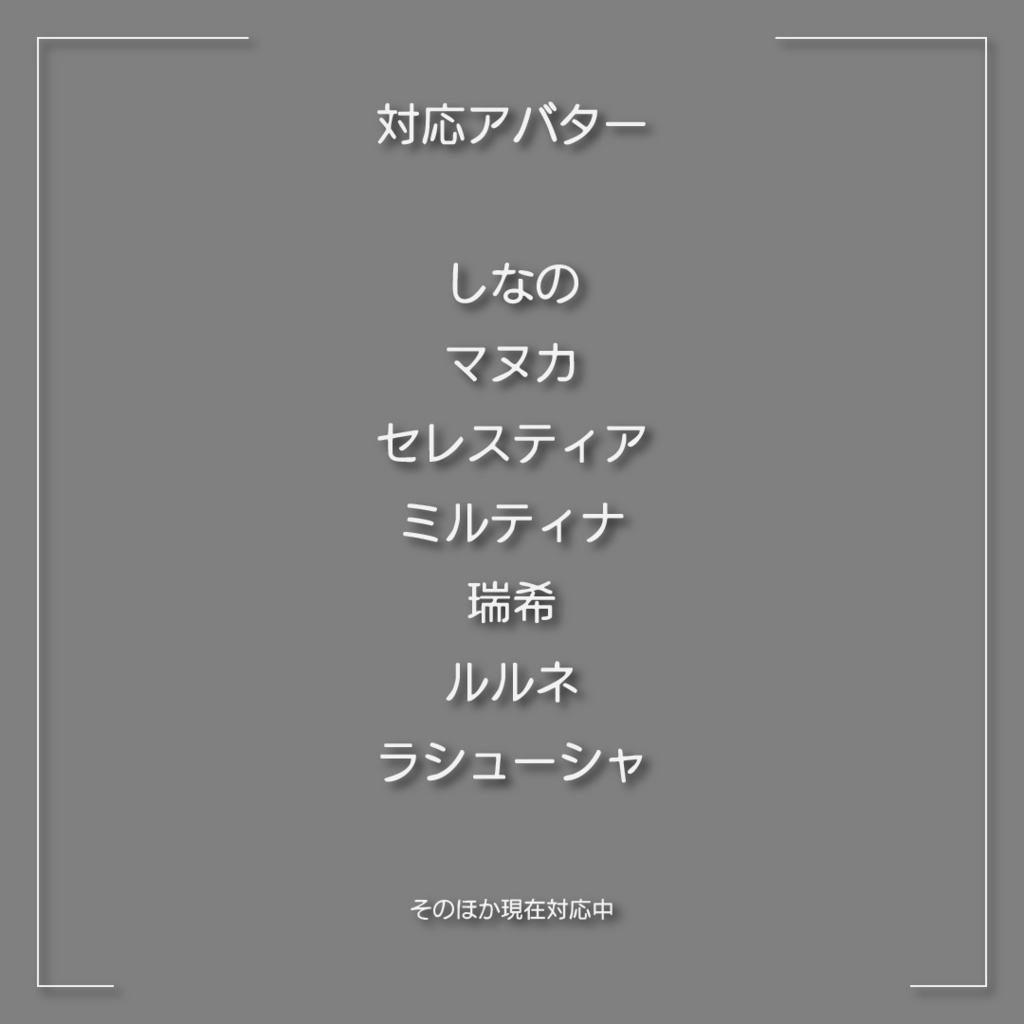
👤 対応アバター
👤 対応アバター(五十音順) しなの / Shinano セレスティア / Selestia マヌカ / Manuka 瑞希 / Mizuki ミルティナ / Milltina ラシューシャ / Lasyusha ルルネ / rurune ※ アバターごとに仕様が一部異なります⬇️ 【ラシューシャ】 ・Co1に基づいた頭、体、髪が付属 ・服のマテリアルはPoiyomi版のみ付属 → lilToon版の肌と髪を使用する場合はアバター付属のマテリアルを使用してください。Co1だけでも他のアバターより必要なマテリアルの数がとても多いことが理由です。ご了承ください。 ・頭、体、髪、服、耳、尾以外のマテリアルはアバターに付属のものを使用してください。 眼鏡や「HairShort」などのマテリアルは付属しません。 ・ファーを使用するマテリアル「La_Kimono_fur」はアバターに付属のものを使用してください。 【ラシューシャ用追加パック】 ・Co2とCo3の頭、体、髪のマテリアルと必要なテクスチャ等が付属 ・追加パックは単体ではご利用いただけません。 【瑞希】 ・基本仕様に下記を追加 ・顔の色に体の色を合わせる調整、マテリアル上で大まかに色調整が可能 ・服用の簡単なAOマップ ・頭、体、髪、服、耳、尾以外のマテリアルはアバターに付属のものを使用してください。 ・Poiyomi版はファーシェーダーがありません。 ・前髪の歪みが気になる場合はメッシュの法線を編集してください。 【ルルネ】 ・基本仕様に下記を追加 ・顔の色に体の色を合わせる調整、マテリアル上で大まかに色調整が可能 ・頭、体、髪、服、尾、ヘッドフォン以外のマテリアルはアバターに付属のものを使用してください。 【ミルティナ】 ・基本仕様に下記を追加 ・顔の色に体の色を合わせる調整 ・顎部分の影を微調整 ・上記2点をマテリアル上で大まかに色調整が可能 ・シェイプキーで表示される表情パーツに顔と馴染み切らないものがあります、mouse_H_2、mouth_yaeba(skin)、option_dark_circle、lipstickと付くものなど ・手の甲の形が気になる場合はメッシュの法線を編集してください。 【しなの】 ・ソファ用のマテリアルはアバターに付属のものを使用してください。 【セレスティア】 ・パーティクル、ヘイロー用のマテリアルはアバターに付属のものを使用してください。 【マヌカ】 ・タイツの膝部分などに凹み、膨らみが出ることがあります。気になる場合はアバターに付属のノーマルマップを修正してください。
🗒️ 導入・操作手順
ページ下部の『特別な注意事項と導入方法』の動画をご覧ください。
📄 利用規約 / Terms of Use
三号スタジオ アバター向けアセット利用規約 第1.0版 https://legal.sangoustudio.com/asset/ 本規約は、あしやまひろこ(@hiroko_TB)氏が作成したVN3ライセンス(https://www.vn3.org/ )のテンプレートを使用しています。
🕰️ 更新履歴
2026/09/01 商品情報の一部変更(規約変更を告知など) 2026/02/24 動作確認環境の更新 2025/08/17 ラシューシャ用の追加 2025/08/06 1.2.0 Poiyomi Toon Shader 9.2.67の対応 lilToon 2.1.7の対応 動作確認環境の更新 顔の透過パーツの描画を改善 しなの、マヌカ、瑞希の透過マテリアルの修正 ルルネの表情シェイプキー「iris_guruguru」を使用可能に修正 VRC内でSDFテクスチャのLODを操作するギミックを追加 VRC Light Volumesに合わせて一部商品説明を更新 2025/05/20 1.1.1 Poiyomi Toon Shader 9.2.39の確認 lilToon 1.10.3の確認 動作確認環境の更新 顔の透過パーツの描画を改善 瑞希:レンダーキューの調整 ルルネ:Poiyomi版服用マテリアルを一部微調整 2025/04/27 瑞希用、ルルネ用の追加 2025/04/09 1.1.0 ミルティナ用の追加、既存の商品にギミックを追加するアップデート 2025/03/29 1.0.0 公開
🏷️ 推奨するハッシュタグ
#なめらかマットマテリアル #SangouStudio
🌐 English
【Overview】 Smooth Matte Material Set with SDF Texture Soft shadows and a matte sense of weight. Facial features brought out just a little. A set of pre-configured materials, including several textures, made for use in VRChat. Unlike a "preset" that only moves numbers and colours, this uses textures made for each specific avatar, so you get a step up in setup without doing the work yourself. Versions for both Poiyomi and lilToon are included. 【Key features】 ■ Prepared for each avatar An SDF texture that adds natural depth to the face. A mask texture that makes the seam at the neck less visible. A gimmick that reduces the difference in brightness between face and body that SDF brings with it. A gimmick for adjusting the SDF settings from inside VRChat. Materials tuned to sit naturally in a world's lighting. All of it prepared per avatar. ■ Replace, drop in, adjust a little Replace your avatar's materials, drop in the Modular Avatar prefab, and make a few settings. ■ Poiyomi version and lilToon version ・Poiyomi version Tuned with priority on sitting naturally in VRChat worlds. Recommended unless you have a reason to choose otherwise. It is a little weak with real-time point and spot lights. SDF strength and on/off can both be changed from inside VRChat. ・lilToon version Reproduces the look of the Poiyomi version as closely as possible, while giving priority to not standing out next to materials in the commonly used style. The influence of VRC Light Volumes cannot currently be controlled by texture, so in those environments the seam between head and neck can look unintended. Only SDF strength can be changed from inside VRChat. It cannot be turned off. 【Required assets】 ・Your avatar ・Modular Avatar ・Poiyomi Toon Shader ・lilToon * Either Poiyomi or lilToon is enough; you do not need both. * See "🖥️ 動作環境・必要なアセット" above for the links. 【Tested environment】 ・Windows 11 ・VRChat (PC / Windows) ・Unity 2022.3.22f1 ・VRChat SDK 3.10.1 ・Modular Avatar 1.16.2 ・Poiyomi Toon Shader 9.3.64 ・lilToon 2.3.2 * If your shader is more than a little out of date, the face WILL render incorrectly. 【What you get / specifications】 ・Pre-configured materials (Poiyomi version and lilToon version, both included) ・One SDF texture for the head ・Several textures such as masks (around ten or more) ・Gimmicks ・Automatic light-direction correction for materials using SDF ・Switching SDF on and off (Poiyomi version only) ・Y-axis blend adjustment for materials using SDF ・Switching the strength (LOD) of the SDF texture * The total number of materials differs from avatar to avatar. * For some avatars, extra features have been added. Maximum parameters used: 10 bit 【Please read before purchase】 ・When a light source crosses directly in front of or directly behind the face, the shadow on the face switches from one side to the other. See the video "特別な注意事項と導入方法" for details. ・This product consists of several textures and the materials configured with them. Avatars and the textures that come with them are NOT included. ・The difference in brightness between face and body, and the seam at the neck, cannot be removed completely in every environment. This is due to how each shader works. ・Materials set to transparent can render incorrectly in worlds that use special effects. ・Gimmicks that an avatar ships with, relating to its own materials, have not been tested. They may work, but assume that they will not. ・Some face parts used in expressions can stand out in a way that looks wrong. If it bothers you, edit the avatar's own texture directly, or do not use that part. ・If you combine this with clothing or hair other than what the avatar ships with, the materials on that clothing or hair will need editing. The concept behind this product differs from the de facto standard. ・The Y-axis blend adjustment does not change brightness directly, so there are environments where the effect is hard to see or barely appears. It is meant for fine adjustment inside VRChat. ・Several similar textures are included, because the exact format required differs. ・This is a digital download. Returns, refunds and exchanges are not available. ・Where several languages are given, the Japanese version takes precedence. ・Back up your Unity project before installing. 【Supported avatars】 Shinano, Selestia, Manuka, Mizuki, Milltina, Lasyusha, rurune * What is included differs from avatar to avatar. See "👤 対応アバター" above for the notes on each one. 【Installation】 See the video "特別な注意事項と導入方法" at the bottom of this page. 【Terms of Use】 Sangou Studio Avatar Asset Terms of Use, Version 1.0 https://legal.sangoustudio.com/asset/ The Japanese version is the official text. Versions in other languages (for reference) are on the page above. 【Contact】 Please report problems through the BOOTH message function. We cannot promise to answer everything, and we cannot answer individual questions about how to use or modify tools and applications.
CM動画
特別な注意事項と導入方法
📋 クレジット
【オリジナル3Dモデル】Lasyusha〈ラシューシャ〉Keenoo https://booth.pm/ja/items/4825073 オリジナル3Dモデル「瑞希」メニューギミック搭載 ©Paryi https://booth.pm/ja/items/5132797 サメっ子オリジナル3Dモデル「rurune」-ルルネ- ©Paryi https://paryi.booth.pm/items/5957830 オリジナル3Dモデル『ミルティナ』 @DOLOS_VRChat https://booth.pm/ja/items/6538026 オリジナル3Dモデル「セレスティア」ver1.02 ©ジンゴ https://booth.pm/ja/items/4035411 オリジナル3Dモデル「マヌカ」ver1.02 ©ジンゴ https://booth.pm/ja/items/5058077 オリジナル3Dモデル「しなの」 @ぽんでろ https://booth.pm/ja/items/6106863
なめらかマテリアル マットマテリアル まてりある