
VTube Studioアイテム – 焼肉パーティー!自由に焼けるカスタム対応
- Digital800 JPY
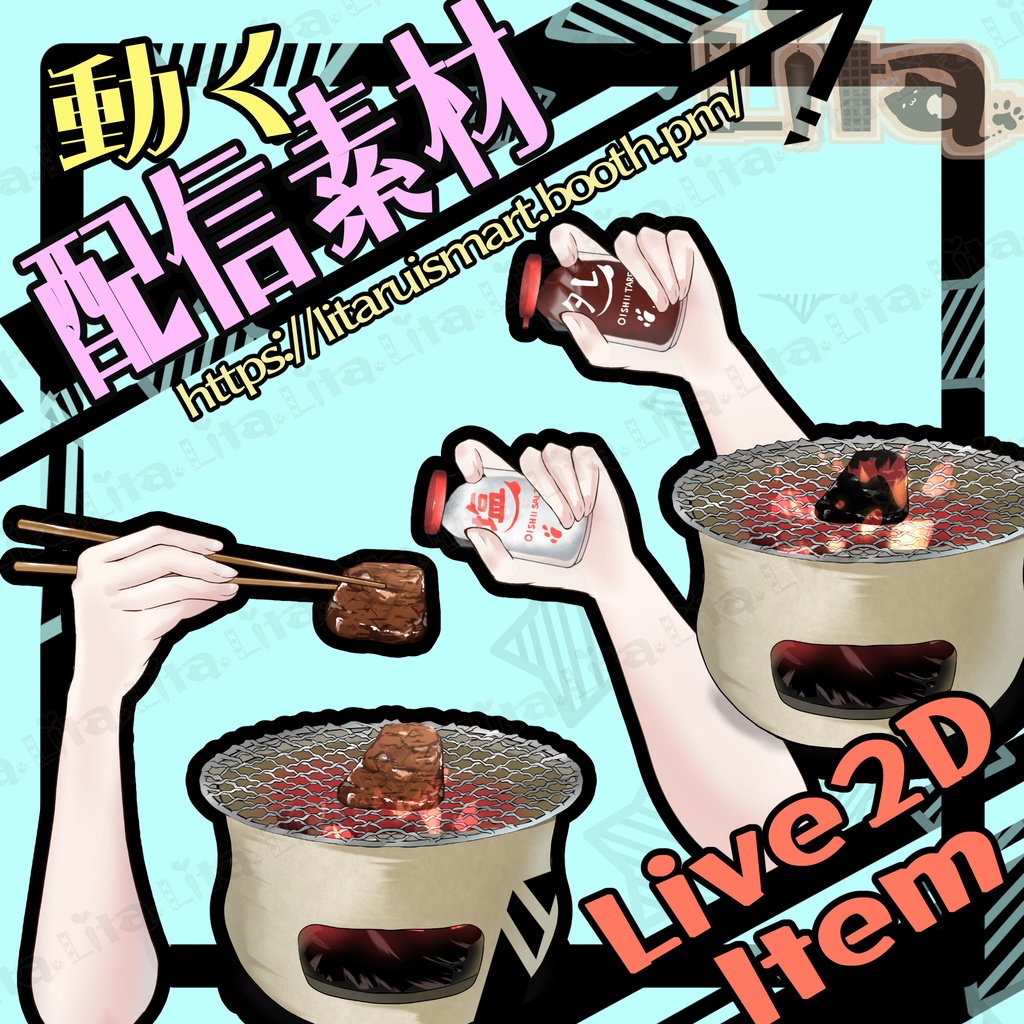

毎週腕素材をリリースしている腕素材屋さんです。 ぜひ配信のネタにしてください! ⭐︎Lita公式サイト⭐︎ https://lita-art.net/
VtubeStudioで使える素材です。//Assets for VtubeStudio
☆★☆★☆★☆★☆★☆★☆★☆★☆ キーバインド設定//Keybind setting 🎮 【右クリック/Right Click】調味料をふりかける(デフォルトでタレ)//Sprinkle seasoning (default: sauce) 🎮 【Shift】肉を持ち上げる//Lift meat 🎮 【Shift+ A】肉オフ(肉オフにすると煙も消えます)//Meat Off (also hides smoke) 🎮 【Shift+ S】煙オフ//Smoke Off 🎮 【Shift+ D】タレを塩に変更//Change sauce to salt 🎮 【Ctrl+ 1】Custom1お好きなものを焼けます!//You can grill whatever you want! texture_00 がカスタム可能になっています。カスタム設定方法はこちら texture_00 is customizable. How to change textures: 日本語 https://youtu.be/2YASoao3Phg?si=rKnwaCQY_RKe75uy English https://youtu.be/JgQLLwoV4iU?si=RQnnBqioZrd36J83 🎮 【Ctrl+ 2】タン//Tongue 🎮 【Ctrl+ 3】ホルモン//Hormone 🎮 【Ctrl+ 4】棒人間//Doll 🎮 【Ctrl + 0】表情クリア//Eset Expression 🎮 【Ctrl+ Q】待機モーションループ火のみ(肉をオンにすると生焼けのままです)//Fire only (raw meat stays raw) 🎮 【Ctrl+ W】待機モーションいい感じやけ具合肉とループ火(焦げずにずっといい感じの色です。)//Perfect grill loop (never burns) 🎮 【Ctrl+ E】生からコゲまでのループ待機モーション(長め)//Grill loop from raw to burnt (long) 🎮 【Ctrl+ R】生からコゲまでのループ待機モーション(短め)//Grill loop from raw to burnt (short) 🎮 【Ctrl+ T】待機モーションOFF(火も止まります)//Stop animation (fire off) ☆★☆★☆★☆★☆★☆★☆★☆★☆★☆★☆★☆
✅ 商用利用・編集可能ですが、著作権は放棄していません。 ✅ クレジット表記は任意です。 ✅ ご利用の際は、下記URL記載の 利用規約 に同意したものとみなします。 🔗 https://lita-art.net/terms-and-condition/ ⚠️ 成人向けコンテンツへの使用規制はしていません。 常識の範囲内でご使用ください。 ーーーーーーーーーーーー Litaのアイテムは、表情ファイルエディター、またはアートメッシュでの色調整が可能です。(表情ファイルエディタからは一部できないものもあります。初期の作品のほとんどはアートメッシュからの色変更になります!) 表情ファイルエディタから可能な場合は、colorと書いてあるパラメータが存在します。そのパラメータをいじって色変更して遊んでみてください! 色変更パラメータ: Color1 – 乗算明暗 Color2 – 乗算カラー Color3 – スクリーン明暗 Color4 – スクリーンカラー 設定方法の詳細はこちらをご覧ください! 日本語 🔗 https://lita-art.net/2026/01/26/how-to-change-color/ English 🔗 https://lita-art.net/2026/01/26/how-to-chage-color/ ーーーーーーーーーーーー 質問・ご相談はDMにて受付中! お気軽にご連絡ください✨ 🔹 LitaのX(Twitter): https://x.com/LitaVtuber 🔹 Litaのホームページ: https://lita-art.net/ ーーーーーーーーーーーー ✅ Commercial use and editing are permitted, but I do not waive my copyright. ✅ Credit notation is optional. ✅ By using this product, you are deemed to have agreed to the Terms of Sale listed at the URL below. 🔗https://lita-art.net/terms-and-condition/ ⚠️ There are no restrictions on use in adult-oriented (NSFW) content. Please use within the bounds of common sense. ーーーーーーーーーーーー Lita’s items can be color-adjusted either through the Expression File Editor or directly via ArtMesh. (Some items cannot be adjusted from the Expression File Editor. Most early works require color changes through ArtMesh.) If the item supports adjustment in the Expression File Editor, there will be a parameter labeled “Color.” Try modifying that parameter to change the colors and have fun experimenting! Color change parameters: Color1 – Multiply Brightness Color2 – Multiply Color Color3 – Screen Brightness Color4 – Screen Color For more details on the setup method, please check here! Japanese 🔗 https://lita-art.net/2026/01/26/how-to-change-color/ English 🔗 https://lita-art.net/2026/01/26/how-to-chage-color/ ーーーーーーーーーーーー Questions and consultations are accepted via DM! Feel free to contact me ✨ 🔹 Lita's X (Twitter): https://x.com/LitaVtuber 🔹 Lita's Website: https://lita-art.net/