

Milltina Mecha Pon-Pon ミルティナ メカぽんぽん
- Digital1,400 JPY
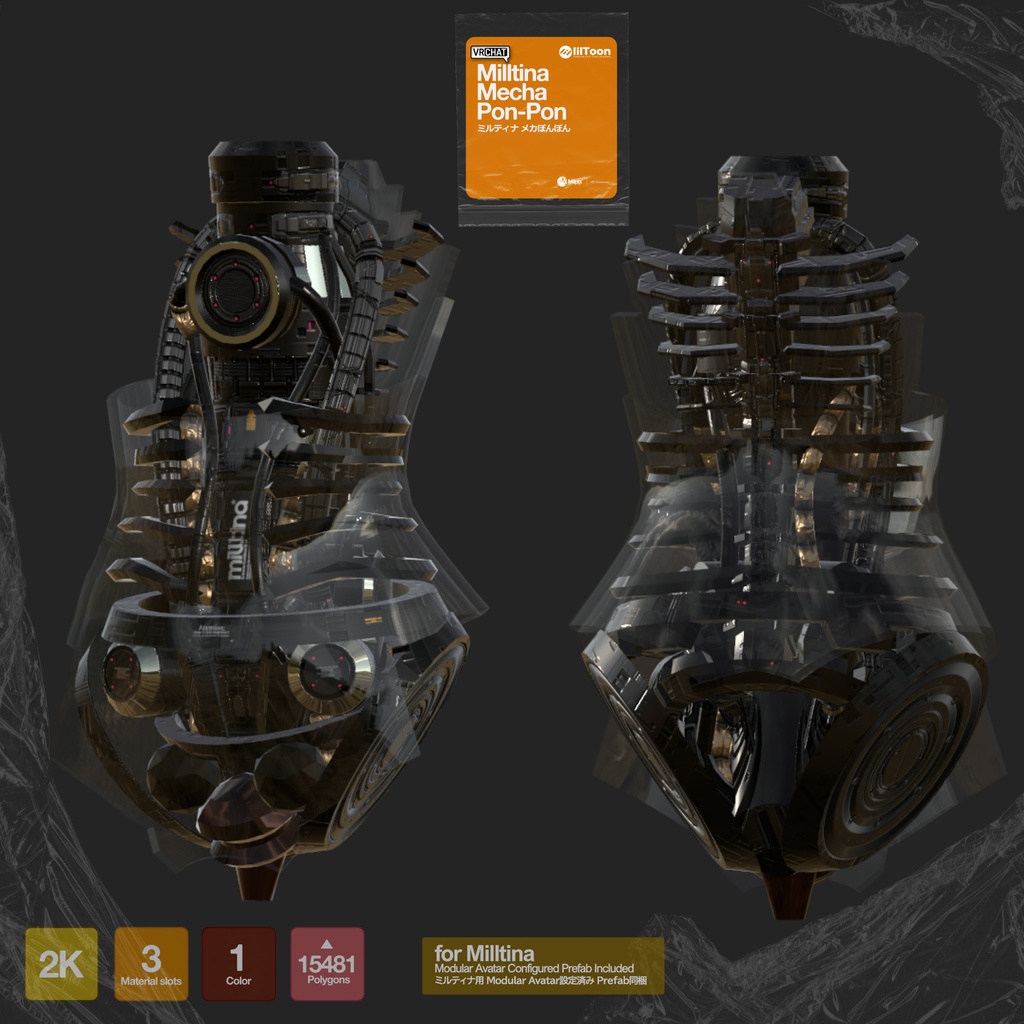
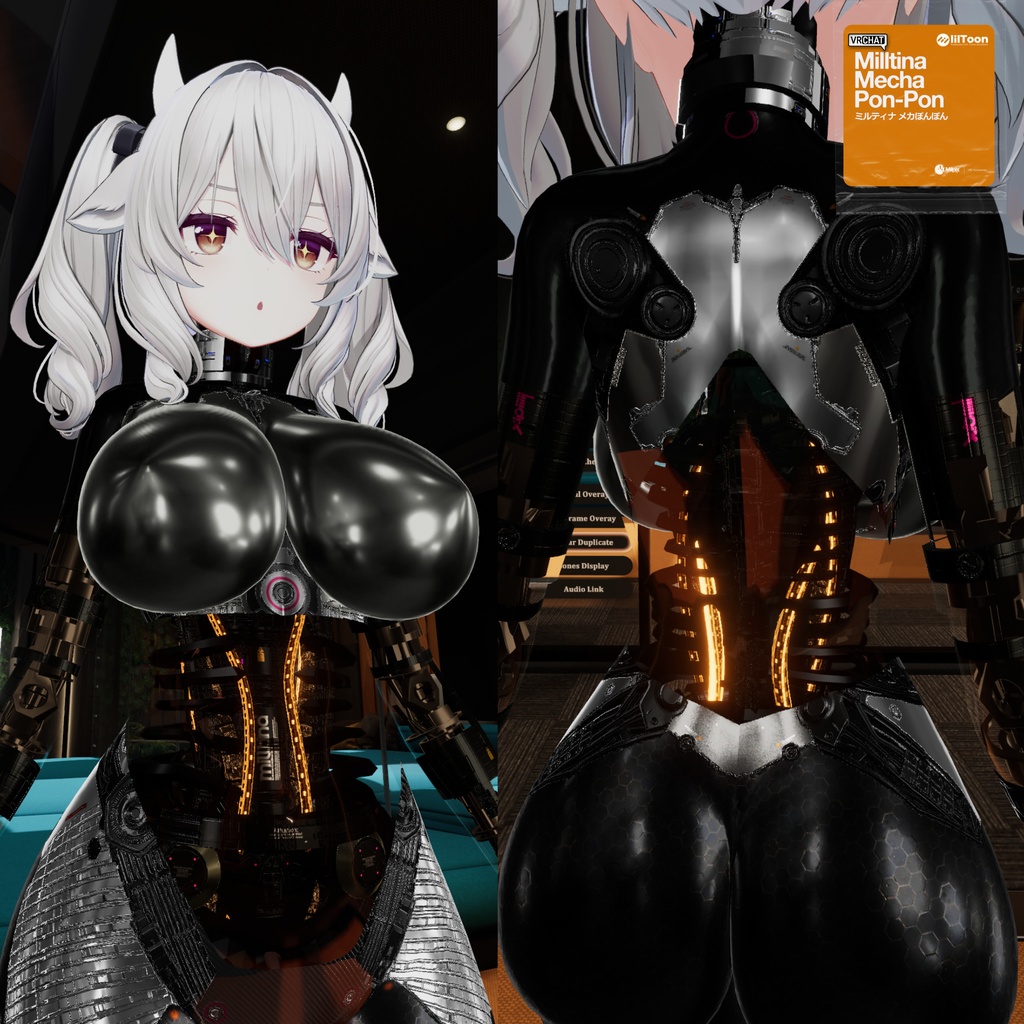
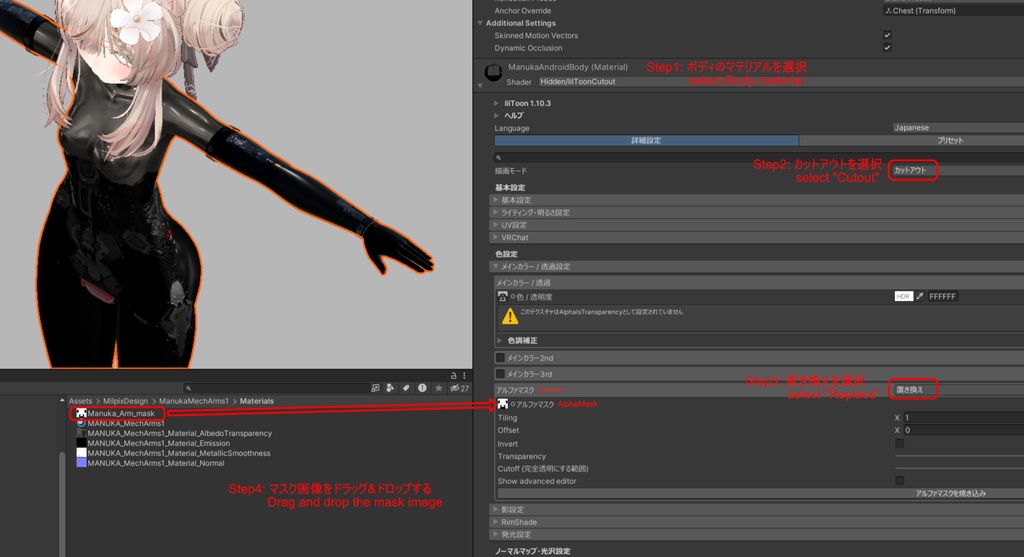
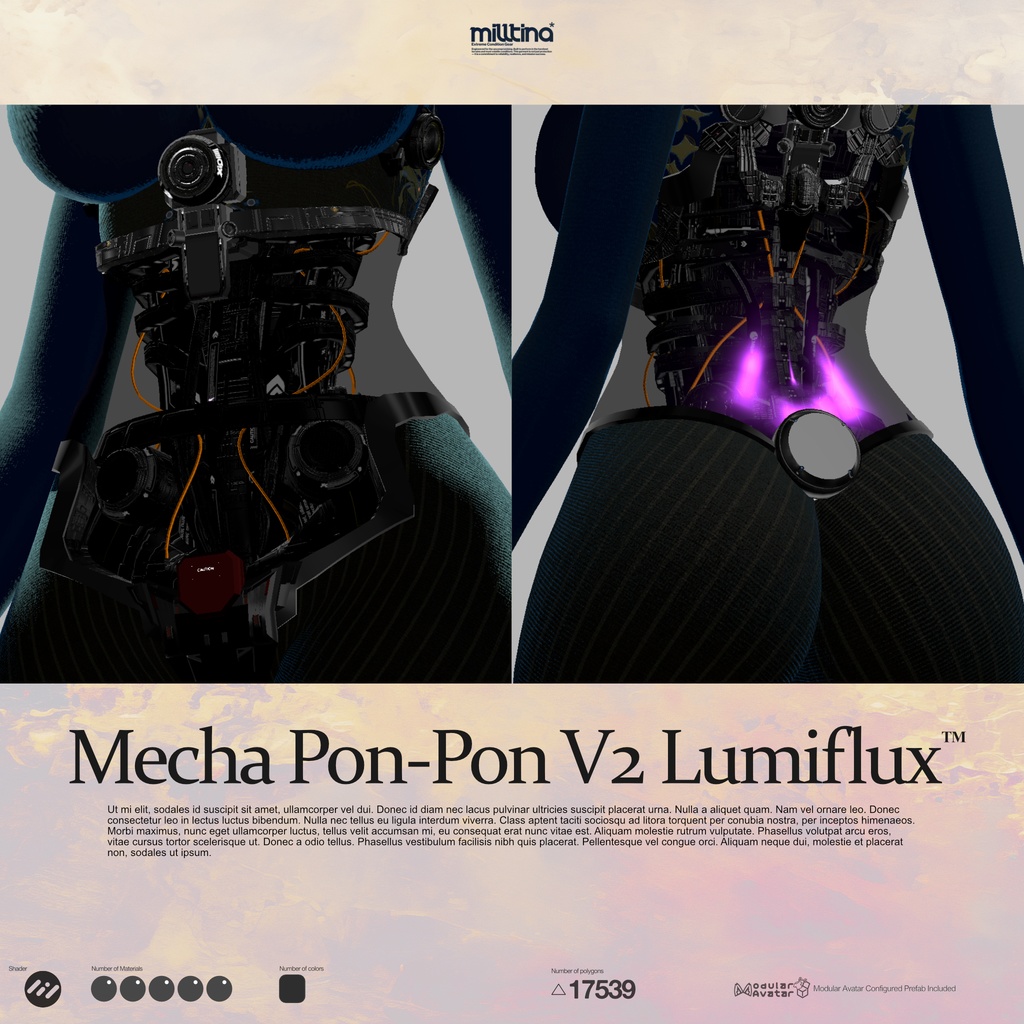


【New!】Ver.2.0 Lumiflux™ 高額にもかかわらず好評頂きました御礼として無償アップデートをご用意しました。 縁部分のフレーム追加/発光部パターンを新スタイルLumfluxへ変更/ボディマスク新造/上下に裏張り追加/共用マテリアルに切替え軽量化/各部メッシュ追加/ウェイト再割当て等、大幅に改修いたしました。ぜひお試しください。 Despite the high price, it was well received, so I've prepared a free update as a thank you. I've made significant improvements, including adding a frame to the edges, changing the light-emitting pattern to the new Lumflux style, creating a new body mask, adding lining to the top and bottom, switching to a shared material to reduce weight, adding mesh to various parts, and reassigning weights. Please give it a try. -------------------------------------------------------------------------------- ミルティナちゃん用のメカ胴体パーツです。透明なシェルの内部に内部メカが詰め込まれています。発光パターンはスクロールし、発光点は点滅します。ModularAvatar設定済みPrefabとボディ用マテリアルに適用するマスク画像が同梱されています。 ポリゴン数: △15481 マテリアル数: 3 テクスチャ: 2Kx4 マスク画像x2 This is a mechanical torso part for Mirtina. The internal mechanism is packed into a transparent shell. The lighting pattern scrolls and the light points flash. It includes a prefab with a Modular Avatar and a mask image for the body material. Polygon Count: △15481 Material Count: 3 Textures: 2Kx4, 2 Mask Images -------------------------------------------------------------------------------- Modular Avatarを使用しています。事前に導入しておいてください。 Uses Modular Avatar. Please install it in advance. https://modular-avatar.nadena.dev/ja シェーダーはLiltoonを使用しています。事前に導入しておいてください。 Liltoon is required for installation. https://booth.pm/ja/items/3087170 -------------------------------------------------------------------------------- 導入方法: 1. Unitypackageをインポートします 2. Unitypackage内のPrefabフォルダ内にあるPrefabを、Hierarchyのアバター下に配置してください 3. 3枚目の画像に従って操作し、ボディの表示をマスクしてください (マスク画像: Milltina_PonponMask.png) (ボディ用マテリアルがliltoonを使用している場合の手順です) How to install: 1. Import the Unitypackage 2. Place prefab in the Prefab folder in the Unitypackage under the avatar in the Hierarchy 3. 3. Follow the steps in the third image to mask the body display. (Mask image: Milltina_PonponMask.png) (These are the steps when using liltoon as the body material) -------------------------------------------------------------------------------- ライセンス License: 本製品は、VN3ライセンス(https://www.vn3.org/)を採用しております。 本製品をご購入前に下記リンクから内容をご確認ください。 本製品を購入された時点で本利用規約に同意したものとさせて頂きます。 本規約は、あしやまひろこ(@hiroko_TB)氏が作成したVN3ライセンス( https://www.vn3.org/ )のテンプレートを使用しています。 This product uses the VN3 License (https://www.vn3.org/). Please check the details at the link below before purchasing this product. By purchasing this product, you agree to these terms of use. These terms use the VN3 License (https://www.vn3.org/) template created by Ashiyama Hiroko (@hiroko_TB). JP https://drive.google.com/file/d/1q5V1DylqKehQrI6FbMY1pq9JWyqh-Du5/view?usp=drive_link EN https://drive.google.com/file/d/1j3Rij7Gob9Vdg79fbVhEMGwaxDE9fyjN/view?usp=drive_link ZH https://drive.google.com/file/d/13696cyOQTqAgOaFalRG6Af5jaC7JBqco/view?usp=drive_link KR https://drive.google.com/file/d/18hA3Z3gHwCctvUE1lgRm-cuVnO5vDMek/view?usp=drive_link
利用規約
更新履歴
ver1.1 Prefabをアバターに入れるだけでボディ用マスクが適用されるようにしました(要ModularAvatar バージョン1.14.0以上) Body masks can now be applied simply by inserting a Prefab into an avatar (requires ModularAvatar version 1.14.0 or later). Ver.2.0 Lumiflux™ 高額にもかかわらず好評頂きました御礼として無償アップデートをご用意しました。 縁部分のフレーム追加/発光部パターンを新スタイルLumfluxへ変更/ボディマスク新造/上下に裏張り追加/共用マテリアルに切替え軽量化/各部メッシュ追加/ウェイト再割当て等、大幅に改修いたしました。ぜひお試しください。 Despite the high price, it was well received, so I've prepared a free update as a thank you. I've made significant improvements, including adding a frame to the edges, changing the light-emitting pattern to the new Lumflux style, creating a new body mask, adding lining to the top and bottom, switching to a shared material to reduce weight, adding mesh to various parts, and reassigning weights. Please give it a try.