

【無料/FREE】プレゼント箱
- 通常版(Standard version)Digital0 JPY
- おやつ代(通常版と内容は同じです) Snack money (same as the standard version)Digital100 JPY
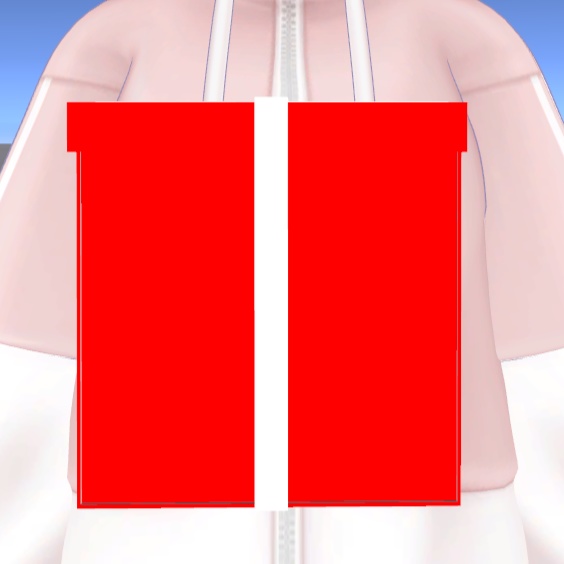

クリスマスなど 色んなことに使えるプレゼント箱 blender初心者が頑張って作ったもの エクスプレッションメニューで 箱の開閉をさせることが可能 プレゼント箱本体のみ VRChat使用想定 A gift box perfect for Christmas and other occasions Created by a beginner Blender user You can open and close the box using the Expression menu Includes the gift box only Designed for use in VRChat シェーダー(shader):liltoon MA対応(Using Modular Avatars ) サンプルワールド(sample world) https://vrchat.com/home/content/worlds/wrld_27b70d5c-e6b6-4fb6-a37b-59ec63e3f453/edit
内容物(Contents)
Unitypackage
導入方法(How to Install)
unitypackageファイルをUnityにインポート Assets/Ringoame196/プレゼントボックス/プレゼント箱.prefabをアバターに追加 追加したものを位置調整をする デフォルトだと、Chest追従するようになっています 追従先を変更する場合は、追加したプレゼント箱、上のプレゼント箱のInspectorのMA Bone Proxyのターゲットを変更してください Import the .unitypackage file into Unity. Add Assets/Ringoame196/プレゼントボックス/プレゼント箱.prefab to the avatar. After adding it, adjust its position so it is correctly aligned on the avatar. By default, the present box follows the Chest bone. If you want it to follow a different bone, select the added present box, then in the Inspector, change the target of the MA Bone Proxy component on the upper present box.
サムネに使用させて頂いたアバター The avatar I used for the thumbnail
結城めさぐv2(https://asagiiro-design.booth.pm/items/5684968)
VN3ライセンス(共通利用規約) License
https://drive.google.com/drive/folders/1kPUbbyUB4xratPIWIoLUVkNv6VSzMDRI?usp=drive_link