
プレサイスSPS・Precise SPS
- Digital600 JPY
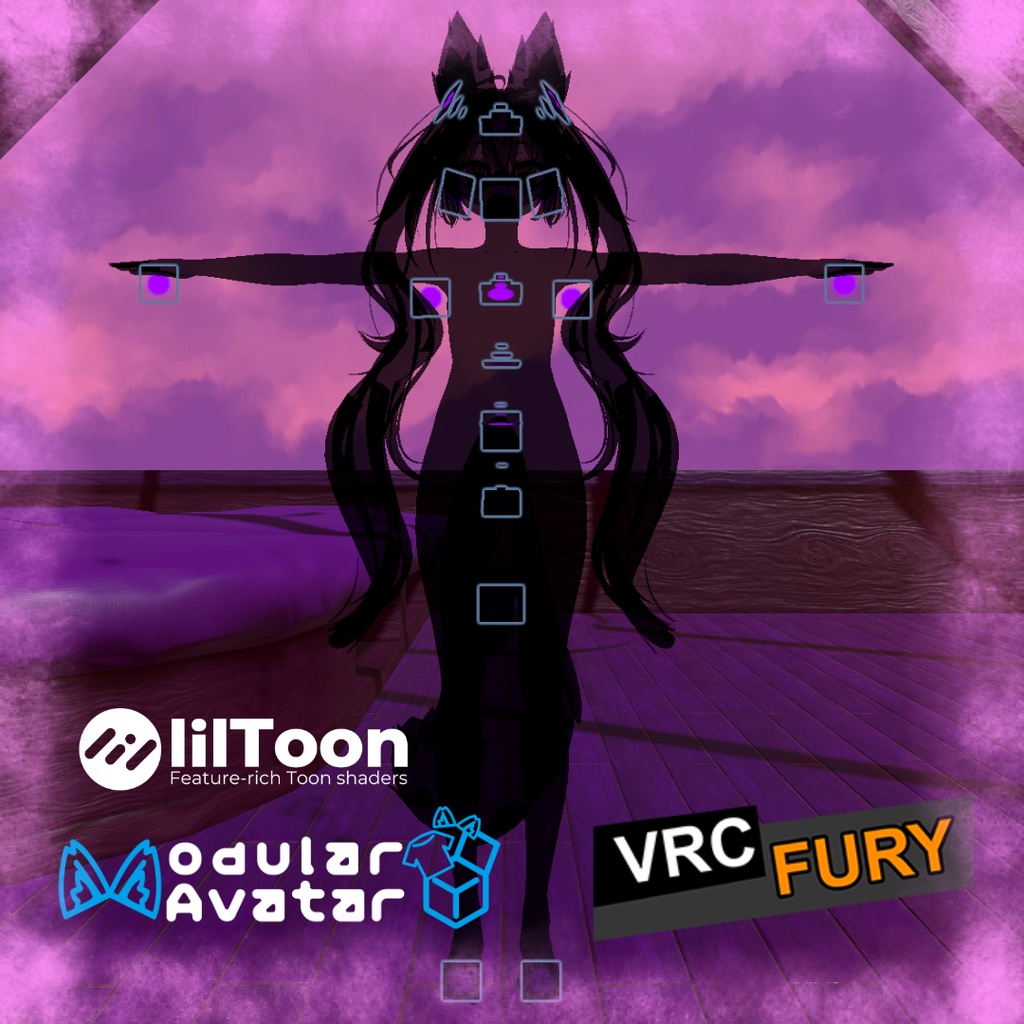
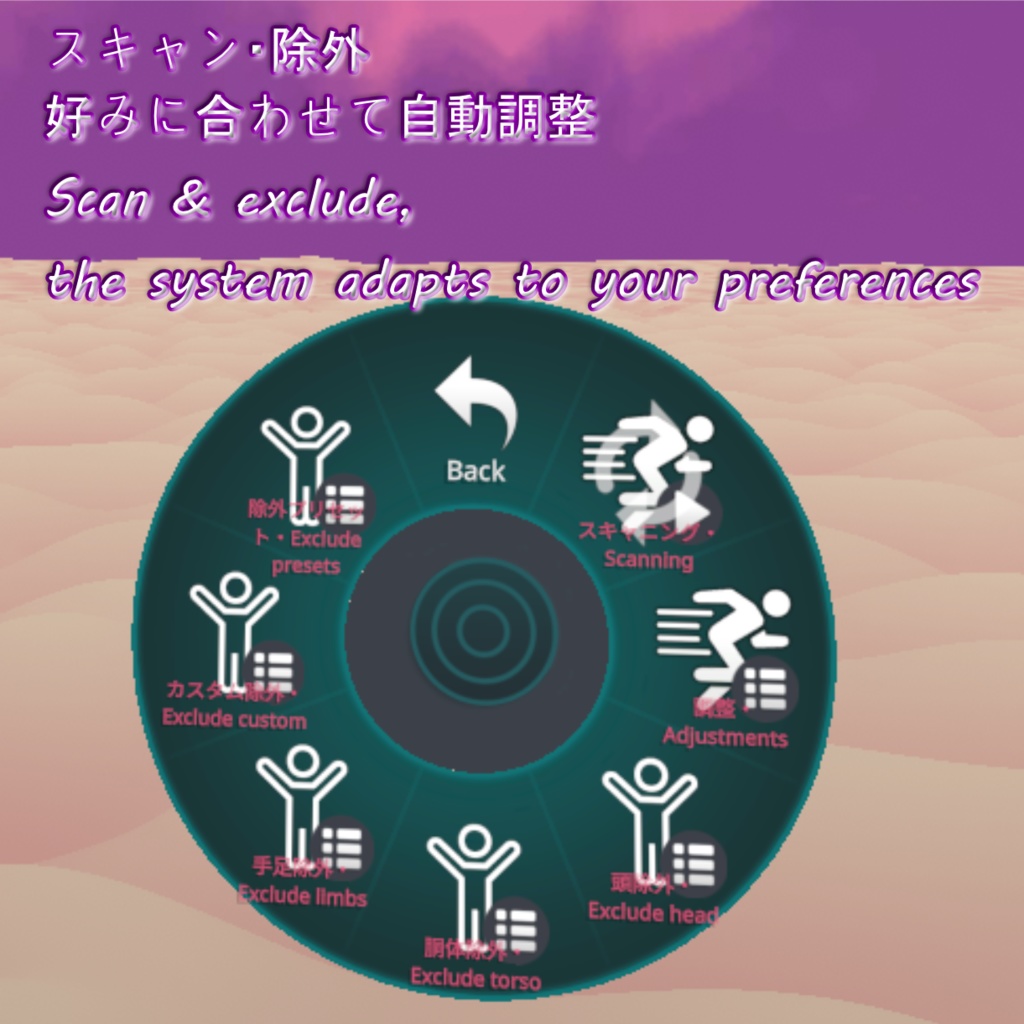
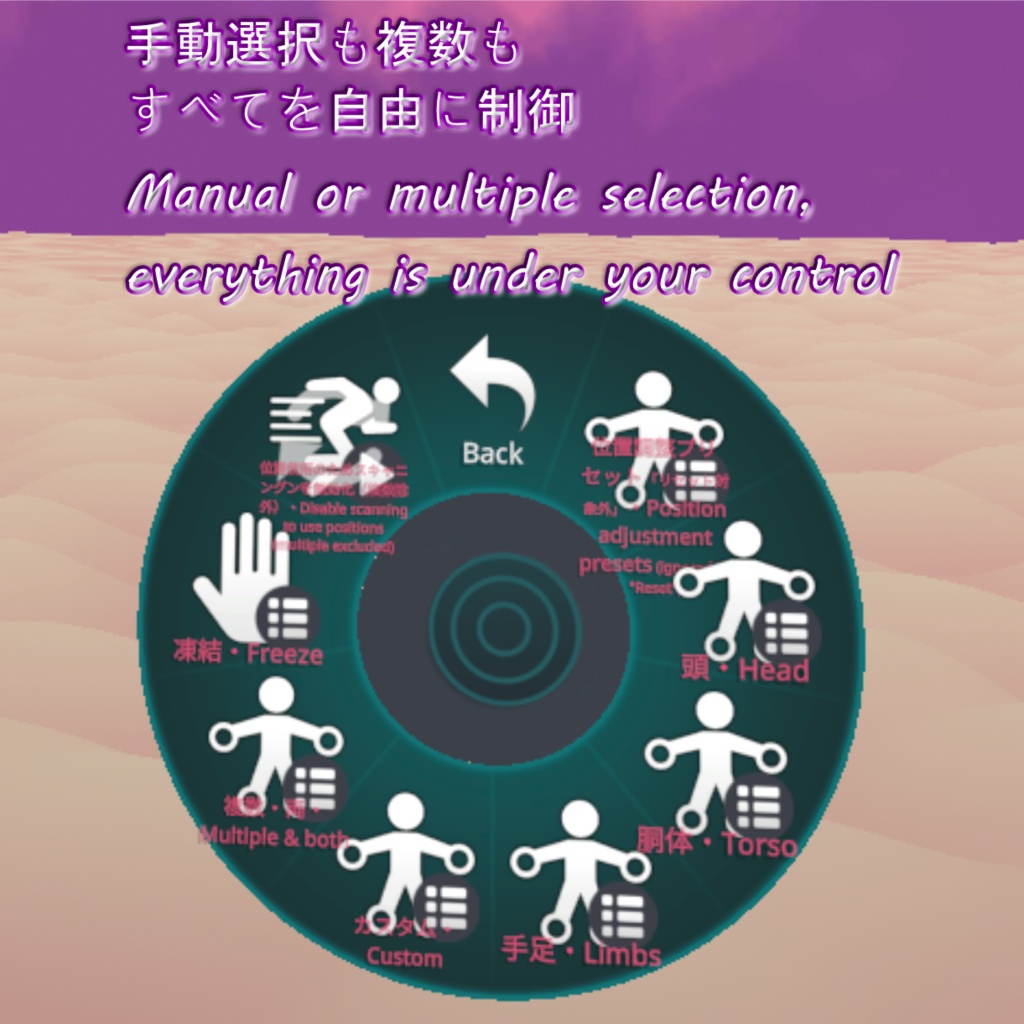
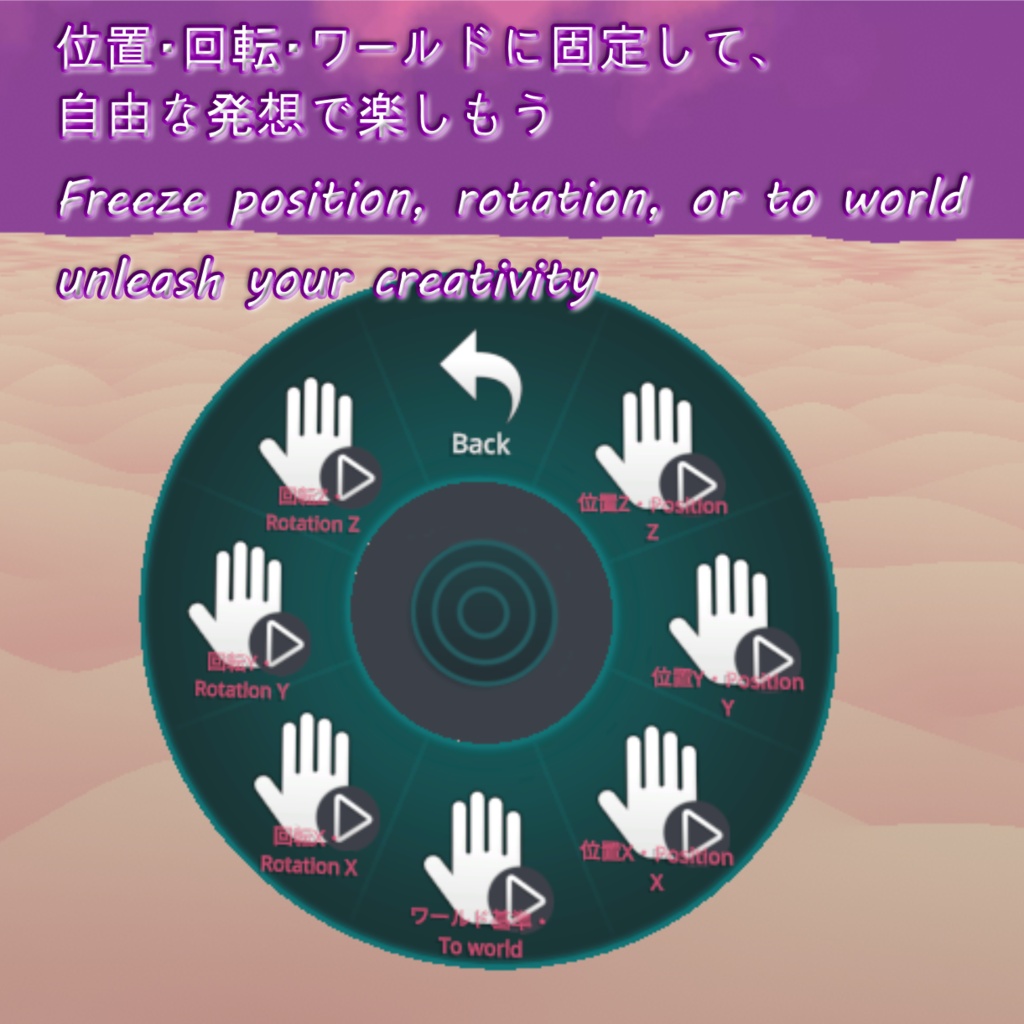
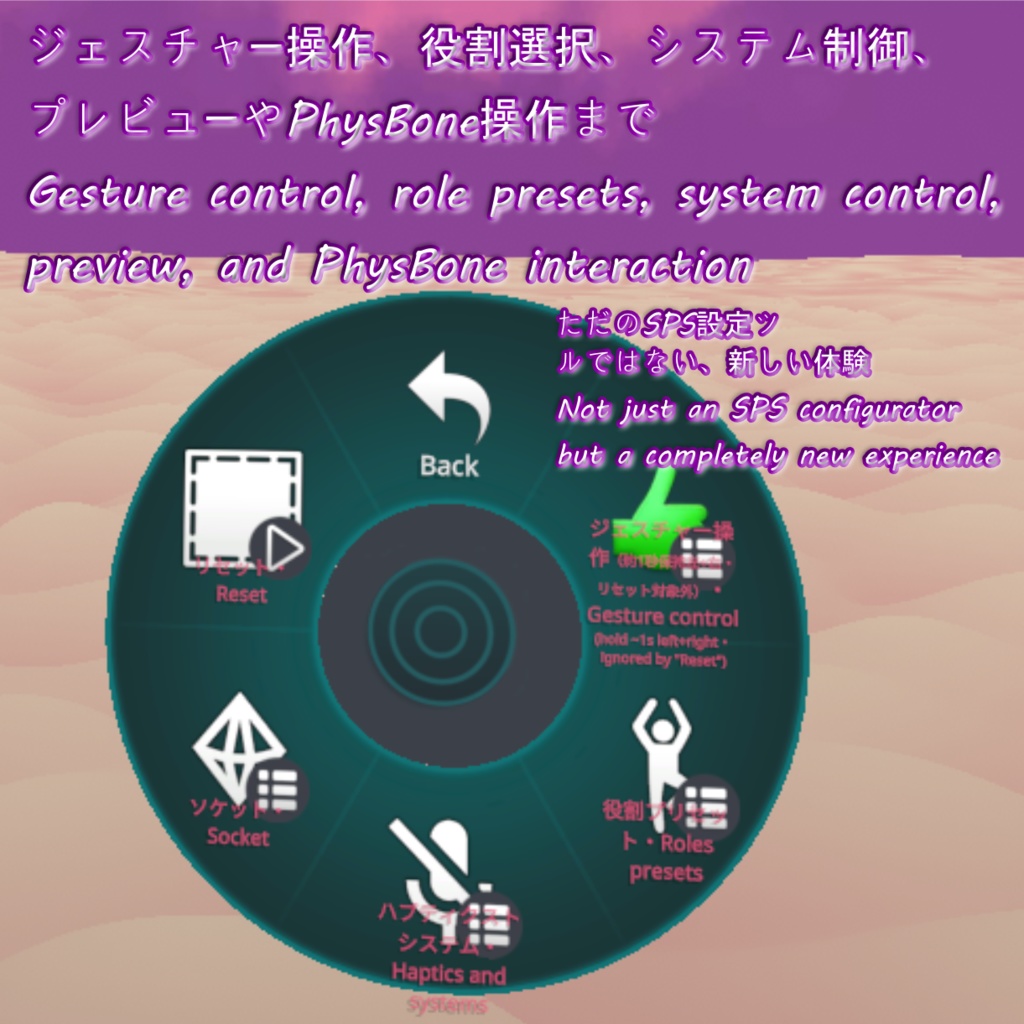
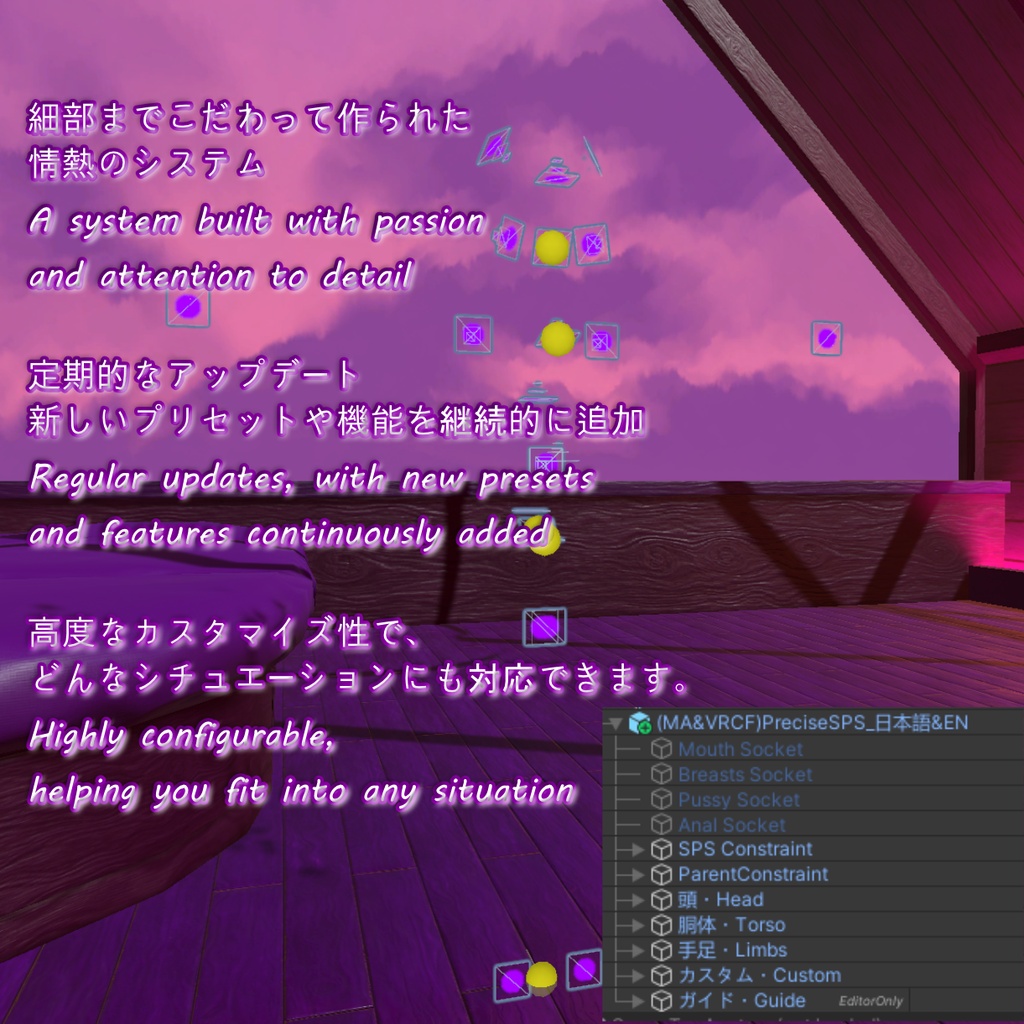
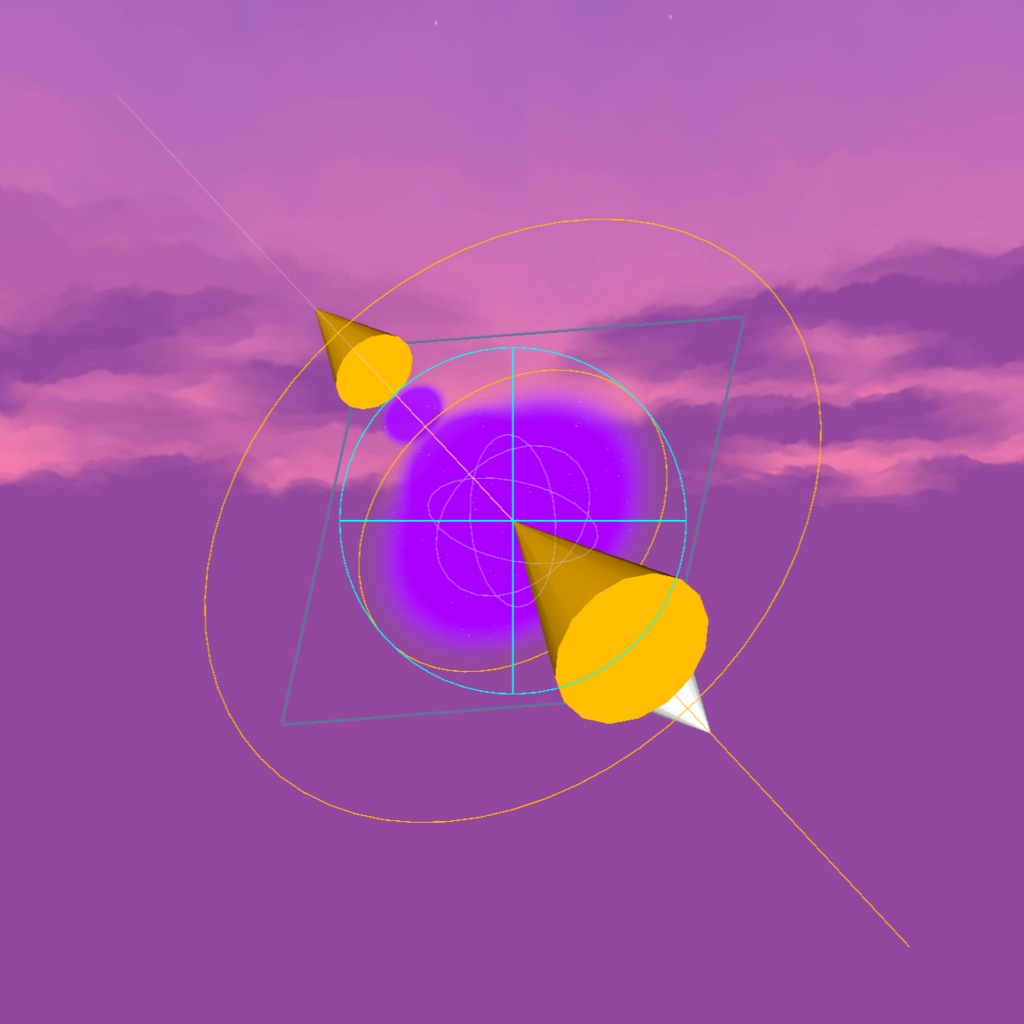
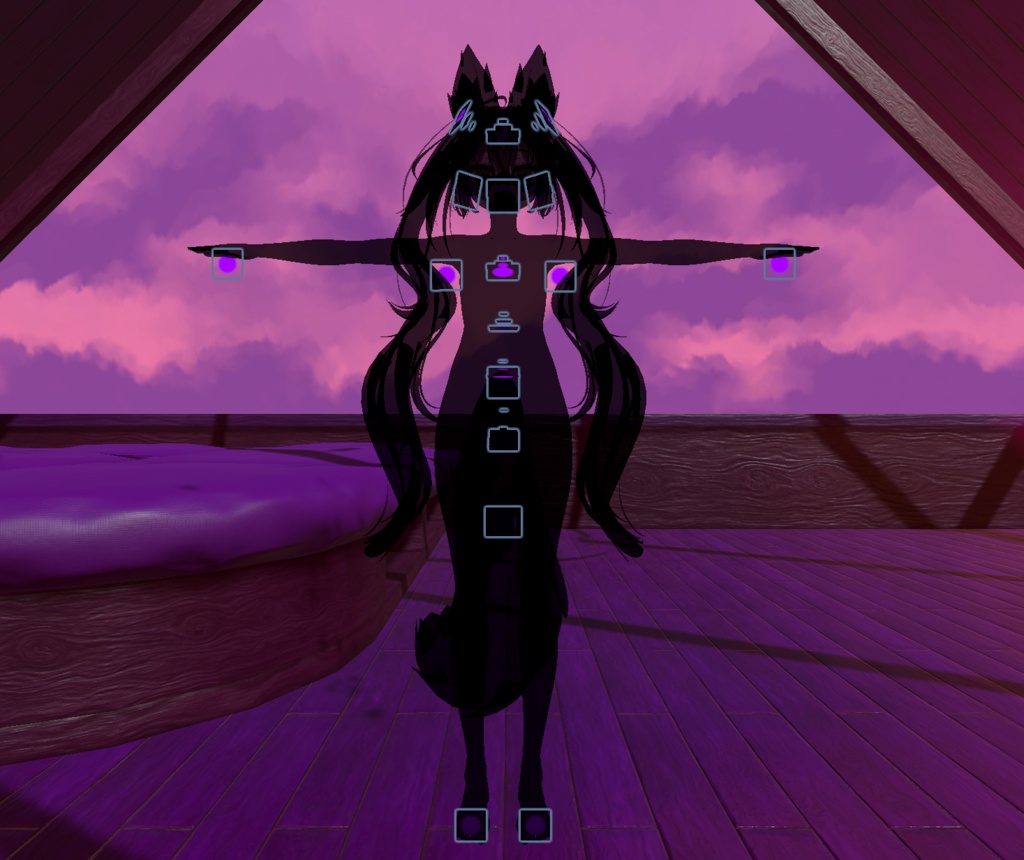
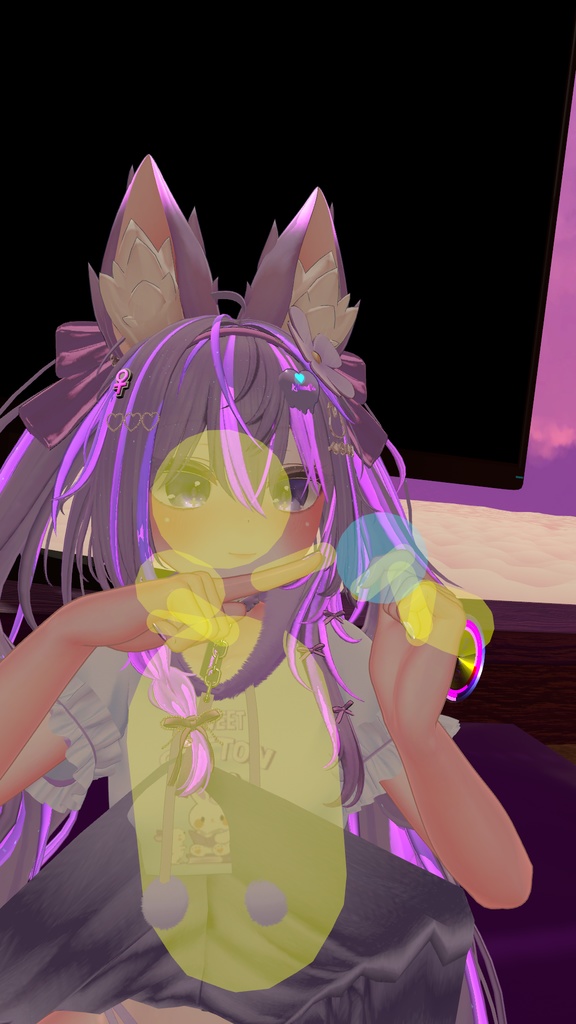
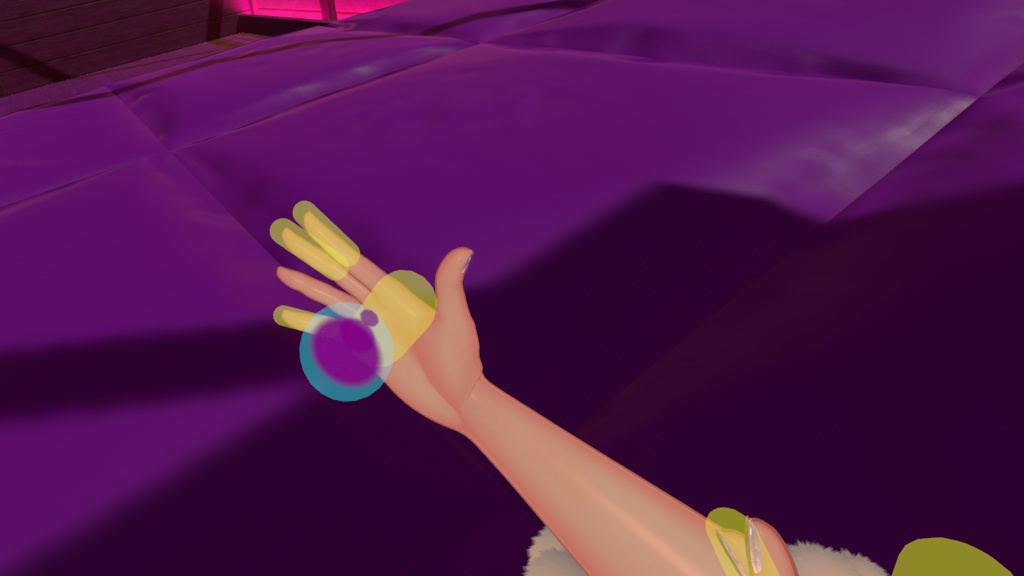


プレサイスSPS(Precise SPS)は、SPSソケットの自動化と位置調整を極限までシンプルに、かつ創造的に進化させた高機能なVRChat向けアセットです。 専用インスペクターによるアバターの自動検出に対応しており、アバター直下に置くだけで即座に使用可能。手動のアニメーター編集は一切不要で、Modular AvatarおよびVRCFuryに完全対応しています。 【主な機能】 ・アバター自動検出:57体以上の人気アバターに対応。アバター直下に配置するだけでモデルを自動識別し、調整済みプリセットを即座に適用 ・最小限のソケット構成:実際に使用するSPSソケットはわずか4つ。接触判定数やFXコントローラーへの負荷を大幅に削減 ・25箇所のプリセット位置:頭部、胴体、手足、カスタムトイ用を含む25箇所のポジションを標準搭載。PCS(別売)の自動追従にも完全対応 ・常時スキャン&自動切替:ペネトレーターを検知して体全体を自動スキャン。周囲にない時は自動スリープし、近づいた時のみ起動。頬から口への移動などもシームレスに自動切替 ・PhysBone手持ち調整&ワールド固定:各ソケットをPhysBoneで手に持って位置を微調整・新規作成可能。X/Y/Z軸やワールド基準での位置・回転固定にも対応 ・照れ演出連動:ペネトレーター接近時に自動で赤面アニメーションが発動し、自然な雰囲気を演出 ・干渉防止&除外設定:自分のペネトレーターによる自己貫通防止や、不要な部位をスキップしてスキャン速度を高める除外プリセット機能を搭載 ・詳細設定メニュー:インスペクター内の「詳細設定」から、OFFアニメーションの生成有無などを直感的にカスタマイズ可能 【対応・連携(別売)】 ■各ソケットポジションの完全自動化とサポート ・PCS: https://dismay.booth.pm/items/5001027 ■SPS ソケットでパラメータ設定が不要なアセット ・Inside View: https://jinxxy.com/Liindy/InsideView ・Haraboko: https://booth.pm/en/items/5658430 ■過剰なコンタクトによる SPS ペネトレーター破損を防ぐ自動無効化 ・https://booth.pm/en/items/4108136 (節約: 8) ・https://wataame89.booth.pm/items/4511536 (節約: 20) 【使い方】 1. 「(MA&VRCF)PreciseSPS」または「(VRCF)PreciseSPS」(各言語版)をアバター直下にドラッグ&ドロップ 2. インスペクターでアバターが自動検出され、最適なプリセットが自動設定されます(手動選択も可能) 3. 必要に応じてソケットの位置を調整 必要ツール: ・lilToon: https://lilxyzw.github.io/lilToon/ ・VRCFury: https://vrcfury.com ・Modular Avatar (MA&VRCF版を使用する場合): https://modular-avatar.nadena.dev ※「Gesture Manager」が導入されている場合、メニューに専用アイコンが自動で読み込まれます:https://github.com/BlackStartx/VRC-Gesture-Manager ※画像のアバター等は付属しません。 ※別売の「ERPレディ」アセットと併用可能です。写真・録画に映っているペネトレーターはERPレディの一部であり、テスト目的で表示されています。 ◆ ENGLISH ◆ Precise SPS is an advanced VRChat system designed to revolutionize SPS socket automation and positioning while dramatically reducing avatar contacts and performance overhead. Everything is configured through a dedicated Inspector with automatic avatar detection and preset application. No manual animator editing is required. Fully compatible with Modular Avatar and VRCFury. [Features] - Automatic Avatar Detection: Compatible with over 57 popular Booth avatars. Automatically recognizes your avatar model and applies calibrated presets upon placement - Minimal Sockets, Maximum Optimization: Uses only 4 physical SPS sockets, dramatically cutting down contact count and animator controller overhead - 25 Predefined Positions: Sockets across the head, torso, limbs, and custom toys, all featuring full PCS integration (available separately) - Intelligent Body Scanner & Auto-Swapping: Continuously scans for incoming penetrators and enters sleep mode when none are near. Seamlessly switches socket locations (e.g. from cheek to mouth) completely hands-free - PhysBone Adjustment & World Lock: Grab any socket position via PhysBone to fine-tune or create new positions on the fly. Supports axis freezing (X/Y/Z) and full world lock - Automatic Blush Effect: Automatically triggers a subtle blush animation when a penetrator approaches to enhance immersion - Collision Prevention & Exclude Presets: Built-in self-penetration avoidance and customizable exclude presets to skip unwanted positions and boost scan responsiveness - Advanced Settings Menu: Easily customize build options (such as default OFF animations) directly from the Inspector's Advanced settings [Compatibility & Optional Integrations] ■ Fully automated work and support on every socket position: - PCS: https://dismay.booth.pm/items/5001027 ■ Assets that no longer require parameter configuration in SPS sockets: - Inside View: https://jinxxy.com/Liindy/InsideView - Haraboko: https://booth.pm/en/items/5658430 ■ Automatic deactivation of contacts to avoid excessive contacts that break SPS penetrators: - https://booth.pm/en/items/4108136 (Savings: 8) - https://wataame89.booth.pm/items/4511536 (Savings: 20) [Setup] 1. Drag and drop "(MA&VRCF)PreciseSPS" or "(VRCF)PreciseSPS" (choose your preferred language variant) onto your avatar root 2. The Inspector automatically detects your avatar and applies the matching preset (can also be selected manually) 3. Fine-tune socket positions if desired Requirements: - lilToon: https://lilxyzw.github.io/lilToon/ - VRCFury: https://vrcfury.com - Modular Avatar (when using the MA&VRCF variant): https://modular-avatar.nadena.dev *Custom menu icons load automatically if "Gesture Manager" is installed in your project: https://github.com/BlackStartx/VRC-Gesture-Manager *Avatars and other accessories shown in previews are not included. *Can be used together with the separate "ERP Ready" asset. The penetrators shown in media are part of the ERP Ready support version for testing purposes.
現在サポートされているアバター / Currently supported avatars
愛莉・Airi https://booth.pm/items/6082686 アルエ・Alué https://booth.pm/items/6957623 アッシュ・Ash https://booth.pm/items/3234473 ゾメちゃん・Avzomend https://booth.pm/items/4118550 墨惺・Bokusei https://booth.pm/items/5727810 シフォン・Chiffon https://booth.pm/items/5354471 ショコラ・Chocolat https://komado.booth.pm/items/6405390 デルタフレア・DeltaFlair https://booth.pm/items/4906631 エク・Eku https://booth.pm/items/7328764 フェリス・Felis https://booth.pm/items/5385176 フィオナ・Fiona https://booth.pm/items/4592568 斑霞・Hanka https://booth.pm/items/6970249 ハオラン・Haolan https://booth.pm/items/3818504 イチゴ・Ichigo https://booth.pm/items/7328789 輝夜・Kaguya https://booth.pm/items/8562330 彼方・Kanata https://booth.pm/items/6813995 カリン・Karin https://booth.pm/items/3470989 桔梗・Kikyo https://booth.pm/items/3681787 キプフェル・Kipfel https://booth.pm/items/5813187 狛乃・Komano https://booth.pm/items/5260363 くまり・Kumaly https://booth.pm/items/7928592 くうた・Kuuta https://booth.pm/items/4897493 Lapwing https://booth.pm/items/4993931 ラシューシャ・Lasyusha https://booth.pm/items/4825073 ライム・Lime https://booth.pm/items/4876459 ルミナ・Lumina https://booth.pm/items/7502898 真冬・Mafuyu https://booth.pm/items/5007531 まめひなた・Mamehinata https://booth.pm/items/4340548 マヌカ・Manuka https://booth.pm/items/5058077 真央・Mao https://booth.pm/items/6846646 マリシア・Marycia https://booth.pm/items/6305948 舞夜・Maya https://booth.pm/items/3390957 まよ・Mayo https://booth.pm/items/8122803 ミルフィ・Milfy https://booth.pm/items/6571299 ミルティナ・Milltina https://booth.pm/items/6538026 瑞希・Mizuki https://booth.pm/items/5132797 萌・Moe https://booth.pm/items/4667400 凪・Nagi https://booth.pm/items/5345398 ナナセ・ノワール・Nanase Noir https://booth.pm/items/5827815 ナユ・Nayu https://booth.pm/items/4023598 プラチナ・Platinum https://booth.pm/items/3950859 プラム・Plum https://booth.pm/items/7770415 RadDollV3 https://booth.pm/items/3741802 ラムネ・Ramune https://booth.pm/items/7699667 リナシータ・Rinasciita https://booth.pm/items/7475899 竜胆・Rindo https://booth.pm/items/3443188 ルルネ・Rurune https://booth.pm/items/5957830 ラスク・Rusk https://booth.pm/items/2559783 セレスティア・Selestia https://booth.pm/items/4035411 しなの・Shinano https://booth.pm/items/6106863 しお・Sio https://booth.pm/items/5650156 シウシウ・SiuSiu https://booth.pm/items/8426340 ソフィナ・Sophina https://booth.pm/items/4044305 うささき・Usasaki https://booth.pm/items/3550881 ウェンディ・Wendy https://booth.pm/items/7841391 ヨルちゃん・Yollchang https://booth.pm/items/3923094 幽狐族・Yuuko https://booth.pm/items/1484117
利用規約 / Terms of Service
✅アバターへの組み込みおよび個人利用、動画配信・イベントでの商用利用は可能です。 ✅アバター受託制作(コミッション)等での利用は、双方が本アセットを所持している場合のみ許可します。 ❌本アセットの再配布、再販売は改変の有無を問わず禁止します。 ❌パブリックアバターへの組み込み(ペデスタル等への配置)は禁止します。 クレジット表記は必須ではありませんが、このアセットを自分のものとして主張しないでください。不具合報告やご質問は、BOOTHメッセージまたは𝕏(@kitsune_ba)までお気軽にお問い合わせください。 ◆ ENGLISH ◆ ✅Allowed for personal use, avatar integration, and commercial video streaming / events. ✅For avatar commissions, both the creator and client must own a valid license of this asset. ❌Redistribution and resale of this asset (in original or modified form) is strictly prohibited. ❌Uploading to public avatars (pedestals, public clones) is prohibited. Crediting is not required, but please do not claim the asset as your own. For bug reports or questions, feel free to contact me via BOOTH Messages or on 𝕏 (@kitsune_ba).
更新情報 / Update information
v2026.10.21 ・アバター自動検出機能を強化。モデル情報から高精度にプリセットを自動判定。 ・ツールインスペクターに「詳細設定」を追加。不要なOFFアニメーションの生成を自由に制御可能に。 ・アセットフォルダの自由な移動・名前変更に対応。 ・アニメーションおよび内部コントローラーの不具合を修正・最適化。 ・Enhanced automatic avatar preset detection to reliably recognize models. ・Added an "Advanced" settings menu to the Inspector to customize default OFF animation generation. ・The asset folder can now be moved or renamed freely anywhere in the project. ・Fixed minor animation issues and optimized internal controller setup. v2026.8.18 ・LMSとPCSの自動化を完全に無効化できるようになりました。 ・Asset now allows you to completely disable automation for LMS and PCS. v2026.8.11 ・軽微な修正。 ・2個の新しいアバタープリセットを追加。 ・Minor fixes. ・2 new avatar presets were added. v2026.8.4 ・新しいSPSに対応しました。 ・Updated to work with the new SPS. v2026.7.14 ・新しいSPS2に対応しました。 ・アセットの導入手順を大幅に簡略化しました。 ・ツール上でプリセットを直接設定できるようになりました。 ・14個の新しいアバタープリセットを追加。 ・Updated to work with the new SPS2. ・Significantly simplified asset installation. ・Added the ability to configure presets directly in the tool. ・14 new avatar presets were added. v2026.5.29 ・小さな調整。 ・VRCF のバージョン 1.1333.0 以降で使用されている新しいパラメーター名に合わせて、このアセットは対応されています。 ・Small adjustments. ・The asset has been adapted to the new parameter naming used in VRCF since version 1.1333.0. v2026.4.20 ・ジェスチャー操作を修正。 ・Fixed gesture control. v2026.4.13 ・ちょっとした調整。 Small adjustments. v2026.4.11 ・ハプティクストグルが逆に切り替わっていた問題を修正し、分かりやすくするために名称を変更しました。 ・LMSおよびPCSの強制有効化を廃止しました。無効化した場合でも再度有効化されることはありません。 ・混乱を招き不要だったため「自分のペネトレーター検出」を削除しました。現在は自動化されており、未使用時にはコンタクトが自動で無効になります。 ・状況に応じてトグルを簡単に調整できるよう、役割プリセットを追加しました。 ・「手の自己貫通を防ぐ」トグルを追加しました。トイ使用時に、保持中の手へ貫通しないようにするために有効です。 ・フィズボーン無効トグルを追加しました。ハプティクスによる接触操作に役立ちます。 ・自分のペネトレーターを検出するコンタクトはローカル化されました。 ・メニューおよびアセット全体の細かな整理と調整を行いました。 ・Fixed the haptics toggles switching inversely, and renamed them for better clarity. ・Stopped forcing LMS and PCS to remain enabled. They can now be disabled without being reactivated. ・Removed "Own penetrator detection" as it was confusing and unnecessary. It is now automated, and the contact disables itself when not in use. ・Added role presets to make it easier to adapt toggles to different situations. ・Added the "Avoid hands self-penetration" toggle, useful when using toys to prevent them from penetrating the hands while holding them. ・Added a PhysBone off toggle, useful for haptic touch interactions. ・Contact detection for your own penetrator is now local. ・Various menu and asset cleanups. v2026.4.2 ・5つのカスタムソケット位置を追加しました(お気に入りのトイに使用できます!)。 ・人気の高いトグルに対応するよう、ジェスチャー操作を拡張しました。 ・Added 5 custom socket positions (use them for your favourite toys!). ・Expanded gesture control for the most popular toggles. v2026.3.31 ・「両足」を使用した場合、足のラインに沿うのではなく、水平になるように変更しました。 ・スキャン中のトグルの反応性を改善し、スキャン中にソケットを切り替えられるようになりました。 ・その他、細かな修正を行いました。 ・Using "Both feet" is now vertical instead of aligned with the feet line. ・Improved the responsiveness of toggles during scanning, including the ability to switch between sockets during scanning. ・Other minor fixes. v2026.3.24 ・赤面とハプティクスは、ほとんどのユーザーが使用しないため、デフォルトで無効になっています。 ・「腰の自己貫通を防ぐ」の一部機能は「プレサイスSPS」に移動され、完全に統合されたため、「ERPレディ」は不要になりました。 ・アセットのオブジェクト構造が完全に再設計されました。位置設定にはもはやオフセット付きのParent Constraintを使用せず、カスタマイズ可能なオブジェクトで構成されています。また、位置のプレビューも簡単に行えます。 ・Boothで14,000以上の「いいね」を獲得した41体のアバター用プリセットが追加されました。メニューからプリセットを選択することで、カスタマイズの手間を省け。 ・さらに、言語切替やソケット位置の調整がより簡単になる「(MA&VRCF)」版も追加されました。 ・Blush and haptics are disabled by default, as most people don't use them. ・Partial "Avoid hip self-penetration" functionality has been moved to "Precise SPS" so that it is fully integrated and does not require "ERP Ready". ・The asset's object structure has been completely redesigned. It no longer uses parent constraints with offsets to set positions, but rather customizable objects. You can also easily preview the positions. ・Presets have been added to all 41 avatars with over 14,000 likes on Booth. You can select your preset from the menu, eliminating the need to customize anything. ・Added the "(MA&VRCF)" version, which makes switching languages or adjusting socket positions much easier. v2026.3.18 ・PhysBoneで掴んでいる間、手の位置のソケットに円が再表示されないようにしました。誤って頻繁に表示されていたためです。 ・ペネトレーターがアクティブなときに下部ホールをスキャンから除外するトグルを追加しました(別アセット「ERPレディ」が必要、プレファブ「用ForPreciseSPS」)。 ・The socket in the hand position never shows a circle again when held via physbone, as it was appearing too often accidentally. ・A toggle has been added to exclude lower holes from the scan when your penetrator is active (separate asset "ERP Ready" required, prefab "用ForPreciseSPS"). v2026.3.14 ・レンダーキューが高いマテリアルで「プレビュー」マテリアルが消えてしまう問題を修正しました。 ・コントローラー内のBlendTreeトグルを大幅に簡略化し、最適化しました。 ・スキャン中に正しいサイズへの反映が遅れる問題があったため、コンタクトスケールのスムージングを削除しました。 ・Fixed the "Preview" material disappearing on materials with a higher render queue. ・Greatly simplified and optimized the blendtree toggles in the controller. ・Contact scaling smoothing has been removed as it caused a delay in the correct size during scanning. v2026.3.10 ・ハプティクスのトグルを「デバイスハプティクス無効」「タッチハプティクス無効」「ハプティクスのみ」に分離しました。 ・スキャン速度を手動で速く/遅く調整できるラジアルを追加しました。 ・スキャニングシステムに軽微な修正を加えました。 ・最適化の改善を行いました。 ・Haptics toggle has been separated into device haptics off, touch haptics off, and haptics only. ・Added radial to manually speed up or slow down the scanning. ・Minor fixes have been made to the scanning system. ・Optimization improvements have been made. v2026.3.3 ・不要で分かりにくかったため、2つのスキャンオプションを1つに統合しました。 ・トグル時およびホールド時のソケットプレビューを滑らかにしました。 ・メニューをより分かりやすくするため、細かな調整を行いました。 ・Two scanning options have been merged into one, as they seemed unnecessary and confusing. ・The socket preview when toggling or holding has been smoothed out. ・Subtle adjustments have been made to the menus to make them clearer. v2026.2.26 ・赤面を無効化する追加トグルを導入しました。 ・コンタクト範囲を増減できるスライダーを作成しました。 ・メニューを見やすく整理しました。 ・アセットファイルを一部整理しました。 ・An additional toggle has been added to deactivate the blush. ・A slider has been created to increase and decrease the contact range. ・The menu has been reorganized to make it more readable. ・The asset files have been slightly reorganized. v2026.2.22 ・ハプティクスのトグルを修正し、「手のタッチゾーン」のみではなく、ハプティクスを完全に無効化するようにしました。 ・両手・両脚・両足用に、手動で選択可能な 3 つの新しいポジションを追加しました。 ・Corrected the haptics toggle to turn off haptics completely instead of just the "hand touch zone". ・Created 3 new manually selectable positions for both hands, both legs, and both feet. v2026.2.18 ・パラメータ名の軽微な修正。 ・SPS のポジションを有効化しなくても、PCS の位置が正しく調整されるようになりました。 ・新機能「位置スキップ」を追加しました。「位置スキップ」トグルが有効な状態で、両手をグーのジェスチャーにすると、現在の位置を無効化し、スキャンを継続します。 ・Prefab Variant 使用時に、VRCF が言語を EN&JP にリセットしてしまう問題を修正しました。 ・不要なポジションを除外し、スキャン速度を向上させる「除外」機能を追加しました。 ・Minor parameter name corrections. ・Asset now adjusts the PCS position properly without the need to activate the SPS position. ・A new "Position Skip" feature has been added. When the "Position Skip" toggle is activated, and both hands perform fist gestures, the current location is deactivated, and scanning continues. ・Fixed VRCF resetting language to EN&JP on prefab variants. ・Added an "Exclude" function, allowing unwanted positions to be excluded and scan speed to be improved. v2026.2.15 ・アセットのバリエーション管理を容易にするため、「プレファブバリアント」の使用を開始しました。 ・ソケットの位置を、特に太ももの周辺で、他のソケットとの衝突を避けるよう微調整しました。 ・Started using "Prefab Variants" for asset variants for easier management. ・The position of the sockets has been slightly adjusted, especially around the upper legs, to avoid collisions with other sockets. v2026.2.13 ・「ERPレディ」アセットの個別インストール手順の修正版 ・Corrected instructions for installing the separate "ERP Ready" asset. v2026.2.12 ・製品リリース ・Product release
