

オリジナル3Dモデル『K-kun』(無料Demo版あり)
- 見た目お試し用Demo版/Preview Demo VersionDigital0 JPY
- 製品版Digital1,500 JPY
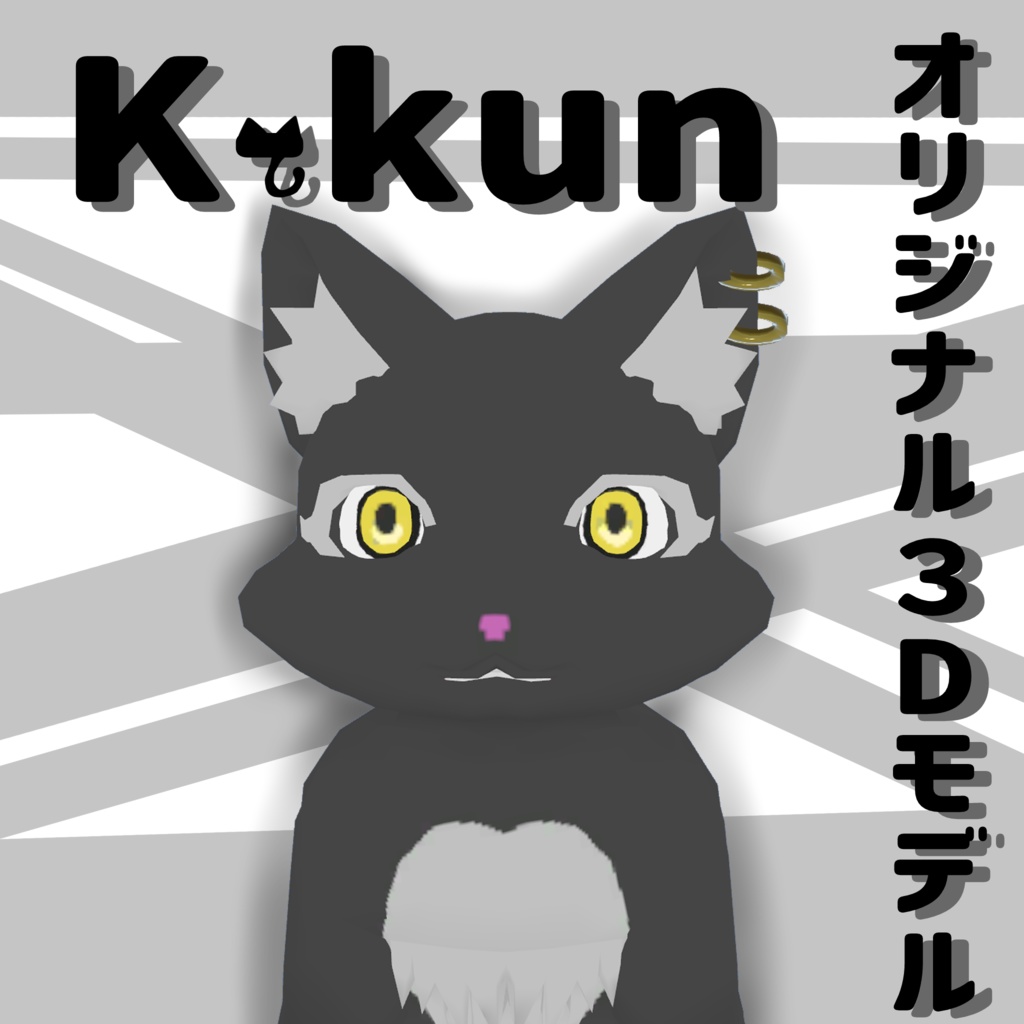
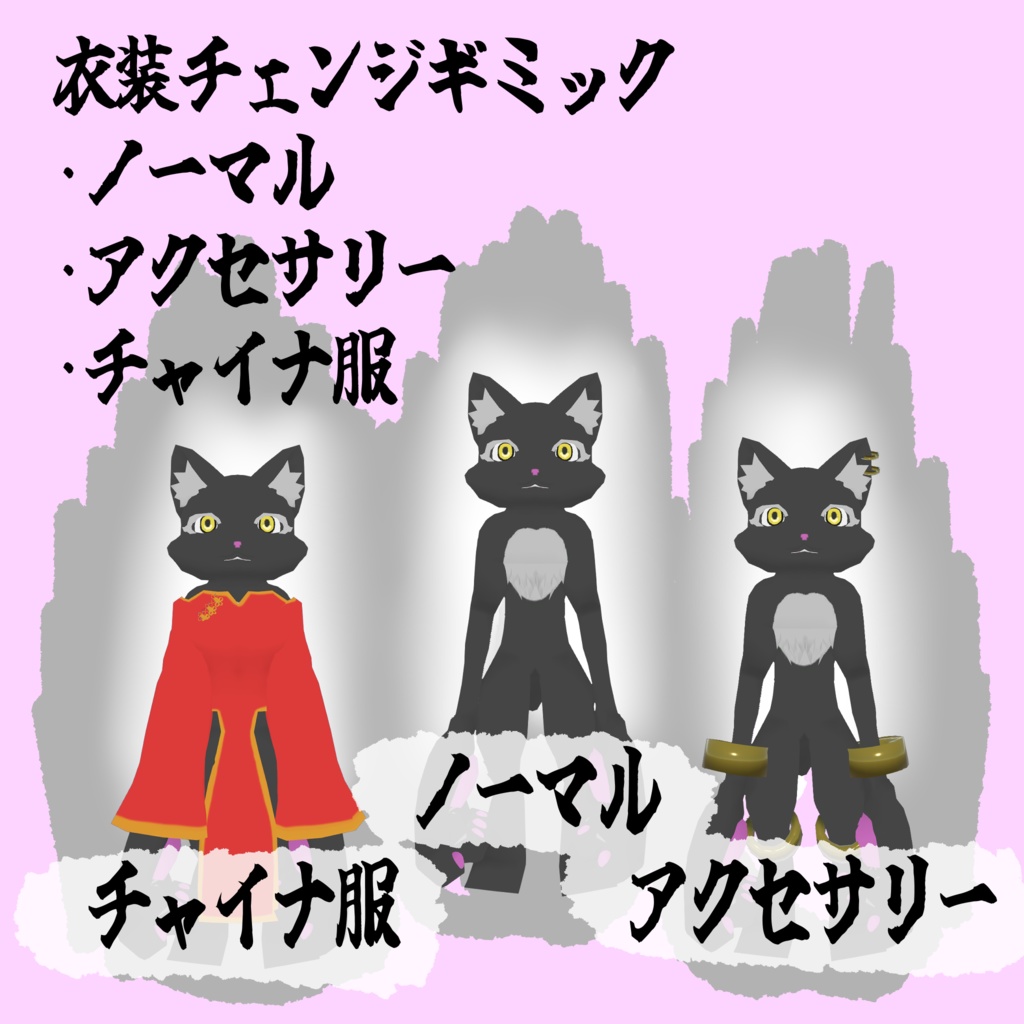
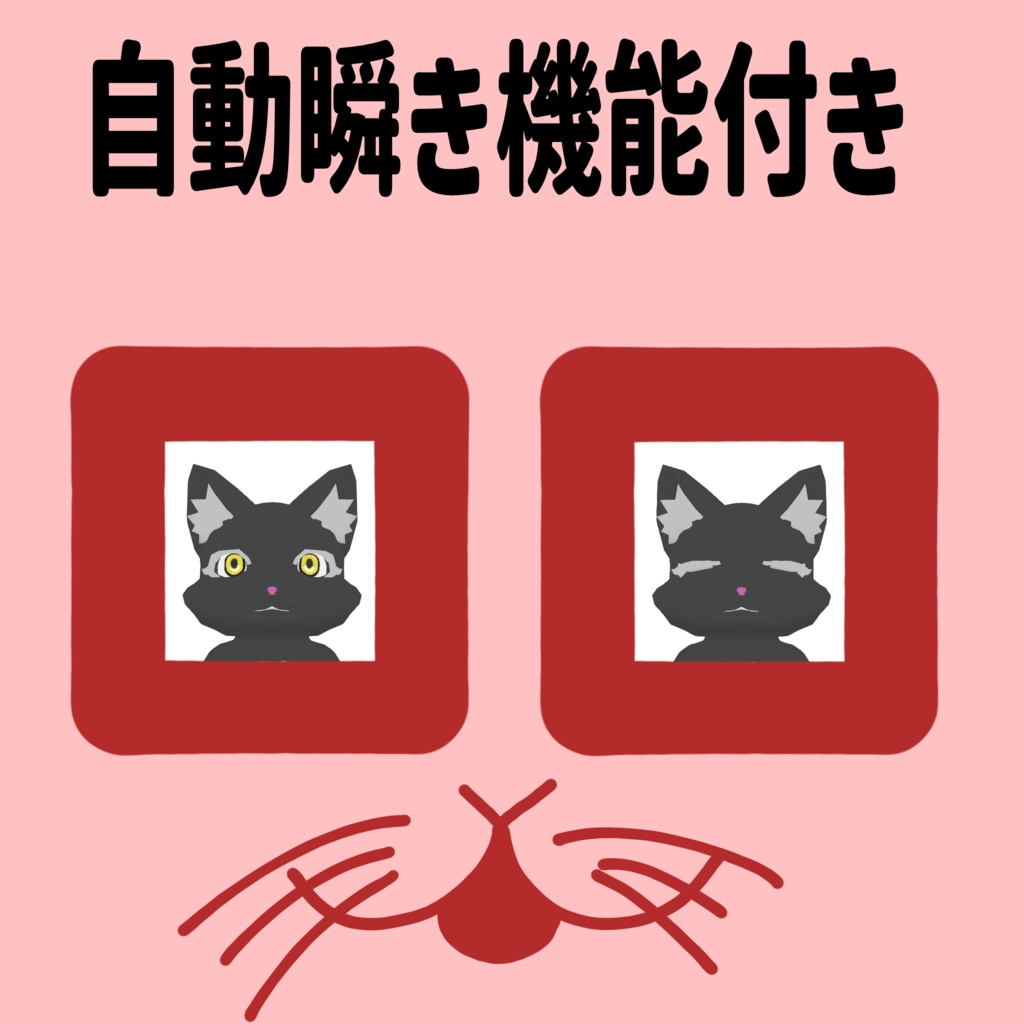
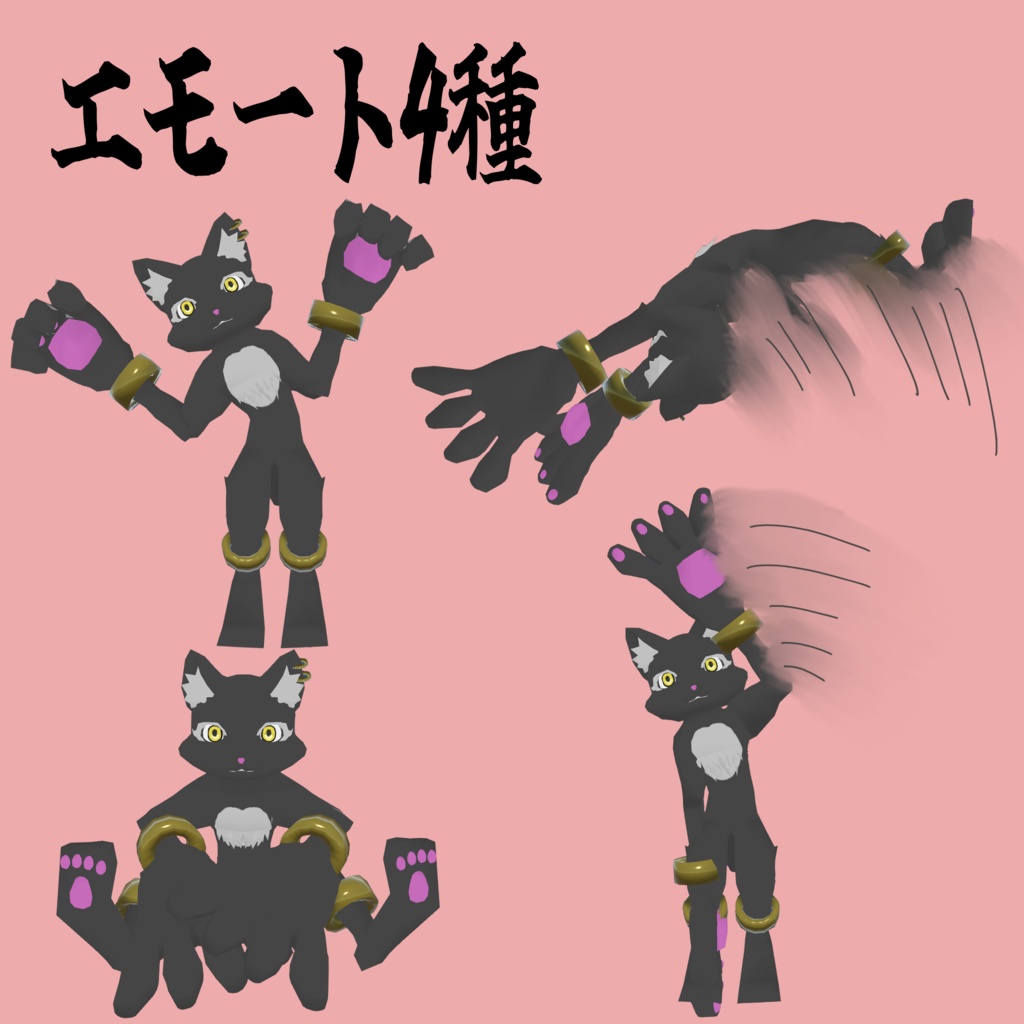


【日本語】 【商品説明】 VRChat専用アバターです。 可愛いおてての大きな獣人の子を作りたくて制作しました。 Demo版があるので見た目だけでも試してみたい方はおすすめです。 Expression Menuに二つのギミックを追加しています。 1.衣装チェンジギミック 見た目を三択から変更できます。 2.エモート 座る・手を振る・猫ちゃんポーズ・バク宙の四種類を追加しています。 ナチュラルに見えるように調節した瞬きアニメーションを追加しています。 耳や尻尾などPhysboneがついています。 獣人さん同士の交流や、その他写真撮影などでお楽しみください。 【内容】 ・K-kun_0002 mobile UnityPackage ・K-kun_0002 PC UnityPackage (Prefab/テクスチャ/マテリアルなどを含みます。) ・license(利用規約) ・read_me.txt(導入方法) ・credit.txt ・K-kun_sample.png 【仕様/Specifications】 ・フルトラッキング未確認 (作者がコントローラーを所持していないので、フルトラの優しい方がいらっしゃいましたら、ご連絡ください。) ・PC対応 ・Quest対応 ・IOS対応 ・表情差分無し 【導入方法】 1.Unityでプロジェクトを開く 2.UnityPackageをインポート 3.VRChat SDKでアップロード 【対応環境】 ・Unity2022.3 ・VRChat SDK3 【利用規約】 ・個人利用:OK ・改変:OK ・再配布:禁止 ・本データ単体での再販売:禁止 【注意】 ・不具合があればBOOTHメッセージにてご連絡ください。 【English】 [Product Description] This is an avatar designed exclusively for VRChat. I created this because I wanted to make a cute, large-handed beast boy. A demo version is available, so I recommend it if you’d like to try out the appearance first. I’ve added two features to the Expression Menu: 1. Costume Change Feature You can choose from three different looks. 2. Emotes I’ve added four types: sitting, waving, a cat pose, and a backflip. I’ve added a blinking animation that’s been adjusted to look natural. Physbones are attached to parts like the ears and tail. Please enjoy interacting with other beastfolk or using this for photo shoots. 【Contents】 ・K-kun_0002 mobile UnityPackage ・K-kun_0002 PC UnityPackage (Includes Prefabs, textures, materials, etc.) ・License (Terms of Use) ・read_me.txt (Installation Instructions) ・credit.txt ・K-kun_sample.png 【Specifications】 ・Full tracking not verified (The author does not own a controller, so if anyone with full tracking experience could test this, please contact me.) ・PC compatible ・Quest compatible ・iOS compatible ・No facial expression variations 【Installation Instructions】 1. Open the project in Unity 2. Import the UnityPackage 3. Upload via the VRChat SDK 【Supported Environments】 ・Unity 2022.3 ・VRChat SDK 3 【Terms of Use】 ・Personal use: OK ・Modification: OK ・Redistribution: Prohibited ・Resale of this data alone: Prohibited 【Note】 ・If you encounter any issues, please contact us via BOOTH messages. Translated with DeepL.com (free version)