

【無料】朧月 -Oborozuki Shader- 平面月なのに超綺麗にできるやつ #NiAkaDev
- 無料Digital0 JPY
- にあちゃんを応援(内容は同じです)Digital300 JPY
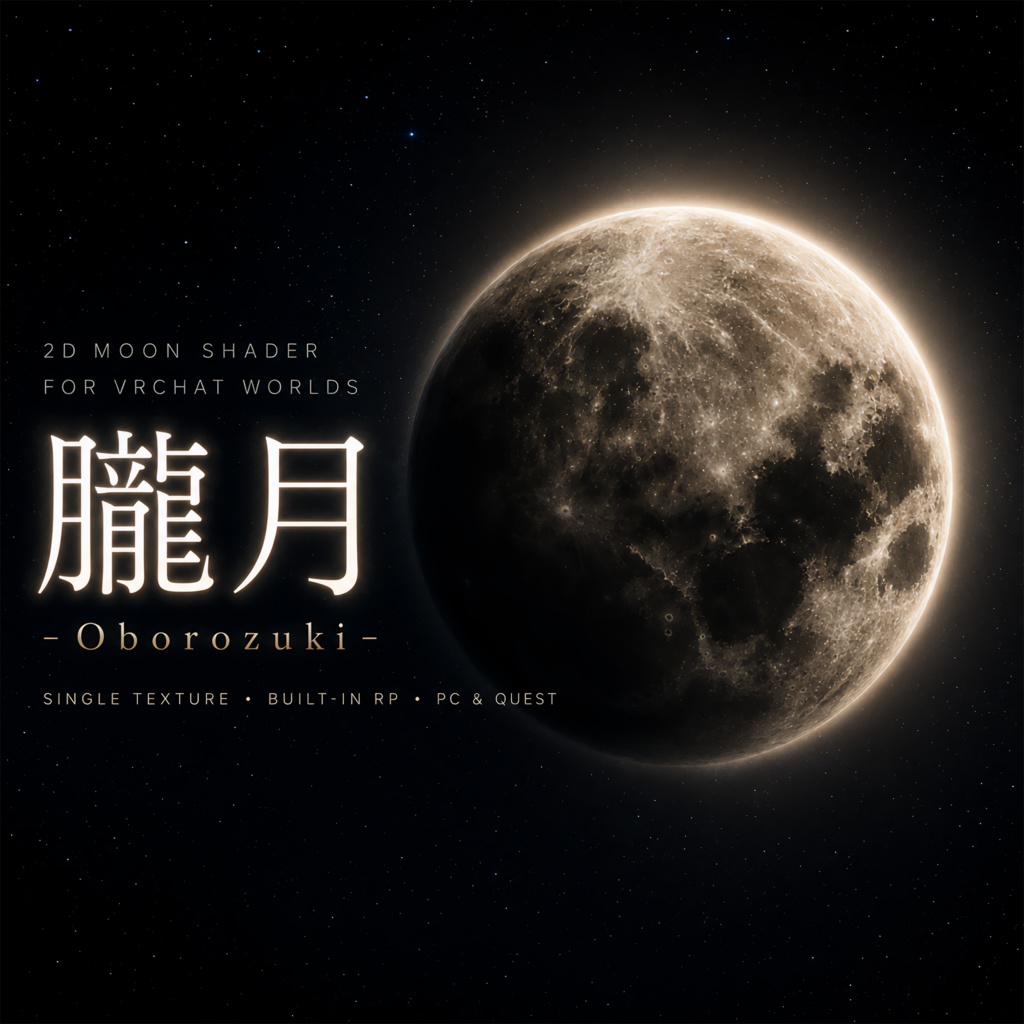
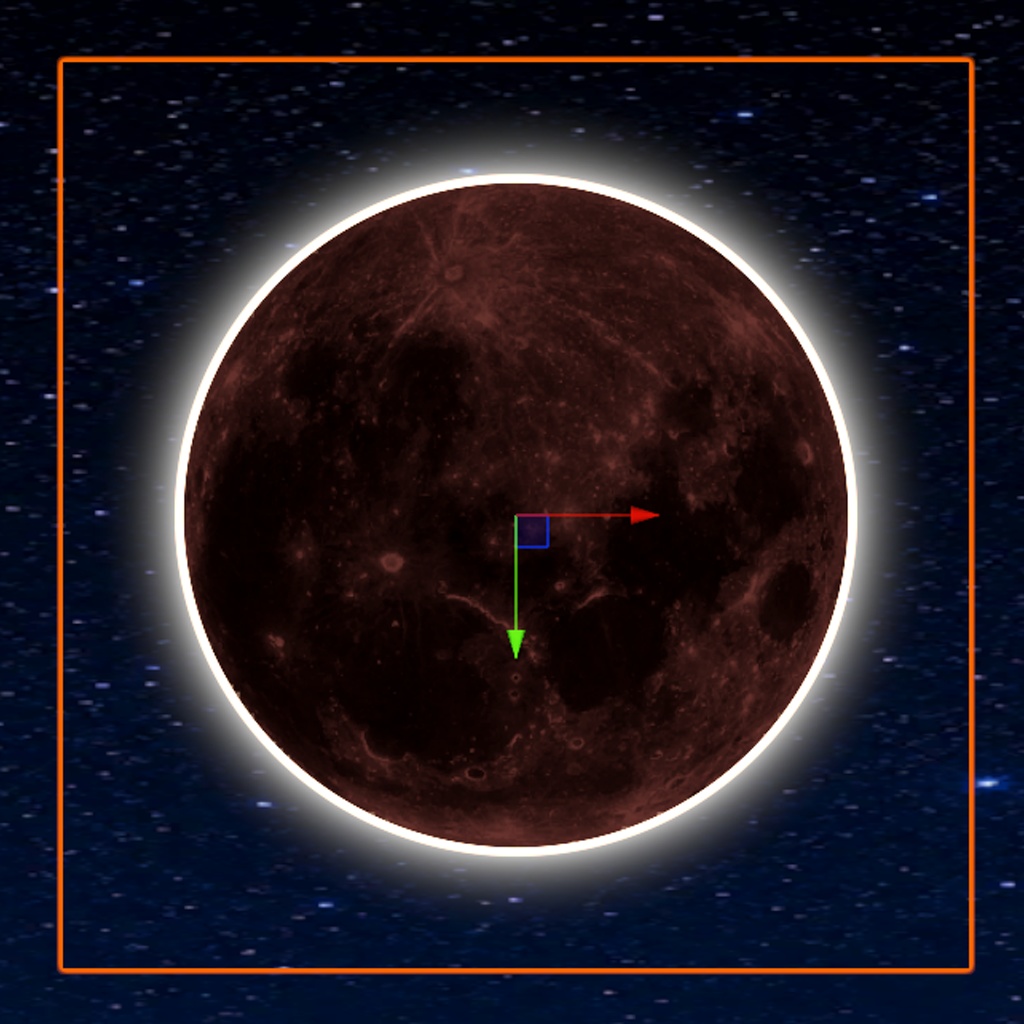
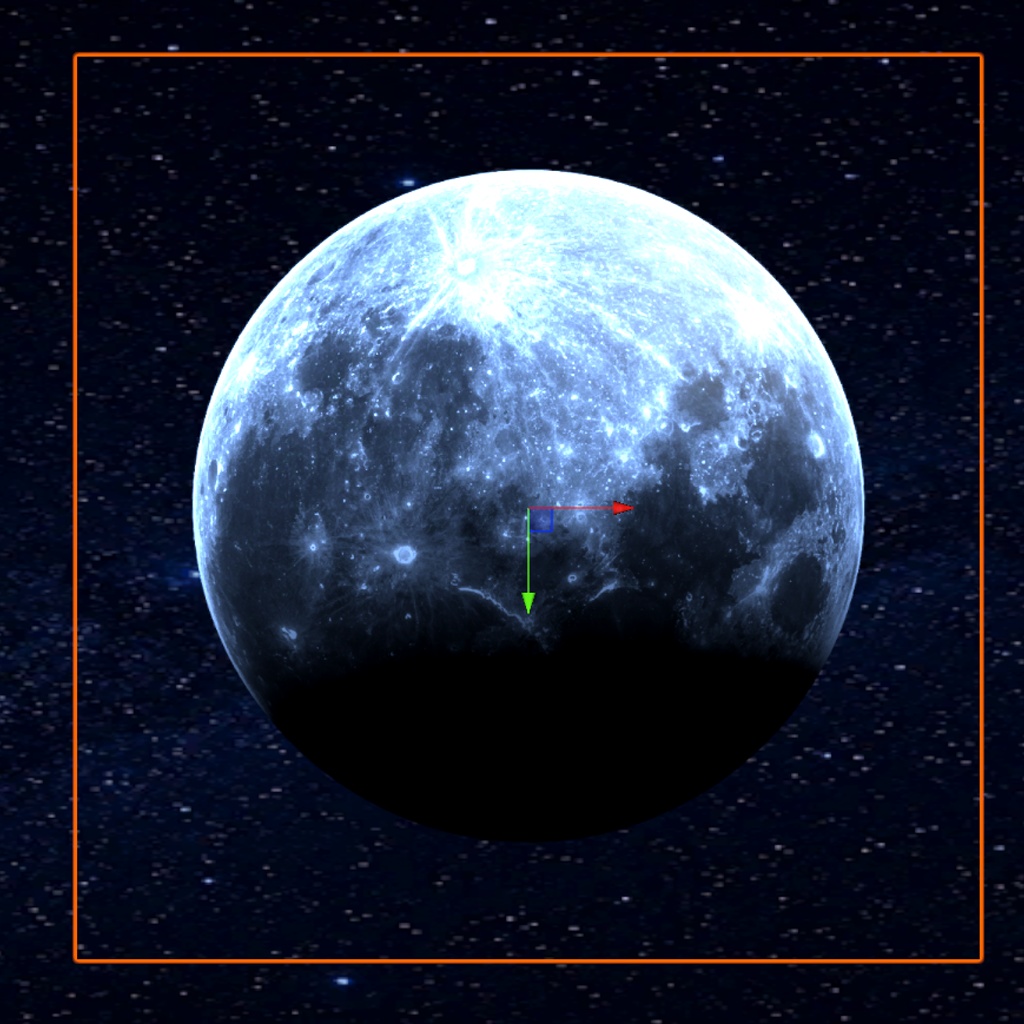
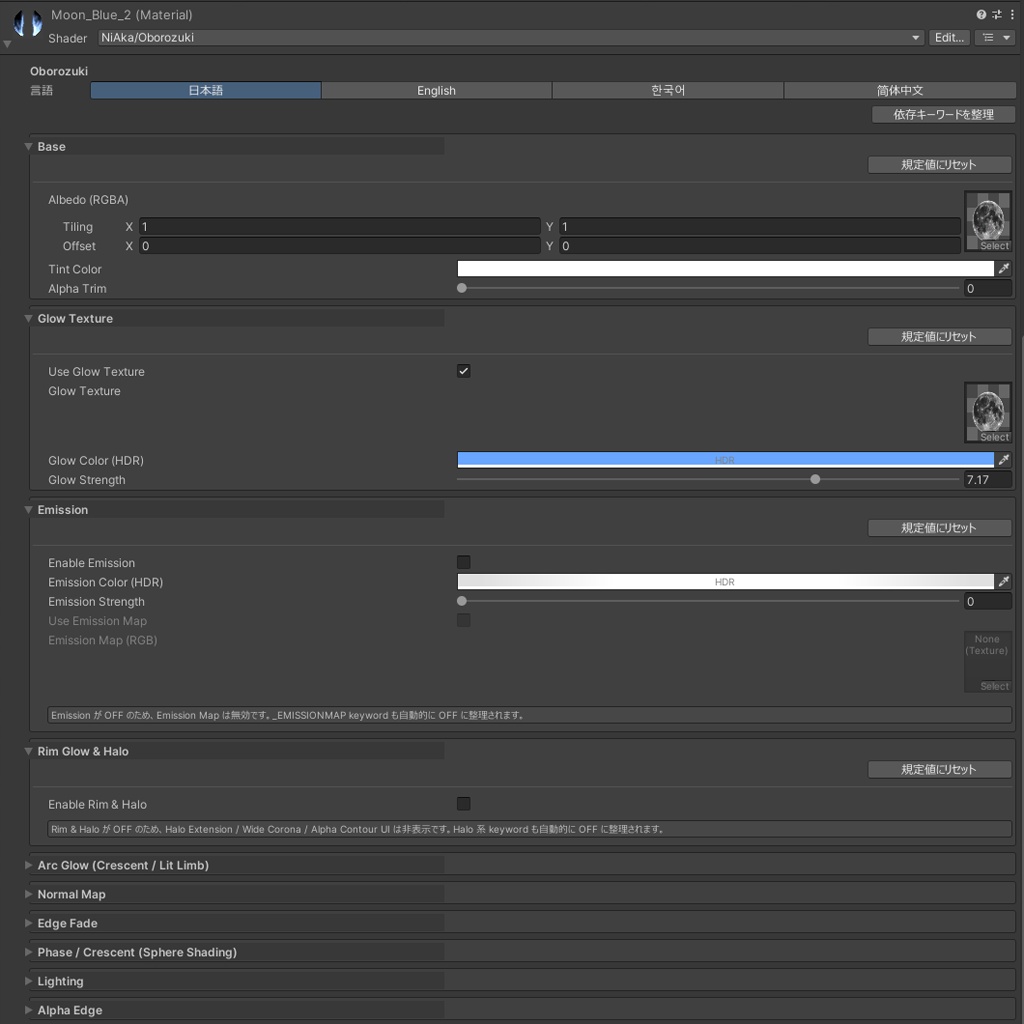


Oborozuki -朧月 2D Moon Shader- VRChatワールド向けに、やわらかく背景になじむ「月」を置くためのUnityシェーダーです。 Oborozuki(朧月)は、霞や光のにじみで輪郭がやわらかく見える月をイメージした、無料で使える2D月シェーダーです。 透過済みの月テクスチャをQuadに貼って使う前提で設計しており、Premultiplied Alphaで背景との境界をなめらかに描画します。 皆既日食のような細い光輪や、月の裏側から光がにじむようなHalo / Corona表現にも対応しています。 ・やわらかい月の輪郭表現 ・皆既日食風のHDR Halo / Corona ・月相・三日月風のPhase表現 ・シーンに置くだけで使えるPrefab付き ・Quest向けの軽量SubShaderを同梱 ・日本語 / English / 한국어 / 简体中文対応のカスタムInspector など、VRChatワールドの空や背景演出に使いやすい月シェーダーです。 同梱Prefabをシーンに置くだけで、サンプルの月を配置できます。 パラメーターは専用のInspectorで調整できます。各項目にツールチップがあり、セクションごとに「規定値にリセット」ボタンを用意しています。 強い光のにじみ表現には、VRChat Camera Bloom / Post Processingの使用をおすすめします。 Halo / Coronaの表示はBloomのIntensityやThresholdに影響されます。 同梱サンプルシーンにはPost Processing / Bloomの設定例を用意しているので、まずはサンプルシーンの見え方と設定を参考にしてください。 なお、同梱サンプルシーンの床・Skyboxテクスチャは軽量な512x512のプレビュー用素材です。 本番用の背景素材ではないため、シェーダーの見え方の確認用としてご利用ください。 導入は、VCC / ALCOMにVPMリポジトリ https://vpm.2aka.io/ を追加する方法と、同梱の.unitypackageをインポートする方法があります。 VPMリポジトリから導入しておくと、更新版が出たときにVCC / ALCOMの画面から更新できます。 不具合報告やご要望はBOOTHメッセージ、またはX(Twitter): @niaka3vrc までお気軽にどうぞ。 ハッシュタグ #NiAkaDev での活用報告もお待ちしています。 --- Oborozuki - 2D Moon Shader - A Unity shader for placing soft, atmospheric moons in VRChat worlds. Oborozuki is a free 2D moon shader inspired by a hazy moon whose edge is softened by mist or light bloom. It is designed for transparent RGBA moon textures on Quads, using premultiplied alpha to blend the moon edge smoothly into the background. It also supports eclipse-inspired Halo / Corona effects, making it possible to create a glowing rim or a “light leaking from behind the moon” look. - Soft moon edges with transparent textures - HDR Halo / Corona inspired by solar eclipse photography - Phase / crescent-style moon shading - Ready-to-use Quad prefabs included - Includes a lightweight Quest SubShader - Custom Inspector with Japanese / English / Korean / Simplified Chinese support You can simply drag the included prefab into your scene and start adjusting the look from the custom Inspector. For stronger glow effects, using VRChat Camera Bloom / Post Processing is recommended. To get the best look from the Halo / Corona, tuning Bloom settings such as Intensity and Threshold helps. The included sample scene contains an example Post Processing / Bloom setup, so please use its look and settings as a reference. The included sample scene uses lightweight 512x512 preview textures for the floor and skybox. They are intended for checking the shader appearance, not as production-quality environment textures. You can install it by adding the VPM repository https://vpm.2aka.io/ to VCC or ALCOM, or by importing the bundled .unitypackage. Installing from the VPM repository lets you update from VCC or ALCOM when a new version is released. For bug reports or feature requests, please contact me through BOOTH message or X(Twitter): @niaka3vrc.
■ 機能一覧 / Features
◆ Premultiplied Alpha透明 透過済みRGBA月テクスチャをQuadに貼ったとき、背景との境界をなめらかになじませます。 ◆ HDR Halo / Corona 細い光輪と広いCoronaの2層構造で、皆既日食のような光のにじみを表現します。 ◆ Billboard 月が常に見ている人の方を向くので、平面の月を斜めから見ても丸いままです。VRでは両目の中央、ミラーやカメラではそれぞれの視点を基準に向きます。 ◆ Oboro (朧月モード) 薄い霞の向こうに見える月にします。輪郭と模様のぼかし、霞と暈、流れる薄雲を調整できます。 ◆ Mesh Extrude 頂点シェーダーでQuadを拡張し、月画像の外側にもHaloを描画できる余白を作ります。 ◆ Phase / Crescent Shading 満月、半月、三日月、地球照風など、月相・三日月表現を調整できます。 ◆ Glow / Emission / Arc Glow 月本体の発光、追加Glow Texture、角度ベースの三日月状Arc表現に対応しています。 ◆ Normal Map / Edge Fade クレーター風の凹凸表現や、円形のやわらかいフェードを設定できます。 ◆ Lighting Integration PC向けにVRC Light VolumesとBakery SH / RNM / MonoSH / LMSpecに対応しています。 ※任意機能です。必要なパッケージが未導入の場合はOFFのまま使用してください。 ◆ Quest LITE Quest向けには重いライティング機能を抑えた軽量SubShaderを用意しています。 ◆ ビルド時の最適化 使わないライティング用のキーワードを含めません。VRChatのワールドビルドでは、マテリアルから効果のないキーワードを除きます。見た目は変わらず、ビルドの時間と容量が減ります。 ◆ カスタムInspector 13個の折りたたみセクション、ツールチップ、セクションごとのリセットボタンを備えています。boundsや余白が足りないときは警告します。 ◆ 多言語Inspector 日本語 / English / 한국어 / 简体中文の表示切り替えに対応しています。 ◆ Bloom設定つきサンプルシーン Halo / Coronaを綺麗に見せるためのPost Processing / Bloom設定例を含むサンプルシーンを同梱しています。 --- ◆ Premultiplied Alpha Transparency Smoothly blends transparent RGBA moon textures on Quads into the background. ◆ HDR Halo / Corona A two-layer halo system, with a thin bright ring and a wider corona, for eclipse-inspired glow effects. ◆ Billboard The moon always faces the viewer, so a flat moon stays round even from an angle. In VR it faces the center between the eyes, and mirrors and cameras use their own viewpoint. ◆ Oboro (Hazy Moon Mode) Shows the moon as if seen through thin haze, with controls for outline and marking blur, veil, aureole, and drifting clouds. ◆ Mesh Extrude Expands the Quad in the vertex shader to create extra space for halo outside the moon image area. ◆ Phase / Crescent Shading Supports full moon, half moon, crescent, and earthshine-like looks. ◆ Glow / Emission / Arc Glow Includes moon emission, additive glow texture, and angle-based crescent arc glow controls. ◆ Normal Map / Edge Fade Supports crater-like relief with normal maps and soft circular edge fading. ◆ Lighting Integration Supports VRC Light Volumes and Bakery SH / RNM / MonoSH / LMSpec on PC. These are optional features; keep them disabled if the required packages are not installed. ◆ Quest LITE Includes a lightweight Quest SubShader with heavier lighting features stripped. ◆ Build Optimization Unused lighting keywords are left out, and a VRChat world build removes keywords that have no effect from the materials. The look does not change, while build time and size go down. ◆ Custom Inspector Provides 13 collapsible sections, tooltips, and per-section reset buttons, and warns when the bounds or margin are too small. ◆ Multilingual Inspector Supports Japanese / English / Korean / Simplified Chinese UI switching. ◆ Sample Scene with Bloom Reference Includes a sample scene with example Post Processing / Bloom settings for the Halo / Corona effects.
■ 使い方 / How to Use
VCC / ALCOMをお使いの場合は、VPMリポジトリからの導入をおすすめします。 https://vpm.2aka.io/ BOOTHダウンロード版には.unitypackageと、VPMリポジトリ追加用ショートカットを同梱しています。 ショートカット、または上記URLからVCC / ALCOMにリポジトリを追加し、Oborozukiをプロジェクトへ追加してください。 .unitypackageを直接インポートすることもできますが、依存関係や更新管理のため、通常はVPMリポジトリ経由をおすすめします。 更新版が出たときはVCC / ALCOMに表示されるので、その画面から更新できます。 ※ どちらか一方だけを導入し、同じプロジェクトへ重複して追加しないでください。 1.0.0の.unitypackageから入れ替える場合は、先にAssets/NiAka/Contents/Oborozukiフォルダを削除してから導入してください。 マテリアルとPrefabは同じGUIDのまま移設しているので、シーンに置いた月の参照は残ります。 1. VCC / ALCOMにリポジトリを追加し、Oborozukiをプロジェクトへ追加します。 2. ProjectウィンドウのPackages > Oborozuki(実体はPackages/com.niaka.oborozuki)にRuntime / Editorが読み込まれます。 3. Runtime/Prefabsフォルダ内のMoon_Gold_1、Moon_Blue_1、Moon_SolarEclipseなどのPrefabをシーンにドラッグします。 4. マテリアルのInspectorで、Halo / Phase / Glow / Lightingなどの項目を調整します。 斜めから見る月にはGeometryセクションのBillboard、霞の向こうの月にはOboroセクションを使います。 5. 強い光のにじみを確認したい場合は、Game ViewでCamera Bloom / Post Processingを有効にしてください。 Halo / Coronaの表示はBloomのIntensityやThresholdの設定に影響されます。 同梱サンプルシーンに設定例を用意しているので、まずはサンプルシーンのCamera / Post Processing設定を参考にしてください。 Scene ViewではPost Processingが無効になっていることがあり、HDR Bloomの見え方を正しく確認できません。 【任意】 PC向けにVRC Light Volumesを使う場合は、red.sim.lightvolumesパッケージを導入してから該当項目をONにしてください。 未導入の場合はOFFのまま使用してください。 [Steps] Recommended: if you use VCC or ALCOM, install from the VPM repository. https://vpm.2aka.io/ The BOOTH download includes the .unitypackage and a shortcut that adds the VPM repository. Add the repository from the shortcut or the URL above, then add Oborozuki to your project. You can import the .unitypackage directly, but the VPM repository is usually the better choice for dependency and update management. New versions show up in VCC or ALCOM, so you can update from that window. * Install one of the two, and do not add both to the same project. When replacing the 1.0.0 .unitypackage, delete the Assets/NiAka/Contents/Oborozuki folder first. The materials and prefabs keep their original GUIDs, so moons already placed in a scene keep their references. 1. Add the repository in VCC or ALCOM, then add Oborozuki to your project. 2. Runtime and Editor appear under Packages > Oborozuki in the Project window (the actual path is Packages/com.niaka.oborozuki). 3. Drag one of the included prefabs in Runtime/Prefabs, such as Moon_Gold_1, Moon_Blue_1, or Moon_SolarEclipse, into your scene. 4. Adjust Halo / Phase / Glow / Lighting settings from the material Inspector. Use Billboard in the Geometry section for a moon seen from an angle, and the Oboro section for a hazy moon. 5. To preview strong glow effects, enable Camera Bloom / Post Processing and check in Game View. Halo / Corona glow depends on Bloom settings such as Intensity and Threshold. The included sample scene provides an example setup, so please refer to its Camera / Post Processing settings first. Scene View may not show HDR Bloom correctly because Post Processing is often disabled there. [Optional] If you want to use VRC Light Volumes on PC, install the red.sim.lightvolumes package before enabling the option. Keep it disabled when the package is not installed.
■ 動作確認環境 / Tested Environment
・Unity 2022.3.22f1 ・Unity Built-in Render Pipeline ・VRChat Worlds向け想定 ・PC (Windows / macOS) ・Quest (Android) 向けの軽量SubShaderを同梱 Quest向けに使う場合は、ご自身のワールドで表示を確認してください。 サンプルシーンをそのまま開く場合は、VRChat Worlds SDK、Unity UI(UGUI)、Input System、Post Processingが入ったVCC Worldプロジェクトでの利用をおすすめします。 Halo / Coronaの表示にはPost ProcessingのBloom設定が影響します。サンプルシーンのCamera / Post Processing設定を参考に調整してください。 VRC Light Volumes / Bakery連携は任意機能です。必要なパッケージやベイク環境がない場合はOFFのままご利用ください。 --- - Unity 2022.3.22f1 - Unity Built-in Render Pipeline - Intended for VRChat Worlds - PC (Windows / macOS) - A lightweight SubShader for Quest (Android) is included If you target Quest, check how it looks in your own world. To open the included sample scene as-is, using a VCC World project with VRChat Worlds SDK, Unity UI (UGUI), Input System, and Post Processing is recommended. Halo / Corona effects depend on Post Processing Bloom settings. Please use the sample scene's Camera / Post Processing settings as a reference. VRC Light Volumes / Bakery integrations are optional. Keep them disabled if the required packages or bake setup are not available.
■ 利用規約 / Terms of Service
Oborozukiはzlibライセンスに2つの追加制限を加えた条件で公開しています。 詳しくは同梱のLICENSE.txtをご確認ください。 ・VRChatワールド、VRChatアバター、Unityプロジェクト、ゲーム等で使用できます。 ・個人利用・商用利用どちらも可能です。 ・改変して使用できます。 ・クレジット表記は推奨ですが必須ではありません。 ・本シェーダーを単体のシェーダーパッケージ、アセットパック、ライブラリとして再配布することは禁止です。 VRChatワールド・アバター・完成したUnityプロジェクト・ゲームビルド等、より大きな最終成果物に組み込んだ形でのみ再配布できます。 ・NFT、ブロックチェーン資産、暗号通貨、その他Web3関連製品での使用は禁止です。 ・本シェーダーの使用によるトラブル・損害について、作者は責任を負いかねます。 ・Unity、VRChat SDK、各種外部パッケージのアップデートにより仕様変更が生じた場合は、可能な範囲でサポートします。ただし、完全な動作保証はいたしかねます。 --- Oborozuki is provided under the zlib license with two additional restrictions. Please see the included LICENSE.txt for the full license text. - You may use it in VRChat worlds, VRChat avatars, Unity projects, games, and similar works. - Personal and commercial use are allowed. - Modification is allowed. - Credit is appreciated but not required. - Standalone redistribution is prohibited. You may not redistribute this shader as a separately downloadable shader package, asset pack, or library. Redistribution is permitted only when it is incorporated into a larger end-product, such as a VRChat world, avatar, finished Unity project, or game build. - Use in connection with NFTs, blockchain assets, cryptocurrency, or related Web3 products is prohibited. - The author is not responsible for any trouble or damage caused by the use of this shader. - While support may be provided where possible for changes caused by Unity, VRChat SDK, or external package updates, full operation is not guaranteed.
■ 更新履歴 / Change Log
■ 1.2.1(2026/10/10) ・README.txtの対応環境の記載を整理しました。 ■ 1.2.0(2026/10/09) ・Billboardを追加 (月が常に見ている人の方を向き、斜めから見ても丸く見えます) ・霞の向こうに見える月を表すOboroモードを追加 (輪郭と模様のぼかし、霞と暈、流れる薄雲) ・ビルド時の最適化を追加 (使わないライティング用のキーワードを外しました。VRChatのワールドビルドでは、マテリアルから効果のないキーワードを除きます) ・Halo Mesh Extrudeが効かなかった不具合を修正 ・InspectorにGeometryとOboroのセクションを追加し、Halo Mesh ExtrudeをGeometryへ移動 ・付属のPrefabを、boundsを広げたOborozukiQuadとX・Y・Zのそろったスケールに変更 (見た目は変わりません) ・マテリアルのプレビューを平面に変更 ・VRChat Worlds SDKの依存を「3.10.4以上」に変更 ■ 1.1.0(2026/08/28) ・配布形態をVPMパッケージへ変更 (VCC / ALCOMのリポジトリから導入できます) ・BOOTHダウンロード版にVPMリポジトリ追加用ショートカットを同梱 ・1.0.0の.unitypackageから入れ替える場合は、Assets/NiAka/Contents/Oborozukiを削除してから導入してください (マテリアルとPrefabは同じGUIDなので、シーンの参照は残ります) ・説明書をREADME.txt、利用条件をLICENSE.txtに統合 (Inspectorの4言語表示は変更ありません) ■ 1.0.0(2026/05/06) ・初回リリース ・Unity Built-in Render Pipeline向けの2D月シェーダー ・PC / Quest向けSubShaderを同梱 ・Premultiplied Alphaによるやわらかい透明表現 ・HDR Halo / Coronaによる皆既日食風の光輪表現 ・Phase / Crescent Shadingによる月相・三日月表現 ・Glow Texture、Emission、Arc Glow、Normal Map、Edge Fade ・PC向けのVRC Light Volumes / Bakery連携 (任意) ・11セクション構成のカスタムInspectorと、日本語 / English / 한국어 / 简体中文の表示切り替え ・Moon_Gold、Moon_Blue、Moon_SolarEclipseなどのサンプルPrefab / Material ・サンプルシーンと軽量プレビュー用の床 / Skyboxテクスチャ ・zlibライセンス + 追加制限(単体再配布禁止、NFT / Web3用途禁止)で無料配布 --- Change Log ■ 1.2.1 (2026/10/10) ・Tidied up the supported-environment notes in README.txt. ■ 1.2.0 (2026/10/09) ・Added Billboard (the moon always faces the viewer and stays round from any angle) ・Added Oboro mode for a moon seen through haze (outline and marking blur, veil, aureole, and drifting clouds) ・Added build optimization (unused lighting keywords are left out, and a VRChat world build removes keywords that have no effect from the materials) ・Fixed Halo Mesh Extrude having no effect ・Added the Geometry and Oboro sections to the Inspector and moved Halo Mesh Extrude to Geometry ・The included prefabs now use OborozukiQuad, which has wider bounds, and a scale with equal X, Y and Z (they look the same as before) ・The material preview is now a plane ・The VRChat Worlds SDK dependency is now "3.10.4 or later" ■ 1.1.0 (2026/08/28) ・Switched distribution to a VPM package (install from the repository in VCC or ALCOM) ・The BOOTH download now includes a shortcut that adds the VPM repository ・When replacing the 1.0.0 .unitypackage, delete Assets/NiAka/Contents/Oborozuki before installing (materials and prefabs keep the same GUIDs, so scene references remain) ・Merged the guide into README.txt and the terms into LICENSE.txt (Inspector language switching is unchanged) ■ 1.0.0 (2026/05/06) ・Initial release ・2D moon shader for the Unity Built-in Render Pipeline ・PC / Quest SubShader setup ・Soft transparent rendering with premultiplied alpha ・HDR Halo / Corona for eclipse-inspired glow ・Phase / Crescent Shading for moon phases and crescents ・Glow Texture, Emission, Arc Glow, Normal Map, and Edge Fade controls ・Optional VRC Light Volumes / Bakery integration for PC ・Custom Inspector with 11 sections and Japanese / English / Korean / Simplified Chinese display ・Sample prefabs and materials such as Moon_Gold, Moon_Blue, and Moon_SolarEclipse ・Sample scene with lightweight preview floor / skybox textures ・Free release under the zlib license with additional restrictions: no standalone redistribution and no NFT / Web3 use