
カサネ(Kasane)|描きながら参考画像を片手で動かせる 重ね表示ツール
- Digital900 JPY
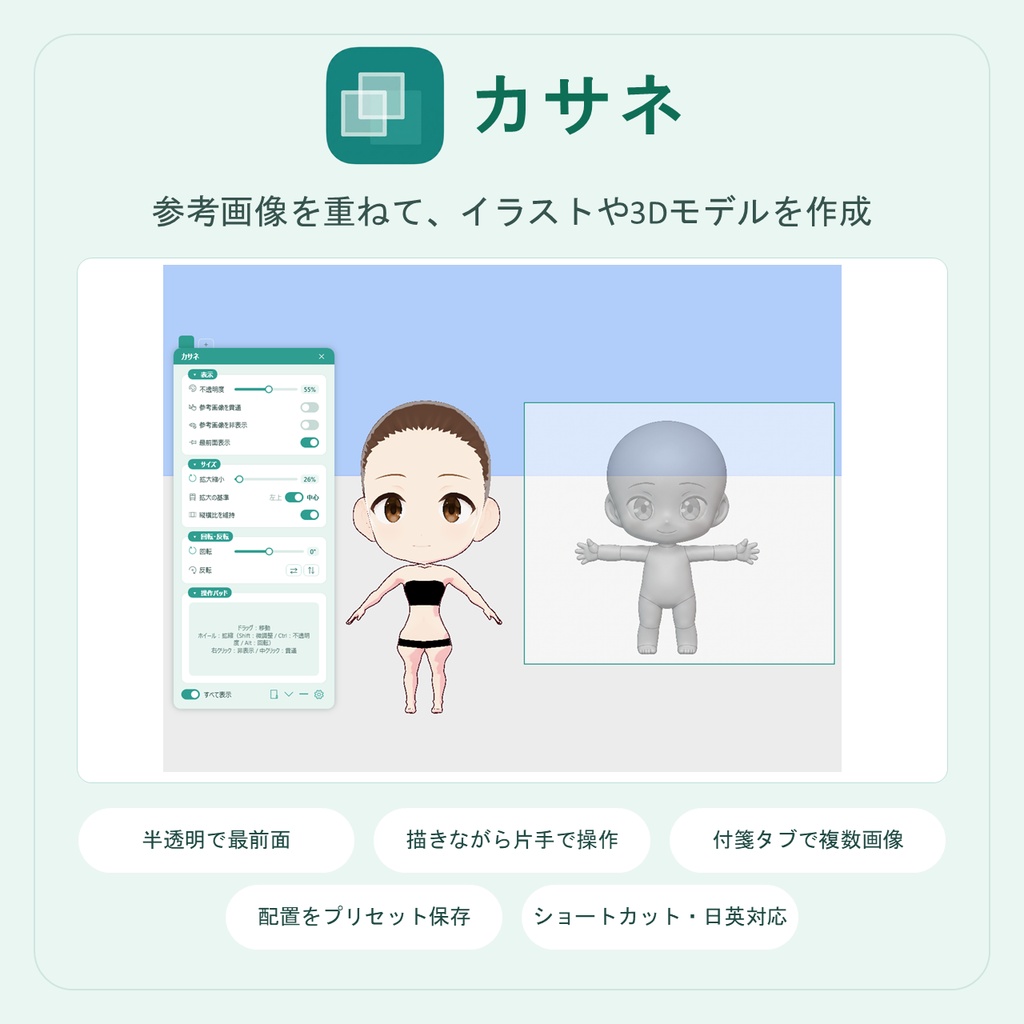
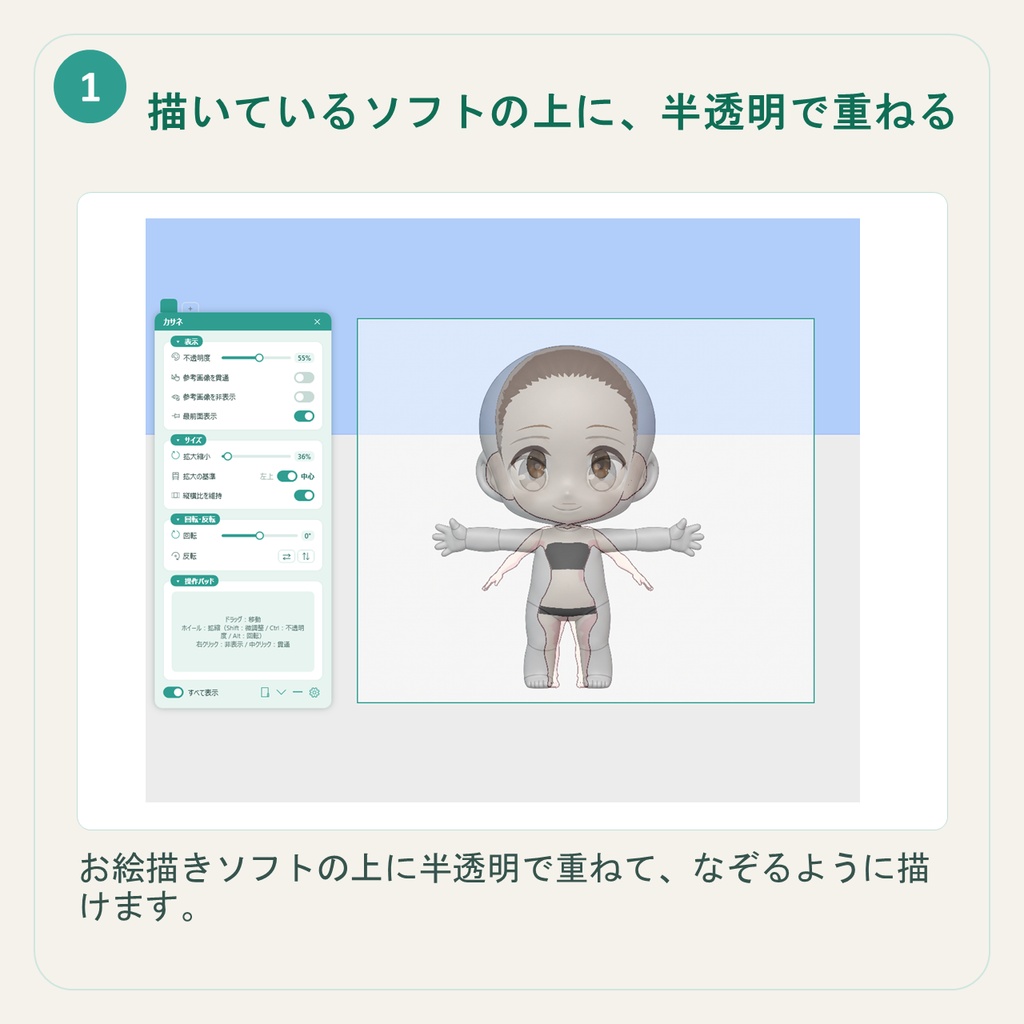
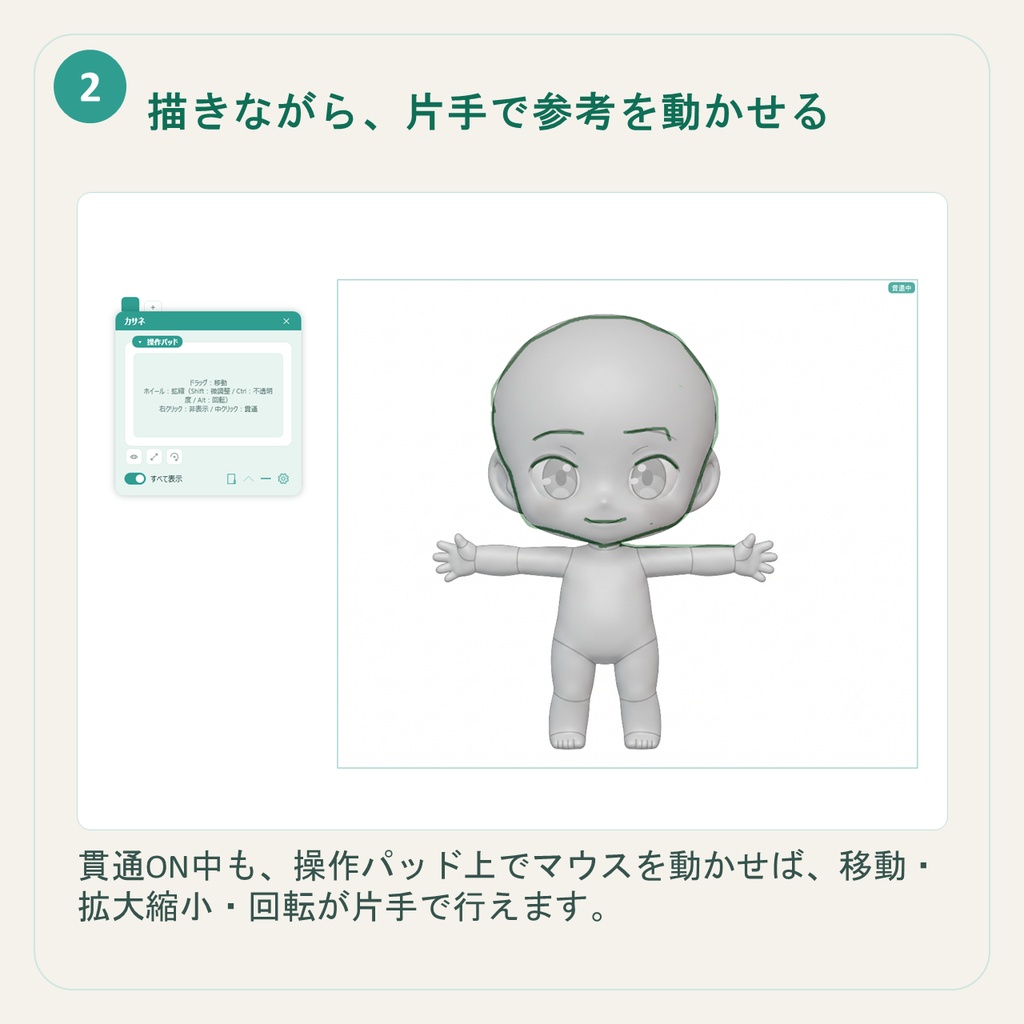
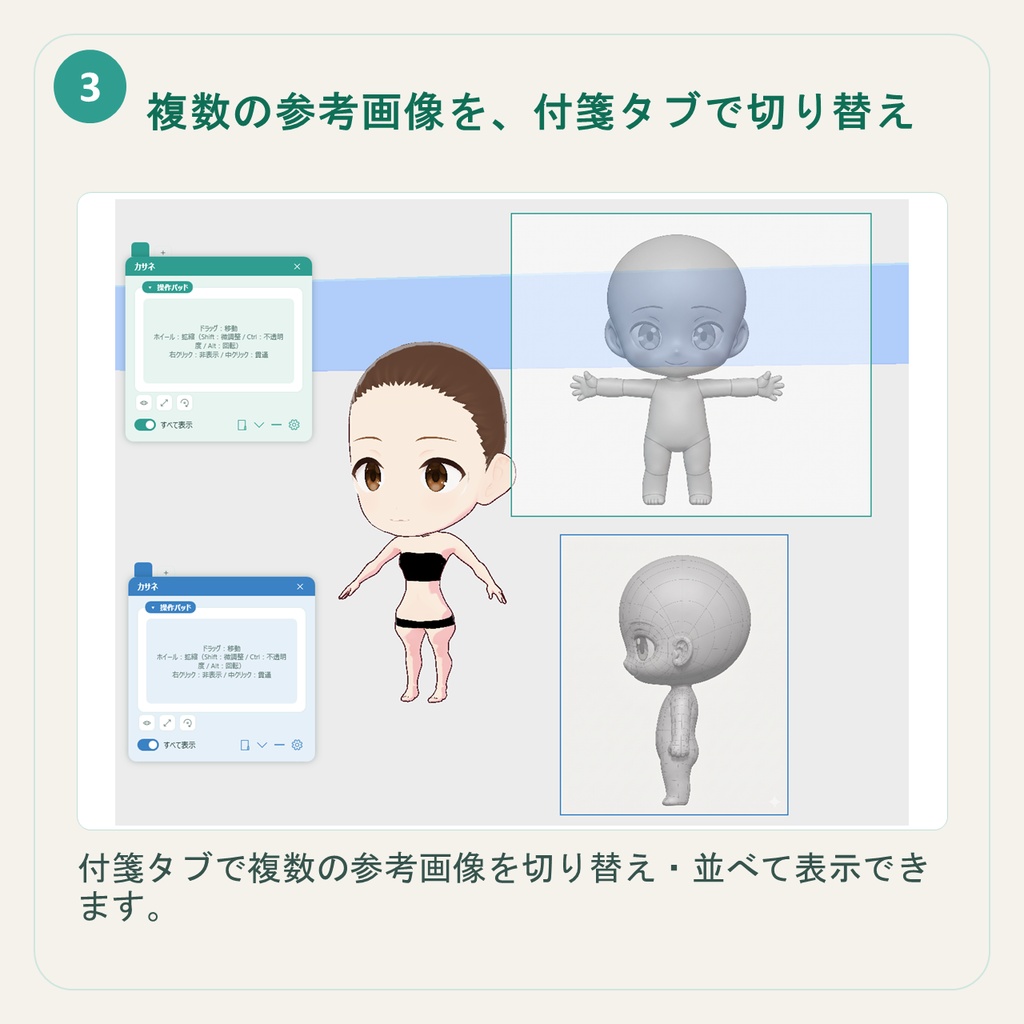
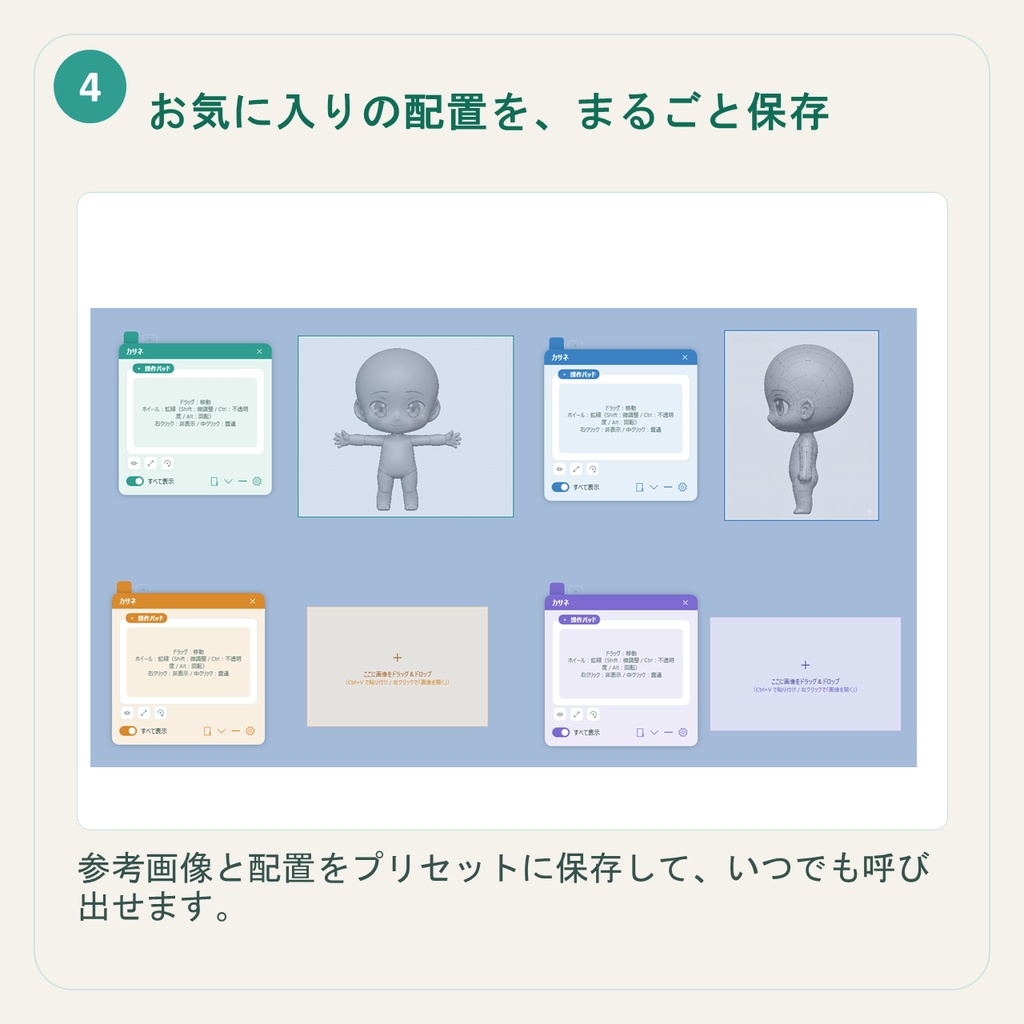
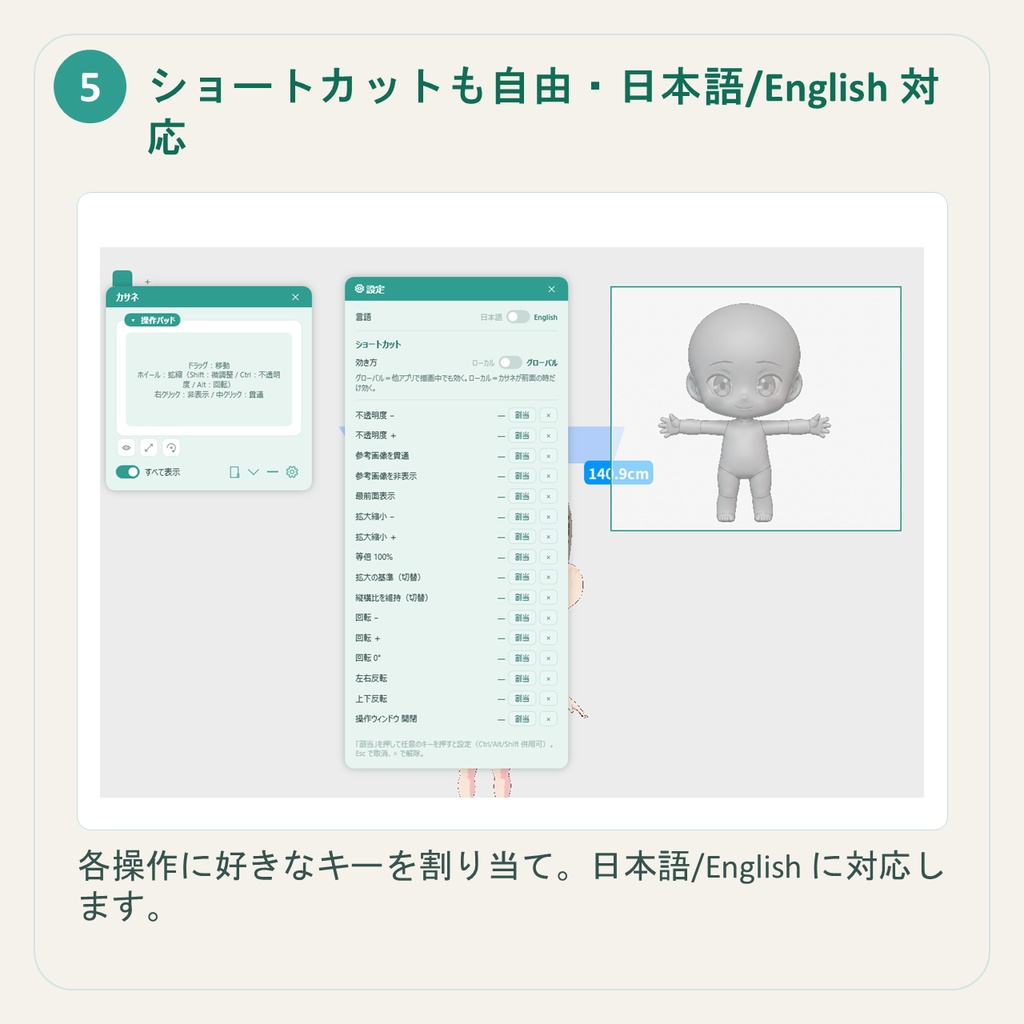


発売記念今だけ900円!!(7月以降1400円) ◆商品概要 参考画像を見ながら絵を描きたい。 でも、画像ビューアを開いたり、ウィンドウを行ったり来たりするのが地味に面倒……。 カサネ(Kasane)は、その「行ったり来たり」をなくすツールです。 参考画像をデスクトップに半透明・最前面で重ねて表示。お絵描きソフトや3D制作ソフトの“上”にふわっと乗せて、見ながらそのまま描けます。 ★ いちばんの特長:描く手を止めずに、片手で参考を動かせる 「参考画像を貫通」をONにすれば、画像を重ねたまま下のソフトを操作できます。 さらに操作パッドを使えば、ブラシを握ったまま── ・ドラッグで移動 ・ホイールで拡大縮小(Altで回転 / Shiftで微調整 / Ctrlで不透明度) まで、描きながらできます。 「参考レイヤーに切り替えて→動かして→また戻って…」の往復から解放されます。 ■ 主な機能 ・半透明&最前面で参考画像を重ね表示 ・クリックを貫通して、下のソフトをそのまま操作 ・不透明度・サイズ・回転・反転を自由に調整 ・複数の参考画像を並べて表示(タブで切替/別窓に切り離しも) ・よく使う配置はプリセット保存(キャラごとの資料セットをワンクリック呼び出し) ・ショートカット割り当て・日本語/英語対応 ☆「こんな機能がほしい」「こういう制作で使いたい」というご要望は、Xでフォロー&メッセージをいただければ対応を検討します! ◆こんな人におすすめ ・参考画像を見ながらイラストを描きたい人 ・資料を画面に重ねたまま作業したい人 ・キャラクターや衣装のバランスを確認しながら制作したい人 ・3Dモデル制作のリファレンス画像を常に表示しておきたい人 ・Blender、CLIP STUDIO PAINT、Photoshopなどで資料を見ながら作業したい人 ・画像ビューアと制作ソフトを何度も切り替えるのが面倒な人 ◆内容 カサネ(Kasane)本体 取扱説明書 ◆使用方法 かんたんに参考画像を重ねて表示できます! ZIPを展開 Kasane.exe を起動 参考画像をドラッグ&ドロップ、または Ctrl+V で貼り付け 不透明度、サイズ、回転などを調整 「参考画像を貫通」をONにして制作ソフトを操作 ◆対応形式 PNG / JPEG / BMP / WebP ※静止画のみ対応です。アニメGIFには対応していません。 ◆初回起動時の注意 初回起動時に「Windows によって PC が保護されました」と表示されることがあります。 これは署名なしアプリのため表示されるものです。 [詳細情報]→[実行]で起動してください。 ◆利用規約 著作権は放棄しておりません。 【許可事項】 ・本アプリを使用したイラスト制作 ・本アプリを使用した3Dモデル制作 ・本アプリを使用した画像、動画、配信、ゲーム、VRChat等の制作作業 ・個人利用 ・商用利用 ・R-18コンテンツ制作での利用 ・クレジット表記:任意 【禁止事項】 ・本アプリ本体の再配布、販売、譲渡、共有 ・本アプリを利用できる状態で第三者に配布する行為 ・本アプリを改変、解析、リバースエンジニアリングする行為 ・同梱データをそのまま取り出せる形式での再配布 ・法令に反する利用 ・第三者の権利を侵害する利用 ◆サポート 不具合のご報告・ご質問はBOOTHメッセージよりご連絡ください。 ご連絡の際は、使用しているWindowsのバージョン、発生した状況、表示されたエラーメッセージを添えていただけると助かります。 ◆バージョン履歴 2026年6月21日 v1.0.0 初版 Launch Sale: Only 700 JPY now!! Price will change to 1,200 JPY from July. ◆ Product Overview Have you ever wanted to draw while looking at reference images, but found it annoying to keep opening an image viewer or switching between windows? Kasane is a tool designed to remove that back-and-forth. It displays your reference images as semi-transparent, always-on-top overlays on your desktop. You can place them gently over your drawing software or 3D creation software and keep working while looking at the reference. ★ Main Feature: Move your reference with one hand without stopping your workflow When “Click-through Reference Image” is turned ON, you can keep the reference image on top while operating the software underneath. With the control pad, you can adjust the reference while holding your pen or brush: ・Drag to move ・Mouse wheel to scale ・Alt + wheel to rotate ・Shift + wheel for fine adjustment ・Ctrl + wheel to adjust opacity This frees you from the repeated workflow of switching to a reference layer, moving it, and switching back again. ■ Main Features ・Display reference images as semi-transparent, always-on-top overlays ・Click through the reference image and operate the software underneath ・Adjust opacity, size, rotation, and flipping freely ・Display multiple reference images side by side ・Switch images using tabs, or detach them into separate windows ・Save frequently used layouts as presets and load reference sets with one click ・Shortcut key settings ・Japanese / English language support ☆ If you have feature requests or want to use this tool for a specific creative workflow, please follow me on X and send me a message. I will consider future updates! ◆ Recommended For ・People who want to draw illustrations while looking at reference images ・People who want to work with reference materials overlaid on the screen ・People who want to check the balance of characters, costumes, or designs while creating ・People who want to keep reference images visible while creating 3D models ・People who work with Blender, CLIP STUDIO PAINT, Photoshop, or other creative software ・People who find it annoying to switch repeatedly between an image viewer and their creative software ◆ Contents Kasane main application User Manual ◆ How to Use You can easily overlay reference images on your screen! Extract the ZIP file Launch Kasane.exe Drag and drop a reference image, or paste one with Ctrl + V Adjust opacity, size, rotation, and other settings Turn ON “Click-through Reference Image” and operate your creative software underneath ◆ Supported File Formats PNG / JPEG / BMP / WebP *Still images only. Animated GIFs are not supported. ◆ Note for First Launch When launching the app for the first time, Windows may show a message saying “Windows protected your PC.” This appears because the app is unsigned. Please click “More info” → “Run anyway” to launch the app. ◆ Terms of Use The copyright of this application is not waived. 【Allowed】 ・Using this application for illustration creation ・Using this application for 3D model creation ・Using this application for creating images, videos, livestreams, games, VRChat content, and other creative works ・Personal use ・Commercial use ・Use for creating R-18 / adult content ・Credit notation: Optional 【Prohibited】 ・Redistributing, selling, transferring, or sharing the application itself ・Distributing this application in a state where third parties can use it ・Modifying, analyzing, or reverse engineering this application ・Redistributing included data in a form where it can be extracted as-is ・Use that violates laws or regulations ・Use that infringes on the rights of third parties ◆ Support For bug reports or questions, please contact me via BOOTH message. When contacting support, please include your Windows version, the situation in which the issue occurred, and any error messages that were displayed. ◆ Version History June 21, 2026 v1.0.0 Initial release
