

V-Expression Studio VRMの表情を豊かに(アニメーション付)
- Digital1,480 JPY
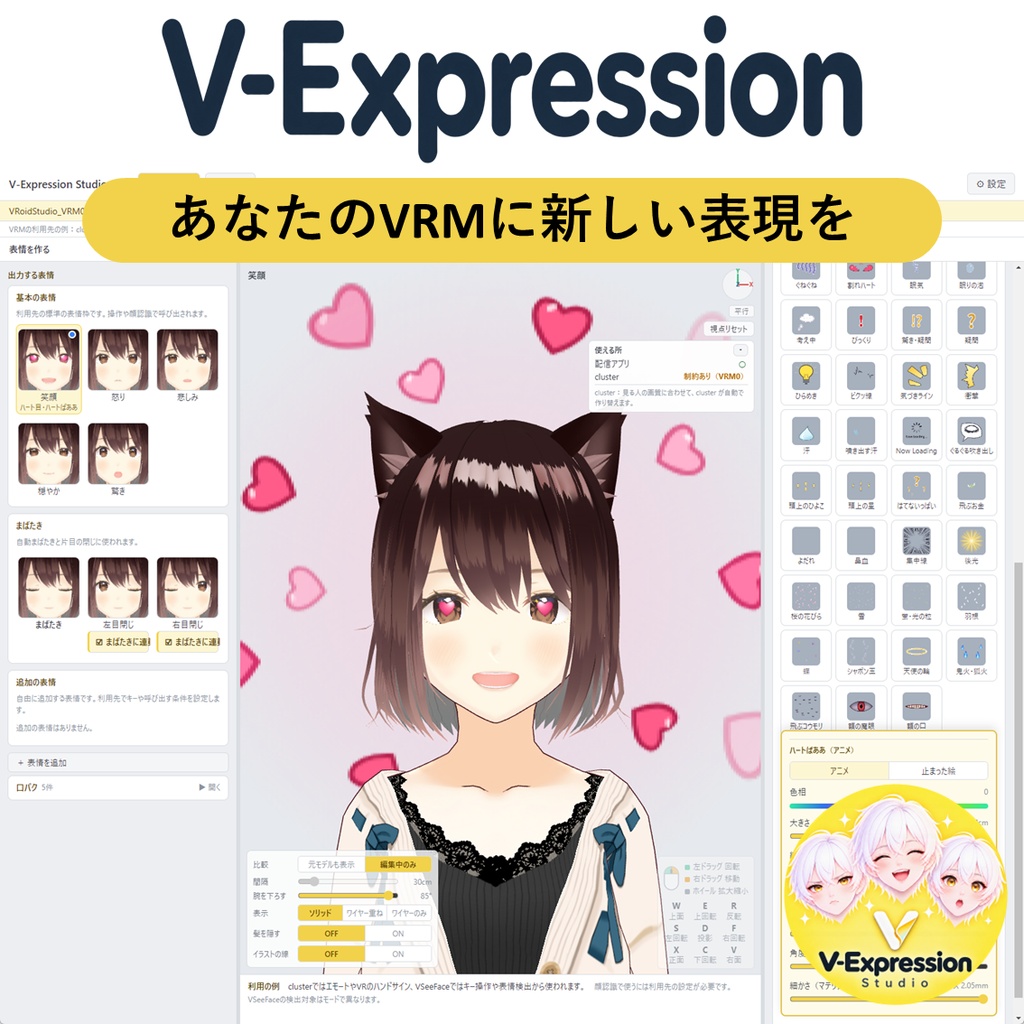
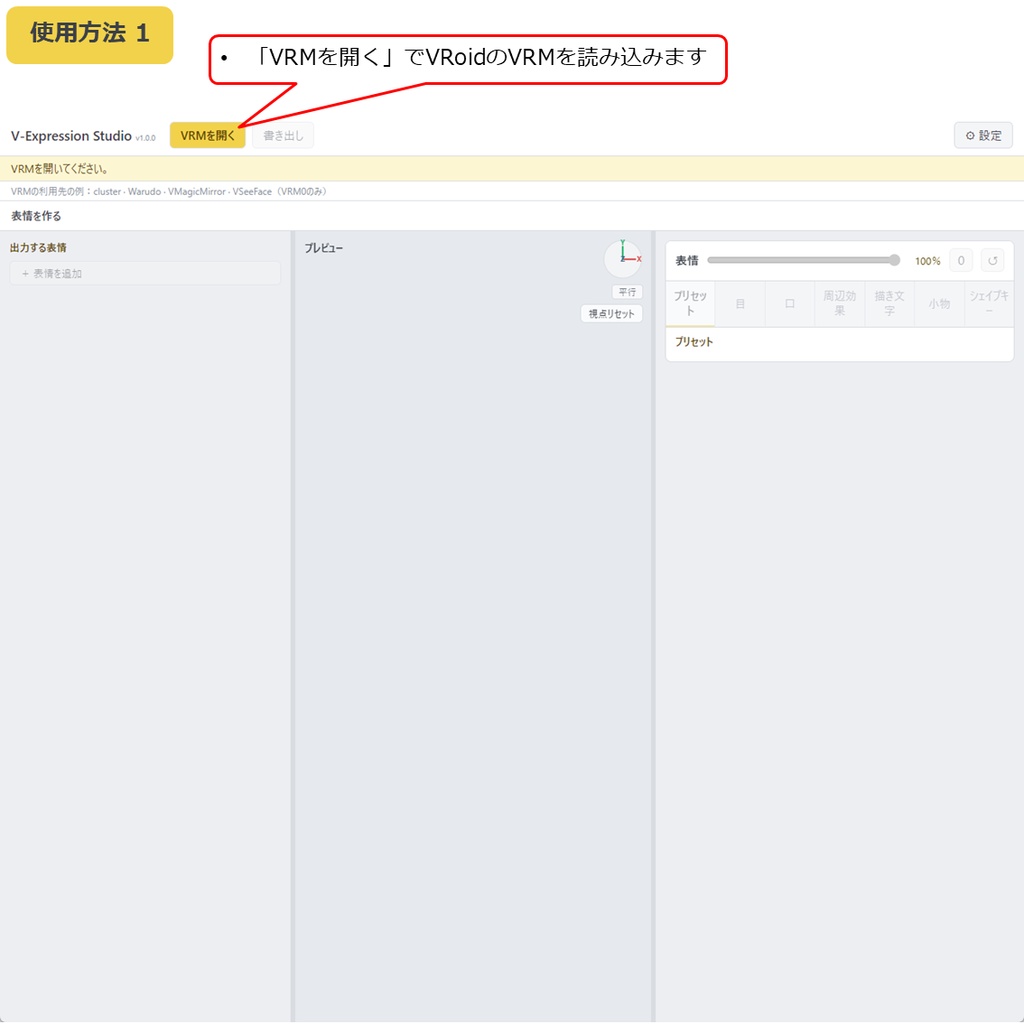
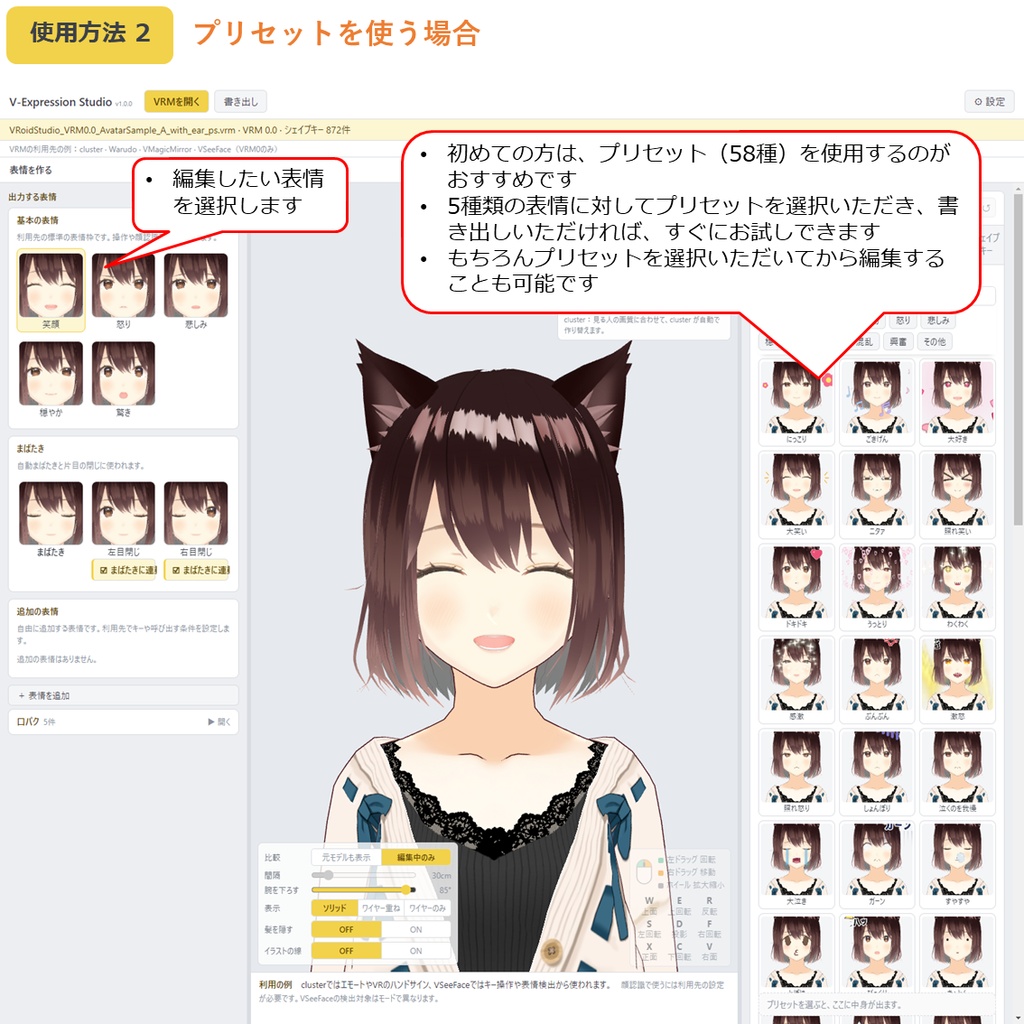
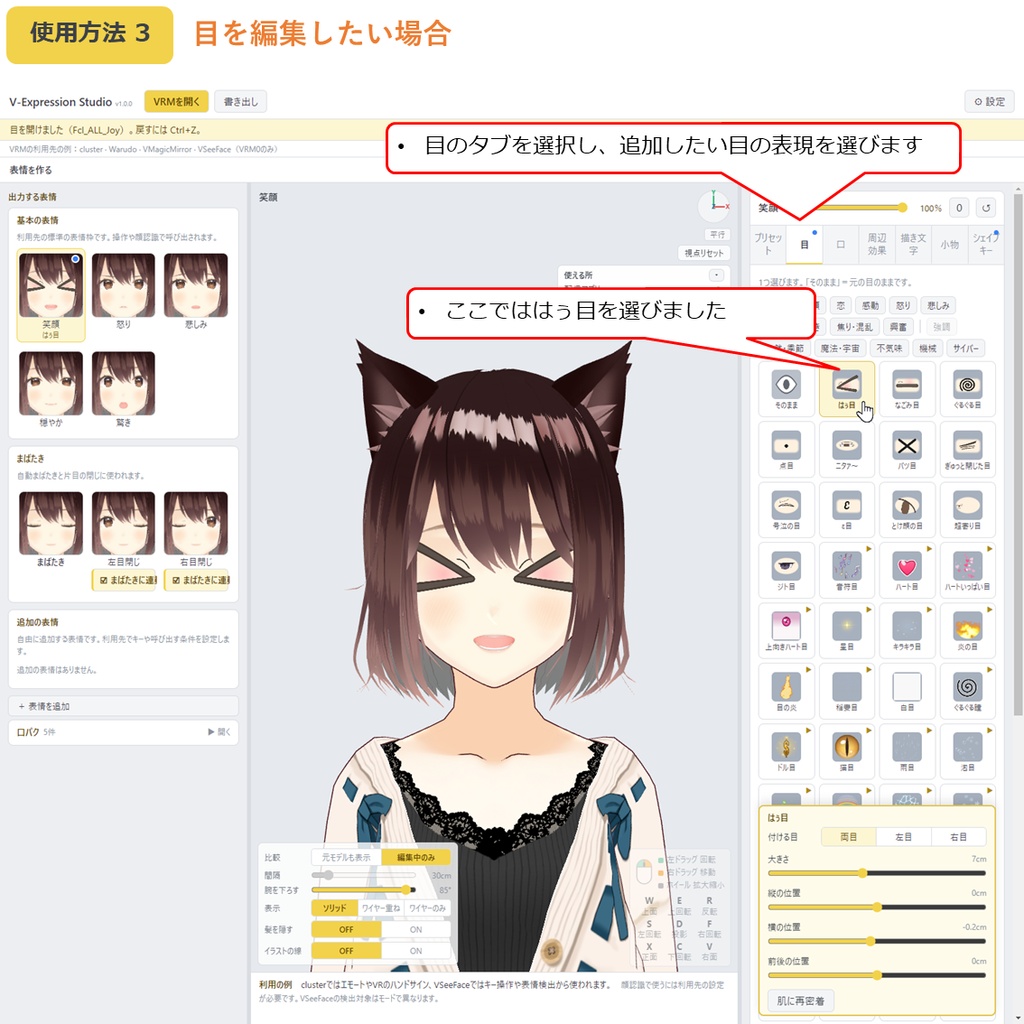
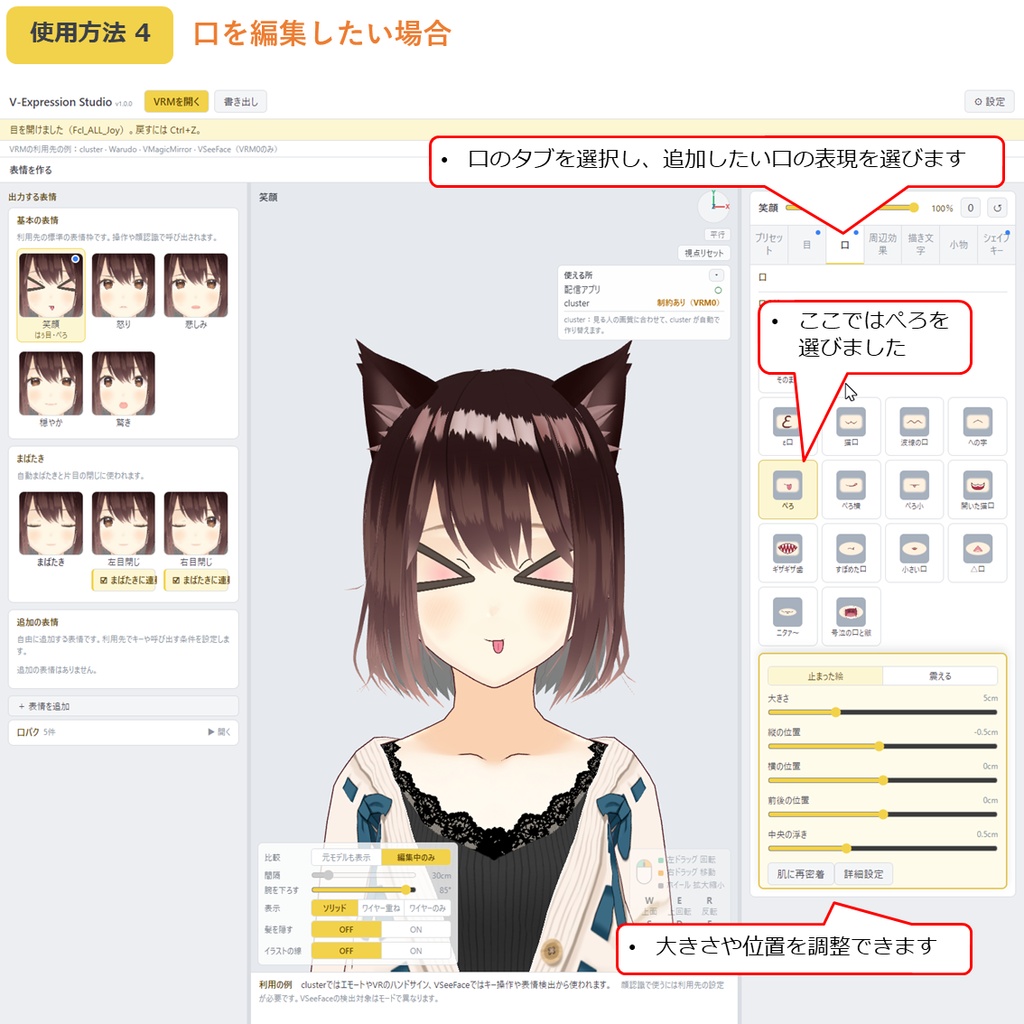
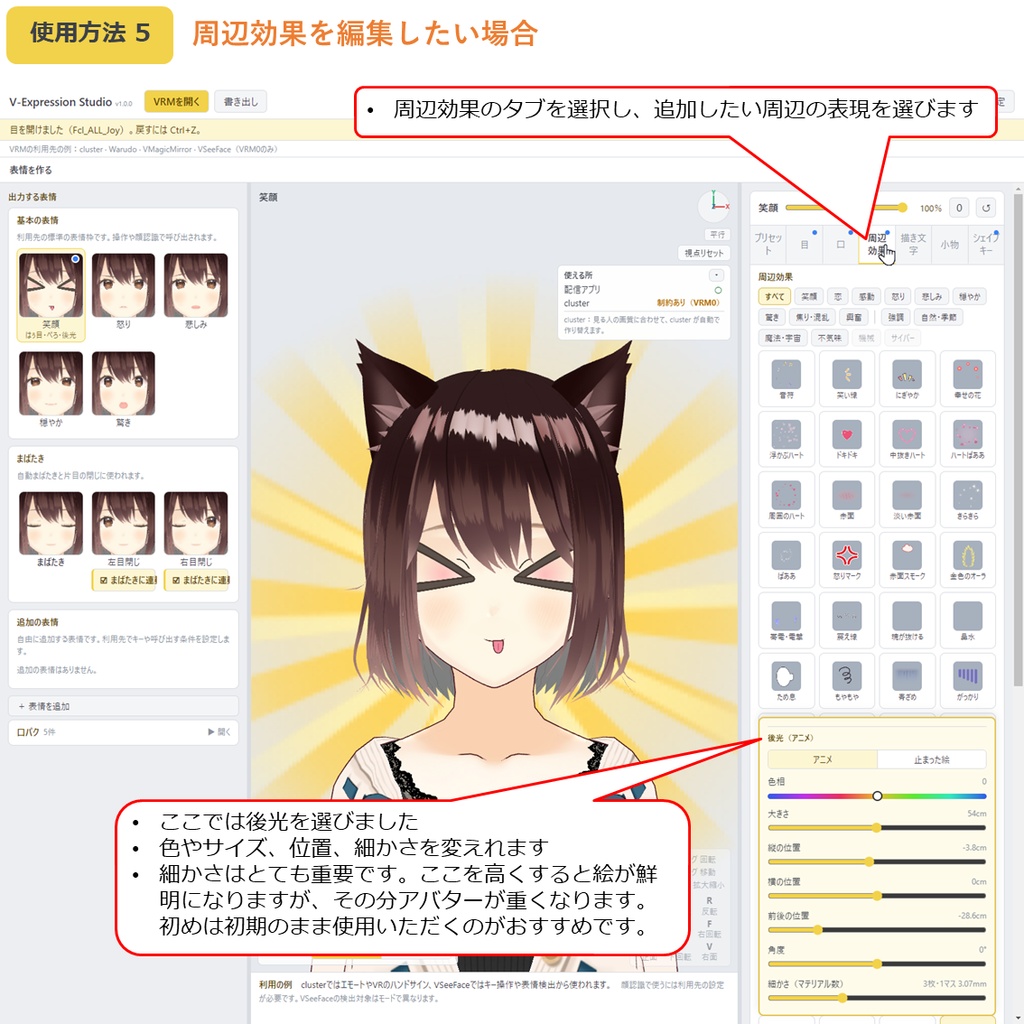
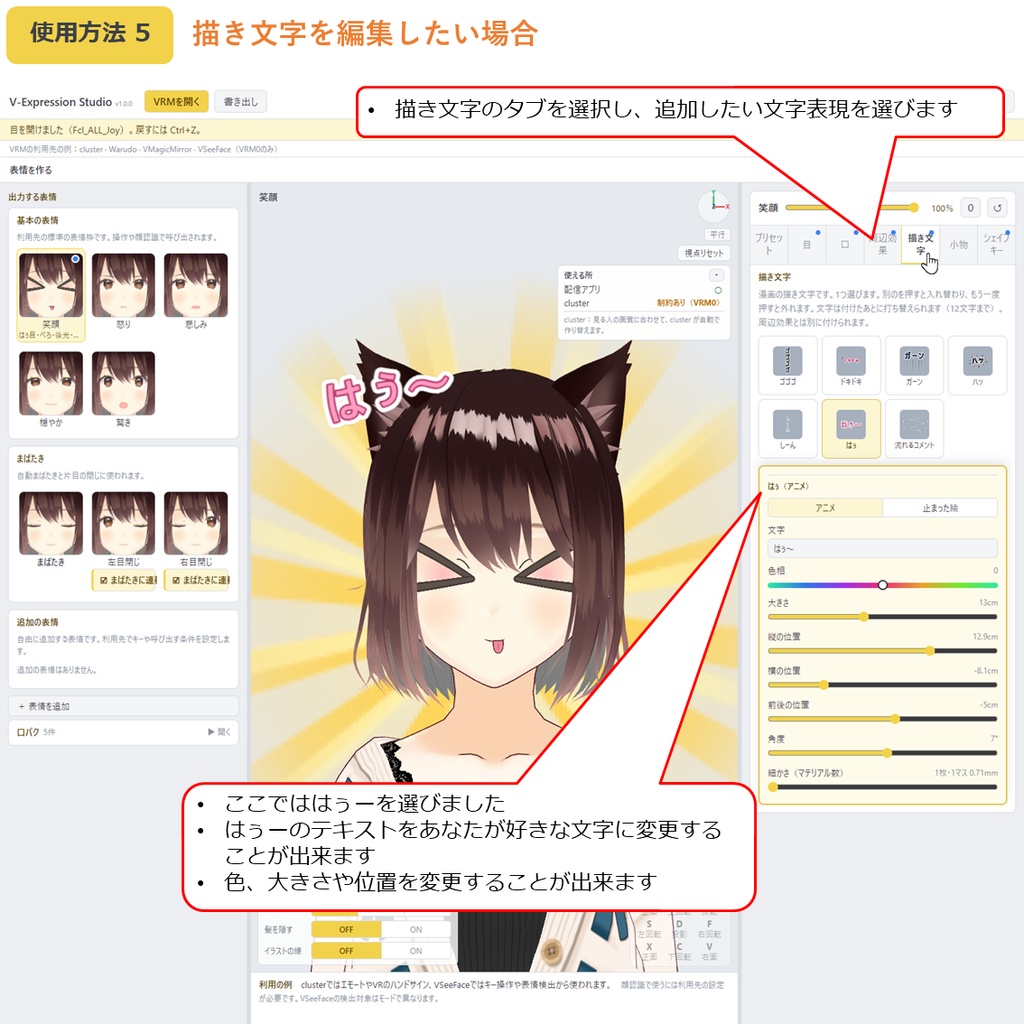
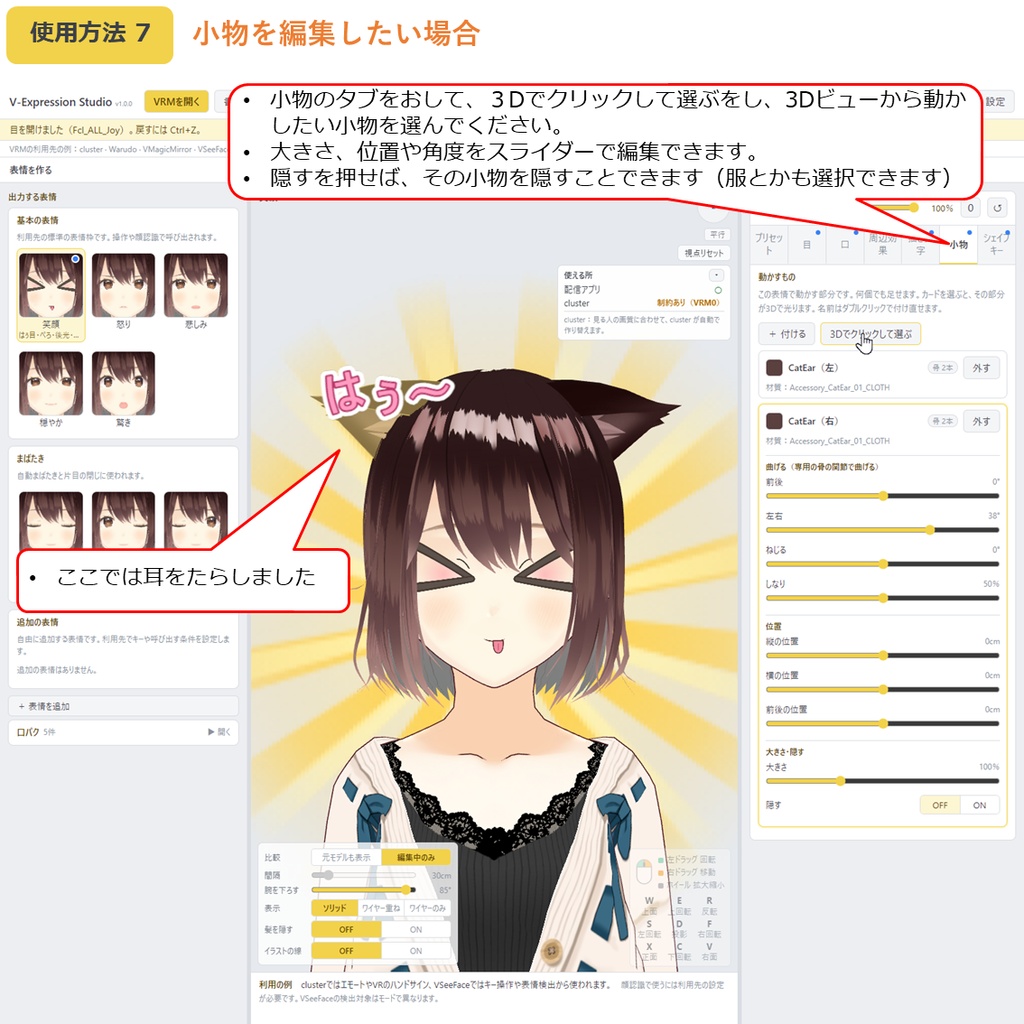
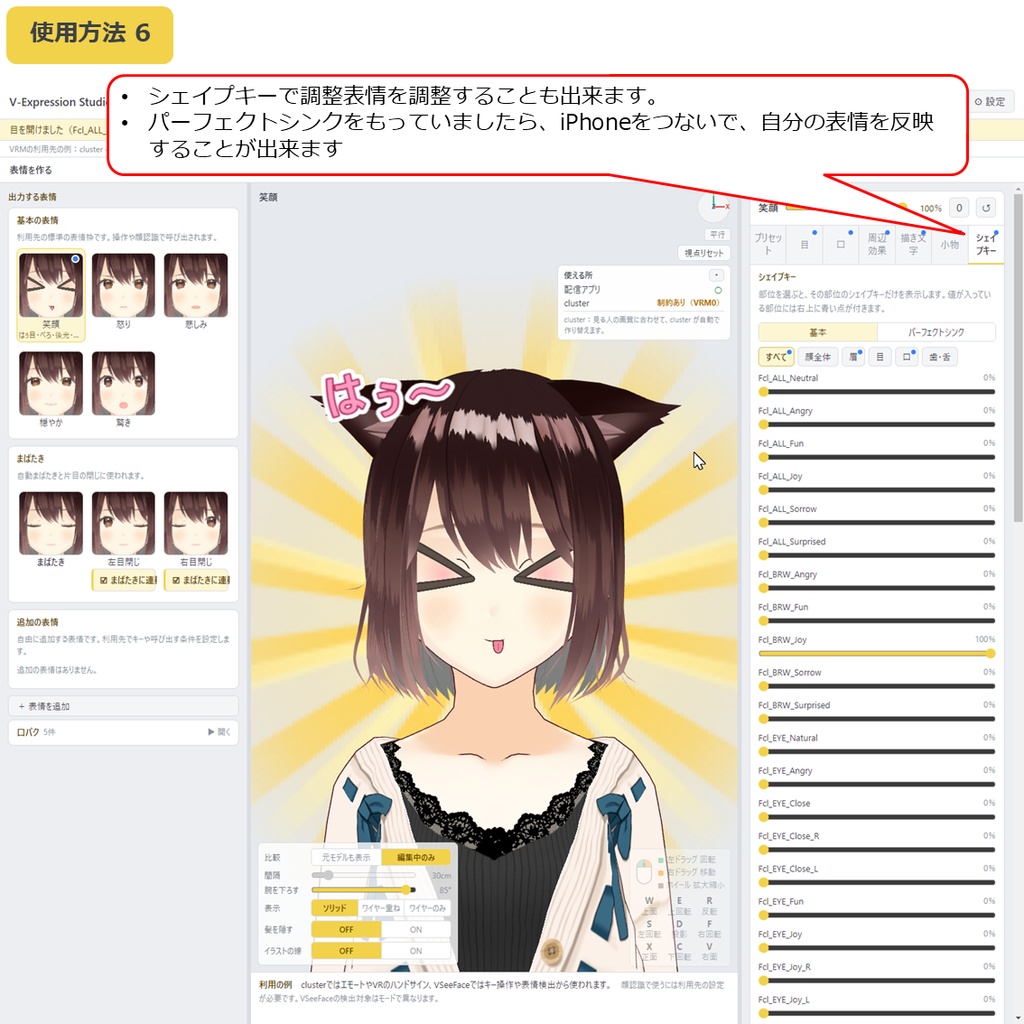
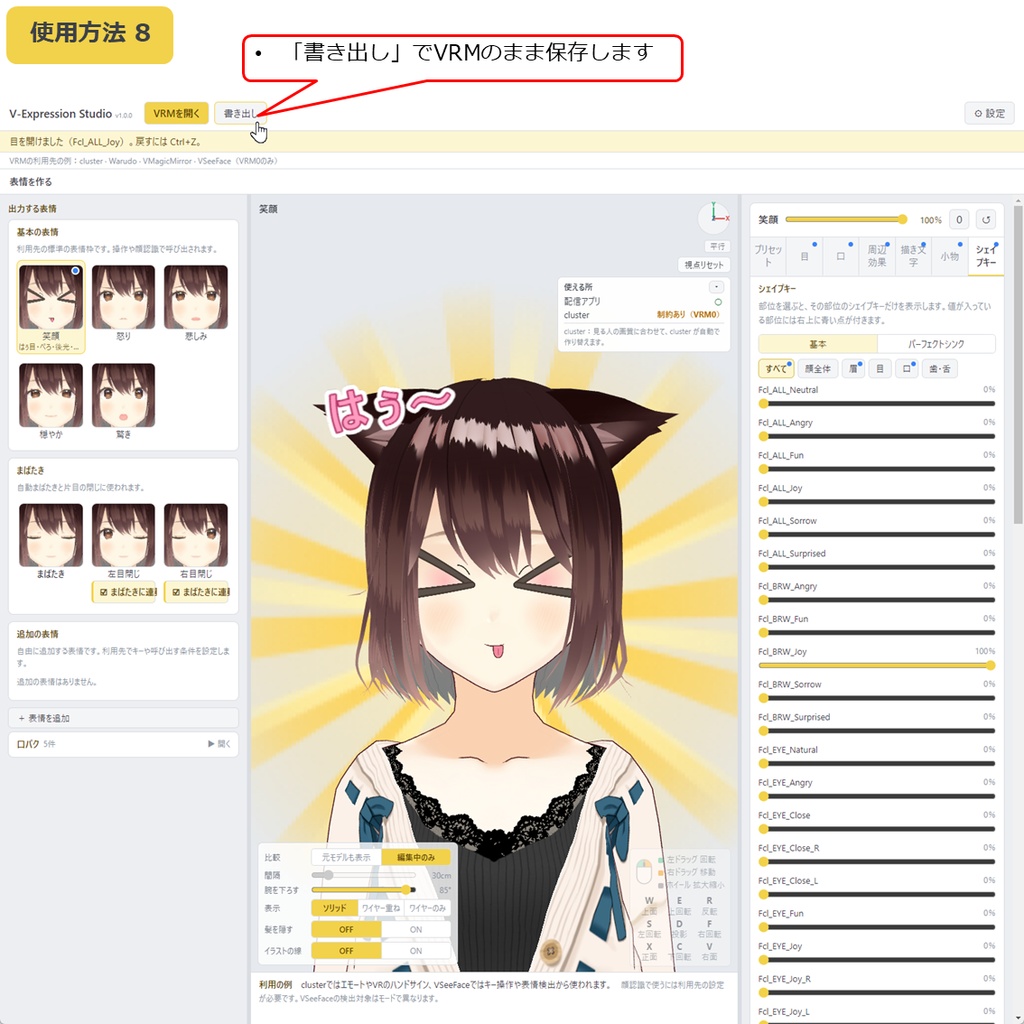
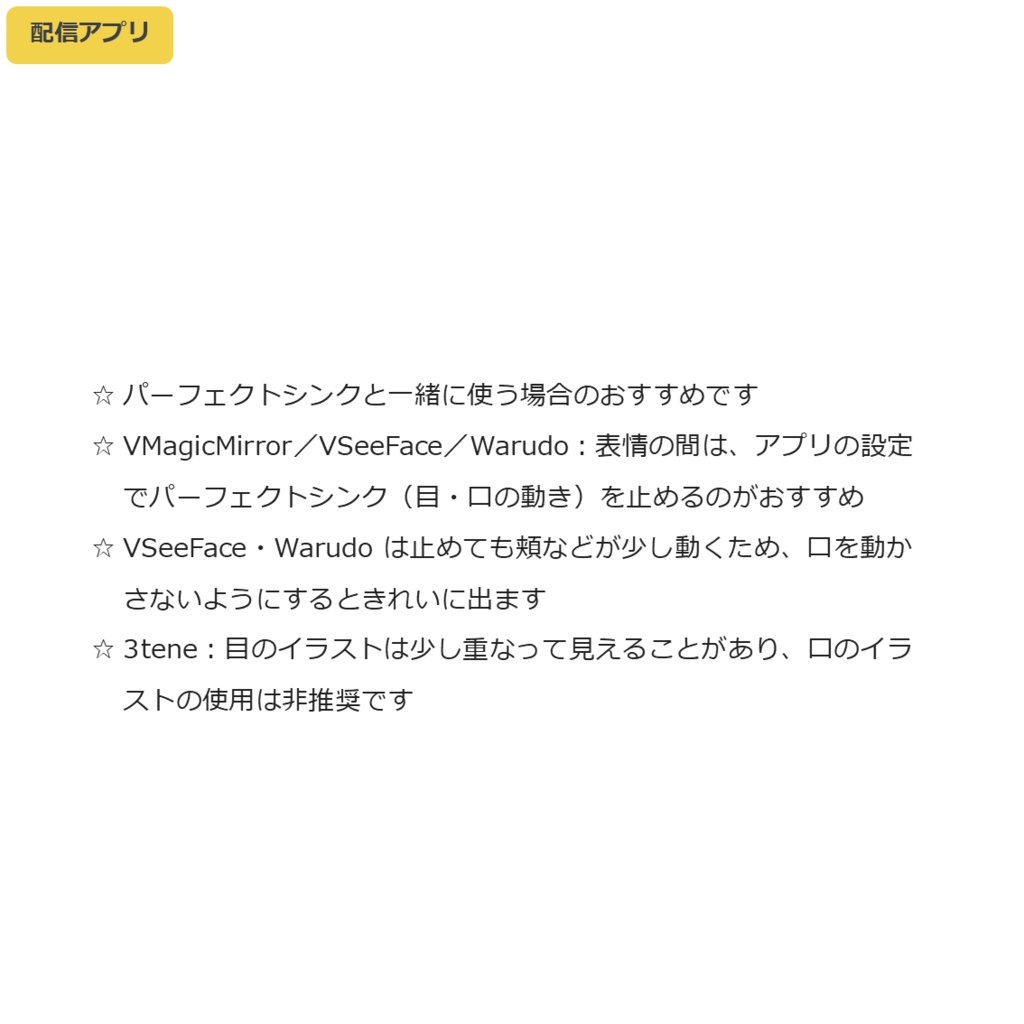
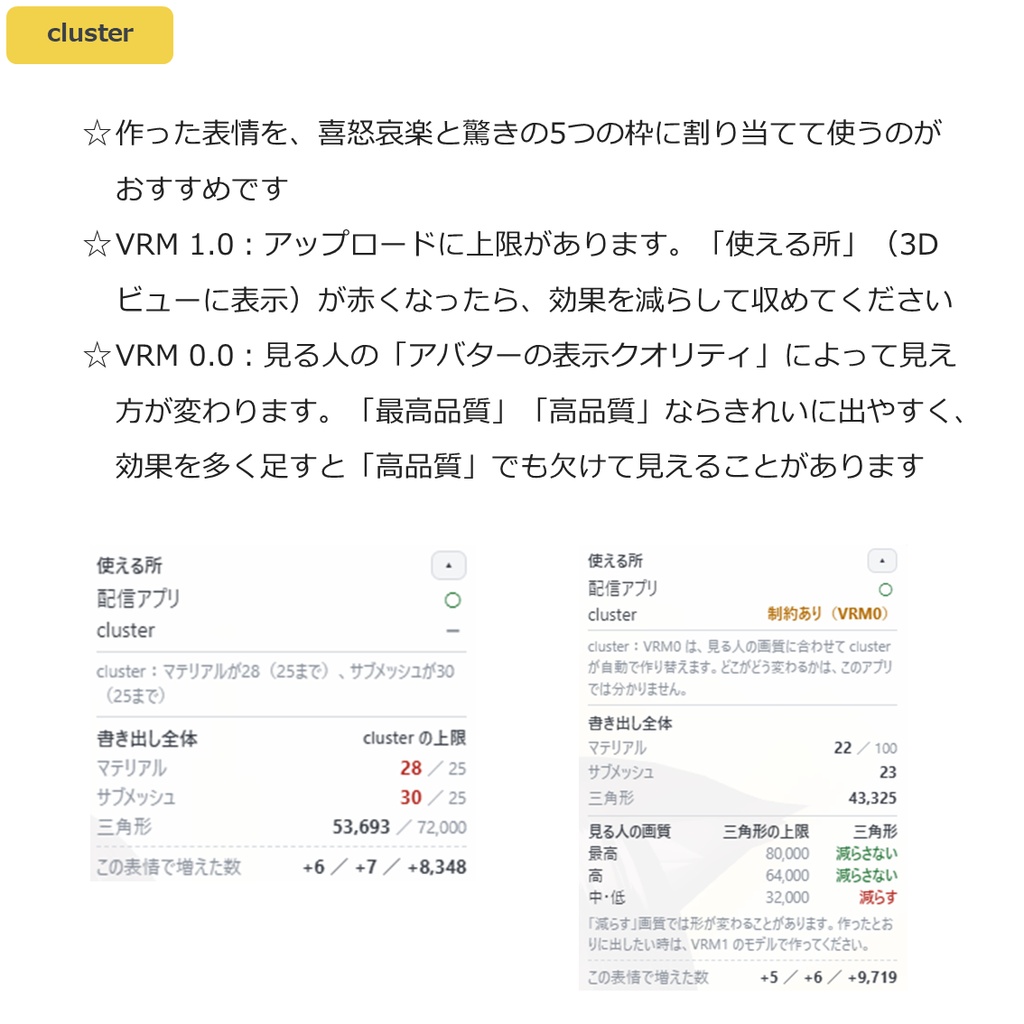
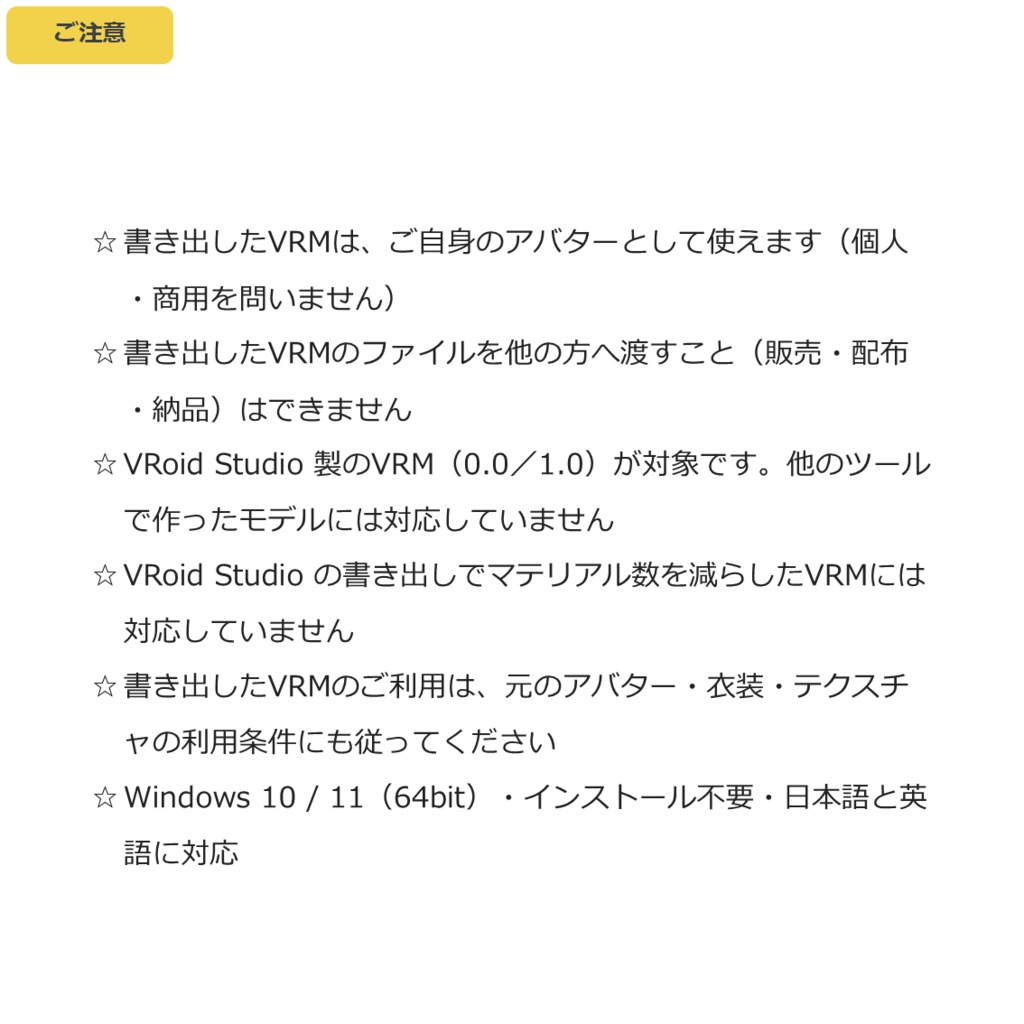


◆商品概要 配信や cluster で、ハート目や怒りマークを出したい。でも、どうすればいいのかわからない。 V-Expression Studio は、VRoidのVRMに表情を足して、VRMのまま書き出すWindows用ツールです。 Unity も Blender も要りません。 しかも、足した効果はアニメーションします。怒りマークが脈打ち、ハートが浮かび、描き文字が震えます。 今までにないVRM体験をあなたに届けたいと思い頑張りました。 目・口のイラスト、周辺効果、描き文字を、表情ごとに選んで足していきます。色・大きさ・位置を変え、顔の形もシェイプキーで直せるので、自分だけの表情が作れます。動く効果は止まった絵にもでき、まばたきも調整できます。書き出したVRMをもう一度開けば、続きから調整できます。 すぐ使いたい時は、同梱のプリセット63種から。にっこり・大好き・激怒・ガーン・目が回るなど、組み合わせ済みの表情がボタン1つで入ります。作った表情は、自分のプリセットとして保存できます。 ☆ 目・口のイラスト、周辺効果、描き文字は100種以上。組み合わせは自由です。 ☆ 組み合わせ済みの表情プリセット63種も同梱。選ぶだけで入ります。 ☆ 自分で描いたPNGも付けられます(サンプル7枚同梱)。 ☆ まばたきに合わせて動く耳などの小物も。 ◆使用方法動画 プリセットの使用方法 https://x.com/H3Atelier/status/2107108630973870382 各項目の編集方法 https://x.com/H3Atelier/status/2107111399046676698 ◆配信アプリでのおすすめの使い方(パーフェクトシンクと一緒に使う場合) アプリによって、表情とパーフェクトシンクの重なり方が違います。 ・VMagicMirror/VSeeFace/Warudo 表情を出している間は、アプリの設定でパーフェクトシンク(目・口の動き)を止めるのがおすすめです。 VSeeFace・Warudo は止めても頬などが少し動くため、口を動かさないようにするときれいに出ます。 ・3tene 目のイラストは少し重なって見えることがあり、口のイラストの使用は非推奨です。 ◆cluster でのおすすめの使い方 作った表情を、喜怒哀楽と驚きの5つの枠に割り当てて使うのがおすすめです。 cluster は、VRMの形式によって決まりが違います。 ・VRM 1.0:アップロードに上限があります。超えると「使える所」が赤くなるので、効果を減らして収めるのがおすすめです。 ・VRM 0.0:見る人それぞれが設定する「アバターの表示クオリティ」によって、モデルが軽くされて表示されます。同じアバターでも、見る人の設定によって見え方が変わります。 見る人の設定が「最高品質」「高品質」なら、効果がきれいに出やすいです。ただし、効果を多く足すと「高品質」でも欠けて見えることがあります。 ◆内容 V-Expression Studio 本体 サンプルPNG(7枚) 取扱説明書(日本語・英語) 利用規約 ◆使用方法 かんたんです! 1. ZIPを展開し、V-Expression Studio.exe を起動 2. 「VRMを開く」でVRMを読み込み 3. 表情を選ぶ。初めての方は、プリセットを選んで、そこから編集するのがしやすいです 4. 目・口のイラストを足す 5. 周辺効果・描き文字を足す。アニメーションします 6. 色・大きさ・位置を調整 7. シェイプキーで顔の形を直す 8. 小物:耳やアクセサリーを、表情に合わせて動かす 9. カスタム:自分で描いたPNGを付ける 10. 「書き出し」でVRMのまま保存 ◆ご注意 ・書き出したVRMは、ご自身のアバターとして使えます(個人・商用を問いません)。書き出したVRMのファイルを他の方へ渡すこと(販売・配布・納品)はできません。 ・ご自身で描いたPNGは、配布・販売していただけます。 ・VRoid Studio 製のVRM(0.0/1.0)が対象です。他のツールで作ったモデルには対応していません。 ・VRoid Studio の書き出しでマテリアル数を減らしたVRMには対応していません。 ・書き出したVRMのご利用は、元のアバター・衣装・テクスチャの利用条件にも従ってください。 ・動作環境:Windows 10 / 11(64bit)。インストール不要・日本語/英語。 ◆クレジット表記について クレジットの記載は不要です。 ◆更新履歴 2026年10月18日 v1.1.1 重いモデルの表示とワイヤー表示を修正 2026年10月17日 v1.1.0 カスタム(自分のPNG)・被り物・閃光・ニコ目などを追加 2026年10月5日 v1.0.0 公開 --- ◆Overview You want heart eyes or an anger mark on your avatar when streaming or in cluster. But you don't know how. V-Expression Studio is a Windows tool that adds expressions to a VRoid VRM and exports it as a VRM. No Unity, no Blender. And the effects you add are animated: the anger mark pulses, hearts float, manga text trembles. I worked hard to bring you a VRM experience like no other. Pick eye and mouth art, around effects and manga text for each expression. Change the color, size and position, and adjust the face with shape keys to make expressions of your own. Moving effects can also be still, and Blink can be adjusted. Open the exported VRM again to continue adjusting. To start quickly, use the 63 built-in presets: Smile, Love you, Furious, Shocked, Dizzy and more go in with one button. Save your own expressions as presets. ☆ Over 100 kinds of eye and mouth art, around effects and manga text. Combine them freely. ☆ 63 ready-made expression presets included. Just pick one. ☆ Add your own PNG art (7 samples included). ☆ Props such as ears can move with your blink. ◆How-to video How to use the presets https://x.com/H3Atelier/status/2107108630973870382 How to edit each item https://x.com/H3Atelier/status/2107111399046676698 ◆Recommended use in streaming apps (together with perfect sync) How expressions and perfect sync overlap differs from app to app. ・VMagicMirror / VSeeFace / Warudo While an expression is on, we recommend stopping perfect sync (eye and mouth movement) in the app's settings. In VSeeFace and Warudo the cheeks still move a little even when it is stopped, so mouth art shows cleanly if you keep your mouth still. ・3tene Eye art may overlap slightly, and mouth art is not recommended. ◆Recommended use in cluster We recommend putting your expressions into the five slots: happy, angry, sad, relaxed and surprised. cluster has different rules for each VRM format. ・VRM 1.0: uploads have limits. "Where it works" turns red when you go over, so we recommend reducing effects to fit. ・VRM 0.0: the model is shown lighter depending on the "avatar display quality" each viewer sets. The same avatar can look different depending on the viewer's setting. If the viewer uses "Highest quality" or "High quality", effects are more likely to show cleanly. With many effects, parts may be missing even at "High quality". ◆Contents V-Expression Studio (application) Sample PNGs (7) Manual (Japanese / English) Terms of use ◆How to use Easy! 1. Unzip and run V-Expression Studio.exe 2. "Open VRM" and load your VRM 3. Pick an expression. If it's your first time, starting from a preset and editing it is easiest 4. Add eye and mouth art 5. Add around effects and manga text. They are animated 6. Adjust the color, size and position 7. Fix the face shape with shape keys 8. Props: move ears and accessories to match the expression 9. Custom: add your own PNG art 10. "Export" to save as a VRM ◆Notes ・You can use the exported VRM as your own avatar (personal or commercial). You may not pass the exported VRM file to other people (selling, distributing or delivering it). ・PNG art you drew yourself may be distributed or sold. ・For VRM files made with VRoid Studio (0.0 / 1.0). Models from other tools are not supported. ・VRMs exported from VRoid Studio with a reduced number of materials are not supported. ・Use of the exported VRM is also subject to the terms of the original avatar, clothing and textures. ・Requirements: Windows 10 / 11 (64-bit). No installation. Japanese / English. ◆Credits No credit is required. ◆Update history October 18, 2026 v1.1.1 Fixed heavy models and wireframe view October 17, 2026 v1.1.0 Added Custom (your own PNG), headwear, flash and more October 5, 2026 v1.0.0 Released