

Dara Tool Box|Unity Editor便利ツール集 Unity Editor 實用工具集
- Digital500 JPY
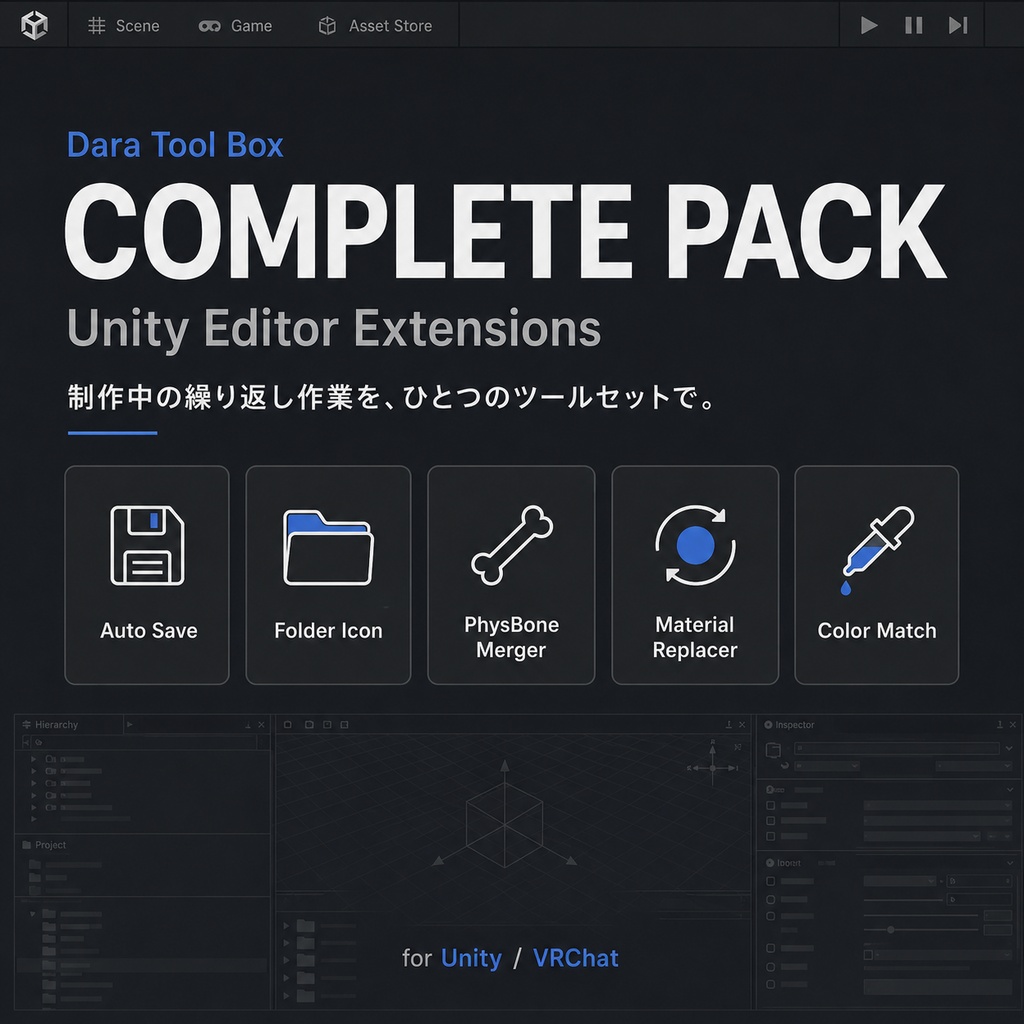
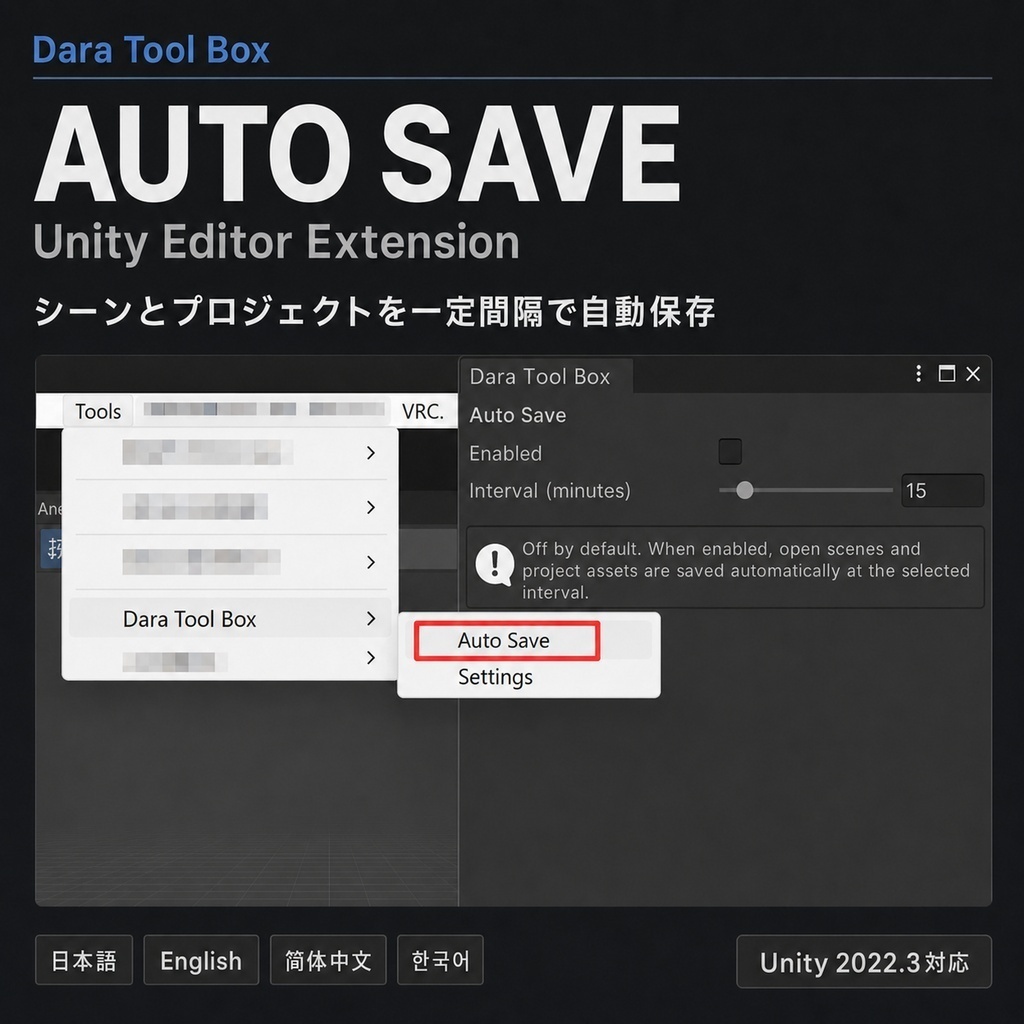
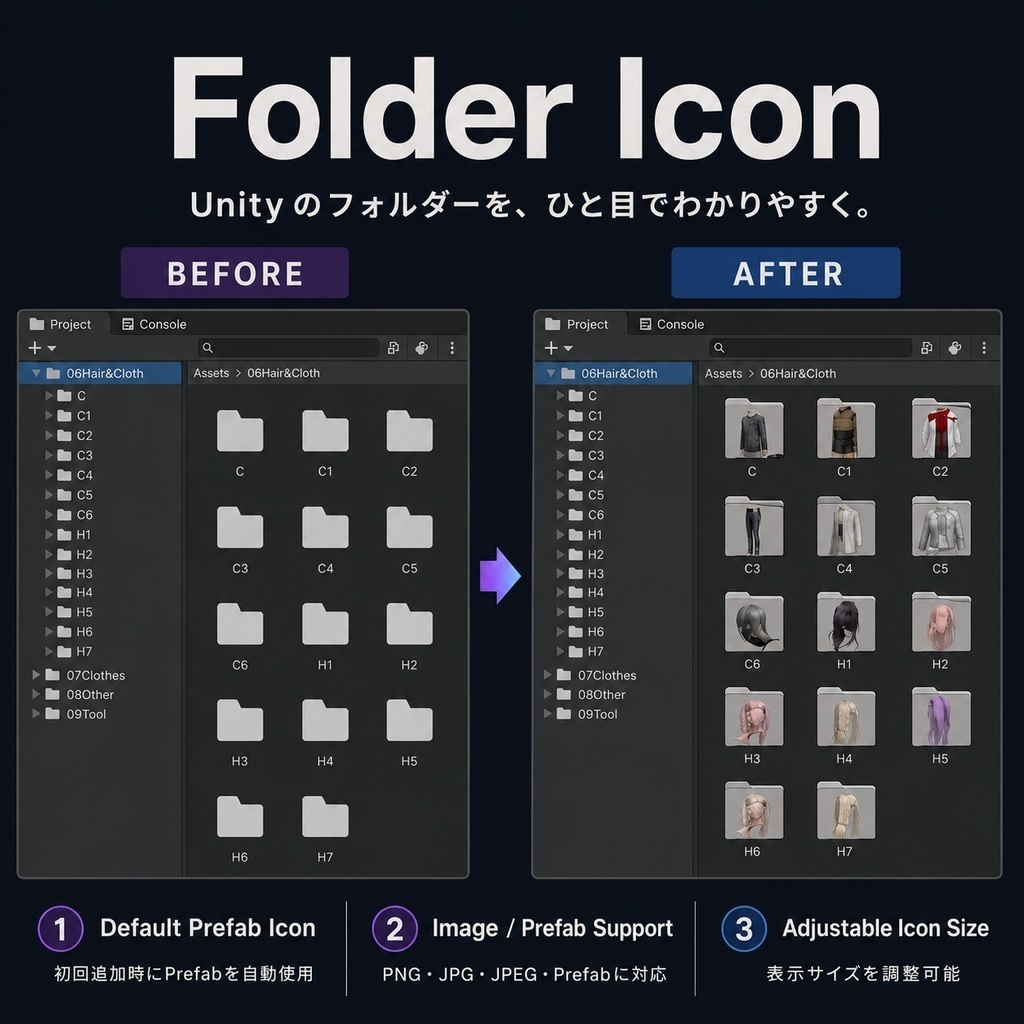
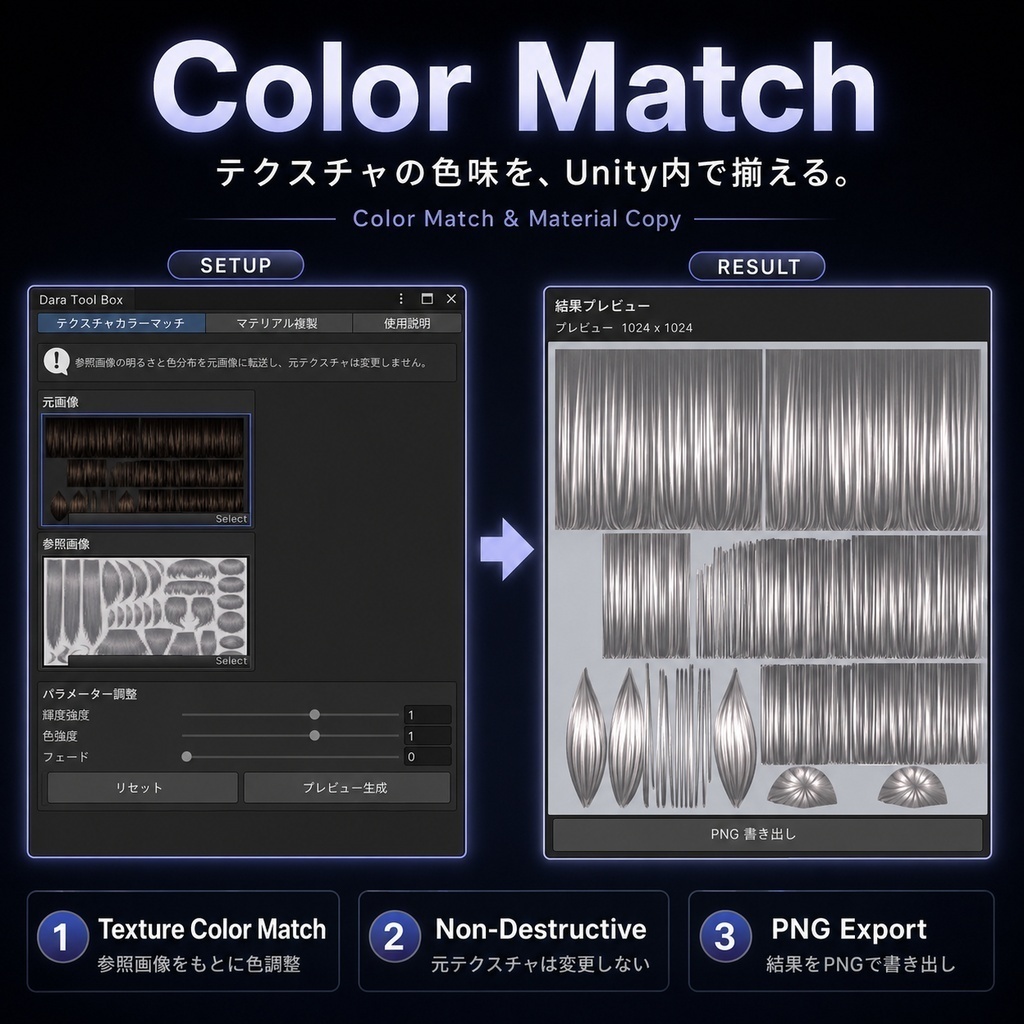
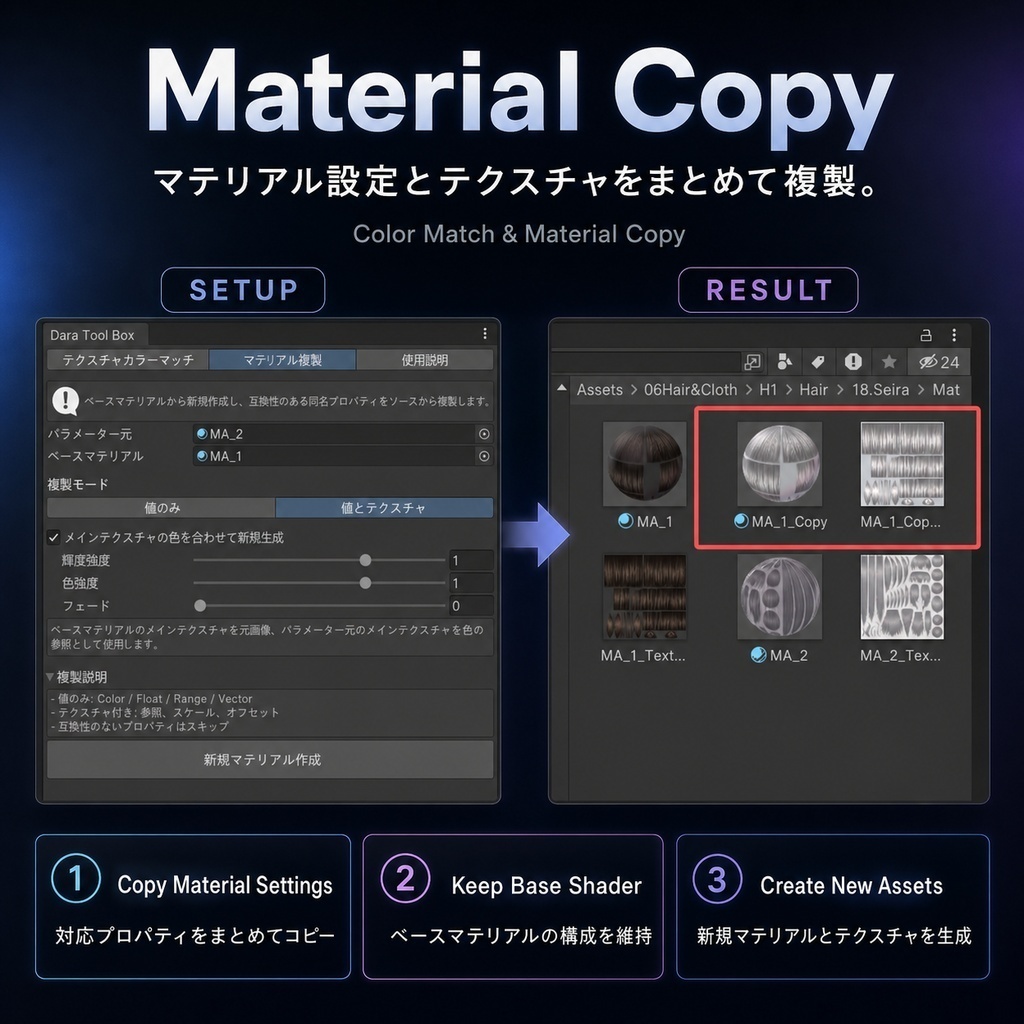
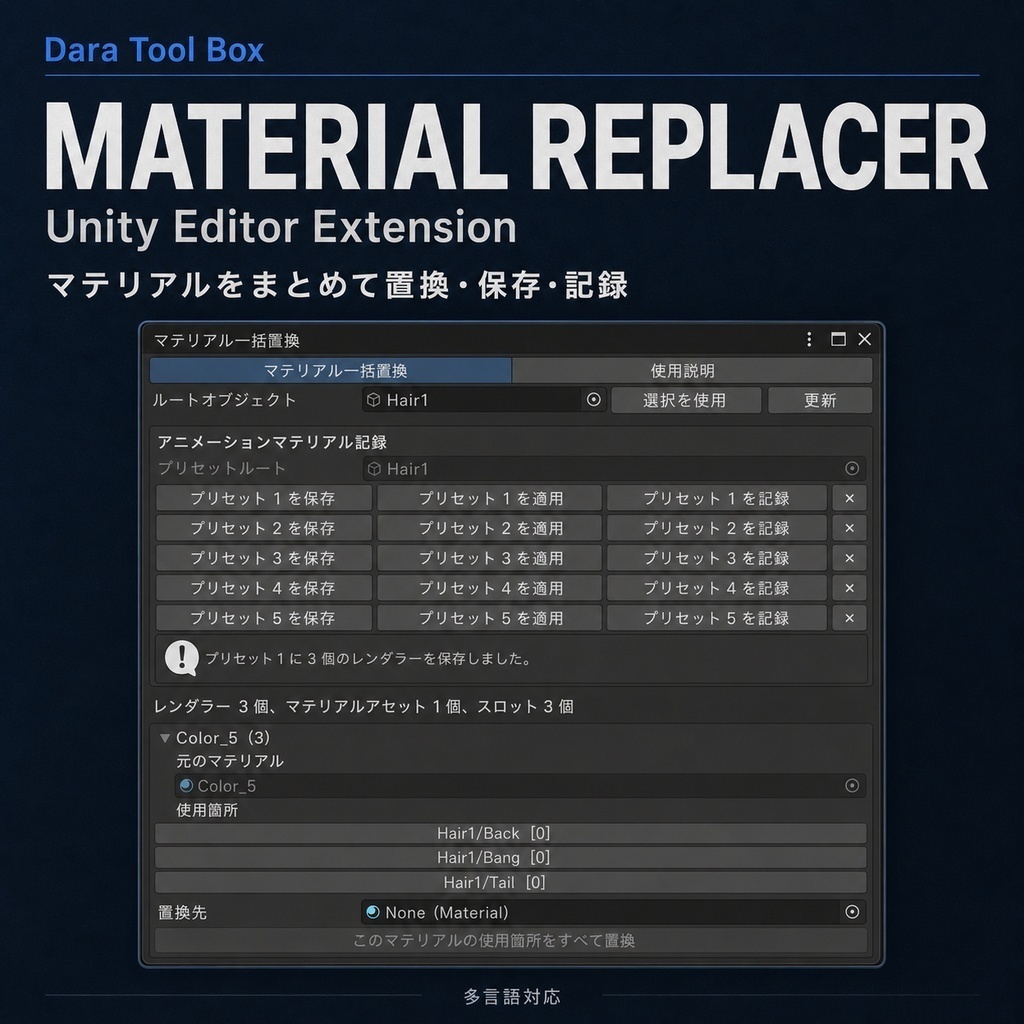
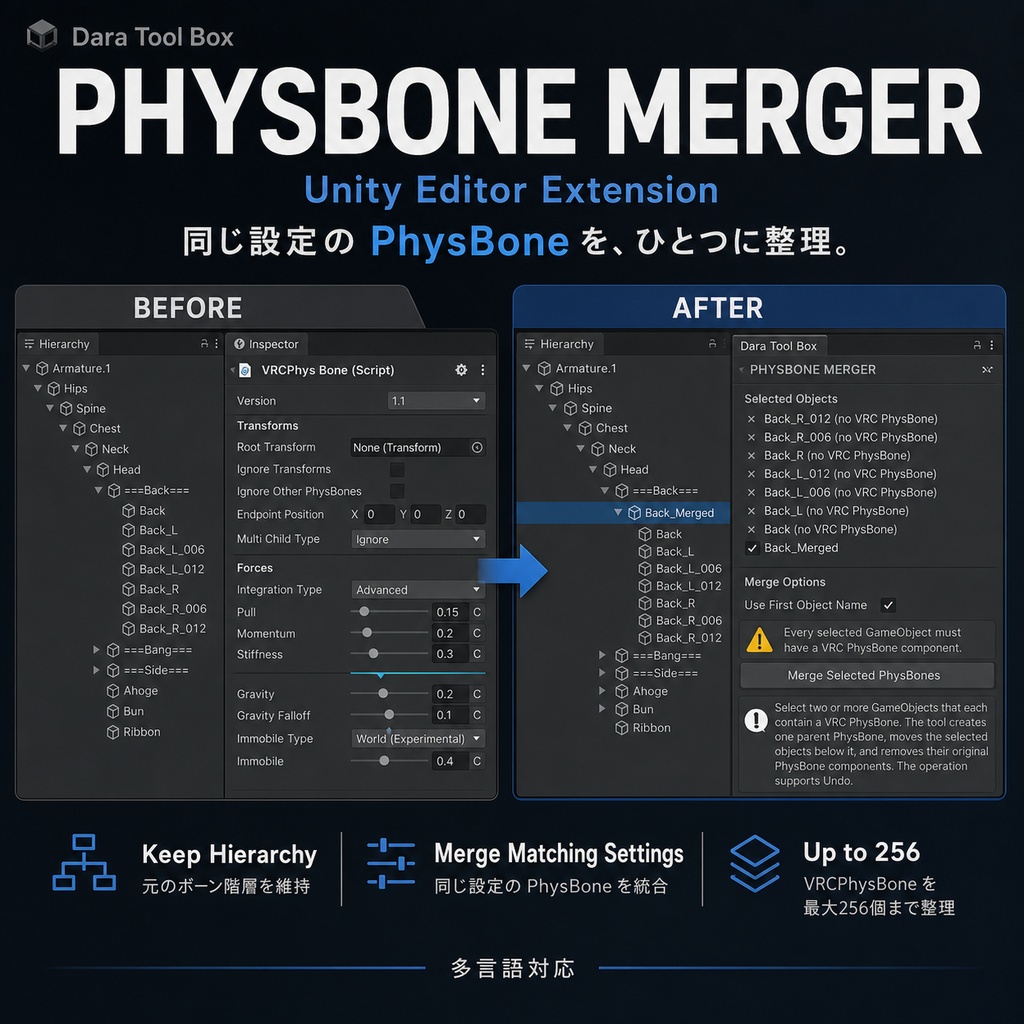


【商品説明】 UnityでAvatarを編集したり、素材を整理したり、マテリアルを調整したりしていると、さまざまな繰り返し作業が発生します。 ・長時間作業しているうちに保存を忘れる ・フォルダーが増え、名前だけでは素材を見つけにくい ・複数のPhysBoneを一つずつ整理する必要がある ・同じマテリアルが複数のオブジェクトやスロットで使われている ・異なる衣装や髪型の色味、質感が揃わない ・マテリアル切り替え用アニメーションの作成に手間がかかる Dara Tool Boxは、こうした作業を効率化するためのUnityエディター拡張セットです。 保存、フォルダー整理、PhysBone整理、マテリアル置換、色合わせ、マテリアル設定コピーなど、よく使う機能を一つのツールセットにまとめています。 VRChat Avatar改変、着せ替え、モデル整理、一般的なUnityプロジェクト制作におすすめです。 【収録ツール】 1. Auto Save 設定した間隔で、現在のシーンとプロジェクト内の変更内容を自動保存します。 コンパイル中、アセットのインポート中、Play Mode中は自動保存を一時停止します。 2. Folder Icon Plugin UnityのProjectウィンドウ内にあるフォルダーへ、画像やPrefabのプレビューアイコンを設定できます。 初回追加時は、フォルダー内の最初のPrefabを自動的にアイコンとして使用できます。 衣装、髪型、モデルなどのフォルダーを見分けやすくします。 3. PhysBone Merger 複数のVRC PhysBoneオブジェクトを新しい親オブジェクトの下へまとめます。 最初に選択したオブジェクトのPhysBone設定をテンプレートとして使用し、元の位置、回転、スケールを維持したまま整理できます。 4. Material Replacer 選択したルートオブジェクト配下のすべてのSkinnedMeshRendererをスキャンし、マテリアルと使用位置を一覧表示します。 同じマテリアルは自動的にグループ化されるため、置き換え先を一度指定するだけで、すべての使用位置をまとめて変更できます。 各ルートオブジェクトには最大5セットのマテリアル構成を保存でき、プリセットを現在のアニメーションの指定時間へ記録することもできます。 5. Color Match & Material Copy 参考Textureの色味を元Textureへ反映し、明るさ、色の強さ、適用量を調整しながら新しいPNG画像を生成します。 また、ベースMaterialのShaderや構成を維持したまま、別のMaterialから同名の対応パラメーターをまとめてコピーできます。 異なる髪型、衣装、モデル素材の色味や質感を揃えたい場合に便利です。 【主な特徴】 ・よく使うUnity編集機能を一つのメニューにまとめて管理 ・素材の検索、置換、整理、設定コピーにかかる手間を削減 ・VRChat Avatar、キャラクターモデル、着せ替え素材に対応 ・元のTextureやMaterialを直接上書きしない処理に対応 ・日本語、英語、簡体字中国語、韓国語に対応 ・購入済みユーザーは今後のアップデートを無料で利用可能 ・今後も新しい便利機能を追加予定 【言語設定】 Dara Tool Box共通の表示言語は、以下のメニューから変更できます。 Tools > Dara Tool Box > Settings 【動作確認環境】 Unity 2022.3.22f1 Windows PhysBone Mergerを使用する場合は、VRChat SDK3 - Avatarsが必要です。 上記環境で制作・動作確認を行っています。 その他のUnity 2022.3 LTSバージョンでも使用できる可能性がありますが、すべてのバージョン、SDK、導入済みアセット環境での動作を保証するものではありません。 【収録内容】 ・Dara Tool Box Core ・Auto Save ・Folder Icon Plugin ・PhysBone Merger ・Material Replacer ・Color Match & Material Copy ・日本語、英語、簡体字中国語、韓国語UI ・各ツールの使用説明 【注意事項】 ・本商品はダウンロード商品です。物理商品の発送はありません ・使用前にUnityプロジェクトのバックアップ、またはバージョン管理を推奨します ・Unity、SDK、導入済みアセットのバージョンによって動作が異なる場合があります ・ご購入後のアップデートは無料です 不具合やご要望がありましたら、BOOTHのメッセージからご連絡ください。
Dara Tool Box Complete Pack - Unity Editor Extensions
【Product Description】 When editing avatars, organizing assets, or adjusting materials in Unity, many repetitive tasks can quickly add up. ・Forgetting to save during long editing sessions ・Having too many folders to identify from names alone ・Organizing multiple PhysBones one by one ・Replacing the same material across multiple objects and slots ・Matching the color and appearance of outfits and hairstyles from different creators ・Creating material-switching animations manually Dara Tool Box is a collection of Unity Editor extensions designed to reduce these repetitive tasks. It brings together automatic saving, folder organization, PhysBone management, material replacement, texture color matching, and material property copying in one tool set. It is suitable for VRChat avatar editing, outfit customization, character asset organization, and general Unity project work. 【Included Tools】 1. Auto Save Automatically saves the current scene and project changes at the interval you set. Auto Save is temporarily paused during compilation, asset importing, and Play Mode. 2. Folder Icon Plugin Assign images or Prefab previews to folders in the Unity Project window. When a folder is added for the first time, the tool can automatically use the first Prefab found inside the folder as its icon. This makes outfit, hairstyle, model, and other asset folders easier to identify. 3. PhysBone Merger Organizes multiple VRC PhysBone objects under a new parent object. The PhysBone settings from the first selected object are used as the template while preserving the original position, rotation, and scale. 4. Material Replacer Scans all SkinnedMeshRenderers under the selected root object and lists the materials currently in use together with their locations. Identical materials are grouped automatically, so assigning a replacement once updates every location where that material is used. Each root object can store up to five complete material combinations, and saved presets can also be recorded at a specified time in the current animation. 5. Color Match & Material Copy Transfers the color appearance of a reference texture to a source texture while allowing you to adjust luminance, color strength, and blend amount. The result is generated as a new PNG image. The tool can also keep the shader and structure of a base material while copying compatible properties with matching names from another material. This is useful for matching the color and appearance of hairstyles, outfits, and character assets from different creators. 【Main Features】 ・Manage frequently used Unity editing tools from one menu ・Reduce repetitive searching, replacement, organization, and property copying ・Suitable for VRChat avatars, character models, and outfit assets ・Supports workflows that do not directly overwrite the original textures or materials ・Supports English, Japanese, Simplified Chinese, and Korean ・Future updates are free for existing customers ・Additional useful tools are planned for future updates 【Language Settings】 The shared Dara Tool Box language setting can be changed from: Tools > Dara Tool Box > Settings 【Tested Environment】 Unity 2022.3.22f1 Windows VRChat SDK3 - Avatars is required to use PhysBone Merger. The tool set was developed and tested in the environment listed above. It may also work with other Unity 2022.3 LTS versions, but compatibility with every Unity version, SDK version, and installed asset environment is not guaranteed. 【Package Contents】 ・Dara Tool Box Core ・Auto Save ・Folder Icon Plugin ・PhysBone Merger ・Material Replacer ・Color Match & Material Copy ・English, Japanese, Simplified Chinese, and Korean UI ・Instructions for each tool 【Notes】 ・This is a digital download product. No physical item will be shipped ・Backing up your Unity project or using version control is recommended before use ・Behavior may vary depending on your Unity version, SDK version, and installed assets ・Future updates are free for existing customers Please contact me through BOOTH messages if you find a bug or have a feature request.