

動くと服から胸が突き抜けるのなおし - 歩き・ダンスで胸が服を貫通するのを“衣装の追従化”で原因から直すUnityツール【VRChat】【JA,EN,KO】
- Digital700 JPY
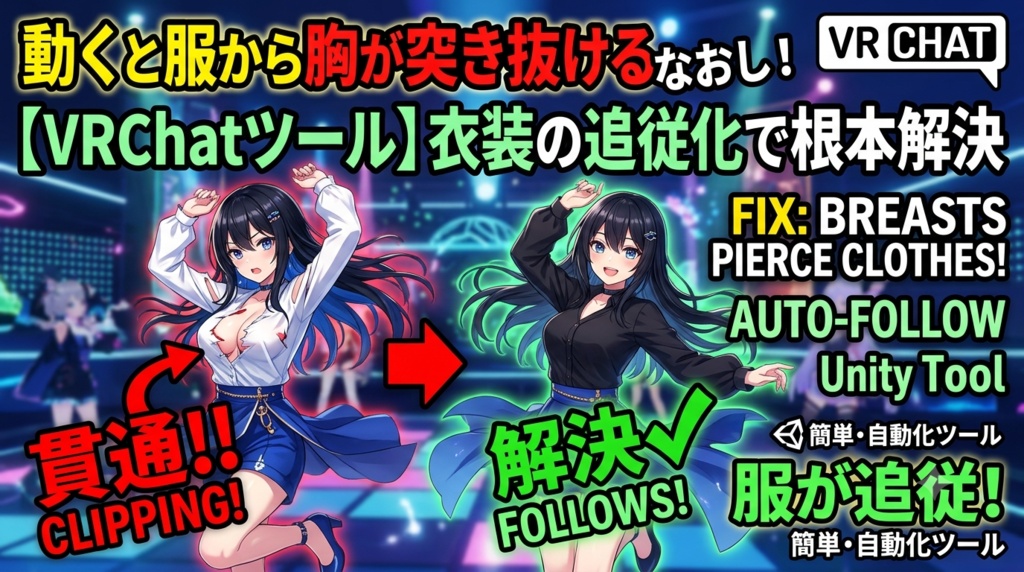
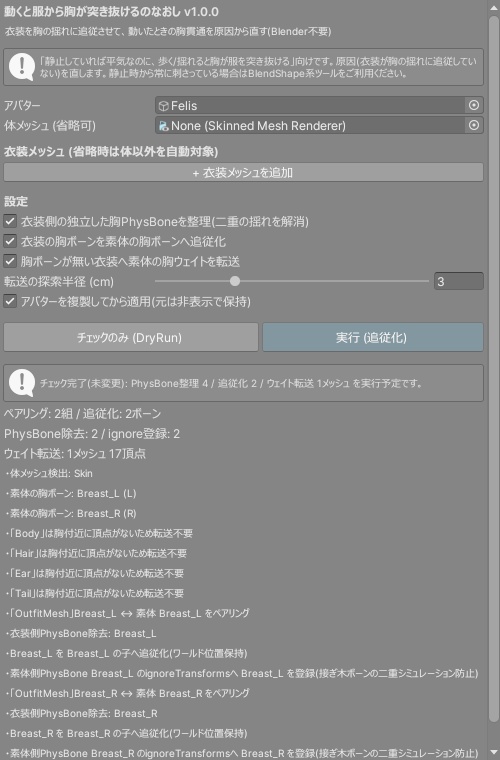
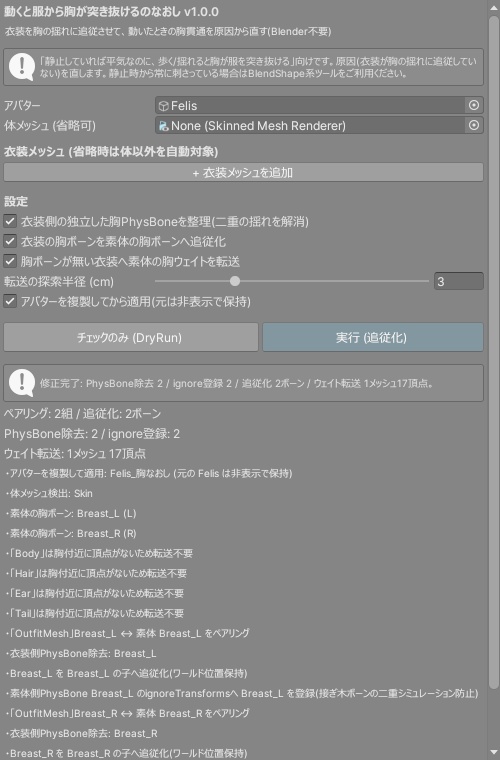
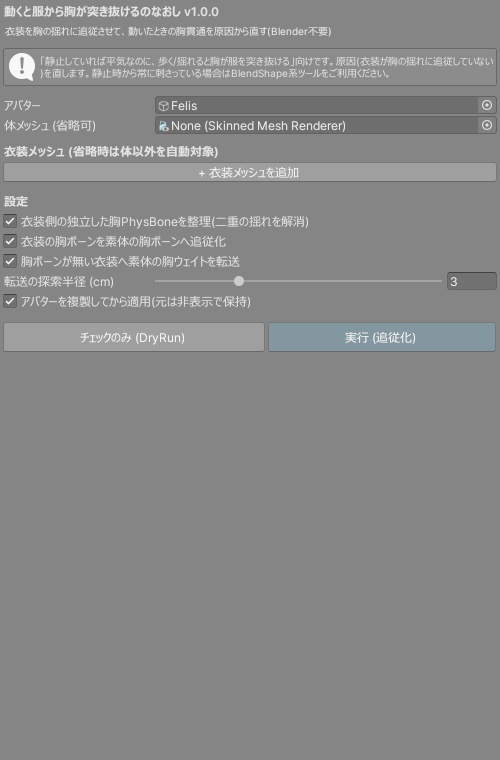
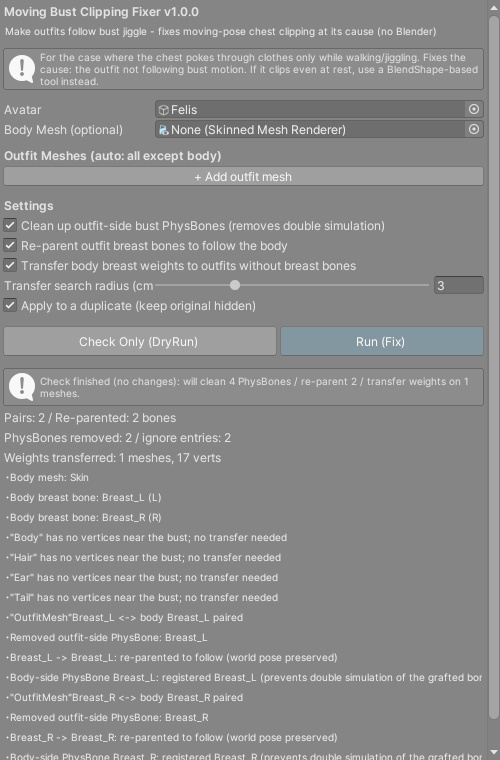
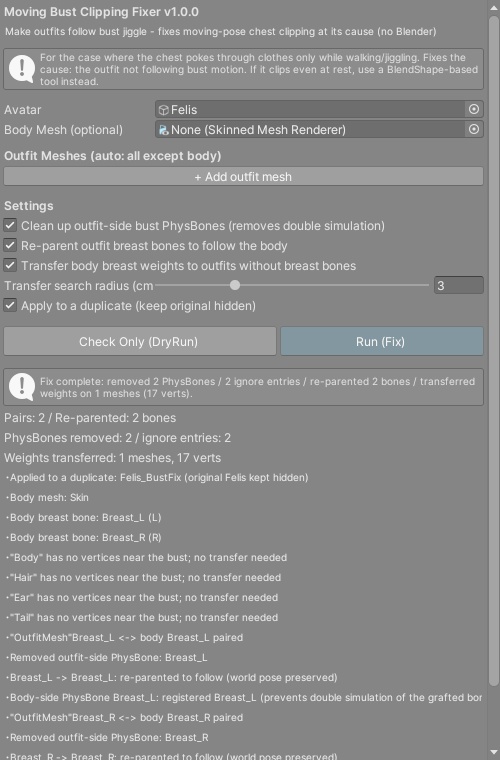
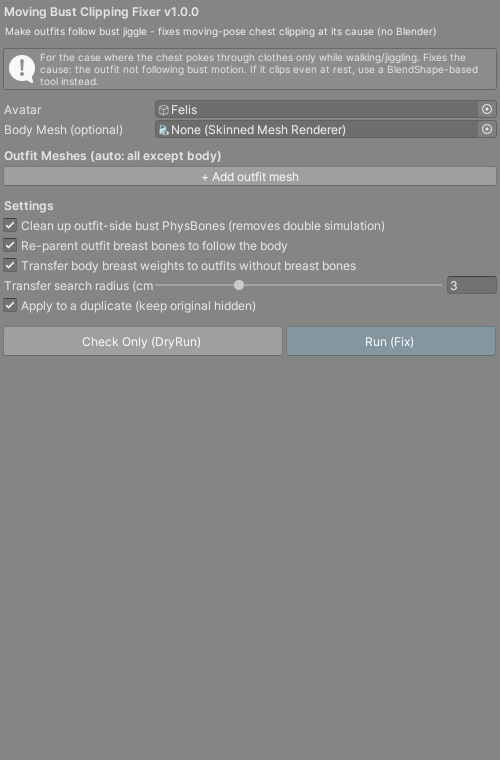
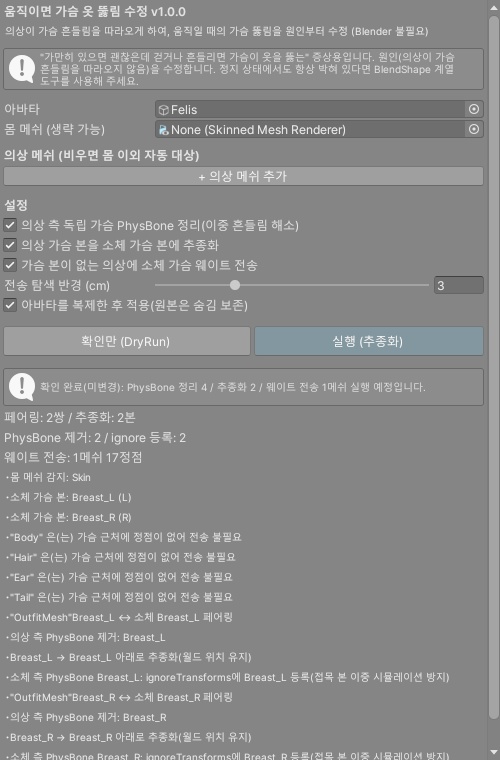
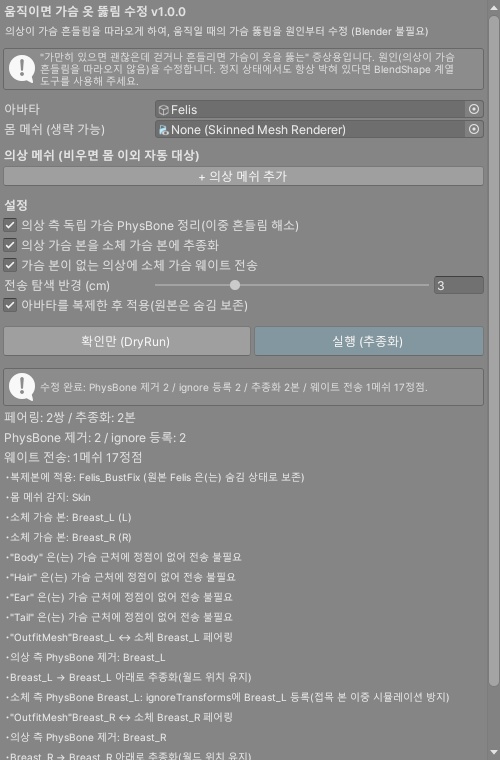
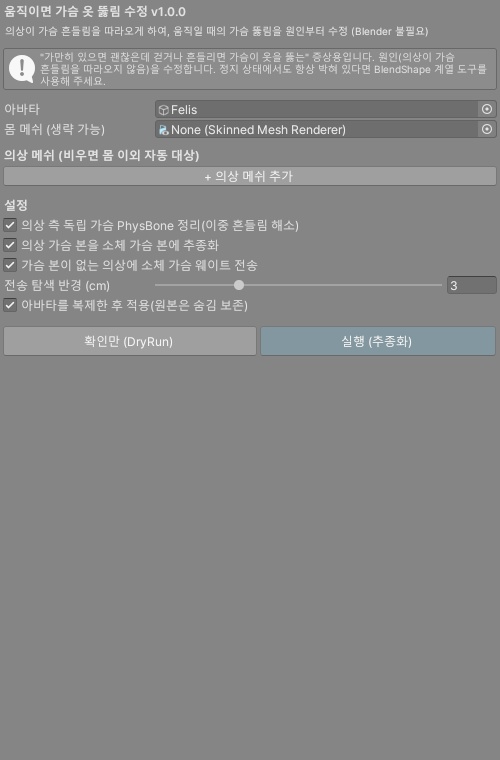


「静止画では平気なのに、歩く・ダンス・揺れると胸が服を突き抜ける」—— その症状の多くは、衣装が素体の胸の揺れ(PhysBone)に追従していないことが原因です。コライダーを足しても、服を大きくしても、原因が残っている限り揺れるたびに再発します。 動くと服から胸が突き抜けるのなおしは、その原因を自動診断して1クリックで直すUnity Editorツールです。Blenderは使いません。 ◆ こんな症状に ・歩く/走ると胸が服からはみ出す ・ダンスや撮影ポーズで胸だけ肌が見える ・体型を盛ったら、揺れたときだけ貫通するようになった ・衣装と素体の胸が別々に揺れてズレる ◆ 自動で直す内容(3系統を自動判定) 1. 衣装側に独立した胸PhysBoneがある → 除去して二重シミュレーションを解消(大きいチェーンの一部ならignoreTransformsへ登録) 2. 衣装の胸ボーンが素体に繋がっていない → 素体の胸ボーンへ追従化(ワールド位置保持)+素体側PhysBoneへignore登録 3. 衣装に胸ボーンが無い(Chest直ウェイト) → 素体の胸ウェイトを距離ベースで転送(メッシュ複製・非破壊) ◆ 特徴 ・体メッシュ/衣装メッシュ/胸ボーンを自動検出(L/R自動ペアリング) ・チェックのみ(DryRun)で修正予定を事前確認 ・既定でアバターを複製してから適用(元のアバターは非表示で保持) ・もう一度実行しても二重適用されない(修正済みは自動スキップ) ・非破壊: 元のメッシュ/FBXは変更しません・Undo対応 ・VRChat SDK非依存で動作(PhysBone整理はSDK導入時に機能) ◆ 使い方 (README同梱) 1. unitypackageをImport 2. Tools > tool > 動くと服から胸が突き抜けるのなおし を開く 3. アバターをドラッグ →「チェックのみ(DryRun)」 4. 「実行(追従化)」 5. 再生モードで揺れを確認してアップロード ◆ 検証 Unity 2022.3.54f1。ユニット+統合テスト36項目PASS。実アバター2体(Felis+実売アバター)での実機E2E検証65項目PASSで、追従化のワールド位置保持・ウェイト転送後の静止ポーズ不変・胸ボーン移動への衣装追従を、ツールとは別実装の独立検算で確認済み。詳細は同梱のTEST_REPORTをご覧ください。 ※「静止していても常に刺さっている」症状は姉妹品「常時めり込み髪なおし」等のBlendShape系の守備範囲です。本ツールは「動いたときだけ突き抜ける」症状専用です。 ※素体に胸ボーン(Breast/Bust等)が無いアバターは対象外です(その場合は原因が別です)。 ※衣装の構造(ウェイト・メッシュ形状)により結果は変わります。すべての組み合わせで完全な貫通ゼロを保証するものではありません。 ※最後は購入者環境での動作確認をお願いします。 --- English --- "It looks fine in still shots, but the chest pokes through the outfit when walking, dancing, or jiggling." The usual cause: the outfit does not follow the body's bust PhysBone motion. Adding colliders or enlarging the outfit does not remove the cause, so it keeps coming back. Moving Bust Clipping Fixer diagnoses and fixes the cause in one click. No Blender required. What it fixes (auto-detected, 3 patterns): 1. The outfit has its own independent bust PhysBone -> Removed to stop double simulation (registered to ignoreTransforms when part of a larger chain) 2. The outfit's breast bones are not connected to the body -> Re-parented under the body's breast bones (world pose preserved) + registered to the body-side PB ignore list 3. The outfit has no breast bones (weighted straight to Chest) -> Body breast weights transferred by distance (mesh duplicated, non-destructive) Features: - Auto-detects body/outfit meshes and breast bones (L/R auto-pairing) - DryRun previews all fixes before changing anything - Applies to a duplicate by default (original avatar kept hidden) - Idempotent: running again will not double-apply - Non-destructive (original mesh/FBX untouched) / Undo supported - Works without the VRChat SDK (PhysBone cleanup activates when the SDK is present) Quick start (README included): 1. Import the unitypackage 2. Open Tools > tool > Moving Bust Clipping Fixer 3. Drag your avatar in, press "Check Only (DryRun)" 4. Press "Run (Fix)" 5. Verify the jiggle in Play Mode and upload Verification: Unity 2022.3.54f1. 36 unit/integration tests passed. 65 real-avatar E2E checks passed on two avatars (Felis + a commercial avatar), with independent re-implementation verifying world-pose preservation, unchanged rest pose after weight transfer, and outfit following bust motion. See the bundled TEST_REPORT. * Clipping that is ALWAYS present even at rest is the domain of BlendShape-based tools (e.g. our Stuck Hair Fixer line). This tool is for clipping that appears only while moving. * Avatars without breast bones (Breast/Bust etc.) are out of scope. * Results depend on the outfit's weights and mesh shape; zero clipping on every combination is not guaranteed. --- 한국어 --- ■ 상품명 움직이면 가슴 옷 뚫림 수정 - 걷기/댄스에서 가슴이 옷을 뚫는 것을 "의상 추종화"로 원인부터 고치는 Unity 도구【VRChat】【JA,EN,KO】 ■ 설명 "정지 화면에서는 괜찮은데, 걷거나 춤추거나 흔들리면 가슴이 옷을 뚫는다." 주된 원인은 의상이 소체의 가슴 흔들림(PhysBone)을 따라오지 않기 때문입니다. 콜라이더를 추가해도 옷을 키워도, 원인이 남아 있는 한 흔들릴 때마다 재발합니다. 움직이면 가슴 옷 뚫림 수정은 그 원인을 자동 진단하여 원클릭으로 고치는 Unity Editor 도구입니다. Blender는 필요 없습니다. 자동 수정 내용(3계통 자동 판정): 1. 의상 측에 독립된 가슴 PhysBone이 있음 → 제거하여 이중 시뮬레이션 해소(큰 체인의 일부라면 ignoreTransforms에 등록) 2. 의상의 가슴 본이 소체에 연결되어 있지 않음 → 소체 가슴 본에 추종화(월드 위치 유지) + 소체 측 PB ignore 등록 3. 의상에 가슴 본이 없음(Chest 직접 웨이트) → 소체의 가슴 웨이트를 거리 기반으로 전송(메쉬 복제, 비파괴) 특징: - 몸/의상 메쉬·가슴 본 자동 감지(L/R 자동 페어링) - DryRun으로 수정 예정 내용을 사전 확인 - 기본으로 아바타를 복제한 뒤 적용(원본은 숨김 보존) - 다시 실행해도 이중 적용되지 않음 - 비파괴(원본 메쉬/FBX 무변경) / Undo 지원 - VRChat SDK 없이도 동작(PhysBone 정리는 SDK 도입 시 작동) 사용법 (README 동봉): 1. unitypackage를 Import 2. Tools > tool > 움직이면 가슴 옷 뚫림 수정 열기 3. 아바타를 드래그 → "확인만 (DryRun)" 4. "실행 (추종화)" 5. 재생 모드에서 흔들림 확인 후 업로드 검증: Unity 2022.3.54f1. 유닛+통합 테스트 36항목 PASS. 실제 아바타 2체(Felis+상용 아바타)에서 실기 E2E 65항목 PASS. 자세한 내용은 동봉된 TEST_REPORT를 참조하세요. * "정지 상태에서도 항상 박혀 있는" 증상은 BlendShape 계열 도구의 영역입니다. 이 도구는 "움직일 때만 뚫리는" 증상 전용입니다. * 가슴 본(Breast/Bust 등)이 없는 아바타는 대상 외입니다. * 의상 구조(웨이트, 메쉬 형태)에 따라 결과가 달라지며, 모든 조합에서 완전한 뚫림 제로를 보장하지 않습니다.